What is OpenClaw?
OpenClaw is an open-source AI agent gateway that bridges Large Language Models (LLMs) with messaging platforms and communication channels. Think of it as a universal adapter — you pick your AI model (GitHub Copilot, Claude, GPT, or any OpenAI-compatible endpoint), and OpenClaw makes it available through Discord, Telegram, Slack, IRC, Matrix, and many more channels.
The project tagline says it all: “Because Siri wasn’t answering at 3AM.”
Key Features
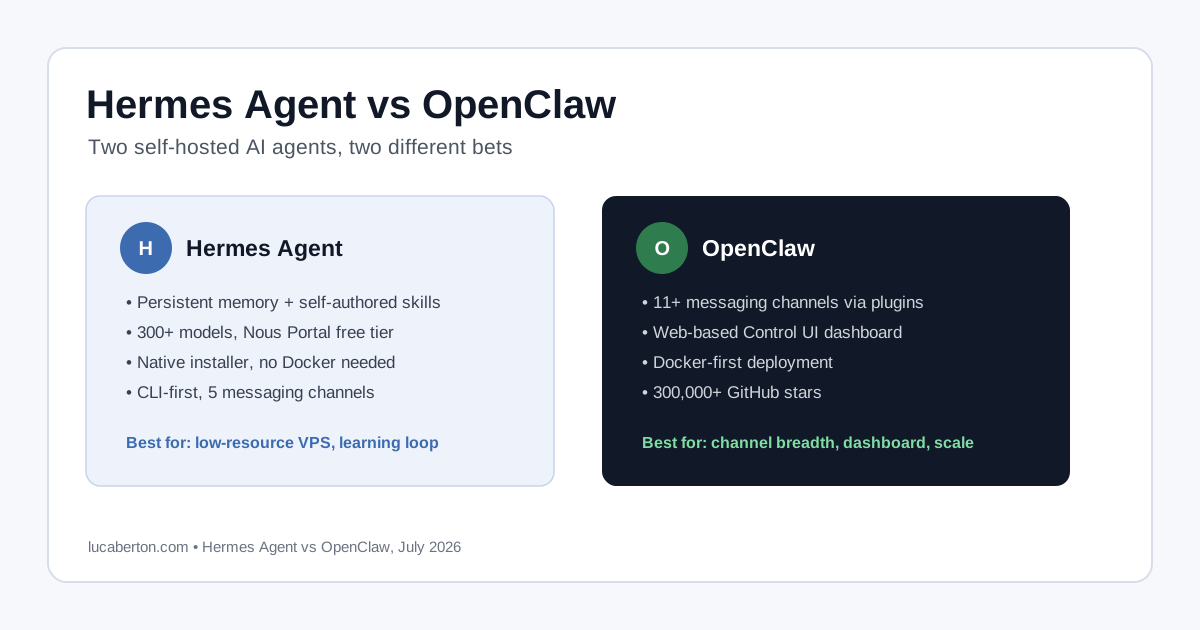
- Multi-channel support — Connect a single AI agent to Discord, Telegram, Slack, MS Teams, WhatsApp, Signal, IRC, Matrix, Nostr, and more through a plugin architecture
- Model-agnostic — Works with GitHub Copilot, Anthropic Claude, OpenAI models, and any OpenAI-compatible API
- Control UI — A web-based dashboard for managing your agent, monitoring conversations, and configuring settings
- Docker-first — Ships with Docker Compose support and a guided
docker-setup.shscript for quick deployments - Extensible plugin system — Over 30 extensions for channels, authentication, voice, memory (LanceDB), diagnostics (OpenTelemetry), and more
- Security-first design — Device-pairing authentication, CORS origin enforcement, secure context requirements, and a built-in security audit command
Architecture Overview
OpenClaw’s architecture consists of three main components:
1. Gateway Server
The core process that handles:
- WebSocket connections for the Control UI
- HTTP endpoints for OpenAI-compatible APIs
- Channel provider lifecycle management
- Plugin loading and hook execution
2. Control UI (Dashboard)
A browser-based interface for:
- Monitoring active conversations
- Managing agent configuration
- Viewing logs and diagnostics
- Device pairing and authentication
3. CLI Tool
A command-line interface for:
- Running the onboarding wizard (
configure) - Managing configuration (
config set,config get) - Gateway status and diagnostics (
status,security audit) - Device management (
devices list,devices approve)
Supported Channels
OpenClaw ships with extensions for a wide range of messaging platforms:
| Channel | Extension | Notes |
|---|---|---|
| Discord | extensions/discord | Bot API with Gateway intents |
| Telegram | extensions/telegram | Bot API |
| Slack | Built-in | Via Slack Bot |
| MS Teams | extensions/msteams | Bot Framework |
extensions/whatsapp | Business API | |
| Signal | extensions/signal | Signal Bot API |
| IRC | extensions/irc | Standard IRC protocol |
| Matrix | extensions/matrix | Decentralized messaging |
| Nostr | extensions/nostr | Decentralized social |
| Line | extensions/line | LINE Messaging API |
| Feishu/Lark | extensions/feishu | Feishu Bot |
Why OpenClaw?
Self-hosted and private
Unlike SaaS AI chat services, OpenClaw runs on your infrastructure. Your conversations, API keys, and data stay under your control.
Single agent, many channels
Instead of building separate bots for each platform, you configure one AI agent and expose it to all your channels simultaneously.
Production-ready security
OpenClaw enforces device pairing, CORS origin checks, and secure context (HTTPS or localhost) by default. The built-in security audit command checks your configuration against best practices.
Active development
The project has an extensive changelog, regular releases, and a growing contributor community. The codebase is TypeScript/Node.js with comprehensive test coverage.
Quick Start
The fastest way to try OpenClaw is with Docker:
git clone https://github.com/openclaw/openclaw.git
cd openclaw
./docker-setup.sh
The setup script will:
- Build the Docker image
- Run the onboarding wizard (model selection, channel configuration)
- Start the gateway
- Open the Control UI dashboard
For a deeper dive into installation, check out my next post: Installing OpenClaw on Azure with Docker.
Resources
- Documentation: docs.openclaw.ai
- GitHub: github.com/openclaw/openclaw
- License: Open Source
What’s Next?
In this blog series, I’ll walk through the complete journey of deploying and configuring OpenClaw — from spinning up an Azure VM to connecting Discord, hardening security, and running in production. Stay tuned!