On Thursday 22 May 2025 I spent the evening at “Unlock the Power of FinOps”, a meetup organised by Tergos in Amsterdam Zuidas. According to the listing the doors opened at 18:00, the presentations ran from 19:00 to 20:45 and there was a get-together with the speakers afterwards. Two sessions were listed: a talk on building a FinOps strategy by Rense Siegmund, and a talk on mastering cost management in the public cloud (Azure) by Paco Bernabé. I took photos of the slides and recorded parts of both talks, so this recap follows the slides and the recordings. The names come from the organiser’s event page as it was listed at the time (the first session by Rense Siegmund, the second by Paco Bernabé); I match them to the two talks by session order, and the first session’s slides carried a FinOps Academy logo.
It was the same day as a Databricks bootcamp that I covered separately in Databricks Fundamentals Bootcamp with RevoData 2025, so this evening was a change of subject, from data platforms to what they cost.
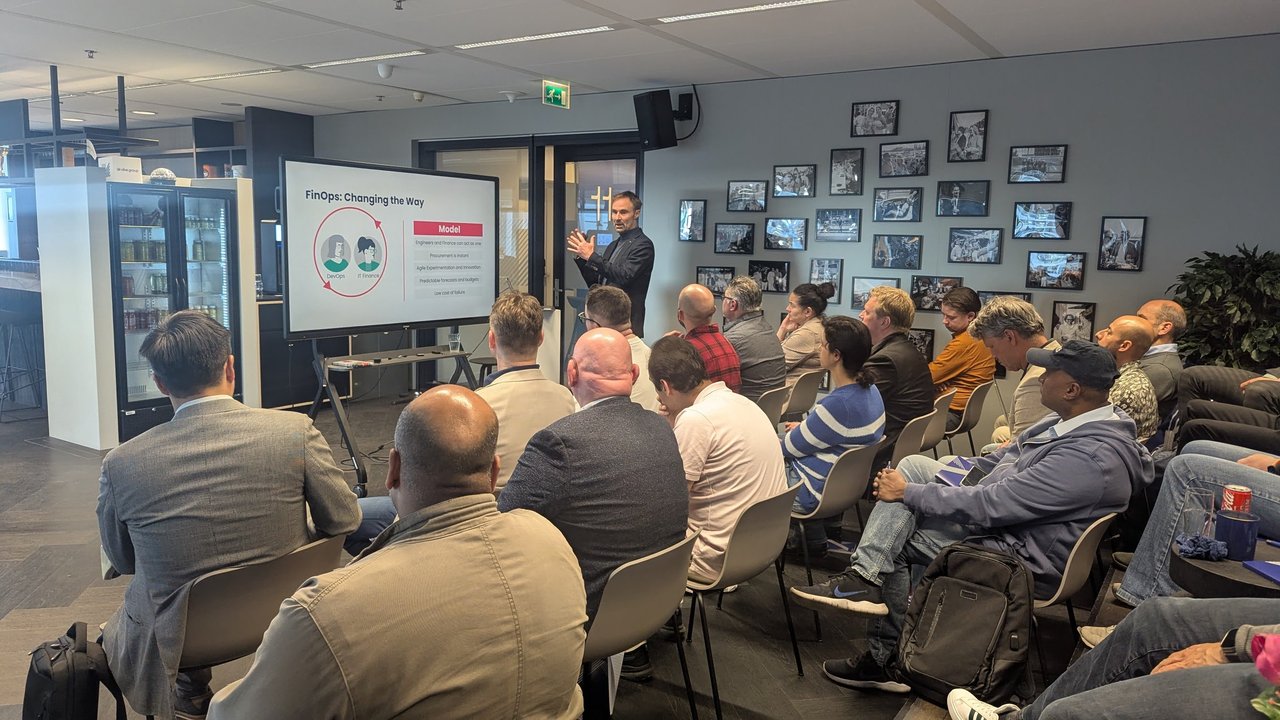
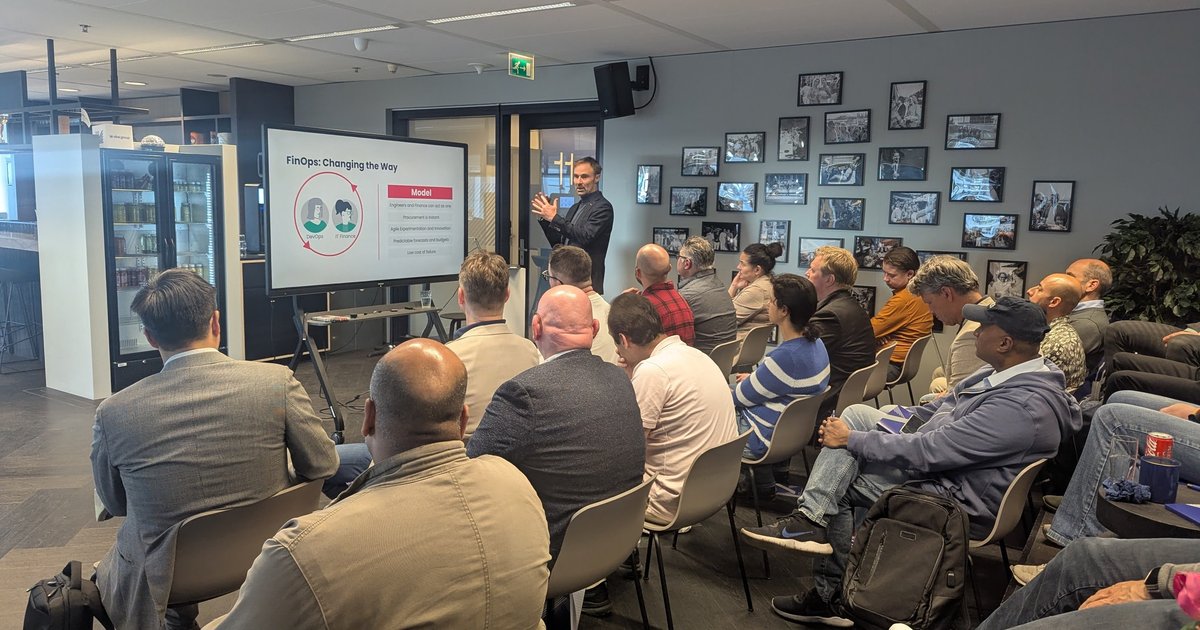
The first session’s opening slide: “FinOps: Changing the Way”.
Engineers became the procurement department
The first session started from how technology used to be bought. A slide called “Traditional Technology Consumption” described a model where procurement decided what to spend and finance approved it. Cloud changed that without anyone announcing it: as the speaker put it, engineers now spend money with code, and a small coding mistake can cost thousands of euros in minutes. Giving engineers a cloud subscription handed them the company credit card, and, he said, nobody told them how to behave with it. His joke was that the engineers who are curious enough to try something new on a personal account are the ones who create shadow IT.
He also quoted cloud spend as growing roughly 24% a year, which I take as his estimate rather than a measured figure. His answer was the change shown on the “FinOps: Changing the Way” slide: engineering, finance and, he argued, business working together, so you get instant procurement but also predictable forecasts and budgets, and if someone gets it wrong it is corrected quickly at low cost. The slide’s other headings were agile experimentation and innovation.
The FinOps Framework on one page
The next slides were from the FinOps Foundation framework. The first showed the whole framework: scopes (public cloud, SaaS, data centre, licensing, AI and custom), principles, domains and capabilities such as allocation, forecasting, budgeting, unit economics and anomaly management. The second was the persona wheel.
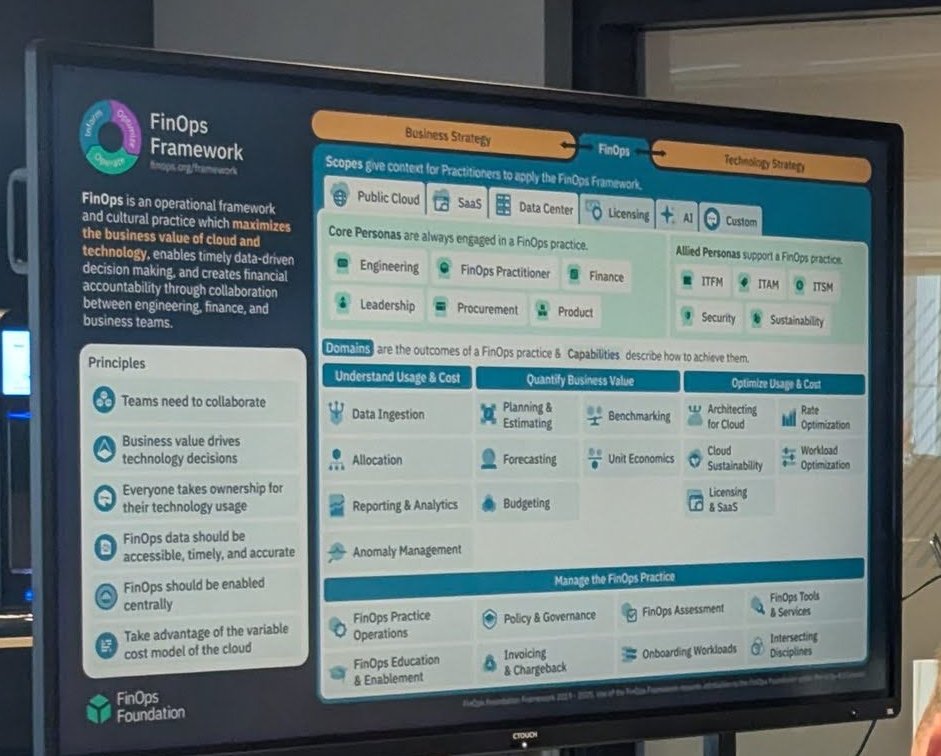
The FinOps Framework overview slide, cropped to the screen.
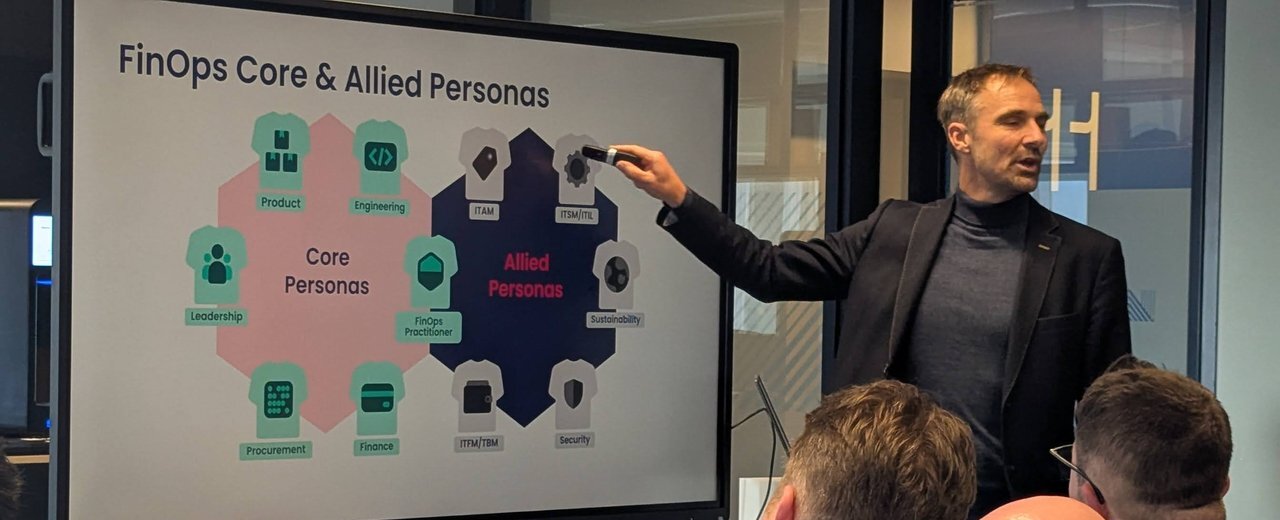
Core personas (product, engineering, leadership, FinOps practitioner, procurement, finance) are always involved; allied personas (such as ITAM, ITSM, ITFM/TBM, security and sustainability) support the practice.
My take: the persona slide is the most useful one for platform teams. If engineering is the only persona in the room, you get a cost dashboard. If finance and procurement are in it too, you get a decision.
Optimising usage and rates
The most practical part was how to cut the bill. One slide listed what you can save by approach, with its own numbers: avoid 100% by finding and eliminating or turning off unused things, save about 50% by committing to consistently used resource usage, save about 25% by rightsizing or modernising, and save anywhere from 1 to 100% by using different things to deliver the same value. I would treat the percentages as the speaker’s rules of thumb.
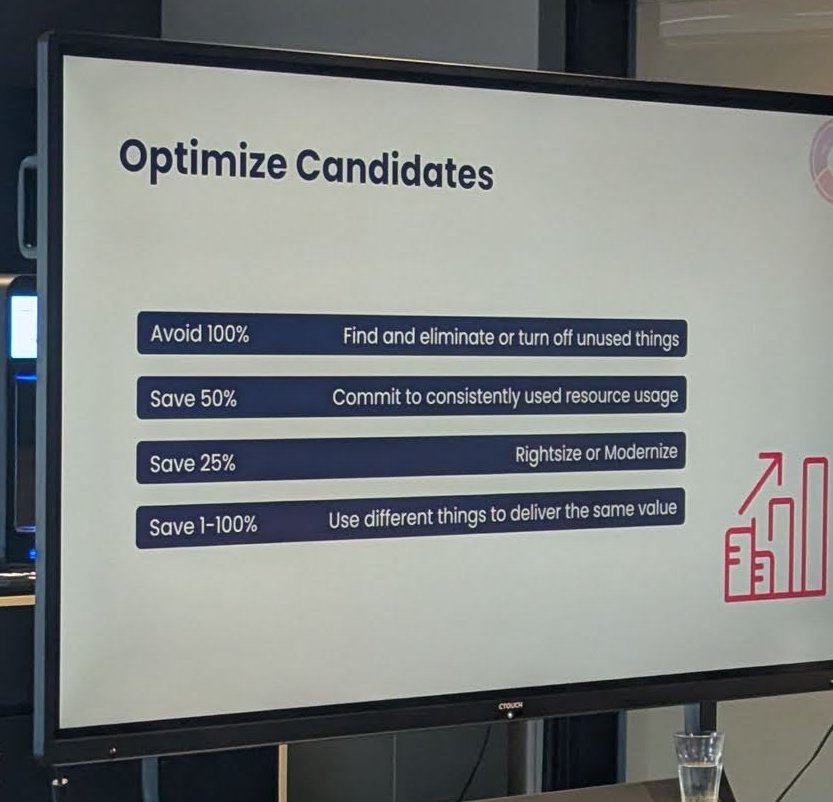
“Optimize Candidates”, the savings slide.
Usage is the engineers’ job. The “Optimize Usage Candidates” slide listed turning dev, test and sandbox environments on and off, storage policies that move data to cheaper tiers over time, rightsizing compute, databases and networks, moving from third-party licensed resources to cloud native ones, modernising, service substitution, maturing the DevOps approach, and moving to containers and serverless.
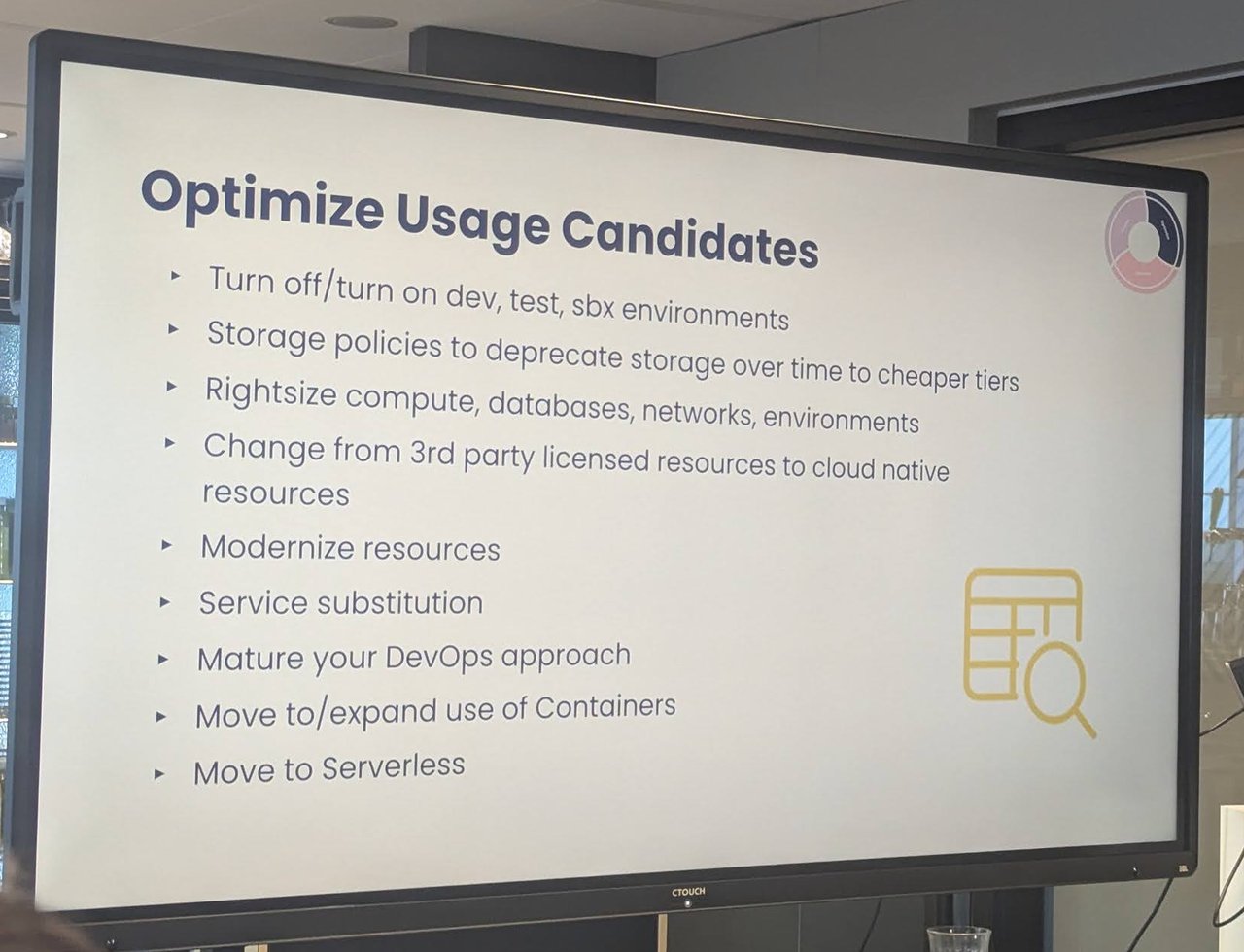
The usage optimisation list.
Rates are the central FinOps team’s job. The slide said that reserved instance, savings plan and committed use purchasing are the primary levers, together with spot or preemptible instances and negotiated pricing discounts, and that you should commit against actual usage rather than current spending.
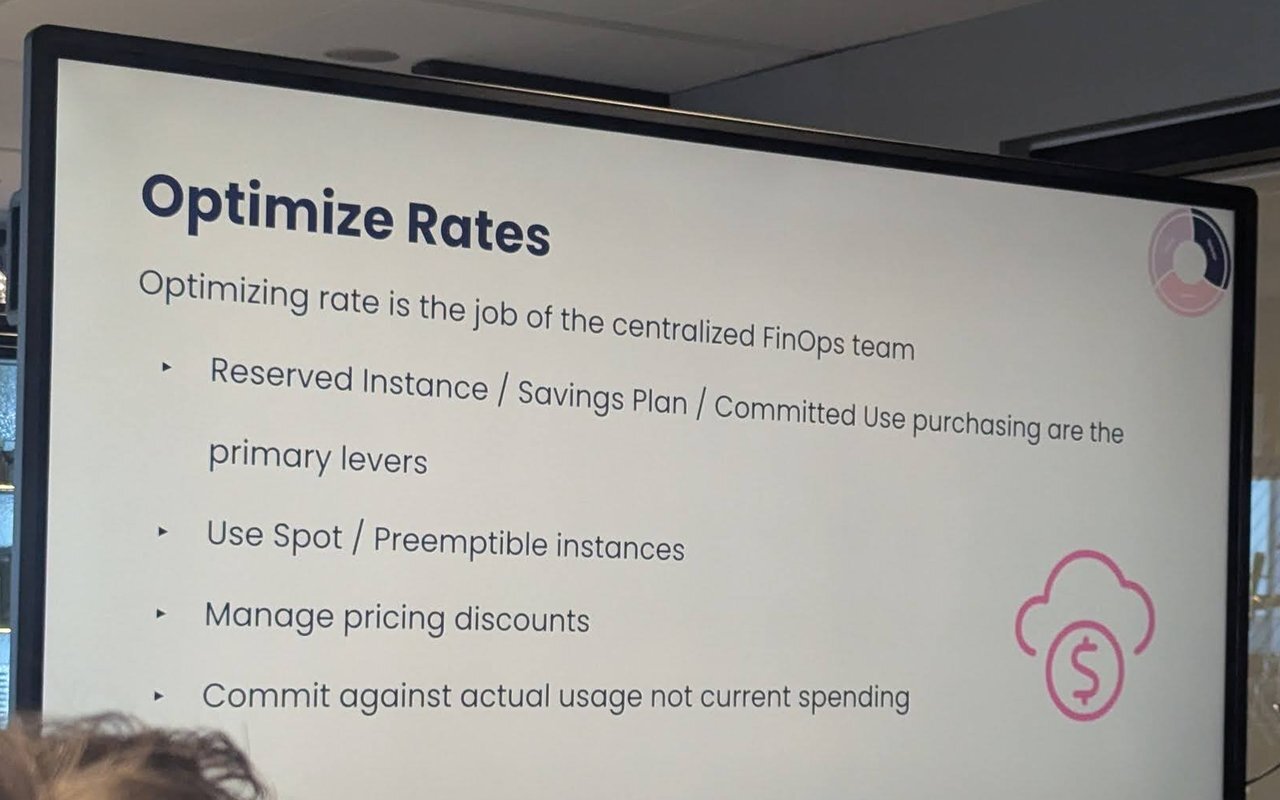
“Optimizing rate is the job of the centralized FinOps team.”
A follow-up slide defined commitment-based discounts: reserved instances, committed use discounts, capacity reservations, savings plans and flexible committed use discounts. Per the slide they work like coupons rather than actual resources, run for one or three years, give 17 to 76% discounts, and the less flexible they are the bigger the discount. A later slide advised buying them centrally, with input from the engineering teams and an understanding of up-front payment impact with finance.
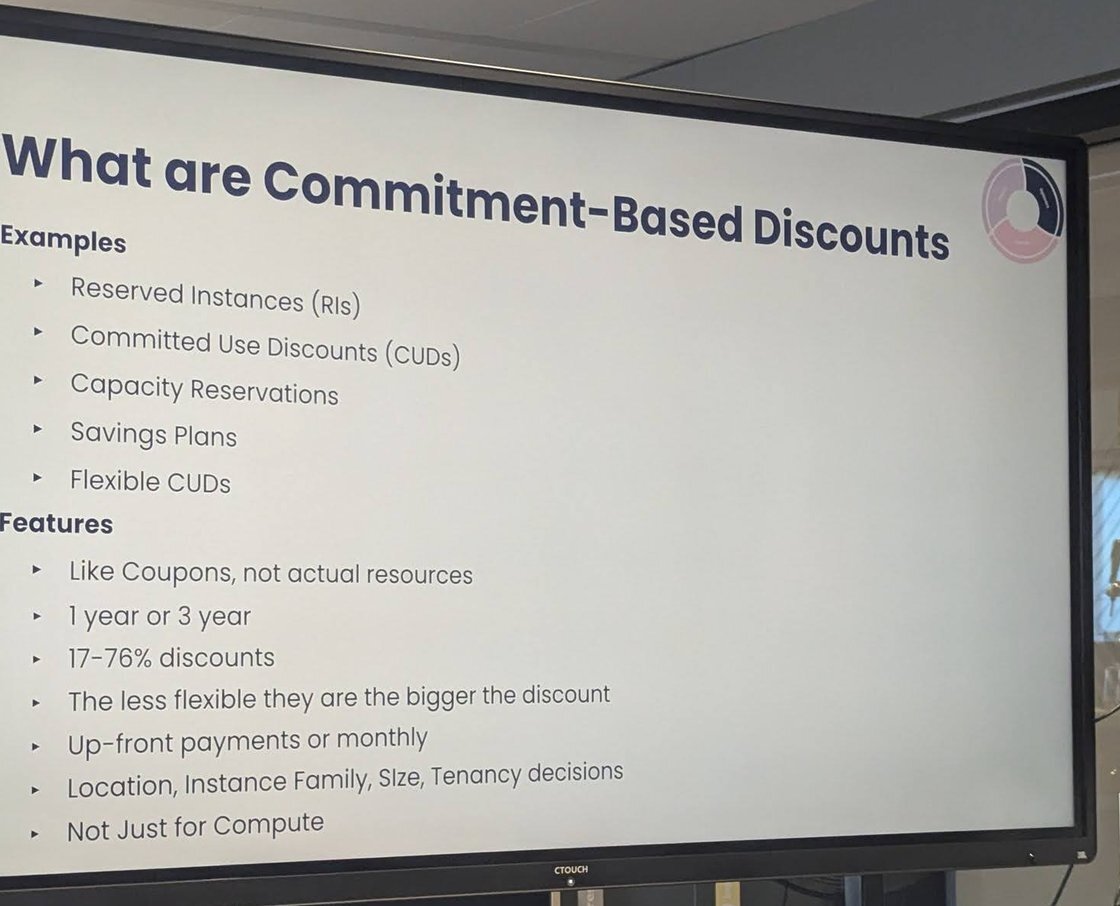
Commitment-based discounts: coupons, not resources.
FinOps in Azure
The second session was a hands-on look at Azure cost management, introduced by a red “FinOps in Azure” slide.
From the recording, the points that stood out:
- Start from the framework. The speaker used the cost management pillar of the Azure Well-Architected Framework: know your organisation and how it relates to the applications you run, size by what is needed, buy products and then actually use them (a big VM or database that sits idle is a cost), and expect requirements to change, so monitor usage and rightsize over time.
- Cost analysis shows what you have spent and Microsoft’s forecast. You can group by resource group, resource type or a specific resource, but the grouping he stressed was tags, especially when many teams share one subscription: tag by team or by environment, because development and test should not cost what production does.
- Budgets and alerts. He showed creating a budget with a name, a period such as monthly, a start and end date and an amount. Alerts can fire on actual spend, for example at 90, 95 and 100% of the monthly figure, and go to the core team and the business team responsible for the application. He compared refining a budget to refining tasks in a backlog: the more you do it, the smaller the delta.
- Azure Advisor ranks recommendations by impact, with a description, the potential yearly saving and the affected resources, so you start with the quick wins. Typical findings were unused or rightsizable machines, mostly in development environments.
- Quick wins in the portal: reservations, orphaned resources and storage lifecycle management. Moving data from a hot tier to a cheaper tier costs money itself, so he repeated Microsoft’s advice to move large files, not many small ones.
- Automation. A final slide showed a flow with two Azure Functions, a table in a storage account and the VMs: one function queries Azure Advisor and fills out a table with the result, and the other acts on VMs that have no tag and whose information has been in the table for at least seven days.
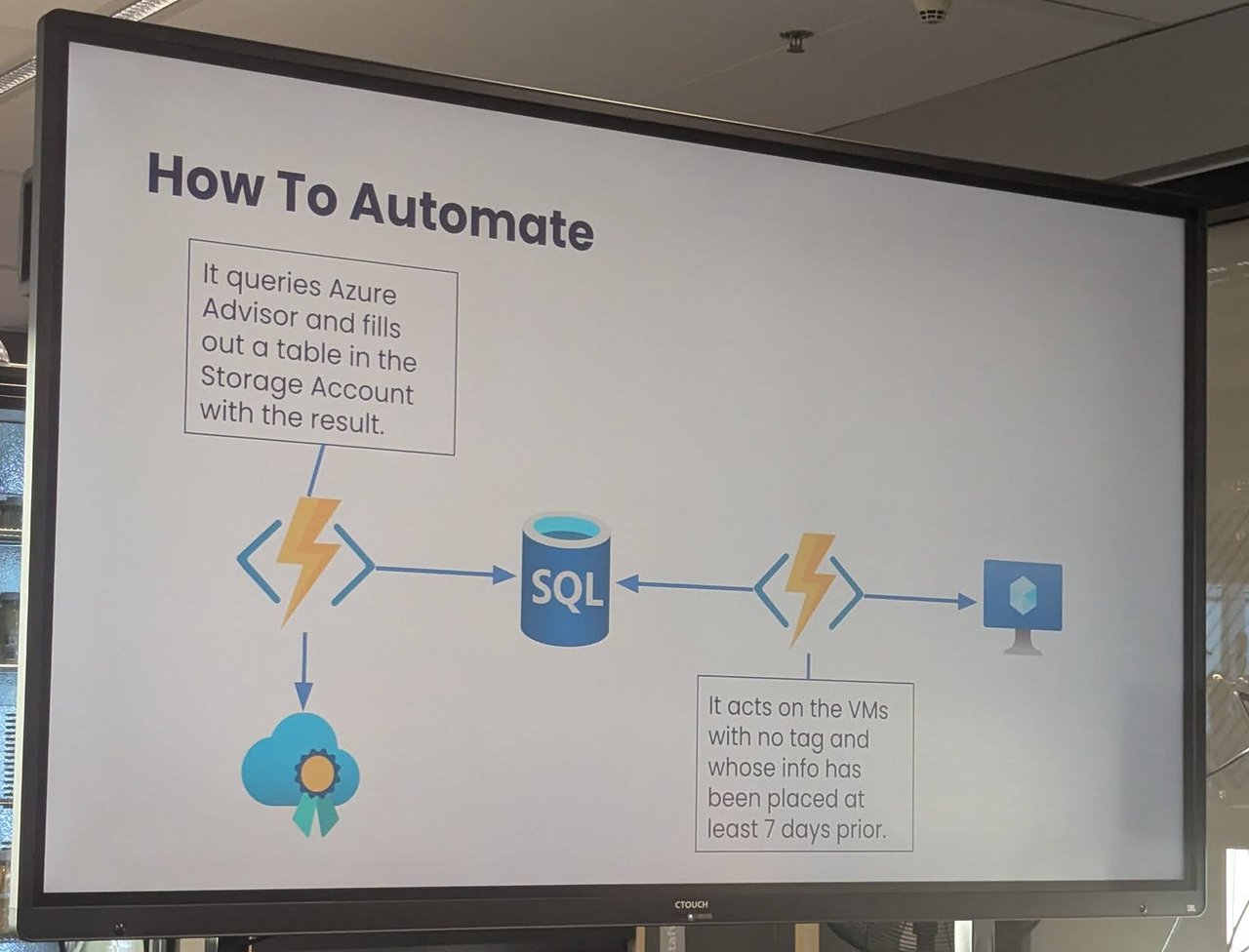
An automation sketch: collect Advisor findings in a table, then act on untagged VMs after a grace period.
My take: the tag-plus-grace-period pattern on that last slide is the right way to automate cleanup. Give owners a visible deadline before anything is stopped, and you avoid the incident that makes everyone distrust cost automation. The same logic carries over to Kubernetes, where it is called showback before chargeback.