RAG authorization means one thing in practice: a chunk the user isn’t allowed to read must never reach the model’s context. This tutorial builds permission-aware RAG with SpiceDB. You model documents, folders and teams in a schema, write relationships from Python, and then filter retrieval results in two ways: post-filtering candidates with CheckBulkPermissions, and pre-filtering the search space with LookupResources. Everything runs locally with no LLM, because the authorization step is the part you have to get right and it’s fully testable without one.
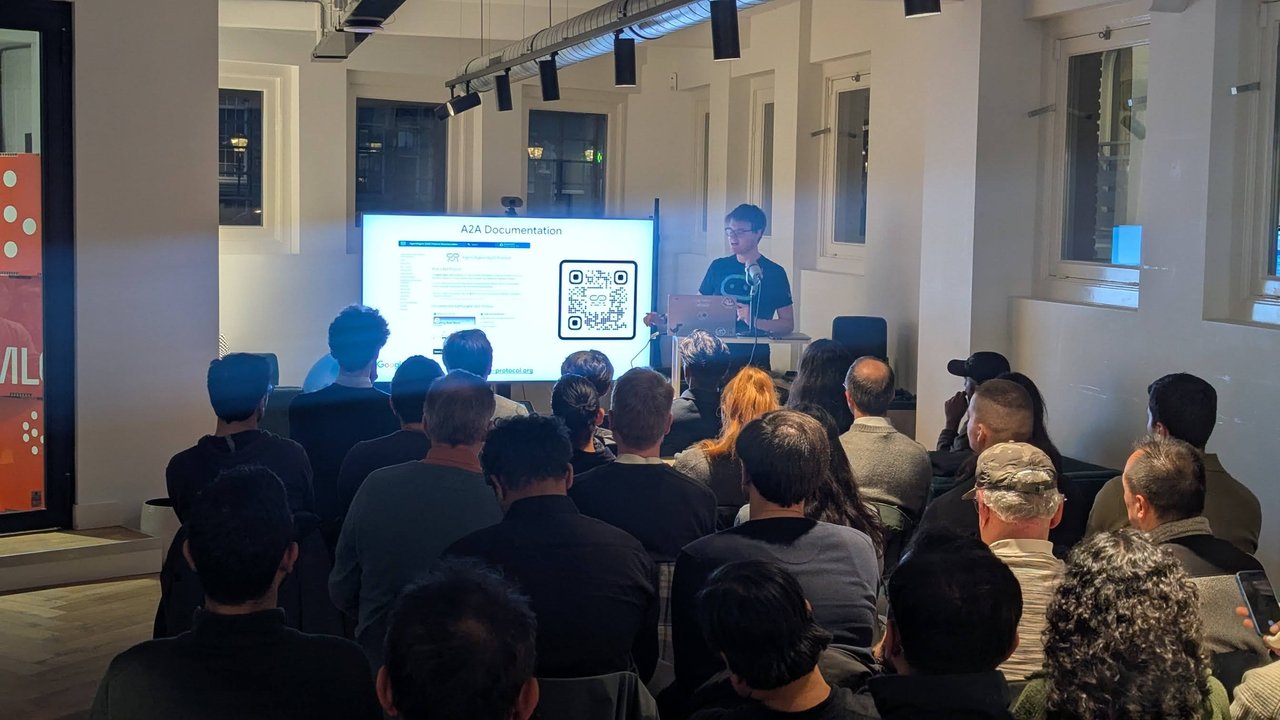
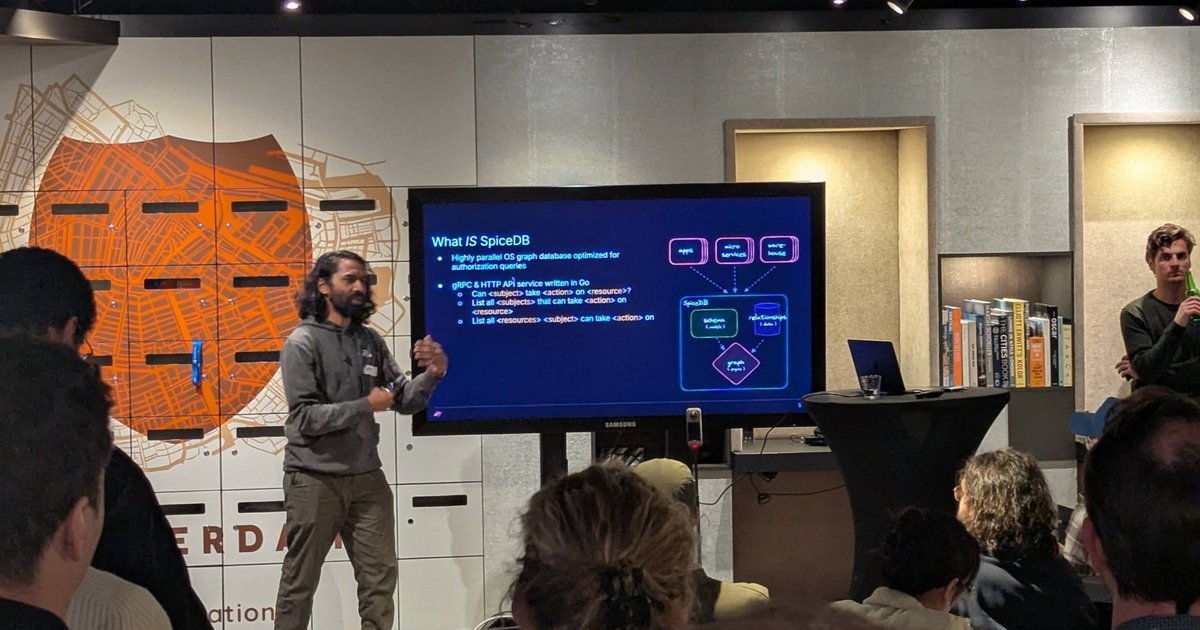
The SpiceDB talk at the Building Autonomous Systems meetup (Qodo and LangChain, 26 March 2026, during KubeCon EU week in Amsterdam) got me thinking about this. I wrote up the evening in my meetup recap. The slides described SpiceDB as a “highly parallel OS graph database optimized for authorization queries”, a gRPC and HTTP API service written in Go that answers three questions: can a subject take an action on a resource, which subjects can, and which resources a subject can act on. The rest of this post is my own hands-on version, built from the official docs.
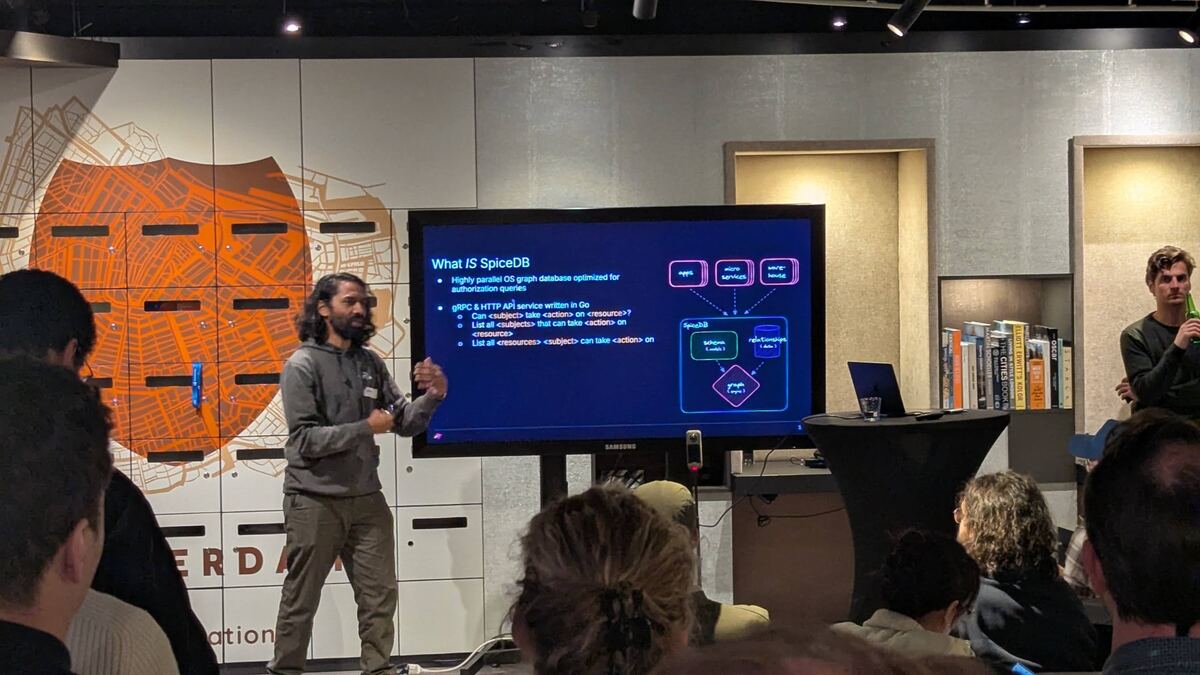
The “What IS SpiceDB” slide: apps, microservices and a warehouse call SpiceDB, which combines a schema (models) and relationships (data) in a graph engine.
Versions I tested with: SpiceDB v1.56.2 (authzed/spicedb Docker image, in-memory datastore), the authzed Python client 1.25.0 on Python 3.13, and langchain-spicedb 0.2.0 for the source checks at the end.
Why the prompt can’t enforce RAG authorization
A RAG pipeline retrieves chunks by similarity and pastes them into the prompt. Similarity knows nothing about who is asking. If the salary bands spreadsheet is the best match for “what do senior engineers earn?”, it gets retrieved for everyone.
Telling the model “only answer from documents the user may see” doesn’t help. The model has no reliable way to know who may see what, and once the text is in the context window, a clever question or a plain mistake can surface it. Authorization has to happen in code, between the retriever and the prompt, and it has to be impossible to skip. The README of AuthZed’s agentic RAG example puts it bluntly: “Never ever let an AI Agent decide if it needs to check for authorization.”
That’s why the check sits inside the retrieval function below, not in a tool the agent may or may not call. My enterprise RAG architecture post lists access control as a production requirement; this is the hands-on version.
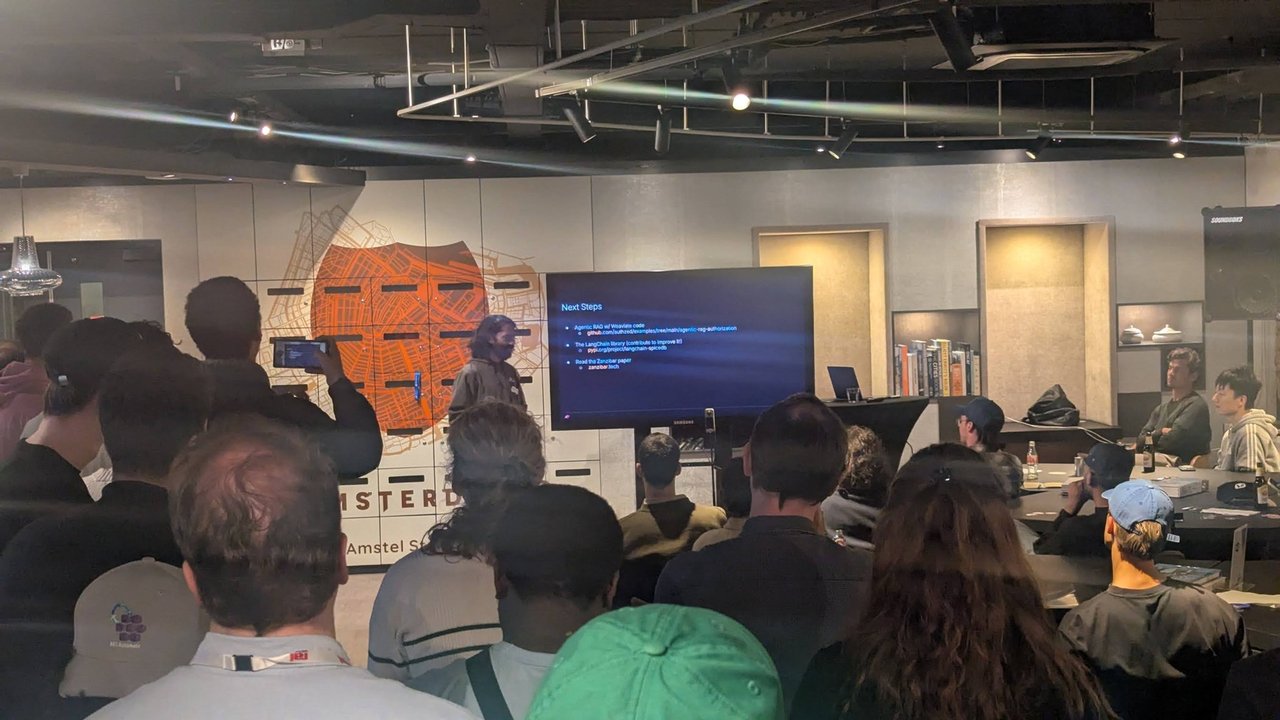
The meetup room near Amstel Station during the SpiceDB talk.
Model documents, folders and teams in a SpiceDB schema
SpiceDB uses relationship-based access control (ReBAC), modelled on Google’s Zanzibar paper. A schema declares object types, the relations between them, and permissions computed from those relations. Here is a small one for a document store:
definition user {}

definition team {
    relation member: user
}

definition folder {
    relation parent: folder
    relation owner: user
    relation viewer: user | user:* | team#member

    permission view = owner + viewer + parent->view
}

definition document {
    relation folder: folder
    relation owner: user
    relation viewer: user | team#member

    permission view = owner + viewer + folder->view
}
What each line does:
relation viewer: user | user:* | team#memberlets a folder’s viewer be a single user, every user (theuser:*wildcard, for public folders), or the members of a team.+is a union.viewis true if you’re the owner, a viewer, or anything on the right.parent->viewis an arrow: walk theparentrelation and checkviewon the parent folder. Nested folders inherit access without copying ACLs.folder->viewdoes the same for documents, so a document is visible to anyone who can view its folder.
The schema language also has & (intersection) and - (exclusion), for rules like “viewer but not banned”.
Run SpiceDB locally and write relationships
Start SpiceDB with its default in-memory datastore:
docker run -d --name spicedb-ragdemo -p 50051:50051 \
  authzed/spicedb:v1.56.2 serve \
  --grpc-preshared-key "localdevkey" \
  --telemetry-endpoint=""
serve defaults to --datastore-engine memory, and --telemetry-endpoint="" turns off usage reporting to telemetry.authzed.com. The AuthZed docs describe the in-memory datastore as fully ephemeral and meant for testing integrations. For production they recommend PostgreSQL for single-region setups and CockroachDB or Spanner for larger ones.
Install the official client in a venv:
python3 -m venv .venv && .venv/bin/pip install authzedThen load the schema and the relationships. Each relationship is a tuple: resource, relation, subject.
from pathlib import Path
from authzed.api.v1 import (
    InsecureClient, ObjectReference, Relationship, RelationshipUpdate,
    SubjectReference, WriteRelationshipsRequest, WriteSchemaRequest,
)

client = InsecureClient("localhost:50051", "localdevkey")
client.WriteSchema(WriteSchemaRequest(schema=Path("schema.zed").read_text()))

TUPLES = [
    ("team:eng", "member", "user:alice"),
    ("team:finance", "member", "user:bob"),
    ("folder:handbook", "viewer", "user:*"),
    ("folder:eng", "viewer", "team:eng#member"),
    ("folder:eng-oncall", "parent", "folder:eng"),
    ("folder:finance", "viewer", "team:finance#member"),
    ("document:holiday-policy", "folder", "folder:handbook"),
    ("document:incident-2026-09", "folder", "folder:eng"),
    ("document:db-failover-runbook", "folder", "folder:eng-oncall"),
    ("document:salary-bands-2026", "folder", "folder:finance"),
    ("document:reorg-plan", "owner", "user:carol"),
]

def ref(s):
    t, i = s.split(":", 1)
    return ObjectReference(object_type=t, object_id=i)

def subject(s):
    obj, _, rel = s.partition("#")
    return SubjectReference(object=ref(obj), optional_relation=rel)

resp = client.WriteRelationships(WriteRelationshipsRequest(updates=[
    RelationshipUpdate(
        operation=RelationshipUpdate.Operation.OPERATION_TOUCH,
        relationship=Relationship(resource=ref(r), relation=rel, subject=subject(s)),
    )
    for r, rel, s in TUPLES
]))
Path(".zedtoken").write_text(resp.written_at.token)
InsecureClient is the client the authzed-py README shows for local development without TLS. OPERATION_TOUCH writes the relationship whether or not it already exists (OPERATION_CREATE would fail on a duplicate), so the script is safe to run twice. written_at is a ZedToken, which I come back to below.
The users: alice is in engineering, bob in finance, carol owns the reorg plan directly, and dave belongs to no team.
A toy retriever
The retriever doesn’t matter for authorization, so I use keyword overlap where a real system has a vector store. The only requirement: every chunk carries its source document ID.
import re
from collections import Counter

CHUNKS = [
    ("holiday-policy", "Employees get 25 holiday days per year, plus public holidays."),
    ("holiday-policy", "Unused holiday days carry over until the end of March."),
    ("incident-2026-09", "Postmortem: the primary database failed over after a disk filled up."),
    ("db-failover-runbook", "Runbook: to fail over the database, promote the replica and update DNS."),
    ("salary-bands-2026", "Salary bands 2026: senior engineer band is 95k to 120k EUR."),
    ("salary-bands-2026", "Salary bands 2026: bonus target for senior engineers is 10 percent."),
    ("reorg-plan", "Reorg plan: the database team merges into platform engineering in Q1."),
]

def tokens(text):
    return re.findall(r"[a-z0-9]+", text.lower())

def retrieve(query, k, allowed_docs=None):
    q = Counter(tokens(query))
    scored = []
    for doc_id, text in CHUNKS:
        if allowed_docs is not None and doc_id not in allowed_docs:
            continue
        score = sum(min(q[t], c) for t, c in Counter(tokens(text)).items())
        if score:
            scored.append((score, doc_id, text))
    scored.sort(key=lambda s: -s[0])
    return scored[:k]
Permissions live on documents, not chunks: a chunk inherits its document’s permission, so re-chunking never touches SpiceDB.
Post-filter retrieved chunks with CheckBulkPermissions
Post-filtering retrieves candidates first and then asks SpiceDB about all of them in one call. The AuthZed docs say one CheckBulkPermissions call with N checks is always preferable to N CheckPermission calls, unless latency doesn’t matter to you.
from authzed.api.v1 import (
    CheckBulkPermissionsRequest, CheckBulkPermissionsRequestItem,
    CheckPermissionResponse, Consistency, ZedToken,
)

HAS = CheckPermissionResponse.PERMISSIONSHIP_HAS_PERMISSION

def consistency(zedtoken):
    if zedtoken:
        return Consistency(at_least_as_fresh=ZedToken(token=zedtoken))
    return Consistency(minimize_latency=True)

def user(user_id):
    return SubjectReference(object=ObjectReference(object_type="user", object_id=user_id))

def post_filter(user_id, query, k=3, zedtoken=None):
    candidates = retrieve(query, k * 3)               # over-fetch
    doc_ids = sorted({d for _, d, _ in candidates})   # one check per document
    if not doc_ids:
        return []
    resp = client.CheckBulkPermissions(CheckBulkPermissionsRequest(
        consistency=consistency(zedtoken),
        items=[
            CheckBulkPermissionsRequestItem(
                resource=ObjectReference(object_type="document", object_id=d),
                permission="view",
                subject=user(user_id),
            )
            for d in doc_ids
        ],
    ))
    allowed = set()
    for pair in resp.pairs:
        # Fail closed: per-item errors and CONDITIONAL_PERMISSION count as "no".
        if pair.HasField("item") and pair.item.permissionship == HAS:
            allowed.add(pair.request.resource.object_id)
    return [c for c in candidates if c[1] in allowed][:k]
Three details matter here:
- Over-fetch. If you retrieve exactly
kand then drop some, the user gets fewer results than requested. I fetch3 * k. In production you loop until you havekallowed chunks or run out of candidates. - Deduplicate. Several chunks from one document need one check, not several.
- Fail closed. Each response pair carries either an
itemor anerror. Anything other thanPERMISSIONSHIP_HAS_PERMISSIONis a denial.PERMISSIONSHIP_CONDITIONAL_PERMISSIONmeans a caveat needed context you didn’t send; treat it as a no. And if the whole call fails (I tested with a wrong preshared key and gotPERMISSION_DENIED: invalid preshared key), let the exception propagate. Never fall back to the unfiltered list.
Pre-filter with LookupResources
Pre-filtering turns the question around: ask SpiceDB which documents the user can view, then search only those.
from authzed.api.v1 import LookupResourcesRequest

def pre_filter(user_id, query, k=3, zedtoken=None):
    allowed = {
        r.resource_object_id
        for r in client.LookupResources(LookupResourcesRequest(
            consistency=consistency(zedtoken),
            resource_object_type="document",
            permission="view",
            subject=user(user_id),
        ))
    }
    return retrieve(query, k, allowed_docs=allowed)
LookupResources is a server-streaming call, so you iterate over the responses. In a vector database, allowed_docs becomes a metadata filter on the search, such as doc_id in [...].
Same question, four users
Running both functions for the query “database failover salary senior engineer”:
no authorization:
  3 salary-bands-2026      Salary bands 2026: senior engineer band is 95k to 120k EUR.
  2 salary-bands-2026      Salary bands 2026: bonus target for senior engineers is 10 p
  1 incident-2026-09       Postmortem: the primary database failed over after a disk fi
alice post: ['incident-2026-09', 'db-failover-runbook']
alice pre : ['incident-2026-09', 'db-failover-runbook']
bob   post: ['salary-bands-2026', 'salary-bands-2026']
bob   pre : ['salary-bands-2026', 'salary-bands-2026']
carol post: ['reorg-plan']
carol pre : ['reorg-plan']
dave  post: []
dave  pre : []
Without authorization, the top result for everyone is the salary spreadsheet. With it, alice gets the incident and the runbook (the runbook through the eng-oncall folder’s parent->view arrow), bob gets the salary bands, carol only her own reorg plan, and dave nothing. Ask “how many holiday days do I get” and dave gets both holiday-policy chunks through the user:* wildcard on the handbook folder.
Both methods return the same answers here, as they should. The differences are in cost and in what happens at scale.
I passed the setup script’s ZedToken to both functions. Without it, on a freshly started server, running the queries straight after the setup failed with FAILED_PRECONDITION: object definition document not found: the default minimize_latency read picked a snapshot from before the schema was written. The next section explains why.
Pre-filter or post-filter?
Post-filter (CheckBulkPermissions) | Pre-filter (LookupResources) | |
|---|---|---|
| SpiceDB work | proportional to candidates (k × over-fetch) | proportional to everything the user can see |
| Retrieval | unchanged, then trimmed | needs a metadata filter in the vector store |
| Risk | fewer than k results when most candidates are denied | huge ID lists for users who can see a lot |
| Fits | users can see most of the corpus | users see a small slice of a large corpus |
The AuthZed docs say LookupResources works well for moderate result sizes, but “it’s a heavy request that can cause performance problems when more than 10k results are involved”, and recommend post-filtering with CheckBulkPermissions beyond that. The langchain-spicedb README gives the same split: post-filter when users access most documents, pre-filter when they access a small subset of a large corpus.
One limit I hit while testing: with 1,501 visible documents, a LookupResources call without a limit streamed all 1,501, but optional_limit=2000 was rejected with “provided limit 2000 is greater than maximum allowed of 1000”. That cap is the server flag --max-lookup-resources-limit (default 1000). For paging, use optional_limit with the after_result_cursor of the last response as the next optional_cursor; 500 per page took four pages.
My take: start with post-filtering. It leaves your retriever untouched, it’s one gRPC call per query, and it fails in the safe direction (too few results, not too many). Move to pre-filtering when users with narrow access keep getting empty answers.
Consistency: ZedTokens and the revoked user
Permissions change. When bob leaves the finance team, the next query must not show him the salary bands. SpiceDB’s consistency options control this:
minimize_latency(the default for checks and lookups) uses whatever is most likely cached.at_least_as_freshuses data at least as new as a given ZedToken.at_exact_snapshotuses exactly the ZedToken’s snapshot.fully_consistentuses the latest data and bypasses the cache, which costs latency.
I removed bob from the team and checked immediately:
resp = client.WriteRelationships(WriteRelationshipsRequest(updates=[
    RelationshipUpdate(
        operation=RelationshipUpdate.Operation.OPERATION_DELETE,
        relationship=Relationship(
            resource=ObjectReference(object_type="team", object_id="finance"),
            relation="member",
            subject=user("bob"),
        ),
    )
]))
token = resp.written_at.token
before: PERMISSIONSHIP_HAS_PERMISSION
after, minimize_latency: PERMISSIONSHIP_HAS_PERMISSION
after, at_least_as_fresh: PERMISSIONSHIP_NO_PERMISSION
after, fully_consistent: PERMISSIONSHIP_NO_PERMISSIONRight after the delete, minimize_latency still said yes. I reproduced it three times in a row; six seconds later it said no. That matches the default --datastore-revision-quantization-interval of 5s. With at_least_as_fresh and the token from the delete, the answer was correct straight away. This is the “new enemy” problem the consistency docs describe.
The catch: a ZedToken is a floor, not “latest”. Running the retrieval right after the revocation with the old token from the initial setup still gave bob the salary chunks, because any snapshot newer than that old token is acceptable. The docs recommend storing ZedTokens alongside resources when they’re created or changed, or when their permissions change. For RAG that means:
- Store the
written_attoken with each document when you index it or change its sharing, and pass it when you check that document. - For revocations like team membership, keep the token from that write too (per user or per tenant) and use the newest relevant token.
- For the few queries where a stale yes is unacceptable, use
fully_consistentand accept the latency.
Where langchain-spicedb and the AuthZed example fit
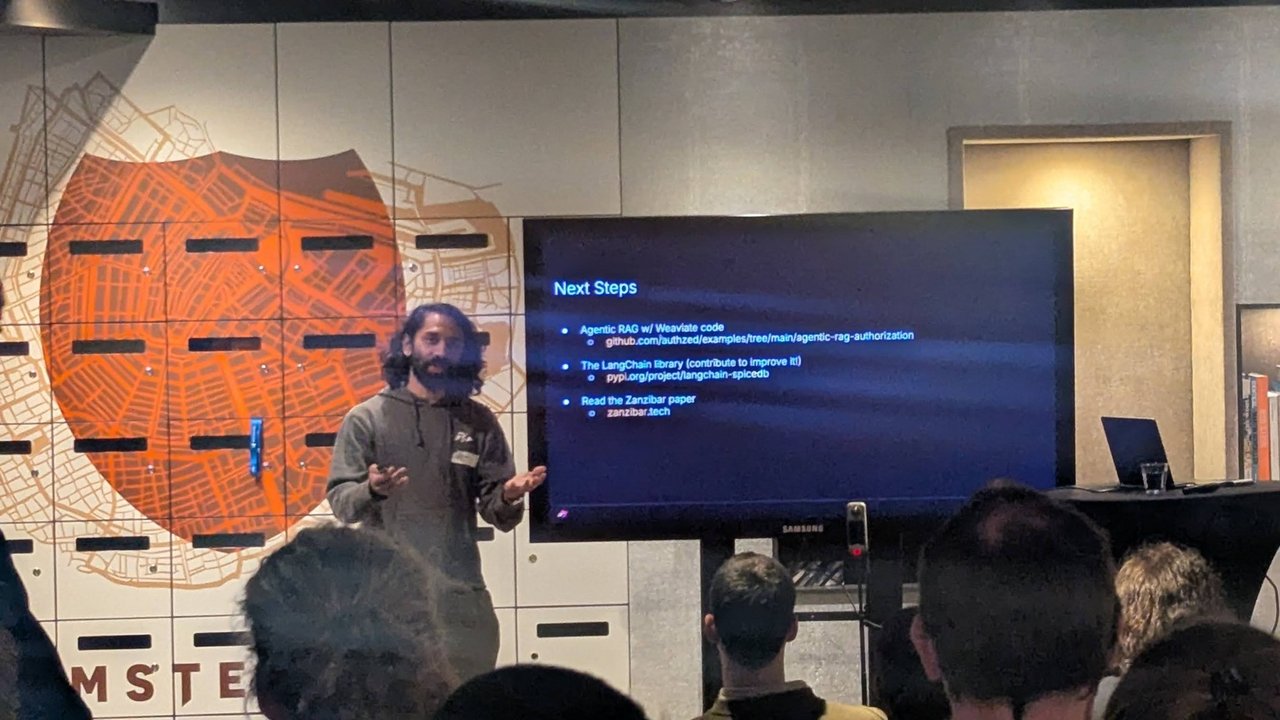
The talk’s Next Steps slide: the agentic RAG example, the LangChain library, and the Zanzibar paper at zanzibar.tech.
The talk closed with these links, and I checked both repos:
authzed/examples/agentic-rag-authorizationis a LangGraph app with Milvus and OpenAI onmain, with a Weaviate version (BM25 keyword search) and a Mistral version on separate branches. Its authorization node filters retrieved documents throughCheckBulkPermissions, the same post-filter pattern as above. It needs an OpenAI API key, so I didn’t run it.langchain-spicedb(0.2.0, Apache-2.0) wraps both patterns:SpiceDBAuthFilteras a post-filter runnable between retriever and prompt,SpiceDBPreFilterRetrieverforLookupResourcespre-filtering, permission-check tools, and LangGraph nodes. Install it withpip install "langchain-spicedb[all]"; the plain install doesn’t pull inlangchain-coreand only exposes the LangGraph helpers. In 0.2.0 the bulk check and the lookup don’t set aconsistencyfield, so they run withminimize_latency. Keep the revocation window above in mind.
A LangChain chain with the post-filter looks like this, taken from the package’s README. I haven’t run it, because it needs a retriever and an LLM:
# Untested here: from the langchain-spicedb README
auth = SpiceDBAuthFilter(
    spicedb_endpoint="localhost:50051",
    spicedb_token="sometoken",
    resource_type="article",
)
chain = retriever | auth | prompt | llm
Pitfalls checklist
- Chunks without a document ID. If the ID is missing from vector-store metadata, you can’t check it. Make it a required field at ingest.
- Caching answers across users. A semantic cache keyed on the question alone serves bob’s answer to alice. Include the user (or the set of allowed document IDs) in the cache key.
- Agents with search tools. Every tool that returns content needs the same filter. The check belongs inside the tool, not in the agent’s instructions.
- Swallowed errors. A
try/exceptthat returns unfiltered results on a SpiceDB timeout turns an outage into a data leak. - In-memory datastore in production. It loses everything on restart and can’t run highly available.