At Red Hat Summit 2026 in Atlanta, I attended a session on storage for OpenShift Virtualization — one of the most practical talks of the entire conference. Storage decisions in virtualized Kubernetes environments are notoriously complex, and this session cut through the noise with clear decision frameworks and hard-won operational wisdom.
Feature Requirements Guide Your Storage Choice
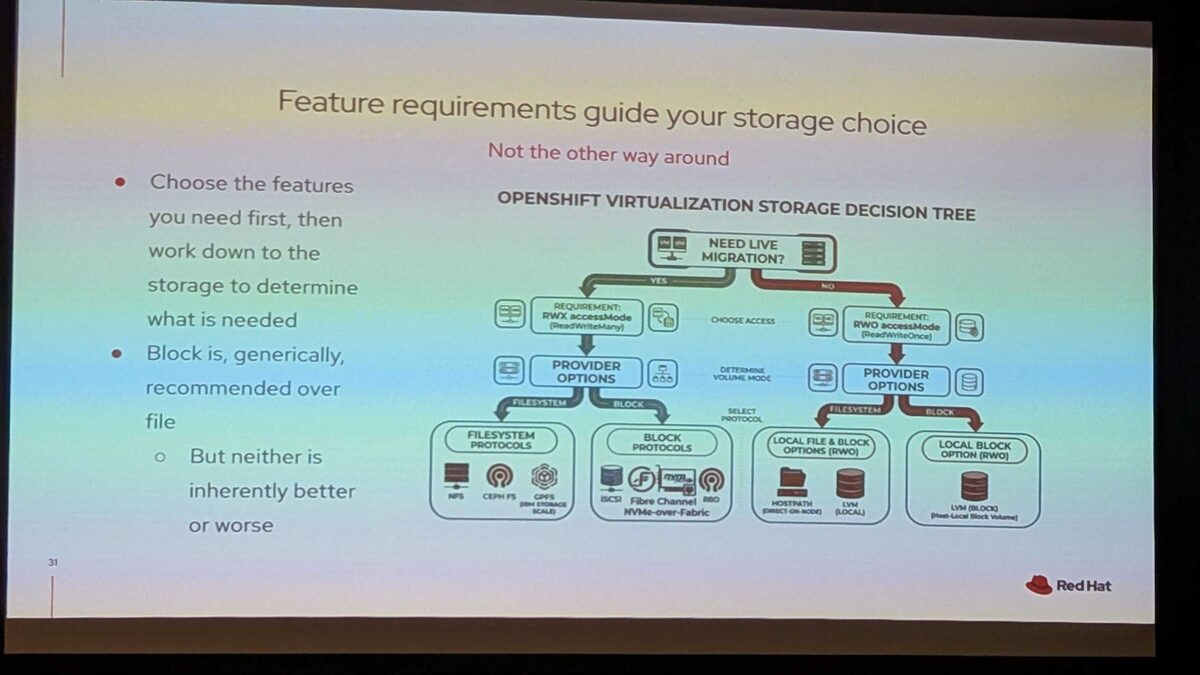
The key message: choose features first, then work down to storage — not the other way around.
The decision tree starts with one critical question: Do you need live migration?
Live Migration Path (RWX — ReadWriteMany)
If yes, you need RWX access mode, which branches into two protocol families:
Filesystem Protocols:
- NFS
- CephFS
- GPFS (IBM Storage Scale)
Block Protocols:
- iSCSI
- Fibre Channel
- NVMe-over-Fabric
- RBD (RADOS Block Device)
Block is generically recommended over file — but neither is inherently better or worse. The choice depends on your existing infrastructure, performance requirements, and operational expertise.
No Live Migration Path (RWO — ReadWriteOnce)
If you do not need live migration, RWO is sufficient:
Local File and Block Options:
- HostPath (direct on-node)
- LVM (local)
Local Block Option:
- LVM Block (host-local block volume)
The PVC Binding Gotcha
One critical operational warning from the session: PVCs bind forever if file and block storage classes are mixed in the same environment. If you have both filesystem and block StorageClasses available, PVCs can bind to the wrong type and never release — leading to stuck workloads and confused troubleshooting. This directly affects your SLA for high availability and recovery.
Test, Test, Test (and Validate)
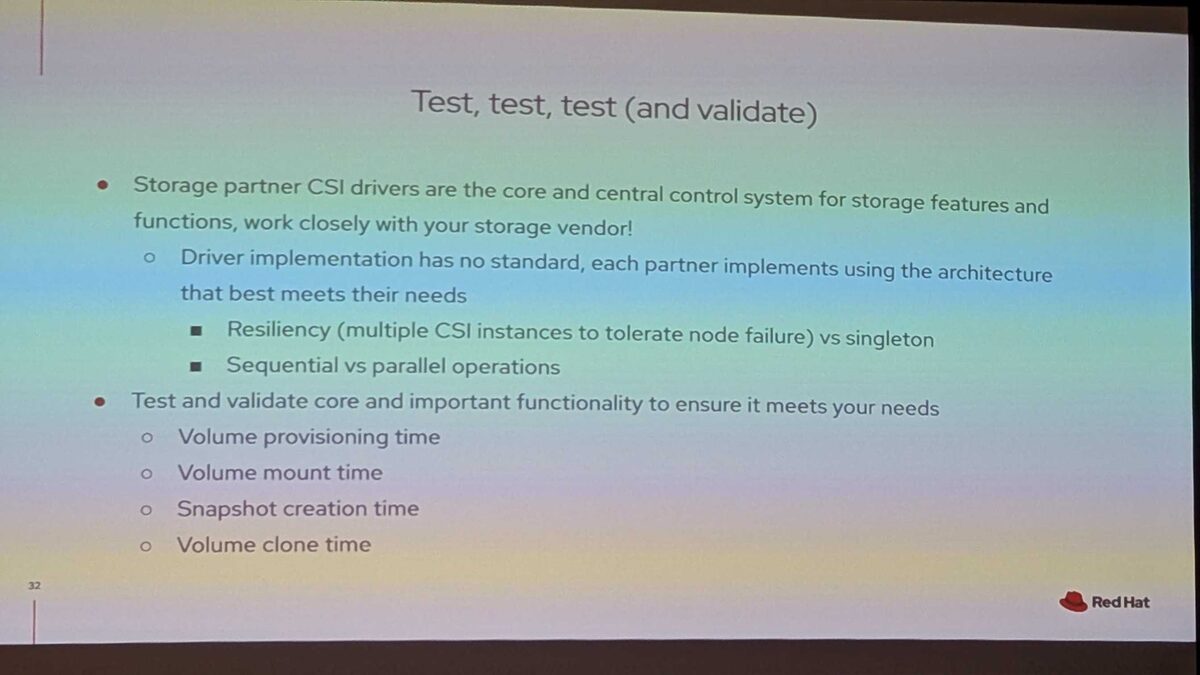
Storage partner CSI drivers are the core control system for storage features and functions. The session emphasized working closely with your storage vendor because:
- Driver implementation has no standard — each partner implements using the architecture that best meets their needs
- Resiliency varies: multiple CSI instances (for node failure tolerance) vs singleton deployments
- Sequential vs parallel operations — some drivers queue operations, others parallelize them
What to Benchmark
Test and validate core functionality to ensure it meets your needs:
- Volume provisioning time — how long from PVC creation to bound state?
- Volume mount time — how quickly can a pod attach and mount?
- Snapshot creation time — critical for backup RPO targets
- Volume clone time — affects scaling and dev/test environment creation
Node Failure and HA Impact
Node failure scenarios directly affect your SLA for high availability and recovery. The CSI driver architecture — singleton vs multi-instance — determines:
- Detection time: How quickly the cluster realizes a node is down
- Failover time: How long until volumes are re-attached to a surviving node
- Data integrity: Whether in-flight writes are properly fenced
For production workloads with strict SLAs, test node failure scenarios with your specific CSI driver before committing to a storage architecture.
Key Takeaway
Storage decisions for OpenShift Virtualization are not about picking the “best” storage — they are about matching features to requirements. Start with your workload needs (live migration, HA, performance), map them to access modes (RWX vs RWO), then select the protocol and vendor that fits your infrastructure.
And always test. Volume provisioning, mounting, snapshots, cloning — measure everything. Your CSI driver is the control plane for your data, and its behavior under failure determines your real (not theoretical) SLA.



