At Red Hat Summit 2026, the “Beyond the Basics: Operationalizing Red Hat OpenShift Virtualization” workshop delivered 90 minutes of hands-on experience with production VM management on OpenShift. Here is everything covered.
Session Overview
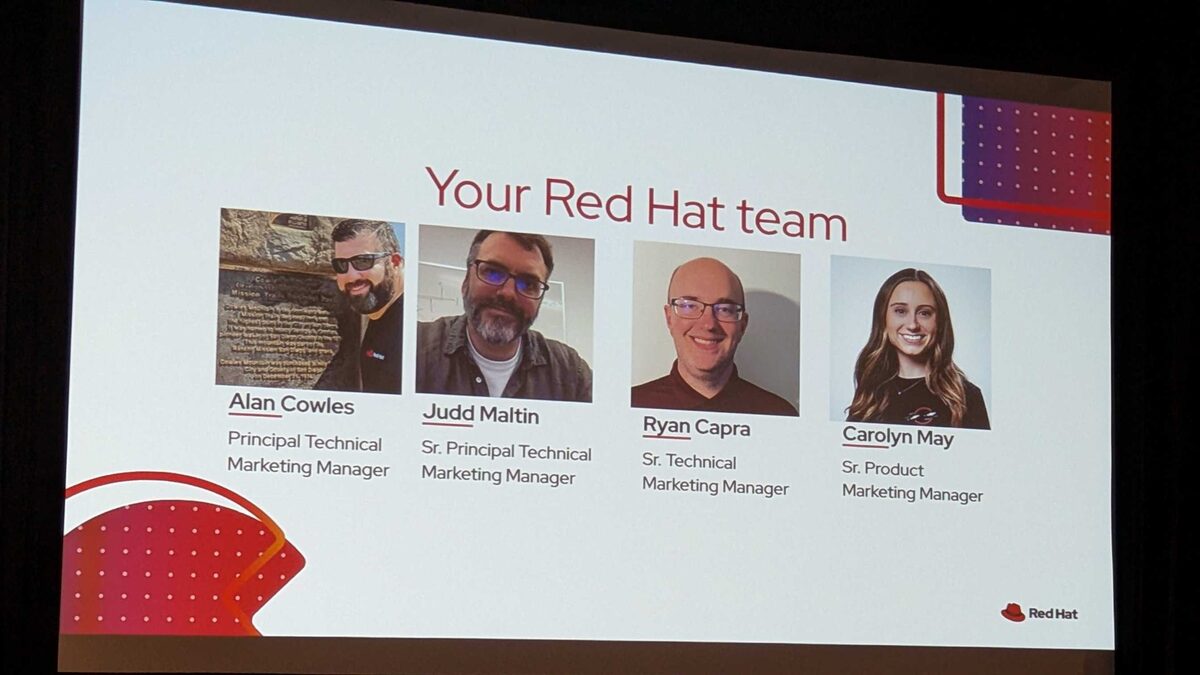
Speakers:
- Alan Cowles — Principal Technical Marketing Manager
- Judd Maltin — Sr. Principal Technical Marketing Manager
- Ryan Capra — Sr. Technical Marketing Manager
- Carolyn May — Sr. Product Marketing Manager
Agenda
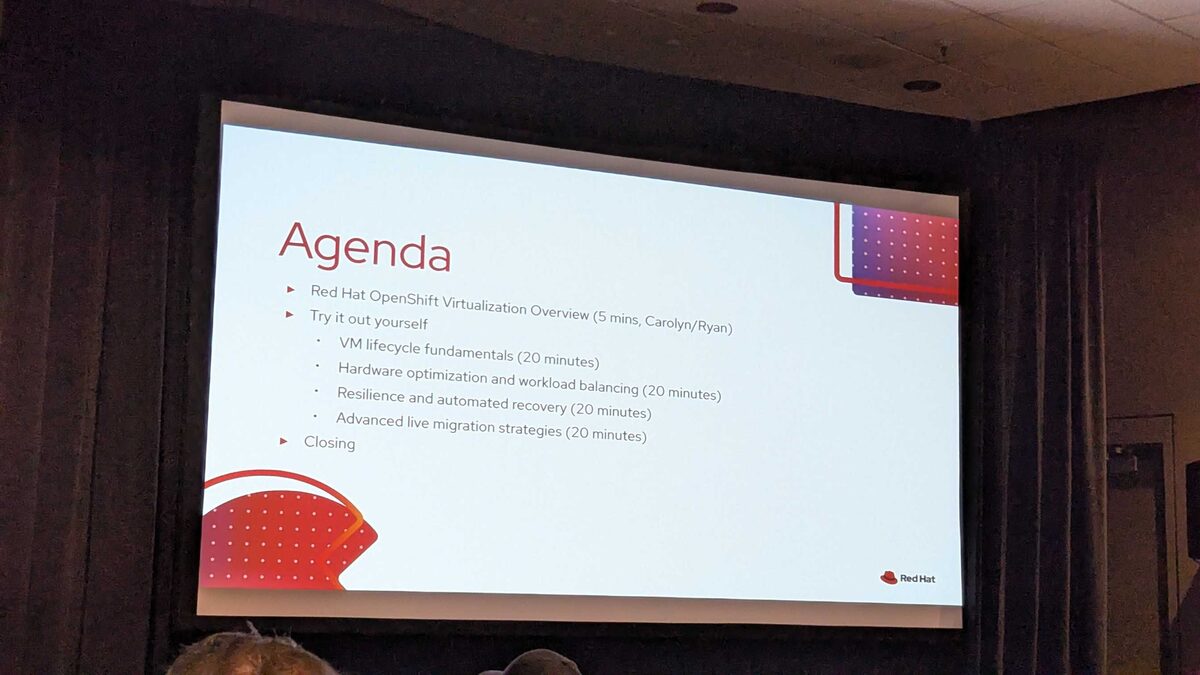
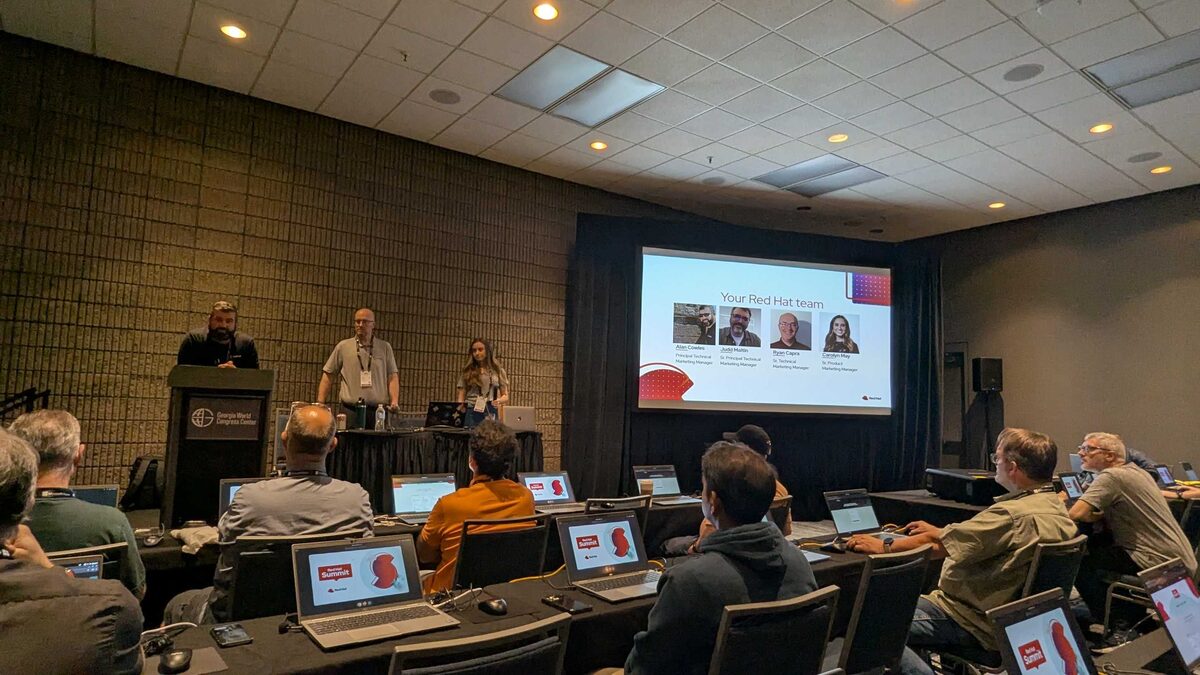
The session was structured as:
- Red Hat OpenShift Virtualization Overview (5 mins, Carolyn/Ryan)
- Hands-on labs:
- VM lifecycle fundamentals (20 minutes)
- Hardware optimization and workload balancing (20 minutes)
- Resilience and automated recovery (20 minutes)
- Advanced live migration strategies (20 minutes)
- Closing
Why Customers Trust OpenShift Virtualization
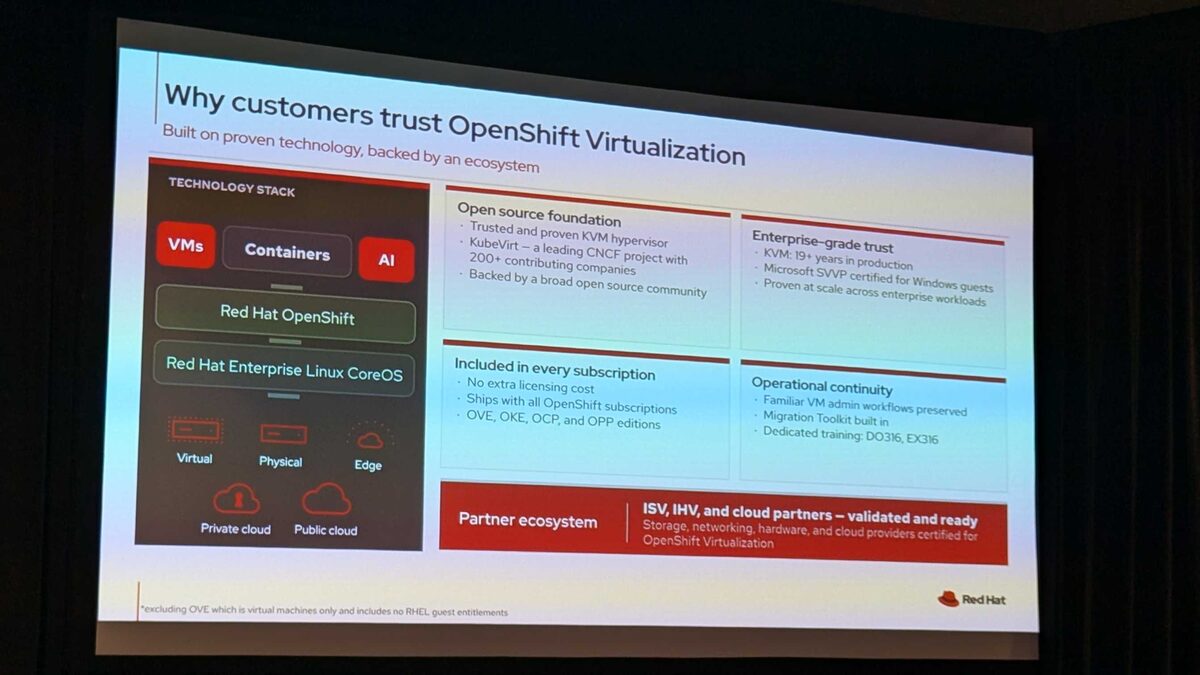
The platform is built on proven technology backed by a broad ecosystem:
Technology stack: VMs + Containers + AI running on Red Hat OpenShift and Red Hat Enterprise Linux CoreOS, deployable across virtual, physical, edge, private cloud, and public cloud environments.
Open source foundation:
- Trusted and proven KVM hypervisor
- KubeVirt — a leading CNCF project with 200+ contributing companies
- Backed by a broad open source community
Enterprise-grade trust:
- KVM: 19+ years in production
- Microsoft SVVP certified for Windows guests
- Proven at scale across enterprise workloads
Included in every subscription:
- No extra licensing cost
- Ships with all OpenShift subscriptions: OVE, OKE, OCP, and OPP editions
Operational continuity:
- Familiar VM admin workflows preserved
- Migration Toolkit built in
- Dedicated training: DO316, EX316
Partner ecosystem: ISV, IHV, and cloud partners validated and ready — storage, networking, hardware, and cloud providers certified for OpenShift Virtualization.
Self-Managed OpenShift Editions
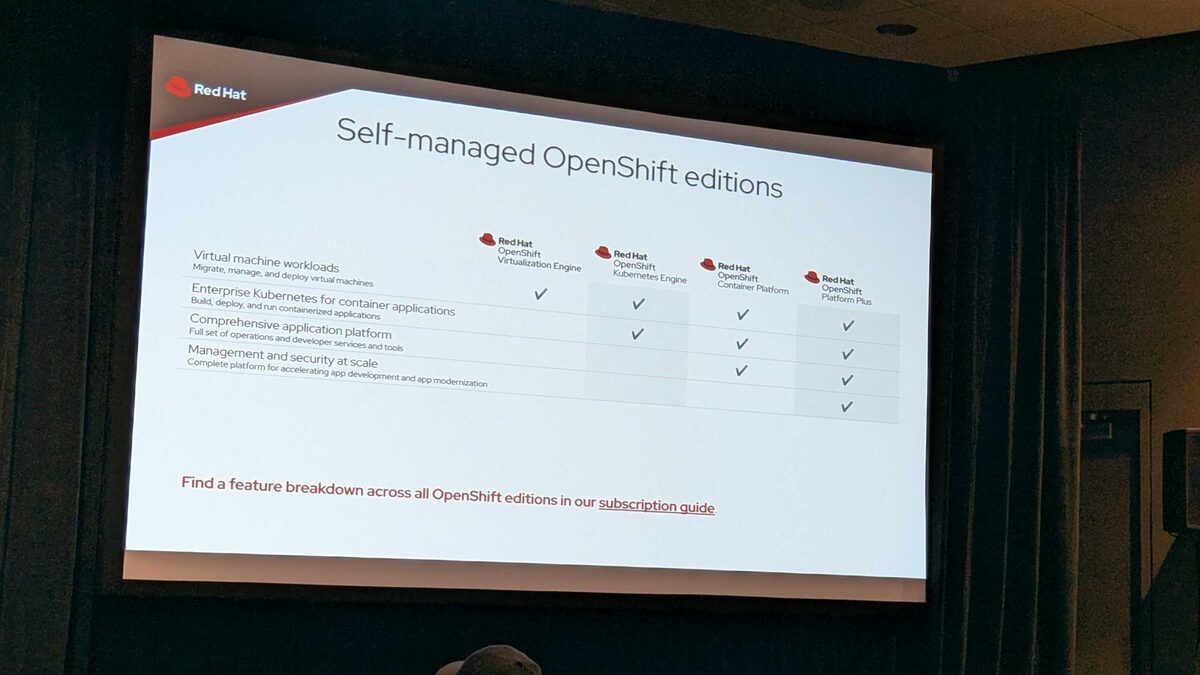
| Capability | OVE | OKE | OCP | OPP |
|---|---|---|---|---|
| Virtual machine workloads | ✓ | ✓ | ✓ | ✓ |
| Enterprise Kubernetes for containers | ✓ | ✓ | ✓ | |
| Comprehensive application platform | ✓ | ✓ | ||
| Management and security at scale | ✓ |
Key insight: OpenShift Virtualization Engine (OVE) is the entry-level edition focused purely on VM workloads — ideal for organizations starting their VMware migration journey without needing the full container platform.
Modern Application Platform
The platform provides comprehensive lifecycle and infrastructure management capabilities across:
- Multi-cluster management, consistent environments, automated build and deployment
- Virtualized and containerized workloads, CI/CD pipelines, observability, load balancing
- Software-defined networking and storage, self-service provisioning, micro-segmentation
- Service mesh, cost management, virtual machine management
- Configuration management, GitOps
This is not just a VM hosting platform — it is a complete modern application platform that treats VMs as first-class citizens alongside containers and AI workloads.
Hands-On Lab Highlights
Lab Modules Overview
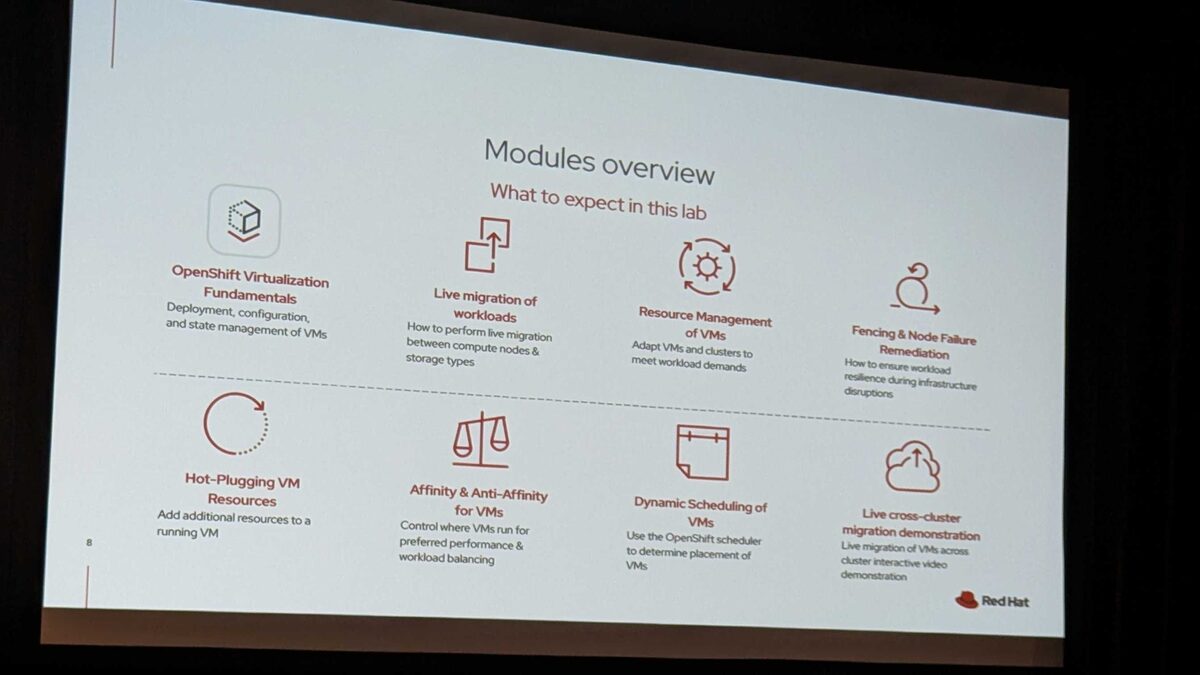
The workshop included 8 hands-on modules:
- OpenShift Virtualization Fundamentals — deployment, configuration, and state management of VMs
- Live Migration of Workloads — how to perform live migration between compute nodes and storage types
- Resource Management of VMs — adapt VMs and clusters to meet workload demands
- Fencing and Node Failure Remediation — how to ensure workload resilience during infrastructure disruptions
- Hot-Plugging VM Resources — add additional resources to a running VM
- Affinity and Anti-Affinity for VMs — control where VMs run for preferred performance and workload balancing
- Dynamic Scheduling of VMs — use the OpenShift scheduler to determine placement of VMs
- Live Cross-Cluster Migration Demonstration — live migration of VMs across clusters (interactive video demonstration)
Lab Access and Resources
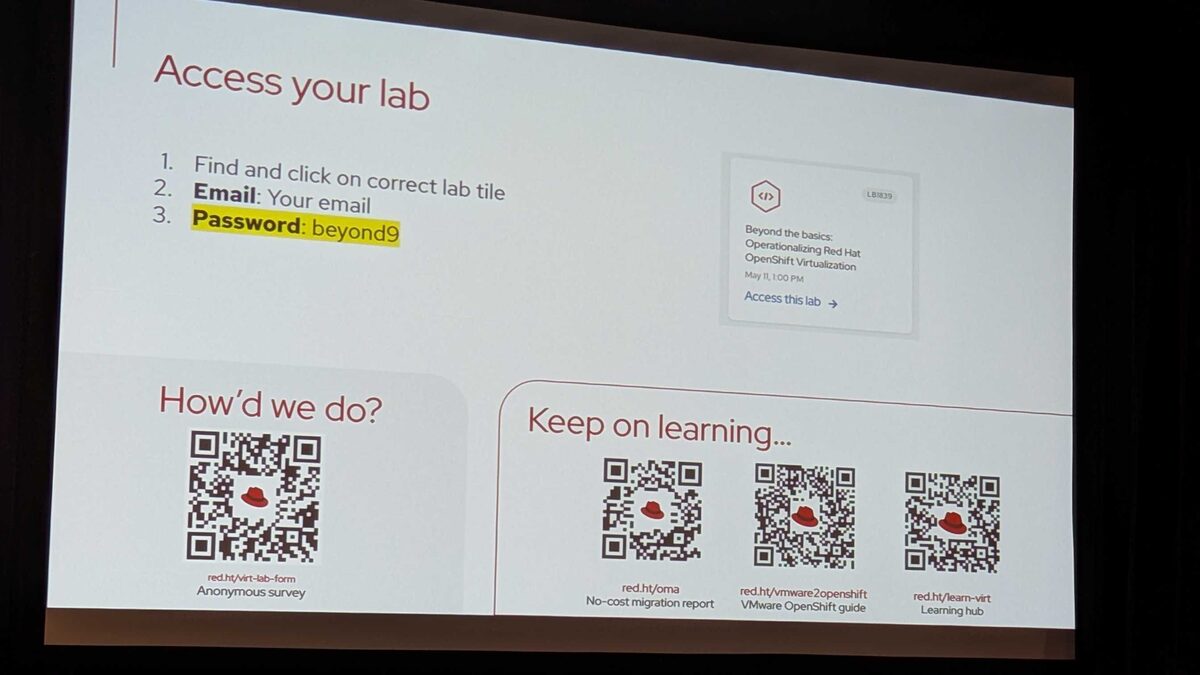
Resources shared during the session:
- Anonymous survey: red.ht/virt-lab-form
- No-cost migration report: red.ht/oma
- VMware to OpenShift guide: red.ht/vmware2openshift
- Learning hub: red.ht/learn-virt
VM Lifecycle Fundamentals
The first lab module covered the basics of managing VMs on OpenShift:
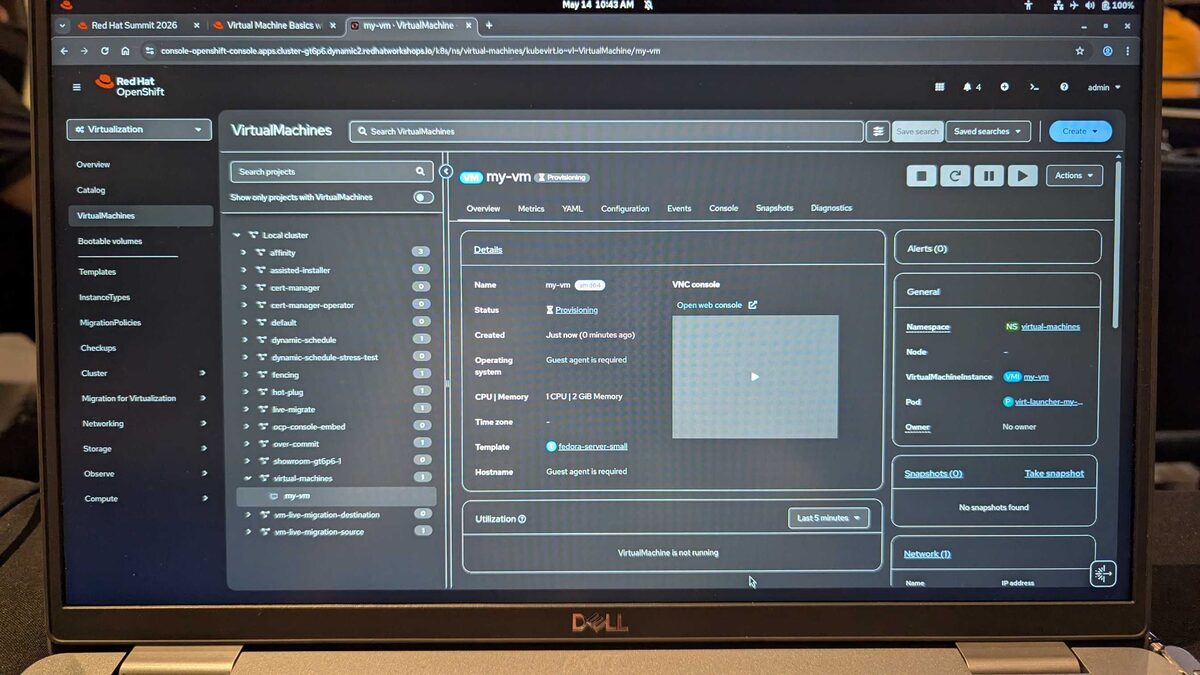
The lab environment included pre-configured namespaces for each module — affinity, fencing, hot-plug, live-migrate, over-commit, dynamic-schedule, and more. The VM my-vm runs Fedora Linux 44 (Cloud Edition) on a fedora-server-small template.
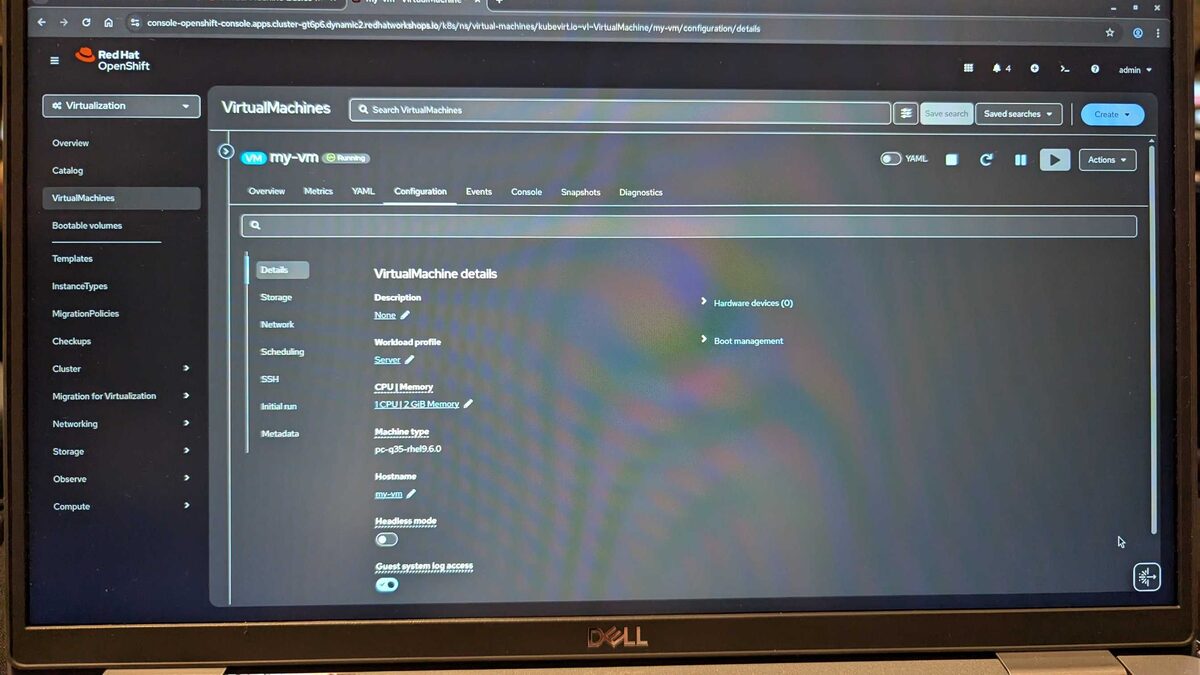
- Creating and deploying VirtualMachines via YAML and the web console
- Managing VM snapshots and cloning
- Configuring network interfaces and storage volumes
- Understanding VirtualMachineInstance vs VirtualMachine resources
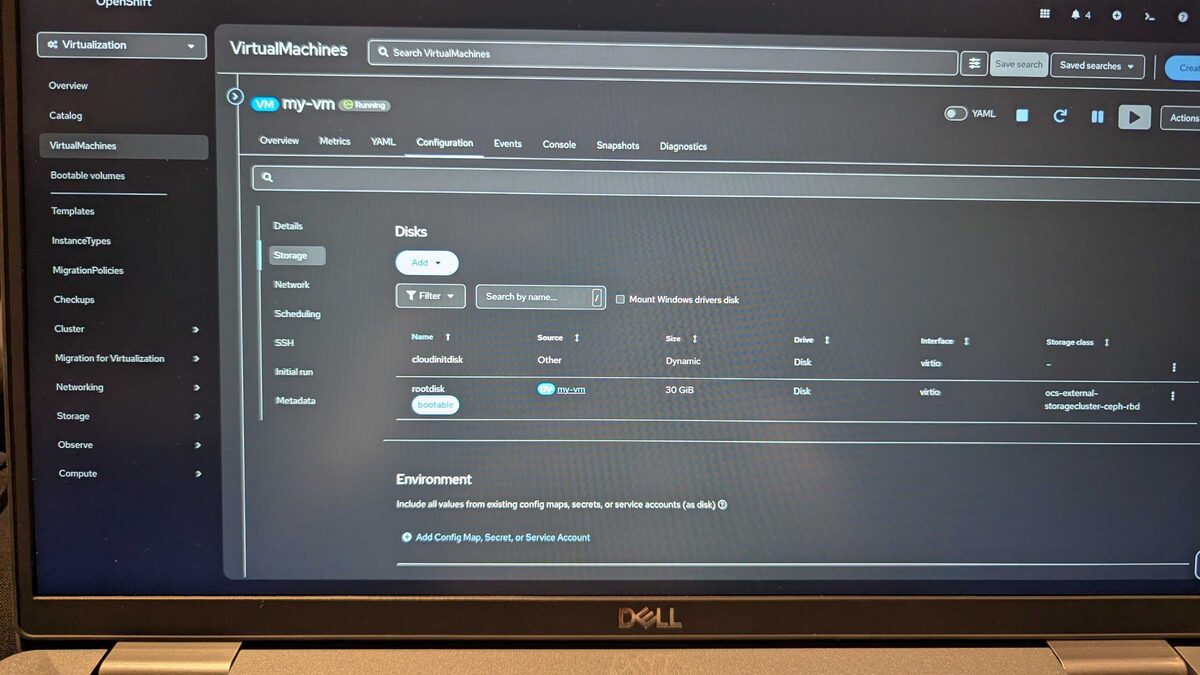
The storage tab shows the disk layout: a cloudinitdisk for initialization and a rootdisk (30 GiB) backed by OCS external Ceph RBD storage.
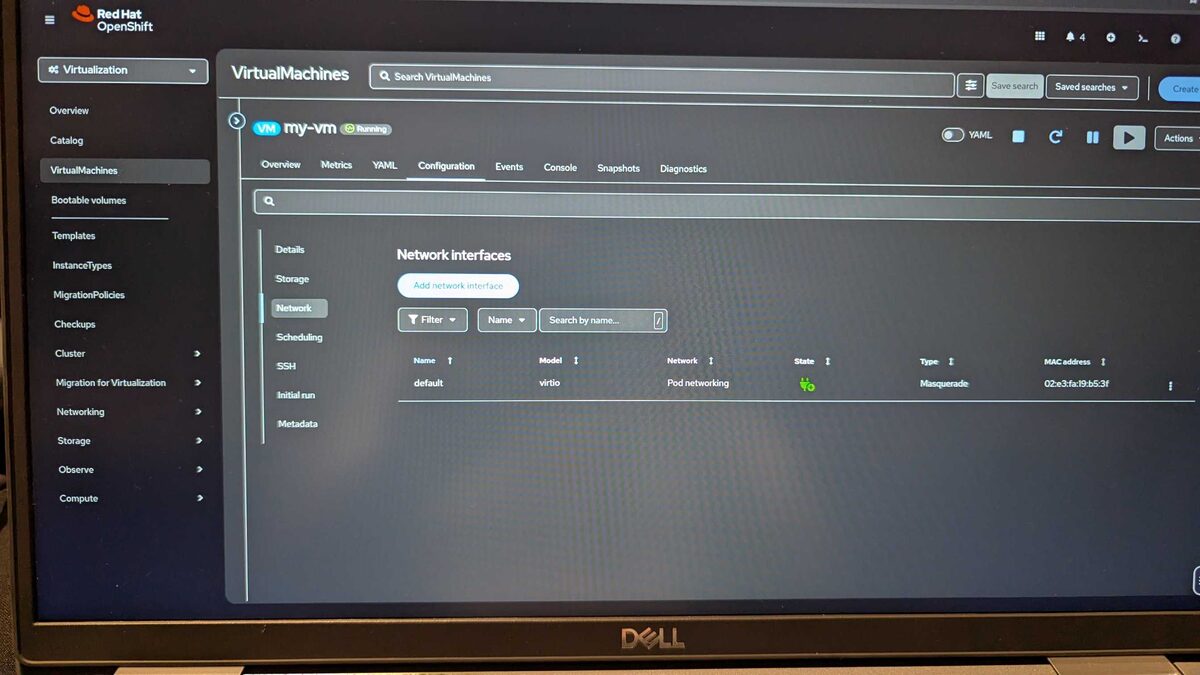
Network configuration shows the default virtio interface using Pod networking with Masquerade NAT type.
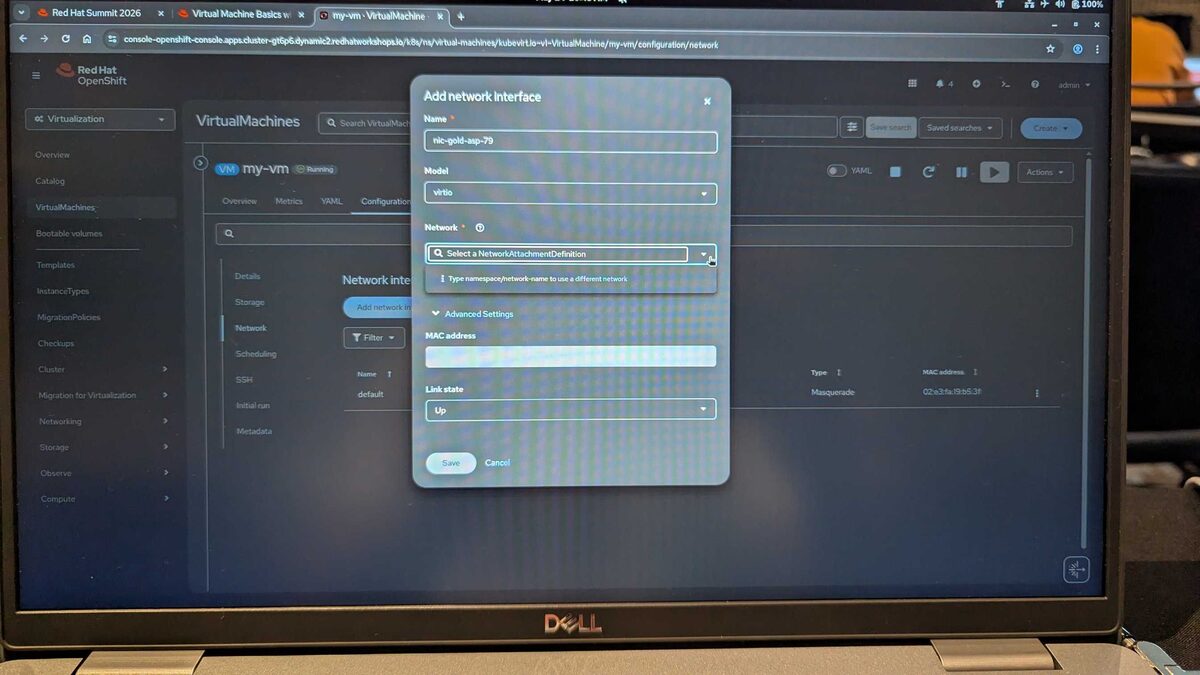
Hot-adding a network interface to a running VM — selecting the model (virtio), NetworkAttachmentDefinition, MAC address, and link state.
Live Migration of Workloads
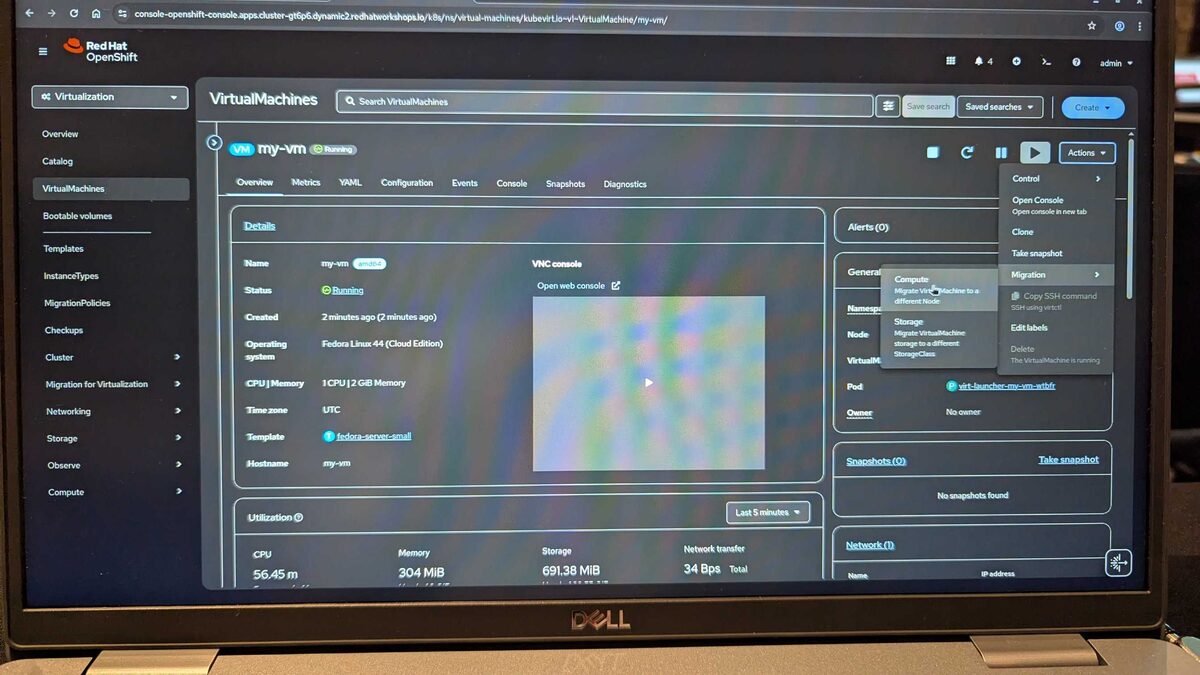
The Actions dropdown on any running VM provides two migration paths:
- Compute — migrate VirtualMachine to a different Node
- Storage — migrate VirtualMachine storage to a different StorageClass
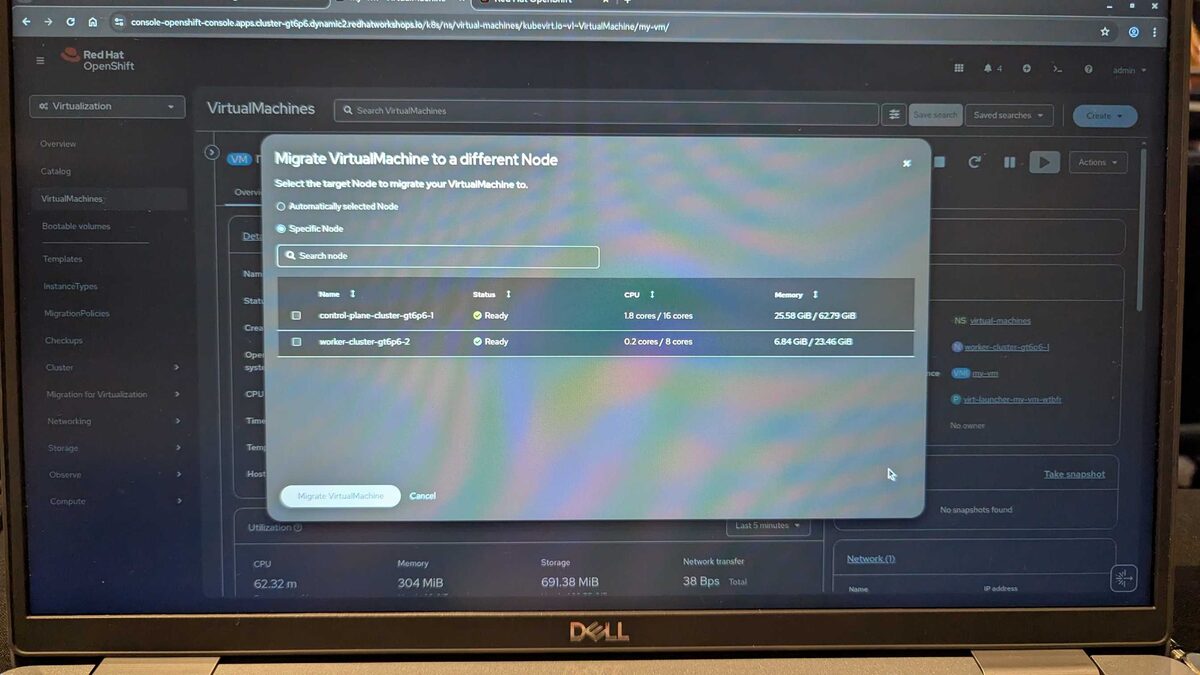
Live migration to a different node lets you choose automatic placement or pick a specific target. The lab cluster showed:
control-plane-cluster-gt6p6-1: 1.8 cores / 16 cores, 25.58 GiB / 62.79 GiB memoryworker-cluster-gt6p6-2: 0.2 cores / 8 cores, 6.84 GiB / 23.46 GiB memory
Storage Migration
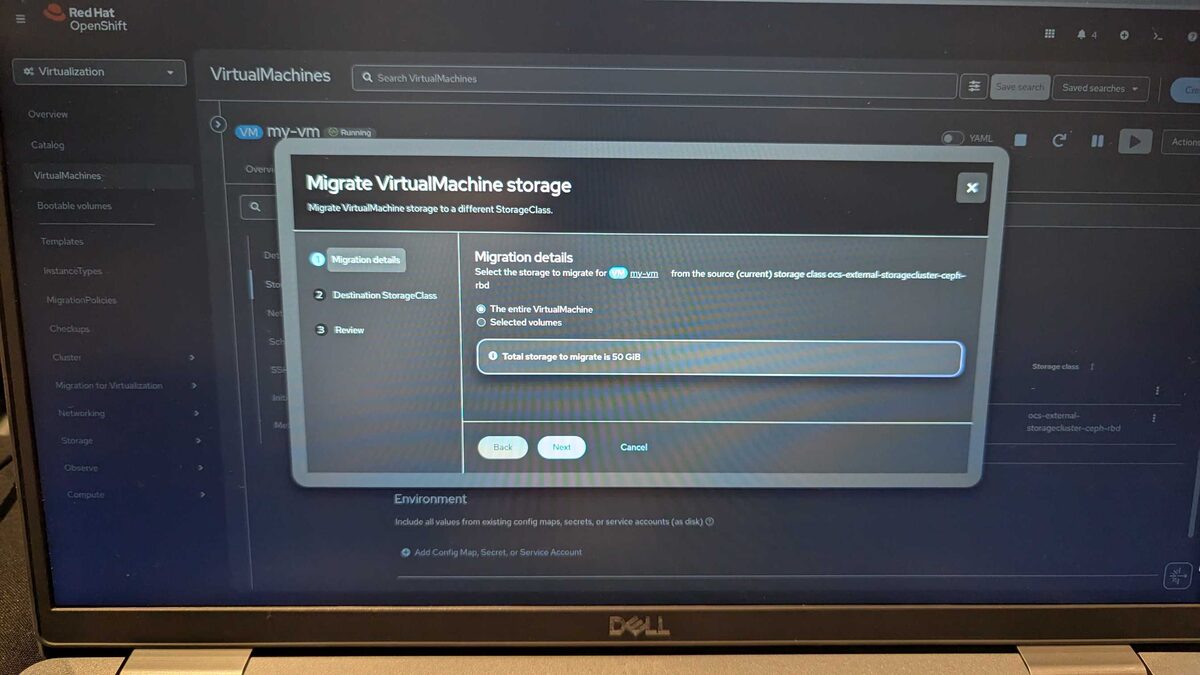
Storage migration is a 3-step wizard:
- Migration details — select the entire VM or specific volumes (total storage: 50 GiB in this demo)
- Destination StorageClass — pick the target storage backend
- Review — confirm and execute
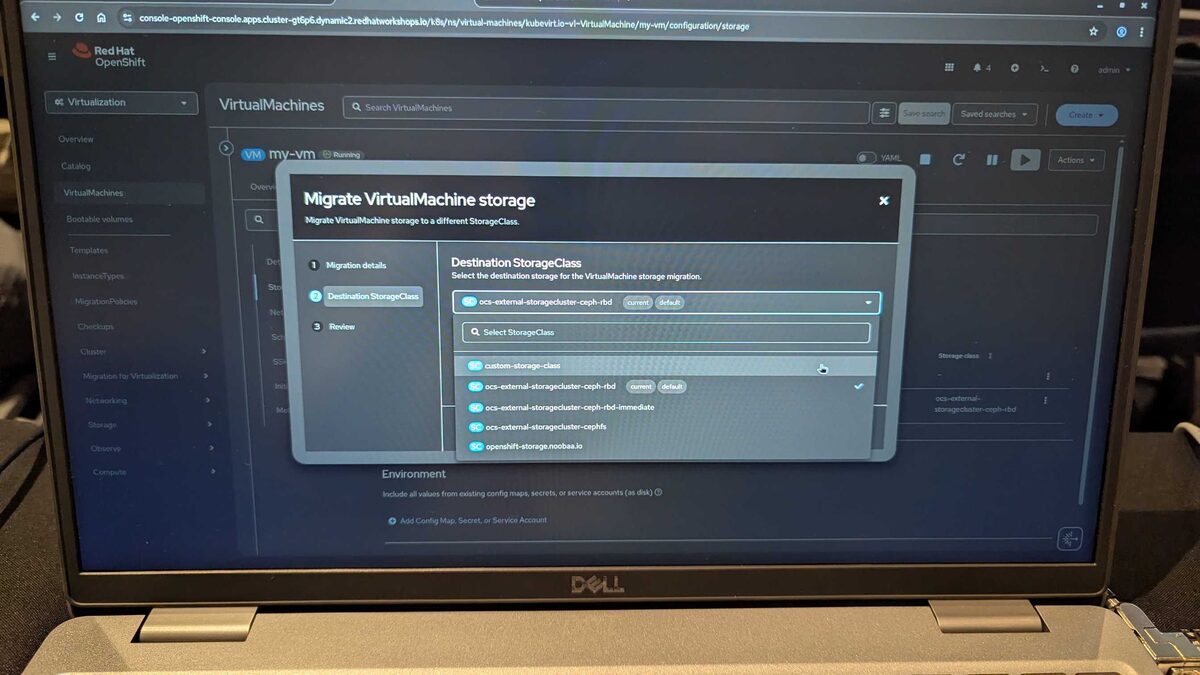
The available StorageClasses in the lab:
custom-storage-classocs-external-storagecluster-ceph-rbd(current, default)ocs-external-storagecluster-ceph-rbd-immediateocs-external-storagecluster-cephfsopenshift-storage.noobaa.io
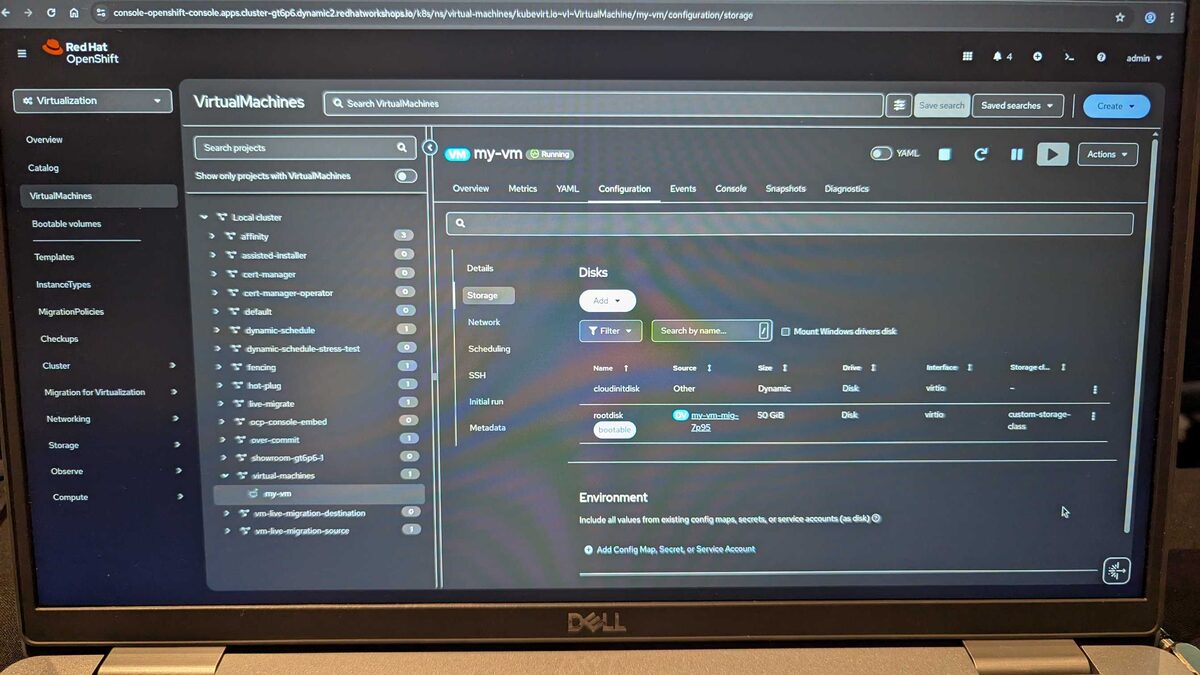
After migration, the rootdisk now shows 50 GiB on the custom-storage-class:
Migration Dashboard
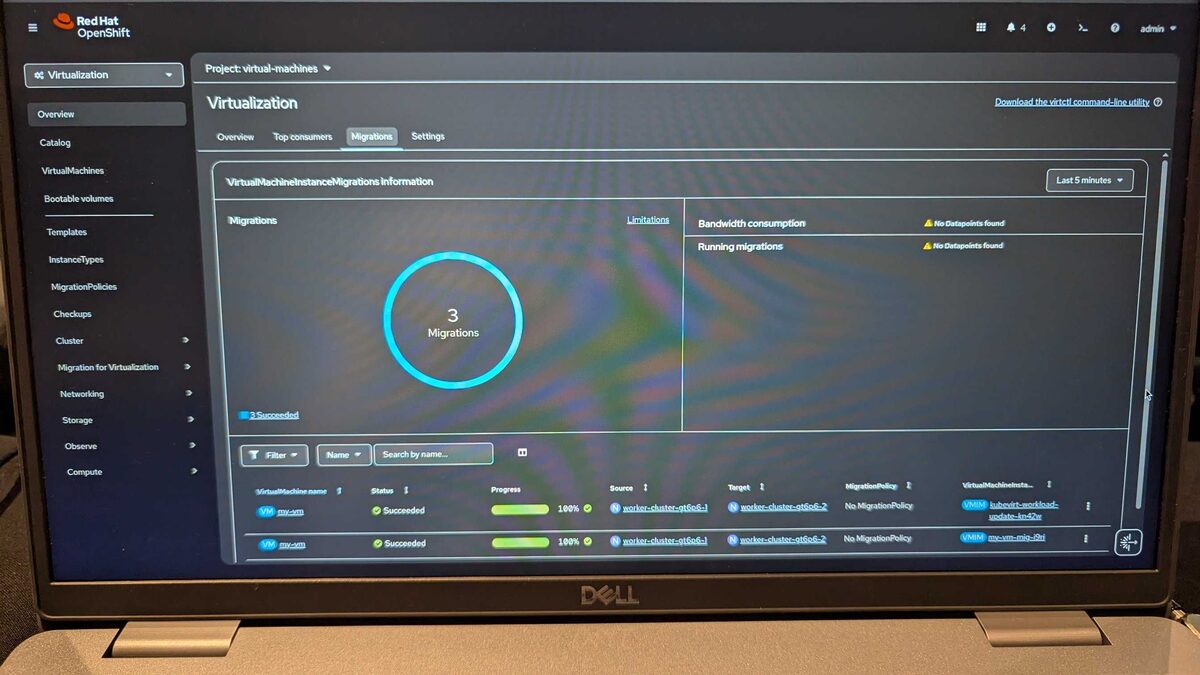
The Virtualization Migrations tab provides a real-time overview of all VirtualMachineInstanceMigrations. In the lab, 3 migrations completed successfully — all at 100% progress, moving from worker-cluster-gt6p6-1 to worker-cluster-gt6p6-2. The dashboard also tracks bandwidth consumption and running migrations.
Hot-Plugging VM Resources
One of the most powerful features: adding resources to a running VM without downtime.
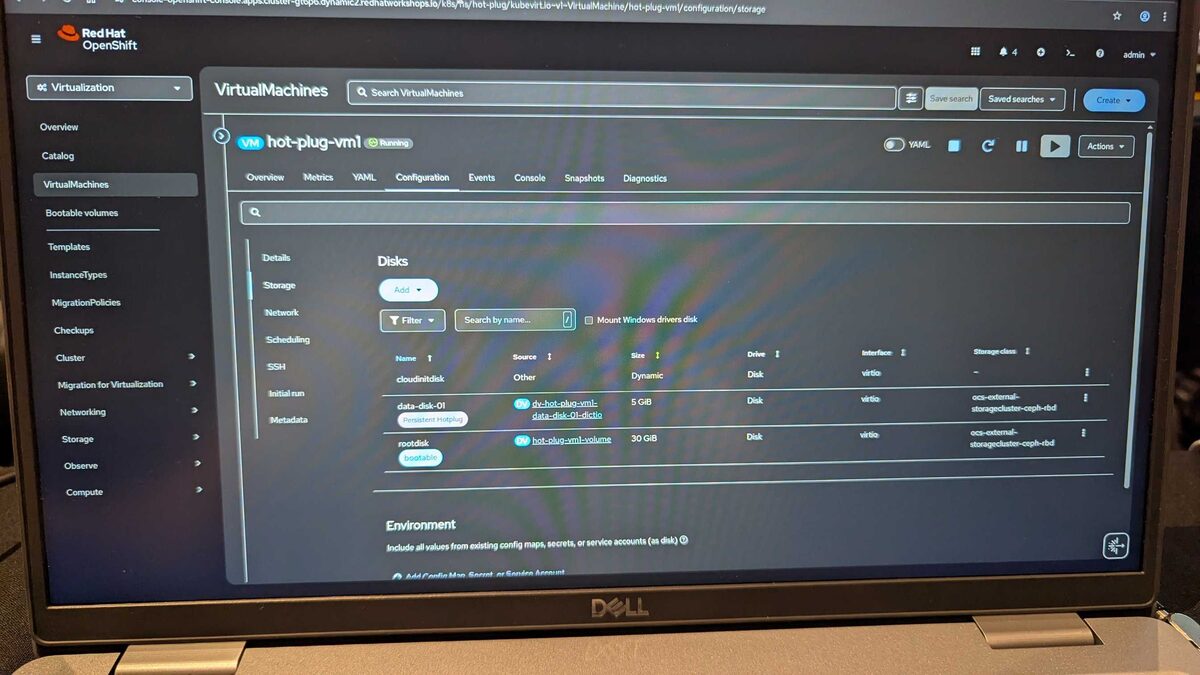
The hot-plug-vm1 VM shows a hot-plugged data-disk-01 (5 GiB) tagged as Persistent HotPlug — attached to a running VM via dv-hot-plug-vm1-data-disk-01-dictio DataVolume on Ceph RBD storage.
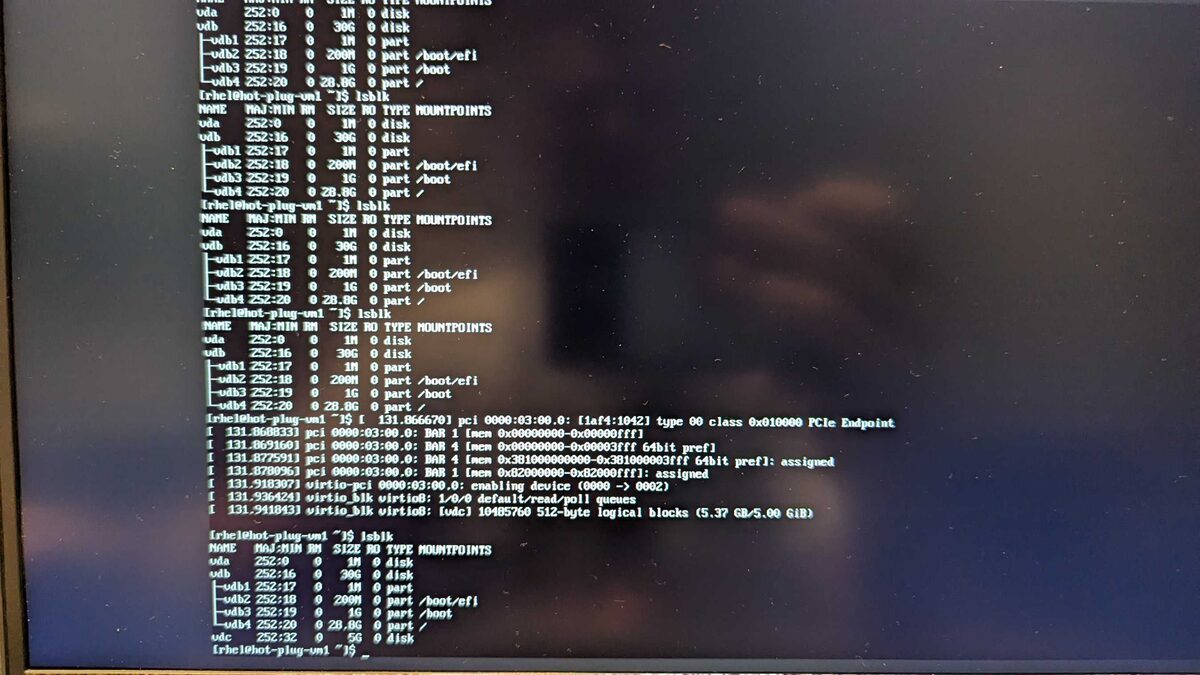
Inside the VM, lsblk shows the new vdc device (5.37 GB / 5.00 GiB) appearing dynamically. The kernel logs confirm the virtio-pci device detection: PCIe Endpoint at 0000:03:00.0, BAR assignment, and virtio_blk virtio8 queue initialization — all without a reboot.
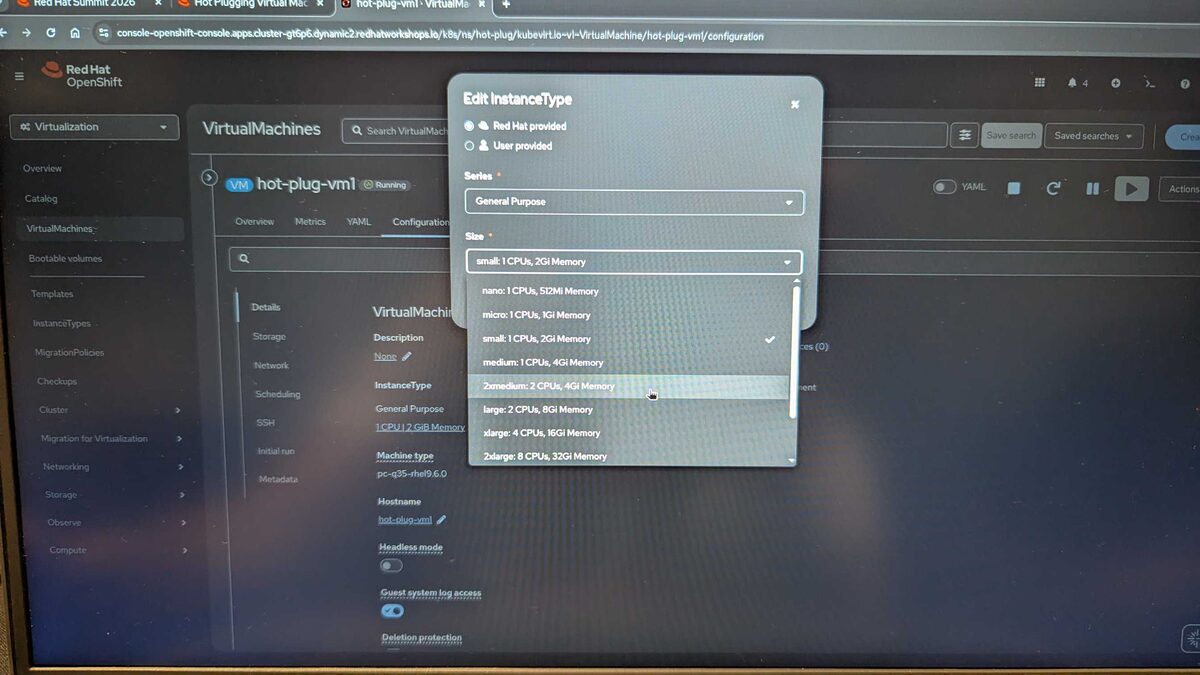
CPU and memory can also be hot-plugged via InstanceType changes. The dropdown shows the full sizing range:
Network interfaces can be hot-plugged too:
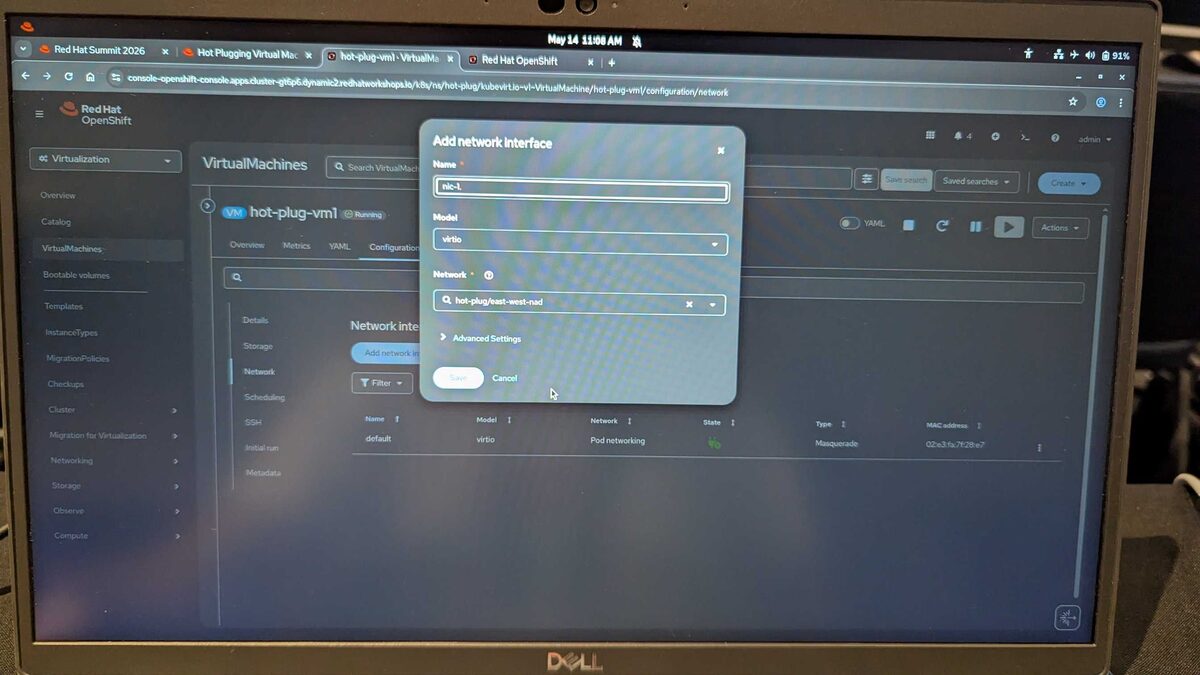
Adding a NIC named nic-1 using the hot-plug/east-west-nad NetworkAttachmentDefinition with virtio model — all while the VM keeps running.
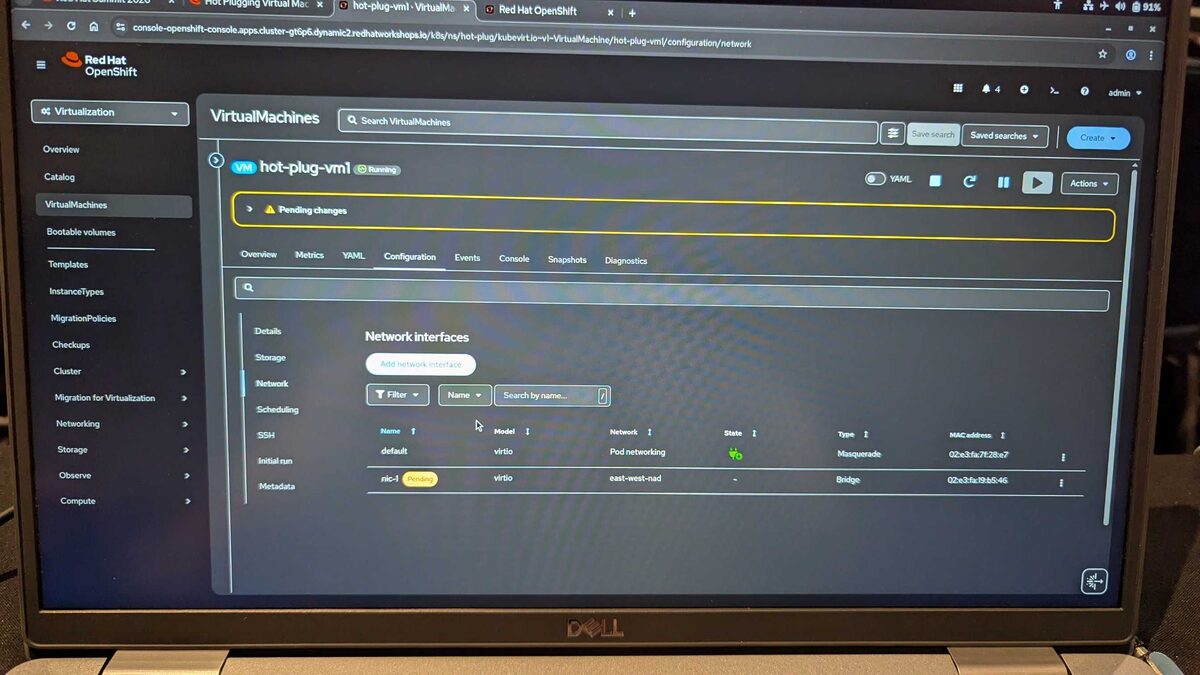
After saving, nic-1 appears with Pending status on the east-west-nad network using Bridge type. The yellow “Pending changes” banner indicates the NIC is being attached to the running VM. The default NIC continues on Pod networking with Masquerade type.
CPU and memory can also be hot-plugged via InstanceType changes. The dropdown shows the full sizing range:
- nano: 1 CPU, 512Mi Memory
- micro: 1 CPU, 1Gi Memory
- small: 1 CPU, 2Gi Memory (current)
- medium: 1 CPU, 4Gi Memory
- 2xmedium: 2 CPUs, 4Gi Memory
- large: 2 CPUs, 8Gi Memory
- xlarge: 4 CPUs, 16Gi Memory
- 2xlarge: 8 CPUs, 32Gi Memory
Memory Overcommit
Memory overcommit lets you pack more VMs onto your cluster by oversubscribing physical RAM — a critical density optimization for non-latency-sensitive workloads.
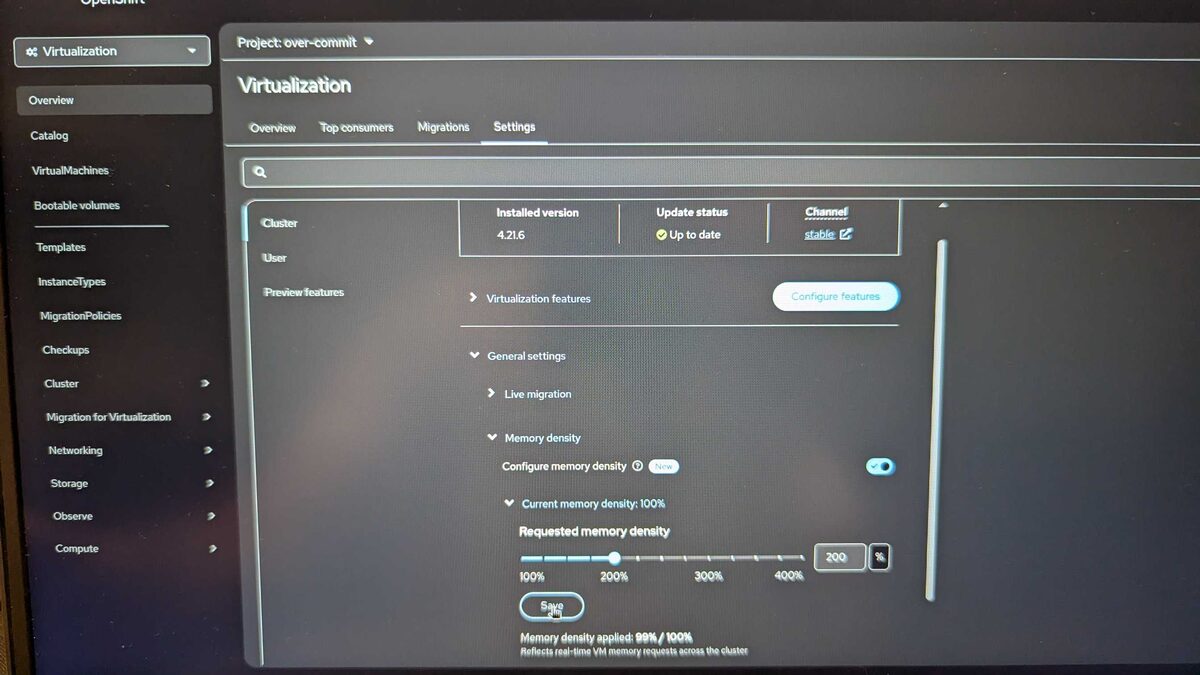
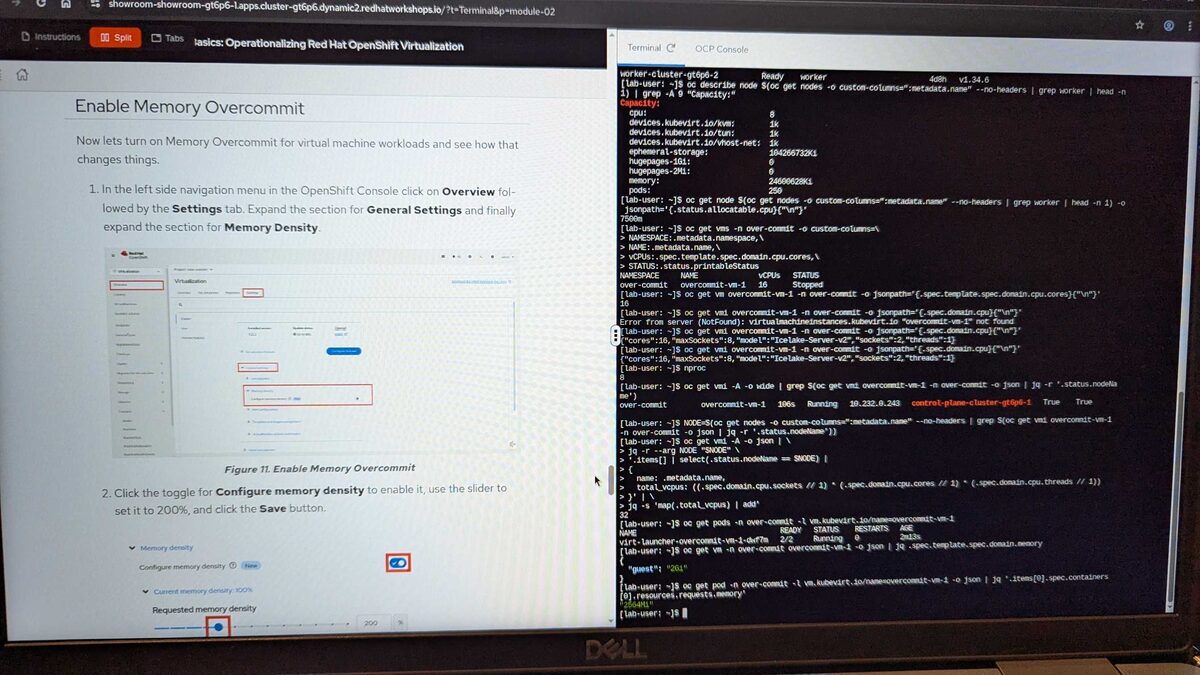
The Memory Density slider (new in OpenShift 4.21.6) controls the memoryOvercommitPercentage on the HyperConverged custom resource. At 200%, a VM requesting 16 GiB only consumes 8 GiB of pod memory requests — doubling your VM density. The gauge shows current density applied: 99% / 100%.

The lab instructions explain the math clearly: prior to OpenShift 4.21 (Kubernetes 1.21), native swap was not available. The wasp-agent add-on provided the workaround. The memoryOvercommitPercentage parameter scales memory requests for each VM — at 100% (default) it is the full declared amount, at 200% it is halved.
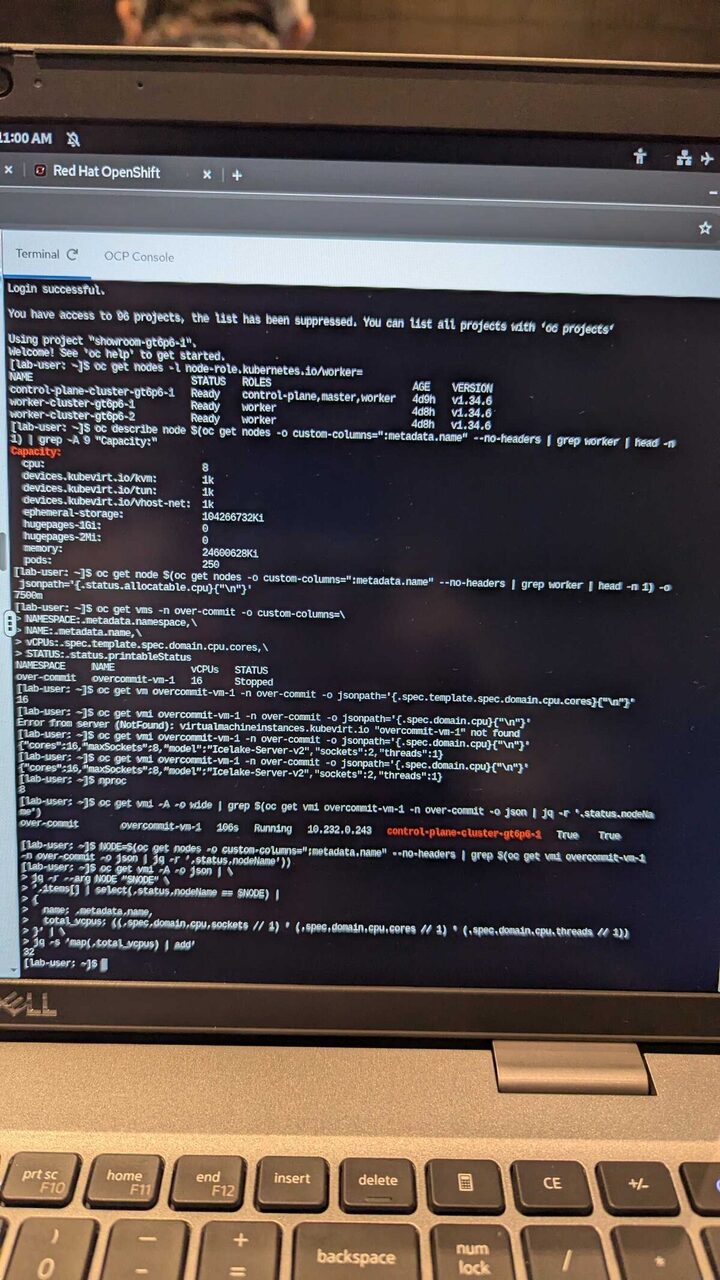
The terminal session demonstrates the full workflow:
- Cluster nodes: 3 nodes (1 control-plane + 2 workers) running Kubernetes v1.34.6
- Worker capacity: 8 CPUs, 24.6 GiB memory, 250 pods
oc get vmsin theover-commitnamespace showingovercommit-vm-1with 16 vCPUs- CPU topology: Ice Lake-Server-v2, 8 maxSockets, 2 sockets, 2 threads
- Pod memory request verification after overcommit configuration
Resilience and Automated Recovery
The fencing module covered high availability:
- VM eviction strategies during node maintenance
- Automatic restart policies and health checks
- Configuring VM high availability across failure domains
- Storage replication strategies for VM persistent data
- Integration with OpenShift node drain and maintenance workflows
Advanced Live Migration Strategies
The final modules tackled dynamic scheduling and cross-cluster migration:
- Live migration bandwidth and concurrency configuration
- Pre-copy vs post-copy migration strategies
- Handling VMs with GPU passthrough and SR-IOV devices
- Migration policies per namespace or workload class
- Monitoring migration progress and handling failures
- Zero-downtime node upgrades using live migration
Key Takeaways
- OpenShift Virtualization is production-ready — 19+ years of KVM, CNCF KubeVirt, Microsoft SVVP certified
- Included in every OpenShift subscription — no extra licensing, even in OVE
- VMware migration path is clear — Migration Toolkit built in, familiar admin workflows preserved
- VMs are first-class Kubernetes citizens — same GitOps, CI/CD, and observability tooling applies
- Live migration is the killer feature — enables zero-downtime maintenance and upgrades
- Partner ecosystem is validated — storage, networking, hardware, and cloud providers are certified



