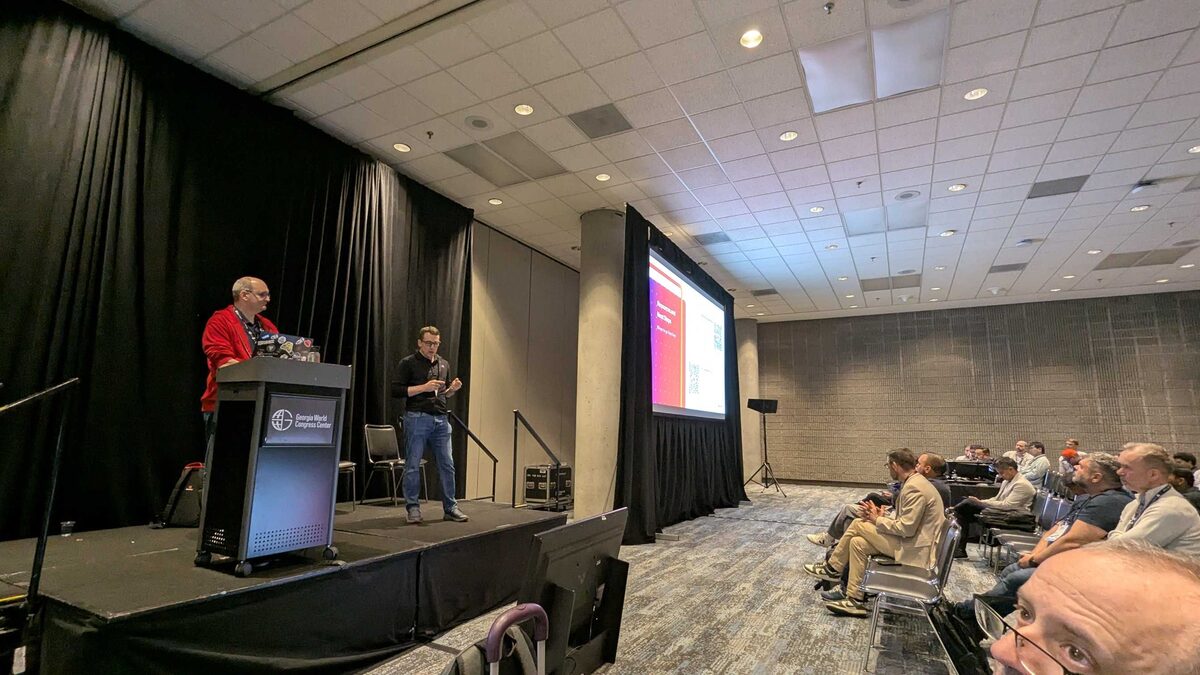
At Red Hat Summit 2026 in Atlanta, I attended a practical session on upgrading Red Hat OpenShift AI (RHOAI) — covering version history, support timelines, supported configurations, and a structured migration framework from 2.x to 3.x.
If you are running RHOAI in production, this is critical planning information.
Introduction: What You Need to Know
The session covered three essential areas:
- A quick history of RHOAI versions
- Support timelines for OpenShift AI
- Supported configurations for each version
The 5-Step Migration Framework
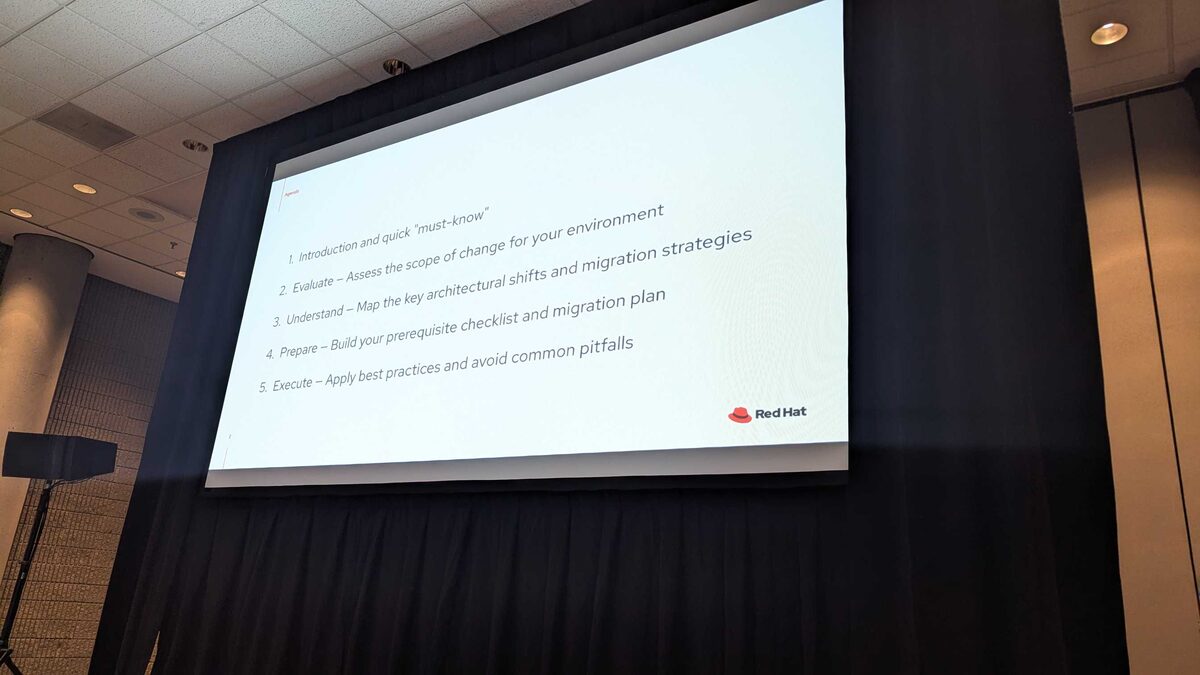
Red Hat presented a structured approach to upgrading:
- Introduction and quick “must-know” — version compatibility and support windows
- Evaluate — Assess the scope of change for your environment
- Understand — Map the key architectural shifts and migration strategies
- Prepare — Build your prerequisite checklist and migration plan
- Execute — Apply best practices and avoid common pitfalls
This is not a “click upgrade and hope” process — RHOAI 3.x introduces significant architectural changes that require planning.
Support Windows: RHOAI 2.x
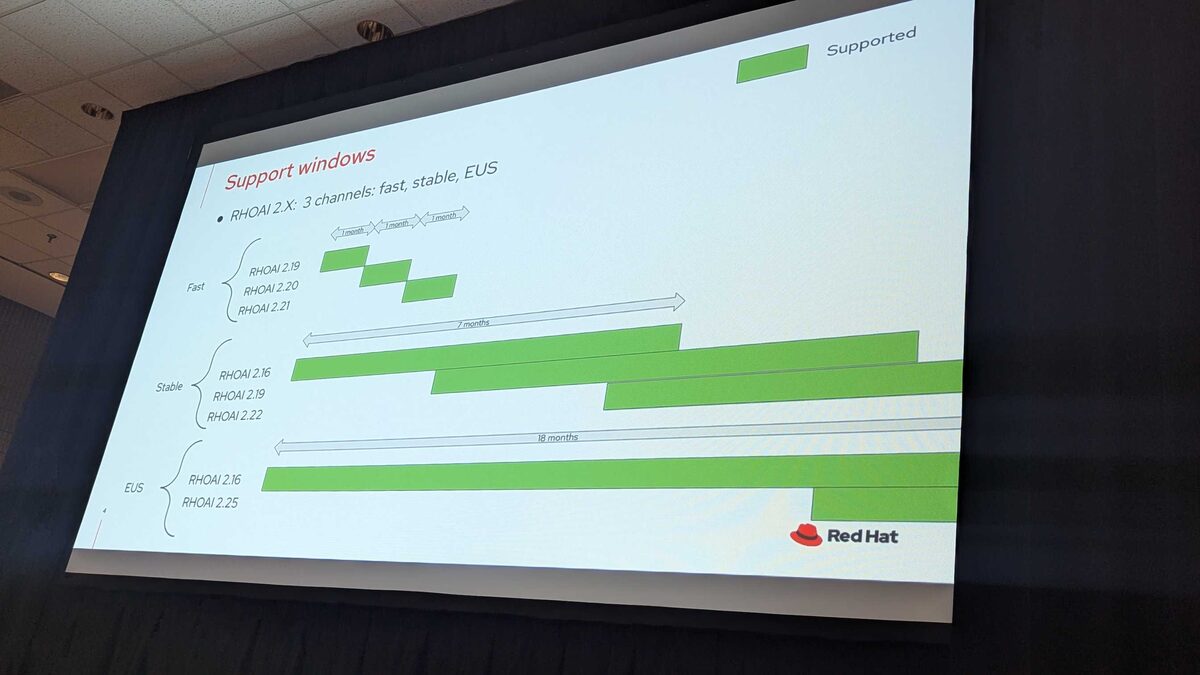
RHOAI 2.x uses three release channels:
Fast Channel (1 month cadence):
- RHOAI 2.19, 2.20, 2.21
- Short-lived releases for early adopters
Stable Channel (7 months support):
- RHOAI 2.16, 2.19, 2.22
- Production-ready with extended support window
EUS (Extended Update Support) (18 months):
- RHOAI 2.16, 2.25
- For enterprises that need long-term stability and minimal upgrade frequency
Support Windows: RHOAI 3.x
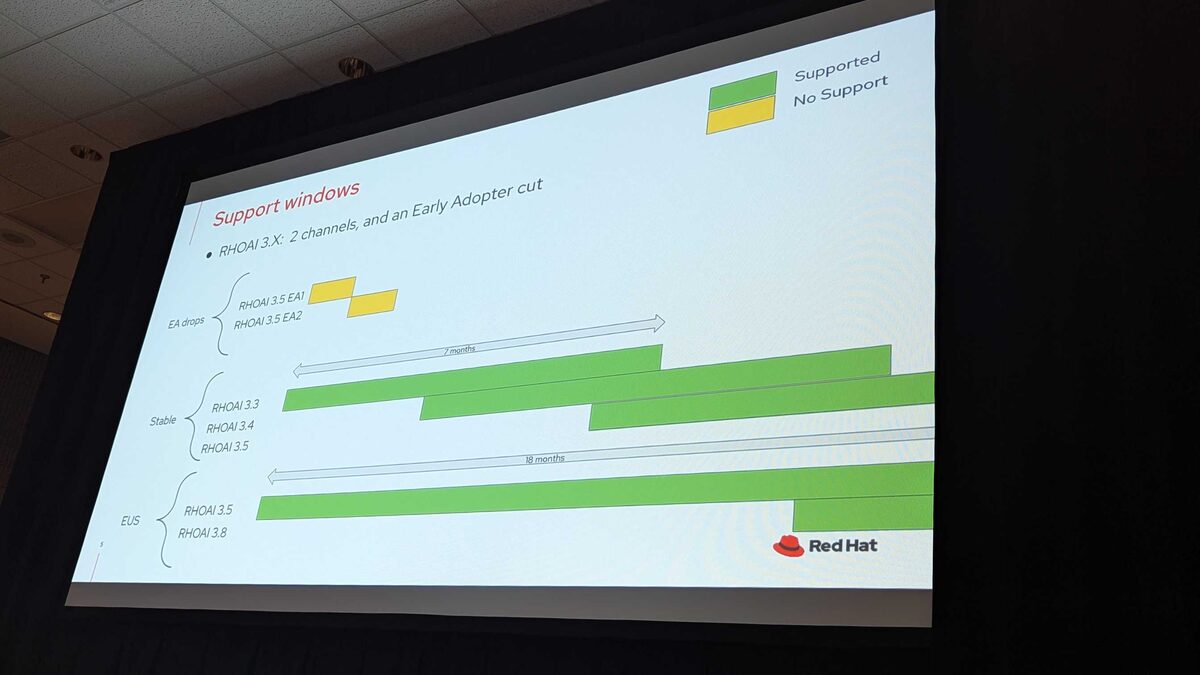
RHOAI 3.x simplifies to two channels plus an Early Adopter track:
Early Adopter (EA) Drops:
- RHOAI 3.5 EA1, EA2
- Short support window for testing and feedback
Stable Channel (7 months):
- RHOAI 3.3, 3.4, 3.5
- Production-grade with predictable lifecycle
EUS (18 months):
- RHOAI 3.5, 3.8
- Long-term support for conservative upgrade cycles
The key change from 2.x: the “fast” channel is replaced by Early Adopter drops, and the naming convention shifts from 2.x minor versions to 3.x minor versions.
Supported Configurations
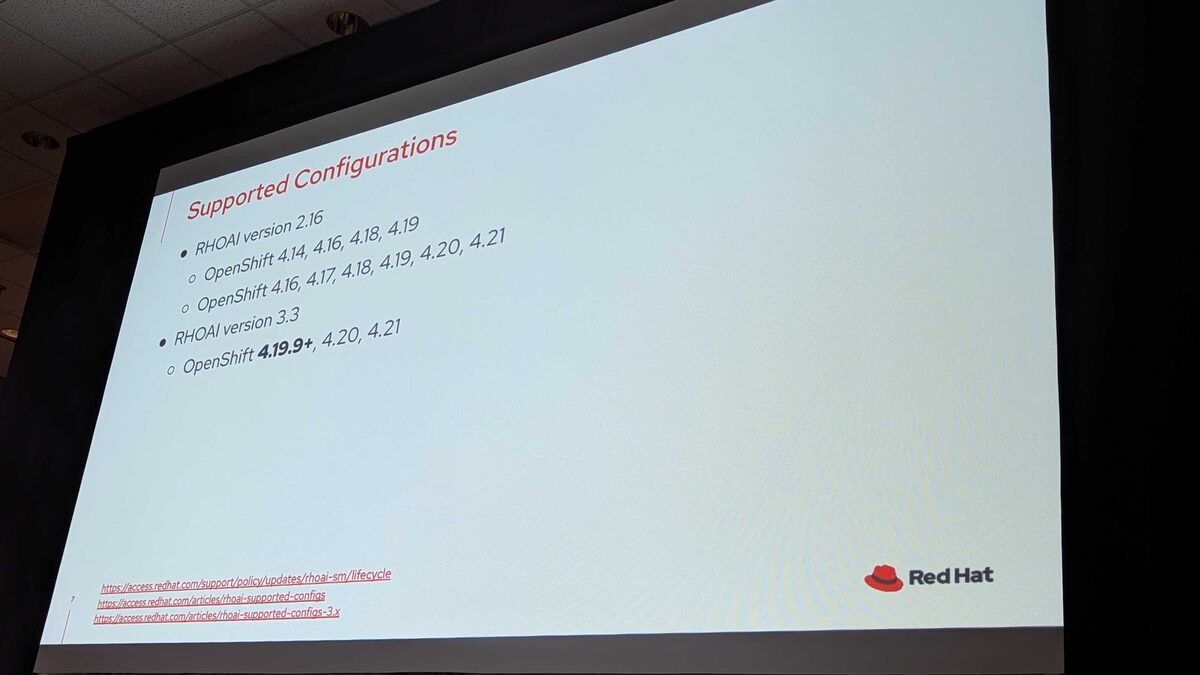
Version compatibility is critical — not all RHOAI versions work with all OpenShift versions:
RHOAI 2.16:
- OpenShift 4.14, 4.16, 4.18, 4.19
- OpenShift 4.16, 4.17, 4.18, 4.19, 4.20, 4.21
RHOAI 3.3:
- OpenShift 4.19.9+, 4.20, 4.21
Note the significant jump: RHOAI 3.3 requires minimum OpenShift 4.19.9 — if you are running older OpenShift versions, you must upgrade OpenShift first before migrating to RHOAI 3.x.
What Is New in OpenShift AI 3
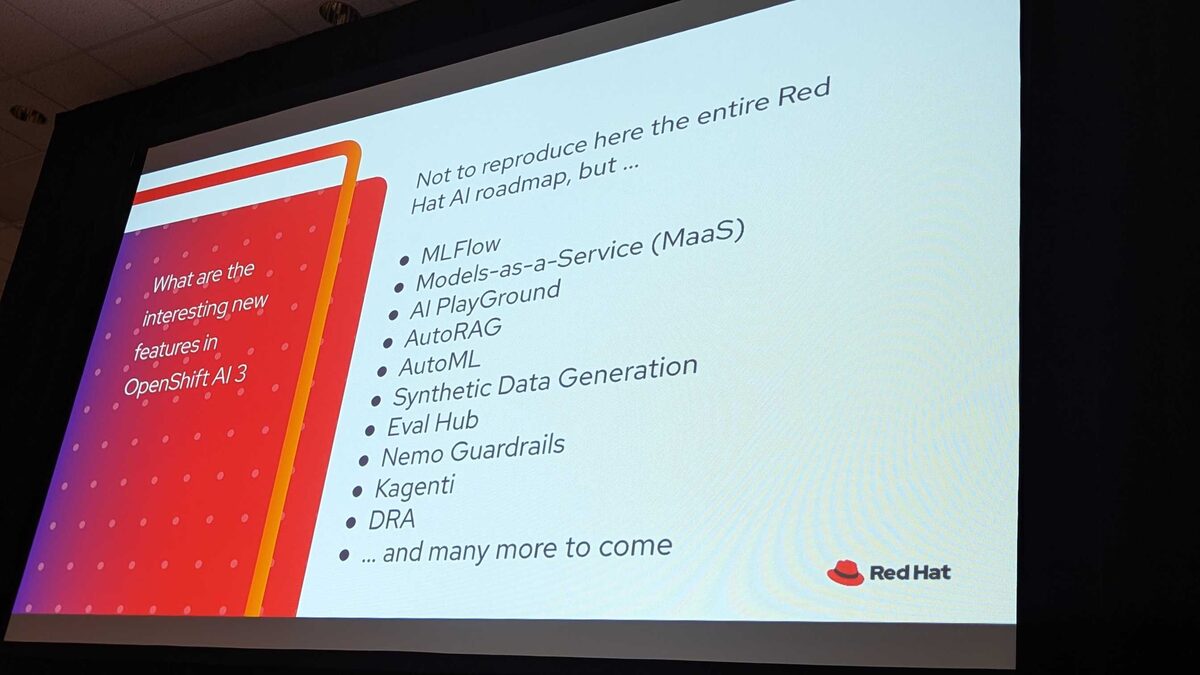
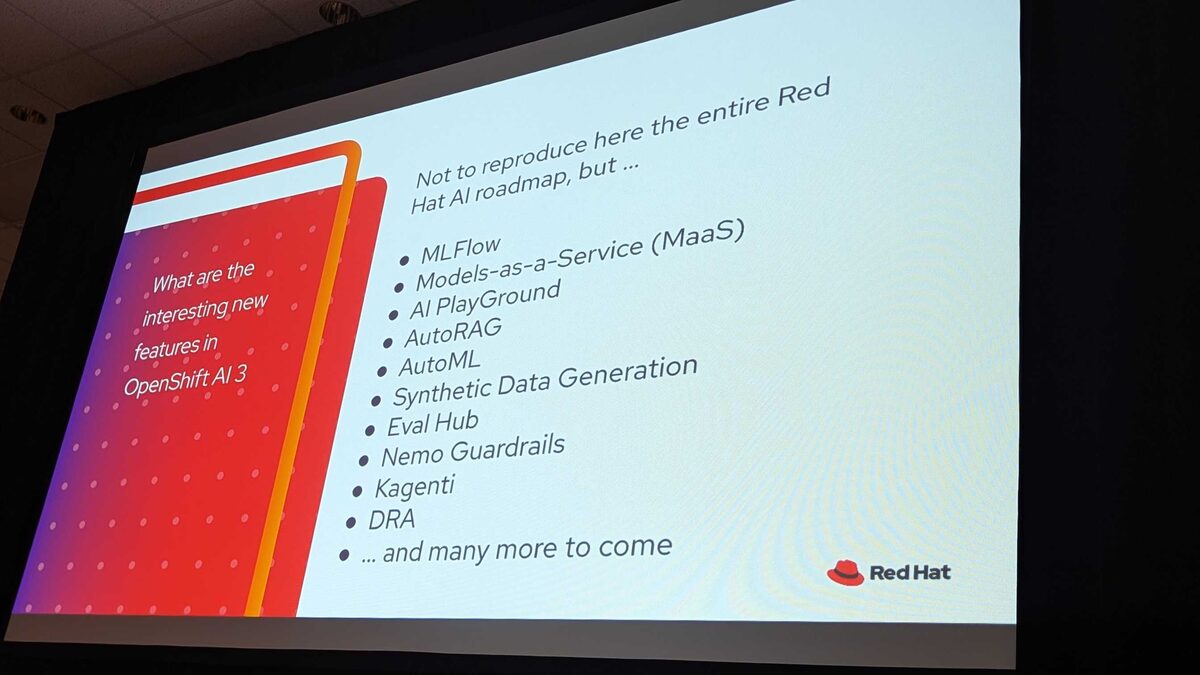
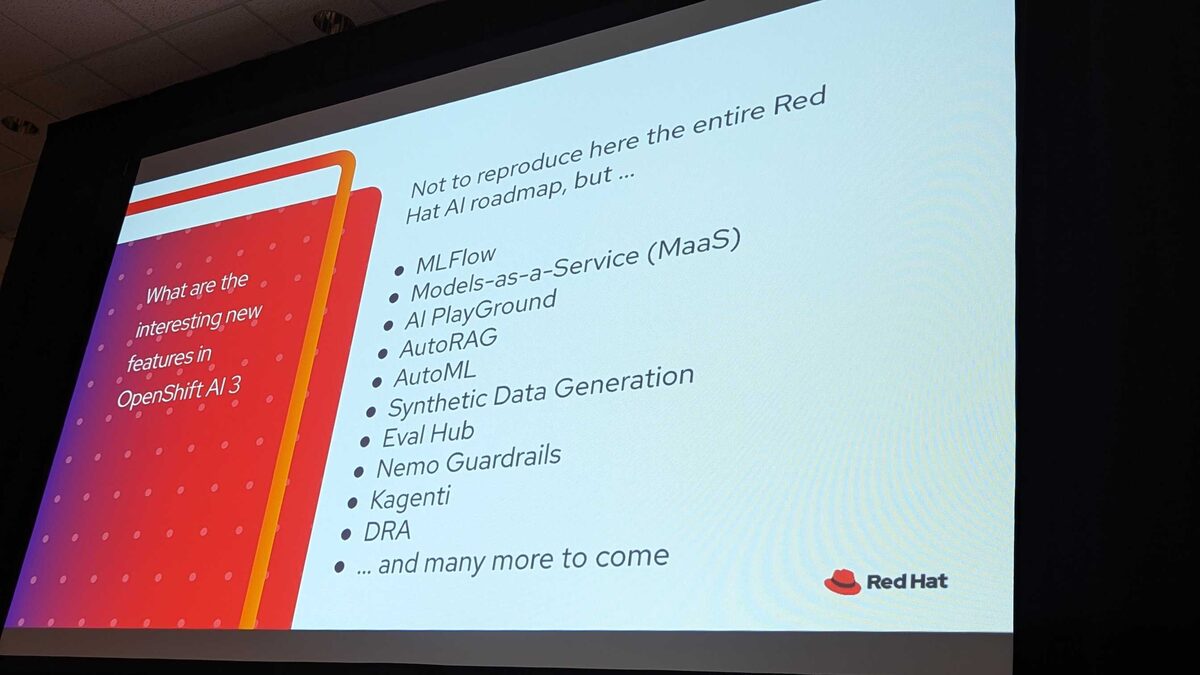
The session highlighted the key new capabilities coming to RHOAI 3.x (not the entire Red Hat AI roadmap, but the highlights):
- MLFlow — Experiment tracking and model registry
- Models-as-a-Service (MaaS) — Simplified model deployment
- AI PlayGround — Interactive model experimentation
- AutoRAG — Automated Retrieval-Augmented Generation pipelines
- AutoML — Automated machine learning model selection and tuning
- Synthetic Data Generation — Create training data at scale
- Eval Hub — Centralized model evaluation and benchmarking
- Nemo Guardrails — NVIDIA’s safety and alignment framework integrated
- Kagenti — Red Hat’s Kubernetes-native AI agent orchestration
- DRA (Dynamic Resource Allocation) — Fine-grained GPU and accelerator scheduling
This is a massive feature jump from 2.x — the platform is evolving from a notebook/pipeline tool into a full AI application lifecycle platform.
Platform Architecture: What Is New in OpenShift AI 3
The session described RHOAI 3 as “a platform evolution, not just a version bump.” The six core architectural changes:
- LLM-d — Distributed LLM inference with intelligent routing (KV-cache aware)
- Model-as-a-Service — Multi-tenant LLM governance, RBAC, and rate limiting
- Gateway API — Cloud-native traffic management replacing OpenShift Routes
- kube-rbac-proxy — External identity provider support for authentication
- Kubeflow Trainer v2 — Unified TrainJob API for distributed PyTorch, JAX, DeepSpeed
- Unified Observability — Zero-config GPU monitoring and native vLLM metrics
Architecture at a Glance: 2.25 vs 3.3
This side-by-side comparison is the most important slide in the entire session. Here is what moved, what is new, and what is gone:
Model Serving:
ModelMeshREMOVED → RawDeployment (NEW)KServe ServerlessREMOVED → LLM-d (NEW)
Networking:
OpenShift RoutesREMOVED → Gateway API (NEW)Service Mesh v2REMOVED → Service Mesh v3 embedded (NEW)
Authentication:
oauth-proxyREMOVED → kube-rbac-proxy (NEW)Authorino (standalone)REMOVED → RHCL / Authorino + Limitador (NEW)
Operators:
CodeflareREMOVED → KubeRayEmbedded KueueREMOVED → RH Build of Kueue (NEW)- cert-manager now REQUIRED
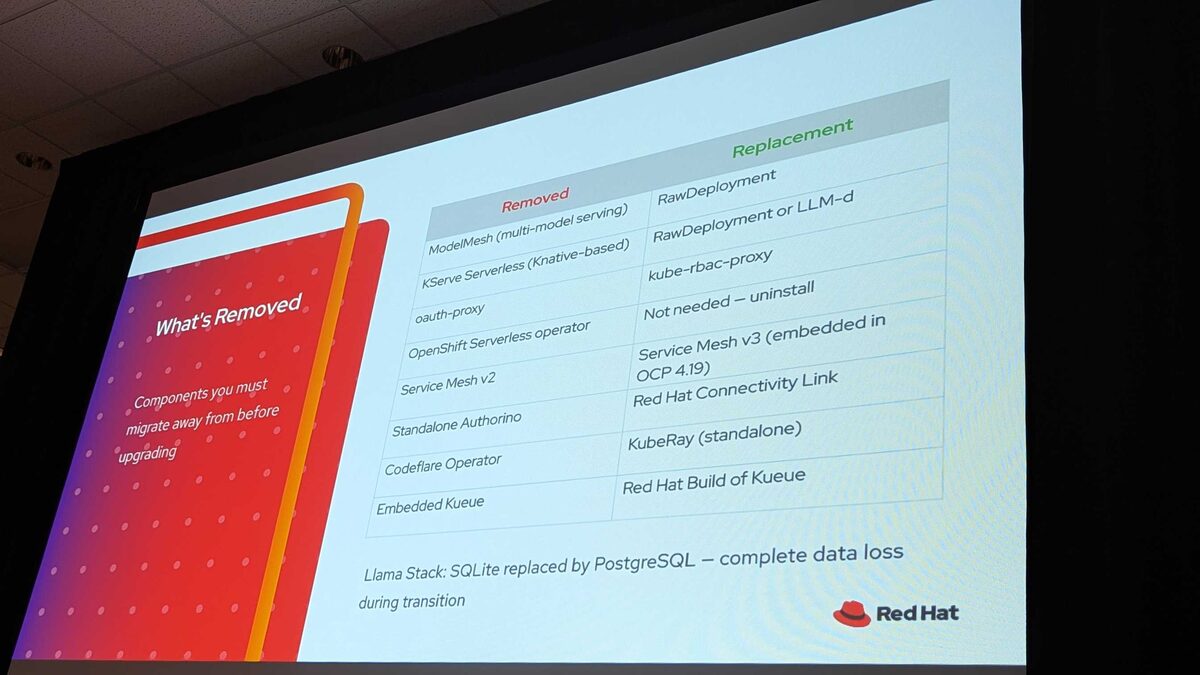
What Is Removed
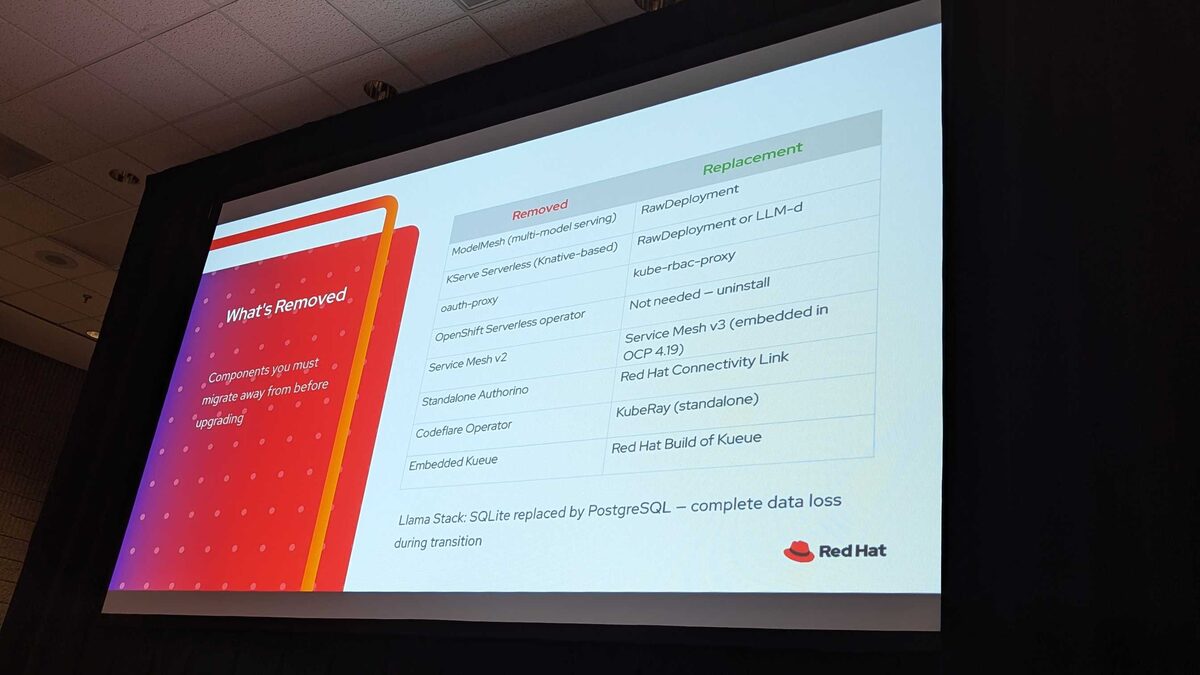
Components you must migrate away from before upgrading:
- ModelMesh (multi-model serving) → RawDeployment
- KServe Serverless (Knative-based) → RawDeployment or LLM-d
- oauth-proxy → kube-rbac-proxy
- OpenShift Serverless operator → Not needed, uninstall
- Service Mesh v2 → Service Mesh v3 (embedded in OCP 4.19)
- Standalone Authorino → Red Hat Connectivity Link
- Codeflare Operator → KubeRay (standalone)
- Embedded Kueue → Red Hat Build of Kueue
Critical data warning: Llama Stack SQLite is replaced by PostgreSQL — complete data loss during transition. No automated migration exists.
What Breaks If You Do Nothing
This is the scariest slide. If you run RHOAI in production today, at least some of these apply to you:
- ModelMesh / KServe Serverless models → HTTP 503 errors, endpoints stop responding
- Custom workbench images (built for oauth-proxy) → Redirection loops, users cannot log in
- Running workbenches not stopped before migration → Redirection loops, no warning
- Kueue left in “Managed” state → Unrecoverable cluster instability, full restore required
- Llama Stack data → Permanently lost, no automated migration
- All Route-based URLs → Stop working: bookmarks, scripts, monitoring, CI/CD, DNS
Assessing Your Exposure
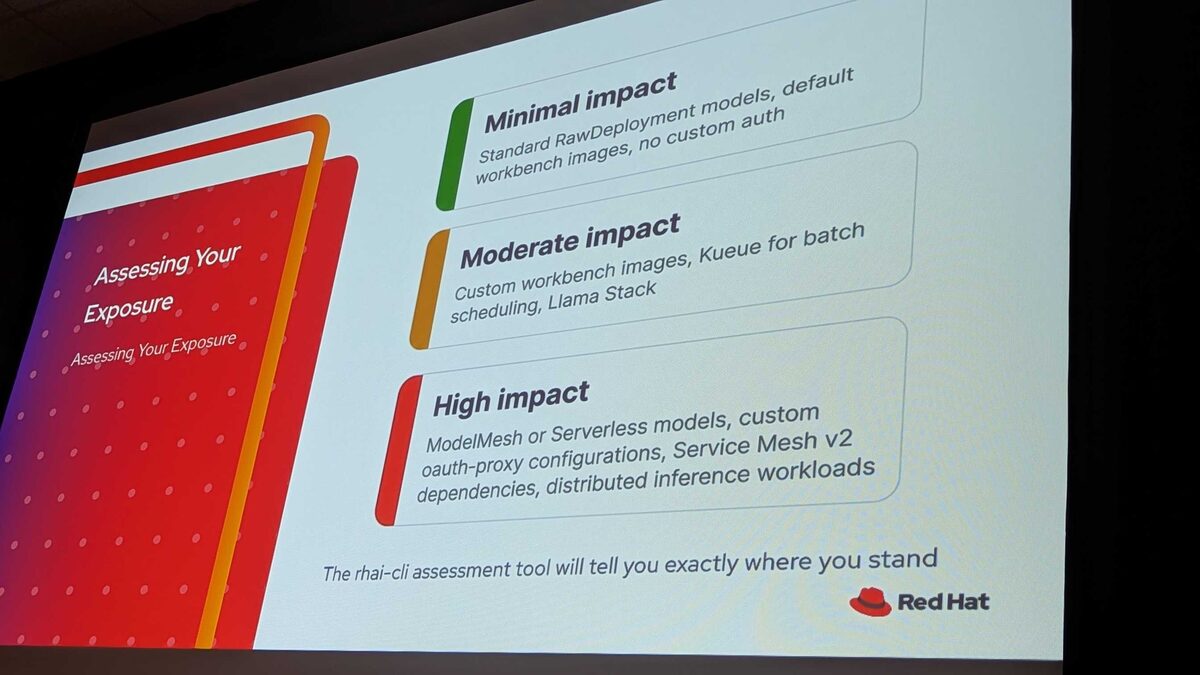
The rhai-cli assessment tool will tell you exactly where you stand:
Minimal impact — Standard RawDeployment models, default workbench images, no custom auth
Moderate impact — Custom workbench images, Kueue for batch scheduling, Llama Stack
High impact — ModelMesh or Serverless models, custom oauth-proxy configurations, Service Mesh v2 dependencies, distributed inference workloads
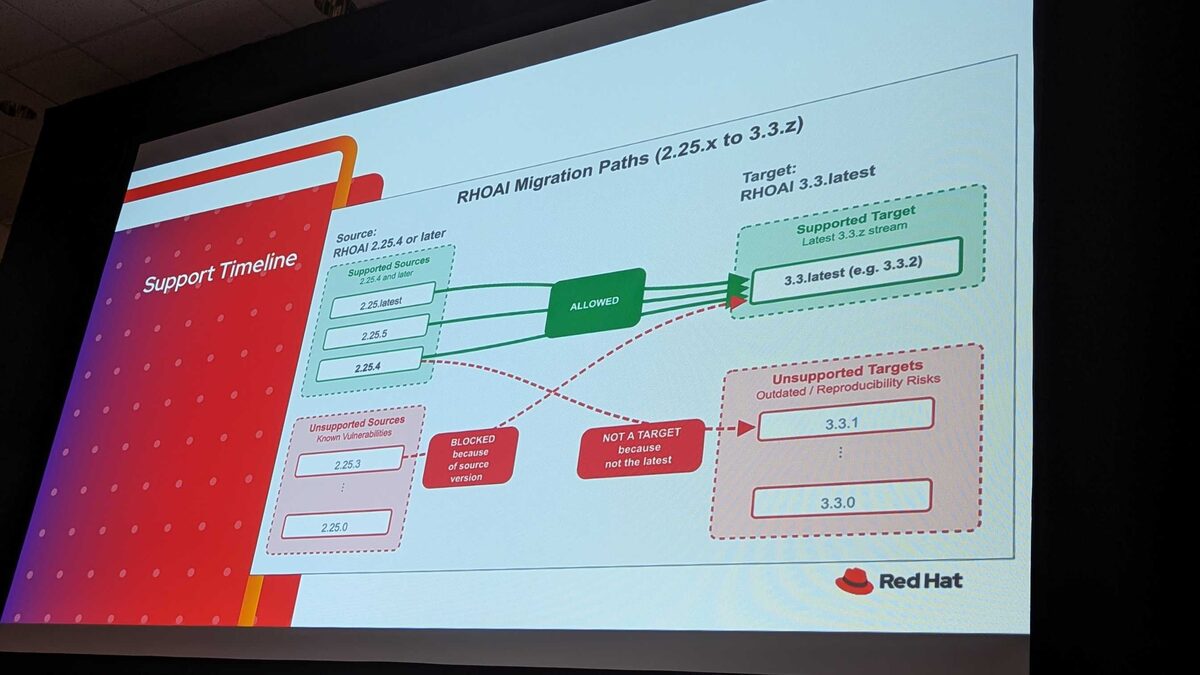
Migration Paths: 2.25.x to 3.3.z
The migration path is strict:
- Supported sources: RHOAI 2.25.4 and later (2.25.4, 2.25.5, 2.25.latest) → ALLOWED to 3.3.latest
- Blocked: RHOAI 2.25.3 and earlier — known vulnerabilities, migration blocked
- Unsupported targets: 3.3.0, 3.3.1 — outdated with reproducibility risks. Only 3.3.latest (e.g., 3.3.2) is a valid target
Support Timeline
Key dates and rules — “Proper Planning Prevents Poor Performance”:
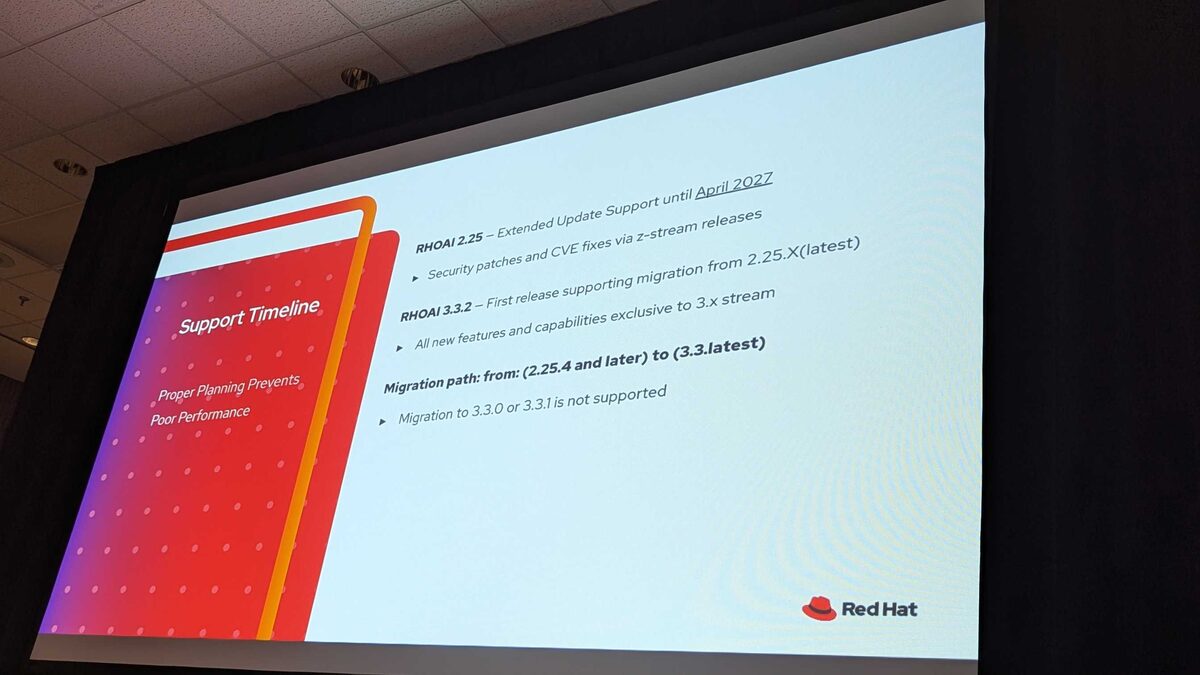
- RHOAI 2.25 — Extended Update Support until April 2027 (security patches and CVE fixes via z-stream releases)
- RHOAI 3.3.2 — First release supporting migration from 2.25.X(latest)
- All new features and capabilities exclusive to 3.x stream
- Migration path: from 2.25.4 and later → to 3.3.latest
- Migration to 3.3.0 or 3.3.1 is NOT supported
Reference links from the session:
Model Serving Consolidation
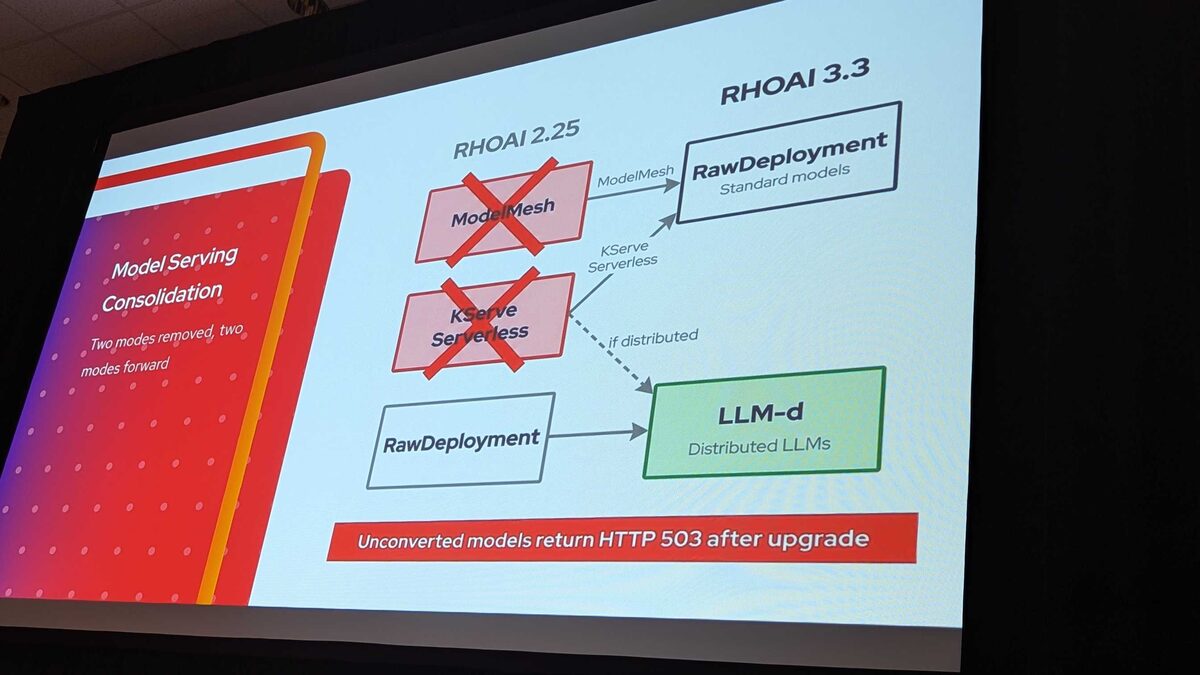
The model serving stack simplifies from four options to two:
- ModelMesh ✗ → RawDeployment (standard models)
- KServe Serverless ✗ → RawDeployment or LLM-d (if distributed)
- RawDeployment → stays, also feeds into LLM-d for distributed LLMs
The red warning at the bottom says it all: Unconverted models return HTTP 503 after upgrade. No grace period, no fallback — if you have not migrated your ModelMesh or KServe Serverless models to RawDeployment before upgrading, they simply stop serving.
Why ModelMesh and KServe Were Removed
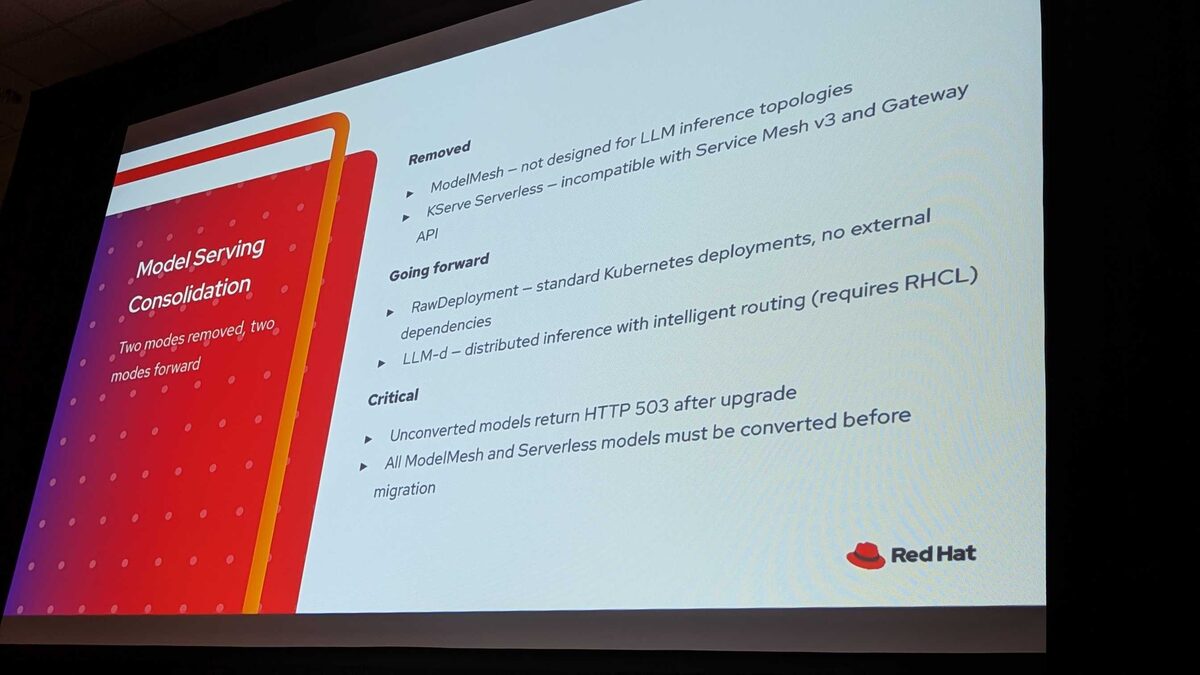
The reasoning behind the removals:
Removed:
- ModelMesh — not designed for LLM inference topologies
- KServe Serverless — incompatible with Service Mesh v3 and Gateway API
Going forward:
- RawDeployment — standard Kubernetes deployments, no external dependencies
- LLM-d — distributed inference with intelligent routing (requires RHCL)
Critical: All ModelMesh and Serverless models must be converted before migration. There is no automated conversion path.
Auth and Operator Changes
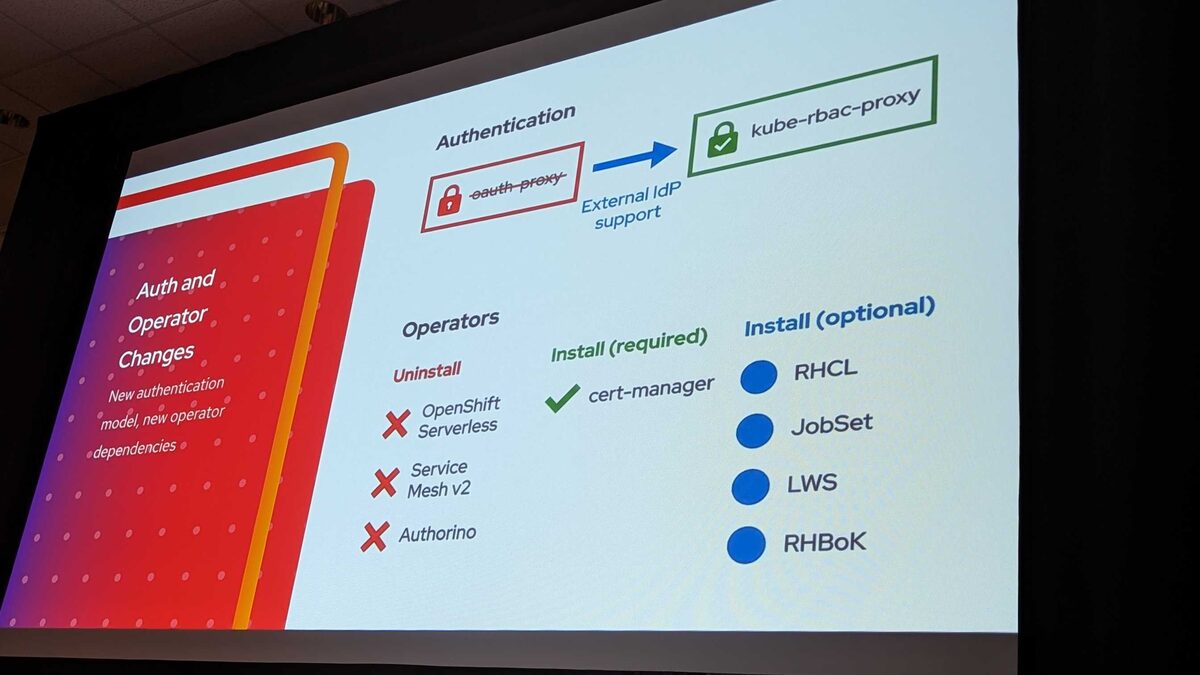
The authentication model changes completely:
Authentication: oauth-proxy → kube-rbac-proxy (with external IdP support)
Important: Custom workbench images built for oauth-proxy must be rebuilt — the image data paths are not the same for kube-rbac-proxy. The security proxy changed completely, so any workbench image that hardcoded oauth-proxy paths or configurations will fail with redirection loops after migration.
Operators to uninstall:
- ✗ OpenShift Serverless
- ✗ Service Mesh v2
- ✗ Authorino
Required install:
- ✓ cert-manager
Optional installs:
- RHCL (Red Hat Connectivity Link — for rate limiting and policy)
- JobSet (for batch workloads)
- LWS (LeaderWorkerSet — for distributed training)
- RHBoK (Red Hat Build of Kueue — for job scheduling)
Gateway API Replaces Routes
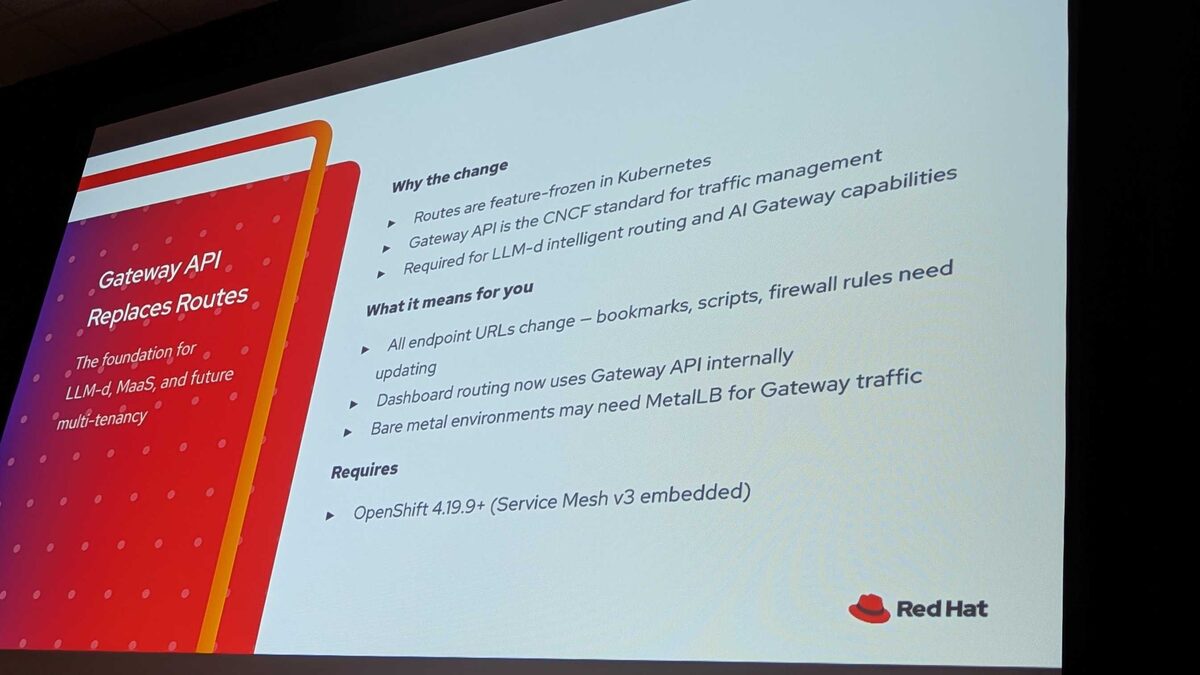
The move from OpenShift Routes to Gateway API is the foundation for LLM-d, MaaS, and future multi-tenancy:
Why the change:
- Routes are feature-frozen in Kubernetes
- Gateway API is the CNCF standard for traffic management
- Required for LLM-d intelligent routing and AI Gateway capabilities
What it means for you:
- All endpoint URLs change — bookmarks, scripts, firewall rules need updating
- Dashboard routing now uses Gateway API internally
- Bare metal environments may need MetalLB for Gateway traffic
Requires: OpenShift 4.19.9+ (Service Mesh v3 embedded)
Networking Flow: 2.25 vs 3.3
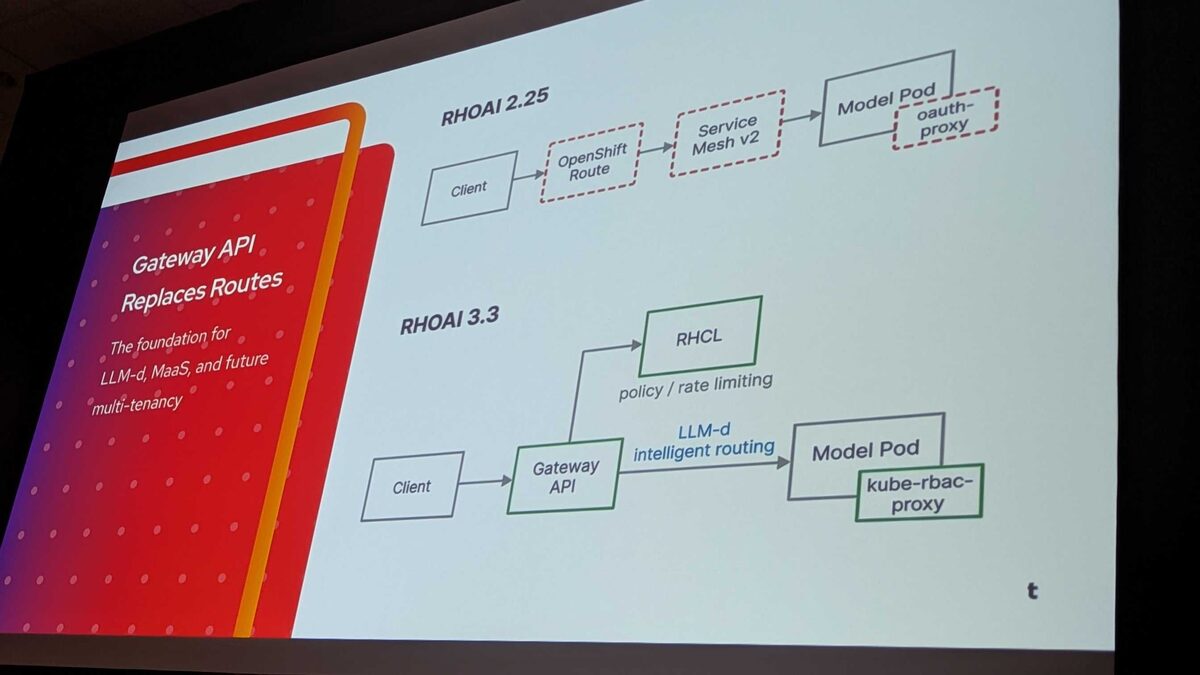
The request path simplifies significantly:
RHOAI 2.25: Client → OpenShift Route (dashed) → Service Mesh v2 (dashed) → Model Pod with oauth-proxy (dashed)
RHOAI 3.3: Client → Gateway API → LLM-d intelligent routing → Model Pod with kube-rbac-proxy, plus RHCL for policy/rate limiting
Every dashed component in 2.25 is removed. The 3.3 path is cleaner, with LLM-d providing KV-cache-aware routing and RHCL (Authorino + Limitador) handling policy and rate limiting at the gateway level.
Migration Strategy: No Rollback
One of the most important points from the session: there is no rollback path. If the migration fails or something goes wrong, the only solution is a full restore from backup.
The recommended migration strategy is a parallel install:
- Stand up RHOAI 3.x alongside 2.x — this means running twice the workload temporarily
- Migrate workloads one by one — move individual models, pipelines, and notebooks from the old environment to the new one
- Validate each workload before decommissioning its 2.x counterpart
- Only then remove the 2.x installation
This is not an in-place upgrade you can undo. Plan for the parallel capacity, budget the extra GPU/compute time, and take a full cluster backup before touching anything.
Realistic Timelines
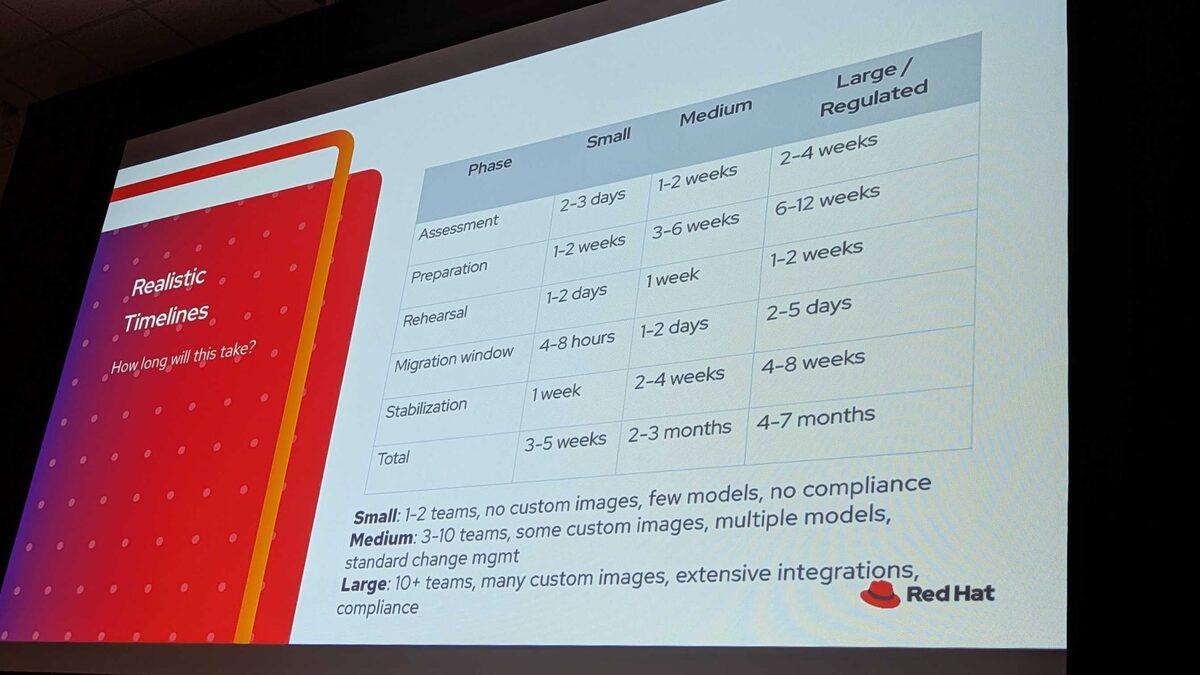
How long will this actually take? The session provided honest timelines:
| Phase | Small | Medium | Large / Regulated |
|---|---|---|---|
| Assessment | 2-3 days | 1-2 weeks | 2-4 weeks |
| Preparation | 1-2 weeks | 3-6 weeks | 6-12 weeks |
| Rehearsal | 1-2 days | 1 week | 1-2 weeks |
| Migration window | 4-8 hours | 1-2 days | 2-5 days |
| Stabilization | 1 week | 2-4 weeks | 4-8 weeks |
| Total | 3-5 weeks | 2-3 months | 4-7 months |
Environment definitions:
- Small: 1-2 teams, no custom images, few models, no compliance
- Medium: 3-10 teams, some custom images, multiple models, standard change management
- Large / Regulated: 10+ teams, many custom images, extensive integrations, compliance requirements
For large enterprises with compliance requirements, you are looking at up to 7 months end-to-end. Start planning now — RHOAI 2.25 EUS runs out in April 2027.
Prerequisites Checklist
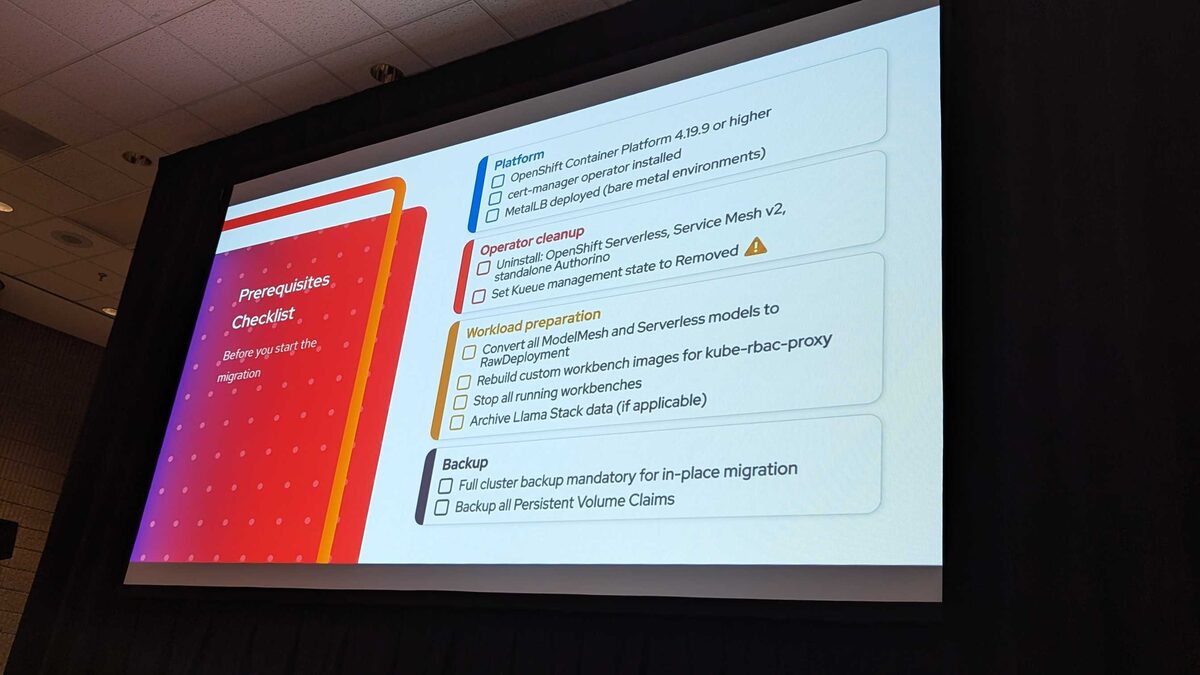
Before you start the migration, every item on this checklist must be complete:
Platform:
- OpenShift Container Platform 4.19.9 or higher
- cert-manager operator installed
- MetalLB deployed (bare metal environments)
Operator cleanup:
- Uninstall: OpenShift Serverless, Service Mesh v2, standalone Authorino
- Set Kueue management state to Removed ⚠️
Workload preparation:
- Convert all ModelMesh and Serverless models to RawDeployment
- Rebuild custom workbench images for kube-rbac-proxy
- Stop all running workbenches
- Archive Llama Stack data (if applicable)
Backup:
- Full cluster backup mandatory for in-place migration
- Backup all Persistent Volume Claims
Critical insight from the session: Kueue is the most impactful item on this list. If Kueue is left in “Managed” state during migration, it causes unrecoverable cluster instability requiring a full restore. Also — do not just take backups, test the restore of your backups before starting migration. An untested backup is not a backup.
rhai-cli Assessment Tool
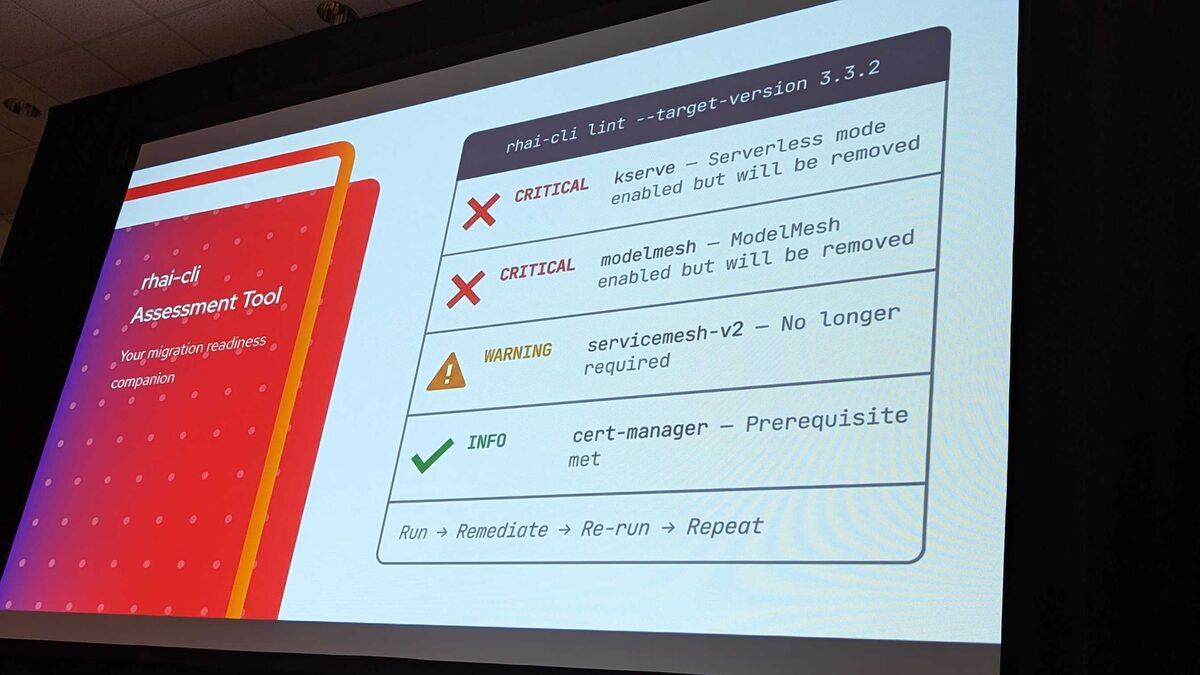
The rhai-cli tool is available as a container image and serves as your migration readiness companion. Run it against your cluster to get a clear picture:
rhai-cli lint --target-version 3.3.2Example output:
- ✗ CRITICAL — kserve: Serverless mode enabled but will be removed
- ✗ CRITICAL — modelMesh: ModelMesh enabled but will be removed
- ⚠ WARNING — servicemesh-v2: No longer required
- ✓ INFO — cert-manager: Prerequisite met
The workflow is iterative: Run → Remediate → Re-run → Repeat until all CRITICAL and WARNING items are resolved.
How rhai-cli Works
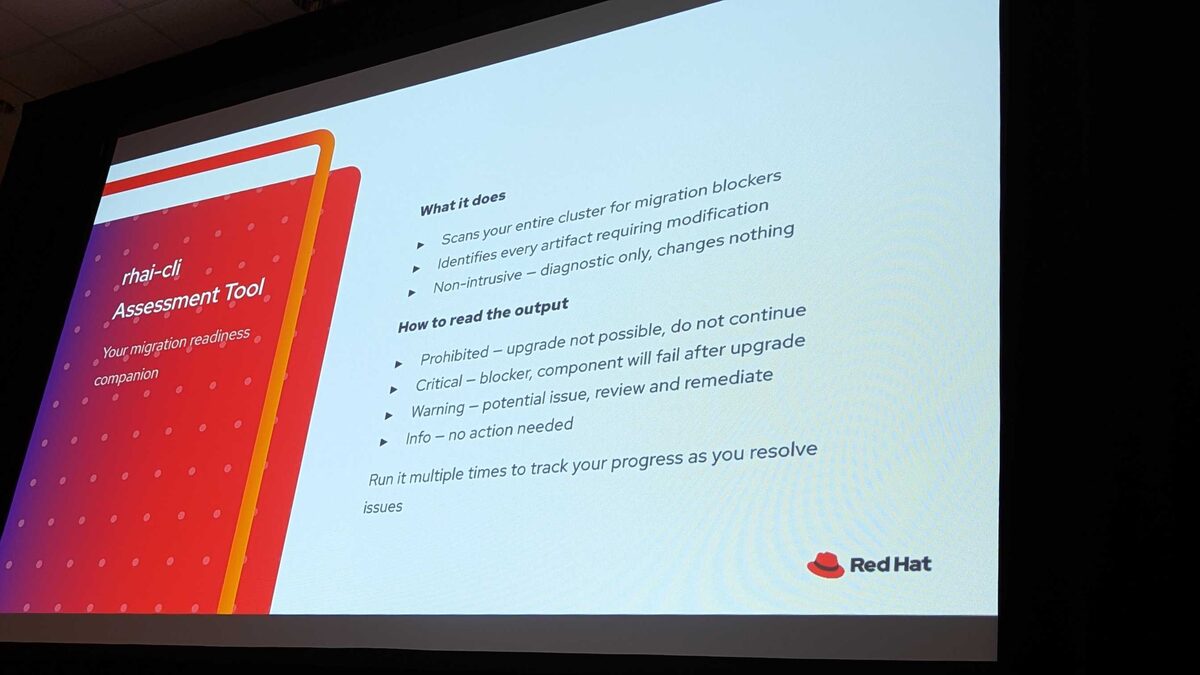
The tool is available as a container image with multiple helpers to convert and prepare YAML — fully baked and ready to use:
What it does:
- Scans your entire cluster for migration blockers
- Identifies every artifact requiring modification
- Non-intrusive — diagnostic only, changes nothing
How to read the output:
- Prohibited — upgrade not possible, do not continue
- Critical — blocker, component will fail after upgrade
- Warning — potential issue, review and remediate
- Info — no action needed
Run it multiple times to track your progress as you resolve issues. The full review takes a few loops to get everything clean.
Full rhai-cli Output in Action
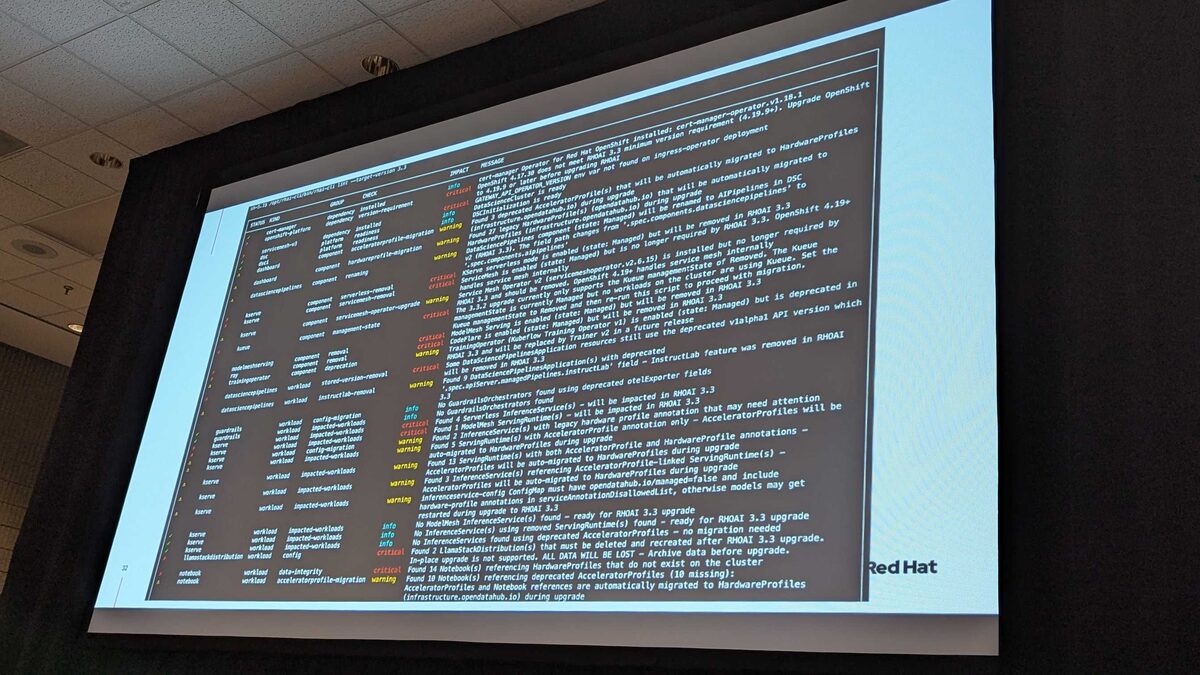
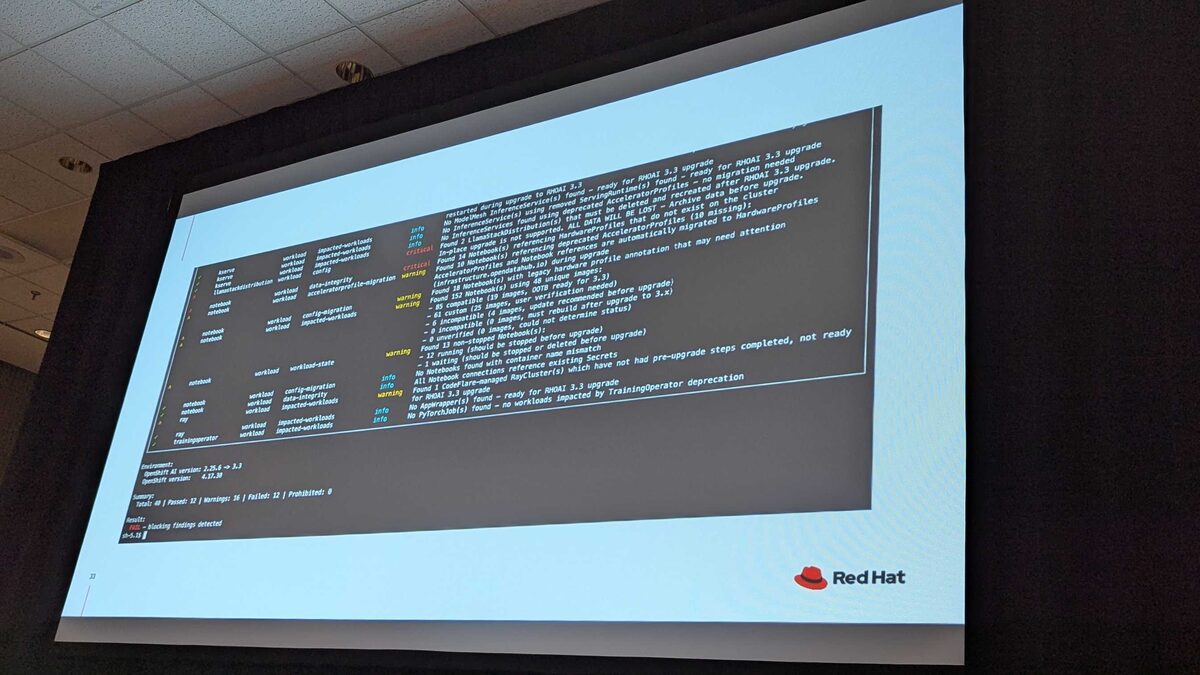
The real-world output is dense. In this demo cluster, the tool found:
- Total: 40 checks — Passed: 12, Warnings: 16, Failed: 12, Prohibited: 0
- CRITICAL findings: Llama Stack data will be lost, notebooks referencing HardwareProfiles that do not exist on the cluster, Kueue management state issues
- WARNING findings: Deprecated AcceleratorProfiles being auto-migrated to HardwareProfiles, custom workbench images needing verification, running workbenches that must be stopped
- Notebook image analysis: 61 custom images, 4 incomplete, 0 incompatible — each needs user verification for kube-rbac-proxy compatibility
The summary at the bottom: FAIL — blocking findings detected. This cluster is not ready for migration until all critical items are resolved.
Before You Start: Open a Support Case with Red Hat
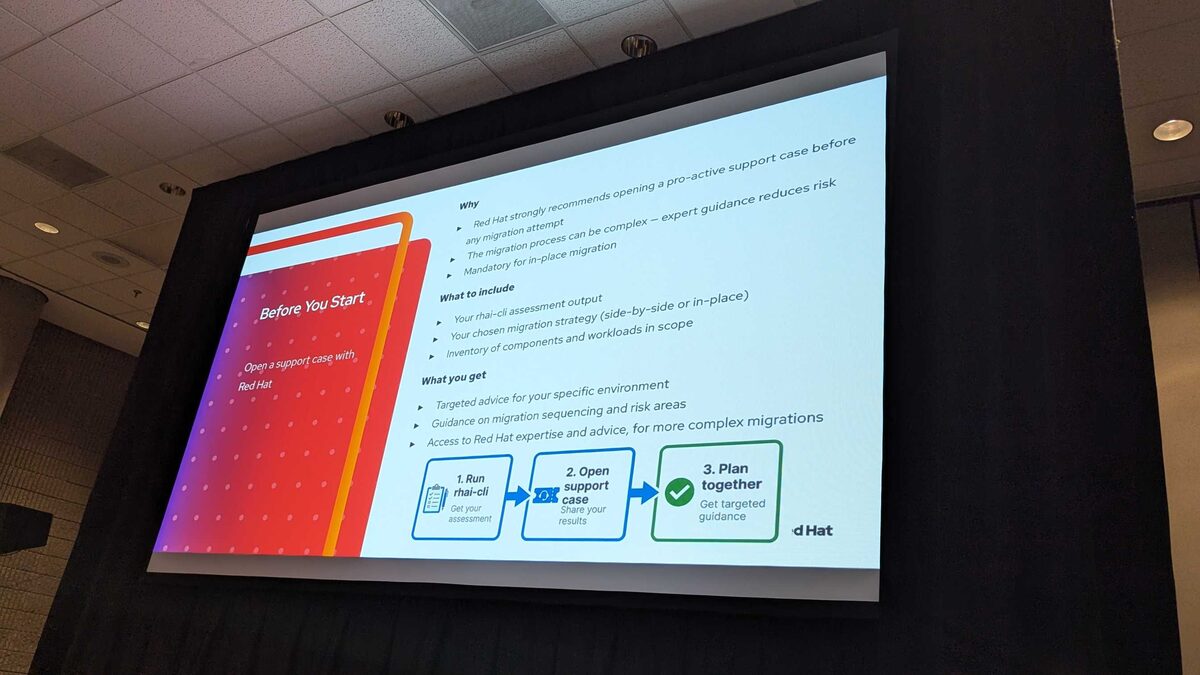
Red Hat strongly recommends opening a proactive support ticket before any migration attempt. They will assign dedicated people to oversee and review results, assess your environment, inventory components, and provide targeted advice for your specific setup.
Why:
- The migration process can be complex — expert guidance reduces risk
- Mandatory for in-place migration
- Red Hat will assign people to review your rhai-cli output
What to include in the ticket:
- Your rhai-cli assessment output
- Your chosen migration strategy (side-by-side or in-place)
- Inventory of components and workloads in scope
What you get:
- Targeted advice for your specific environment
- Guidance on migration sequencing and risk areas
- Access to Red Hat expertise for complex migrations
The recommended 3-step workflow:
- Run rhai-cli — get your assessment
- Open support case — share your results
- Plan together — get targeted guidance
Component Migration at a Glance
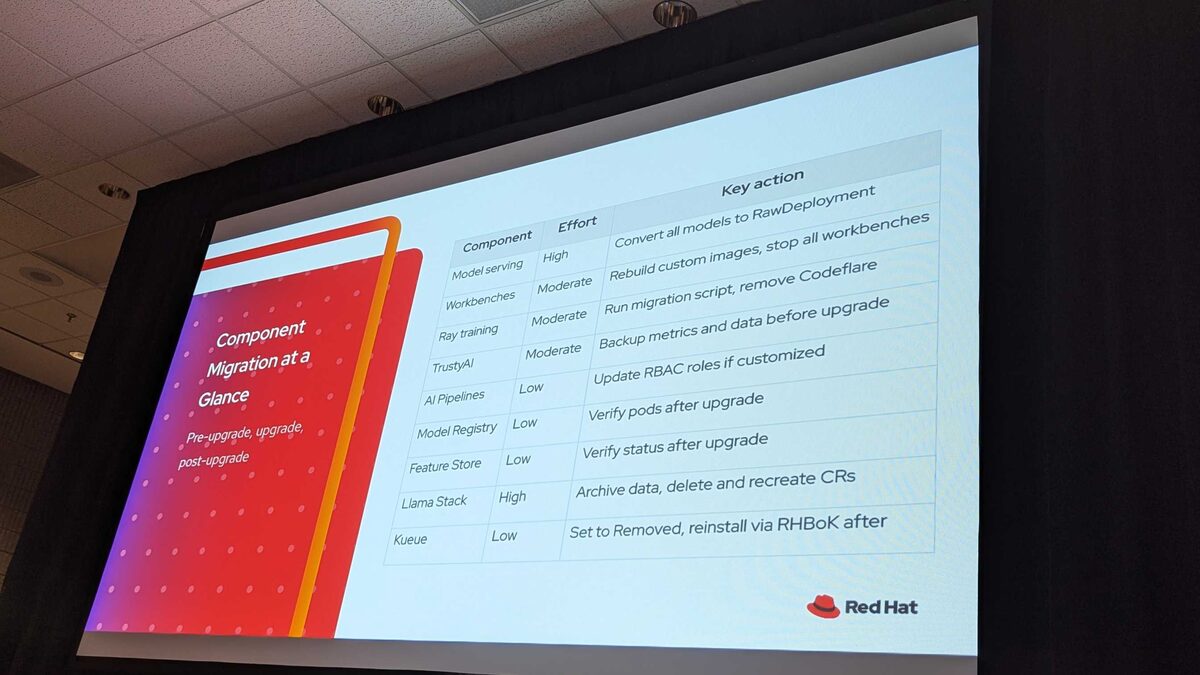
Here is the effort breakdown per component:
| Component | Effort | Key Action |
|---|---|---|
| Model serving | High | Convert all models to RawDeployment |
| Workbenches | Moderate | Rebuild custom images, stop all workbenches |
| Ray training | Moderate | Run migration script, remove Codeflare |
| TrustyAI | Moderate | Backup metrics and data before upgrade |
| AI Pipelines | Low | Update RBAC roles if customized |
| Model Registry | Low | Verify pods after upgrade |
| Feature Store | Low | Verify status after upgrade |
| Llama Stack | High | Archive data, delete and recreate CRs |
| Kueue | Low | Set to Removed, reinstall via RHBoK after |
The two High effort items — Model serving and Llama Stack — are the ones that require the most planning. Model serving because every model must be converted to RawDeployment, and Llama Stack because all data will be lost during migration.
Execution: Best Practices and Pitfalls
A key insight from the session: rerun rhai-cli after each remediation step to verify one less thing is flagged. The iterative loop is essential — do not try to fix everything at once and hope it works.
And a critical reminder: GitOps is not a backup. Your Git repository contains your desired state, but not your persistent data, PVC contents, model weights, or notebook artifacts. A proper OADP or Velero backup is mandatory.
Key Pitfalls to Avoid
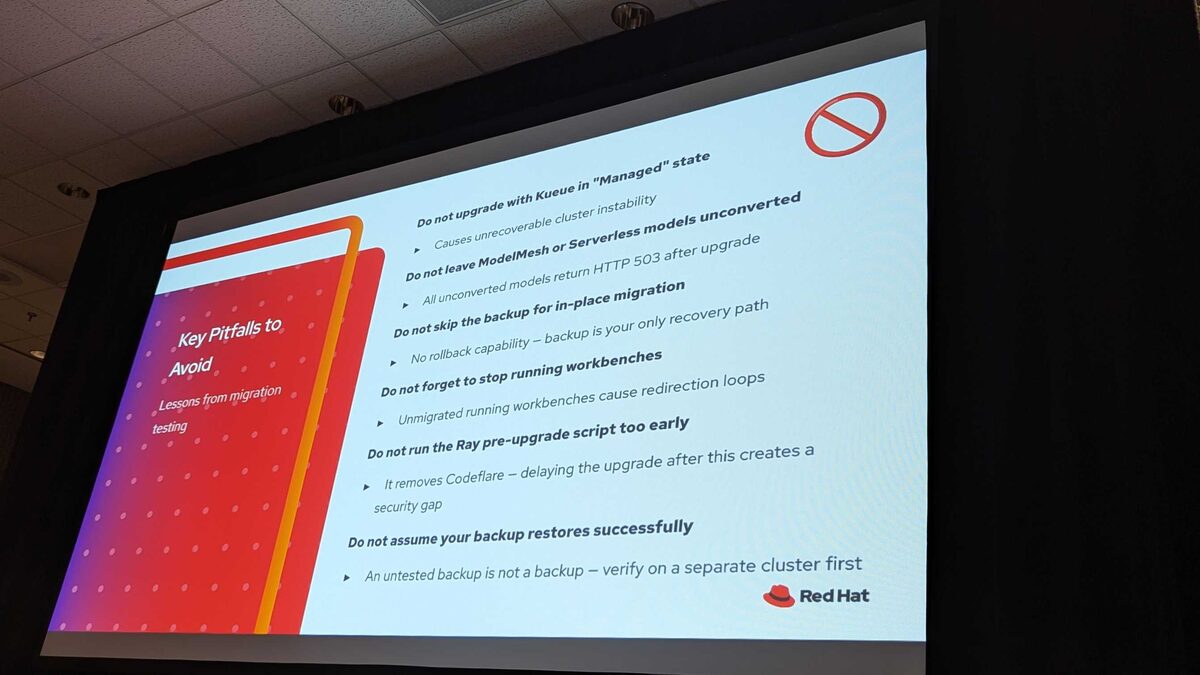
These are hard lessons from real migration testing:
- 🚫 Do not upgrade with Kueue in “Managed” state — causes unrecoverable cluster instability
- 🚫 Do not leave ModelMesh or Serverless models unconverted — all unconverted models return HTTP 503 after upgrade
- 🚫 Do not skip the backup for in-place migration — no rollback capability, backup is your only recovery path
- 🚫 Do not forget to stop running workbenches — unmigrated running workbenches cause redirection loops
- 🚫 Do not run the Ray pre-upgrade script too early — it removes Codeflare, delaying the upgrade after this creates a security gap
- 🚫 Do not assume your backup restores successfully — an untested backup is not a backup, verify on a separate cluster first
How to Know You Are Done
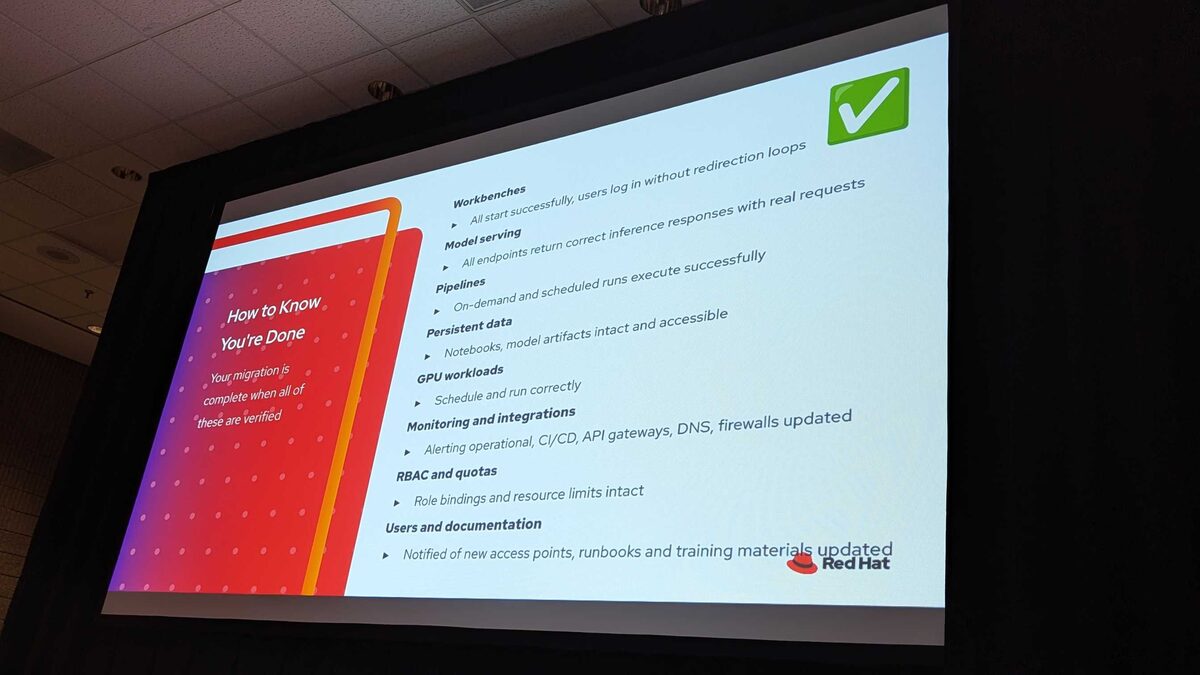
Your migration is complete when all of these are verified:
- ✅ Workbenches — all start successfully, users log in without redirection loops
- ✅ Model serving — all endpoints return correct inference responses with real requests
- ✅ Pipelines — on-demand and scheduled runs execute successfully
- ✅ Persistent data — notebooks, model artifacts intact and accessible
- ✅ GPU workloads — schedule and run correctly
- ✅ Monitoring and integrations — alerting operational, CI/CD, API gateways, DNS, firewalls updated
- ✅ RBAC and quotas — role bindings and resource limits intact
- ✅ Users and documentation — notified of new access points, runbooks and training materials updated
Key Takeaways
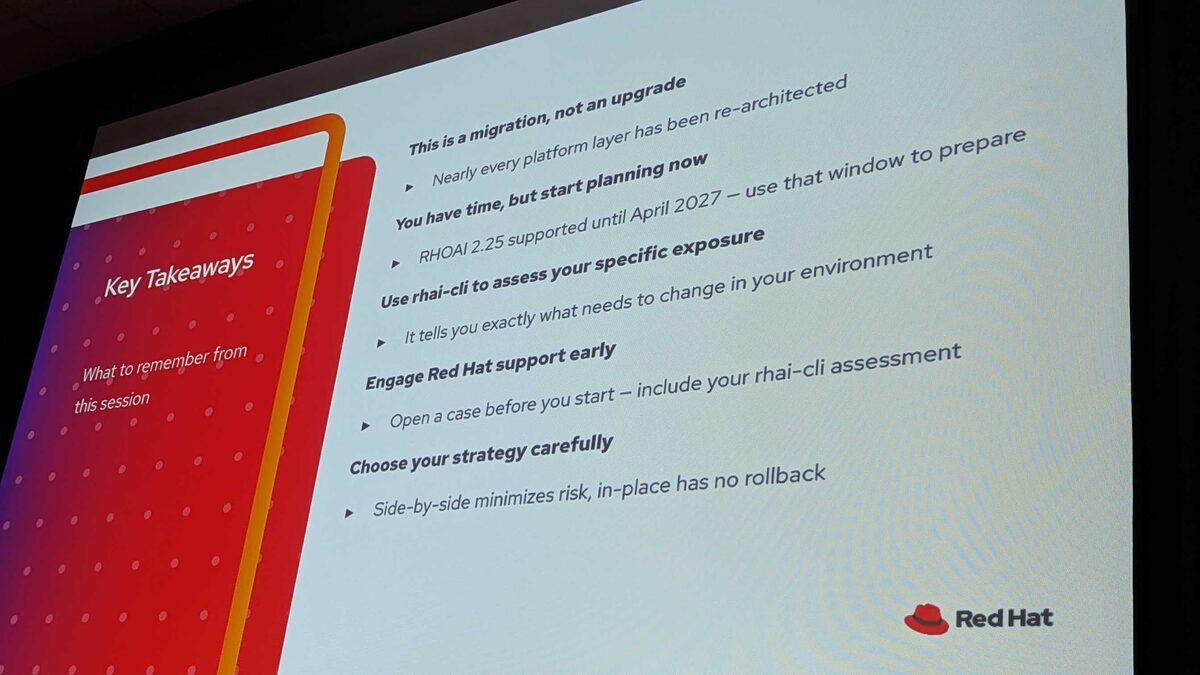
- This is a migration, not an upgrade — nearly every platform layer has been re-architected
- You have time, but start planning now — RHOAI 2.25 supported until April 2027, use that window to prepare
- Use rhai-cli to assess your specific exposure — it tells you exactly what needs to change in your environment
- Engage Red Hat support early — open a case before you start, include your rhai-cli assessment
- Choose your strategy carefully — side-by-side minimizes risk, in-place has no rollback
- Persistent data and pipelines: plan validation in advance — check before and after the migration to ensure nothing was lost
- Minimum source: RHOAI 2.25.4+ → target 3.3.latest only (not 3.3.0 or 3.3.1)
- OpenShift 4.19.9+ required — may be a multi-step upgrade from your current version
- Llama Stack data is permanently lost — back up before migrating, no automated path
- Test in non-production first — especially ModelMesh → RawDeployment and oauth-proxy → kube-rbac-proxy transitions
Resources and Next Steps
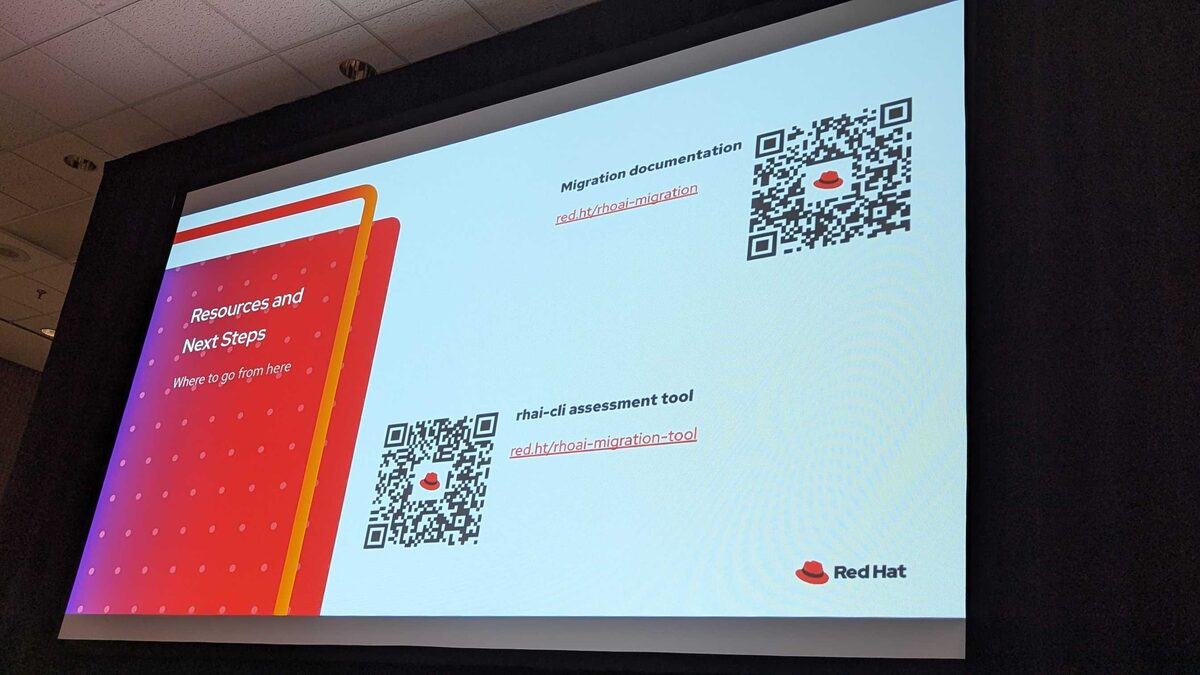
- Migration documentation: red.ht/rhoai-migration
- rhai-cli assessment tool: red.ht/rhoai-migration-tool