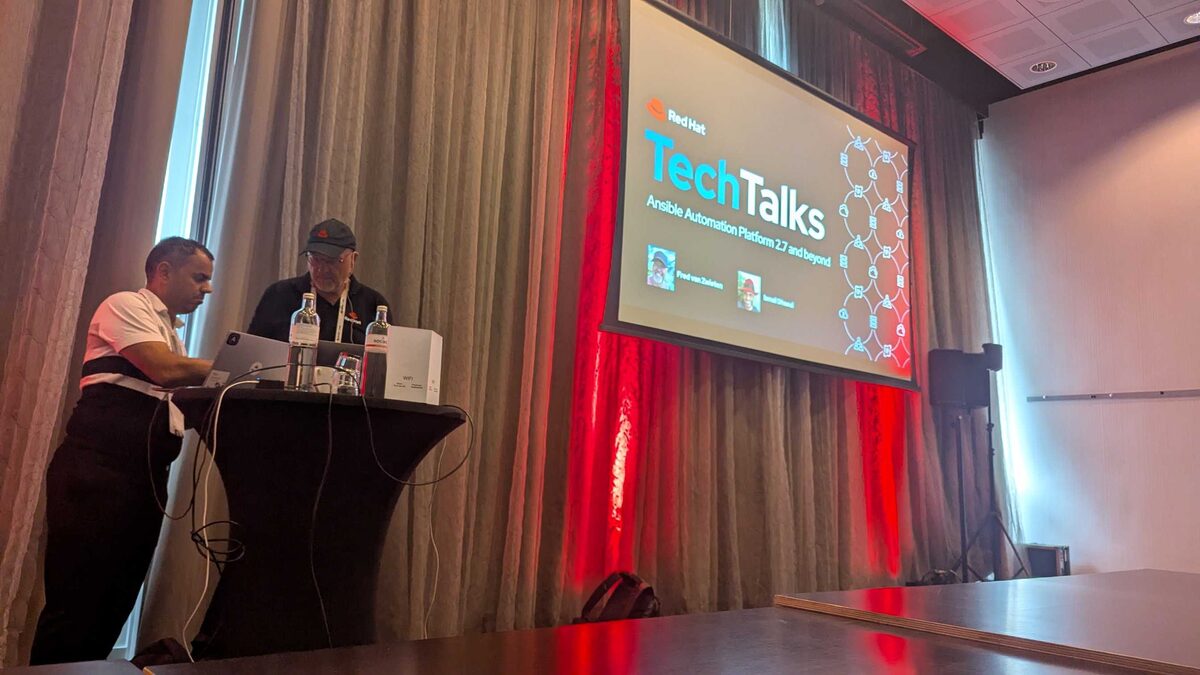
At Red Hat Tech Day Netherlands (June 2026), Fred van Zwieten and Ismail Dhaoui presented “Ansible Automation Platform 2.7 and Beyond” — and the showstopper was a live demo of OpenClaw orchestrating fully autonomous CVE remediation through the Ansible Automation Platform.
This is not future-state. This is running today. An AI agent detecting vulnerabilities, creating ITSM tickets, validating policies, executing patching playbooks, and filing compliance reports — all without human intervention.
Want to reproduce it? See the companion walkthrough — OpenClaw Agentic Automation with Ansible — CVE Remediation Demo on Ansible By Example.
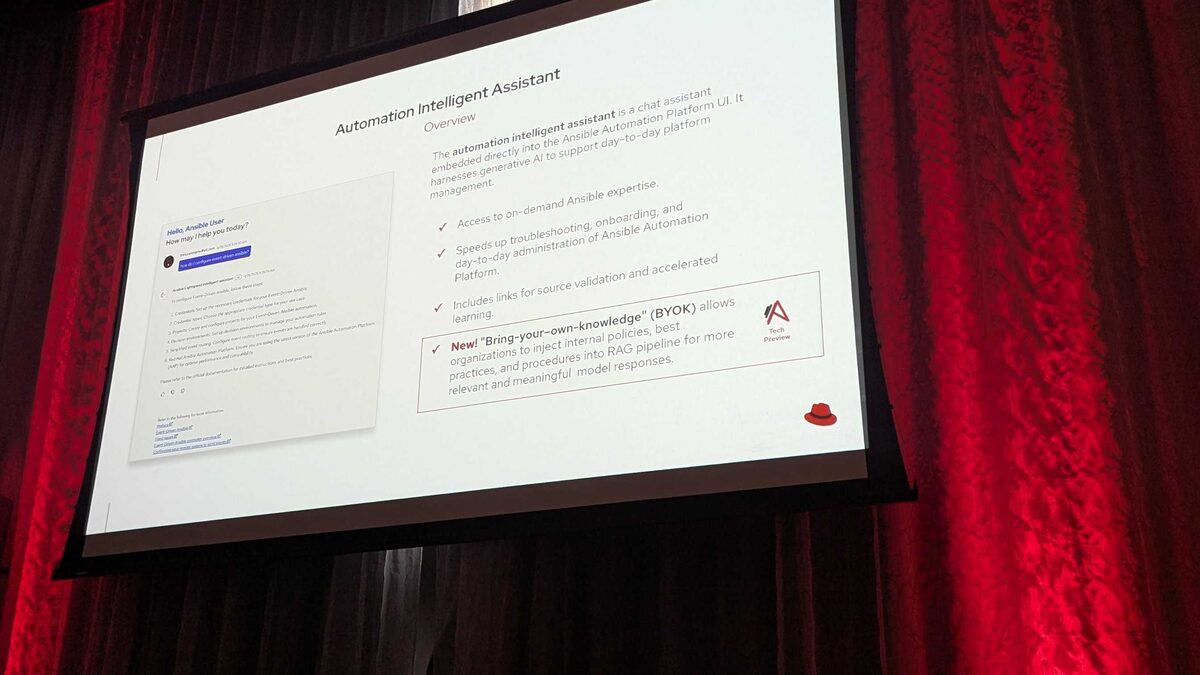
The interface that makes agent-driven workflows like this possible is AAP’s new intelligent assistant and MCP server, which exposes Ansible automation to agents such as OpenClaw.
The Agentic Automation Workflow
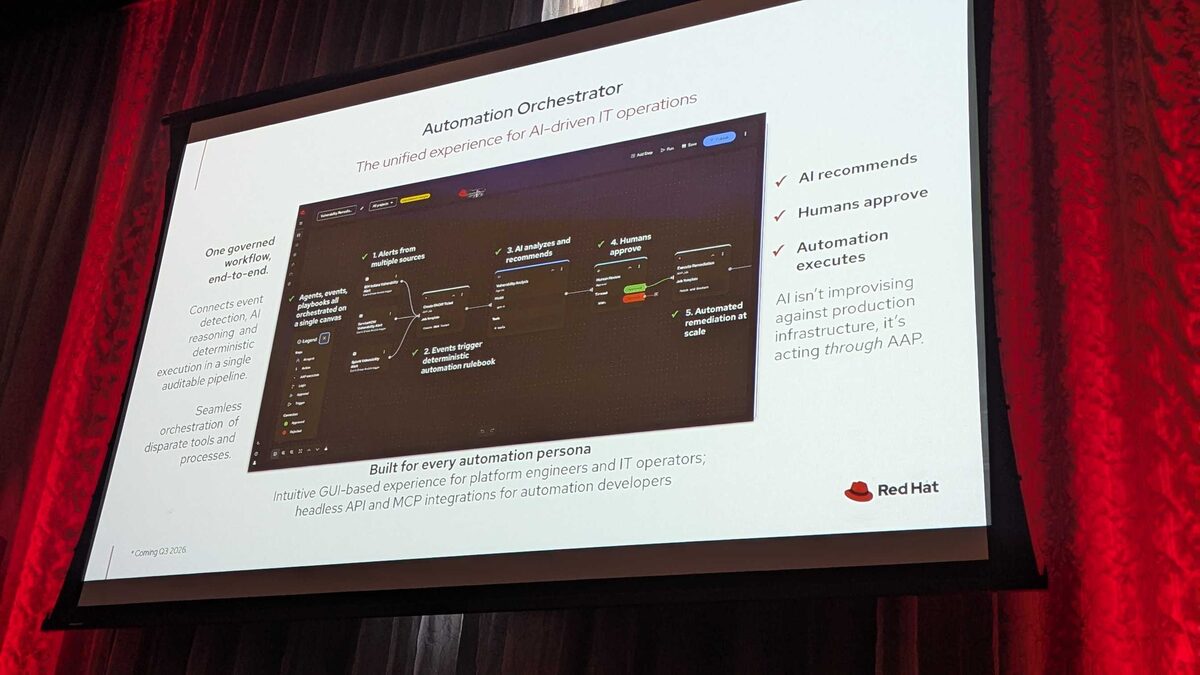
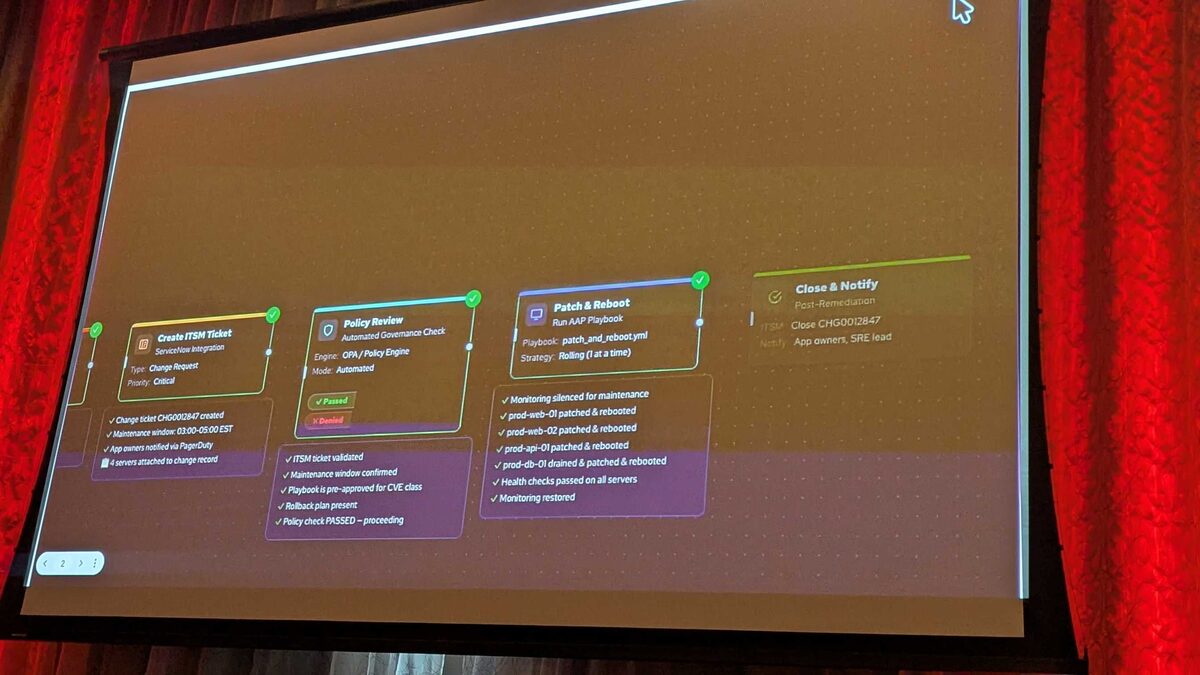
The demo showed a complete 5-step autonomous remediation pipeline:
Step 1: OpenClaw Request
- Source: OpenClaw agent (running in OpenShift Pod)
- CVE: CVE-2026-31337 (CVSS 9.8 — Critical)
- Impact: 4 production servers affected
The OpenClaw agent detects the vulnerability, validates it against the CVE database, and initiates the remediation workflow.
Step 2: Create ITSM Ticket
- Integration: ServiceNow
- Type: Change Request
- Priority: Critical
- Ticket: CHG0012847
- Maintenance window: 03:00–05:00 EST
- Actions: App owners notified via PagerDuty, 4 servers attached to change record
Step 3: Policy Review
- Engine: OPA / Policy Engine
- Mode: Automated
- Checks performed:
- ITSM ticket validated ✓
- Maintenance window confirmed ✓
- Playbook is pre-approved for CVE class ✓
- Rollback plan present ✓
- Policy check PASSED — proceeding ✓
Step 4: Patch and Reboot
- Playbook:
patch_and_reboot.yml - Strategy: Rolling (1 at a time)
- Actions:
- Monitoring silenced for maintenance ✓
- prod-web-01 patched and rebooted ✓
- prod-web-02 patched and rebooted ✓
- prod-api-01 patched and rebooted ✓
- prod-db-01 drained, patched and rebooted ✓
- Health checks passed on all servers ✓
- Monitoring restored ✓
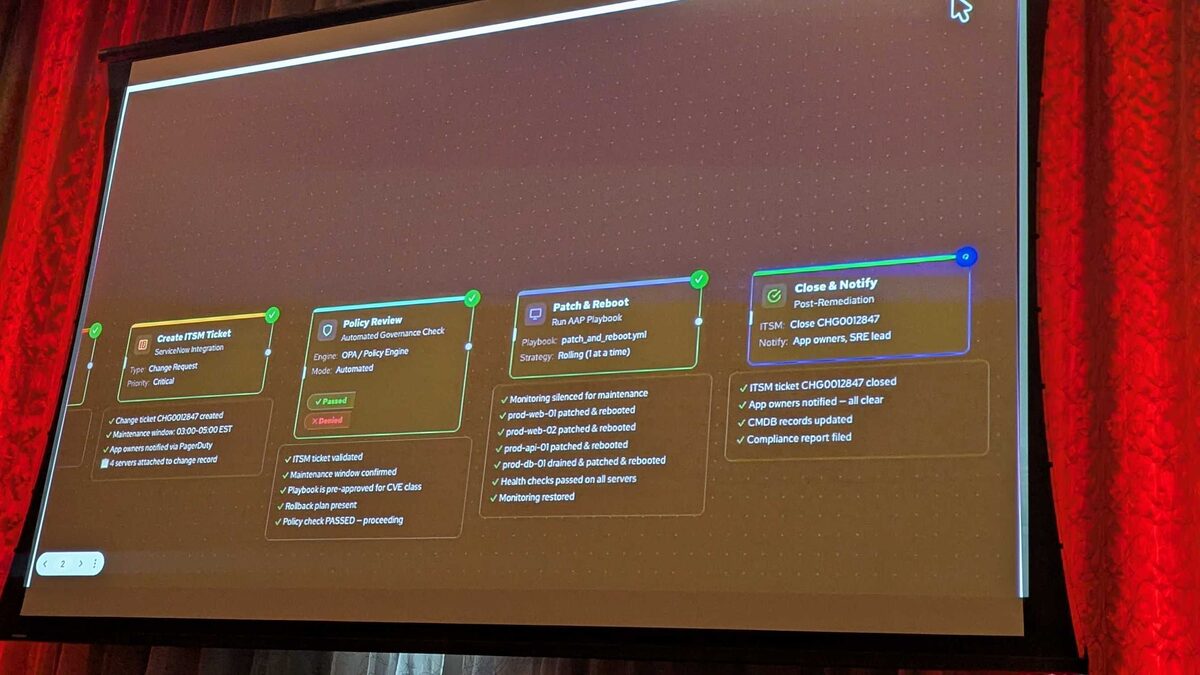
Step 5: Close and Notify
- ITSM: Close CHG0012847
- Notify: App owners, SRE lead
- Actions:
- ITSM ticket closed ✓
- App owners notified — all clear ✓
- CMDB records updated ✓
- Compliance report filed ✓
The OpenClaw Control Panel
The live demo showed OpenClaw’s control interface with:
- Agent name:
sre-sally - Model: Claude Sonnet 4.6 (litellm)
- Session: heartbeat
- Sidebar sections: Chat, Control (Overview, Channels, Instances, Sessions, Usage, Cron Jobs), Agent (Agents, Skills, Nodes), Settings (Config, Communications, Appearance, Automation, Infrastructure, AI & Agents), Docs
Agent Interaction
The agent communicates naturally:
“On it. Let me check the AAP MCP server for the right job to run. Let me handle this directly.”
Tool calls visible in the chat:
memory_searchruntime_searchruntime_exec
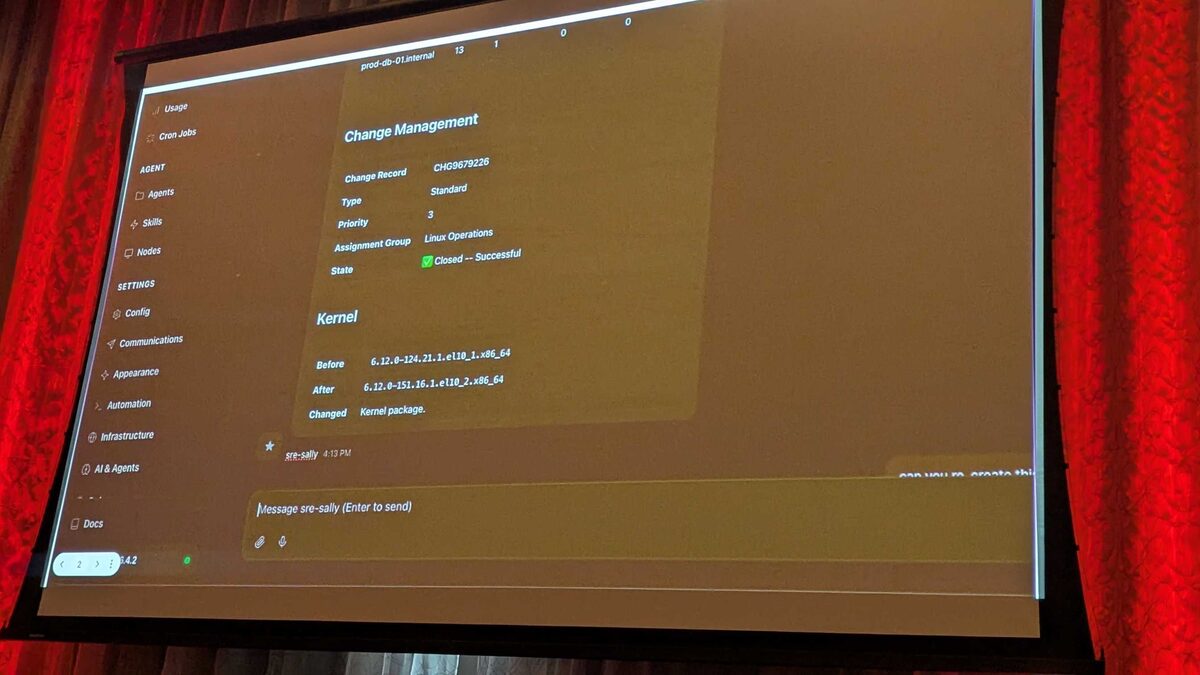
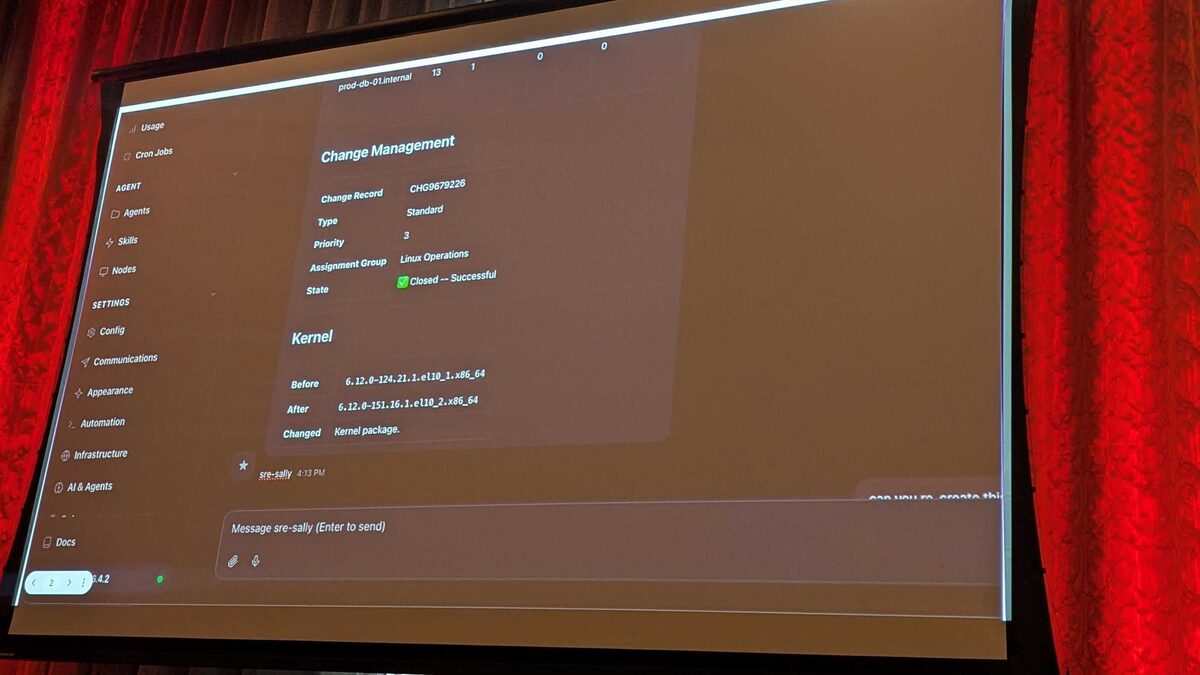
Change Management Results
After the playbook completed, the Change Management record showed:
- Change Record: CHG9679226
- Type: Standard
- Priority: 3
- Assignment Group: Linux Operations
- State: ✅ Closed — Successful
Kernel Upgrade Details
| Field | Value |
|---|---|
| CVE addressed | CVE-2026-31337 (CVSS 9.8 — Critical) |
| Previous kernel | 5.14.0-427.el9 |
| Patched kernel | 5.14.0-503.el9 |
| Servers updated | 4 — prod-web-01, prod-web-02, prod-api-01, prod-db-01 |
| Rollout strategy | Rolling, one host at a time |
| Reboot | Required (kernel replacement) |
| Downtime | Zero — each host drained before reboot |
| Rollback | Previous kernel retained as a GRUB boot entry |
| Window | Completed inside the 03:00–05:00 EST change window |
Why This Matters
What made this demo land was not that an AI “ran a playbook.” It was that every guardrail an enterprise already relies on stayed in place — the agent simply drove them:
- The agent didn’t write the fix. It selected a pre-approved playbook (
patch_and_reboot.yml) exposed through the AAP MCP server. Humans still own what the automation is allowed to do. - Policy was the gate, not a suggestion. The OPA check had to pass — valid ITSM ticket, confirmed maintenance window, pre-approved playbook class, rollback plan present — before anything touched production.
- The system of record stayed authoritative. ServiceNow held the change, the CMDB was updated, and a compliance report was filed. The audit trail is identical to a human-run change.
That combination is the point: the agent compresses a multi-hour, multi-team toil loop into minutes without removing the approvals, observability, and rollback that make the change safe.
The Takeaway
Agentic automation is not about handing the keys to a model. It’s about wiring an agent into the same ITSM, policy, and automation surfaces your team already trusts — then letting it do the tedious orchestration between them. OpenClaw plus the Ansible Automation Platform MCP server is a working blueprint for exactly that: autonomous remediation, human-defined boundaries.
If you’re building toward this, start by exposing a small set of pre-approved, idempotent playbooks through the Ansible intelligent assistant and MCP server and gate them behind policy — long before you let any agent near production.