The Reality Check
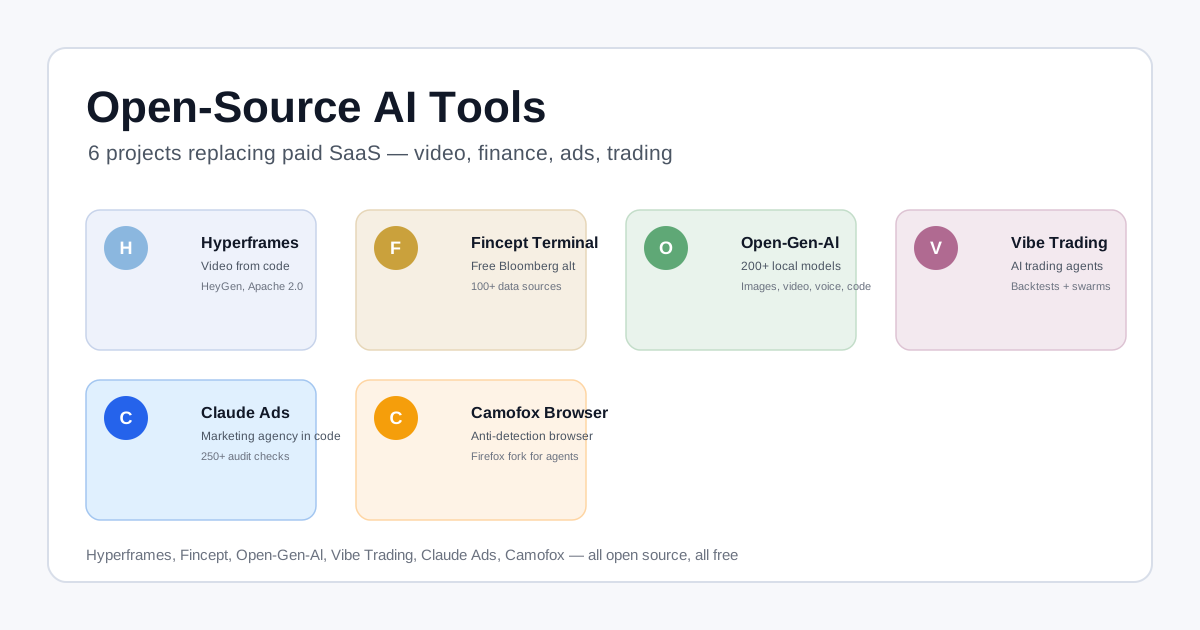
Last week I ran a roundup of open-source AI tools that are replacing paid SaaS — six of them, covering video, finance, trading, ads, and browser automation. The response was predictable: “This sounds great, but how much does it actually cost to run?”
That’s the question nobody wants to answer in tool READMEs. “Deploy with Docker” is not a cost analysis. “Runs on your machine” doesn’t tell you if your machine needs $200 in GPU upgrades or a $10 VPS.
So I dug into each repo, checked the Docker requirements, found the minimum viable specs, and priced out real hosting. Here’s what I found for ten of the most promising open-source AI tools landing in 2026.
1. Open Notebook — NotebookLM Alternative
Repo: lfnovo/open-notebook · MIT · 38.5k stars
What it is: A self-hosted, privacy-first NotebookLM clone. Add PDFs, videos, audio, web pages, and notes, then chat, summarize, or generate podcasts from them.
The cost:
- Fully local = $0. Run Ollama or LM Studio on your machine, no cloud API calls. A 16 GB RAM laptop with a mid-range GPU (RTX 3060/4060) handles it fine.
- Cloud hosted = $5–12/month (Hetzner CX21 or Linode 4 GB) + whatever your AI provider charges per token.
- Docker compose ships the web UI (port 8502) + API (port 5055) + a SurrealDB database. The whole stack runs in ~2 GB RAM.
- The real variable cost is AI inference. If you route through paid APIs (OpenAI, Anthropic, Google), expect $5–20/month for moderate usage (a few documents + a podcast or two). With Ollama locally, it’s $0 after the hardware is paid for.
Hardware note: No GPU required for the server itself — the GPU (or lack thereof) only affects which AI providers you can use. CPU-only works for small models; GPU unlocks larger local models via Ollama.
2. No AI Slop — AI Writing Pattern Removal
Repo: petergyang/no-ai-slop · MIT (license file says it)
What it is: A Claude Code / Codex / ChatGPT skill that strips 20+ AI writing patterns (binary contrasts, throat-clearing openers, fake-profound endings) and detects where they appear.
The cost: $0. This is a pure skill file — no server, no hosting, no API calls beyond whatever Claude Code or your agent already uses. It’s a set of instructions injected into your agent’s prompt. Install it once, and it rides along on every conversation you already pay for.
3. I Have ADHD — Structured Output Skill
Repo: ayghri/i-have-adhd · MIT
What it is: A skill that forces coding agents to lead with the answer, number steps, and cut all padding. “Action first. Steps numbered. No ‘Hope this helps!’.”
The cost: $0. Another pure skill — 10 rules in a SKILL.md file that you install into your coding agent. No infrastructure, no runtime, no hosting bill. It’s literally a configuration file that changes how your agent responds.
4. OpenSEO — Semrush/Ahrefs Alternative
Repo: every-app/open-seo · MIT
What it is: An open-source SEO suite — keyword research, rank tracking, backlinks, site audits — with MCP support and agent skills.
The cost:
- Hosted (official): $10/month.
- Self-hosted: $0 software + whatever DataForSEO charges. OpenSEO needs a DataForSEO API key for actual SEO data — there’s no way around this since SEO requires crawling/index data that’s expensive to produce.
- DataForSEO pricing starts at $50–100/month for meaningful usage (keyword lookups, backlink data, rank tracking). The free tier gives you 100 requests/month — enough to try it, not enough to run an agency.
- Server: A 1–2 GB VPS ($5/month on Hetzner) is plenty.
Bottom line: The software is free, but the data isn’t. You’re replacing a $200–$500/month Semrush/Ahrefs subscription with a $50–100/month DataForSEO bill + $5/month hosting. The savings are real but not as dramatic as the README implies.
5. Book to Skill — Turn Books Into Agent Skills
Repo: virgiliojr94/book-to-skill · MIT · 29.5k stars
What it is: Converts any technical book/PDF into a structured Claude Code / Hermes / Copilot skill that loads only the relevant chapter on demand — 24x to 51x fewer tokens than dumping the whole book into context.
The cost:
- Software: $0 (Python, MIT licensed, runs locally).
- Conversion tokens: ~$1 per book. The repo has measured costs: a 400-page book uses ~155K–391K input tokens + ~17K–28K output tokens. At Claude Sonnet 4.5 pricing ($3/$15 per 1M tokens), that’s $0.88–$1.42 per book. Paid once.
- Storage: Negligible. Output skill files are ~5–15 KB each.
- Ongoing agent usage: $0 additional — the compiled skill is just markdown files your agent reads on demand.
Worth it: If you regularly reference 5+ technical books in your work, you’ll spend ~$5 converting them and then save hundreds in repeated context costs.
6. OmniRoute — AI Gateway with Free Tiers
Repo: diegosouzapw/OmniRoute · MIT · 63.6k stars
What it is: Puts 352 AI providers behind one OpenAI-compatible endpoint. Auto-switches when you hit rate limits, compresses tokens by 15–95% (saving you API money), and aggregates ~1.51 billion free tokens per month across 150+ free-tier providers.
The cost:
- The gateway itself: $0. Runs on Node.js, ~1 GB RAM, no GPU. A $5/month VPS handles it.
- Free usage: ~1.51 billion free tokens/month if you route through free-tier providers (OpenRouter free, Google free tier, etc.).
- Paid usage: Whatever your underlying providers charge, minus 15–95% from token compression. If you’d normally pay $100/month for Claude Code + Codex, OmniRoute’s compression typically cuts that to $20–40/month.
- Docker install:
docker run -d --name omniroute -p 127.0.0.1:20128:20128 -v omniroute-data:/app/data diegosouzapw/omniroute:latest
Bottom line: One $5/month VPS and you’ve consolidated every AI provider into one endpoint with built-in savings. The ROI is immediate if you use multiple paid models.
7. AI Job Search — Claude Code Job Assistant
Repo: MadsLorentzen/ai-job-search · MIT
What it is: Turns Claude Code into a job search assistant — evaluates job fit, tailors CVs (LaTeX), writes cover letters, and prepares for interviews. Built and tested by the maintainer during his own 6-month job search (69 applications, 20 interviews, 1 offer).
The cost: $0–$10/month. The tool itself is free, but it runs inside Claude Code, which costs $10/month for Claude Code Pro. It also requires:
- Python 3.10+ (built into macOS, free on Linux)
- Bun (free)
- LaTeX (
lualatex/xelatex) for PDF compilation (free — install viatexlive)
The Danish job portal scrapers work out of the box. LinkedIn search uses public unauthenticated endpoints — zero API cost, but you should keep volume low to respect ToS. For other countries, the /add-portal command scaffolds a new scraper.
Bottom line: $10/month (Claude Code Pro) + $0 (everything else). Cheaper than a resume-writing service or interview coach.
8. Strix — AI Security Pentesting
Repo: usestrix/strix · Apache 2.0
What it is: Autonomous AI agents that pentest your app, find vulnerabilities, generate working proof-of-concepts, and provide fix guidance. Not a scanner — real exploit validation.
The cost:
- Software: $0 (Apache 2.0, self-hosted).
- Docker + GPU recommended. The README says “Docker (running)” + an LLM API key. GPU isn’t strictly required for all tasks but is recommended for the browser automation and model-heavy analysis.
- LLM API costs: Depends on provider. If you route through OmniRoute or use free tiers, costs are minimal. Otherwise, expect $5–20 per full scan depending on the scope and model.
- Comfy Cloud equivalent: There’s also Strix Cloud (paid) if you don’t want to self-host.
Bottom line: Free if you already have a Docker-capable machine and an LLM API key you’re using anyway. The cost is compute time, not licensing.
9. ComfyUI — Local AI Content Generation
Repo: Comfy-Org/ComfyUI · GPL-3.0 · 680k+ stars (combined forks)
What it is: The visual node-graph engine for generating images, video, 3D, and audio with open-source models (Flux, SDXL, Wan, Hunyuan, etc.).
The cost:
- Software: $0 (GPL-3.0).
- GPU hardware (one-time): This is the big one. ComfyUI needs VRAM, not RAM. The community GPU tier list recommends:
- S-Tier (consumer): RTX 4060 (8 GB) ~$300, RTX 4090 (24 GB) ~$1,600
- 30-series: RTX 3060 (12 GB) ~$200, RTX 3090 (24 GB) ~$1,200 (used)
- Cloud GPU (on-demand): Rent an RTX 4090 on Lambda, RunPod, or Vast.ai for $0.30–0.60/hour. An hour of model setup + generation costs $0.30–$2.
- Comfy Cloud: Official hosted option (priced per minute of GPU time, typically $0.05–0.15/min).
Bottom line: If you already have a gaming GPU, ComfyUI costs nothing. If you’d need to buy a 4090 ($1,600) or rent cloud time, factor that in. For occasional use, cloud rental at $0.50/hour is usually cheaper than buying hardware you won’t use daily.
10. CRMKit — AI-First CRM That Agents Drive Over HTTP
Repo: crmkit/crmkit · MIT · 38 stars
What it is: An agent-first, headless CRM that exposes a plain-text, grepable HTTP API plus a built-in Model Context Protocol (POST /mcp) connector. The agent (ChatGPT, Claude, Cursor, Hermes, …) is the interface — there is no UI, no SDK to import. crmkit handles the boring, easy-to-get-wrong parts of a CRM that break down once real data piles up: stable IDs that survive renames, referential integrity between contacts/companies/deals, safe concurrent writes, search/filtering/pagination, audit history, and per-tenant plan limits.
The cost:
- Software: $0 (MIT licensed, self-hosted). A hosted tier is available at crmkit.ai if you’d rather not manage the server.
- Server: ~50 MB RAM, no GPU. A $5/month VPS (Hetzner CX11 / Linode Nano) is plenty for personal or small-team use.
- No AI API calls by default. crmkit stores and serves data; your agent calls its own LLM for any AI work (e.g. enriching a contact from an email). So the cost is just hosting unless you wire it to a paid model.
- OAuth / auth: Built-in OAuth 2.1 (RFC 7519) via the MCP connector — dynamic client registration, device-code flow, token issuance and revocation. No separate Auth0 subscription needed.
Why it matters: Every agentic workflow eventually needs shared state — contacts, companies, deals, tasks — that survives across conversations. Files and ad-hoc tables fall apart when multiple agents (and human teammates) work the same records simultaneously. crmkit is that shared system of record: consistent reads, safe concurrent writes, and a clear audit trail of who-or-which-agent did what.
Bottom line: $0 software + $5/month hosting. Free if you already have a spare VPS. The hosted version starts at $9/month. Either way it replaces the “a few markdown files or a scratch DB table” phase that every agentic project outgrows.
The Cost Matrix
Here’s the bottom line for each tool — what you pay the first month to get running:
| Tool | Hosting | AI/API Costs | Hardware | Total (Month 1) |
|---|---|---|---|---|
| Open Notebook | $0 (local) / $5 (VPS) | $0–20 (Ollama vs paid APIs) | $0 (use existing PC) | $0–25 |
| No AI Slop | $0 | $0 | $0 | $0 |
| I Have ADHD | $0 | $0 | $0 | $0 |
| OpenSEO | $0 (self-host) / $10 (hosted) | $50–100 (DataForSEO) | $0 | $0–110 |
| Book to Skill | $0 | ~$1/book (Claude tokens) | $0 | $1+ |
| OmniRoute | $5 (VPS) | 0 (free tiers) / whatever you’d pay anyway | $0 | $5 |
| AI Job Search | $0 | $10 (Claude Code Pro) | $0 | $10 |
| Strix | $0 (Docker) | $5–20/scan | $0 (CPU) / $0.50/hr (GPU cloud) | $5–25 |
| ComfyUI | $0 | $0 | $300 (4060) / $0.50/hr (cloud) | $0–300 |
| CRMKit | $0 (self-host) / $9 (hosted) | $0 | $0 / $5 (VPS) | $0–5 |
Which Three Should You Actually Start With?
Not every tool fits every workflow. Here’s my prioritized shortlist based on the cost-to-value ratio:
OmniRoute first ($5/month VPS). It pays for itself immediately by routing through free tiers and compressing tokens. Any coding agent you already pay for becomes cheaper to use. Low risk, immediate ROI.
Book to Skill ($1/book). If you own even one technical book you reference regularly, convert it. The first conversion pays for an hour of your time saved not re-finding that page.
Open Notebook ($0 with Ollama). If you have a modern laptop with any GPU, run your research locally. Zero ongoing cost, zero data leakage, and you get your own private NotebookLM.
The other six are either zero-cost skills (no excuse not to install) or hardware-dependent tools you should pick based on whether you already have the gear.
The pattern is clear: the most expensive part of these tools isn’t the software — it’s the AI API calls you route through them. The tools that aggregate free tiers (OmniRoute) or run fully local (Open Notebook with Ollama, Book to Skill) are the ones that actually move the needle on your bottom line.
Getting Started
Pick the tool that matches the category you spend the most on today:
- Spending on SEO tools? → OpenSEO (but budget for DataForSEO)
- Generating lots of images/video? → ComfyUI (check if you have a GPU first)
- Running an AI-powered job search? → AI Job Search ($10/month with Claude Code)
- Security testing? → Strix (free if you have Docker + an API key)
- Reading and summarizing documents? → Open Notebook (free with Ollama)
- Want to cut AI API bills? → OmniRoute ($5/month, pays for itself)
- Managing technical books? → Book to Skill ($1/book, one-time)
- Tired of AI-sounding writing? → No AI Slop (free, 2 minutes to install)
- Code agents talking too much? → I Have ADHD (free, 2 minutes to install)
- Need a CRM for your agents? → CRMKit (free self-host, $9 hosted)