On 26 March 2025 I went to an evening meetup hosted at Mollie in Amsterdam; the Mollie cube was on stage throughout. A DevSecCon community slide (“Join us on Meetup and Discord”, with a swag raffle) opened the evening, and there were two talks: one on the security risks of AI-powered software development and one from Anyshift on GenAI applied to infrastructure. These are my notes from the slides.
Security Risks in AI-Powered Software Development
The first talk’s title slide read “Security Risks in AI-Powered Software Development”, with the subtitle “The Dark Side of Coding Copilots: Exposing Hidden Vulnerabilities in AI-Assisted Programming”. The speaker named on the slide is Alessandro Vozza, Sr. Technical Specialist, Microsoft.
Responsible AI as a structure, not a slogan
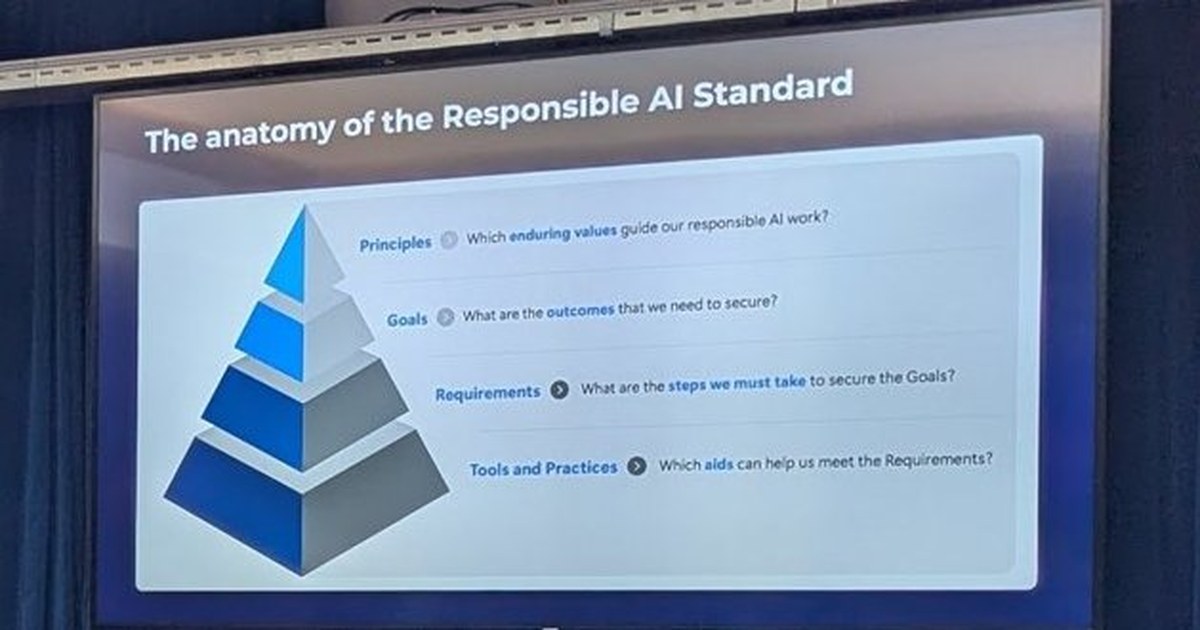
One slide, “The anatomy of the Responsible AI Standard”, is a pyramid with four layers and a guiding question for each:
- Principles: which enduring values guide our responsible AI work?
- Goals: what are the outcomes that we need to secure?
- Requirements: what are the steps we must take to secure the goals?
- Tools and Practices: which aids can help us meet the requirements?
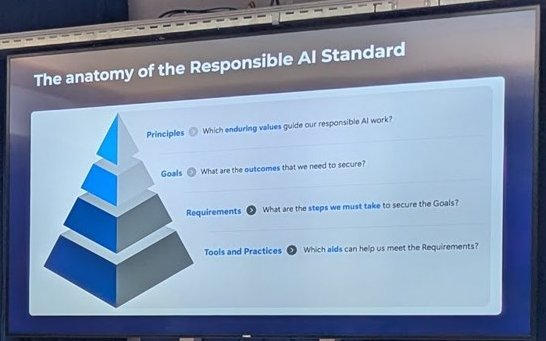
Principles at the top, tools and practices at the base.
A companion slide titled “Responsible AI” under a “Do no Harm” stop sign listed the harms in scope: consequential impact, physical or psychological injury and threat to human rights on one side, and on the other hallucination and errors, jailbreaks and prompt injection attacks, harmful content and code, and manipulation and human-like behaviour. Other slides I caught in passing were titled “Misaligned LLM”, “Vulnerability Prevalence” and “Your LLM needs a gateway”.
Prompt manipulation vulnerabilities
The most concrete security slide, “Prompt Manipulation Vulnerabilities”, had four segments:
- AI Deception: systems tricked by carefully crafted prompts.
- Affirmation Bypass: simple words override ethical constraints.
- Vulnerable Code Generation: deliberately creating insecure solutions.
- Lack of Understanding: AI missing security implications.
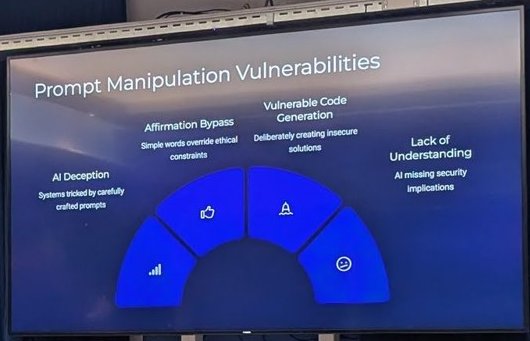
Four ways a coding assistant can be pushed into producing insecure output.
My take: the last segment matters most for day-to-day work. A model that does not understand the security implications of a change will produce plausible code that passes a quick read. The OWASP Top 10 for LLM applications is the checklist I would point a team to for the prompt injection and insecure output side.
The junior developer question
A slide titled “The Death of the Junior Developer” carried a credit to Steve Yegge, “IT Revolution, Las Vegas 2024”. In the recording the speaker argued that software development in 2025 is not what it was a year earlier, and that anyone who wants to be a developer has to deal with AI tooling rather than skip it. Another slide, “AIs to Human Machine Learning Research Engineers”, showed a RE-Bench performance chart.
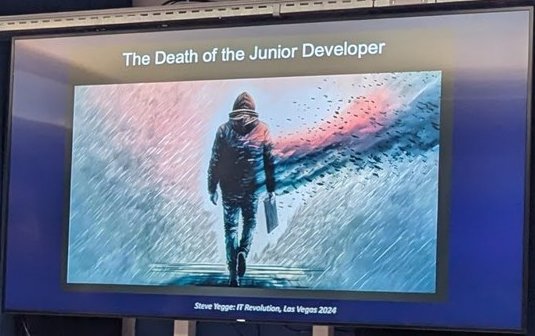
Framing the talk around what AI assistants change for early-career developers.
The tooling slide was “Copilot Edit - Agent Mode: Complete tasks end-to-end”, with the notes “semi-automated changes to achieve your goal” and “human intervention executing CLI commands”. If you want the hands-on side, I covered it in GitHub Copilot agent mode in VS Code.
Anyshift: The Do’s and Don’ts of GenAI Applied to Infrastructure
The second talk was by Anyshift; the speaker is not named on the slides, so I will not guess. The title slide read “The Do’s and Don’ts: GenAI Applied to Infrastructure”.
Title slide of the Anyshift talk.
The slides were numbered in three parts. Part I covered how LLMs work. Part II was about why they stumble on infrastructure code. One slide, “II.2 Imbalance in Training Data”, compared GitHub search counts: Python, 97,500,000 files against Terraform, 2,300,000 files, with the conclusion that where data is scarce, GenAI is more likely to produce incomplete or inaccurate code. Another slide on security issues pointed to policy-checking tools such as Checkov or Snyk IaC for catching bad configuration.
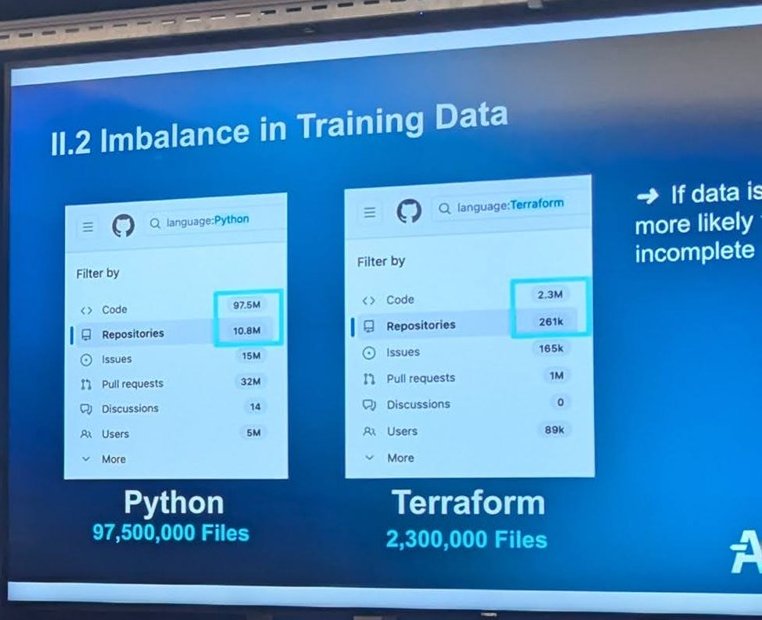
The Python versus Terraform data imbalance, as shown on the slide.
Part III was the argument for a graph. “III.2 Your Infrastructure is a Graph” listed the complexity: multi-accounts, multi-cloud, tens of thousands of resources, and all the microservices running within.
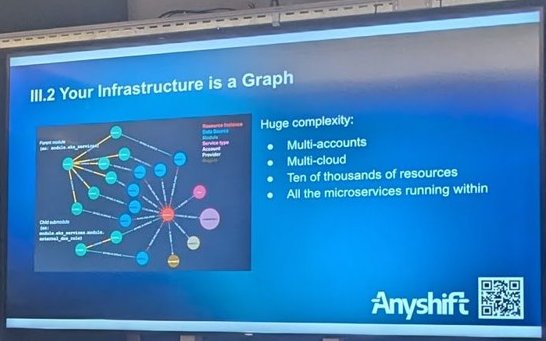
Why the model needs the dependency graph, not just the Terraform files.
The closing slide, “III.4 The Do’s and Don’ts”, is a good summary:
- Do: use policy-checking tools (Snyk, Checkov); provide relevant code and data context to the LLM; treat your infrastructure as a graph to capture dependencies.
- Don’t: deploy AI-generated code without a thorough review; ignore security practices, because AI can open up vulnerabilities.
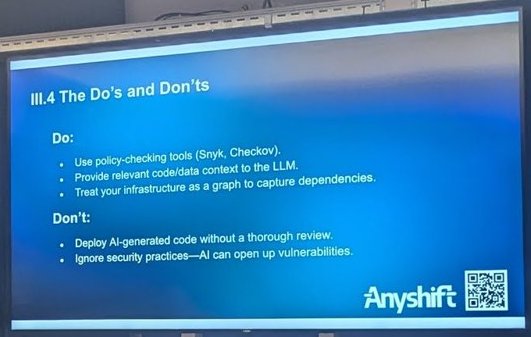
Do and Don’t: policy checks, context and a graph, versus unreviewed deployments.
For context on the company, Anyshift’s website describes an AI-powered platform that builds a versioned knowledge graph of your infrastructure from tools such as AWS, Kubernetes, GitHub, Datadog and Jira, to help trace why production issues happened. That is the vendor’s description; I have not tried the product, and the slides above did not include a demo I could verify.
My take
The two talks fit together. The first says models can be manipulated and do not understand security; the second says they lack both training data and context for infrastructure code. In both cases the mitigations are unglamorous: policy-as-code scanners, human review before deploy, and giving the model real context. I wrote more on the security side in my notes from AI Security Night Amsterdam.