Most Kubernetes waste comes from two things nobody owns: resource requests that were guessed once and never revisited, and PodDisruptionBudgets that stop nodes from draining, so the autoscaler can never consolidate them. Kyverno and VPA together fix both with policy instead of tickets. Kyverno generates a VerticalPodAutoscaler for every workload, and a scheduled policy finds (or removes) the PDBs that allow zero disruptions.
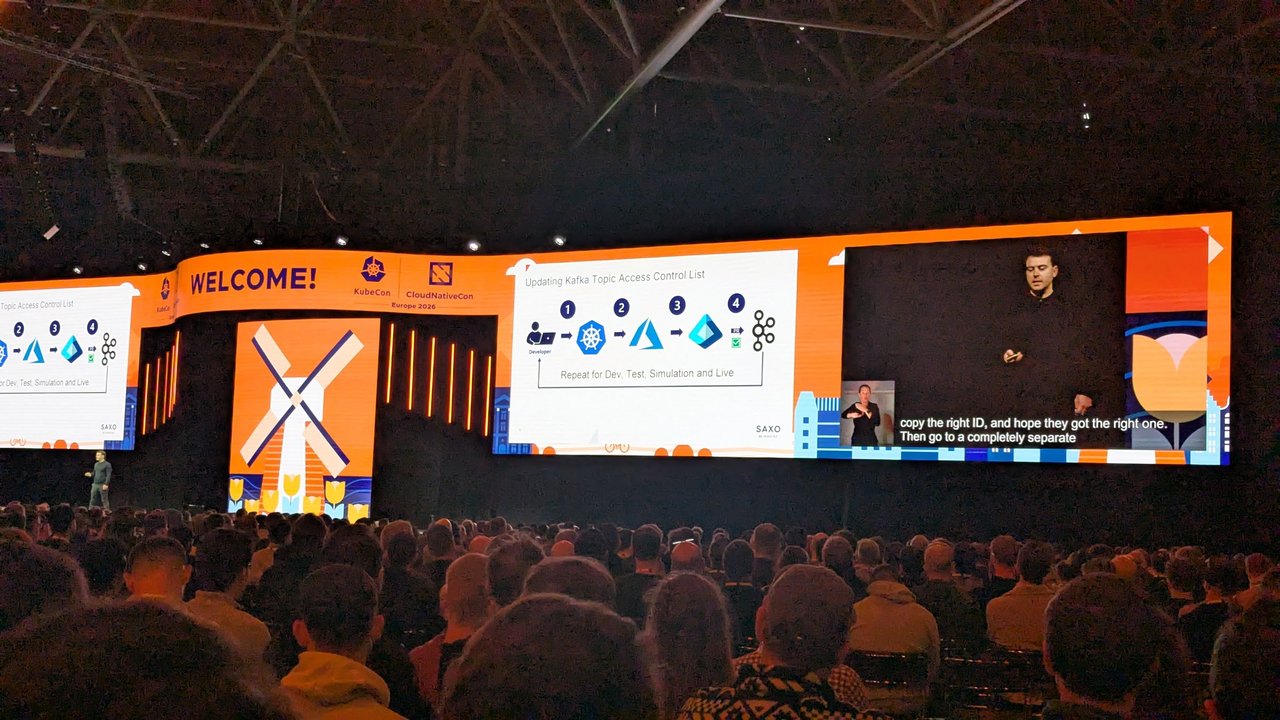
The idea came from the talk “Policy-Driven Cost Optimisation — With Kyverno & VPA” by Nirmata’s Senior Product Manager at Platform Engineering Amsterdam in February 2025. The slides showed Kyverno generating a VPA for each workload at admission, and a ClusterCleanupPolicy called pdb-cleanup that deleted PDBs with disruptionsAllowed equal to 0 twice a day. This post is my own version of that pattern. It starts with recommendations only, and I tested it against the current APIs.

Versions, and an API change you need to know about
I ran every manifest below on a throwaway kind cluster: Kubernetes 1.37.0, Kyverno 1.19.1 (Helm chart 3.9.1), and the VPA 1.8.0 recommender with metrics-server. Two things changed since the talk:
kyverno.io/v2alpha1is gone. On Kyverno 1.19,ClusterCleanupPolicyis served only askyverno.io/v2andv2beta1. Applying the slide’sv2alpha1manifest fails withno matches for kind "ClusterCleanupPolicy" in version "kyverno.io/v2alpha1".ClusterPolicyandClusterCleanupPolicyare deprecated in Kyverno 1.19 and will be removed in 1.20. Their replacements are the CEL-basedGeneratingPolicyandDeletingPolicy(policies.kyverno.io/v1, stable since 1.18).
So for each step I show the legacy policy first, because that’s what most clusters run today, and then the CEL policy you should be moving to.
How Kyverno and VPA fit together
- VPA watches real usage and writes recommendations into
status.recommendationon aVerticalPodAutoscalerobject. WithupdateMode: "Off"it never touches pods. Note that the default mode is nowRecreate(the oldAutomode is deprecated), so you have to setOffexplicitly. - Kyverno’s background controller creates that VPA for every Deployment and StatefulSet, keeps it in sync, and removes it when the workload is deleted.
- Kyverno’s cleanup controller runs a cron-scheduled policy over existing PDBs.
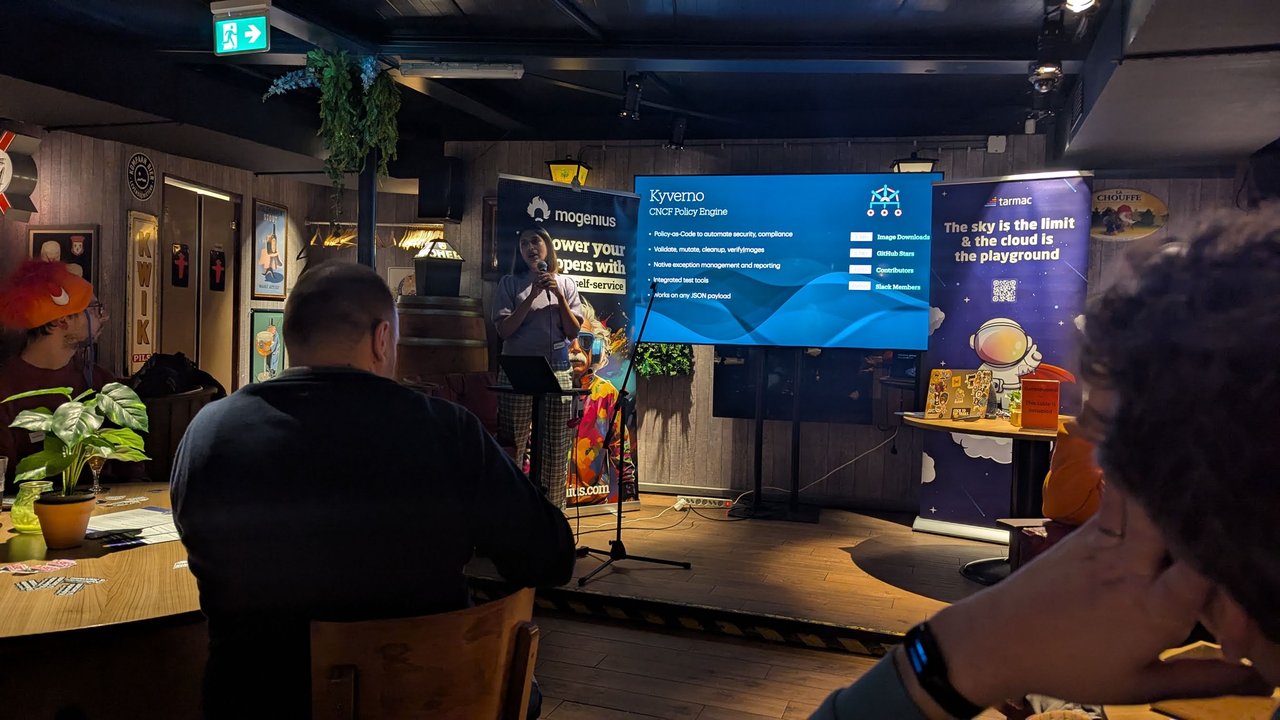
A slide from the Policy-Driven Cost Optimisation talk at Platform Engineering Amsterdam: Kyverno as the CNCF policy engine, with validate, mutate, cleanup and verifyImages rules, native exceptions and reporting, and support for any JSON payload.
Step 0: grant Kyverno the RBAC it needs
Kyverno’s default roles don’t cover the VPA custom resource or deleting PDBs. You extend them with aggregated ClusterRoles:
# Background controller: creates and syncs the generated VPAs
apiVersion: rbac.authorization.k8s.io/v1
kind: ClusterRole
metadata:
  name: kyverno:generate-vpas
  labels:
    rbac.kyverno.io/aggregate-to-background-controller: "true"
rules:
  - apiGroups: ["autoscaling.k8s.io"]
    resources: ["verticalpodautoscalers"]
    verbs: ["get", "list", "watch", "create", "update", "patch", "delete"]
---
# Admission controller: checks these permissions when you apply the policy
apiVersion: rbac.authorization.k8s.io/v1
kind: ClusterRole
metadata:
  name: kyverno:view-vpas
  labels:
    rbac.kyverno.io/aggregate-to-admission-controller: "true"
rules:
  - apiGroups: ["autoscaling.k8s.io"]
    resources: ["verticalpodautoscalers"]
    verbs: ["get", "list", "watch"]
---
# Cleanup controller: lists and deletes PodDisruptionBudgets
apiVersion: rbac.authorization.k8s.io/v1
kind: ClusterRole
metadata:
  name: kyverno:cleanup-pdbs
  labels:
    rbac.kyverno.io/aggregate-to-cleanup-controller: "true"
rules:
  - apiGroups: ["policy"]
    resources: ["poddisruptionbudgets"]
    verbs: ["get", "list", "watch", "delete"]
Don’t skip the second role. If you leave it out, Kyverno rejects the generate policy with kyverno-admission-controller requires permissions list,get for resource autoscaling.k8s.io/v1/VerticalPodAutoscaler. Check that aggregation worked with kubectl get clusterrole kyverno:background-controller -o yaml.
Step 1: generate a recommendation-only VPA for every workload
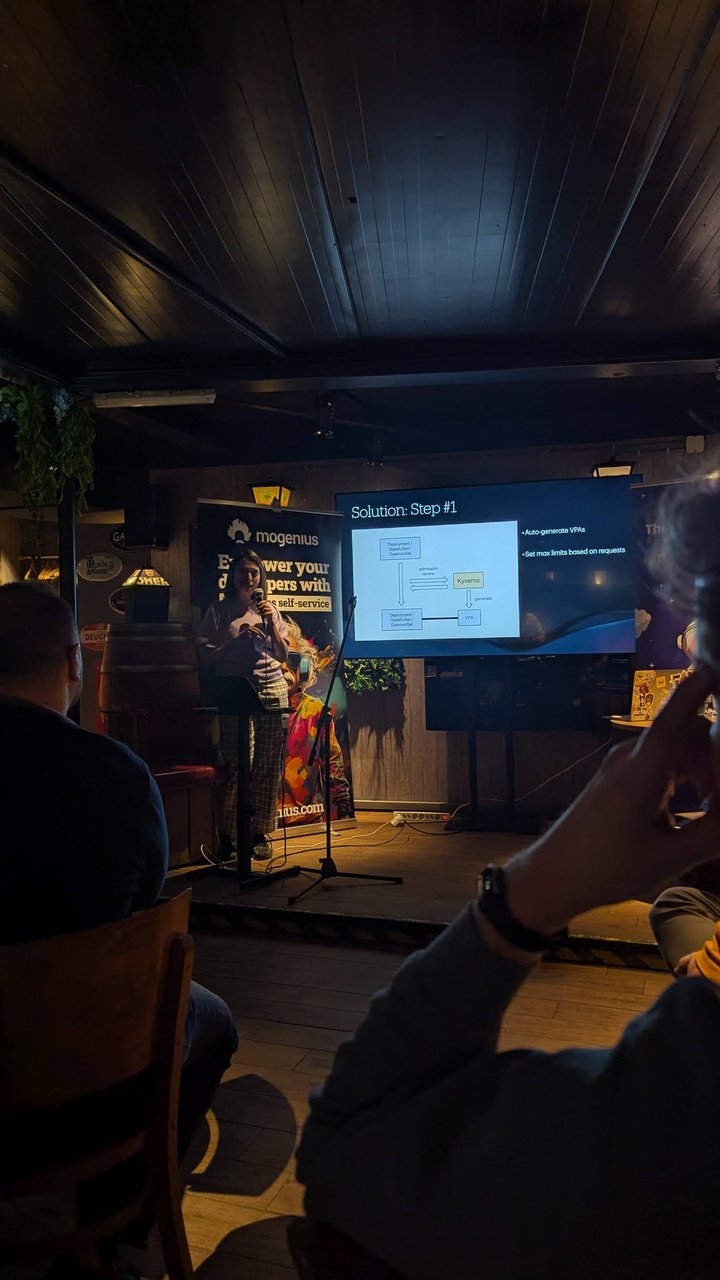
A slide from the Policy-Driven Cost Optimisation talk at Platform Engineering Amsterdam: step #1, where Kyverno sees a Deployment, StatefulSet or DaemonSet at admission review and generates a matching VPA.
apiVersion: kyverno.io/v1
kind: ClusterPolicy
metadata:
  name: generate-vpa
spec:
  rules:
    - name: vpa-recommendations-only
      match:
        any:
          - resources:
              kinds:
                - Deployment
                - StatefulSet
      exclude:
        any:
          - resources:
              namespaces:
                - kube-system
                - kyverno
          - resources:
              selector:
                matchLabels:
                  vpa.example.com/opt-out: "true"
      generate:
        generateExisting: true
        synchronize: true
        apiVersion: autoscaling.k8s.io/v1
        kind: VerticalPodAutoscaler
        name: "{{ request.object.metadata.name }}"
        namespace: "{{ request.object.metadata.namespace }}"
        data:
          metadata:
            labels:
              app.kubernetes.io/managed-by: kyverno
          spec:
            targetRef:
              apiVersion: apps/v1
              kind: "{{ request.object.kind }}"
              name: "{{ request.object.metadata.name }}"
            updatePolicy:
              updateMode: "Off"
            resourcePolicy:
              containerPolicies:
                - containerName: "*"
                  controlledResources: ["cpu", "memory"]
                  controlledValues: RequestsAndLimits
                  minAllowed:
                    cpu: 25m
                    memory: 64Mi
                  maxAllowed:
                    cpu: "4"
                    memory: 8Gi
What matters here:
generateExisting: truecreates VPAs for workloads that already exist, not just new ones.synchronize: trueties each VPA to its workload. Delete the Deployment and its VPA goes too. Edit the VPA by hand and Kyverno reverts the change. Add the opt-out label and the VPA is removed (I checked all three).controlledValues: RequestsAndLimitsis the VPA default, written out so reviewers can see it. When VPA later applies a recommendation, it scales the limit by the same ratio as the request. In the VPA docs’ example, a 1 GB request with a 2 GB limit, moved to a 2 GB request, gets a 4 GB limit. This is “limits based on requests”: you keep the ratio the team chose, and VPA moves both values.maxAllowedcaps the recommended request. The VPA docs warn that a recommendation can exceed your largest node and leave pods Pending, so set this below your biggest node’s allocatable. The limit can still go above it because of the ratio.
I left DaemonSets out on purpose. On most clusters they are agents you don’t own. If you want them, add DaemonSet to kinds, because VPA supports that target.
On Kyverno 1.19+, the same thing as a GeneratingPolicy:
apiVersion: policies.kyverno.io/v1
kind: GeneratingPolicy
metadata:
  name: generate-vpa
spec:
  evaluation:
    generateExisting:
      enabled: true
    synchronize:
      enabled: true
  matchConstraints:
    resourceRules:
      - apiGroups: ["apps"]
        apiVersions: ["v1"]
        operations: ["CREATE", "UPDATE"]
        resources: ["deployments", "statefulsets"]
    namespaceSelector:
      matchExpressions:
        - key: kubernetes.io/metadata.name
          operator: NotIn
          values: ["kube-system", "kyverno"]
    objectSelector:
      matchExpressions:
        - key: vpa.example.com/opt-out
          operator: DoesNotExist
  variables:
    - name: vpa
      expression: >-
        [
          {
            "apiVersion": dyn("autoscaling.k8s.io/v1"),
            "kind": dyn("VerticalPodAutoscaler"),
            "metadata": dyn({
              "name": object.metadata.name,
              "labels": {"app.kubernetes.io/managed-by": "kyverno"}
            }),
            "spec": dyn({
              "targetRef": {
                "apiVersion": "apps/v1",
                "kind": object.kind,
                "name": object.metadata.name
              },
              "updatePolicy": {"updateMode": "Off"},
              "resourcePolicy": {
                "containerPolicies": [{
                  "containerName": "*",
                  "controlledResources": ["cpu", "memory"],
                  "controlledValues": "RequestsAndLimits",
                  "minAllowed": {"cpu": "25m", "memory": "64Mi"},
                  "maxAllowed": {"cpu": "4", "memory": "8Gi"}
                }]
              }
            })
          }
        ]
  generate:
    - expression: generator.Apply(object.metadata.namespace, variables.vpa)
One difference I saw in testing: with the GeneratingPolicy, adding the opt-out label to a workload that already has a generated VPA did not remove the VPA, and when I deleted it by hand, Kyverno recreated it. The label works when it’s on the workload from the start. To exclude existing workloads, use a PolicyException (Step 4).
Step 2: read the recommendations
kubectl get vpa -ANAMESPACE NAME MODE CPU MEM PROVIDED AGE
shop db Off 25m 250Mi True 15s
shop web Off 25m 250Mi True 15sThe CPU and MEM columns show the first container’s target only. For multi-container pods, list every container next to its bounds:
kubectl get vpa -A -o json | jq -r '
  .items[] | .metadata.namespace as $ns | .metadata.name as $n
  | .status.recommendation.containerRecommendations[]?
  | [$ns, $n, .containerName, .target.cpu, .target.memory, .upperBound.cpu, .upperBound.memory]
  | @tsv'
Compare target with the current requests. The gap is your over-provisioning. Two things to keep in mind:
- The recommender has floors:
--pod-recommendation-min-cpu-millicores=25and--pod-recommendation-min-memory-mb=250by default. An idle pod will show 25m / 250Mi no matter how small it really is. - Memory peaks are aggregated over
--memory-aggregation-interval(24h) ×--memory-aggregation-interval-count(8), so give memory recommendations about a week before you trust them.

A slide from the Policy-Driven Cost Optimisation talk at Platform Engineering Amsterdam: challenge #2, “Dynamic Workloads & Variable Utilisation”, a monitoring dashboard full of spiky usage graphs.
If a VPA doesn’t appear, look for a Failed UpdateRequest with kubectl get updaterequests -A. Kyverno queues generate work through these objects. Successful generations show up as pass entries in kubectl get policyreport -A.
Step 3: report PDBs that block drains before you delete any
A PDB with status.disruptionsAllowed: 0 blocks voluntary evictions. kubectl drain keeps retrying, and the Cluster Autoscaler won’t remove a node that runs pods with a restrictive PDB. But the field is also 0 for a while during every rollout, or whenever a pod is unready. If you delete on that condition alone, you will delete healthy PDBs. While I was testing, a correct maxUnavailable: 1 PDB showed disruptionsAllowed: 0 because its pods weren’t counted as healthy yet.
The real problem is a PDB that allows zero disruptions while all its pods are healthy: maxUnavailable: 0, or minAvailable equal to the replica count. Report those first. Here is an Audit-only ValidatingPolicy that runs as a background scan and never blocks admission:
apiVersion: policies.kyverno.io/v1
kind: ValidatingPolicy
metadata:
  name: report-blocking-pdbs
spec:
  validationActions:
    - Audit
  evaluation:
    admission:
      enabled: false
    background:
      enabled: true
  matchConstraints:
    resourceRules:
      - apiGroups: ["policy"]
        apiVersions: ["v1"]
        operations: ["CREATE", "UPDATE"]
        resources: ["poddisruptionbudgets"]
  validations:
    - expression: >-
        !has(object.status) ||
        object.status.disruptionsAllowed > 0 ||
        object.status.currentHealthy < object.status.expectedPods
      messageExpression: >-
        'PDB allows 0 disruptions while ' + string(object.status.currentHealthy) +
        '/' + string(object.status.expectedPods) + ' pods are healthy; it will block node drains'
kubectl get policyreport -A
kubectl get policyreport -n shop -o yaml | grep -B2 -A3 "result: fail"The failing entries name the PDB and say PDB allows 0 disruptions while 2/2 pods are healthy. Without Kyverno, the same query is a one-liner:
kubectl get pdb -A -o json | jq -r '.items[]
  | select(.status.disruptionsAllowed == 0 and .status.currentHealthy >= .status.expectedPods)
  | [.metadata.namespace, .metadata.name, .status.currentHealthy, .status.expectedPods] | @tsv'
The cleanup policy, with guard rails
Once the report has been reviewed with the owning teams, this is the talk’s pdb-cleanup updated to kyverno.io/v2, with the extra health condition and an escape label:

A slide from the Policy-Driven Cost Optimisation talk at Platform Engineering Amsterdam: step #3, the original kyverno.io/v2alpha1 ClusterCleanupPolicy named pdb-cleanup, scheduled for 10:15 and 17:15.
apiVersion: kyverno.io/v2
kind: ClusterCleanupPolicy
metadata:
  name: pdb-cleanup
spec:
  match:
    any:
      - resources:
          kinds:
            - PodDisruptionBudget
  exclude:
    any:
      - resources:
          namespaces:
            - kube-system
            - kyverno
      - resources:
          selector:
            matchLabels:
              pdb.example.com/keep: "true"
  conditions:
    all:
      - key: "{{ target.status.disruptionsAllowed }}"
        operator: Equals
        value: 0
      - key: "{{ target.status.currentHealthy }}"
        operator: GreaterThanOrEquals
        value: "{{ target.status.expectedPods }}"
  schedule: "15 10,17 * * *"
target.* refers to the existing resource being evaluated, and schedule is a standard cron expression (10:15 and 17:15 here, as in the talk). On 1.19+, use the DeletingPolicy equivalent:
apiVersion: policies.kyverno.io/v1
kind: DeletingPolicy
metadata:
  name: pdb-cleanup
spec:
  schedule: "15 10,17 * * *"
  matchConstraints:
    resourceRules:
      - apiGroups: ["policy"]
        apiVersions: ["v1"]
        operations: ["*"]
        resources: ["poddisruptionbudgets"]
        scope: Namespaced
    namespaceSelector:
      matchExpressions:
        - key: kubernetes.io/metadata.name
          operator: NotIn
          values: ["kube-system", "kyverno"]
    objectSelector:
      matchExpressions:
        - key: pdb.example.com/keep
          operator: DoesNotExist
  conditions:
    - name: has-status
      expression: "has(object.status)"
    - name: no-disruptions-allowed
      expression: "object.status.disruptionsAllowed == 0"
    - name: all-pods-healthy
      expression: "object.status.currentHealthy >= object.status.expectedPods"
In my test both versions deleted the maxUnavailable: 0 PDB, left the labelled one alone, and skipped the PDB whose pods weren’t healthy. kubectl get clustercleanuppolicy pdb-cleanup -o yaml (or deletingpolicy) shows status.lastExecutionTime, so you can confirm it ran.
My take: if your PDBs come from Git through Argo CD or Flux, deleting them in the cluster only starts a fight with self-heal. Use the report to fix the manifest at the source, and save automatic deletion for clusters where people create PDBs by hand.
Step 4: roll it out safely
Start with recommendations and reports only. updateMode: "Off" and an Audit ValidatingPolicy change nothing in the cluster.
Exclude what you don’t own. Put namespaces and the opt-out label in the policy itself. Use PolicyExceptions for one-off cases that a different team approves. Exceptions are off by default. Enable them with the Helm values features.policyExceptions.enabled=true and features.policyExceptions.namespace=kyverno, and then only exceptions in that namespace count:
apiVersion: policies.kyverno.io/v1
kind: PolicyException
metadata:
  name: no-vpa-for-batch
  namespace: kyverno
spec:
  policyRefs:
    - name: generate-vpa
      kind: GeneratingPolicy
  matchConditions:
    - name: batch-namespace
      expression: "object.metadata.namespace == 'batch'"
Matching workloads get no VPA and show up as SKIP in their PolicyReport.
Move up one workload class at a time. Go from Off to Initial (requests are set only when a pod is created), then to InPlaceOrRecreate. That mode is GA since VPA 1.6 and needs Kubernetes 1.33+ with the InPlacePodVerticalScaling feature gate enabled. If an in-place resize isn’t possible, it falls back to evicting the pod.
Check for HPAs before leaving Off. The VPA docs say not to use VPA together with an HPA that scales on the same CPU or memory metric.
Turn on deletion last. My take: wait until the PDB report has been empty, or every entry explained, for a few weeks.
Pitfalls
- Deleting the generate policy deletes every VPA it created. With
synchronize: trueand an inlinedatasource,orphanDownstreamOnPolicyDeletedefaults tofalse. I removed the policy during testing and all the VPAs disappeared. Set it totrue(orevaluation.orphanDownstreamOnPolicyDelete.enabledin aGeneratingPolicy) if you want them kept. - Teams can’t tune a synchronized VPA. Kyverno reverts their edits. Teams that need their own VPA should opt out before creating one, because the VPA docs say multiple VPAs matching the same pod have undefined behaviour.
- VPA needs metrics-server. Without it, the
PROVIDEDcolumn stays empty. - Upgrade before 1.20. Write new policies as
GeneratingPolicyandDeletingPolicynow, and follow the official migration guide for the rest.
For the bigger picture on right-sizing, spot capacity and showback, see Cloud Cost Optimization: FinOps for Kubernetes and Kubernetes Cost Optimization. For draining a node that a PDB is blocking right now, see Fix Kubernetes Pod Disruption Budget Blocking.