Two of the talks I photographed at KubeCon + CloudNativeCon Europe 2025 in London answer the same question in opposite ways: how do you run Kubernetes for a very large fleet? On Thursday 3 April, LinkedIn described a bare-metal platform with a few very large clusters. On Friday 4 April, New Relic described many smaller clusters organised as cells across several clouds. I took the photos from the audience, and everything below comes from the slides and the official schedule. The other posts from the week are linked from the KubeCon Europe 2025 hub post.
LinkedIn: from metal to apps
The session was “From Metal To Apps: LinkedIn’s Kubernetes-based Compute Platform” by Ahmet Alp Balkan and Ronak Nathani of LinkedIn, listed on the schedule for Thursday 3 April at 11:45 BST. The schedule abstract promises a Kubernetes-based fleet management stack from bare-metal servers up to a platform for thousands of microservices, large stateful applications and a GPU fleet for AI workloads. Both names are on the title slide.
The scale slide sets the context: 1B+ members, 500,000+ servers, 3,000+ services, 1.5M+ containers, 50,000+ deploys a day, everything on bare metal and multiple datacenters.
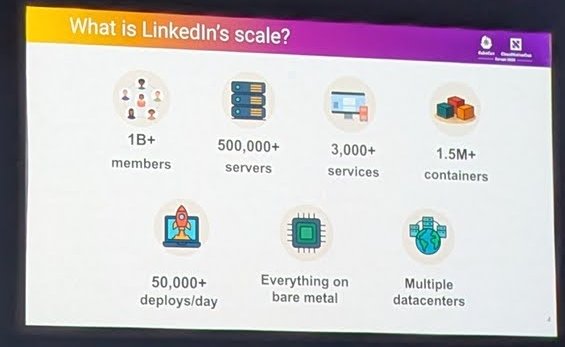
LinkedIn’s scale, as shown on the slide.
The machine layer
Below Kubernetes sits a datacenter layer with four parts, according to the “Datacenter/machine layer” slide:
- An Inventory Manager for datacenter inventory and machine properties.
- A Compute Broker, the machine allocation API. It is a declarative gRPC API for managing machine pools and adding or removing capacity. Pools contain heterogeneous but interchangeable hardware, and each pool specifies a node profile (a minimum machine type plus configuration). It is also the source of truth for machine maintenance.
- Host health monitoring and remediation, with no humans in the loop to detect unhealthy hosts and remediate or replace them.
- A maintenance orchestrator that ramps node upgrades gradually across the fleet.
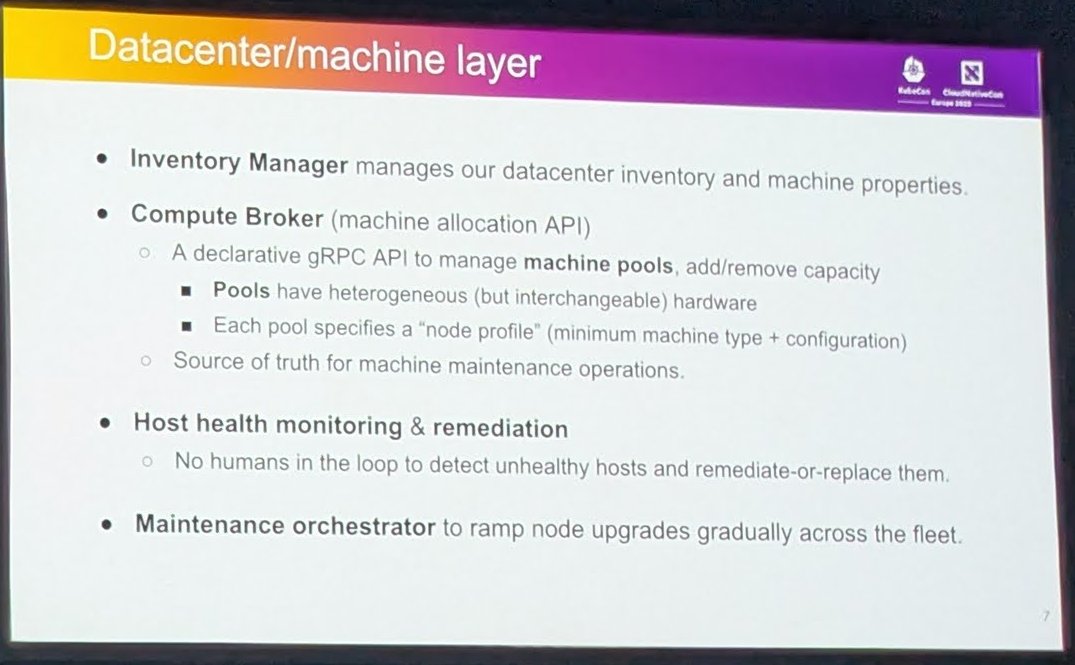
The datacenter and machine layer under LinkedIn’s Kubernetes clusters.
Cluster organisation and scale
The “Cluster organization and scale” slide makes some choices that differ from the usual advice:
- No Kubernetes distribution. Upstream open source Kubernetes with an in-house setup, with no kubeadm and no Cluster API. The slide says this works better with their machine provisioning, and that they customise the API server and etcd setup.
- Large clusters of about 5,000 nodes, with plans to push further. The slide says this reduces hardware fragmentation across clusters and allows in-place growth. Clusters are multi-tenant with mixed workloads: stateless, stateful, batch and more.
- Kubelet upgrades happen as part of OS maintenance.
- Centralised “hub” clusters manage workload routing and the clusters themselves. Each app gets a separate namespace, routed to a specific cluster.
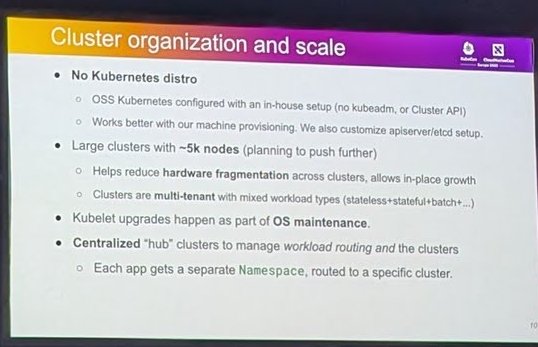
Large multi-tenant clusters and hub clusters for routing.
The next slide, “How we scale Kubernetes”, names the shared resources that limit scale:
- API server. Restrict access with RBAC and use API Priority and Fairness to stop one client from starving the rest.
- etcd. The slide calls it the first bottleneck when scaling beyond 5,000 nodes. LinkedIn increased the storage limit from 8G to 16G, is planning 32G on SSDs, and uses an in-house etcd backup and restore system as its disaster recovery strategy. For monitoring etcd in your own clusters, see my etcd monitoring guide.
- Controllers. Many controllers watch and cache Pods, which is memory-bound, and the slide says controller sharding is not a solved problem yet.
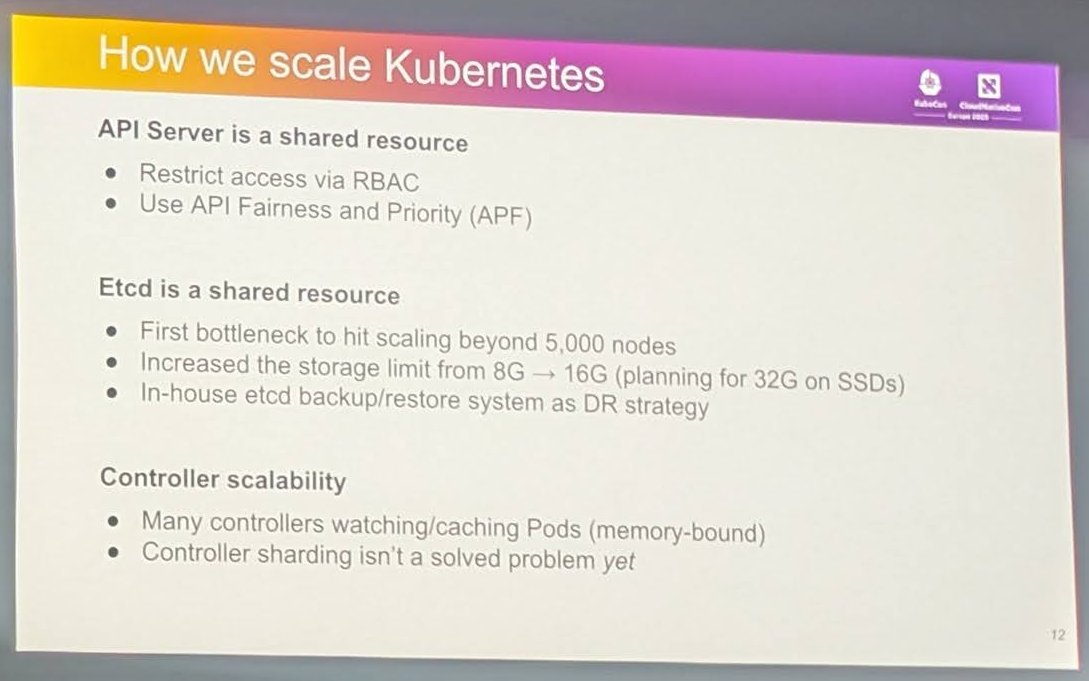
API server, etcd and controllers as shared resources.
Failures, and lessons from the migration
One slide deals with a problem every platform team has: telling infrastructure failures from application failures to reduce support load. It uses ProgressDeadlineSeconds to detect failed rollouts and writes the cause into status conditions. The example condition shows Ready false with reason ProgressDeadlineExceeded, a message that the application failed to start with 18 unhealthy Pods, and a failure category of “App”, plus a pointer to a debugging guide.
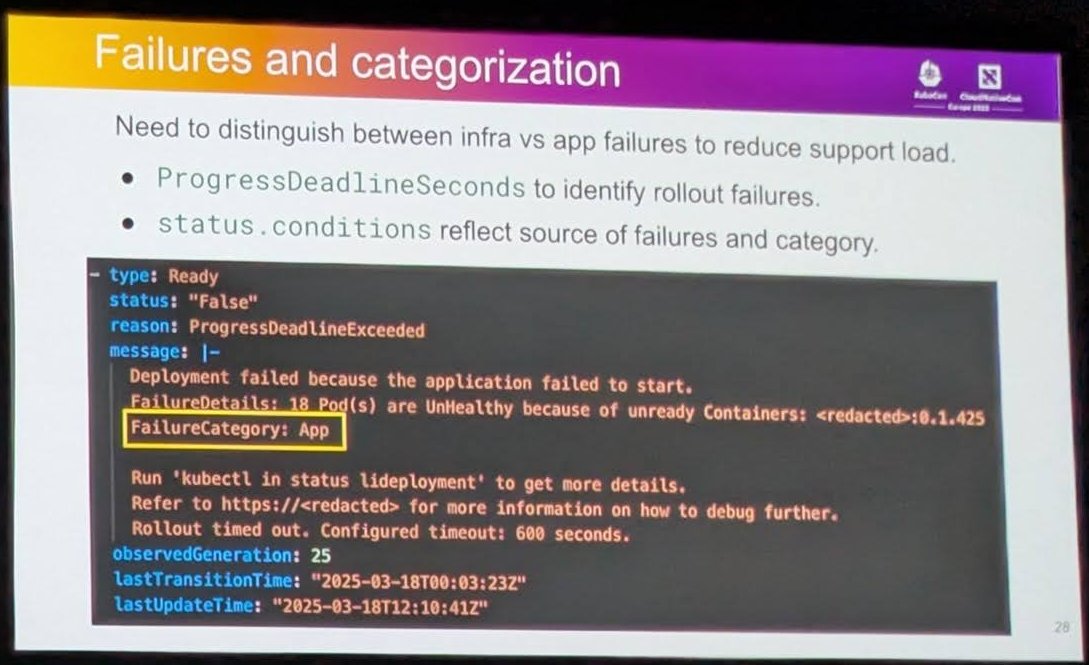
Categorising rollout failures as infrastructure or application problems.
The “Migration Lessons” slide is a good checklist for any large Kubernetes adoption:
- Start early and make incremental progress; there will be a long tail.
- Figure out which tech debt to solve now and which later.
- Be intentional about which Kubernetes features to use.
- Do not give raw Kubernetes to your customers. Invest in building abstractions.
- Invest in guardrails to prevent user errors.
- Develop good user guides for self-serve troubleshooting.
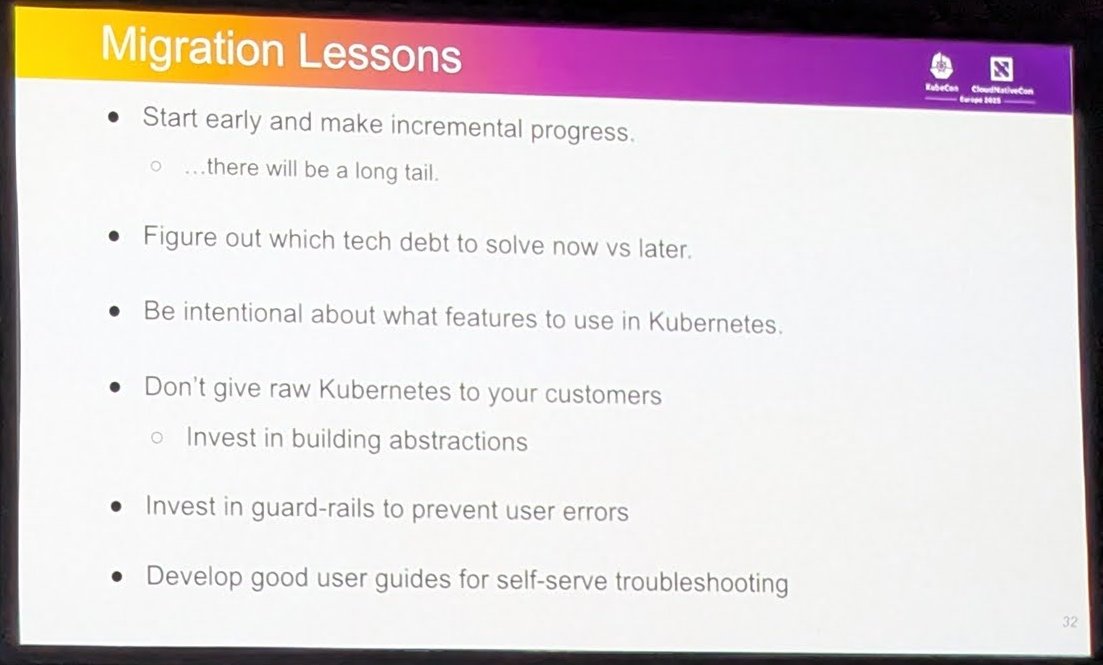
Six migration lessons from the LinkedIn talk.
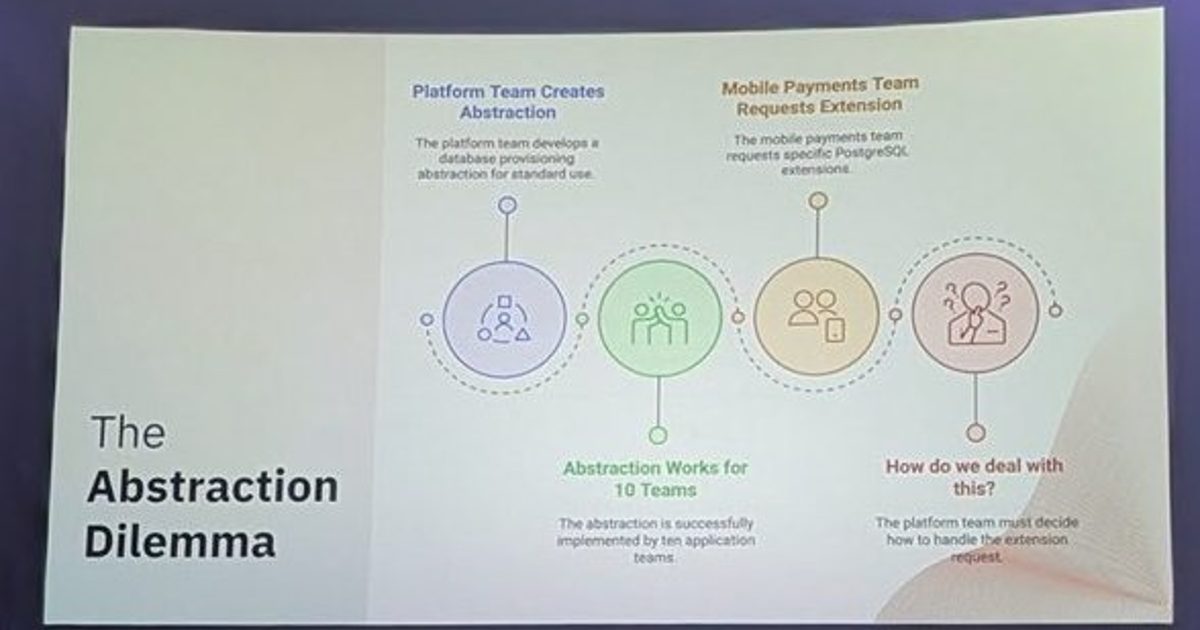
The “no raw Kubernetes” advice matches what I heard on day one about abstractions and guardrails.
New Relic: cells across clouds
The second talk was “Resilient Multi-Cloud Strategies: Harnessing Kubernetes, Cluster API, and Cell-Based Architecture” by Tasdik Rahman and Javier Mosquera Sanchez of New Relic, on the schedule for Friday 4 April at 13:45 BST in the ICC Auditorium. The slides were headed “K8s scale @New Relic”.
The first content slide gives the scale: 280+ Kubernetes clusters across testing, staging and production, 500k+ pods (typically 5,000 to 7,000 per cluster), 21k+ nodes (typically 300 to 500 per cluster) and multiple cloud providers: AWS, Azure and GCP. The schedule abstract quotes slightly lower numbers (270+ clusters and 18,000+ nodes), so I use the slide figures as shown on the day.
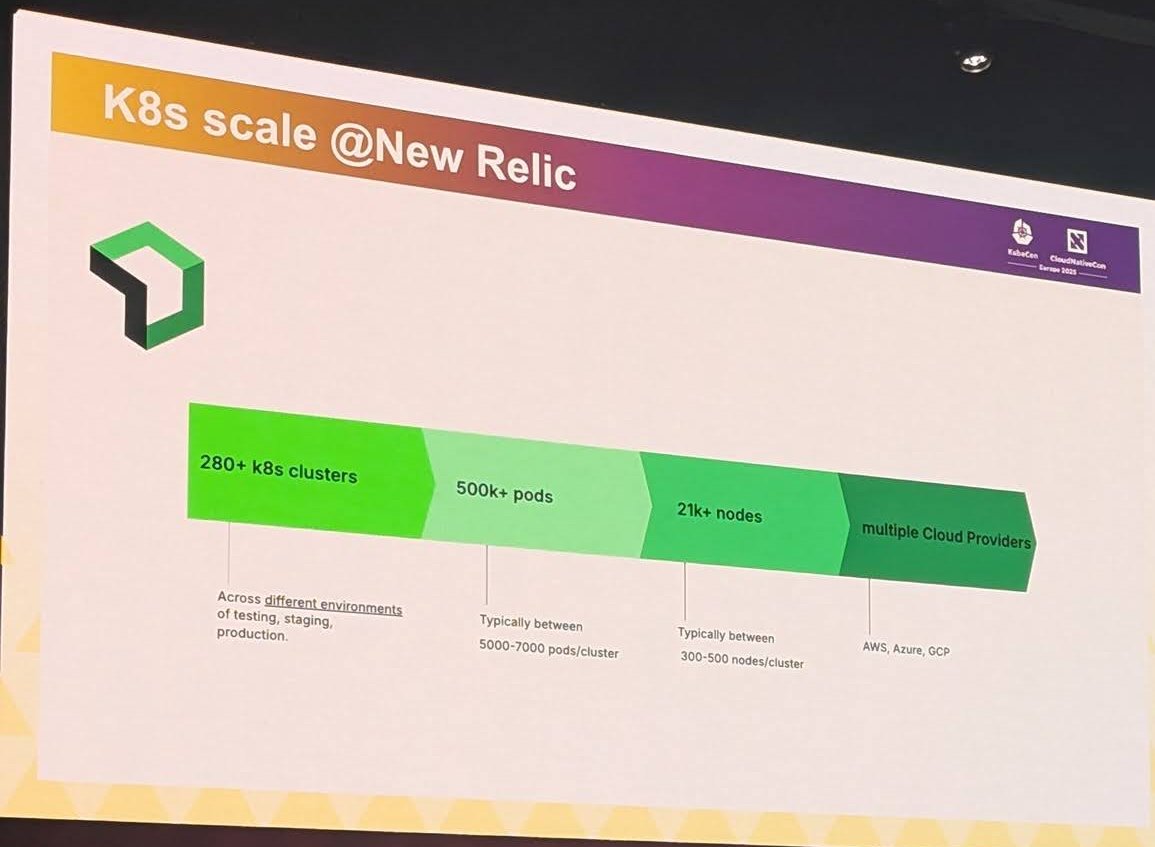
Fleet size across three clouds.
The outline slide shows the path of the talk: context (scale, high-level architecture, challenges), then moving to a cellular architecture, standardising on Cluster API for multi-cloud (cluster bootstrapping automation, node creation and management, leveraging Karpenter), running Karpenter and Cluster API pools together, simplifying the scheduling challenges that follow, and lessons learned.
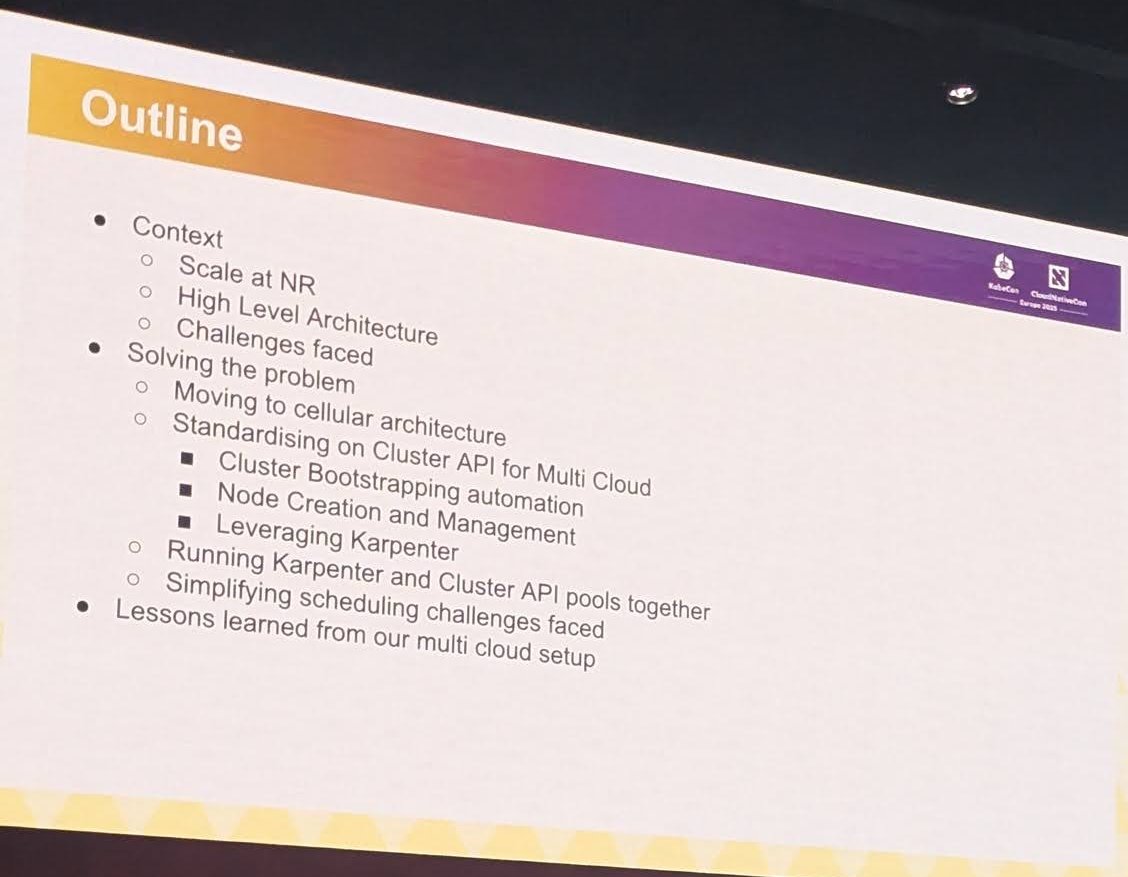
The outline: cells, Cluster API, Karpenter.
The high-level architecture slide shows an ingest path and a query path. Customer agents send data through CDN HTTP endpoints into the New Relic environment, where it is ingested, processed and stored in a database, with alerts alongside. Users reach product UIs and APIs through an edge CDN.
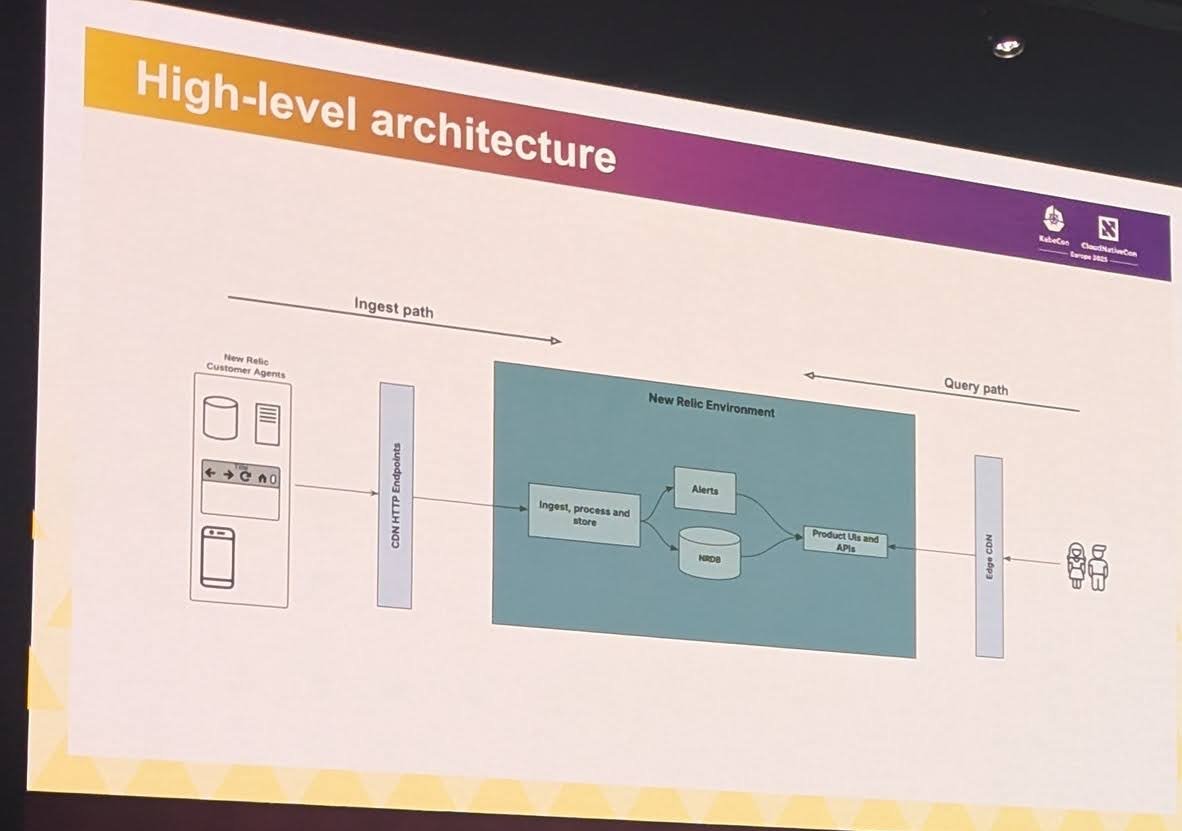
Ingest and query paths.
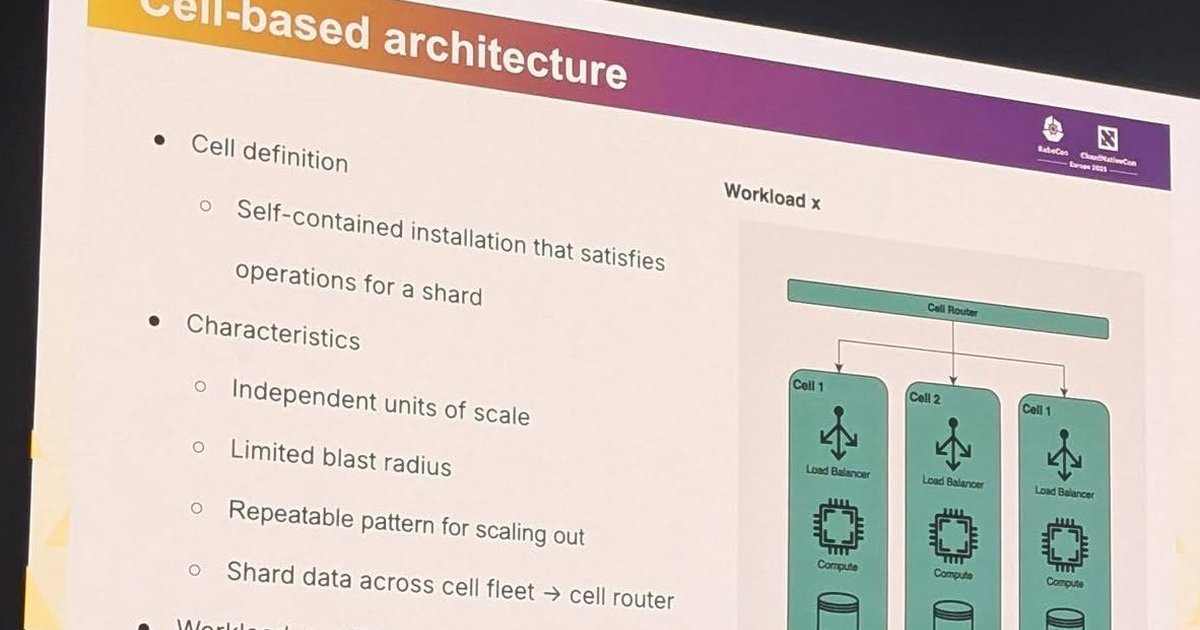
The cell-based architecture slide defines a cell as a self-contained installation that satisfies operations for a shard. The listed characteristics are independent units of scale, limited blast radius and a repeatable pattern for scaling out. Data is sharded across the cell fleet with a cell router, and each workload maps to a cell type. The diagram shows a cell router in front of three cells, each with its own load balancer, compute and datastore.
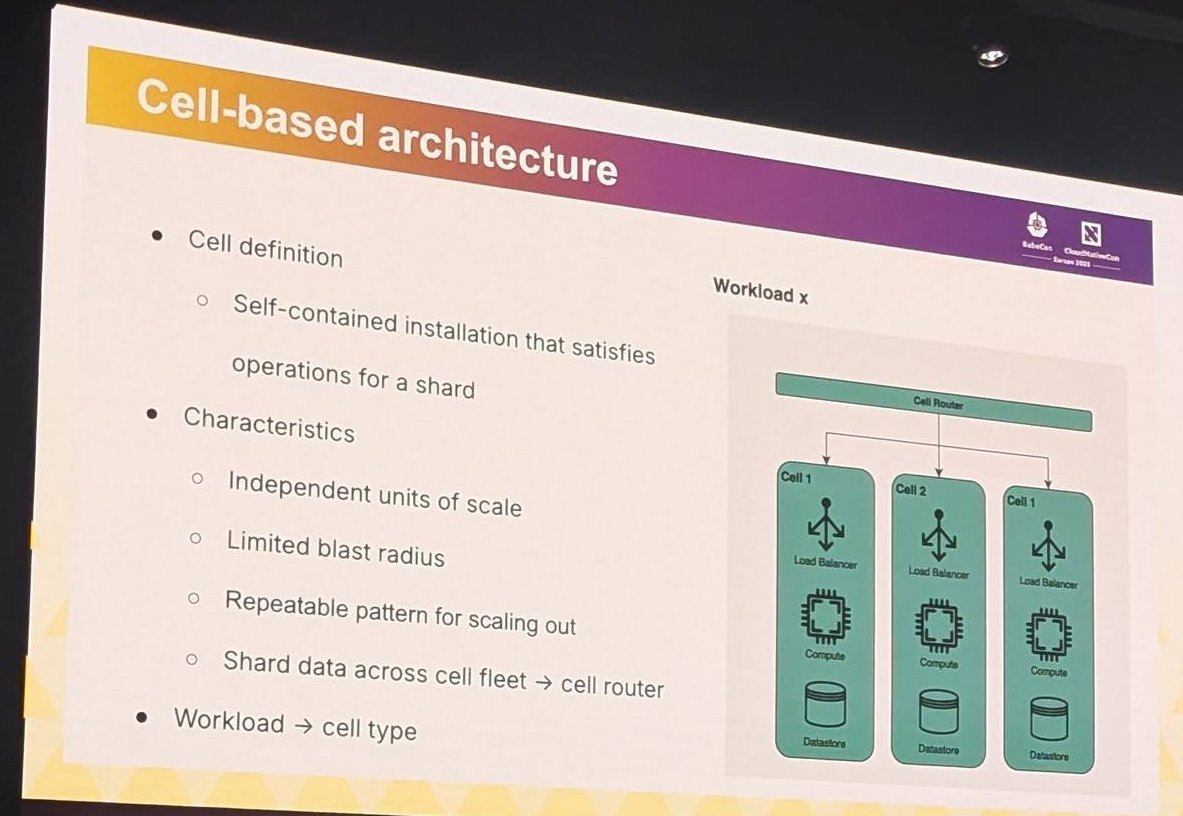
A cell router in front of independent cells, each with load balancer, compute and datastore.
The pattern is not specific to New Relic. AWS describes it in its guidance on cell-based architecture, where a bad deployment or a poison-pill request is contained to one cell and the requests it handles.
Two ways to scale
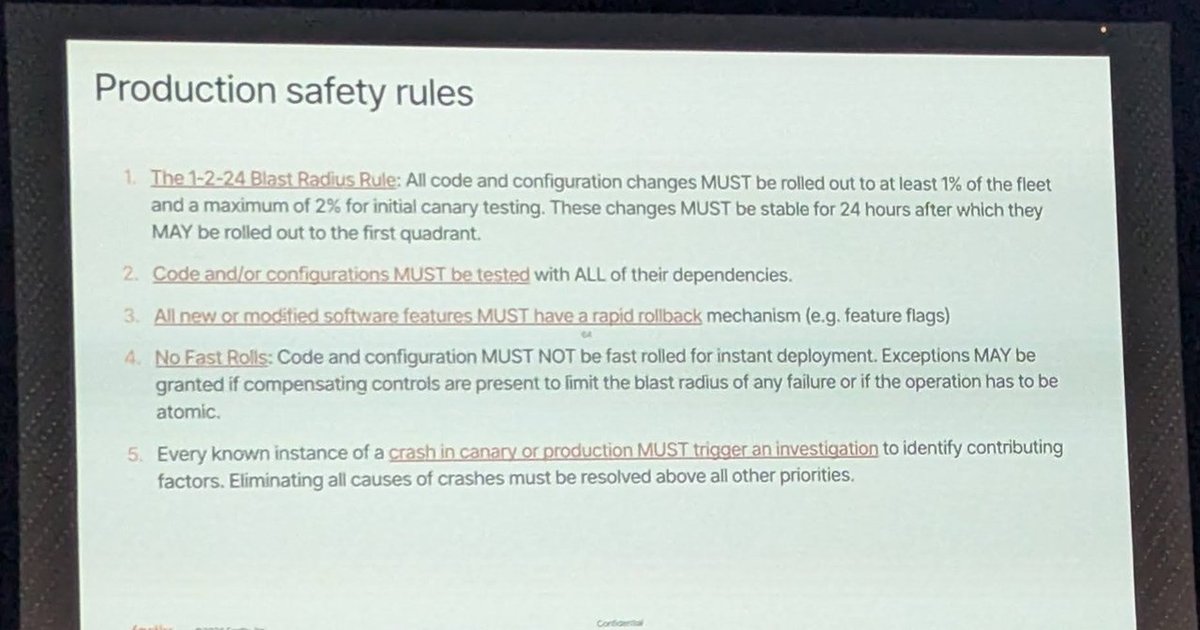
My take, comparing the slides side by side: LinkedIn picked a few very large clusters of about 5,000 nodes and invested in the machinery around them, from machine pools to etcd tuning. New Relic picked clusters of 300 to 500 nodes and many of them, grouped into cells so that a failure stays small. Each one fits its situation: bare metal with in-house provisioning on one side, three public clouds with Cluster API and Karpenter on the other. What they share is the aim to limit blast radius, which is the same theme as the production safety rules in the Fastly talk on day two. If you manage more than one cluster, my multi-cluster management guide is the practical follow-up.