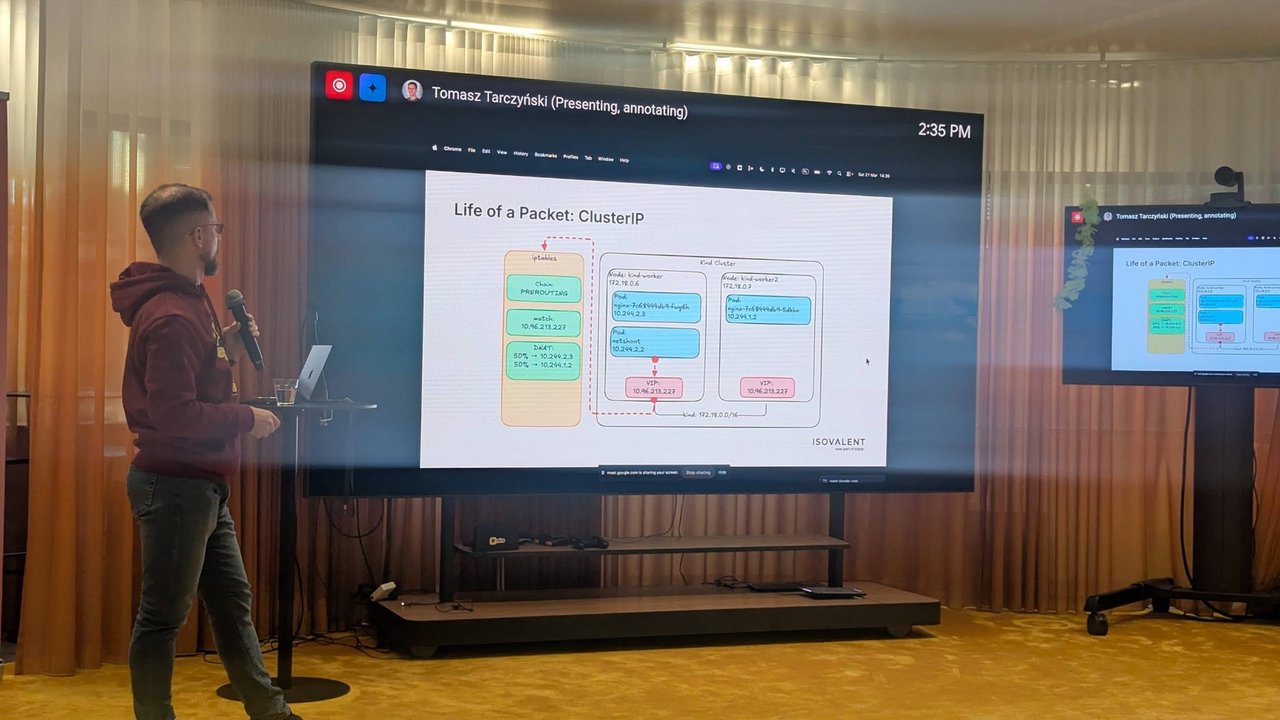
This kro tutorial shows how to build a small platform API with a ResourceGraphDefinition (RGD). You describe a new Kubernetes kind, list the resources it should create, and wire them together with CEL expressions. kro then generates the CRD, works out the creation order and keeps every instance reconciled. By the end you will have a WebService API that creates a ConfigMap, a Deployment and an optional Service, with status flowing back to the instance.
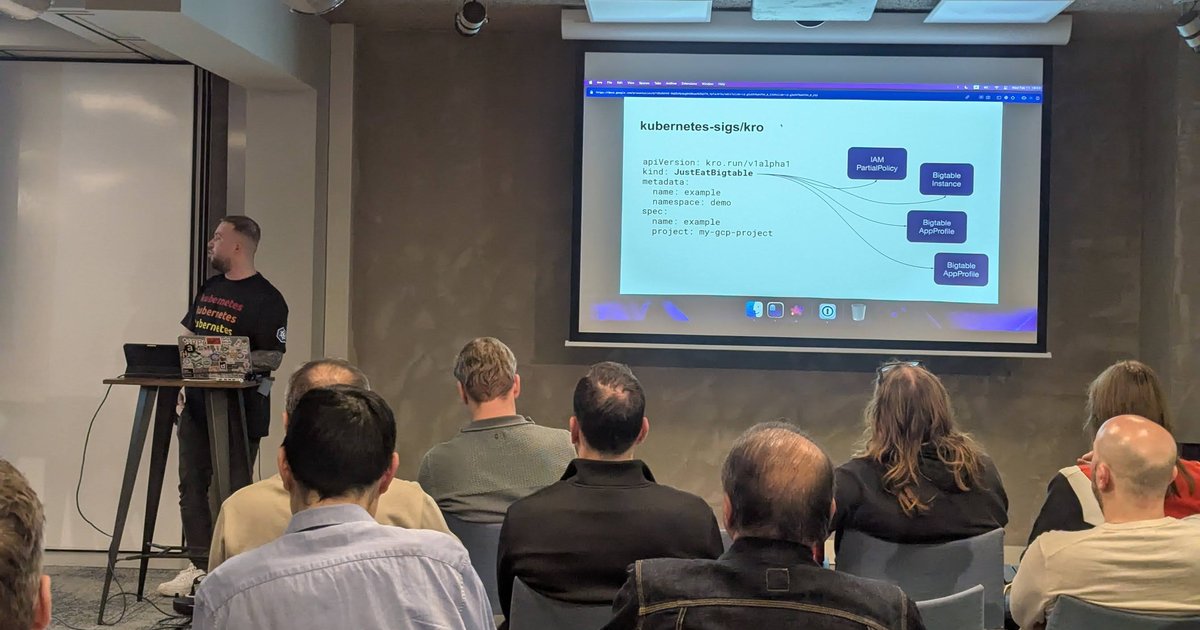
The kro and Config Connector talk at a Xebia-hosted meetup in Amsterdam on 11 February 2026 got me thinking about this. In the talk, one five-line JustEatBigtable object fanned out to an IAM policy, a Bigtable instance and two app profiles. I wrote up the evening in my kro and Config Connector meetup recap. This post is the hands-on version, starting with plain Kubernetes resources.
Versions: tested with kro v0.9.4 (the latest stable release on GitHub at the time of writing, with v0.10.0-rc.0 in pre-release), the Helm chart kro-v0.9.4, on a kind cluster running Kubernetes v1.37.0. Field names come from the kro.run documentation and the kubernetes-sigs/kro source at the v0.9.4 tag.
What kro is, and where the project stands
Kube Resource Orchestrator (kro) is a Kubernetes controller with one API of its own: the ResourceGraphDefinition. When you apply an RGD, kro validates it, generates a CRD for the kind you described, registers it with the API server, and starts a dynamic controller for that kind. Every instance of your new kind becomes a set of real resources that kro creates, updates, repairs and deletes as one unit.
On status: kro lives at github.com/kubernetes-sigs/kro and the README describes it as a subproject of Kubernetes SIG Cloud Provider. It is Apache-2.0 licensed. The API is still kro.run/v1alpha1, and the FAQ says plainly that breaking changes may come as it evolves. Pin your version and read the release notes before you upgrade.
Install kro with Helm
The chart is published as an OCI artifact on registry.k8s.io. Pin the version:
export KRO_VERSION=0.9.4

helm install kro oci://registry.k8s.io/kro/charts/kro \
  --namespace kro-system \
  --create-namespace \
  --version=${KRO_VERSION}
Verify it:
helm list -n kro-system
kubectl get pods -n kro-system
kubectl get crd | grep kro.run
On my cluster, the chart shipped two CRDs: resourcegraphdefinitions.kro.run and graphrevisions.internal.kro.run. A GraphRevision is an immutable snapshot that kro takes every time an RGD spec changes. You can list them with kubectl get gr.
Two install details matter in production:
- RBAC mode. The chart value
rbac.modedefaults tounrestricted, which gives kro a ClusterRole with full control over every resource type. According to the access control docs, anyone who can create an RGD then effectively has cluster-admin. Theaggregationmode is the recommended alternative. You then grant kro access per kind with ClusterRoles labelledrbac.kro.run/aggregate-to-controller: "true". - CRD upgrades. Helm does not update CRDs on
helm upgrade. If a release changes kro’s own CRDs, apply them by hand.
kro tutorial: write the ResourceGraphDefinition
Here is the full RGD. It defines a WebService kind in my own API group and composes three resources:
apiVersion: kro.run/v1alpha1
kind: ResourceGraphDefinition
metadata:
  name: webservice
spec:
  schema:
    apiVersion: v1alpha1
    kind: WebService
    group: platform.example.com          # defaults to kro.run if omitted
    spec:
      image: string | default="nginx:1.27"
      replicas: integer | default=2 minimum=1 maximum=10
      greeting: string | default="hello from kro"
      expose: boolean | default=true
      port: integer | default=80
    status:
      configMapName: ${config.metadata.name}
      availableReplicas: ${deployment.status.availableReplicas}
      clusterIP: ${service.spec.clusterIP}
    additionalPrinterColumns:
      - name: Replicas
        type: integer
        jsonPath: .spec.replicas
      - name: Available
        type: integer
        jsonPath: .status.availableReplicas
      - name: State
        type: string
        jsonPath: .status.state

  resources:
    - id: config
      template:
        apiVersion: v1
        kind: ConfigMap
        metadata:
          name: ${schema.metadata.name}-config
        data:
          GREETING: ${schema.spec.greeting}

    - id: deployment
      readyWhen:
        - ${deployment.status.availableReplicas == deployment.spec.replicas}
      template:
        apiVersion: apps/v1
        kind: Deployment
        metadata:
          name: ${schema.metadata.name}
        spec:
          replicas: ${schema.spec.replicas}
          selector:
            matchLabels:
              app: ${schema.metadata.name}
          template:
            metadata:
              labels:
                app: ${schema.metadata.name}
            spec:
              containers:
                - name: web
                  image: ${schema.spec.image}
                  ports:
                    - containerPort: ${schema.spec.port}
                  envFrom:
                    - configMapRef:
                        name: ${config.metadata.name}

    - id: service
      includeWhen:
        - ${schema.spec.expose}
      template:
        apiVersion: v1
        kind: Service
        metadata:
          name: ${schema.metadata.name}
        spec:
          selector: ${deployment.spec.selector.matchLabels}
          ports:
            - port: ${schema.spec.port}
              targetPort: ${schema.spec.port}
What each part does:
spec.schema.specuses kro’s SimpleSchema syntax: a type, then markers such asdefault=,minimum=,maximum=,required=trueorenum=. These become OpenAPI validation in the generated CRD, so the API server rejects bad input before kro ever sees it.spec.schema.statusholds CEL expressions over your resources. kro infers each field’s type from the expression and type-checks it against the real resource schema.resources[].idis the name you use in CEL (config,deployment,service).${schema.spec.*}and${schema.metadata.*}refer to the instance itself.readyWhensays when this resource counts as ready. It can only reference the resource itself, and every expression must return a boolean. Resources that depend on it wait until it is ready.includeWhendecides whether the resource exists at all. All conditions must be true. If a condition later turns false, kro prunes the resource, and anything that depends on a skipped resource is skipped too.
Apply it and check that kro accepted it:
kubectl apply -f rgd.yaml
kubectl get rgd webservice
NAME APIVERSION KIND STATE READY AGE
webservice v1alpha1 WebService Active True 7sThe RGD reports five conditions: GraphRevisionsResolved, GraphAccepted, KindReady, ControllerReady and the aggregate Ready. All were True here.
How kro infers the dependency order
You never declare an order. kro reads the CEL references and builds a directed acyclic graph. In this RGD:
deploymentreferences${config.metadata.name}, so it depends onconfig.servicereferences${deployment.spec.selector.matchLabels}, so it depends ondeployment.
kro writes the computed order into the RGD status:
kubectl get rgd webservice -o jsonpath='{.status.topologicalOrder}'["config","deployment","service"]Resources are created in that order and deleted in reverse. Resources that only reference schema have no edges between them, and kro creates those in parallel. A circular reference makes kro reject the RGD. The fix is to feed one side from schema.spec instead.

A slide from the kro and Config Connector talk at the Xebia meetup in Amsterdam: open kro pull requests, including KREP-005, “Level-based Topological Sorting for ResourceGraphDefinitions”.
kro also does static analysis when you apply the RGD, not when someone creates an instance. To test this I applied a copy with a one-letter typo in a status field (availableReplica). The RGD went Inactive, no CRD was generated, and GraphAccepted explained why:
GraphAccepted=False: failed to build instance status schema: failed to type-check
status expression "deployment.status.availableReplica" at path "availableReplicas":
ERROR: <input>:1:18: undefined field 'availableReplica'
My take: this is the main reason to prefer kro over string templating. A typo fails at the platform team’s desk, not in a developer’s namespace.
The generated CRD and your first instance
kro generated webservices.platform.example.com, namespaced by default. The spec schema carries the defaults and bounds from SimpleSchema:
kubectl get crd webservices.platform.example.com \
  -o jsonpath='{.spec.versions[0].schema.openAPIV3Schema.properties.spec}'
{
"replicas": { "type": "integer", "default": 2, "minimum": 1, "maximum": 10 },
"image": { "type": "string", "default": "nginx:1.27" },
"expose": { "type": "boolean", "default": true }
}(Trimmed and reformatted.) In the status schema, availableReplicas came out as integer and clusterIP as string, inferred from the CEL expressions. kro also adds the built-in conditions and state fields.
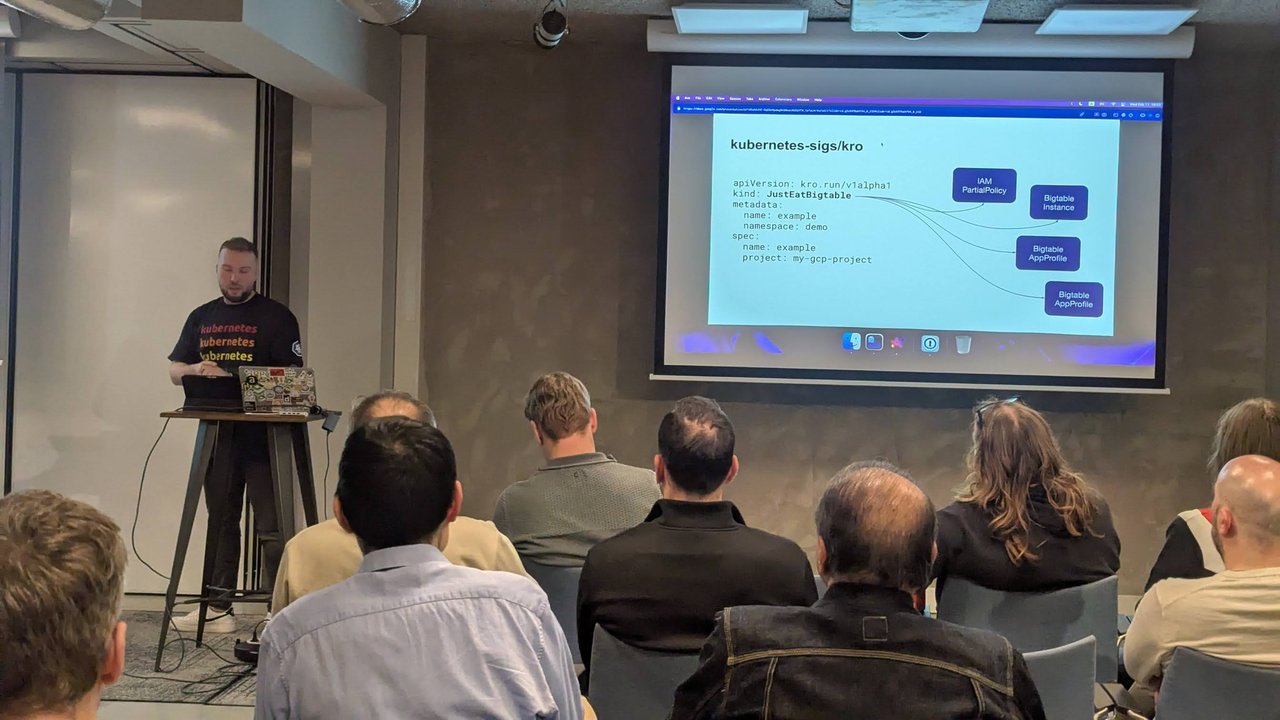
A slide from the kro and Config Connector talk at the Xebia meetup in Amsterdam: the instance a user writes (left) and the four Google Cloud resources it becomes (right).
The instance a developer writes is just as short as the one on that slide:
apiVersion: platform.example.com/v1alpha1
kind: WebService
metadata:
  name: hello
  namespace: default
spec:
  replicas: 2
  greeting: "hello from the Amsterdam meetup"
kubectl apply -f instance.yaml
kubectl get webservice hello -wNAME REPLICAS AVAILABLE STATE
hello 2 IN_PROGRESS
hello 2 1 IN_PROGRESS
hello 2 2 ACTIVEThe timing showed readyWhen at work. The ConfigMap and Deployment appeared at once, but the Service was created about 17 seconds later, only after both replicas were available. The wiring worked too: kubectl exec deploy/hello -- printenv GREETING printed the greeting from the instance spec.
Every child gets labels such as kro.run/instance-name=hello, kro.run/node-id=service, kro.run/kro-version=v0.9.4, app.kubernetes.io/managed-by=kro and an applyset.kubernetes.io/part-of label. kro tracks children with the ApplySet specification rather than owner references. That is why kubectl get cm,deploy,svc -l kro.run/instance-name=hello is the quickest way to see what an instance owns.
Status propagation
The instance status combines kro’s conditions with the fields you defined:
status:
  availableReplicas: 2
  clusterIP: 10.96.56.197
  configMapName: hello-config
  state: ACTIVE
  conditions:
    - type: InstanceManaged     # finalizers and labels set
    - type: GraphResolved       # runtime graph resolved
    - type: ResourcesReady      # all resources created and ready
    - type: Ready               # the one to watch in automation
(Condition details trimmed.) The docs say to rely on Ready, because the sub-conditions are for debugging and may change. state is reserved and takes ACTIVE, IN_PROGRESS, FAILED, DELETING or ERROR.
Then I tried three changes on the live instance:
- Toggle
includeWhen. Patchingspec.exposetofalsedeleted the Service within seconds, andstatus.clusterIPwent empty. Setting it back totruerecreated the Service with a new ClusterIP. - Drift. I deleted
hello-configby hand, and kro recreated it within seconds. - Update. Setting
replicas: 3rolled through to the Deployment, andAVAILABLEfollowed to 3.
Deleting the instance removed all three children. kro deletes dependents before their dependencies, in waves, and keeps its finalizer until everything is gone.
Using kro with cloud controllers: Config Connector and ACK
kro only arranges Kubernetes objects. If those objects are Config Connector (KCC) or AWS Controllers for Kubernetes (ACK) resources, then a kro instance becomes real cloud infrastructure. That combination was the focus of the meetup talk.

A slide from the kro and Config Connector talk at the Xebia meetup in Amsterdam: the GoogleCloudPlatform/k8s-config-connector repository, “a Kubernetes add-on for managing GCP resources”.
Here is a minimal RGD over the KCC StorageBucket resource (storage.cnrm.cloud.google.com/v1beta1). I checked the fields against the Config Connector StorageBucket reference, but I did not run it, because that needs a GKE cluster with KCC and a real project:
apiVersion: kro.run/v1alpha1
kind: ResourceGraphDefinition
metadata:
  name: teambucket
spec:
  schema:
    apiVersion: v1alpha1
    kind: TeamBucket
    group: platform.example.com
    spec:
      project: string | required=true
      location: string | default="EU"
      retentionDays: integer | default=7 minimum=1
    status:
      url: ${bucket.status.url}
  resources:
    - id: bucket
      readyWhen:
        - ${bucket.status.conditions.exists(c, c.type == "Ready" && c.status == "True")}
      template:
        apiVersion: storage.cnrm.cloud.google.com/v1beta1
        kind: StorageBucket
        metadata:
          name: ${schema.metadata.name}-${schema.spec.project}
        spec:
          location: ${schema.spec.location}
          uniformBucketLevelAccess: true
          versioning:
            enabled: true
          lifecycleRule:
            - action:
                type: Delete
              condition:
                age: ${schema.spec.retentionDays}
The platform team fixes uniform bucket-level access, versioning and the lifecycle rule. The developer picks a project, a location and a retention period. KCC decides which project to use from the namespace’s cnrm.cloud.google.com/project-id annotation, which is how kro’s GCP examples set it up. The bucket’s status.url (the gs:// URL) flows back to the instance.
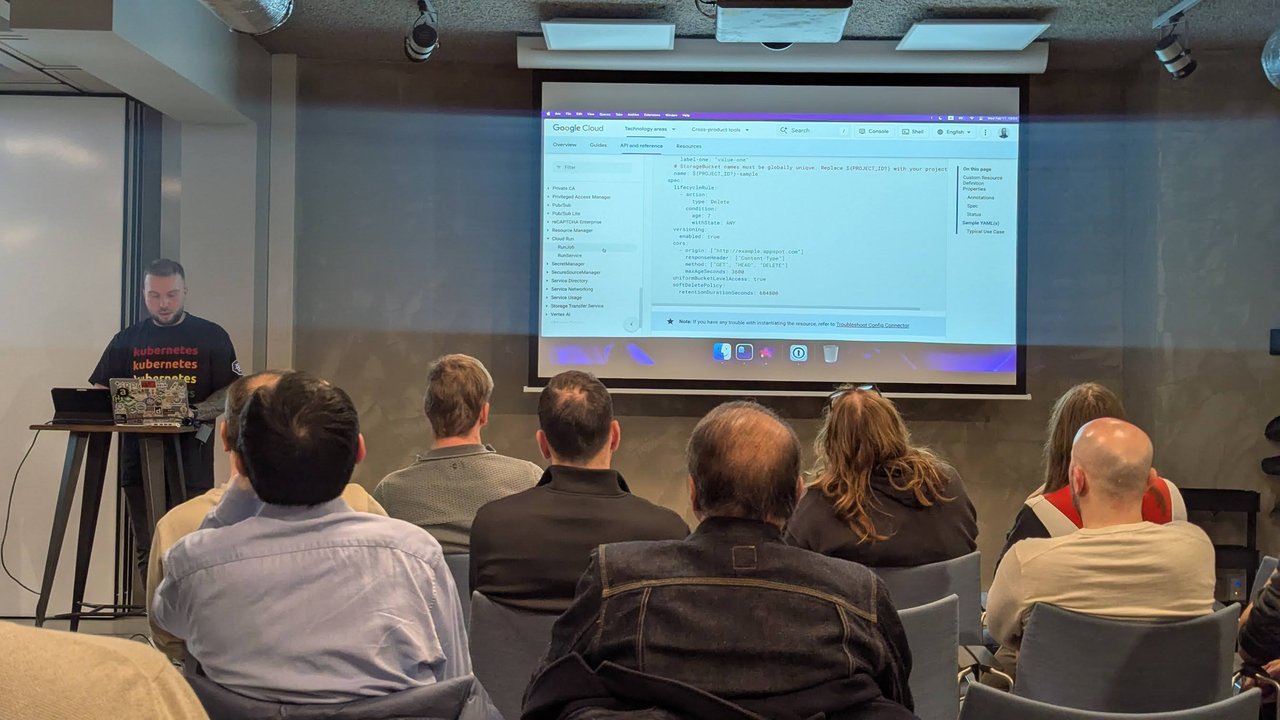
A slide from the kro and Config Connector talk at the Xebia meetup in Amsterdam: the Config Connector StorageBucket reference, with a sample manifest showing lifecycle, versioning, CORS and soft-delete settings.
The ACK side works the same way. kro’s own AWS examples build an EKS cluster from ec2.services.k8s.aws/v1alpha1 VPCs and subnets and gate each step with readiness checks such as ${clusterVPC.status.state == "available"}. As the recap notes, an Amazon EKS page in the talk listed kro next to Argo CD and ACK. Either way, the graph layer is the same and only the controller underneath changes.
kro checks at RGD creation time that every referenced kind exists, so install KCC or ACK and their CRDs first.
kro vs Crossplane compositions vs Helm
- Helm renders templates on the client and applies them. Nothing reconciles the release afterwards and there is no typed status. It is still the best way to install software, including kro itself.
- Crossplane composes through a CompositeResourceDefinition (an OpenAPI v3 schema you write) plus a Composition that runs a pipeline of composition functions, in YAML, KCL, Python or Go. In v2, composite resources are namespaced by default and can compose any Kubernetes resource. Crossplane also brings its own providers and managed resources for clouds. I covered it in self-service infrastructure with Crossplane and Crossplane as a control plane.
- kro is one controller with one CRD. The schema is a few lines of SimpleSchema, the logic is CEL, and ordering comes from references. It does not ship cloud controllers: you bring KCC, ACK or anything else that exposes a CRD.
My take: if you already run KCC or ACK, kro is the lightest way to turn them into a reviewed, typed self-service API. If you need Crossplane’s provider ecosystem or real code in your compositions, Crossplane is the more complete platform.
Pitfalls I would watch for
- Volatile fields in
includeWhen. AnincludeWhenon a status field that flips will create and delete the resource and all its dependents over and over. Use a user-controlled toggle fromschema.spec, and usereadyWhenfor sequencing. readyWhenscope. It can only reference the resource itself. Cross-resource waits come from references, not from readiness rules.- Deleting an RGD does not delete the CRD. I deleted the RGD and
webservices.platform.example.comwas still there. The chart valueconfig.allowCRDDeletiondefaults tofalse. Delete instances first, then clean up the CRD on purpose. - Breaking schema changes are blocked. Removing a field, changing a type, or adding a required field without a default gets rejected unless you set the
kro.run/allow-breaking-changes: "true"annotation. That annotation can invalidate existing instances. - No automatic rollback. If the latest GraphRevision fails to compile, instances stop progressing until you push a valid spec.
- GitOps tracking. kro sets no owner references, so Argo CD will not show children under the instance unless you add the tracking annotation and owner references described in the kro FAQ. My Argo CD guide covers the Argo side.
- Unrestricted RBAC by default. Change
rbac.modebefore you let teams write RGDs.