Intro
Learning Ansible as a beginner in 2025 can feel like wandering through a maze of conflicting advice, outdated tutorials, and… hallucinating AI prompts. If you’ve already asked ChatGPT to write your first playbook and ended up with YAML spaghetti — don’t worry. You’re not alone.
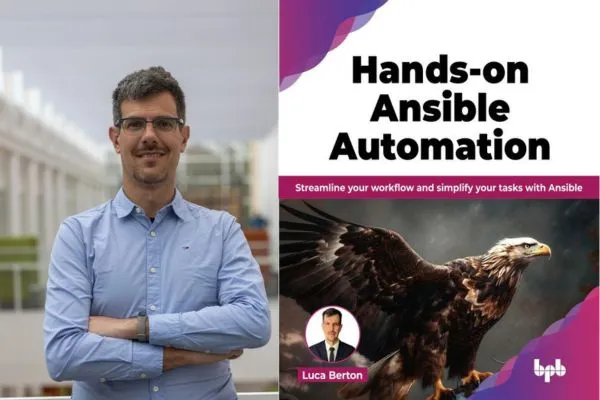
That’s exactly why Luca Berton wrote Hands-on Ansible Automation — a practical, no-fluff guide that’s already helped over 15,000 students master Ansible and automate real-world infrastructure.
And now it’s even more relevant, covering modern challenges like multi-cloud orchestration and hybrid infrastructure automation.
Buy Now on Amazon
Watch the Video!
Why This Book Works (When Other Resources Don’t)
Luca knows the struggle:
Yes, the official docs are great… if you’re a seasoned sysadmin with time to kill. But for newcomers? They’re overwhelming.
That’s why Hands-on Ansible Automation is built to get you hands-on from page one. It strips away the jargon and guides you through:
✅ Installing Ansible on Linux, macOS, or Windows
✅ Understanding how the Ansible architecture works
✅ Creating inventories and connecting to remote machines
✅ Writing your first playbook using clear, real-world examples
✅ Mastering human-readable YAML automation syntax
And unlike code generated by AI, everything in the book is tested and production-ready.
Real Automation, Real Results
This isn’t just another “Hello, world!” guide.
You’ll learn how to:
- Manage Linux and Windows machines (yes, Windows too!)
- Configure OpenSSH
- Automate user creation, file edits, backups, and more
- Interact with Git repos and cloud providers like AWS, GCP, and Azure
- Secure secrets with Ansible Vault
- Run parallel tasks across hundreds of hosts with the same simple code
Troubleshooting, Like a Pro
One of the biggest pain points for beginners? Troubleshooting.
Chapter 6 is a lifesaver — it teaches you how to:
- Debug failed SSH connections
- Diagnose version mismatches
- Track down authentication issues
- Understand error messages (finally!)
This kind of insight only comes from years of real-world experience — not guesswork.
Built for the Cloud (and Multi-Cloud)
As infrastructure gets more complex, automation matters more than ever.
That’s why this book goes beyond just Ansible basics and dives into:
- Orchestrating hybrid and multi-cloud environments
- Using Ansible with AWS, Azure, GCP, and VMware
- Integrating Ansible with GitOps workflows
- Working with Ansible Automation Platform (Red Hat)
- Leveraging Ansible Semaphore and Ansible AI
You’ll get real-world strategies for automating enterprise-grade infrastructure with confidence.
And the cherry on top?
All code examples are available in a public GitHub repo, so you can follow along and deploy with ease.
Table of Contents
- Introduction
- Structure
- Objectives
- Modern datacenter
- Introduction to Ansible
- Linux and MacOS target
- Windows target
- Ansible community
- Ansible architecture
- Ansible installation
- Ansible core versus Ansible community packages
- Linux
- Pip
- MacOS
- Windows
- Ansible ad-hoc commands
- Conclusion
- Points to remember
- Key terms
- Multiple choice questions
- Answers
- Questions
- Introduction
- Structure
- Objectives
- Ansible inventory
- Inventory
- INI inventory
- YAML inventory
- The ansible-inventory tool
- The “all” keyword
- List view
- Graph list view
- Ranges of hosts
- Host in multiple groups
- Host and group variables
- Local inventory
- Multiple inventories
- Dynamic inventory
- Windows inventory
- Ansible playbook
- YAML syntax
- First playbook
- Check
- Debug
- Multiple play
- Includes
- Ansible variables
- Unpermitted variable names
- User-defined variables
- Multiline
- Extra variables
- Host and group variables
- Host variable in the INI inventory
- Host variables
- Host variable in the file system
- Group variables
- Group variable in the file system
- Array variables
- Registered variables
- Writing a variable to a file
- Ansible facts
- Ansible ad-hoc
- Facts in playbook
- Single fact
- Temporary facts
- Custom facts
- Ansible magic variables
- Common magic variables
- Ansible version
- Ansible conditional
- Basic conditionals with “when”
- Conditionals based on Ansible facts
- Ansible loop
- Loop statements
- The loop statement
- Siblings of the with_items statement
- Conclusion
- Points to remember
- Key terms
- Multiple choice questions
- Answers
- Questions
- Introduction
- Structure
- Objectives
- Ansible vault
- Creating an encrypted file
- Encrypting using a password file
- Viewing an encrypted file
- Editing an encrypted file
- Encrypting a file
- Decrypting a file
- Changing the password
- Include vault in playbook
- Inline vault in playbook
- Troubleshooting
- Ansible handler
- Multiple handlers
- Code reuse
- Include and import
- Role and collection
- Ansible role
- Directories tree
- Usage in playbook
- Order of execution
- Ansible Galaxy for roles
- Manual installation
- Automated installation
- Configuration
- Ansible collection
- Ansible Galaxy for collections
- The community.general collection
- Installing Ansible collection
- Manual installation
- Automated installation
- Python dependencies
- List collections
- Configuration
- Ansible filters
- Control statement
- Loop statement
- Nested control statement
- Template filters
- Template extension
- Ansible plugin
- Lookup plugin
- Copy multiple files to remote hosts
- Conclusion
- Points to remember
- Key terms
- Multiple choice questions
- Answers
- Questions
- Introduction
- Structure
- Objectives
- Configuring Windows target
- Creating the Ansible user
- Verifying PowerShell, .NET and setting up WinRM
- PowerShell
- .NET
- Installing WinRM
- Windows collections
- Manual
- Automated
- Inventory
- Testing the host availability
- Configuration management
- Editing single-line test
- Creating text file
- Checkout a Git repository
- File system
- Check file exists
- Creating an empty file
- Creating a directory
- Deleting a file
- Copying local files to remote hosts
- Copying remote files to local
- Downloading a file
- Backup with robocopy
- Installing packages
- Rolling update
- User management
- Group management
- Windows registry
- Checking registry
- Adding Windows registry
- Removing Windows registry
- Executing commands
- Netstat playbook
- Get-Date playbook
- Wrong module
- Conclusion
- Points to remember
- Key terms
- Multiple choice questions
- Answers
- Questions
- Introduction
- Structure
- Objectives
- Ansible troubleshooting
- Ansible debugging
- Ansible syntax
- Troubleshooting tools
- Errors playbook
- syntax check
- YAML linter
- Ansible linter
- Fixed playbook
- Syntax check
- YAML linter
- Ansible linter
- Visual Studio code
- Ansible custom plugins
- CI/CD pipeline
- Ansible connection
- The error
- Example
- Password authentication
- Ansible Vault
- Create
- Encrypt
- View
- Playbook
- Inline vault
- Encrypted variable
- Fatal error
- Ansible modules
- Missing module parameter
- Ansible service
- Ansible template
- Ansible command
- Ansible role
- Molecule
- Ansible collection
- Missing collection
- Missing Python library
- Ansible for Linux
- Ansible for Windows
- Ansible facts
- Module failure
- Windows subsystem for Linux
- Ansible Windows command
- Conclusion
- Points to remember
- Key terms
- Multiple choice questions
- Answers
- Questions
- Introduction
- Structure
- Objectives
- Ansible use cases
- Day 0 - Design phase
- Day 1 - Development and deployment
- Day 2 - Maintenance and optimization
- The cloud computing influence on the software lifecycle
- GitOps
- Ansible Automation Platform
- Node requirements
- Ansible automation hub
- Ansible execution environment
- Ansible automation mesh
- Role-based access control
- Morpheus
- Using the Morpheus and Ansible Integration
- Configuration management
- Graphical user interface
- Ansible Semaphore
- ARA records
- Installation
- Customization
- Steampunk Spotter
- Conclusion
- Points to remember
- Key terms
- Multiple choice questions
- Answers
- Questions
- Introduction
- Structure
- Objectives
- Third-party integrations, fragility, and agility
- Callback plugin
- Dynamic inventories
- VMware
- Citrix
- Amazon Web Services
- Dynamic inventory
- Idempotence
- Amazon EC2
- Google Cloud Platform and Azure
- API integration
- GET method
- JSON and YAML
- Bearer token
- POST and PUT methods
- PATCH and DELETE methods
- Zuul
- Ansible orchestration
- Fork versus serial
- Kubernetes
- Namespace
- Pod
- Ansible configuration settings
- Custom verbosity
- Custom role path
- Custom collection path
- Custom username
- Custom temporary directory
- Enable Ansible pipelining
- SSH and Paramiko
- Host key check
- Fact caching
- Fork
- Ansible managed
- Latest trends
- Event-driven Ansible
- Ansible Lightspeed
- Conclusion
- Points to remember
- Key terms
- Multiple choice questions
- Answers
- Questions
Get Your Copy Today!
Buy Now on Amazon
Final Thoughts
If you’ve been burned by unreliable tutorials or hallucinated AI advice, Hands-on Ansible Automation is your antidote.
It’s structured, clear, and built on real-world use — not just theory.
So whether you manage 1 host or 100,000, this book will help you automate smarter across any cloud, any platform.