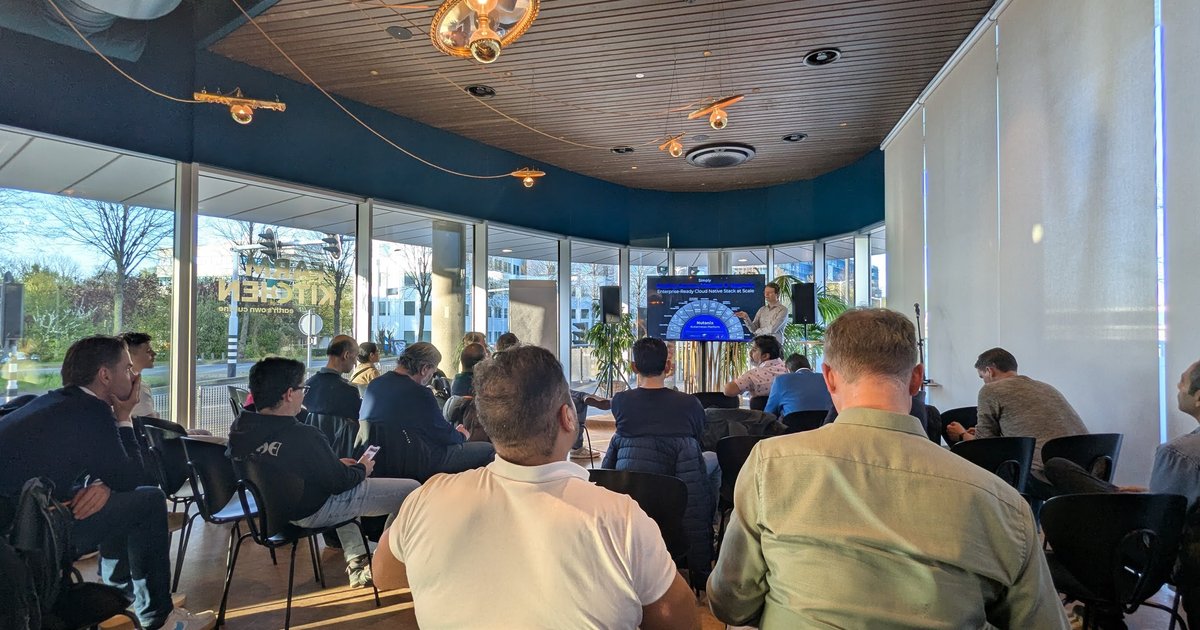
A week after KubeCon London I went to a “KubeconEU Recap and special guests from Nutanix and AWS” meetup, organised by the Dutch Cloud Native & AI Community Group at the Nutanix office in Hoofddorp on Thursday 10 April 2025. The meetup page listed a welcome, dinner, a Nutanix session, an AWS session and networking. I only recorded the two technical sessions, so this post covers those. I did not speak at this event.
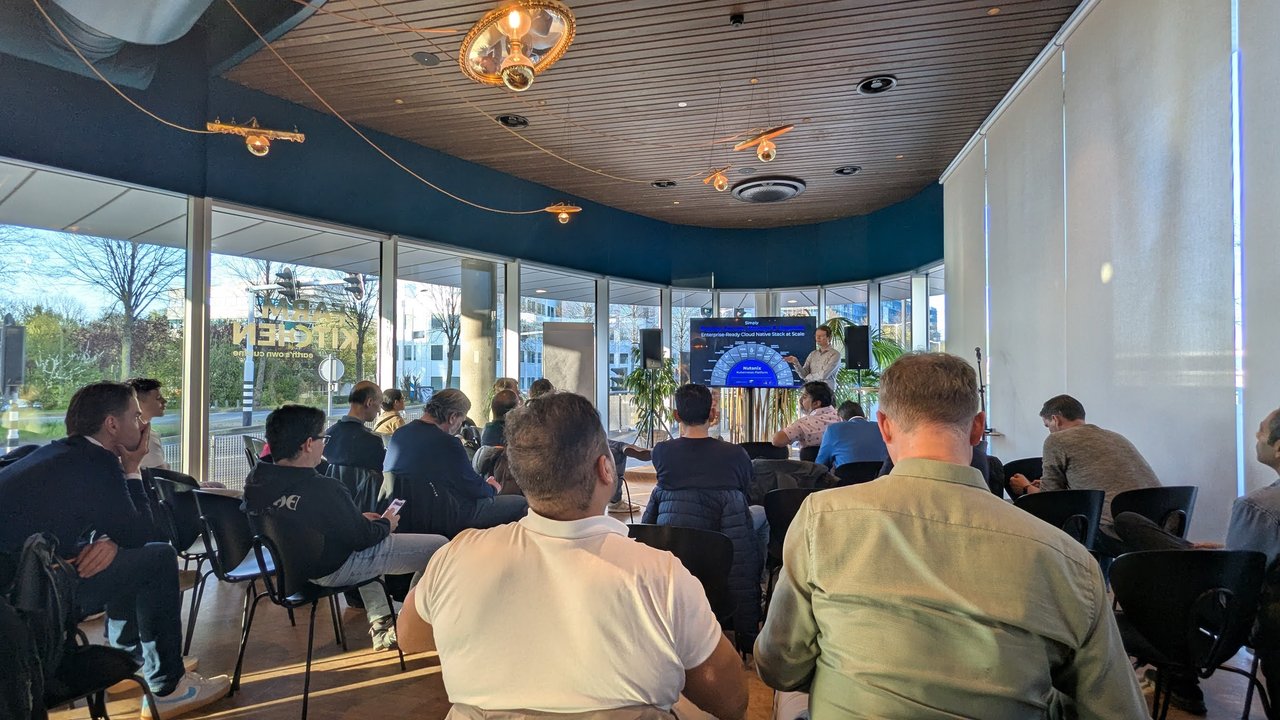
The room before the Nutanix session started.
Nutanix: bootstrapping Kubernetes without external dependencies
Tobi Knaup, VP and General Manager Cloud Native at Nutanix, introduced the Nutanix Kubernetes Platform (NKP). The part I recorded was a deep dive into how a cluster gets bootstrapped, and the slides carried the Nutanix branding with the titles “Connected”, “Air-Gapped” and “Zero-dependency” Kubernetes deployments. The room was shown the problem first, then the fix.
The connected case. You start a bootstrap machine, talk to an infrastructure provider, bring up a control plane node and then the workers. Each step pulls from somewhere else: several image registries (the speaker named Google Cloud’s registry, Quay, Amazon’s and GitHub’s), then Helm charts from many different repositories, then the images those charts reference. The speaker’s point was that every one of those is an external dependency. DNS problems, an expired certificate on a registry, image-registry rate limits on large clusters, and upstream charts or images that change or disappear all break provisioning “in obscure ways”.
The air-gapped case. In environments with no internet connection (government and defence were the examples given) you must first bring up a private registry, then populate it with every image the cluster and its add-ons will need, which means knowing that list up front.
The fix, as presented. NKP ships an “NKP Bundle” that packages the container images and charts together with a CLI that runs on Linux, macOS and Windows. The bootstrap cluster is no longer a Docker or Podman based cluster:
- The CLI embeds the Kubernetes control plane binaries (etcd and the API server) and starts them directly as processes using envtest, the Go library from controller-runtime that Kubebuilder uses to run an API server and etcd for controller integration tests. The slide showed the Kubebuilder documentation for it.
- The Cluster API controllers are run the same way, so nothing has to be pulled to get a working bootstrap control plane.
- A local registry runs as a process on the bootstrap node, populated from the bundle. Cluster API then provisions the real cluster, Harbor is deployed inside it, and the images are pushed there. After that the bootstrap node can go away.
The claimed result was a bootstrap that takes about five seconds instead of several minutes, with no Docker daemon, no Podman and no external registry. I have not benchmarked this, so treat the number as the speaker’s. The design idea is what stays with me: using a test harness as a throwaway control plane removes a whole class of “works on my network” failures. For background, see the Cluster API book, the envtest documentation and the Harbor project. I wrote a registry setup guide in Harbor container registry on Kubernetes.
AWS: Triton inference on EKS with Karpenter
The second session was from Riccardo Freschi, Solutions Architect, AWS, as written on his title slide, “Deployment, Autoscaling and Observability of Inference Workloads, running on Kubernetes Clusters”. He opened by saying his team works on architectural patterns for customers and publishes many of them on GitHub; this one is a Terraform blueprint for serving an LLM on Amazon EKS with observability, and he said it should work on other Kubernetes with small changes.

The title slide of the AWS session.
The cluster layout
The architecture slide split the cluster in two. A fixed core node group (a managed node group, an autoscaling group in AWS terms) hosts the critical add-ons: the EBS CSI driver, CoreDNS, kube-proxy, Karpenter itself, an NGINX ingress and the kube-prometheus-stack. A second, dynamic part holds the GPU workloads and is created by Karpenter.
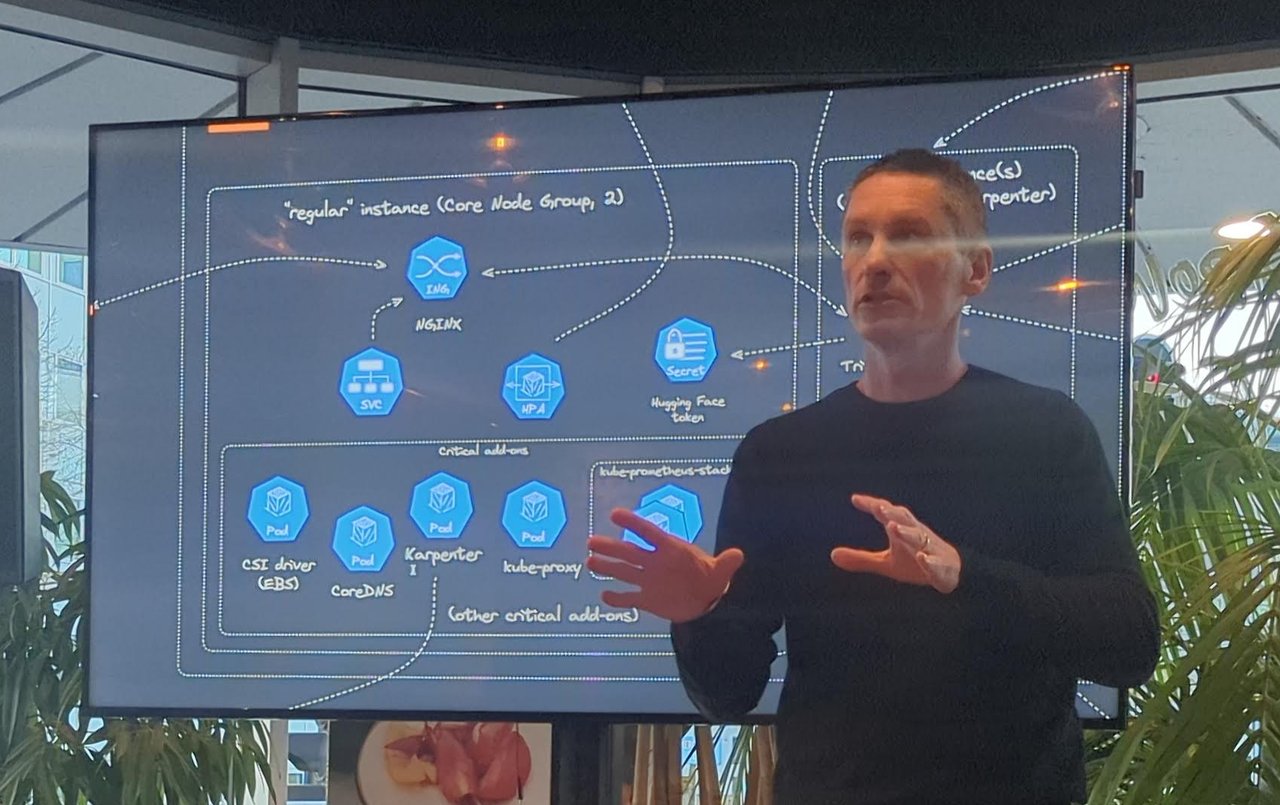
The core node group on the left, with the critical add-ons the speaker listed.
As explained in the talk, Karpenter replaces the cluster autoscaler pattern of many managed node groups with a different approach: it talks to the EC2 fleet API and asks for the instance it needs. It is configured through two custom resources, a node class (machine image, subnets, security groups) and a node pool (instance family, sizes, taints, spot or on-demand). The example used the g5 family for GPUs, and the GPU nodes were tainted so that ordinary workloads do not land on expensive hardware. When a Triton pod is pending because only a GPU node satisfies its node selector and tolerations, Karpenter computes and launches a node for it. It also consolidates: if pods fit on fewer or cheaper nodes, it replaces them. The Karpenter documentation covers both resources.
How Triton uses the GPU
The speaker described NVIDIA Triton Inference Server as a server that wraps several frameworks as backends (the blueprint used vLLM) and pulls models from a repository, in this case S3. The model repository is a folder per model with a version folder and a configuration file. Three details stood out:
- Concurrency through CUDA streams. Incoming requests go to a queue per model, a scheduler turns them into instruction sequences, and each sequence runs in a CUDA stream that the GPU hardware scheduler multiplexes. The slide titled “Triton Inference Server’s concurrent model execution: CUDA Streams” showed queues, scheduler and execution contexts, typically one per model instance.
- Instance groups. By default there is one model instance, but the config can request, for example, one instance on GPU 0 and two on GPU 1.
- Dynamic batching groups requests so the GPU works on more of them at once, which raises efficiency.
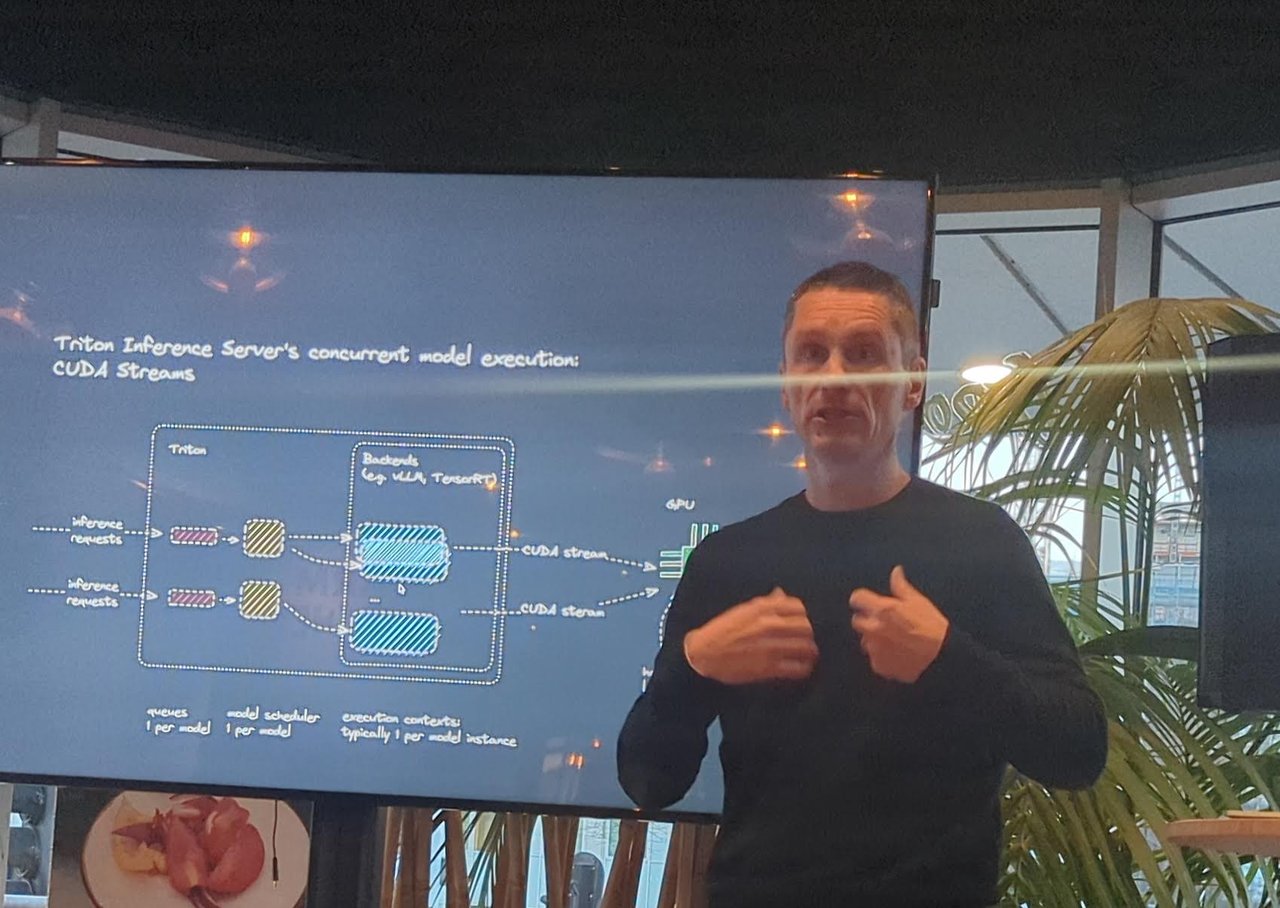
The CUDA streams slide.
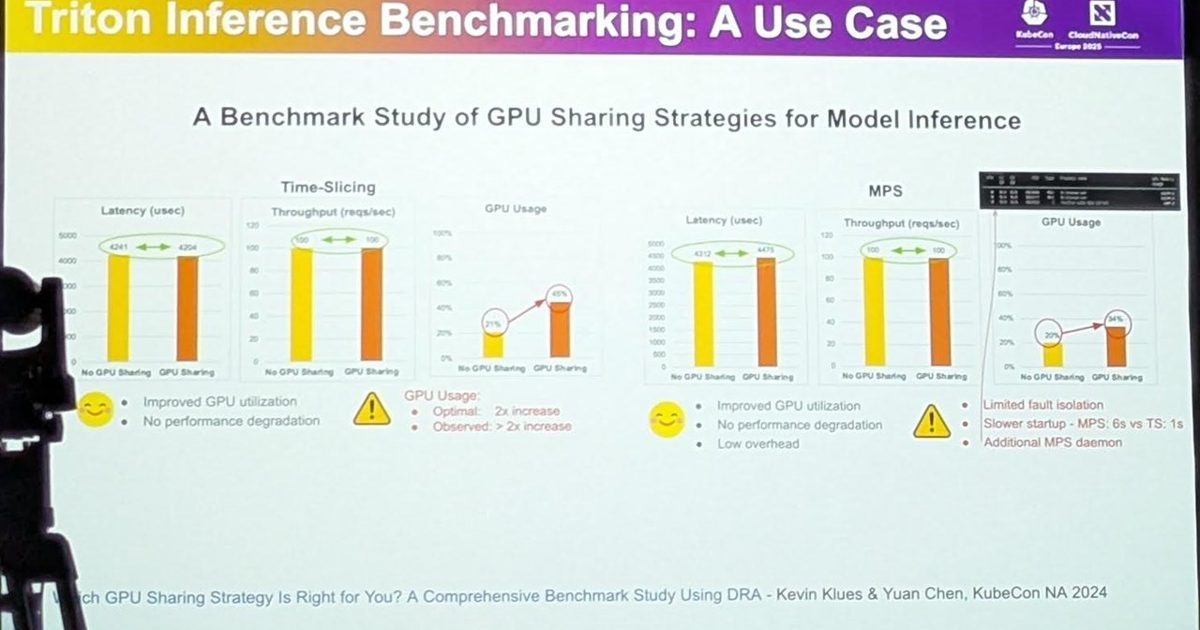
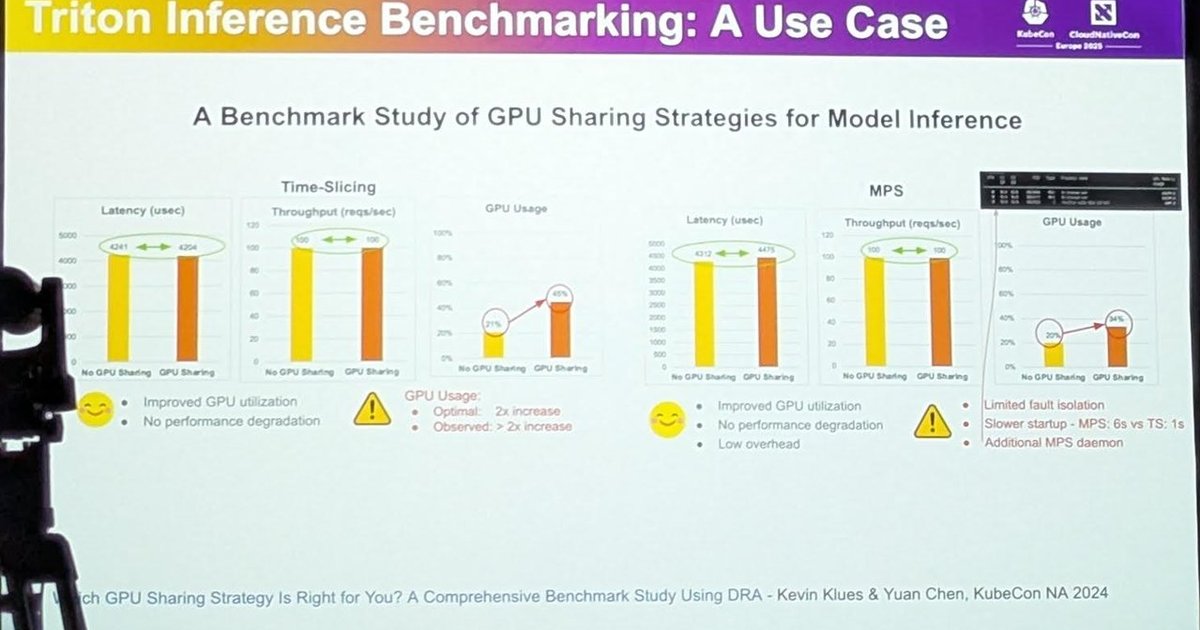
He contrasted this with time-slicing, which is like CPU time-slicing, and with MIG (multi-instance GPU), where the GPU is physically divided, which he called the safer option for isolation. If you want the numbers for time-slicing against MPS, my notes from the KubeCon talk are in Benchmarking GPU workloads on Kubernetes with Triton.
Scaling the workload and the nodes
For pod scaling, Triton exposes Prometheus metrics. The blueprint takes the time requests spend in the queue, registers it as a custom metric through the Prometheus adapter, and lets a Horizontal Pod Autoscaler scale replicas when that time crosses a threshold (he mentioned 10 milliseconds). Pending pods then trigger Karpenter to add nodes, so the two autoscalers work as a chain: queue time drives replicas, replicas drive nodes.
Making pods start faster
Model servers are slow to start because the Triton image, the backend image and the model are all large. Three recommendations were shown:
- SOCI (Seekable OCI), an open source project started by AWS that builds an index of image layers so a container can start before the whole image has downloaded, using a different containerd snapshotter than overlayfs.
- Multi-stage builds to shrink the images.
- Bottlerocket, AWS’s minimal container-focused Linux, which keeps the OS and data on separate volumes. You can pre-pull images and models onto the data volume, snapshot it (EBS snapshot, backed by S3), and have Karpenter launch nodes from that snapshot.
Earlier in the session he also summarised what customers ask about: assistants for trading and auctions in finance, image analysis in healthcare with training on premises and inference in the cloud, and recurring worries about observability for AI, scalability and the time to download models of tens or hundreds of gigabytes.
My take
These two sessions are opposite sides of the same operational problem: moving big artifacts to the right place before a cluster or a pod needs them. Nutanix solved it at cluster creation with a bundle, AWS at node launch with snapshots and lazy image loading. If you run GPUs on Kubernetes, the queue-time metric plus Karpenter chain is a clean pattern to copy, and the SOCI and snapshot tricks are worth testing before you buy more GPUs to hide cold starts.