This Docling tutorial takes four real PDFs (a two-column arXiv paper, two chapters of the US federal budget and a scanned NACA report from 1933) plus one HTML page through IBM’s open-source document converter. I convert them to Markdown and JSON, OCR the scan, export tables to pandas and CSV, pull out the figures, chunk everything with a tokenizer that matches the embedding model, and load the chunks into a local Chroma store that a small Granite model queries through Ollama. No paid APIs. I timed each step and noted what came out wrong: the defaults handled two of the four PDFs well, and the other two needed different settings.
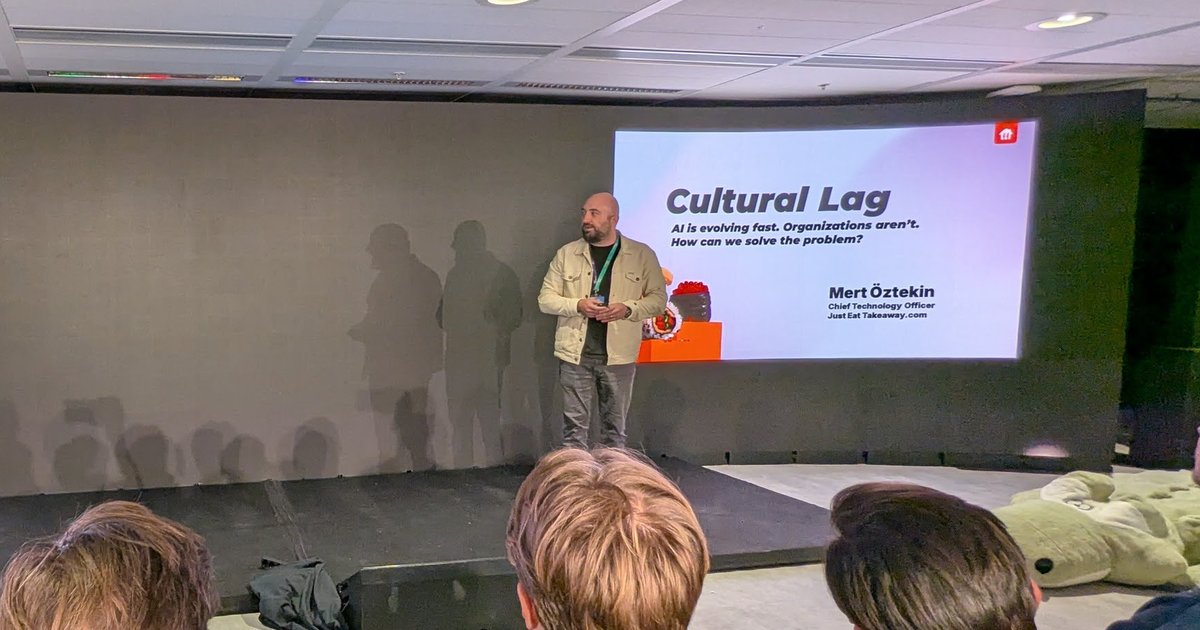
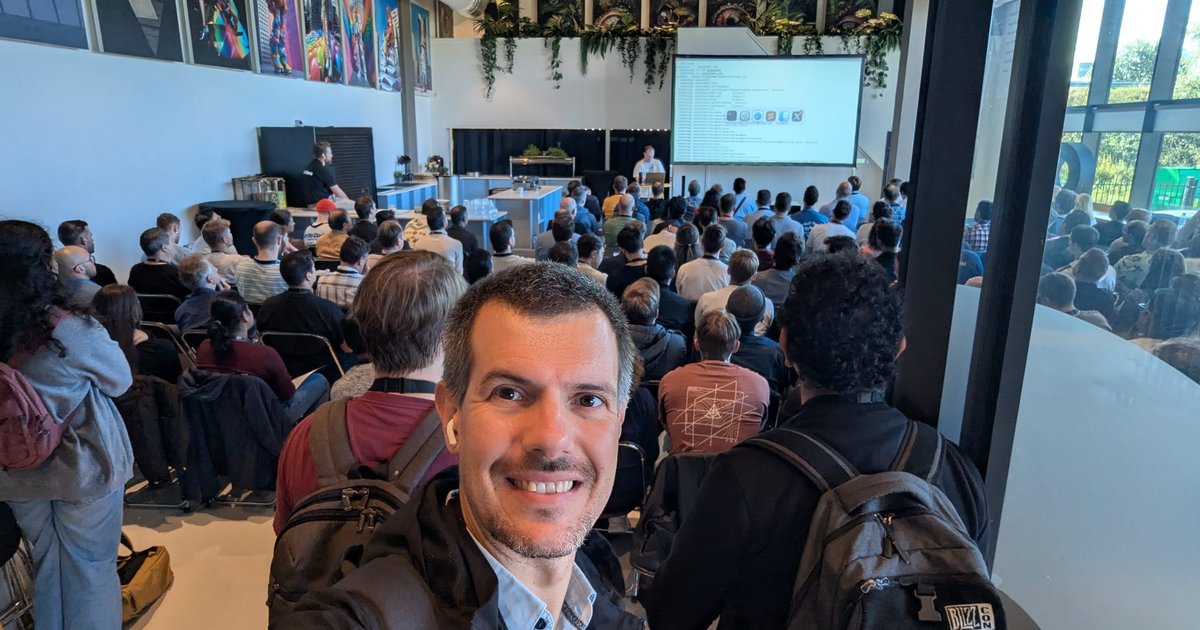
The idea came from the hands-on InstructLab and IBM Granite session on the last day of CfgMgmtCamp 2025 in Ghent. The screen moved from an ollama list of Granite models to Chroma, “the open-source AI application database”. Docling came up only in passing, as the moment where talk about file formats loses a room quickly. That’s fair: getting text out of PDFs is the unglamorous part of RAG, and retrieval can’t be better than the text it gets. Everything below is my own test, not workshop material.
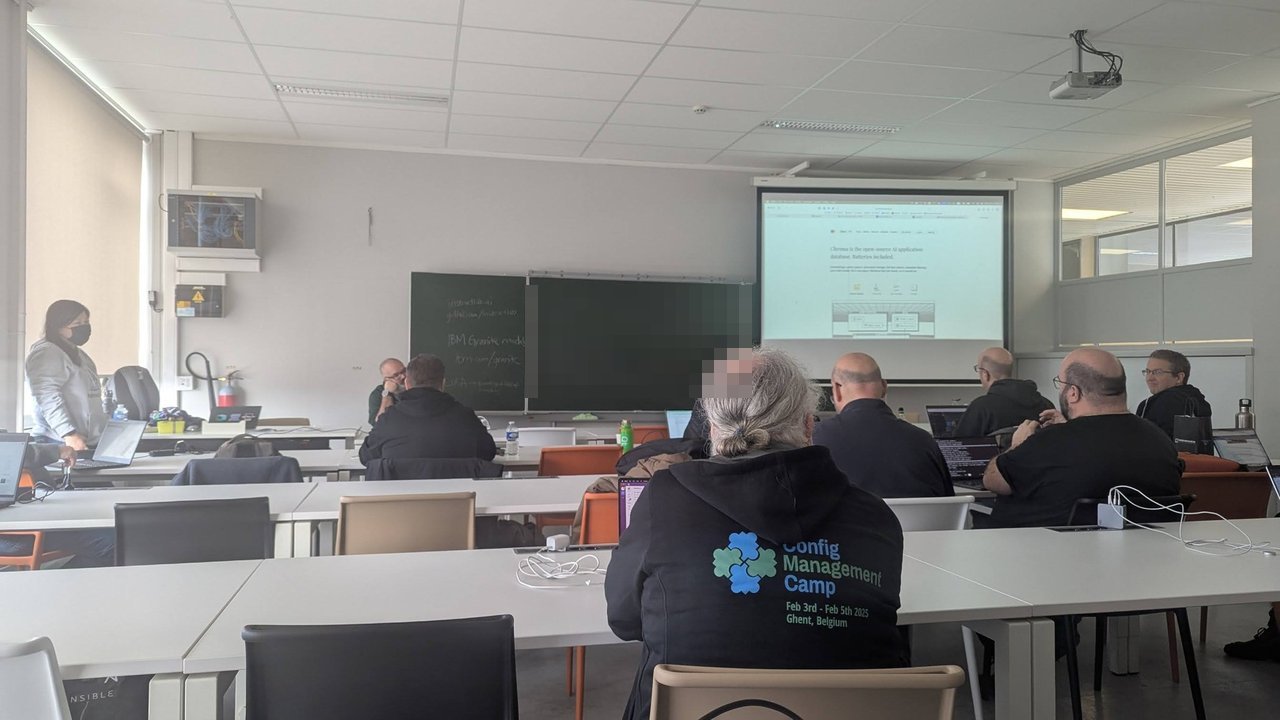
The workshop room on 5 February 2025, with Chroma on the screen.
Versions. macOS 26.6 on an Apple M1 Pro (8 cores, 16 GB), Python 3.12.13, docling 2.133.0, docling-core 2.99.0, docling-parse 7.22.1, docling-ibm-models 4.0.3, torch 2.14.1, transformers 5.18.0, rapidocr 3.9.2, Tesseract 5.5.3 (Homebrew), sentence-transformers 6.1.0, chromadb 1.5.9 and Ollama 0.34.4 with granite3.3:2b. I checked every class, option and CLI flag against the installed source, docling convert --help and the docs and examples at the v2.133.0 tag on GitHub. Docling moves fast (force_full_page_ocr is already deprecated in favour of an OCR mode), so pin the version.
The Docling tutorial test set: four PDFs and a web page
| Document | Pages | Why it’s here |
|---|---|---|
| Docling AAAI-25 paper (arXiv, CC BY 4.0) | 8 | Two columns, a table, six charts and diagrams, footnotes |
| FY2024 Budget, Department of Commerce | 4 | Running headers and page numbers, bullets that cross pages |
| FY2024 Budget, Summary Tables, pages 3–6 | 4 | Dense 15-column numeric tables |
| NACA Technical Note 470 (1933, NTRS public use) | 25 | Typewritten scan with an old, poor OCR text layer, tables, photos |
| Wikipedia: Optical character recognition (CC BY-SA) | HTML | One non-PDF input |
Install, and keep the models out of your home directory
python3.12 -m venv .venv && source .venv/bin/activate
pip install docling sentence-transformers chromadb
export HF_HOME=$PWD/.cache/hf   # layout, TableFormer and embedding models land here
docling --help                  # shows the convert and convert-remote subcommands
The first conversion downloads the layout model (Heron) and TableFormer from Hugging Face, about 500 MB. My first run took 40 seconds before it converted anything. For offline or air-gapped hosts, docling-tools models download prefetches them and PdfPipelineOptions(artifacts_path=...) (or --artifacts-path) points at the copy. RapidOCR keeps its models in its own package directory inside the venv.
Docling PDF to Markdown: CLI and Python
The CLI is enough to see what you get:
docling convert docling-aaai.pdf --to md --to json --no-ocr --output out/
docling convert budget-fy2024-commerce.pdf --to chunks --chunks-max-tokens 230 --output out/
--to accepts md, json, yaml, html, text, doctags and chunks, among others. chunks writes JSONL with the contextualized text, the raw text, token count, headings and page numbers per chunk. The Python API gives you the same pipeline with every option exposed:
from docling.datamodel.base_models import InputFormat
from docling.datamodel.pipeline_options import (
    PdfPipelineOptions, TableFormerMode, TableStructureOptions,
)
from docling.document_converter import DocumentConverter, PdfFormatOption

opts = PdfPipelineOptions()   # defaults: do_ocr=True, do_table_structure=True
opts.do_ocr = False           # born-digital PDF: the text layer is good
opts.table_structure_options = TableStructureOptions(mode=TableFormerMode.ACCURATE)

converter = DocumentConverter(
    format_options={InputFormat.PDF: PdfFormatOption(pipeline_options=opts)}
)
result = converter.convert("docling-aaai.pdf")   # a path or a URL
doc = result.document
doc.save_as_markdown("docling-aaai.md")
doc.save_as_json("docling-aaai.json")            # lossless, reload with load_from_json
convert() also takes page_range=(3, 6). ACCURATE is already the default table mode; I set it so the code says what it does.
What DoclingDocument gives you
Markdown is one export of the real result, a DoclingDocument. It’s a Pydantic model with texts, tables, pictures and groups lists, a body tree that holds the reading order, and a separate furniture layer for page headers and footers. Every item carries a label and provenance (page number and bounding box):
for item, level in doc.iterate_items():
    print(level, item.label.value, item.prov[0].page_no, item.self_ref)
# 1 section_header 1 #/texts/0
# 1 text 1 #/texts/1
# 2 list_item 1 #/texts/4
Keep the JSON: DoclingDocument.load_from_json() lets you re-export or re-chunk without converting the PDF again.
Measured: conversion time and what came out wrong
Warm models, device auto, two clean runs in a row that agreed within a few percent (the table shows the first). An earlier pass, while other jobs were using the same laptop, was two to four times slower, so measure on the hardware and load you’ll actually have.
| Document and settings | Time | Per page | Result |
|---|---|---|---|
| arXiv paper, defaults (OCR on) | 7.0 s | 0.87 s | 1 table, 6 pictures, correct column order |
arXiv paper, do_ocr=False | 2.1 s | 0.27 s | Same output, minus OCR fragments from icons |
arXiv paper, no OCR, TableFormerMode.FAST | 1.9 s | 0.24 s | Same table |
| Commerce chapter, defaults | 6.1 s | 1.5 s | 5 headers and page numbers moved to furniture |
Commerce chapter, do_ocr=False | 5.0 s | 1.3 s | Same output |
| Summary Tables, default backend, no OCR | killed at 30 min | – | Stuck in the PDF parser |
Summary Tables, pypdfium2 backend, no OCR | 24.3 s | 6.1 s | 4 tables, 15 columns, values correct |
Same, plus TableFormerMode.FAST | 9.7 s | 2.4 s | Same 4 tables |
NACA scan, do_ocr=False | 21.0 s | 0.84 s | The old OCR layer, junk text |
| NACA scan, defaults (OCR on) | 73.6 s | 2.9 s | Clean body text |
| NACA scan, full-page RapidOCR | 60.2 s | 2.4 s | Clean, but lost half a sentence |
| NACA scan, full-page Tesseract | 49.5 s | 2.0 s | Clean, a few more character errors |
The born-digital PDFs: good, with small text defects
The two-column paper came out in the right reading order, with headings, the table and each figure with its caption. On a born-digital PDF, OCR only added nine fragments read from icons inside two figures (“PDF”, “W”, “HH”, a stray “白”), and it more than tripled the time, so do_ocr=False (or --no-ocr) is the first setting to change for that kind of input. The defects were in the text itself:
- Words hyphenated at a line break lost the hyphen: “MITlicensed”, “machineprocessable”, “doclingibm-models”. The PDF text layer marks those line-end hyphens as soft hyphens, and Docling joins the halves. That’s right for “config-uration” and wrong for “MIT-licensed”.
- LaTeX accents came out split: “R¨uschlikon”, “San Jos´e”.
- In the Commerce chapter, two bullet points that continue on the next page became two bullets each. The second half starts a new list item (”- critical science-based resilience…”).
I found no setting for these. If they matter, fix them in a post-processing pass.
Headers, footers and a footnote that disappeared
Running headers and page numbers are labelled page_header and page_footer and go to the furniture layer, which export_to_markdown() leaves out by default. That’s right for RAG: “BUDGET OF THE U. S. GOVERNMENT FOR FISCAL YEAR 2024” and “61” don’t belong in every chunk. But in the arXiv paper a real footnote, a GitHub URL at the bottom of page 8, was also labelled page_footer and silently dropped. Check the furniture before you trust it:
from docling_core.types.doc import ContentLayer

for t in doc.texts:
    if t.content_layer == ContentLayer.FURNITURE:
        print(t.label.value, t.prov[0].page_no, t.text[:70])

md = doc.export_to_markdown(
    included_content_layers={ContentLayer.BODY, ContentLayer.FURNITURE}
)
The table-heavy PDF that hung the parser
On the Summary Tables chapter, the default docling_parse backend (docling-parse 7.22.1) kept one CPU core busy on four pages until a 30-minute limit killed it, with no output. Switching the PDF backend to pypdfium2 converted the same pages in 24.3 seconds:
from docling.backend.pypdfium2_backend import PyPdfiumDocumentBackend

PdfFormatOption(pipeline_options=opts, backend=PyPdfiumDocumentBackend)
# CLI: docling convert ... --pdf-backend pypdfium2
The four tables came out with 24, 16, 36 and 36 rows and 15 columns each, and the receipts, outlays and deficit rows of Table S–1 that I compared against the PDF text layer matched to the digit. Two smaller problems: footnote markers were glued onto row labels (“Deficit 1”), and the table titles (“Table S–1. Budget Totals”) were detected as section headings, not captions, so table.caption_text(doc) returned an empty string.
Don’t count on document_timeout to catch this. I ran the hanging case again with --document-timeout 60, and it was still running when my outer timeout 400 killed it: the time was going into parsing, which that limit didn’t interrupt. For batch jobs, run each document in its own process with a hard wall-clock limit (timeout in shell, or subprocess.run(..., timeout=...)), and retry failures with the other backend.
The 1933 scan: OCR on, and which mode
The NACA scan already had a text layer from an old OCR pass. With do_ocr=False, Docling used it and produced “TECHl’iICAL HOTES NATIONAL ADVISORY COWH:rTEE FOR AERONAUTICS”. With OCR on (the default), the layout regions that sit on the page image were OCRed again and the same title came out as “TECHNICAL NOTES NATIONAL ADVISORY COMMITTEE FOR AERONAUTICS”. As a rough score I counted the share of words of three or more letters found in the macOS word list: 80.7% for the old layer, 89.9% with the default OCR.
OcrMode.FULL_PAGE OCRs the whole page image and ignores the PDF text entirely (it replaces the deprecated force_full_page_ocr=True):
from docling.datamodel.pipeline_options import OcrMode, TesseractCliOcrOptions

opts = PdfPipelineOptions()
opts.ocr_options = TesseractCliOcrOptions(lang=["eng"], mode=OcrMode.FULL_PAGE)
# CLI: --ocr-mode full_page --ocr-engine tesseract --ocr-lang eng
Full-page Tesseract was the fastest OCR run (2.0 s per page) and scored 85.6%. Full-page RapidOCR scored 89.9% but dropped words mid-paragraph: it produced “straight for as groat a distanco fordesignod and built”, losing “ward of the step as was practicable. A new forebody was” between “for” and “designed”. The default region-based mode kept that sentence intact, so it’s what I’d use for this scan. No engine fixed the typewriter “e” read as “o” (“bettor porformance would be obtainod”).
The engine that OcrAutoOptions picks depends on what’s installed: on macOS, ocrmac first, then RapidOCR with onnxruntime, EasyOCR and RapidOCR with torch. Installing chromadb pulled in onnxruntime, so my default runs used RapidOCR. Pin the engine when you compare runs.
The scanned tables didn’t come out usable in any setting I tried. In Table II, several values are stacked in one cell, and the rows came out merged (“6.9 8.7 10.1 11.2”), with stray rows of “Trim angle, T 3 0”. Turning cell matching off (TableStructureOptions(do_cell_matching=False)) changed the layout of the junk, not the quality.
I also tried the VLM pipeline on that one page, docling convert naca-tn-470.pdf --pipeline vlm --vlm-model granite_docling --page-range 13-13. With the default install it took six minutes for the page, read the tank water density as 83.6 instead of 63.6, and then repeated “45.8” a few hundred times. For tables like these, plan on manual transcription or a much larger model, and check the numbers either way.
Tables to pandas and CSV
Each TableItem exports straight to a DataFrame:
import pandas as pd

for i, table in enumerate(doc.tables, 1):
    df = table.export_to_dataframe(doc=doc)
    df.to_csv(f"table-{i}.csv", index=False)
    print(i, table.prov[0].page_no, df.shape)
The CSV is fine for a human. For analysis, clean it first. In the Summary Tables, the headers came out as "2022 " with a trailing space, so df["2022"] raised a KeyError. The row labels and values carry the same trailing spaces, and the numbers are strings with thousands separators:
df.columns = [str(c).strip() for c in df.columns]
df = df.apply(lambda col: col.str.strip())
df = df.rename(columns={"": "item"}).set_index("item")
values = df.apply(lambda col: pd.to_numeric(col.str.replace(",", ""), errors="coerce"))
values.loc["Receipts", "2033"]   # 7991.0 in dollars; NaN for the "19.6%"-style rows
“Receipts” appears four times in Table S–1, once per section (dollars, percent of GDP and the two memorandum blocks), because section titles are rows of their own, not a column. Two-level headers are flattened with a dot, such as “Totals.2024– 2028”. table.export_to_html(doc=doc) keeps the structure if you need it.
Figures and images
Pictures are detected by default, but their pixels are only kept if you ask:
from pathlib import Path
from docling_core.types.doc import ImageRefMode

opts.images_scale = 2.0                  # crops at 144 DPI instead of 72
opts.generate_picture_images = True
opts.do_picture_classification = True    # chart, diagram, logo, ...
# ...build the converter with these options and convert again, then:

for pic in doc.pictures:
    cls = pic.meta.classification.predictions[0].class_name if pic.meta and pic.meta.classification else "-"
    print(pic.prov[0].page_no, cls, pic.caption_text(doc)[:50])
    pic.get_image(doc).save(f"picture-{pic.self_ref.split('/')[-1]}.png")

doc.save_as_markdown(Path("out/paper.md").resolve(),
                     artifacts_dir=Path("images"), image_mode=ImageRefMode.REFERENCED)
On the arXiv paper the classifier labelled the six figures as two flow charts, a pie chart, a scatter plot and two bar charts, which matches the captions. In REFERENCED mode, an absolute output path without artifacts_dir writes absolute image paths from your machine into the Markdown; a relative artifacts_dir gives images/image_000000_….png. ImageRefMode.EMBEDDED inlines base64 instead.
One HTML page: content before the first heading is furniture
HTML goes through a separate backend with no models, so the Wikipedia page converted in under a second. The full page included the table of contents and 59 language links. The article-only HTML from Wikipedia’s REST API was cleaner, but the lead paragraph was missing. The HTML backend’s infer_furniture option, on by default, treats everything before the first heading as furniture, and the REST HTML has no <h1>. One option fixes it:
from docling.datamodel.backend_options import HTMLBackendOptions
from docling.document_converter import HTMLFormatOption

converter = DocumentConverter(format_options={
    InputFormat.HTML: HTMLFormatOption(
        backend_options=HTMLBackendOptions(infer_furniture=False))
})
Chunking: HierarchicalChunker vs HybridChunker
HierarchicalChunker makes one chunk per document element (merging list items) and attaches headings and captions. HybridChunker starts from that, splits chunks that are too long for your tokenizer and merges small neighbours under the same headings. Use the tokenizer of the embedding model you’ll use:
from docling.chunking import HybridChunker
from docling_core.transforms.chunker.tokenizer.huggingface import HuggingFaceTokenizer

EMBED = "sentence-transformers/all-MiniLM-L6-v2"
tok = HuggingFaceTokenizer.from_pretrained(model_name=EMBED, max_tokens=230)
chunker = HybridChunker(tokenizer=tok)            # merge_peers=True by default

for chunk in chunker.chunk(dl_doc=doc):
    text = chunker.contextualize(chunk=chunk)     # headings + captions + text: embed this
    pages = sorted({p.page_no for it in chunk.meta.doc_items for p in it.prov})
Across the four PDFs, HierarchicalChunker produced 273 chunks with a median of 37 tokens, but each table was one chunk, up to 5,676 tokens. An embedding model would read the first 256 tokens and ignore the rest.
The max_tokens=230 is the result of a test. Without it, from_pretrained reads this model’s limit of 256 tokens, and HybridChunker produced 220 chunks. Counting the contextualized text with the model’s own tokenizer, special tokens included, 123 of them were over 256 tokens, up to 281. All 123 were table chunks: the split left no room for the heading added by contextualize(). The embedding model silently truncates those. With max_tokens=240 41 were still over; with 230, none were (238 chunks, longest 255).
Tables are serialized as “row, column = value” triplets by default (“Receipts, 2033 = 7,991”). The docs show a Markdown table serializer instead, and on my questions it retrieved table values better (numbers in the next section):
from docling_core.transforms.chunker.hierarchical_chunker import (
    ChunkingDocSerializer, ChunkingSerializerProvider,
)
from docling_core.transforms.serializer.markdown import (
    MarkdownParams, MarkdownTableSerializer,
)

class MDTableSerializerProvider(ChunkingSerializerProvider):
    def get_serializer(self, doc):
        return ChunkingDocSerializer(
            doc=doc,
            table_serializer=MarkdownTableSerializer(),
            params=MarkdownParams(compact_tables=True),
        )

chunker = HybridChunker(tokenizer=tok, serializer_provider=MDTableSerializerProvider())
A local vector store with Chroma
all-MiniLM-L6-v2 embeds the chunks on the CPU, and Chroma stores them on disk with the page numbers and headings as metadata, so every answer can cite a page:
import chromadb
from sentence_transformers import SentenceTransformer

model = SentenceTransformer(EMBED)
client = chromadb.PersistentClient(path="chroma")
col = client.get_or_create_collection("docling", metadata={"hnsw:space": "cosine"})

ids, texts, metas = [], [], []
for i, chunk in enumerate(chunker.chunk(dl_doc=doc)):
    ids.append(f"budget-{i}")
    texts.append(chunker.contextualize(chunk=chunk))
    metas.append({
        "source": "budget-fy2024-summary-tables.pdf",
        "pages": ",".join(str(p) for p in sorted({p.page_no for it in chunk.meta.doc_items for p in it.prov})),
        "headings": " > ".join(chunk.meta.headings or []),
    })
col.upsert(ids=ids, documents=texts, metadatas=metas,
           embeddings=model.encode(texts, normalize_embeddings=True).tolist())

q = model.encode(["What are total receipts projected for 2033?"], normalize_embeddings=True).tolist()
hits = col.query(query_embeddings=q, n_results=3)
Embedding 238 chunks took 4.2 seconds. To compare, I also indexed a naive baseline: the raw PDF text from pypdfium2 cut into 1,000-character windows (239 chunks), with the same model. I asked eight questions with a known answer string and checked where that string first appeared in the results (whitespace normalized, because raw PDF text keeps line breaks inside sentences):
| Chunks | Answer in top 3 (of 8) | Answer at rank 1 |
|---|---|---|
| Naive 1,000-character windows | 6 | 4 |
| HybridChunker, 230 tokens, triplet tables | 5 | 5 |
| HybridChunker, 230 tokens, Markdown tables | 7 | 5 |
With triplet tables, two table lookups (the 2033 receipts and a cell of the paper’s Table 1) dropped to rank 5, while the naive windows, which keep a table row on one line, found both at rank 1. The Markdown serializer brought the receipts back to rank 2. On body text the Docling chunks ranked the answer first more often, and the NACA author, on a page full of OCR noise, moved from rank 8 to rank 3. Eight questions is a small sample: call it slightly better, with the right table setting. The bigger gain is the metadata, since every Docling chunk knows its pages and headings. Repeat the check with questions from your own documents.
The answer step with a local Granite model
The last step sends the top four chunks to granite3.3:2b through Ollama’s /api/chat, with temperature 0 and a system prompt that says to answer only from the context and cite the source and page:
import json, urllib.request

body = {"model": "granite3.3:2b", "stream": False, "options": {"temperature": 0},
        "messages": [
            {"role": "system", "content": "Answer only from the context. Cite the [source p.N] you used. "
                                          "If the context does not contain the answer, say so."},
            {"role": "user", "content": f"Context:\n{context}\n\nQuestion: {question}"}]}
req = urllib.request.Request("http://127.0.0.1:11434/api/chat", data=json.dumps(body).encode(),
                             headers={"Content-Type": "application/json"})
answer = json.load(urllib.request.urlopen(req))["message"]["content"]
Six of the eight answers were right, including “$12.3 billion … [budget-fy2024-commerce.pdf p.1]” and the 2033 receipts from the table. Each took under 6 seconds after a 38-second first call that loaded the model. The misses are instructive. Asked for “the projected federal deficit for 2024”, the model answered 1,863. The top chunk was Table S–2, which has both “Projected deficits in the baseline” (1,863) and “Resulting deficits in the 2024 Budget” (1,846), and the model took the baseline row. The question was ambiguous; the retrieval was fine. Asked about Docling’s default settings in the paper’s benchmark, it named Tesseract. And one correct answer cited “[source p.1]”, a source that doesn’t exist. Check citations in code, not just in the prompt, and consider a guard model for groundedness, as in my Granite Guardian on Ollama test.
Pitfalls, in the order I hit them
- OCR on by default: 3.3× slower on a born-digital PDF.
--no-ocron a scan silently uses its old OCR layer.- The auto OCR engine changes with what else is installed.
docling_parsehung on dense tables, pastdocument_timeout; usepypdfium2and a process timeout.- A real footnote was classified as a page footer and dropped.
- Soft hyphens, split accents and page-spanning bullets survive.
- Table headers and cells carry trailing spaces.
- HTML before the first heading becomes furniture.
REFERENCEDimages get absolute paths without a relativeartifacts_dir.HybridChunkertable chunks overshoot the model limit; leave headroom.- Typewritten tables with stacked cells: no setting helped.
My take
What I like about Docling for RAG is that it hands you a document model with layout, provenance and furniture instead of a flat string, and it runs on a laptop with no API keys. But the defaults are a starting point. Classify your inputs (born-digital, scanned, table-heavy, HTML), give each class its own settings and a timeout, and check a sample of the Markdown and the chunk token counts before you index a million pages. If you’re taking this to production, the next steps are a RAG pipeline on Kubernetes, a real vector database instead of a local Chroma folder, and permission-aware retrieval.