On Thursday 14 November 2024 the Databricks Data + AI World Tour came to Amsterdam, and the venue was a football stadium: the Johan Cruijff ArenA, home of Ajax. The main stage stood on the pitch, facing the lower tier of red seats, and my training room had “AJAX for the future” on the wall behind the instructor.
The part of the day this post focuses on is the instructor-led “Get Started with Databricks for Data Engineering” class. Below is what it taught, from the slides I photographed, with links to the current Databricks documentation, because some product names have changed since.

Arrival at the World Tour.
A stage on the pitch
The agenda screens next to the stage listed the day: keynotes part 1, the Benelux Data + AI Awards, keynotes part 2, lunch, a first block of breakouts and trainings, an afternoon break, a second block of breakouts and trainings, a networking reception and the “Data After Hours” party.
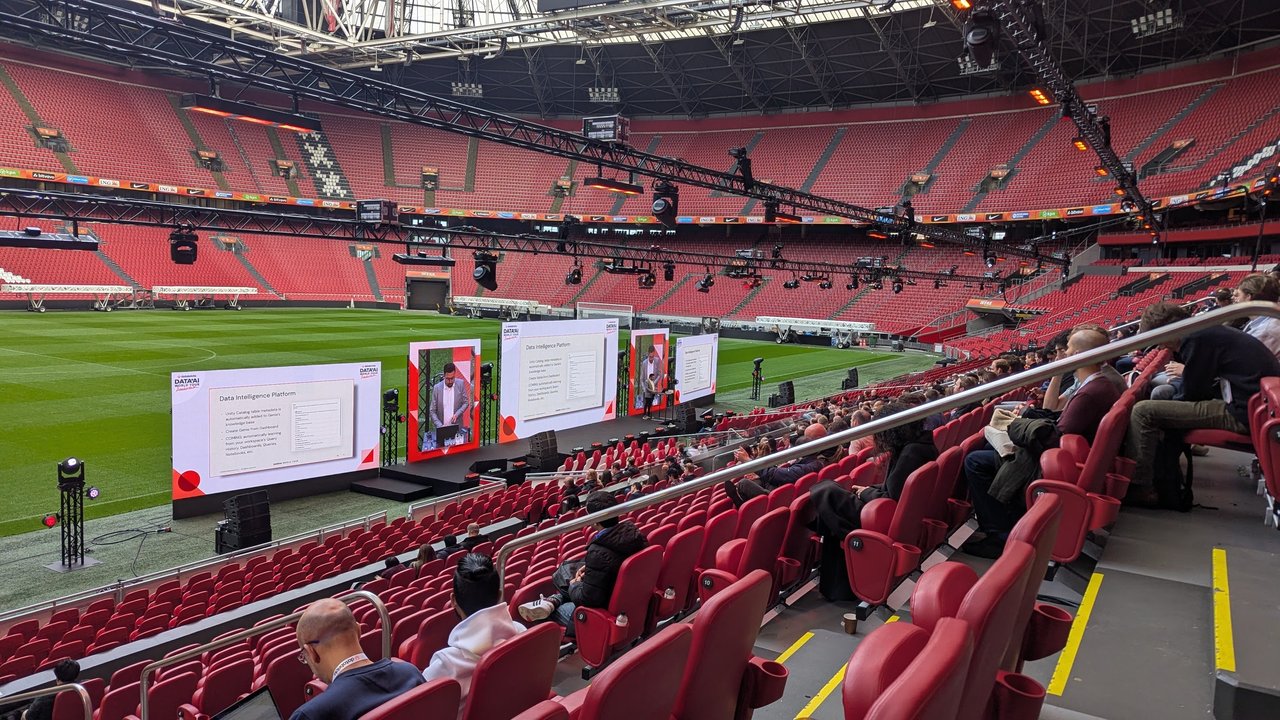
The keynote stage on the pitch, with the audience in the lower tier.
Between sessions I stopped for a photo at the Ajax and Eredivisie sponsor wall.

At the Ajax and Eredivisie sponsor wall.
The training: Get Started with Databricks for Data Engineering
The class ran in Databricks Academy as “DAIWT 2024: Get Started with Databricks for Data Engineering”, Amsterdam session, in English, with a hands-on lab environment. The instructor was Tjerk Kostelijk, a senior technical instructor at Databricks according to his introduction slide. The course learning objectives were:
- describe the available compute options for workloads on the Databricks Data Intelligence Platform;
- navigate the Databricks Workspace UI;
- describe the architecture and benefits of Delta Lake;
- apply various techniques for ingesting data into Delta Lake;
- the Medallion Architecture;
- describe how Workflows provide unified orchestration in Databricks.
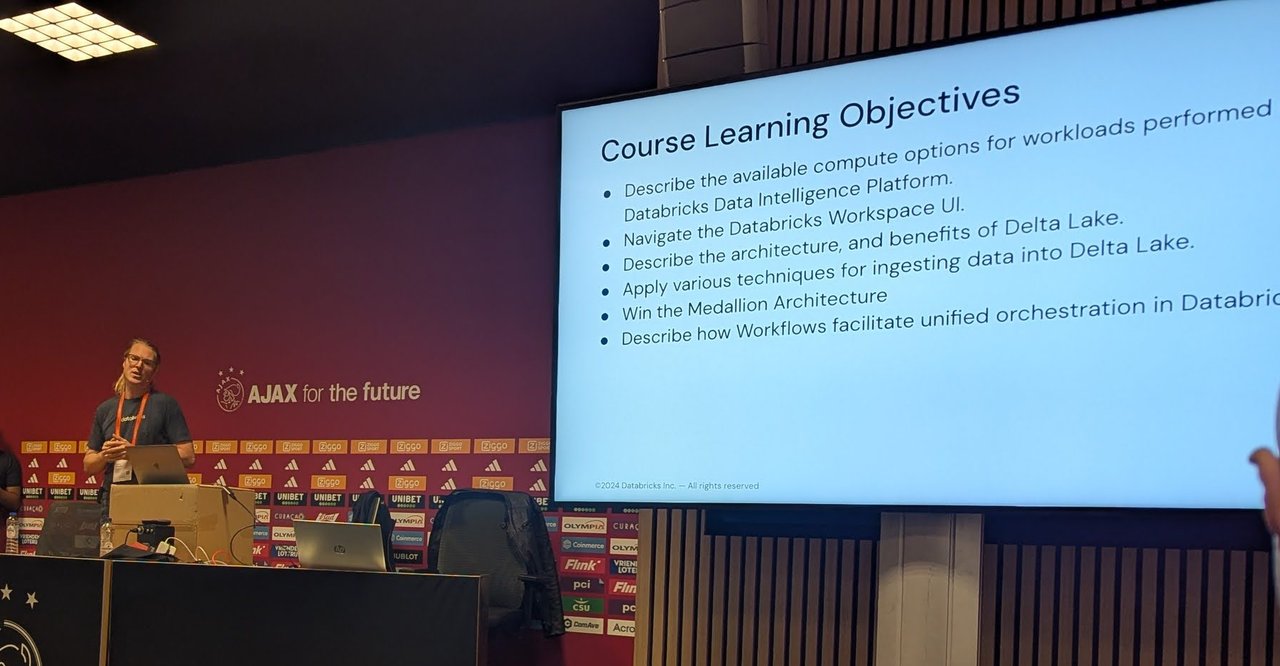
The course objectives for the afternoon.
The platform and its two planes
The overview started with the Data Intelligence Platform slide, which grouped AI/BI Dashboards and Genie, Mosaic AI, Databricks SQL and Delta Live Tables on top of a shared base. The infrastructure slide split the platform into a control plane and a data plane. Storage and governance sat on cloud data storage with Unity Catalog and Delta Sharing, and Partner Connect linked out to tools such as Fivetran and Rivery. The slide’s message was “Built on an open foundation”.
Compute: runtimes, SQL warehouses and serverless
The compute slide described two runtime families. The Standard runtime is Apache Spark plus many other components and updates for optimised big data analytics. The Machine Learning runtime adds popular libraries such as TensorFlow, Keras, PyTorch and XGBoost. Under Specialized Compute were SQL warehouses, designed for SQL BI workloads with built-in optimisation for price/performance and enhanced with Databricks Photon. A sample configuration on a later slide used Databricks Runtime 14.3 LTS (Scala 2.12, Spark 3.5.0) on a multi-node cluster.
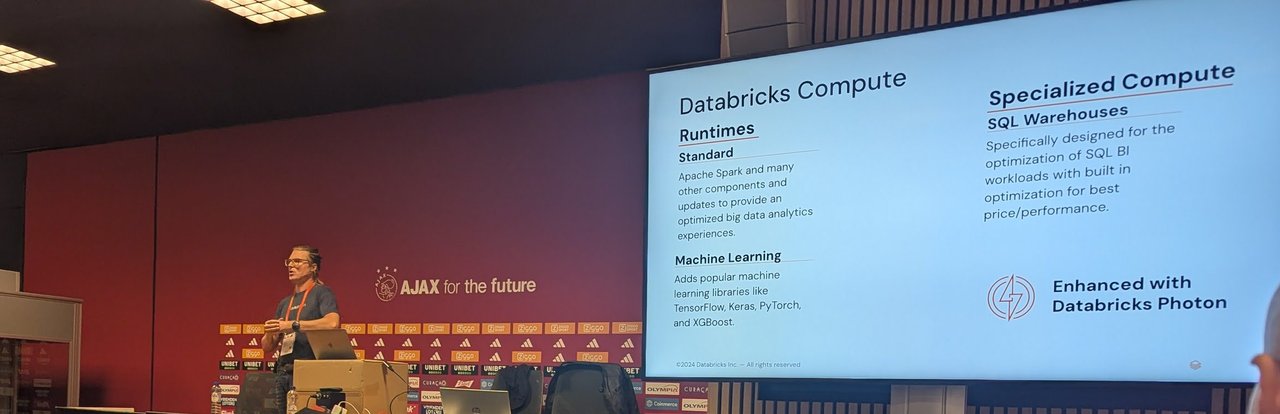
Runtimes on the left, SQL warehouses on the right.
The benefits of serverless slide made the case in three columns:
- Higher user productivity: queries start immediately without waiting for cluster start-up, and more concurrent users are handled by instant scaling.
- Zero management: no configuration, performance tuning or capacity management, and automatic upgrades and patching.
- Lower cost: pay for what you use, no idle clusters or over-provisioning, and idle capacity is removed 10 minutes after the last query.
The current serverless compute docs describe the same model: Databricks allocates and manages the compute, rather than you provisioning it in your own cloud account.
Orchestration and ETL
The Orchestration and ETL slide drew a line I found useful. Databricks Workflows is control flow: it orchestrates anything in the platform, including DLT pipelines. Delta Live Tables is data flow: automated data pipelines for Delta Lake. You use DLT to declare how data moves between tables, and Workflows to decide when that pipeline runs and what runs before and after it.
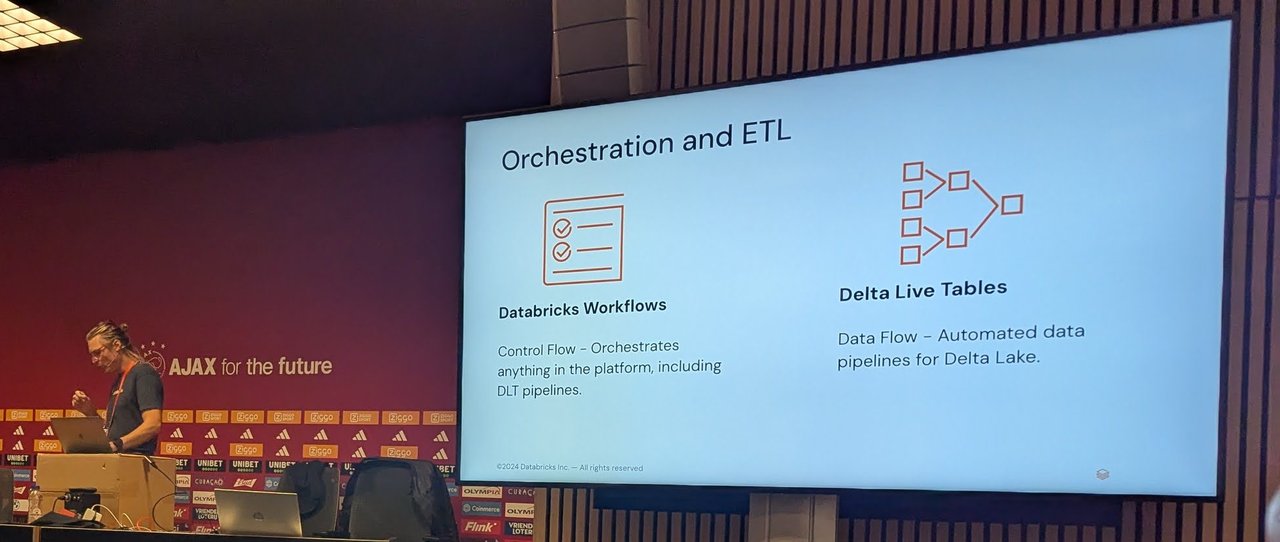
Workflows for control flow, Delta Live Tables for data flow.
The names have changed since the training. The Databricks docs now call these Lakeflow Jobs and Lakeflow pipelines, but the split between control flow and data flow is the same.
Unity Catalog
The governance section had three Unity Catalog slides. The first compared workspaces before and after Unity Catalog. The second put the metastore at the top, with external storage access, catalogs, query federation and Delta Sharing beneath it. The third showed the object hierarchy, from catalog to schema to tables, views, volumes, functions and models, ending in the three-level name you query with:
SELECT * FROM catalog1.schema1.table1;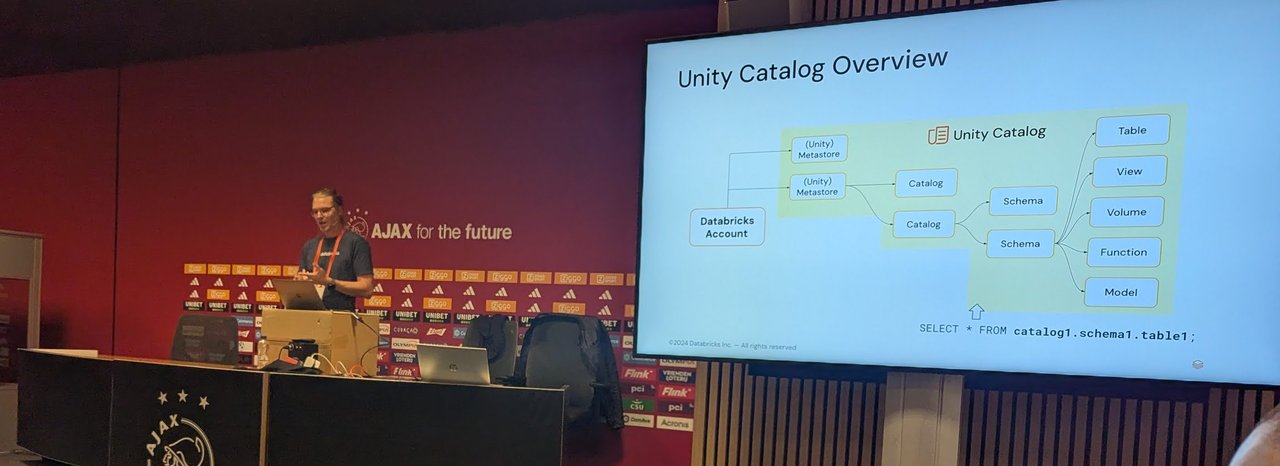
The Unity Catalog hierarchy and its three-level namespace.
The Unity Catalog documentation describes the same catalog.schema.object namespace, with every level a securable object you can grant permissions on.
My take: I came at this from the platform side, and Unity Catalog was the part that mattered most to me. A single metastore per region with grants at catalog, schema and table level is what lets one platform team serve many data teams without copying data or duplicating permission systems. It’s the same pattern as a Kubernetes cluster with namespaces and RBAC: one control point, many tenants.
The expo
I also walked the partner expo, with stands including Fivetran and Dataiku, and stopped by the Databricks swag store.
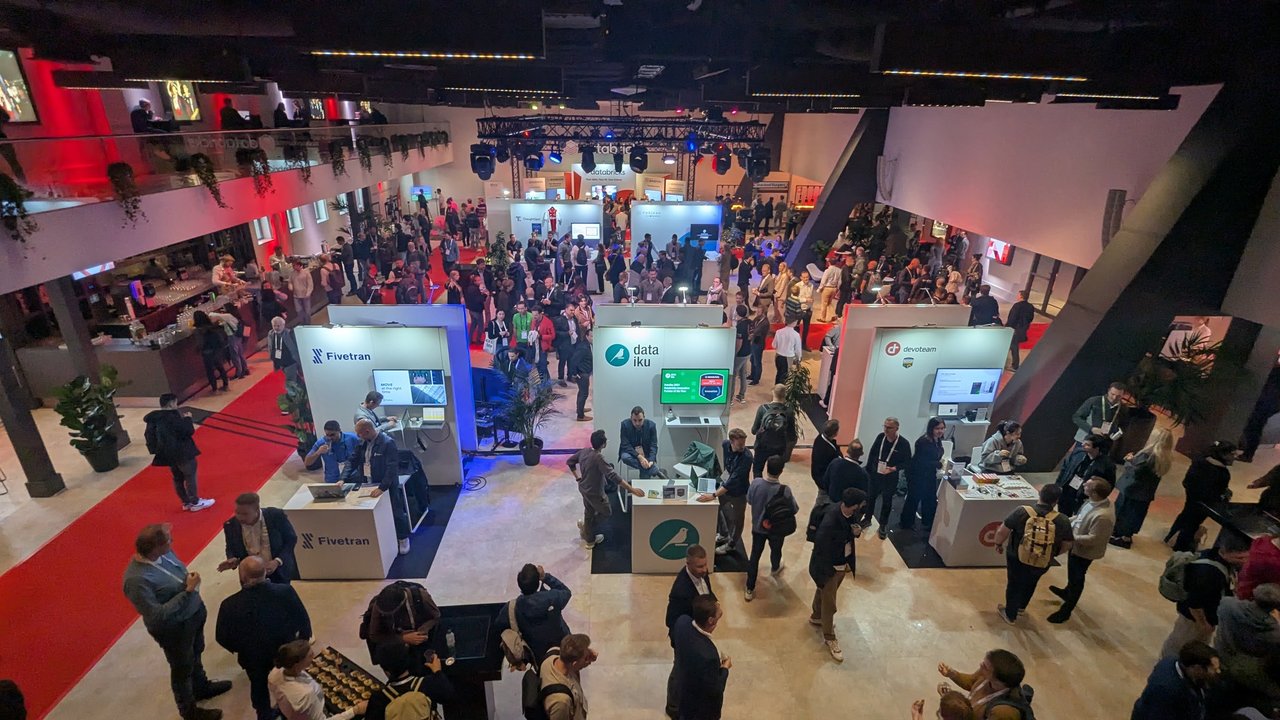
The partner expo from the upper level.