YOLO mode is the community nickname for running Claude Code without interactive permission prompts. Traditionally that meant launching Claude Code with --dangerously-skip-permissions. The more permanent version is setting permissions.defaultMode to bypassPermissions in ~/.claude/settings.json.
That global setting makes new Claude Code sessions auto-accept tool calls without prompting. File edits, shell commands, deletes, force pushes, dependency installs, and other actions can proceed without the normal approval loop.
That sounds risky, and it can be. But in the right environment it is one of the fastest ways to move from idea to working code.
If you want the full workflow around Claude Code, prompts, permissions, MCP, hooks, and production habits, I cover it in my Claude Code Masterclass on Udemy.
What YOLO Mode Actually Does
Normally, Claude Code pauses before each action that touches your filesystem or runs a shell command. It asks for your approval. This is the right default — it keeps a human in the loop and catches mistakes before they land.
YOLO mode removes that loop entirely. Claude reads files, writes files, and executes commands in one uninterrupted flow. You see the results when it is done.
The tradeoff is simple: speed versus control. A task that requires fifty confirmations takes two minutes of clicking in normal mode. In YOLO mode it takes ten seconds.
How to Enable It
Global Settings
To enable YOLO mode globally for new Claude Code sessions, edit ~/.claude/settings.json and set permissions.defaultMode to bypassPermissions:
{
  "permissions": {
    "defaultMode": "bypassPermissions"
  }
}
If your settings file already contains other keys, add the permissions object without deleting the rest of your configuration. Validate the JSON before restarting Claude Code:
python -m json.tool ~/.claude/settings.json >/dev/nullRestart any running Claude Code sessions after changing the file. The setting applies globally to new sessions. You may also see a one-time confirmation dialog the first time bypass mode activates.
To revert, remove the line or change the value back to the normal permission mode you were using before:
{
  "permissions": {
    "defaultMode": "default"
  }
}
One-Off Terminal Session
Add the flag when launching Claude Code:
claude --dangerously-skip-permissionsFor non-interactive use or piped workflows:
claude --print "refactor the auth module to use async/await" --dangerously-skip-permissionsUse this when you want bypass mode for one session but do not want to change your global settings.
VS Code
If you run Claude Code inside VS Code, you can make this permanent without typing the flag every time:
- Open VS Code Settings (
Cmd+,on Mac,Ctrl+,on Windows/Linux) - Search for
permission - Check “Allow Dangerously Skip Permissions”
- Set the dropdown below it to
bypassPermissions
This persists across sessions. Useful if you spend most of your day inside a sandboxed dev container.
The Three Modes, Compared
Claude Code ships with three operating modes. Understanding where YOLO fits helps you pick the right one.
| Mode | Confirmations | Best For |
|---|---|---|
| Normal | All actions | Production work, unfamiliar codebases, exploratory tasks |
| Plan | None (read-only) | Reviewing a strategy before committing to changes |
| YOLO / bypassPermissions | None (read + write + commands) | High-trust environments, repetitive tasks, CI pipelines |
Plan mode is underused. If you want speed without the risk, Plan mode lets Claude map out every change it intends to make — you review the plan, then approve execution. You get the audit without the interruptions.
YOLO mode is for when you have already built that trust and want to skip even the plan review.
Safety Before You Enable It
The flag name says it: this is dangerous if you are not prepared. The global setting is even more serious because you can forget it is enabled. Three things make it safer to use.
1. A Clean Git Repository
Before every YOLO session, your repo should be committed and clean:
git status # should show nothing to commitIf Claude makes an unintended change, recovery is one command:
git reset --hard HEADThis is the minimum. Without it, you have no rollback and mistakes are permanent.
2. A Branch With a Narrow Scope
Do not run global bypass mode directly on main unless you are in a disposable repo.
git switch -c claude/yolo-refactorKeep the task narrow: one refactor, one migration, one cleanup, one test pass. A broad prompt plus global permissions is where surprises become expensive.
3. A Container or Sandbox
For anything beyond your personal dev machine, run Claude Code inside a Docker container. Mistakes stay inside the container. Your host system is untouched.
docker run --rm -it -v $(pwd):/workspace my-dev-image \
  claude --dangerously-skip-permissions
This is the pattern I use for automated agentic workflows where Claude runs in CI without human oversight.
What Can Go Wrong
Global bypassPermissions means Claude Code can approve actions you would normally inspect first. The obvious risks are deleted files and bad edits. The less obvious risks are often worse:
- A command updates lockfiles or dependencies across the repo
- A script rewrites generated files you did not intend to touch
- A cleanup removes local-only configuration
- A Git command stages unrelated changes
- A deployment or push command runs before you are ready
That does not mean you should never use YOLO mode. It means the environment needs to be designed so a bad action is recoverable.
When It Makes Sense
Use YOLO mode when:
- You are in a throw-away environment (container, sandbox, disposable VM)
- Your repo is clean and you can roll back in seconds
- The task is repetitive and well-understood (refactoring, formatting, bulk renaming)
- You are running Claude in a CI pipeline or automation script
- You have tests or linters that can catch bad edits quickly
Keep normal mode when:
- You are working on a production codebase with uncommitted changes
- The task is exploratory and you are not sure what Claude will do
- You are working with secrets, credentials, or sensitive configuration
- You are new to Claude Code and still building mental models of its behavior
- You are connected to production infrastructure or deployment credentials
Hooks as a Middle Ground
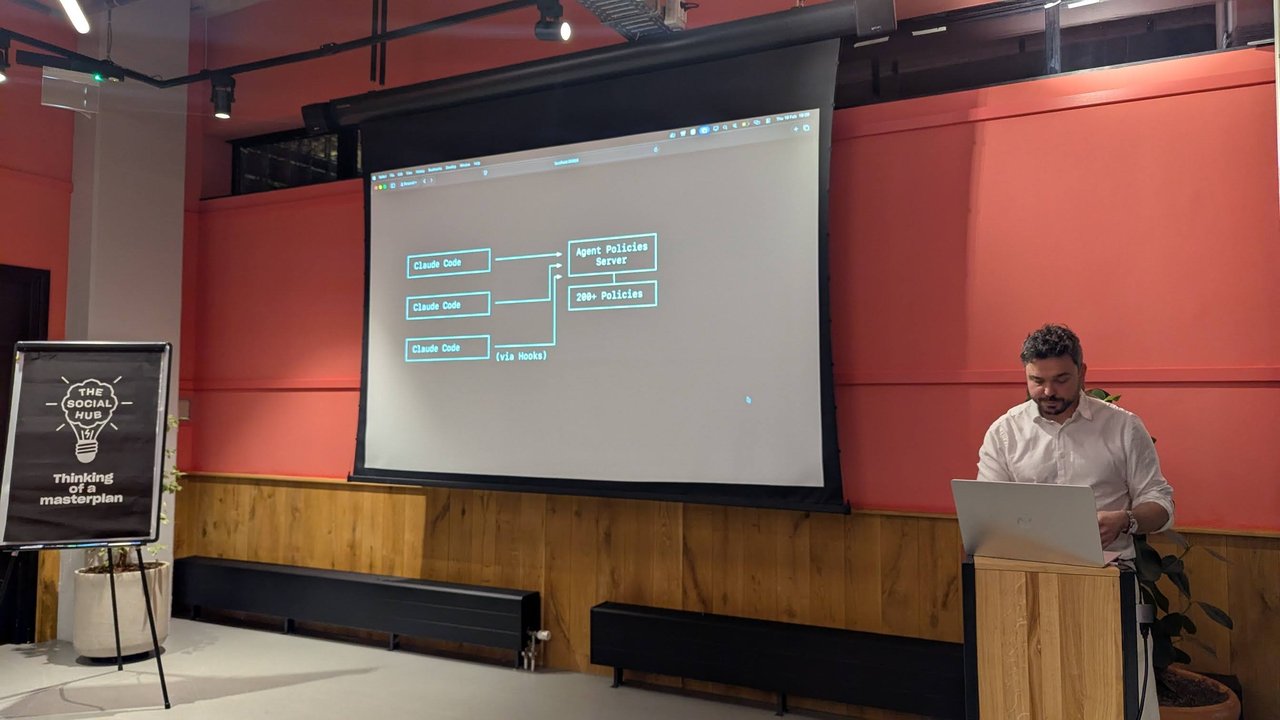
If you want speed without going fully unsupervised, Hooks give you selective control. You can auto-approve read operations and low-risk edits while still requiring confirmation for destructive commands like rm, git push, or database migrations.
This is closer to how production agentic AI systems are designed — not a binary choice between full control and no control, but a policy layer that enforces the rules that matter.
The Bigger Picture
YOLO mode is not a shortcut for lazy engineers. It is a tool for engineers who have already done the work to make their environment safe. Version control, sandboxing, and a clear task scope — get those right and removing confirmation prompts just removes friction from a process you have already validated.
The real skill is knowing when to hand the wheel over. Start with normal mode, build confidence in how Claude behaves on your codebase, then selectively unlock autonomy where it earns it.
For a complete Claude Code workflow, including prompting, CLAUDE.md, Git discipline, MCP, hooks, and production readiness, take my Claude Code Masterclass: AI-Powered Development.