Claude Code out of the box is a capable coding assistant. But out of the box isn’t where you stay if you’re shipping production code daily. The real power comes from the mod ecosystem — plugins, hooks, workflow modes, and integrations that turn Claude Code into a personalized development machine.
After months of using Claude Code across enterprise projects, consulting engagements, and my own open-source work, I’ve distilled the mods that genuinely move the needle. These aren’t nice-to-haves — they’re the difference between a toy and a tool.
1. Ralph Loop: Self-Correcting Iterations
The single biggest productivity unlock I’ve found. Ralph Loop is an Anthropic-developed plugin that introduces iterative execution to Claude Code.
How It Works
Instead of treating a task as a single request-response cycle, Ralph Loop makes Claude revisit the same objective repeatedly until it reaches a predefined completion signal:
- You provide a task and define success criteria
- Claude executes the task
- Ralph Loop hooks intercept the exit path
- Claude reviews its own output, identifies issues, and tries again
- Loop continues until success or max iterations reached
Under the hood, it uses Claude Code hooks to feed the task back into the workflow — creating a continuous improvement loop with full context retention from the session, project files, and git history.
Best Use Cases
- Bug fixes — define “tests pass” as the completion signal
- Test coverage — “achieve 80% coverage on module X”
- Refactoring — “reduce cyclomatic complexity below 10”
- Feature implementation — “all acceptance criteria met”
Why It Matters
Without Ralph Loop, you’re the quality gate. You read output, spot issues, re-prompt, read again. With it, Claude does its own review cycles. I estimate this saves me 30-45 minutes per complex task — time I now spend on architecture decisions rather than proofreading generated code.
2. Ultracode Workflow Mode
Ultracode changes how Claude approaches complex tasks. Instead of executing a linear sequence, it activates automatic workflow orchestration:
Normal Mode:         Ultracode Mode:
Request → Execute    Request → Plan → Research → Implement
                              → Validate → Check → Respond
What Happens Internally
Claude autonomously decides it needs to:
- Understand the codebase structure
- Investigate relevant files and dependencies
- Implement the changes
- Validate results against requirements
- Check for regressions or side effects
- Present final output with confidence
The Trade-Off
- More tokens — Ultracode uses significantly more compute
- Slower responses — planning and validation take time
- Better results — fewer iterations needed from you
For straightforward tasks (rename a variable, add a log statement), Ultracode is overkill. For anything involving multiple files, architectural decisions, or unclear requirements — it’s worth every token.
3. Commit Commands Plugin
Git hygiene is non-negotiable in production teams. The Commit Commands plugin eliminates the repetitive ceremony:
Commands
| Command | What It Does |
|---|---|
/commit | Analyzes changes, matches repo’s commit style, generates message, stages files, commits |
/commit-push-pr | Creates branch + commit + push + opens PR via GitHub CLI |
/clean_gone | Removes local branches deleted from remote |
Why I Use It
The /commit command doesn’t just write “fix bug” — it:
- Reviews recent commit history to match your team’s style
- Follows conventional commit format
- Excludes
.env, credentials, and other secrets automatically - Stages only relevant files (not everything in the working tree)
For solo work, /commit-push-pr is incredible. One command: branch, commit, push, PR. Done.
4. Context7: Live Documentation Access
This is the mod I recommend installing first. Claude’s training data has a cutoff. Frameworks ship breaking changes monthly. The gap between “what Claude knows” and “what the docs say today” creates subtle, frustrating bugs.
The Problem
You: "Create a Next.js 15 Server Component with data fetching"
Claude: *generates code using Next.js 13 patterns*
You: "That's deprecated..."
The Solution
Context7 gives Claude access to current, version-specific documentation from source. It works as either:
- CLI — generates skills that teach Claude how to retrieve docs during development
- MCP server — allows Claude to query documentation sources directly
Tools Included
resolve-library-id— finds the correct documentation source for a libraryquery-docs— retrieves relevant documentation on demand
Where It Shines
Fast-moving frameworks and platforms benefit the most:
- Next.js (App Router vs Pages Router confusion)
- Supabase (auth API changes frequently)
- Cloudflare Workers (new APIs every month)
- Kubernetes (deprecation cycles)
I wrote a detailed guide on Context7 if you want to go deeper.
5. CLAUDE.md: Your Project’s AI Constitution
Not a plugin — a convention. The CLAUDE.md file at your project root tells Claude Code how to behave in your specific codebase:
# CLAUDE.md

## Architecture
- Monorepo with pnpm workspaces
- Backend: Fastify + TypeScript
- Frontend: Next.js 15 App Router
- Database: PostgreSQL via Drizzle ORM

## Conventions
- Use functional components only
- Error handling via Result<T, E> pattern (no throw)
- Tests colocated in __tests__/ directories
- Commits follow conventional commits (feat/fix/chore)

## Forbidden
- Never use `any` type
- Never import from barrel files in production code
- Never use default exports

## Testing
- Run `pnpm test` before committing
- Minimum 80% coverage on new code
- Use vitest, not jest
Andrej Karpathy shared his 4 CLAUDE.md rules that cut Claude mistakes from 41% to 11%. The key insight: explicit constraints prevent implicit assumptions.
Combining Mods for Maximum Impact
These mods compound. My typical workflow:
- CLAUDE.md defines project rules (always active)
- Context7 ensures Claude uses current docs
- Ultracode plans complex implementations
- Ralph Loop iterates until tests pass
- Commit Commands ships clean commits with proper messages
The result: I describe what I want in natural language, and Claude handles the research → implementation → validation → commit cycle with minimal intervention.
Learn Claude Code In-Depth
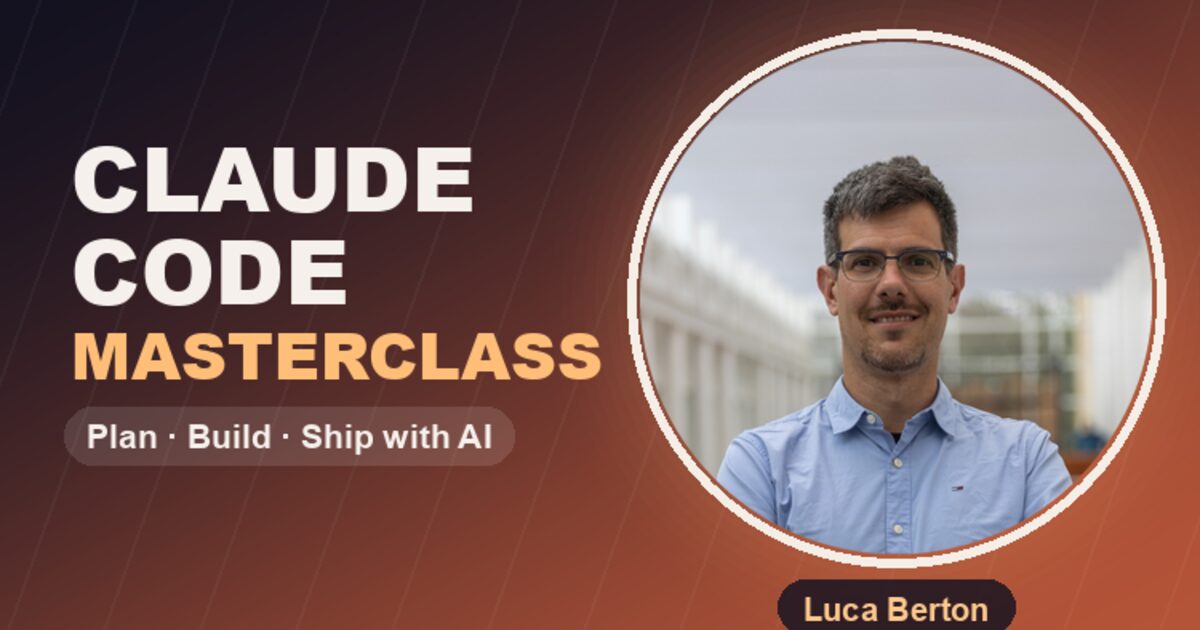
If you want to master Claude Code from scratch — including all these mods, hooks, MCP servers, and production workflows — I’ve created comprehensive resources:
🎓 Claude Code Masterclass (Free on Udemy)
A self-paced video course covering everything from installation to advanced autonomous workflows:
13 lectures, 1h 37m of hands-on content including:
- Setting up Claude Code with optimal configuration
- CLAUDE.md best practices
- MCP server integration
- Hooks and plugins (including Ralph Loop)
- Multi-file autonomous coding patterns
📘 Claude Code Companion Book (Leanpub)
For those who prefer reading, the companion ebook goes deeper into architecture, enterprise patterns, and team workflows:
Both resources are designed to take you from “installed Claude Code” to “shipping production features autonomously” in the shortest path possible.
The Bigger Picture
Claude Code’s mod ecosystem reflects a broader shift: AI coding tools are becoming platforms, not products. The tool itself matters less than the customizations you layer on top. The developers who invest time in their Claude Code setup today are the ones shipping 3-5x faster than those using it vanilla.
The mod ecosystem is still early. Anthropic designed Claude Code to be modular — plugins, hooks, skills, MCP servers — and the community is building rapidly. If you haven’t explored beyond the defaults, you’re leaving significant productivity on the table.