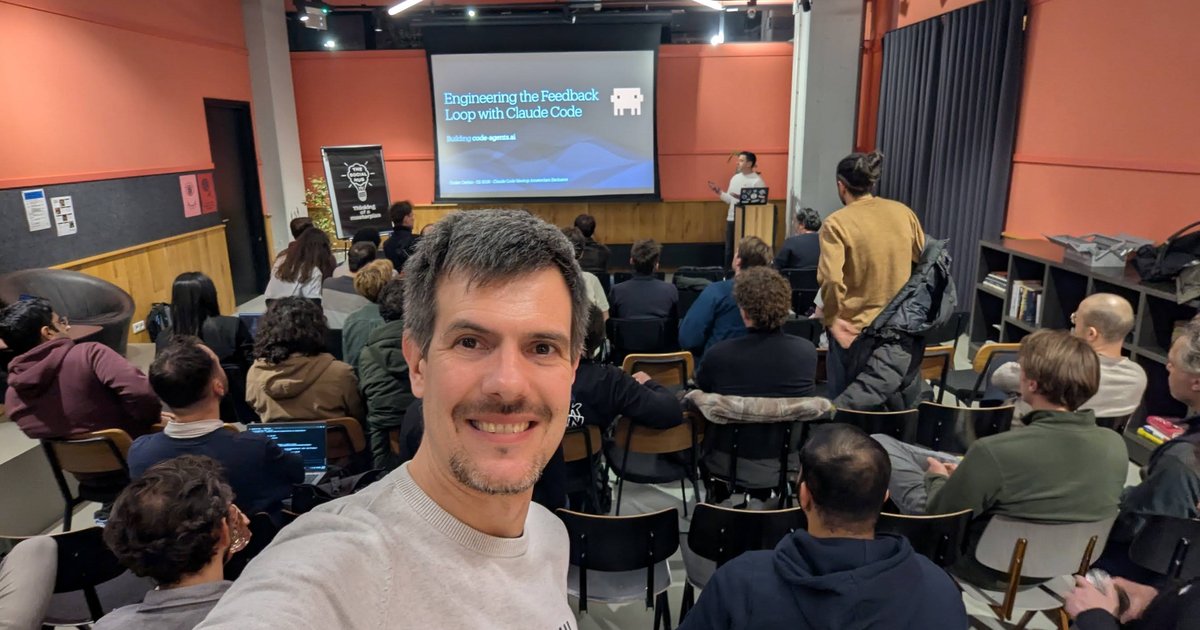
On Thursday 19 February 2026 I went to the Claude Code Meetup Amsterdam at The Social Hub City. It was the second edition of the meetup, in person only, hosted by Claude Code ambassadors Rogier Muller and Vincent Bruijn and supported by Anthropic. The agenda had a welcome and community update, lightning talks, a Q&A with someone from the Anthropic team, and networking.
I write and teach about Claude Code, so I paid close attention to the slides: three practitioners showing how they use it, much of it as live demos in a terminal. Here’s what was on the screen.
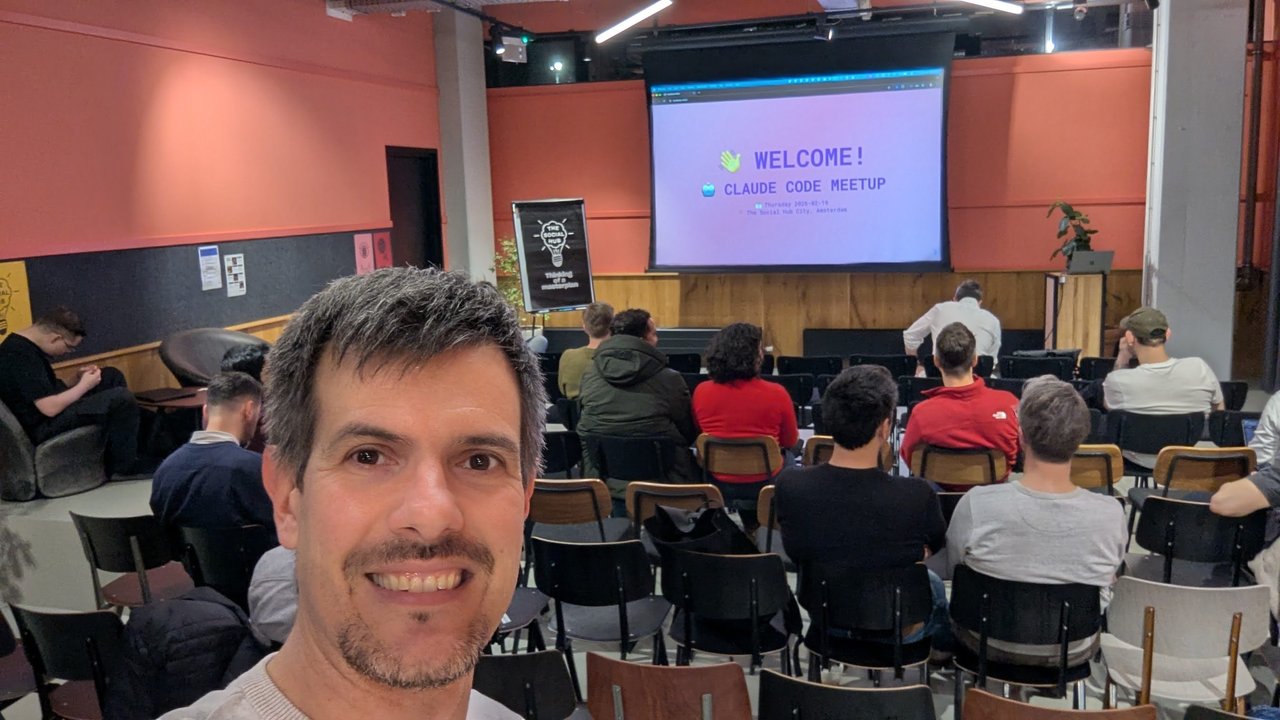
The opening slide: “Welcome! Claude Code Meetup”, Thursday 2026-02-19, The Social Hub City, Amsterdam.
Welcome and a look at the community
The opening “About us” slide introduced Rogier Muller: Claude & Cursor Ambassador, CTO of BlueMonks Group, founder of delta0, and co-builder of superwhisper.
Next came two bar charts of community responses. The first showed how often respondents use Claude Code:
- Daily: 59 (53%)
- Regular (multiple times a week): 30 (27%)
- Occasional: 9 (8%)
- New but highly interested: 14 (12%)
So four out of five respondents use it at least several times a week. The second chart counted topics, and the order is a useful snapshot of what this group cared about in early 2026.
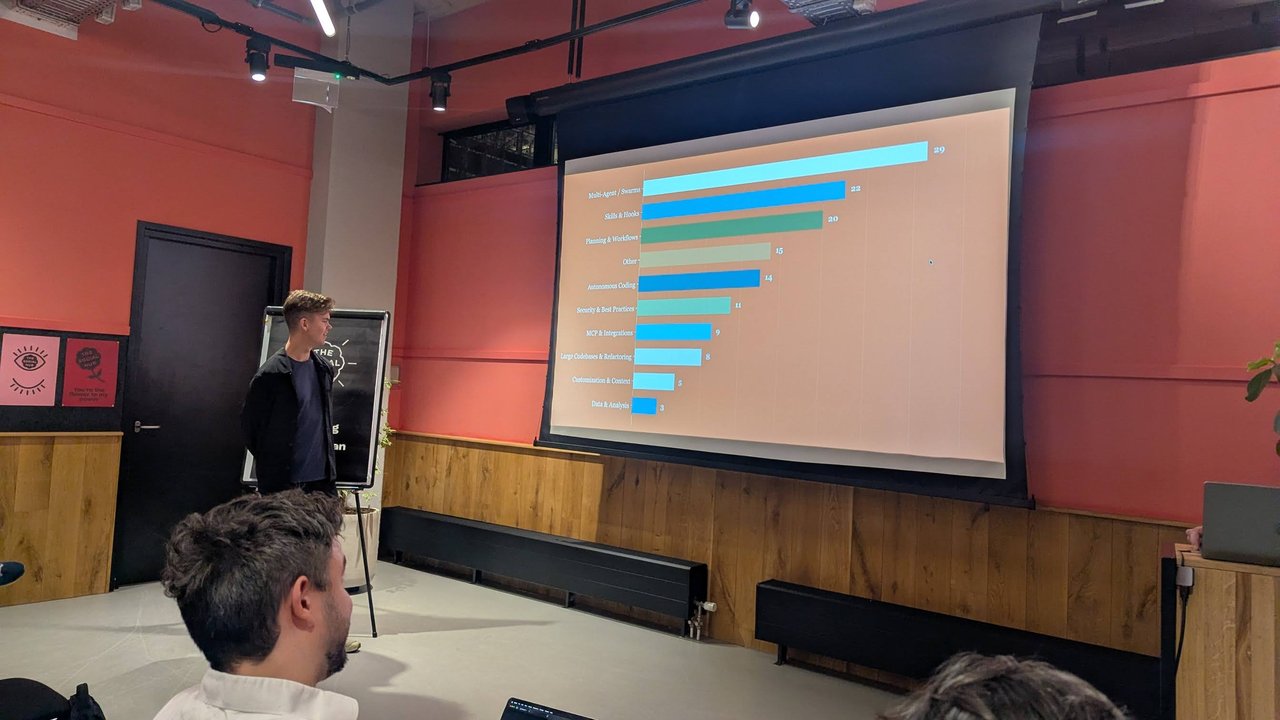
Multi-agent work topped the topic chart, ahead of skills, hooks and planning.
| Topic | Count |
|---|---|
| Multi-Agent / Swarms | 29 |
| Skills & Hooks | 22 |
| Planning & Workflows | 20 |
| Other | 15 |
| Autonomous Coding | 14 |
| Security & Best Practices | 11 |
| MCP & Integrations | 9 |
| Large Codebases & Refactoring | 8 |
| Customization & Context | 5 |
| Data & Analysis | 3 |
My take: that ranking makes sense. People want agents working in parallel, and skills and hooks are how they make those agents predictable. As it turned out, every talk that evening was about one or both.
Talk 1: 200+ agent policies, enforced through hooks
The first speaker showed how to put guardrails around many Claude Code sessions at once. The diagram had three Claude Code instances, each sending its tool calls “via Hooks” to a central Agent Policies Server that holds 200+ policies.
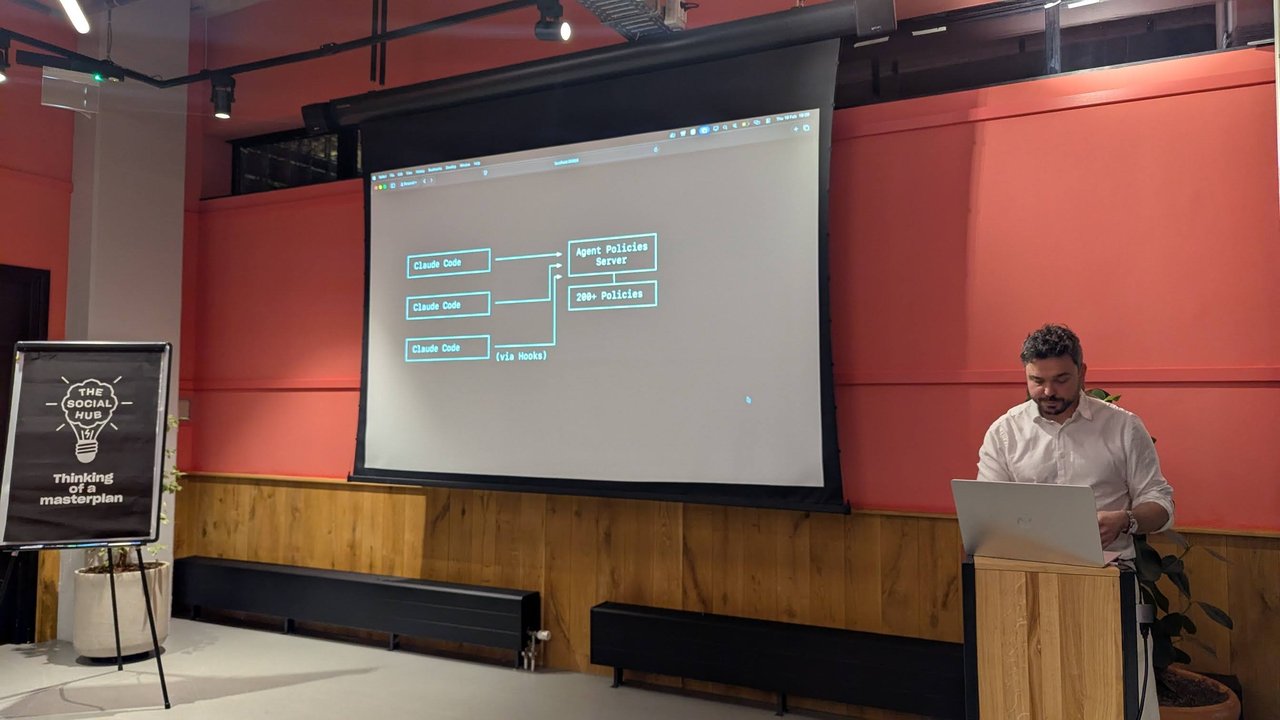
One policy server, many Claude Code sessions, with hooks as the integration point.
The policies on the slides looked like Rego, the Open Policy Agent language. Each rule matches on the parsed command and returns a decision. Three examples stood out:
- No
rm, ever. Ifinput.parsed.executable == "rm", the action isdenywith the reason “The rm command is not allowed. Always use trash instead.” - No brand-new Python packages. A
uv addwith only safe flags is denied wheninput.pypi_metadata.age_days < 365, with the reason “Package ‘%v’ is only %v days old (first released %v).” My reading: a cheap first line of defence against freshly published or typosquatted packages. - Tests before commits. This one is stateful. Editing a file ending in
.pysets a flagran_teststofalse. Runningpytestsets it back totrue. Agit commitwhileran_testsisn’ttrueis denied with “Please run tests before committing.”
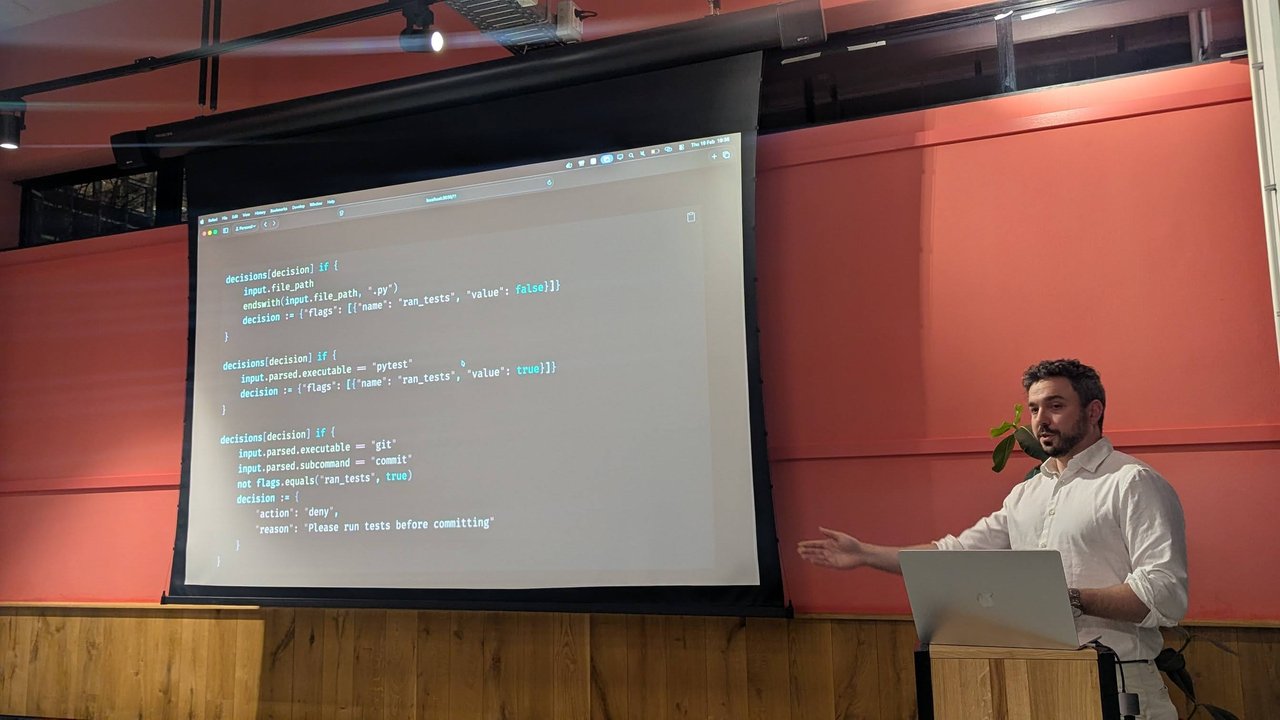
Flags carry state between tool calls, so the policy knows whether tests ran since the last edit.
Then came a live demo in Claude Code v2.1.33 (Sonnet 4.5), with a prompt asking Claude to remove a script. The rm call came back as PreToolUse:Bash hook returned blocking error with the “use trash instead” message. Claude switched to trash with an absolute path, and a second policy blocked that too: “trash: only workspace-relative paths are allowed (no absolute paths, no ../, no /tmp)”. The third attempt, trash with a relative path, worked and the file went to the macOS Trash. There was no new prompt between the three attempts: the agent read each denial reason and changed course.
My take: this is the right shape for teams. CLAUDE.md instructions are advice. A PreToolUse hook that returns a deny with a clear reason is enforcement, and the agent learns from the reason. Putting the rules on a central server means you update one policy set instead of every developer’s settings.json. I go deeper on hook events and exit codes in my complete guide to Claude Code hooks, MCP and the SDK.
Talk 2: Using Claude Code for e-commerce management
The second talk, “Using Claude Code for e-commerce management”, came from a developer at Ask Phill (“I am a developer. I love computers and the web. I work at Ask Phill.”). The whole deck was an Excalidraw file, presentation.excalidraw.svg, open in the editor next to the project, with Claude Code v2.1.47 on Opus 4.6 running in ~/projects/ecommerce-skills.
The idea is to run store operations through Claude Code, with one skill per platform. The repo had .claude/skills/commerce-cloud, .claude/skills/shopify and .claude/skills/sanity, each with a SKILL.md, an .env.example and a local .env for credentials, plus settings.json, a scripts/ folder, a tmp/ folder, CLAUDE.md and a SKILLS.md.
Two demos showed it answering catalogue questions:
- “Which subcategories fall under Jackets in SFCC?” Claude loaded the
commerce-cloudskill, ran the skill’s query script with Bun (bun --env-file=.claude/skills/commerce-cloud/.env ... query.js --path='categories/root?levels=3'), and answered that the Jackets category, shown as “Jackets & Blazers” under Men, has 13 subcategories, as a table of IDs and names. - “I have a product metafield
details.main_category; for each distinct value we should have a collection. Is this the case?” Claude split the work across two Task agents: “Get distinct metafield values” (7 tool uses, 23.9k tokens) and “Get all Shopify collections” (5 tool uses, 23.3k tokens). It then compared the 30 metafield values against the store’s 181 collections and listed which ones matched.
The part I found most reusable was the “Custom scripts” section of the project’s CLAUDE.md:
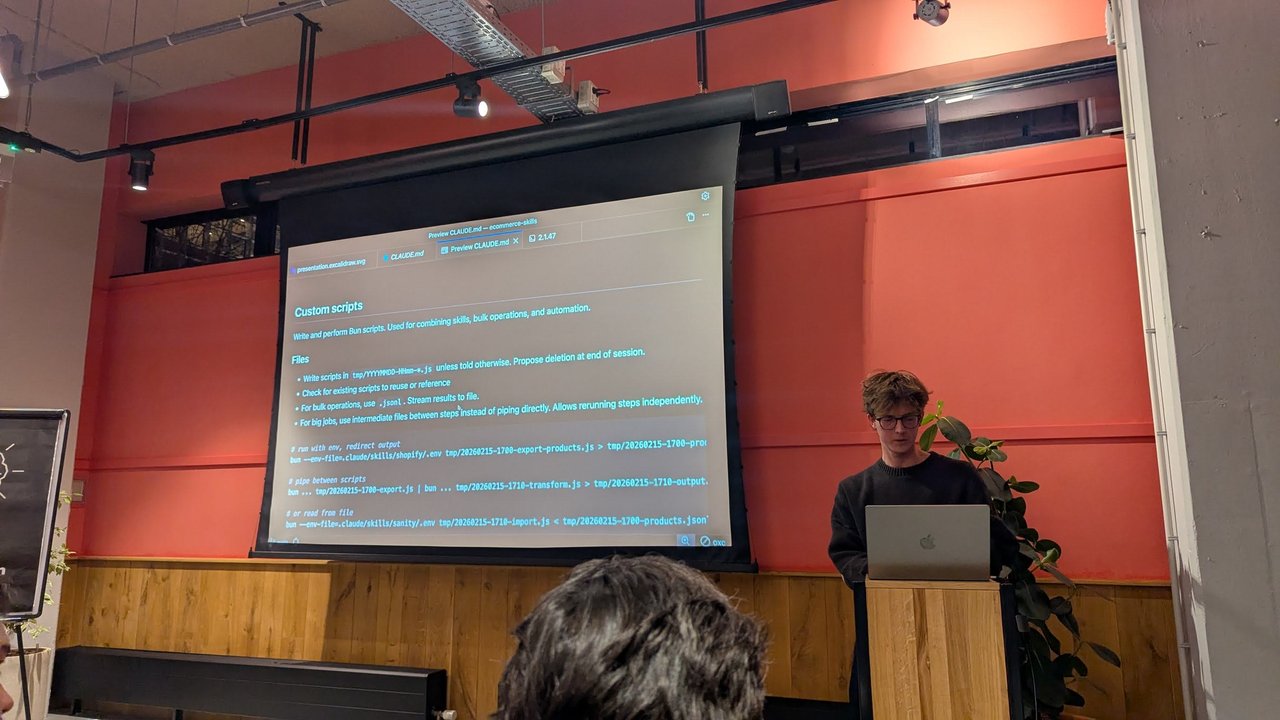
Rules that keep an agent’s throwaway scripts tidy and rerunnable.
- “Write and perform Bun scripts. Used for combining skills, bulk operations, and automation.”
- Write scripts in
tmp/YYYYMMDD-HHmm-*.jsunless told otherwise, and propose deletion at the end of the session. - Check for existing scripts to reuse or reference.
- For bulk operations, use
.jsonland stream results to a file. - For big jobs, use intermediate files between steps instead of piping directly. That allows rerunning steps independently.
The examples underneath chained skills through files: export Shopify products to a timestamped .jsonl using the Shopify skill’s env file, transform it, then import into Sanity using the Sanity skill’s env file. One slide described the talk as “maybe too engineery for managers, maybe too managery for engineers” (and “perfect for me”). It closed with a QR code to the public ecommerce-skills repository on GitHub.
My take: keeping credentials in each skill’s own .env and making the agent write dated scripts to tmp/ is a small discipline that pays off. You get an audit trail of what the agent ran, and a failed bulk job can restart from the last intermediate file.
Talk 3: Engineering the Feedback Loop with Claude Code
The third talk was “Engineering the Feedback Loop with Claude Code”, subtitled “Building code-agents.ai”. I only photographed the title and closing slides, so I won’t guess at the middle. The closing slide summed up the goal with a terminal sketch:
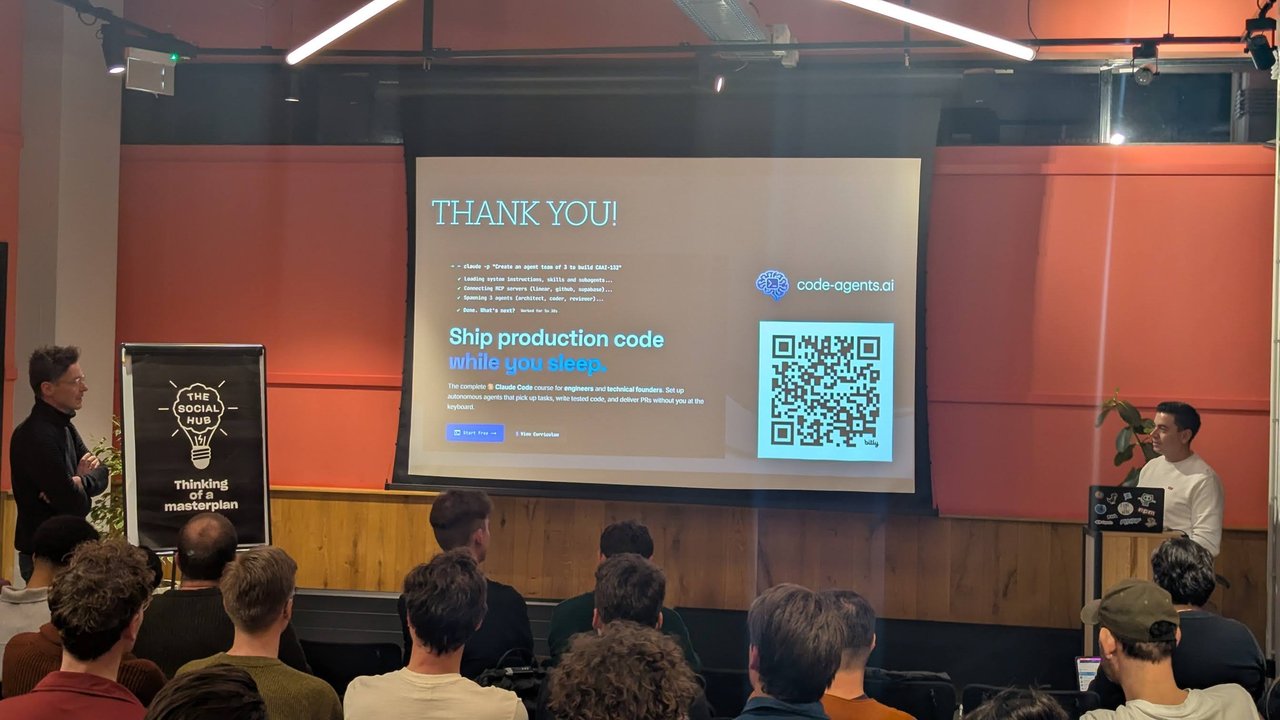
An agent team of three, wired to Linear, GitHub and Supabase over MCP.
claude -p "Create an agent team of 3 to build CAAI-132"
✓ Loading system instructions, skills and subagents...
✓ Connecting MCP servers (linear, github, supabase)...
✓ Spawning 3 agents (architect, coder, reviewer)...
✓ Done. What's next?
The tagline was “Ship production code while you sleep”, describing code-agents.ai as a Claude Code course for engineers and technical founders: “Set up autonomous agents that pick up tasks, write tested code, and deliver PRs without you at the keyboard.”
The architect, coder and reviewer split is a pattern I like. It brings the second talk’s sub-agents together with the first talk’s guardrails: if agents work while nobody watches, hooks and tests are the feedback loop.
What was said on stage
My recording fills in the middle. According to the speaker, the starting point was a Chrome extension with four contexts (content scripts, a background service worker, a sidebar and more), each in its own isolated JavaScript runtime. That confused Claude Code: it couldn’t tell where code would run or how to read its output. His fixes:
- Context-tagged logs. Every log line records its context and the file and line that emitted it, collected into a file Claude reads.
- MCP was a detour. He forked Chrome DevTools MCP for extensions, but polling logs through it was token-heavy.
- A TDD-debugger subagent. It writes a test for the issue, adds debug statements and fixes the code. After each Puppeteer run, Claude gets logs grouped per test suite and context, screenshots of each extension surface and the accessibility tree. In the Q&A he said grouping mattered: with all logs mixed together, Claude couldn’t see the relations.
- Containers. Extensions can’t run headless, so tests kept taking over his screen. A Docker image with Linux display drivers, plus a
CLAUDE.mdinstruction, fixed that. Agents now run in parallel, and the same pipeline checks PRs in CI, including ones started from the Claude mobile app.
He cited Claude Code creator Boris Cherny’s advice to give Claude a way to verify its work. Cherny puts the gain at 2–3x quality, and the speaker said he had seen closer to 10x. His takeaway: prompting alone won’t make a non-deterministic system deterministic, so build the feedback loop around it.
Claude Code turns one
The last segment was a celebration. The slide read “Claude Code 1 year old!” above a fresh Claude Code v2.1.47 session on Sonnet 4.6 that greeted “Welcome Vincent! Happy coding with Claude.”
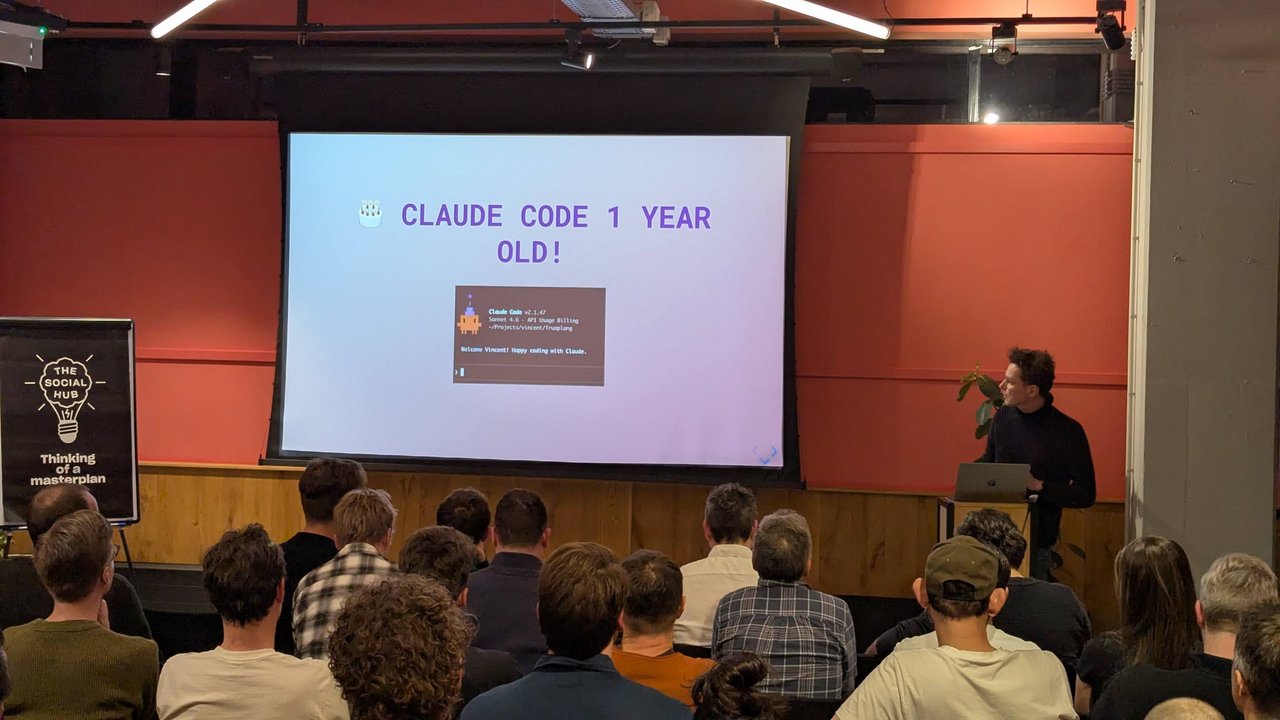
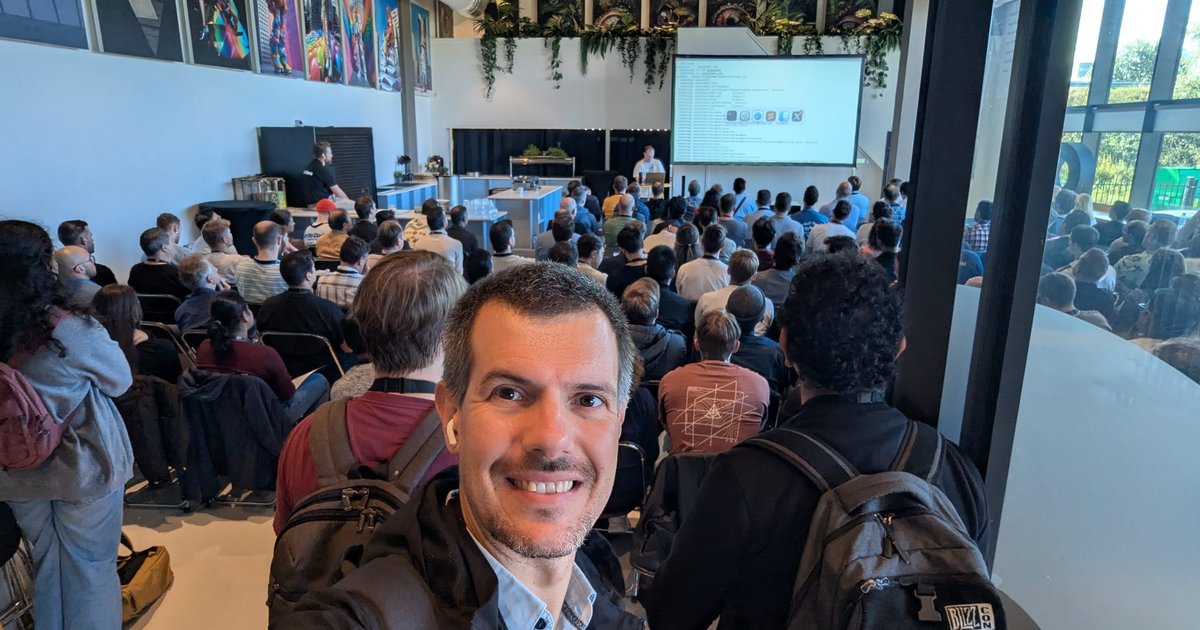
A full room for Claude Code’s first birthday.
It continued with a project called “Trumplang”, shown as a page of code, and a slide titled “Claude Code grew up!” over a side-by-side red and green diff view. Across the evening’s screens I counted two Claude Code versions (v2.1.33 and v2.1.47), three models (Sonnet 4.5, Opus 4.6 and Sonnet 4.6) and three billing setups: Claude Max, Claude Team and API usage billing.
Fireside chat with the Claude Code team
Next the hosts sat down with a member of the Claude Code team at Anthropic, who said they were there mainly for user research. The advice, as I recorded it:
- Plan mode is the biggest lever. The guest had heard that only about 3% of people who start using Claude Code know about it. Their own routine: plan with Opus 4.6, implement with Sonnet 4.6 (announced two days earlier, they noted), then review.
- Don’t lower the effort level to save tokens. In their experience, low effort on Opus can use more tokens through extra back and forth.
- Let Claude interview you. In plan mode they ask it to “ask me questions that I haven’t thought of yet” before accepting a plan.
- Always give it something to verify against: screenshots for UI work, a spec, or for a refactor, tests that pass before you start, then a worktree.
- Keep
CLAUDE.mdlean. An oversized file was their top way to make Claude Code worse. They delete it, check what breaks and add back only that. - Review in proportion. They described a team rule of thumb: never spend more time reviewing than Claude spent coding. Risky files get a closer look, and a solid test suite matters most.
They recommended the Learning output style for hands-on practice and asked for feedback because, in their words, “we’re kind of in a bubble”. My recording of the last audience question, on safety mechanisms at scale, ends a few seconds into the answer.
Keep building
The closing slide was an open call: “Keep building! Let’s keep sharing our learnings. Let us know whether you want to give a talk next meetup.”
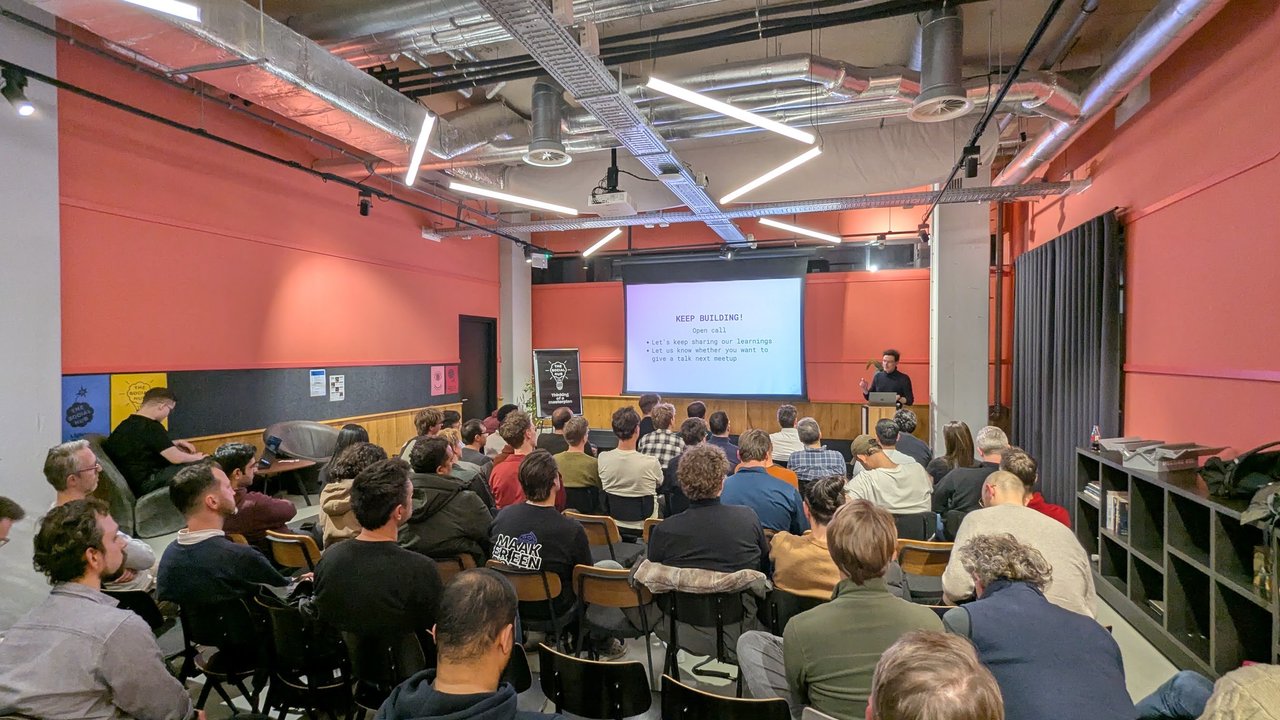
The open call for speakers at the next edition.
What I took home: the community has moved past “can it write code?” and is now working on control. That means policy servers behind hooks, per-skill credentials, CLAUDE.md rules for scripts, and agent teams with a reviewer built in. Thank you to Rogier, Vincent, the speakers and Anthropic for a packed evening.
If you want to build these patterns yourself, my Claude Code Masterclass covers MCP and hooks as guardrails, and the Claude Code Bootcamp is a hands-on day with downloadable skill files.