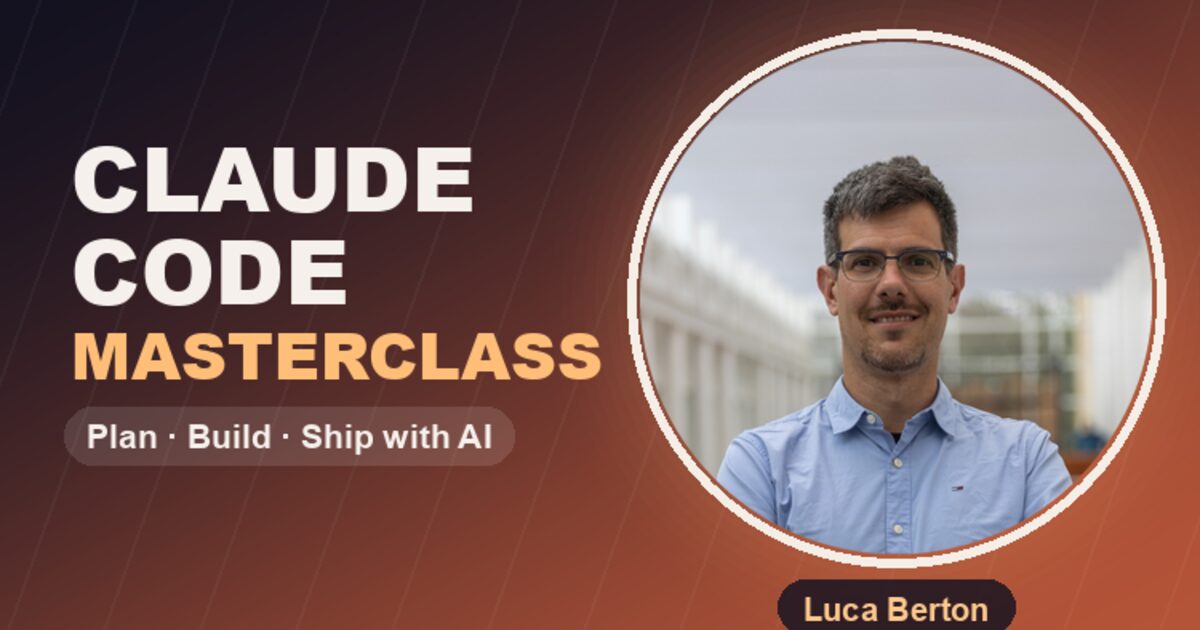
🎓 Enroll Now — Free for Limited Time🔥 Limited-time offer: This course is currently available completely free on Udemy. Enroll now before it goes paid.
The Problem Every Developer Has
You installed Claude Code. You typed a prompt. You got… something. Maybe it worked. Maybe it was garbage. You had no idea why.
That is not a tool problem. It is a workflow problem.
Most developers use AI coding tools like a slot machine — pull the lever, hope for the best. I built this course to give you the system that makes every pull a winner.
What Makes This Different
This is not a “watch me type prompts” tutorial. It is a production workflow distilled into 59 minutes:
- 🎯 One mindset — Treat Claude Code like a sharp junior engineer you direct and review
- 🔄 One loop — Plan → Implement → Test → Review → Commit
- 🏗️ One project — You build a real app module by module, not toy examples
After 8 published technical books, 1,300+ articles, and months of shipping production code with Claude Code daily — this is the workflow I wish someone had given me on day one.
The Full Curriculum
🚀 Section 1: Introduction
3 min — Meet your instructor and understand why the “sharp junior engineer” mindset changes everything.
🧠 Section 2: Foundations — Setup, Prompting and Brain Files
Setup and AI-First Mindset (9 min)
Install and configure Claude Code on macOS, Linux, or Windows (WSL2). Learn to pick the right model for the job:
| Model | Use Case |
|---|---|
| Sonnet | Daily implementation work |
| Opus | Architecture and design decisions |
| Haiku | Bulk operations, file processing |
Then internalize the loop: Plan → Implement → Test → Review → Commit.
Prompting Like a Tech Lead (7 min)
A great prompt is a spec. Learn the GCOE framework:
G — Goal: What you want (one sentence)
C — Constraints: What it must NOT do
O — Output format: Exactly how it should look
E — Examples: One golden example
Every constraint you add deletes one wrong guess Claude could make. We build a command-line task manager from a single well-structured prompt — turning plausible-but-fragile output into code you can actually merge.
CLAUDE.md Brain Files (7 min)
Stop re-explaining your stack every single prompt.
Author a CLAUDE.md — a behavior file, not documentation — with five sections that earn their place:
- Stack — What you are building with
- Conventions — How you name things, format code
- Commands — How to run, test, deploy
- Do-not — Hard rules (never touch X, always use Y)
- Glossary — Domain terms Claude gets wrong
Have Claude draft it from your real repo. Trim it with the “trim test” — if removing a line does not change Claude’s output, delete it. Prove in a fresh chat that Claude silently obeys your rules without being asked.
⚡ Section 3: Create Code That Works
Best-of-N Selection (9 min)
The first answer is rarely the best. Stop shipping it.
The technique:
- Generate 2–3 independent candidates (new conversations)
- Score them on a rubric: correctness is the gate, simplicity and fit break ties
- Ship the winner with evidence — not a gut feeling
We build a Notes API two ways and let the rubric, not our mood, pick the winner. You will never blindly accept the first output again.
Testing and Debugging (8 min)
Untested AI code is a guess.
Generate a real pytest suite that runs in-process against a temp database, covering:
- ✅ Happy paths
- ❌ Error paths (the ones Claude skips)
- 🔲 Boundaries (empty inputs, huge payloads, Unicode)
Then learn the “stranger’s PR” self-review prompt that flips Claude from cheerleader to critic: plant a bug, and watch it name the file, line, and fix in a bug_report.md.
Git Workflows (6 min)
Never let Claude push to main.
The safe AI git flow:
git checkout -b feature/x— branch first, always- Split work into atomic Conventional Commits
- Generate a PR description from the actual diff — never from your prompt
- You review. You merge. Claude proposes, you decide.
🖼️ Section 4: Multimodal (7 min)
Claude reads images, not just text. Feed it:
- A screenshot of a broken UI → get the CSS fix
- A design mockup → get the implementation
- An architecture diagram → get the infrastructure code
Learn when a picture is worth a thousand tokens — and how to pair an image with a precise prompt for pixel-perfect results.
By the Numbers
| ⏱️ Duration | 59 minutes |
| 📚 Sections | 4 |
| 🎬 Lectures | 8 |
| 💰 Price | Free (limited time) |
| 🏆 Level | Beginner to Intermediate |
| 🛠️ Prerequisite | Basic terminal + any programming language |
Who Should Take This
✅ Developers who want to ship 10x faster without sacrificing code quality
✅ Tech leads evaluating AI coding tools for their team
✅ Anyone who tried Claude Code and got inconsistent results
✅ Engineers who want a repeatable system, not prompt tricks
What is Coming Next
The free course covers the complete foundation. The advanced modules are already in production:
| Module | Topic |
|---|---|
| Refactor and Docs | Safe restructuring with test guardrails |
| Skills and Workflows | Package multi-step prompts into reusable slash commands |
| MCP and GitHub | Connect Claude to external tools via Model Context Protocol |
| Hooks | Wire shell commands to lifecycle events for automated guardrails |
| Production Readiness | The checklist before AI-assisted code ships |
These form the paid follow-on track for teams that want the full pipeline.
Enroll Now — Free for Limited Time
This will not stay free forever. I am offering it at no cost during launch to build the community and collect feedback for the advanced modules.
🎓 Enroll Now — Free for Limited TimeAbout Your Instructor
I am Luca Berton — AI and Cloud Advisor, Docker Captain, author of 8 technical books, and builder of enterprise AI platforms. I use Claude Code every single day to ship production infrastructure, write content, and maintain open-source projects.
This course is the system I built for myself. Now it is yours.