Beyond Code
When most developers think of Claude Code, they picture an AI pair programmer that writes and reviews code. That’s the starting point — not the ceiling. Thanks to the Agent Skills standard (agentskills.io), a single SKILL.md file can teach Claude Code — or any compatible agent — to do work that has nothing to do with code.
This article covers six community-built extension skills that turn Claude Code into a video producer, a competitive intelligence analyst, an autonomous researcher, a voice clone, a voice AI agent, and a content research partner. Each one works today — no waiting for Anthropic to ship it.
1. Remotion Superpowers: Video Production Inside Your Coding Agent
Repo: DojoCodingLabs/remotion-superpowers (MIT)
Remotion is a Node.js library that lets you write video editing code in React. Remotion Superpowers is a Claude Code plugin that gives Claude the ability to see, hear, speak, source, caption, transition, and review video content — all wired into Remotion’s pipeline.
It bundles 12 capability layers:
| Capability | Tool | What It Enables |
|---|---|---|
| Music Generation | Suno (via KIE) | Background music from text descriptions |
| Voiceovers | ElevenLabs TTS (via KIE) | Natural narration from scripts |
| Sound Effects | ElevenLabs SFX (via KIE) | Audio textures from descriptions |
| Video Analysis | TwelveLabs | “See” existing footage — find scenes, detect objects |
| Stock Footage | Pexels | Free HD/4K stock video and photos |
| Image Generation | KIE + Replicate | FLUX, Imagen 4, Nano Banana Pro |
| Video Generation | KIE + Replicate | Veo 3.1, Wan, Kling clips |
| Captions | Whisper + @remotion/captions | TikTok-style word-by-word subtitles |
| Transitions | @remotion/transitions | Professional scene cuts |
| Video Review | TwelveLabs | AI watches renders and gives feedback |
| Short-Form | Built-in presets | TikTok, Reels, YouTube Shorts optimized |
| 3D Content | @remotion/three | Three.js scenes and product showcases |
Install:
/plugin marketplace add DojoCodingLabs/remotion-superpowers
/plugin install remotion-superpowers@remotion-superpowers
Run /setup to configure API keys, then ask:
Using /hyperframes, create a 20-second product demo video for a record store.Hyperframes — HeyGen’s HTML-to-video plugin — was covered in the previous article on Claude Code skills and plugins. Superpowers is the broader, community-built alternative with more MCP integrations.
2. Competitive Ads Extractor: Spy on Competitor Messaging
Repo: ComposioHQ/awesome-claude-skills
This skill scrapes Facebook Ad Library and LinkedIn ad libraries to extract competitors’ active ads, captures screenshots, and analyzes what messaging, problems, and creative approaches are working. It’s marketing intelligence as a single SKILL.md.
When to use it:
- Researching competitor ad strategies
- Finding inspiration for your own campaigns
- Understanding market positioning
- Discovering successful ad patterns and copy formulas
Usage:
Extract all current ads from Notion on Facebook Ad Library
Scrape ads from [Company] and analyze their messaging
Get all ads from [Competitor] focusing on their messaging about [specific problem]
The skill produces a structured analysis: theme breakdown, pain points highlighted, successful creative patterns (before/after splits, feature showcases, social proof), copy formulas that work, and audience targeting insights. Output includes saved screenshots, a markdown analysis report, and a CSV of ad copy.
Install as a personal skill:
git clone https://github.com/ComposioHQ/awesome-claude-skills/tree/master/competitive-ads-extractor ~/.claude/skills/competitive-ads-extractor3. Deep Research: Autonomous Multi-Step Investigation
Repo: sanjay3290/ai-skills
This skill executes autonomous research tasks using Google Gemini Deep Research Agent. It plans, searches, reads, and synthesizes into comprehensive, cited reports. The trade-off is time: each task takes 2–10 minutes and costs $2–5 (per the author).
Install:
npx skills add sanjay3290/ai-skillsThen invoke directly:
/deep-research Analyze the history of Kubernetes
/deep-research Compare Python web frameworks
Key flags:
--query "..."— the research question--format "..."— structured output template--stream— real-time progress--no-wait— background the task--status <id>/--wait <id>— check completion--continue <id>— follow-up questions
| Metric | Value |
|---|---|
| Time | 2-10 minutes per task |
| Cost | $2-5 per task |
| Token usage | ~250k-900k input, ~60k-80k output |
Best use cases: Market analysis, competitive landscaping, technical literature reviews, due diligence, historical research, comparative analysis.
Note: This uses Google’s Gemini Deep Research API, not Anthropic’s native tools. Claude Code itself also ships a first-party
/deep-researchskill (docs) that uses Claude’s own web search — worth comparing for cost and quality.
4. Voice DNA Builder: Clone Your Writing Voice
Repo: ponomr/voice-dna-builder
While other voice-DNA projects extract a profile from a fixed corpus (like Facebook posts), Voice DNA Builder is a skill generator: it interviews you, collects your real writing samples, runs deterministic frequency analysis, and produces a ready-to-use SKILL.md that writes in your voice.
The 3-minute workflow:
- In Claude Code, write:
/voice-dna-builder(or “clone my voice”, “set up my style”) - Answer an interview (who you are, topics, channels, tone, anti-rules)
- Paste 5–20 real, unedited text samples
- The skill generates
~/.claude/skills/<your-slug>/SKILL.md - Invoke with
/<your-slug>— it writes in your voice
Sample quality matters: The skill recommends 5–20+ pieces of real text — chat replies, tweets, emails. It can even extract your messages from a Telegram Desktop JSON export:
python3 ~/.claude/skills/voice-dna-builder/scripts/extract_telegram.py result.json --from "Your Name" -o /tmp/corpus.txtThe output includes your signature sentence starters and endings, frequent n-grams, emoji rate, average length, and anti-rules (things you never do — e.g., never use hashtags, never all caps).
Requirements: Python 3 standard library only — no external dependencies.
An alternative approach is psyd3x/voice-dna, which extracts a voice profile from your Facebook posts export and produces a Claude-ready profile you paste into a prompt. Voice DNA Builder is more interactive; voice-dna is more automated.
5. ElevenLabs Agent Skills: Voice AI and Audio Generation
Source: ElevenLabs
ElevenLabs publishes six skills optimized for Claude Code and other compatible agents:
| Skill | Purpose | When to Use |
|---|---|---|
setup-api-key | Guides users through setting up an ElevenLabs API key | Configuration, troubleshooting |
agents | Build voice AI agents with real-time conversation | Voice assistants, customer service bots |
speech-to-text | Transcribe audio to text via Scribe v2 | Subtitles, meeting transcripts |
text-to-speech | Convert text to speech in 70+ languages | Voiceovers, audiobooks |
music | Generate instrumental tracks and songs | Background music, jingles |
sound-effects | Generate SFX from text descriptions | Cinematic impacts, UI sounds |
Install:
npx skills add elevenlabs/skillsThe skills are plain markdown documentation optimized for LLM consumption. They load into .claude/skills/, .cursors/skills/, or the equivalent path for your agent — then Claude invokes ElevenLabs APIs via the MCP server or direct API calls.
This is the most structured voice/skill integration yet — ElevenLabs is treating skills as a first-class way to distribute voice capabilities to the AI agent ecosystem.
6. Content Research Writer: The Writing Partner Skill
Repo: ComposioHQ/awesome-claude-skills
This skill acts as your collaborative writing partner: research, outline, draft, and refine content while maintaining your unique voice and style. It’s designed for blog posts, articles, newsletters, thought leadership, case studies, and technical documentation.
The workflow it enforces:
- Collaborative outlining — Structure ideas into coherent outlines with research to-do markers
- Research and citations — Find credible sources, extract key facts/quotes/data, add citations in your preferred format
- Hook improvement — Strengthen openings with bold statements, stories, or surprising data
- Section-by-section feedback — Review each section for clarity, flow, evidence, and style
- Voice preservation — Learn your writing style, suggest rather than replace, match your tone
- Final polish — Full-draft review with a pre-publish checklist
Usage:
Help me create an outline for an article about [topic]
Research [specific topic] and add citations to my outline
Here's my introduction. Help me make the hook more compelling.
I just finished the "Why This Matters" section. Review it and give feedback.
Review the full draft for flow, clarity, and consistency.
The skill provides templates for feedback with specific line edits, suggests alternatives with explanations (“why it works”), and maintains a voice profile that evolves as you write. It recommends a file structure:
~/writing/article-name/
├── outline.md          # Your outline
├── research.md         # All research and citations
├── draft-v1.md         # First draft
├── draft-v2.md         # Revised draft
├── final.md            # Publication-ready
├── feedback.md         # Collected feedback
└── sources/            # Reference materials
The Pattern: Skills as Specialized Agents
All six of these extensions share the same installation DNA — a SKILL.md file or plugin bundle that Claude Code discovers and loads when relevant. The difference from built-in features is that they’re community-authored, domain-specialized, and composable.
You can install all six and invoke them as needed:
# Remotion Superpowers (plugin)
/plugin marketplace add DojoCodingLabs/remotion-superpowers
/plugin install remotion-superpowers@remotion-superpowers

# Deep Research
npx skills add sanjay3290/ai-skills

# Voice DNA Builder
git clone https://github.com/ponomr/voice-dna-builder.git ~/.claude/skills/voice-dna-builder

# ElevenLabs skills
npx skills add elevenlabs/skills

# Competitive Ads Extractor + Content Research Writer (from awesome-claude-skills)
git clone https://github.com/ComposioHQ/awesome-claude-skills.git
cp -r awesome-claude-skills/competitive-ads-extractor ~/.claude/skills/
cp -r awesome-claude-skills/content-research-writer ~/.claude/skills/
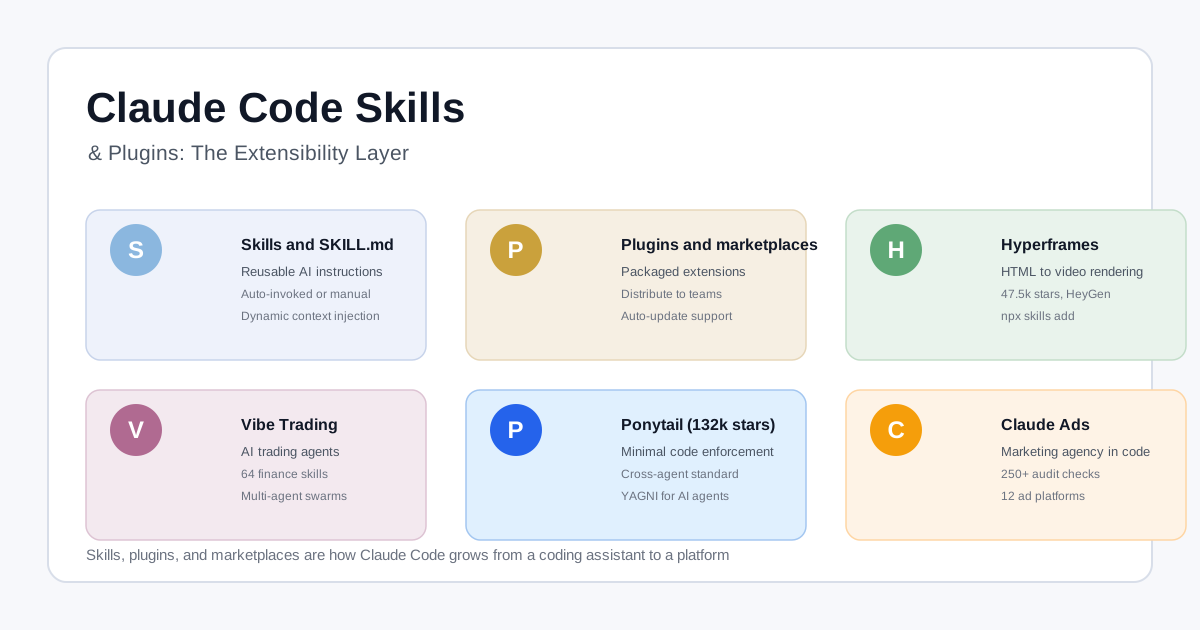
Once installed, they appear as slash commands or auto-invoke based on their description frontmatter — the same mechanism described in Claude Code Skills & Plugins: The Extensibility Layer.
Installing and Managing Extensions
For a complete guide to the three layers — skills (single SKILL.md), plugins (bundled skills + agents + hooks + MCP), and marketplaces (catalogs for team distribution) — see the previous article on Claude Code extensibility.
Key takeaways:
- Personal skills live in
~/.claude/skills/and travel with you - Project skills live in
.claude/skills/and can be committed for team sharing - Plugins bundle multiple skills plus MCP servers and agents
- The Agent Skills standard means a skill written once runs across Claude Code, Codex, OpenCode, and Cursor
Where to Find More
The canonical directory is awesome-claude-skills (1,000+ curated skills). The cross-tool standard lives at agentskills.io. For video production skills specifically, Remotion maintains its own Agent Skills list.
Resources:
- Remotion Superpowers on GitHub
- Awesome Claude Skills directory
- Deep Research skill by sanjay3290
- Voice DNA Builder on GitHub
- ElevenLabs Skills GitHub
- Agent Skills standard
Related Articles: