Why Enterprise Claude Code Matters
Claude Code v2.1.149 is not just a developer toy anymore — it is a full-stack AI coding agent that reads, writes, and executes code. For enterprises, that means you need centralized control over:
- Who can authenticate and which models they use
- What servers (MCP) Claude can connect to
- Which commands are allowed or denied
- How updates roll out across your fleet
This guide covers the three pillars of enterprise Claude Code administration.
Installation at Scale
Recommended: Native Installer
The native installer auto-updates in the background and supports all platforms:
# macOS, Linux, WSL
curl -fsSL https://claude.ai/install.sh | bash

# Windows PowerShell
irm https://claude.ai/install.ps1 | iex

# Windows CMD
curl -fsSL https://claude.ai/install.cmd -o install.cmd && install.cmd && del install.cmd
Linux Package Managers (Fleet Deployments)
For managed infrastructure, use signed repositories:
Debian/Ubuntu (apt):
sudo install -d -m 0755 /etc/apt/keyrings
sudo curl -fsSL https://downloads.claude.ai/keys/claude-code.asc \
  -o /etc/apt/keyrings/claude-code.asc
echo "deb [signed-by=/etc/apt/keyrings/claude-code.asc] https://downloads.claude.ai/claude-code/apt/stable stable main" \
  | sudo tee /etc/apt/sources.list.d/claude-code.list
sudo apt update && sudo apt install claude-code
Fedora/RHEL (dnf):
sudo tee /etc/yum.repos.d/claude-code.repo <<'EOF'
[claude-code]
name=Claude Code
baseurl=https://downloads.claude.ai/claude-code/rpm/stable
enabled=1
gpgcheck=1
gpgkey=https://downloads.claude.ai/keys/claude-code.asc
EOF
sudo dnf install claude-code
Alpine (apk):
wget -O /etc/apk/keys/claude-code.rsa.pub \
  https://downloads.claude.ai/keys/claude-code.rsa.pub
echo "https://downloads.claude.ai/claude-code/apk/stable" >> /etc/apk/repositories
apk add claude-code
Version Pinning and Release Channels
Control update cadence with the autoUpdatesChannel setting:
"latest"— new features immediately (default)"stable"— approximately one week behind, skips regressions
{
  "autoUpdatesChannel": "stable",
  "minimumVersion": "2.1.100"
}
To disable auto-updates entirely (for fleet-managed deployments):
{
  "env": {
    "DISABLE_AUTOUPDATER": "1"
  }
}
Binary Integrity Verification
Every release publishes a GPG-signed manifest.json:
# Import the Anthropic signing key
curl -fsSL https://downloads.claude.ai/keys/claude-code.asc | gpg --import

# Download and verify
VERSION=2.1.149
REPO=https://downloads.claude.ai/claude-code-releases
curl -fsSLO "$REPO/$VERSION/manifest.json"
curl -fsSLO "$REPO/$VERSION/manifest.json.sig"
gpg --verify manifest.json.sig manifest.json
Expected fingerprint: 31DD DE24 DDFA B679 F42D 7BD2 BAA9 29FF 1A7E CACE
Authentication Options
Authentication Precedence
Claude Code evaluates credentials in this order:
- Cloud provider (
CLAUDE_CODE_USE_BEDROCK,_VERTEX,_FOUNDRY) ANTHROPIC_AUTH_TOKEN— Bearer token for LLM gatewaysANTHROPIC_API_KEY— Direct API keyapiKeyHelper— Dynamic credential scriptCLAUDE_CODE_OAUTH_TOKEN— Long-lived OAuth for CI/CD- Subscription OAuth — Interactive
/login(default)
Team Authentication Methods
| Method | Best For | Setup |
|---|---|---|
| Claude for Teams | Small-medium teams | Self-service, centralized billing |
| Claude for Enterprise | Large orgs | SSO, domain capture, RBAC, compliance API |
| Console API | API-based billing | Invite users with Claude Code or Developer role |
| Microsoft Foundry | Azure-native orgs | Environment variables, Entra ID |
| Amazon Bedrock | AWS-native orgs | IAM roles, cross-account access |
| Google Vertex AI | GCP-native orgs | Service accounts, Workload Identity |
CI/CD Authentication
Generate a long-lived OAuth token for pipelines:
claude setup-token
# Follow OAuth flow, copy the token
export CLAUDE_CODE_OAUTH_TOKEN=your-token
This token is scoped to inference only and expires after one year.
Server-Managed Settings
For organizations without MDM infrastructure, server-managed settings deliver configuration from Anthropic’s servers to every authenticated client.
How It Works
- Admin configures settings in Claude.ai → Admin Settings → Claude Code → Managed settings
- Claude Code fetches settings at startup and polls hourly
- Settings apply at the highest precedence tier (cannot be overridden)
Example: Enforce Permission Deny List
{
  "permissions": {
    "deny": [
      "Bash(curl *)",
      "Read(./.env)",
      "Read(./.env.*)",
      "Read(./secrets/**)"
    ],
    "disableBypassPermissionsMode": "disable"
  },
  "allowManagedPermissionRulesOnly": true
}
Example: Organization-Wide Hooks
{
  "hooks": {
    "PostToolUse": [
      {
        "matcher": "Edit|Write",
        "hooks": [
          { "type": "command", "command": "/usr/local/bin/audit-edit.sh" }
        ]
      }
    ]
  }
}
Fail-Closed Startup
For high-security environments where an unenforced window is unacceptable:
{
  "forceRemoteSettingsRefresh": true
}
The CLI blocks at startup until settings are fetched. If the fetch fails, Claude Code exits rather than proceeding without policy.
MCP Server Control
MCP (Model Context Protocol) servers extend Claude Code with external tools. In enterprise settings, you need to control which servers are allowed.
Control Patterns
| Pattern | What It Does | When to Use |
|---|---|---|
| Disable MCP | No servers load | Maximum lockdown |
| Fixed deployment | Everyone gets the same servers | Standardized tooling |
| Approved catalog | Allowlist, users choose from it | Curated flexibility |
| Denylist only | Block known-bad, allow everything else | Light governance |
Disable MCP Entirely
Deploy managed-mcp.json with an empty map:
{
  "mcpServers": {}
}
File locations:
- macOS:
/Library/Application Support/ClaudeCode/managed-mcp.json - Linux/WSL:
/etc/claude-code/managed-mcp.json - Windows:
C:\Program Files\ClaudeCode\managed-mcp.json
Deploy a Fixed Server Set
{
  "mcpServers": {
    "github": {
      "type": "http",
      "url": "https://api.githubcopilot.com/mcp/"
    },
    "sentry": {
      "type": "http",
      "url": "https://mcp.sentry.dev/mcp"
    },
    "company-internal": {
      "type": "stdio",
      "command": "/usr/local/bin/company-mcp-server",
      "args": ["--config", "/etc/company/mcp-config.json"],
      "env": {
        "COMPANY_API_URL": "https://internal.example.com"
      }
    }
  }
}
Security: Never store API keys in
managed-mcp.json— use${VAR}expansion or OAuth per-user authentication.
Allowlist and Denylist
For policy-based control without exclusive file deployment:
{
  "allowManagedMcpServersOnly": true,
  "allowedMcpServers": [
    { "serverUrl": "https://api.githubcopilot.com/*" },
    { "serverUrl": "https://*.internal.example.com/*" },
    { "serverCommand": ["npx", "-y", "@modelcontextprotocol/server-filesystem", "."] }
  ],
  "deniedMcpServers": [
    { "serverCommand": ["npx", "-y", "unapproved-package"] },
    { "serverUrl": "https://*.untrusted.example.com/*" }
  ]
}
Matching rules:
- Commands match exactly (every argument, in order)
- URLs support
*wildcards anywhere - Denylists always win — nothing overrides a denylist match
- Setting
allowManagedMcpServersOnly: trueprevents users from broadening the allowlist
Security Considerations
What Server-Managed Settings Cannot Prevent
On unmanaged devices, users with admin access can:
- Modify the Claude Code binary
- Edit cached settings files
- Use third-party providers to bypass server-managed settings
For stronger enforcement, use endpoint-managed settings via MDM (Jamf, Intune, Group Policy).
Credential Management
| Platform | Storage |
|---|---|
| macOS | Encrypted macOS Keychain |
| Linux | ~/.claude/.credentials.json (mode 0600) |
| Windows | %USERPROFILE%\.claude\.credentials.json |
Monitoring
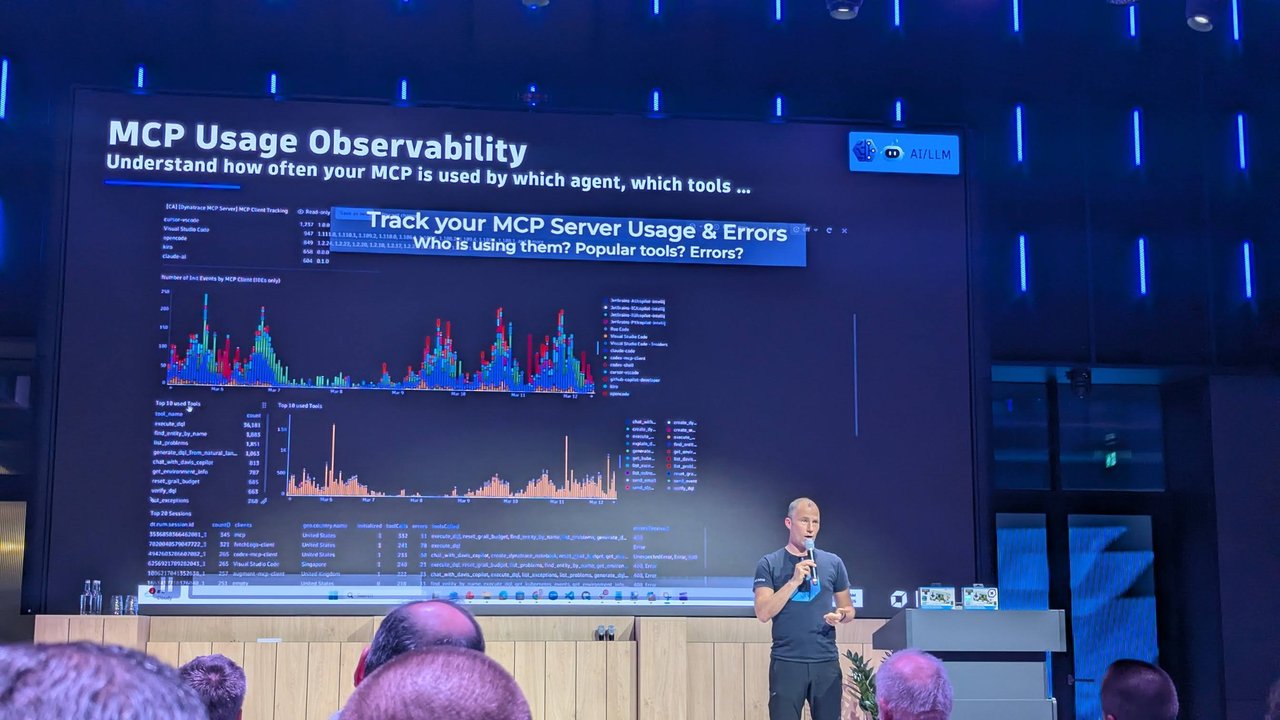
Enable OpenTelemetry export with OTEL_LOG_TOOL_DETAILS=1 to track:
- Which MCP servers users connect to
- Which tools are invoked
- Session duration and model usage
Quick Reference: Deployment Checklist
- Choose installation method — native installer for individuals, package managers for fleets
- Set release channel —
stablefor production teams - Configure authentication — Teams/Enterprise for most, Foundry/Bedrock for cloud-native
- Deploy MCP restrictions — allowlist approved servers, denylist known-bad
- Enable server-managed settings — permission denials, hooks, fail-closed startup
- Verify with
claude doctor— confirms installation, auth, and config health - Monitor with OTEL — track adoption and compliance