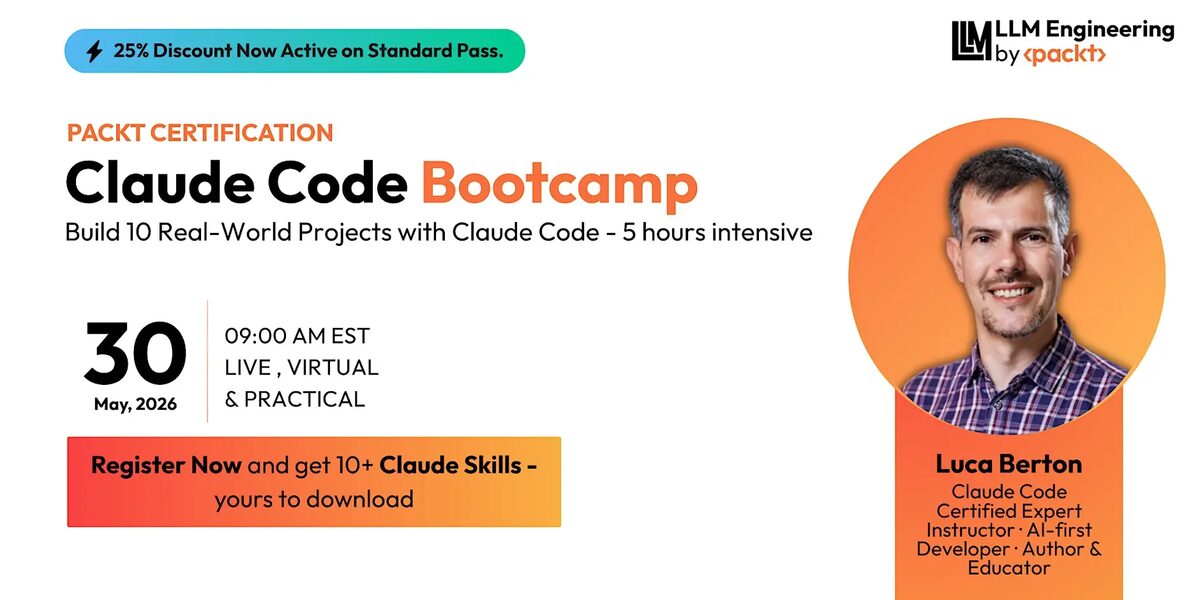
I am launching a new intensive 7.5-hour hands-on bootcamp that takes developers from basic Claude Code usage to engineering-grade agentic workflows. Over 10 connected projects, learners build working applications, configure reusable Skills, coordinate parallel Agent Teams, and produce production-readiness and stakeholder handoff artifacts.
Build Faster. Orchestrate Smarter. Verify Everything. Ship with Confidence.
Claude Code has evolved far beyond a command-line coding assistant. It can now work across the complete software engineering lifecycle — from planning and implementation to browser verification, parallel agent coordination, security review, automation, and stakeholder delivery.
This bootcamp is not a demo tour. It is a guided build where every concept is exercised through a real project, and every project produces artifacts you keep.
Who Should Attend
The bootcamp is designed for:
- Software developers who want to move beyond autocomplete
- Tech leads and engineering managers designing AI-augmented team workflows
- DevOps and platform engineers integrating AI into deployment pipelines
- Automation engineers building self-service tooling
- AI engineers orchestrating multi-agent systems
- Technical product builders shipping features with AI assistance
- Professionals already using AI coding tools who want a more structured engineering workflow
Prerequisites
Learners should have:
- Basic programming knowledge (Node.js or Python)
- Familiarity with Git
- Claude Code installed and activated
- A local development environment
- Google Chrome for browser verification exercises
- A GitHub account for selected workflows
Note: Advanced features that are experimental or dependent on a particular Claude plan include instructor demonstrations and downloadable fallback materials. No one is left behind if they do not have immediate access.
The 10 Hands-On Projects
Each project builds on the previous one. By the end, learners have a working portfolio of code, configurations, and documentation.
Project 1: AI-Ready Engineering Workspace
Learners configure a safe Claude Code workspace, establish permission boundaries, initialize Git, and create a recovery point. The environment is locked down before any autonomous work begins.
Project 2: CLI Release Task Manager
Learners use a structured engineering brief to build a command-line task manager with tests and documentation. The brief defines scope, constraints, acceptance criteria, protected areas, and required evidence.
Project 3: Project Brain
Learners create a reusable CLAUDE.md, path-scoped rules, and a reviewed auto-memory setup. They verify that Claude actually follows the project context by making a controlled change that exercises the rules.
Project 4: Notes API Design Tournament
Learners compare three genuinely different backend designs, select one, and document why the others were rejected. A decision matrix scores each approach on simplicity, testability, security, scalability, and maintenance. A Rejected Options Log records summary, advantages, disadvantages, rejection reason, and future-appropriate conditions for every discarded design.
Project 5: Resilient Notes API
Learners add tests, diagnose a seeded defect, use checkpoints, and verify completion against a measurable goal. They deliberately try one unsuccessful approach and use checkpointing to return to a known working state. The session ends with a completed Review Before Merge checklist covering scope, diff, tests, security, runtime, rollback, and handoff.
Project 6: Isolated Search Feature
Learners create an isolated worktree and feature branch to add search and tagging to the Notes API without destabilizing the main project. They review the diff, run tests, inspect unexpected changes, and only then merge.
Project 7: Dashboard from a Wireframe
Learners turn a visual brief into a componentized dashboard and verify the application in Chrome. They test the core user flow, inspect console output, record issues, and apply a verified fix. A fallback path provides captured browser evidence for those without Chrome integration.
Project 8: Maintainer-Ready Dashboard
Learners refactor the dashboard with behavior-preserving constraints, rerun verification, and generate a developer handoff. The output includes architecture notes, updated README, known limitations, and next steps.
Project 9: Engineering Quality Plugin and Parallel Feature Sprint
Learners create Skills, hooks, and subagents, package them as an Engineering Quality plugin, and apply the plugin during an Agent Team feature build. The team (frontend owner, backend owner, test and verification owner) adds release notes functionality to the dashboard.
Project 10: Production Readiness and Stakeholder Handoff
Learners run a structured production review, prioritize fixes, assign ownership, and turn findings into a stakeholder-ready Cowork update. The production readiness report includes a risk summary, severity-ranked findings, evidence links, top three fixes, named owner, verification plan, and a go/conditional-go/no-go recommendation.
What You Will Be Able To Do
By completing this workshop, learners will be able to:
- Delegate substantial engineering tasks using constraints, acceptance criteria, and verification of evidence
- Configure project context with
CLAUDE.md, scoped rules, and auto memory - Use Best-of-N to compare solution approaches and document rejected alternatives
- Generate meaningful tests, debug failures, use checkpoints, and work toward measurable completion conditions
- Isolate AI-generated work with permissions, sandboxing, branches, and worktrees
- Convert wireframes and screenshots into working interfaces
- Verify generated applications in Chrome using real browser evidence
- Refactor and document applications without changing expected behavior
- Create reusable
SKILL.mdworkflows, hooks, and specialist subagents - Package Claude Code extensions as plugins and understand marketplace distribution
- Coordinate parallel engineering work with Agent Teams
- Run security and code reviews that produce prioritized, actionable findings
- Convert engineering reports into stakeholder-ready outputs using Claude Cowork
- Continue Claude Code work across desktop, web, terminal, and mobile
The Exact 6-Hour Schedule
| Part | Time | Session | Duration |
|---|---|---|---|
| 1 | 9:00-9:20 | Welcome, setup, AI-first mindset, and safe delegation | 20m |
| 2 | 9:20-9:45 | Prompting like a tech lead: CLI Task Manager | 25m |
| 3 | 9:45-10:10 | CLAUDE.md, scoped rules, and auto memory | 25m |
| 10:10-10:20 | Break | 10m | |
| 4 | 10:20-10:50 | Best-of-N: Notes API and Rejected Options Log | 30m |
| 5 | 10:50-11:20 | Testing, debugging, checkpoints, and /goal | 30m |
| 6 | 11:20-11:45 | Git workflows, worktrees, permissions, and sandboxing | 25m |
| 11:45-11:55 | Break | 10m | |
| 7 | 11:55-12:20 | Multimodal building and Chrome verification | 25m |
| 12:20-1:00 | Lunch | 40m | |
| 8 | 1:00-1:20 | Refactor, document, and create a maintainer handoff | 20m |
| 9 | 1:20-1:55 | Skills, hooks, and specialist subagents | 35m |
| 10 | 1:55-2:20 | Plugins and marketplace distribution | 25m |
| 11 | 2:20-2:50 | Agent Teams: ship a feature in parallel | 30m |
| 2:50-3:00 | Break | 10m | |
| 12 | 3:00-3:25 | Production readiness, security, and code review | 25m |
| 13 | 3:25-3:45 | Claude Cowork: engineering output to stakeholder update | 20m |
| 14 | 3:45-4:05 | Web, mobile, Remote Control, and cross-device work | 20m |
| 4:05-4:30 | Final Q&A and exam briefing | 25m |
Total: 7.5 hours (6 hours + 30 mins Q&A and 30 mins break)
The Free Claude Code Skills Pack
Every attendee receives a reusable Claude Code Skills Pack containing eight complete, working SKILL.md workflows:
| Skill | Purpose |
|---|---|
feature-brief/SKILL.md | Converts an idea into scope, constraints, acceptance criteria, and proof |
best-of-n-decision/SKILL.md | Generates distinct approaches, evaluates trade-offs, creates a Rejected Options Log |
change-review/SKILL.md | Applies the seven-point Review Before Merge checklist |
test-debug-loop/SKILL.md | Guides Claude from failing test through diagnosis, fix, regression check, and evidence |
browser-verification/SKILL.md | Verifies web features using a repeatable Chrome and UI checklist |
security-review/SKILL.md | Reviews secrets, dependencies, inputs, auth, permissions, and unsafe data flows |
release-readiness/SKILL.md | Creates a risk summary, top fixes, owner, verification step, and release recommendation |
stakeholder-update/SKILL.md | Converts technical findings into a concise business-facing update |
The pack also includes a CLAUDE.md starter template, scoped rules examples, formatting and test hooks, an unsafe-command blocking hook, a security reviewer subagent, a test verifier subagent, a plugin scaffold, the Best-of-N decision matrix, the Rejected Options Log, the Review Before Merge checklist, production readiness report template, stakeholder update template, starter repository, completed project checkpoints, and an Agent Team transcript with fallback materials.
Certification and Assessment
The workshop includes a graded assessment with three components:
| Component | Evidence | Weight |
|---|---|---|
| Scenario-based knowledge quiz | Permissions, feature selection, context, security, and workflow decisions | 30% |
| Practical capstone | Working change, tests, diff, verification, and readiness report | 50% |
| Engineering reflection | Rejected approach, human checkpoint, and unresolved risk | 20% |
Passing criteria: Score 70% or higher overall, at least 60% on the practical capstone, and submit genuine test or runtime evidence. Automatic-fail conditions include exposed credentials, fabricated test results, or unsafe irreversible actions.
Certification Readiness
Every attendee also receives:
- A Packt Certificate of Completion for successfully completing the workshop assessment.
- A free full-length mock test for the Claude Certified Associate – Foundations certification, covering all seven certification domains with 60 scenario-based questions, detailed explanations, and a personalized study plan.
Register
The bootcamp runs as a live virtual workshop from 9:00 AM to 4:30 PM.
Format: Live virtual workshop with guided builds, instructor demonstrations, hands-on labs, review checkpoints, assessment, and certification.
This workshop and mock test are independently created by Packt. They are not official Anthropic training, are not endorsed by Anthropic, and do not contain official examination questions. Completion does not guarantee success in the official certification examination.