On 21 May 2024 I attended two sessions at the CIO & CISO Inspired Summit, an event “Produced by Inspired” according to the stage backdrop, with Palo Alto Networks among the sponsors whose logos were on the wall. The slides are not clear about the city or the venue, so I will not guess either. What the slides do show is a lot of useful material for anyone who has to turn “we should do something with GenAI” into a plan and a set of controls.
This post is written from the slides I photographed. I only name a speaker where the name is readable on a slide. Where I add my own view, I mark it as “My take”.
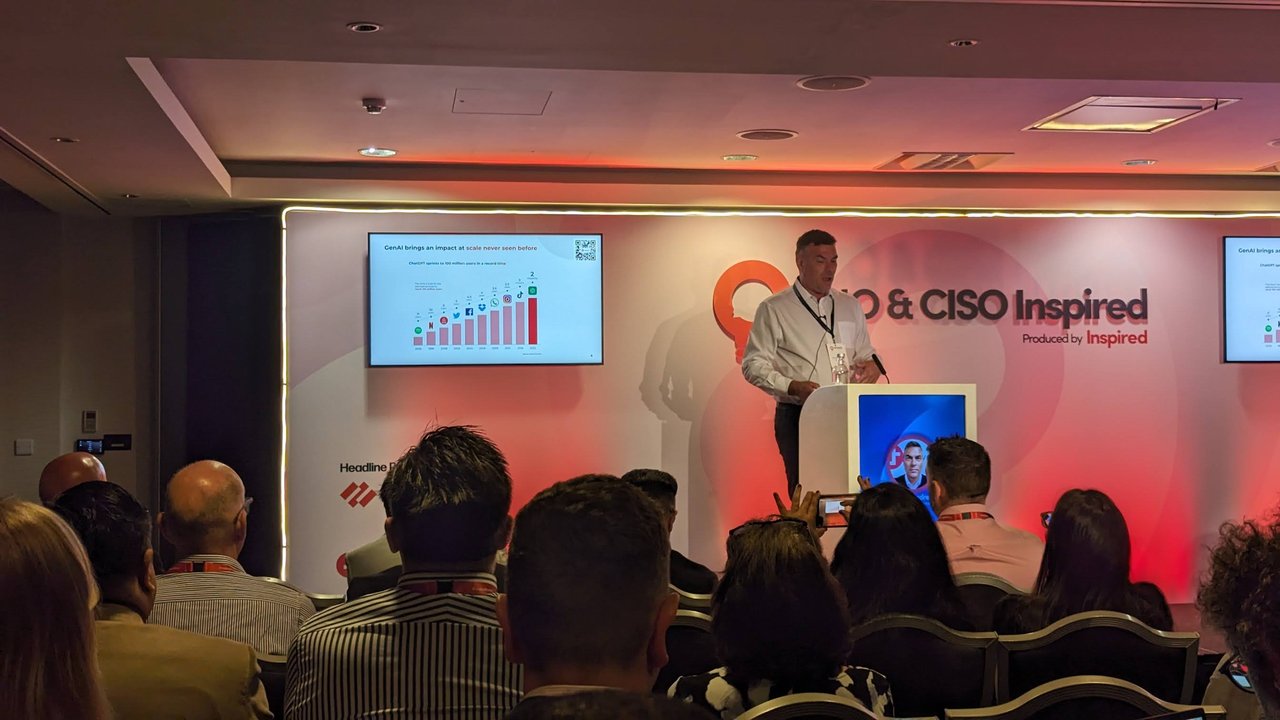
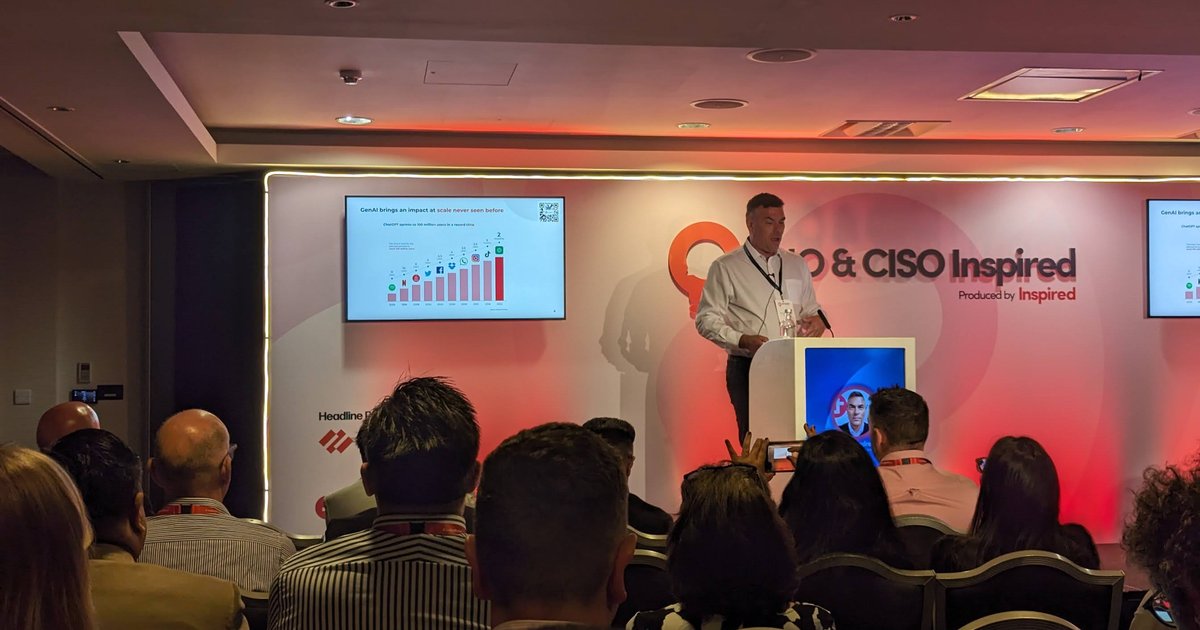
The first session on stage, with the slide “GenAI brings an impact at scale never seen before”.
GenAI adoption at scale
The first slide I captured was a bar chart titled “GenAI brings an impact at scale never seen before”, with the subtitle “ChatGPT sprints to 100 million users in a record time”. Each bar is a well-known consumer product, ordered by how long it took to reach 100 million users. The ChatGPT bar is the shortest, labelled 2 months. The point of the slide is pace: if adoption inside your company follows the same curve as adoption outside it, a slow, multi-year strategy cycle will be out of date before it ships.
Don’t write a strategy, embrace a fast-moving roadmap
The follow-up slide made that argument directly: “Don’t write a strategy, embrace a fast moving roadmap”. It laid out four stages on a timeline:
- 2024, Start now: discover and experiment.
- 2025, Productivity enhancements: LLMs and their integrations with existing tools improve things; pick the low-hanging fruit.
- 2026 to 2027, Changing business models: are you ready to adapt your business model, explore new revenue streams and use AI for higher profitability?
- 2028, Embedded AI: AI is seamlessly embedded in virtually every aspect of business operations.
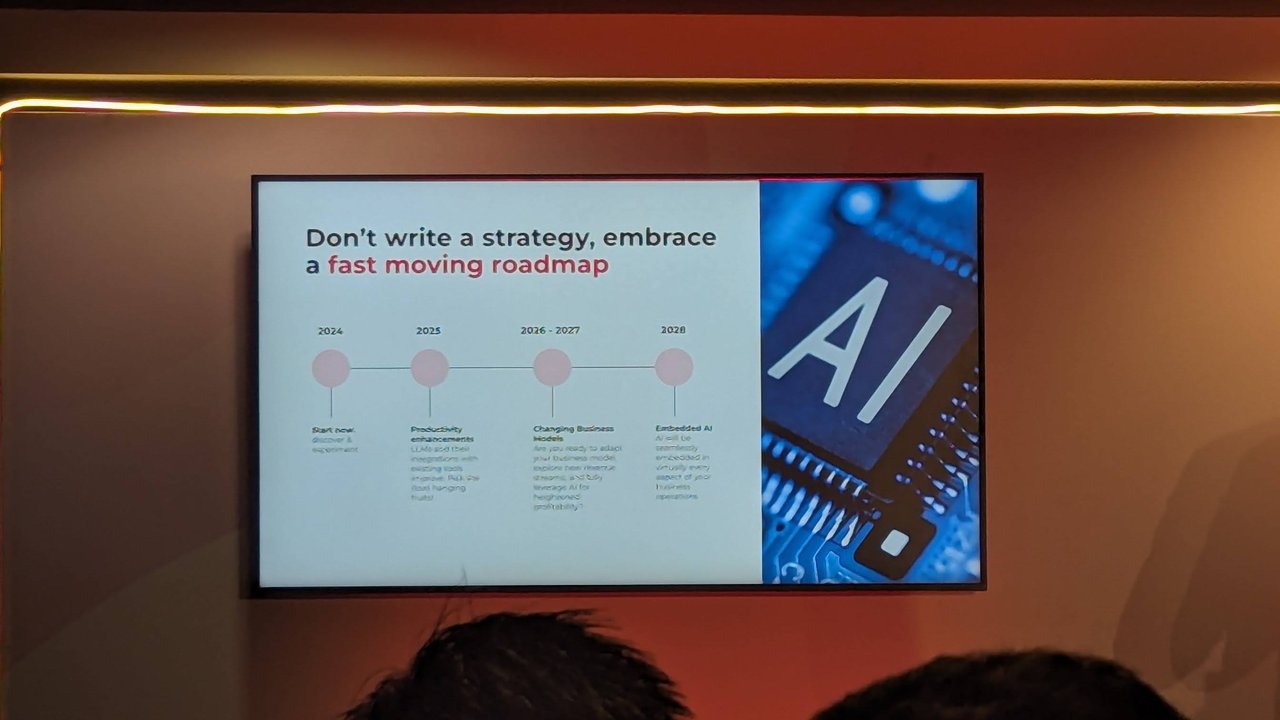
A four-step roadmap, from “start now” in 2024 to embedded AI in 2028.
My take: the useful part is the ordering. Productivity gains come first and are cheap to verify. The business-model questions come later and depend on what you learn from the early experiments, so a short roadmap that you revise every quarter fits better than a fixed multi-year plan.
Skills and the cost of not changing
A different talk on the same stage showed a single number: £145bn, described as the UK’s potential loss of cumulative GDP growth between 2018 and 2028 due to inadequate digital skills. It was shown on both stage screens. It is a UK-specific statistic, which is also the main clue I have about the audience.
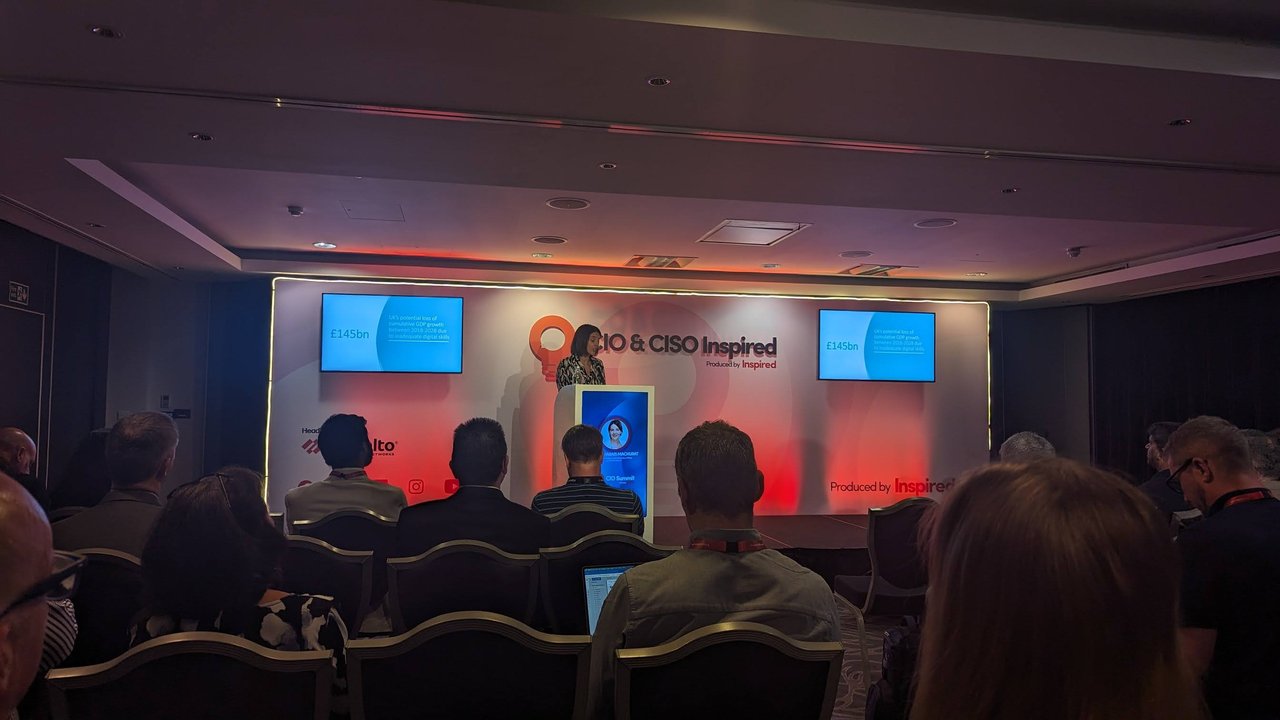
The £145bn slide on both stage screens.
Change management: the ADKAR model
The slide “ADKAR Model on a Page” is a table with five rows, each with a definition, what you hear from people at that stage, and triggers for building it:
| Element | Definition on the slide | What you hear |
|---|---|---|
| Awareness | Of the need for change | ”I understand why…” |
| Desire | To participate and support the change | ”I have decided to…” |
| Knowledge | On how to change | ”I know how to…” |
| Ability | To implement required skills and behaviors | ”I am able to…” |
| Reinforcement | To sustain the change | ”I will continue to…” |
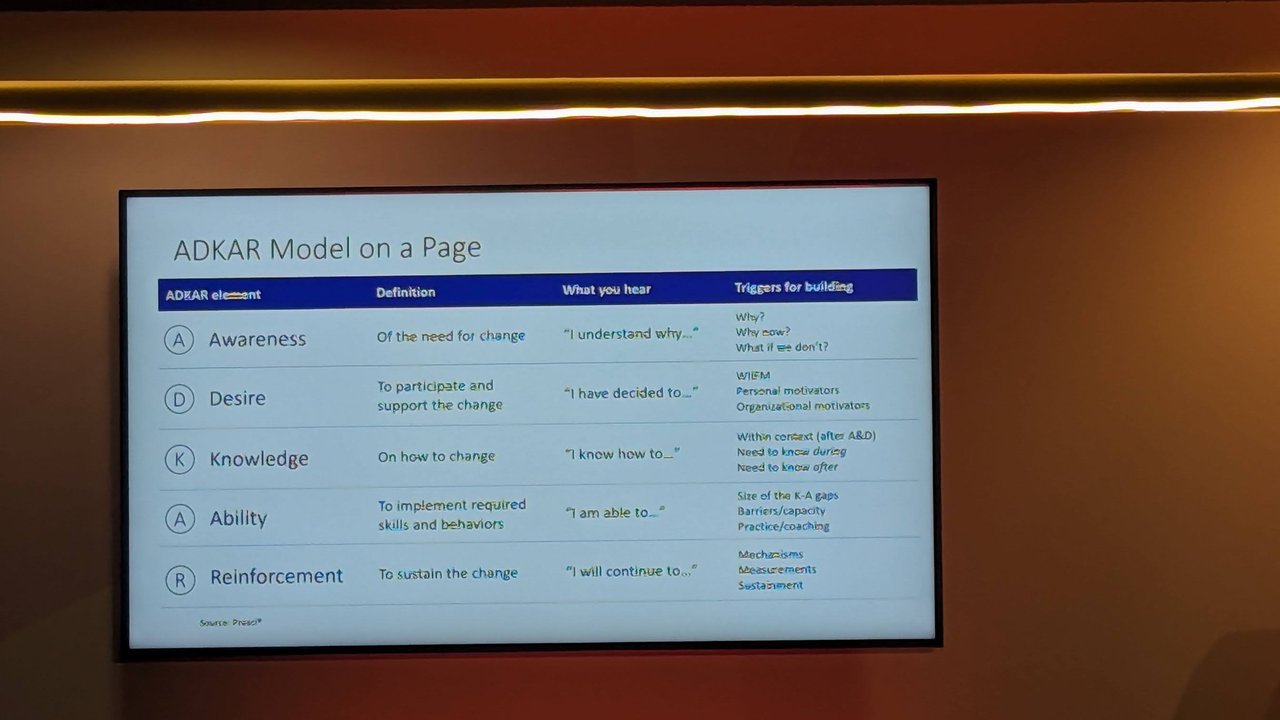
The ADKAR table. The source line at the bottom credits Prosci.
My take: ADKAR is a good fit for AI rollouts because most failures I see are in the last two rows. People know the tool exists and want to use it, but nobody has given them the practice time, or the mechanisms and measurements that keep the new habit in place.
Second session: navigating the AI frontier
Later in the day the stage screens showed “Navigating the AI Frontier: Strategies for Effective Leadership”, by Mary-Jane Newton, with the CIO Summit logo.
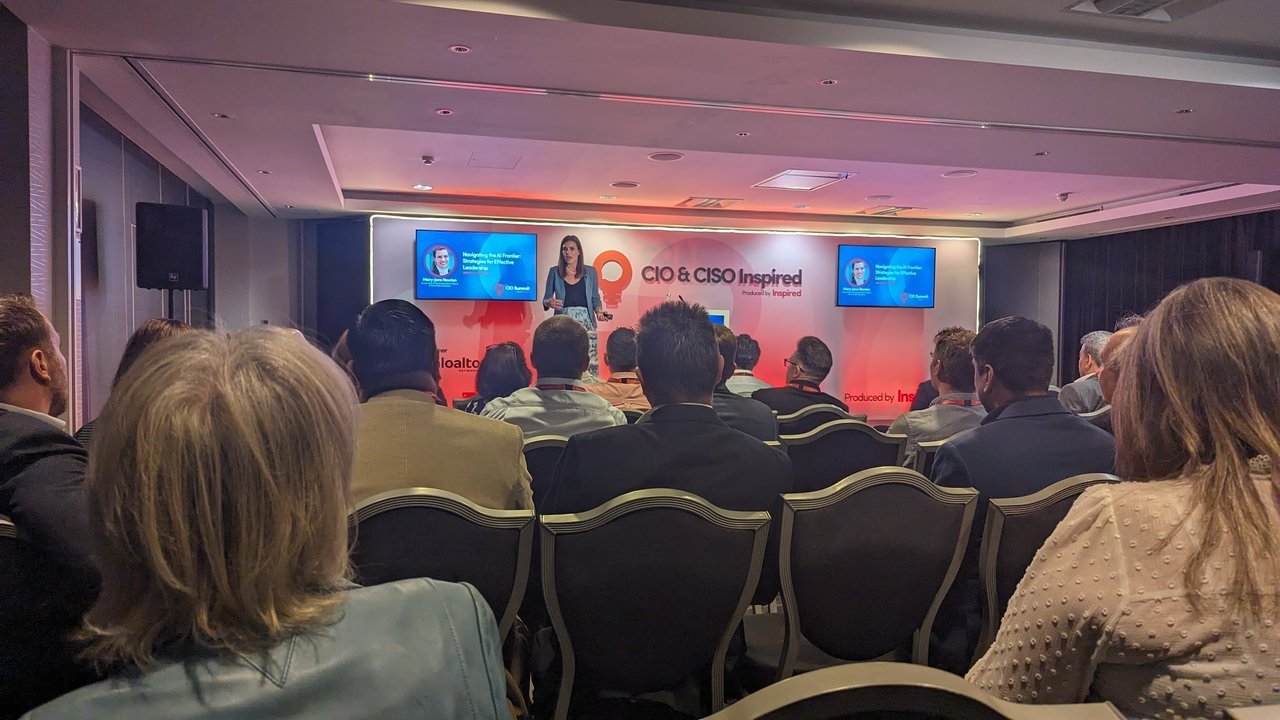
The “Navigating the AI Frontier” session.
One slide in the leadership material was a grid of leadership styles under the heading “The impact of AI”: coercive/commanding, authoritative/visionary, affiliative, democratic, pacesetting and coaching. For each one it listed the modus operandi, a one-line style (“Do what I tell you”, “Come with me”, “People come first”, “What do you think?”, “Do as I do, now”, “Try this”), the competencies involved and when it works best. The photo is blurry, so I only trust the headings and the one-liners.
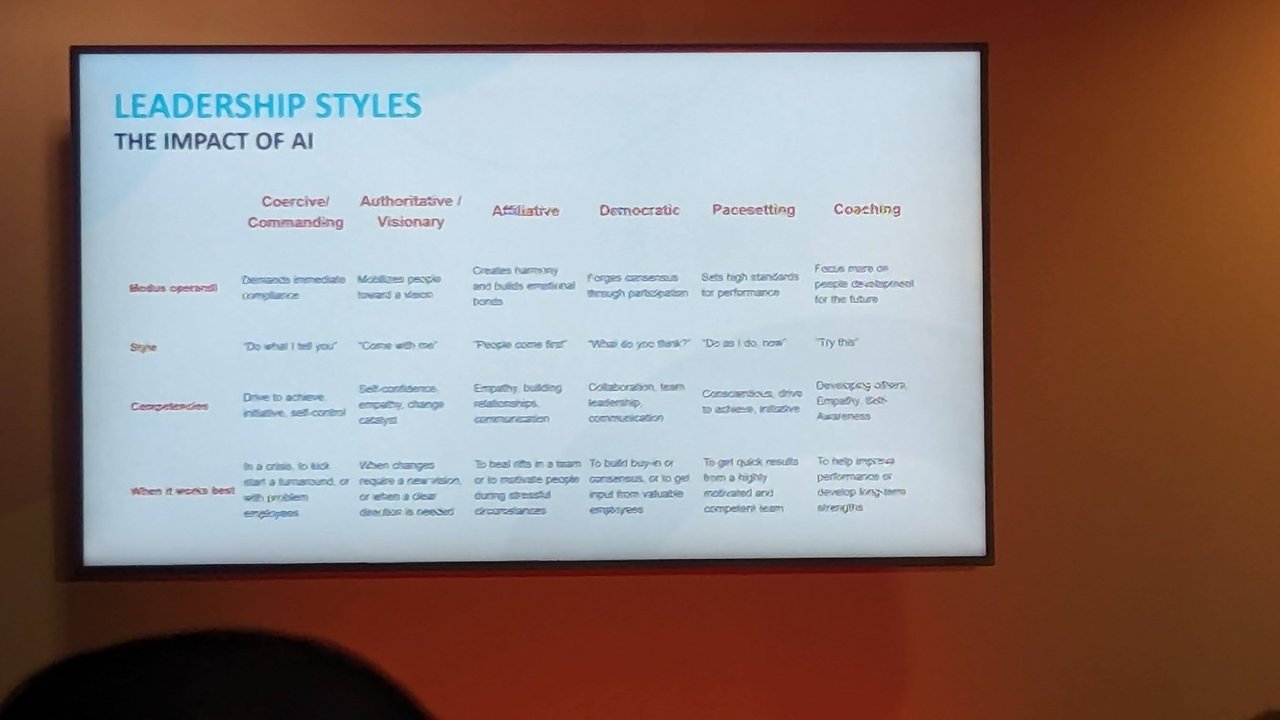
Six leadership styles, and when each one works best.
The security view: AI risk, controls and opportunities
The other talk I photographed was about the security side of GenAI. I do not have the title or the speaker name on a slide, so I describe only what the slides showed.
A slide headed “AI Risk Impact” said that accelerated adoption of AI/ML and GenAI creates new attack surfaces that need to be addressed holistically. It split them into two groups:
- New attack surfaces: sensitive data exposure through GenAI user prompts and public LLM-enabled services; ML models as the new intellectual property, open to manipulation; data poisoning through ML ingestion pipelines; and deep fakes as a social-engineering attack.
- Compliance and social risks: LLM input and output policy violations (privacy and ethical impacts), copyright violations in generated content, and hallucinations, which the slide says can come from biased or obsolete training data.
The right-hand side listed areas of cyber risk focus: GenAI visibility and policy management, DevSecAI (model validation and protection, ML code library security, data integrity and drift management, secure consumption of AI models over APIs), and an AI risk framework, with NIST AI RMF given as the example.
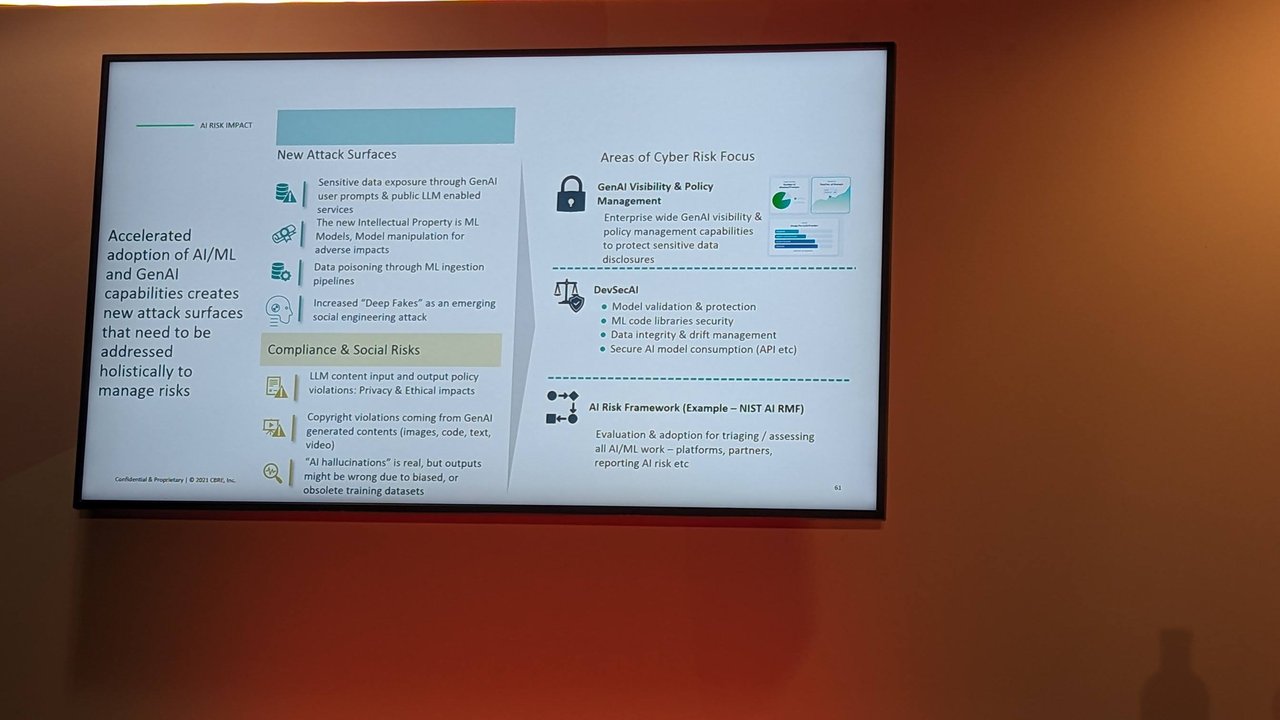
Risks on the left, areas of focus on the right.
The densest slide was the Generative AI Control Security Matrix. Rows are threat vectors: prompt injection, sensitive information disclosure, privacy leakage, hallucinations, toxicity, API security, insecure plugins, software supply chain vulnerabilities, deep fakes, LLM-enhanced social engineering, LLM-generated malicious code, model DDoS, model theft, training data poisoning, multimodal LLMs, excessive agency and evasion attacks. Columns are controls, split into general security controls (secrets management, SAST, IAM, WAF, network security, monitoring and alerting, API security and others) and GenAI-specific controls (prompt guardrails, LLM red teaming, data poisoning prevention, open source model scans, RAG, I/O safety filters, fine-tuning data encryption, prompt engineering techniques, DLP, token rate limits and human in the loop). For some threats the slide also separates third-party LLMs from open source on-premise LLMs, because the controls you can apply differ.
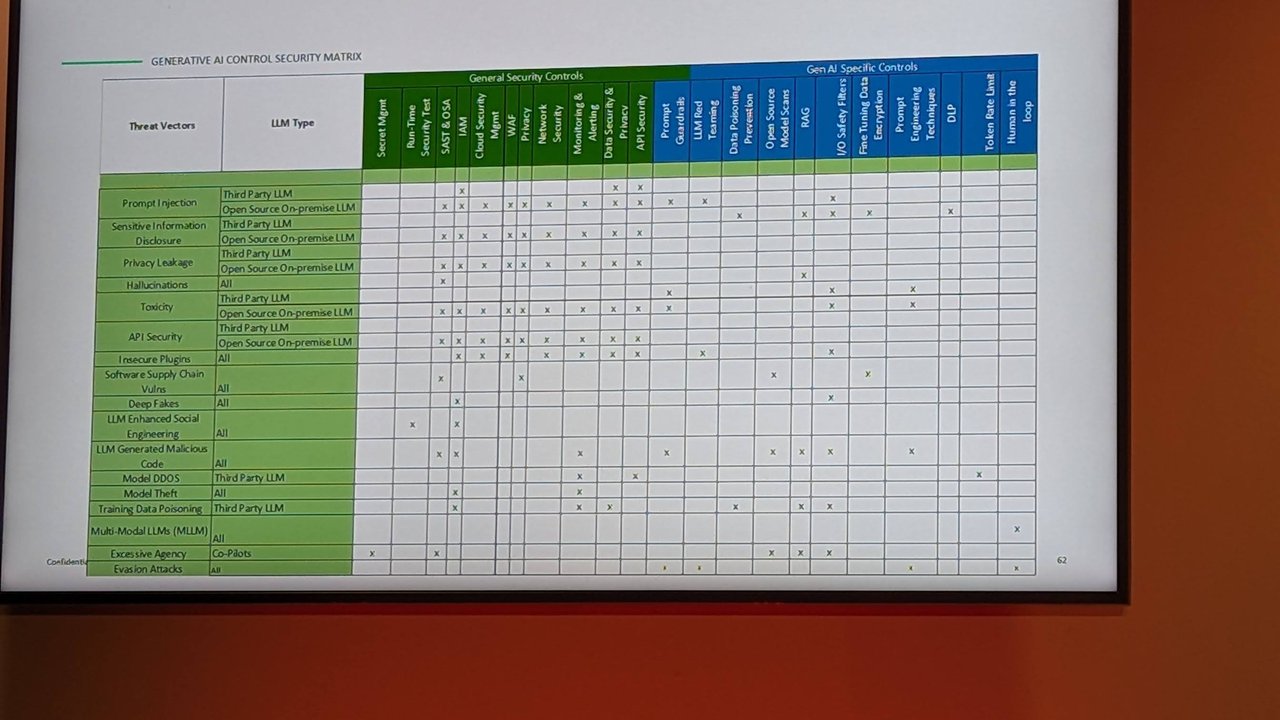
The control matrix: threat vectors against general and GenAI-specific controls.
My take: the matrix is more useful as a checklist than as a diagram. Pick the threats that apply to your architecture, then check which cells you have actually implemented. The overlap with the OWASP list is large; I go through that in my OWASP Top 10 for LLM applications guide.
The last security slide, “GenAI & ML Enabled Cyber Innovation Opportunities”, flipped the question: where can AI help the defenders? It grouped examples under three headings:
- Prevent incidents: predictive threat intelligence from SOC events and past incidents, auto-remediation assistants for cloud, code and appsec issues, and GenAI-powered automated penetration testing and red teaming.
- Limit damage: aggregating and prioritising remediation across security tooling, and access profiling to recommend access based on user requirements and history, to support Zero Trust.
- Respond and recover: on-demand risk reports and natural-language-query SOC bots that mine large volumes of security events.
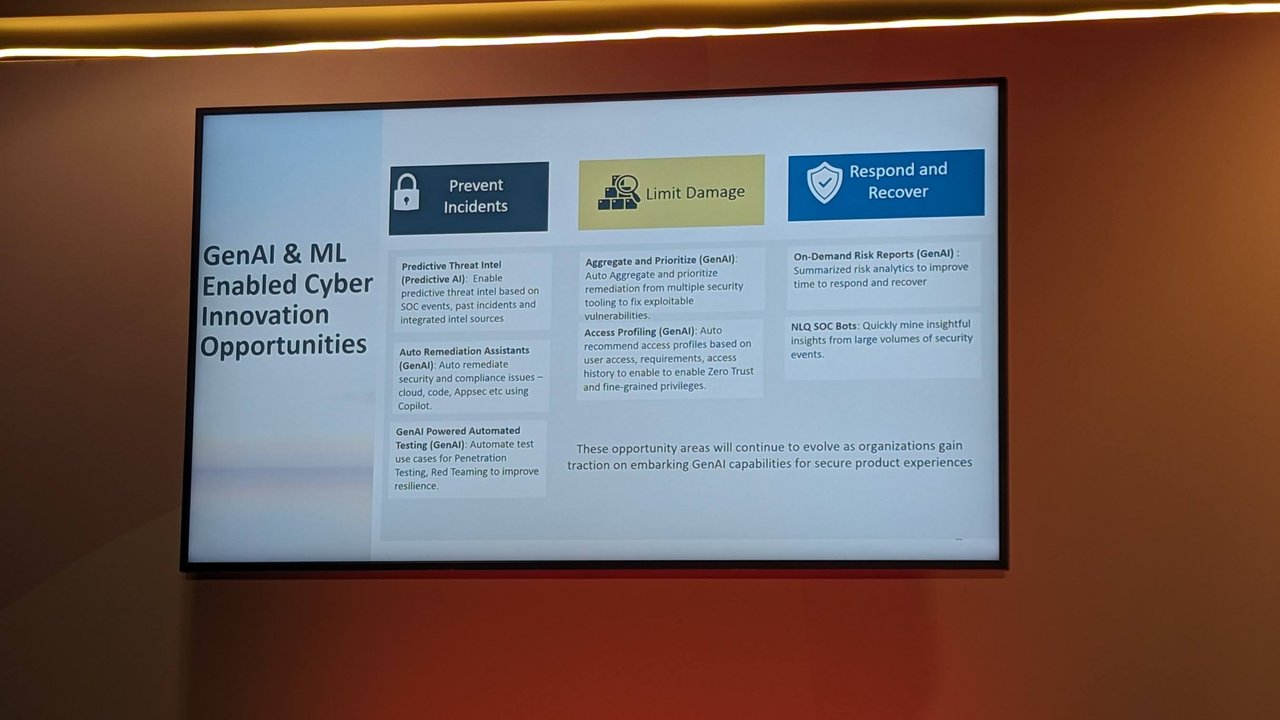
Defensive uses of GenAI, grouped by incident phase.
What I took from the day
- Move at the speed of the technology: short roadmaps, revised often, beat a long strategy document.
- Treat adoption as a change-management problem, not only a tooling one. ADKAR gives you a vocabulary for where people are stuck.
- Map GenAI threats to controls explicitly, and keep third-party and self-hosted models separate in that map, since the available controls differ.
- Use AI on the defensive side too, starting with the boring work: prioritisation, reporting and triage.