The ArgoCD pull request generator turns every open pull request into its own Argo CD Application. It’s the simplest way I know to get preview environments on Kubernetes: a reviewer opens a PR, a namespace with that branch’s code appears, and it goes away when the PR is closed. This guide builds it on a laptop with kind, Argo CD and an in-cluster Gitea, so you don’t need a GitHub account or a public webhook URL. Everything below ran on a throwaway cluster first.
The idea came back to me from Erwin Staal’s Azure Deployment Environments talk at BitBash 2025 in Veenendaal. In his demo, GitHub Actions pipelines created an environment in Azure for every branch he pushed and redeployed it on each commit. Opening a pull request created a second environment, this time of type test, and the pipeline posted a comment on the PR with links to the Azure resources and the deployed API. Earlier in the session he also showed that an environment can get an expiry date, after which it’s removed automatically. This post is my Kubernetes and GitOps version of that pattern, not the talk’s content.
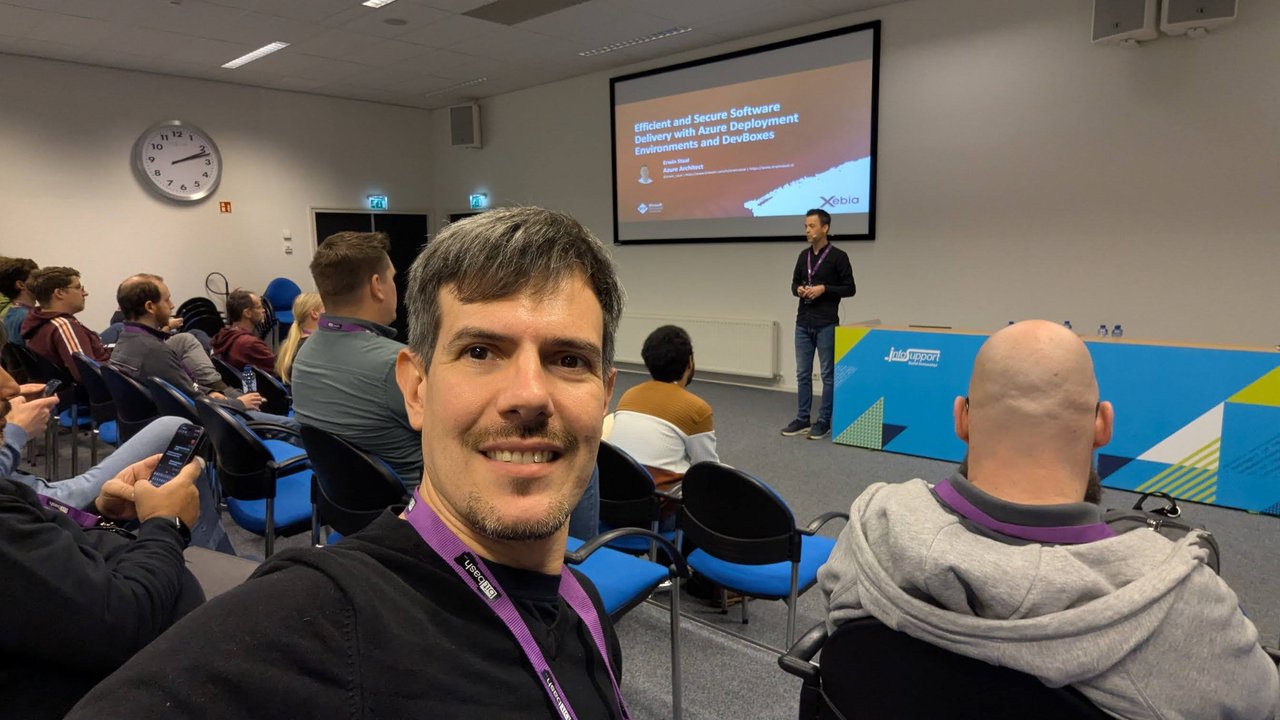
In the audience for Erwin Staal’s Azure Deployment Environments and Dev Box session at BitBash 2025, at Info Support in Veenendaal.
Version note: I tested this with Argo CD v3.5.3 (the core install), Gitea 28.0.0 (rootless image, SQLite) and kind v0.33.0 running Kubernetes v1.37.0. The generator fields come from the v3.5.3 docs and the v3.5.3 CRD types.
What the ArgoCD pull request generator does
An ApplicationSet turns each parameter set from its generators into an Application. The Pull Request generator asks your Git host’s API for open pull requests and produces one parameter set per PR. The v3.5.3 docs have sections for GitHub, GitLab, Gitea, Bitbucket Server, Bitbucket Cloud and Azure DevOps.
These are the parameters you’ll use most:
| Parameter | Value |
|---|---|
number | The PR number |
branch / branch_slug | The head branch, and a version cleaned to a DNS label and cut to 50 characters |
target_branch | The branch the PR merges into |
head_sha | The full SHA of the PR head |
head_short_sha | The first 8 characters of head_sha (head_short_sha_7 gives 7) |
author, title, labels | PR metadata (labels only with Go templates) |
The lifecycle rule matters most: an Application exists while its PR matches your criteria, and it’s removed when the PR no longer matches. Closing the PR, merging it or removing a required label all count.
The lab: kind, Argo CD and Gitea
Create a cluster and install Argo CD. The core install (controllers, repo server and Redis, no UI) is enough here.
kind create cluster --name previews
kubectl create namespace argocd
kubectl apply -n argocd --server-side --force-conflicts \
  -f https://raw.githubusercontent.com/argoproj/argo-cd/v3.5.3/manifests/core-install.yaml
For Gitea, a single pod with SQLite is enough for a test. I ran docker.io/gitea/gitea:28.0.0-rootless as a Deployment with these environment variables, an emptyDir on /var/lib/gitea and a Service called gitea-http on port 3000 in the gitea namespace:
env:
  - {name: GITEA__database__DB_TYPE, value: sqlite3}
  - {name: GITEA__security__INSTALL_LOCK, value: "true"}
  - {name: GITEA__server__ROOT_URL, value: "http://gitea-http.gitea.svc.cluster.local:3000/"}
INSTALL_LOCK skips the web installer. Then create an admin user and an API token from inside the pod, port-forward the Service, and create an organisation, a public repository and a preview label through the API:
kubectl -n gitea exec deploy/gitea -- gitea admin user create \
  --username luca --password 'change-me-123' --email luca@example.test \
  --admin --must-change-password=false
TOKEN=$(kubectl -n gitea exec deploy/gitea -- gitea admin user generate-access-token \
  --username luca --token-name argocd \
  --scopes write:repository,write:issue,write:organization,write:user --raw)

kubectl -n gitea port-forward svc/gitea-http 3300:3000 &
API=http://localhost:3300/api/v1
AUTH="Authorization: token $TOKEN"
curl -s -X POST -H "$AUTH" -H 'Content-Type: application/json' $API/orgs \
  -d '{"username":"platform","visibility":"public"}'
curl -s -X POST -H "$AUTH" -H 'Content-Type: application/json' $API/orgs/platform/repos \
  -d '{"name":"shop","private":false,"default_branch":"main"}'
curl -s -X POST -H "$AUTH" -H 'Content-Type: application/json' $API/repos/platform/shop/labels \
  -d '{"name":"preview","color":"#00aabb"}'

kubectl -n argocd create secret generic gitea-token --from-literal=token="$TOKEN"
I created the token Secret in the argocd namespace, next to the ApplicationSet. The lab token has write scopes because I also used it to create the repository and the PRs. The generator only reads pull requests, so give it a separate, narrower token in real use. Without a token, the docs say Gitea requests are anonymous, with a lower rate limit and access to public repositories only. For more on running Gitea itself, see my Gitea on Kubernetes guide.
A Helm chart that owns its namespace
The repository holds a small Helm chart under chart/: a Deployment and a Service for the app (I used traefik/whoami as a stand-in), plus three files that make it a good preview tenant.
A slide from the Azure Deployment Environments talk at BitBash 2025: “Meet: Toma Toe Pizza”.
The first file is the Namespace itself:
# chart/templates/namespace.yaml
apiVersion: v1
kind: Namespace
metadata:
  name: {{ .Release.Namespace }}
  labels:
    preview: "true"
    pr-number: {{ .Values.preview.number | quote }}
Why not CreateNamespace=true? I tried that first. When I deleted the ApplicationSet, Argo CD removed the Applications and every workload in them, but the empty shop-pr-1 namespace stayed behind. A namespace created by that sync option isn’t one of the Application’s resources. When the chart renders the Namespace, Argo CD tracks it, and deleting the Application deletes the namespace and everything left in it. Within a sync wave, Argo CD applies namespaces before other kinds, according to the sync waves docs.
The second and third files are a ResourceQuota and a LimitRange, so one preview can’t eat the cluster:
# chart/templates/guardrails.yaml
apiVersion: v1
kind: ResourceQuota
metadata:
  name: preview-quota
  annotations:
    argocd.argoproj.io/sync-wave: "-1"
spec:
  hard:
    requests.cpu: {{ .Values.quota.cpu | quote }}
    requests.memory: {{ .Values.quota.memory | quote }}
    limits.cpu: {{ .Values.quota.cpu | quote }}
    limits.memory: {{ .Values.quota.memory | quote }}
    pods: {{ .Values.quota.pods | quote }}
---
apiVersion: v1
kind: LimitRange
metadata:
  name: preview-defaults
  annotations:
    argocd.argoproj.io/sync-wave: "-1"
spec:
  limits:
    - type: Container
      default: {cpu: 200m, memory: 128Mi}
      defaultRequest: {cpu: 50m, memory: 64Mi}
With a CPU and memory quota in place, the Kubernetes docs warn that pods without requests or limits may be rejected, so the LimitRange that sets defaults has to exist first. The -1 sync wave puts both before the Deployment. values.yaml sets quota.cpu: "1", quota.memory: 1Gi and quota.pods: "10".
An AppProject that fences the previews in
apiVersion: argoproj.io/v1alpha1
kind: AppProject
metadata:
  name: previews
  namespace: argocd
spec:
  sourceRepos:
    - http://gitea-http.gitea.svc.cluster.local:3000/platform/shop.git
  destinations:
    - server: https://kubernetes.default.svc
      namespace: shop-pr-*
  clusterResourceWhitelist:
    - group: ""
      kind: Namespace
The destination glob lets previews deploy only to shop-pr-* namespaces. Namespace is cluster-scoped, so it has to be whitelisted. Without that entry, the sync failed with resource :Namespace is not permitted in project previews.
The ApplicationSet
apiVersion: argoproj.io/v1alpha1
kind: ApplicationSet
metadata:
  name: shop-previews
  namespace: argocd
spec:
  goTemplate: true
  goTemplateOptions: ["missingkey=error"]
  generators:
    - pullRequest:
        gitea:
          owner: platform
          repo: shop
          api: http://gitea-http.gitea.svc.cluster.local:3000/
          tokenRef:
            secretName: gitea-token
            key: token
          labels:
            - preview
        requeueAfterSeconds: 60
  template:
    metadata:
      name: "shop-pr-{{ .number }}"
      labels:
        preview: "true"
    spec:
      project: previews
      source:
        repoURL: http://gitea-http.gitea.svc.cluster.local:3000/platform/shop.git
        targetRevision: "{{ .head_sha }}"
        path: chart
        helm:
          releaseName: shop
          parameters:
            - name: image.repository
              value: registry.example.test/shop
            - name: image.tag
              value: "pr-{{ .number }}-{{ .head_short_sha }}"
            - name: preview.number
              value: "{{ .number }}"
            - name: preview.branch
              value: "{{ .branch_slug }}"
      destination:
        server: https://kubernetes.default.svc
        namespace: "shop-pr-{{ .number }}"
      syncPolicy:
        automated:
          prune: true
          selfHeal: true
The parts that matter:
gitea.apiis the in-cluster Service URL. Addinsecure: trueonly if your Gitea uses a self-signed certificate.labels: [preview]limits previews to PRs that carry the label. The Gitea section of the docs doesn’t list this field, but the v3.5.3 CRD has it and it worked in my test. Branch and title regex filters (filterswithbranchMatch,targetBranchMatch,titleMatch) are also available.targetRevision: head_shapins each Application to the exact commit, not a moving branch.image.tagfollows a convention your CI must also follow:pr-<number>-<first 8 characters of the SHA>.missingkey=errormakes a typo in a parameter name fail loudly instead of rendering an empty string.- Names use
number, not the branch, so a long branch name can’t break the 63-character namespace limit.
Open a pull request and check the preview
Push a branch called feature/Add-Search, open a PR with the preview label, and wait for the next poll:
kubectl -n argocd get applications -l preview=true
kubectl get namespace shop-pr-1 --show-labels
kubectl -n shop-pr-1 get deploy,svc,resourcequota,limitrange
kubectl get --raw /api/v1/namespaces/shop-pr-1/services/shop:80/proxy/
In my run, shop-pr-1 was Synced and Healthy within the 60-second polling window, with the resources-finalizer.argocd.argoproj.io finalizer that the ApplicationSet controller adds by default. The rendered parameters were image.tag=pr-1-e8e05894 and preview.branch=feature-add-search (the slug lowercases the branch and replaces the slash). The quota showed pods: 1/5, because the PR branch had lowered that value: each preview runs the chart from its own branch.
New commits, new image tags
Each push to the PR branch changes head_sha, and the next poll moves the Application to the new revision and tag. My test hit the real-life race: Argo CD rolled out pr-1-800c4df5 before that image existed, so the new pod sat in ImagePullBackOff while the old one kept serving. Once I loaded the image, the rollout finished on its own.
My take: let CI build and push the pr-N-<sha8> image before anything else in the pipeline, and keep the Deployment’s default rolling update so a missing image never takes the preview down.
Cleanup when the PR closes
I tested three ways a preview ends:
- Close or merge the PR. The Application is deleted, the finalizer cascades, and the namespace goes with it.
- Remove the
previewlabel. Same result. The label works as an on/off switch for reviewers. - Delete the ApplicationSet. Every generated Application and its resources are deleted, because the Applications have owner references to the ApplicationSet.
To check, run kubectl get ns -l preview=true after the next poll. If a closed PR still has a namespace, look at the two settings below.
requeueAfterSeconds vs webhooks
The PR generator polls the Git host every requeueAfterSeconds, 30 minutes by default, which is too slow for previews. Webhooks are the usual fix. The ApplicationSet controller runs its own webhook server on port 7000, separate from the API server webhook I covered in Scaling Argo CD.
With Gitea, webhooks don’t trigger the PR generator in v3.5.3. The ApplicationSet webhook handler parses GitHub, GitLab and Azure DevOps events, and it only matches pull request events to github, gitlab and azuredevops generators. I pointed a Gitea webhook at the controller anyway, set polling to 1800 seconds and opened a second PR. No Application appeared until I forced a refresh. Two other snags on the way:
- On the core install, the controller logged
server.secretkey is missingand didn’t start its webhook server, because the API server normally creates that key inargocd-secret. After I added a randomserver.secretkey, it loggedStarting webhook server :7000. - Gitea 28 refused to deliver to a private cluster IP until I added the controller hostname to
[webhook] ALLOWED_HOST_LIST.
What works with Gitea is either a short requeueAfterSeconds or the refresh annotation, which the docs describe as triggering an ApplicationSet refresh. The controller removes the annotation afterwards:
kubectl -n argocd annotate applicationset shop-previews \
  argocd.argoproj.io/application-set-refresh=true --overwrite
My take: with Gitea, I’d set requeueAfterSeconds to a few minutes and add that one kubectl annotate as the last step of the PR pipeline. Every poll is an API call to your Git host for each PR generator, so don’t drop below a minute on a shared instance. On GitHub or GitLab, use the webhook and keep a longer poll as a safety net.
Pitfalls: preserveResourcesOnDeletion and applicationsSync
Both of these settings break cleanup quietly. I tested each one.
spec.syncPolicy.preserveResourcesOnDeletion: true stops the controller from adding the deletion finalizer. When I set it on the running ApplicationSet, the controller also removed the finalizer from the existing shop-pr-2 Application. Then I removed the label from PR 2. The Application disappeared, but the namespace, the Deployment and the running pod all stayed. With previews, that’s a leak you only notice on the cloud bill.
spec.syncPolicy.applicationsSync: create-update (or create-only) stops the ApplicationSet controller from deleting Applications. With create-update set, I removed the label from PR 2 and shop-pr-2 stayed Synced and Healthy. When I removed the field, the default sync policy came back and the next reconcile deleted the orphan. If the controller runs with --policy, that flag takes precedence over the field.
My take: leave both at their defaults for preview ApplicationSets, with a comment saying why. Copied from a production ApplicationSet, they turn from protection into leaks.
Capping previews: quotas and a TTL
The per-namespace ResourceQuota limits each preview. To limit how many previews exist at once, you can count Applications with a quota in the argocd namespace:
apiVersion: v1
kind: ResourceQuota
metadata:
  name: preview-app-cap
  namespace: argocd
spec:
  hard:
    count/applications.argoproj.io: "10"
It counts every Application in that namespace, previews or not, so set the number with that in mind. To test it, I set the limit to 1 with one preview running and labelled a second PR. The ApplicationSet reported ErrorOccurred=True with exceeded quota: preview-app-cap, and shop-pr-2 wasn’t created. The existing preview kept getting updates: a new commit on PR 1 still moved it to the new tag. After I removed the quota, the next refresh created shop-pr-2.
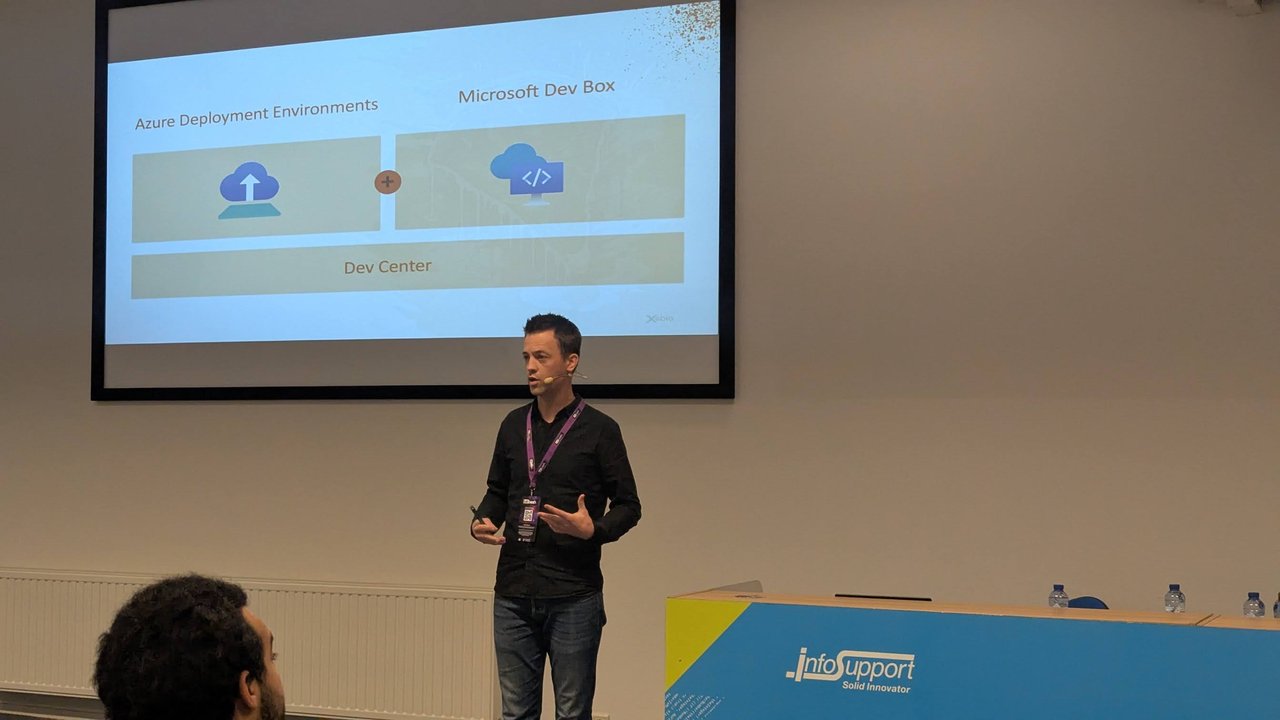
A slide from the Azure Deployment Environments talk at BitBash 2025: Azure Deployment Environments and Microsoft Dev Box, both built on Dev Center.
A time-based TTL, like the expiry date in the BitBash talk, isn’t part of the generator. The v3.5.3 PullRequestGenerator type has no TTL or maximum-count field. The PR’s lifetime is the preview’s lifetime. If stale PRs are the problem, a scheduled job that removes the preview label from old PRs gives you a TTL without touching Argo CD:
# remove label id 1 ("preview") from PR 2
curl -s -X DELETE -H "Authorization: token $TOKEN" \
  http://localhost:3300/api/v1/repos/platform/shop/issues/2/labels/1
On the next poll, the preview and its namespace are gone.