ARA Records Ansible (ARA) is a callback plugin that records every ansible-playbook run (playbooks, plays, tasks, results, hosts and facts) to a database, and gives you a CLI, a REST API and a web UI to search them. This tutorial sets it up from scratch: local recording to SQLite, a shared API server in a container, the ara CLI, labels, recording from CI, and the security settings you need before you point a team at it.
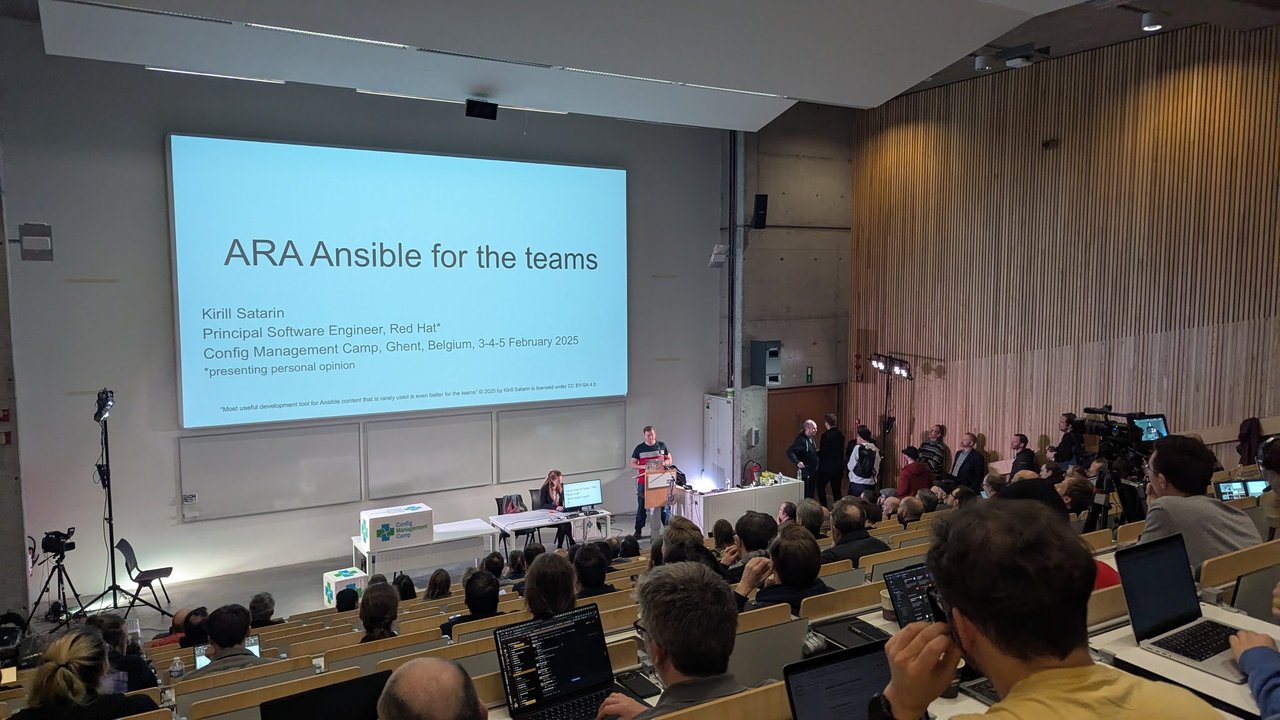
Kirill Satarin’s “ARA Ansible for the teams” talk at CfgMgmtCamp 2025 in Ghent got me thinking about this again. His pitch, as I wrote it up in my CfgMgmtCamp 2025 talks recap, was that you stop adding debug tasks and reading badly formatted console output, because everything is persisted, searchable and shareable. This post is the hands-on version.
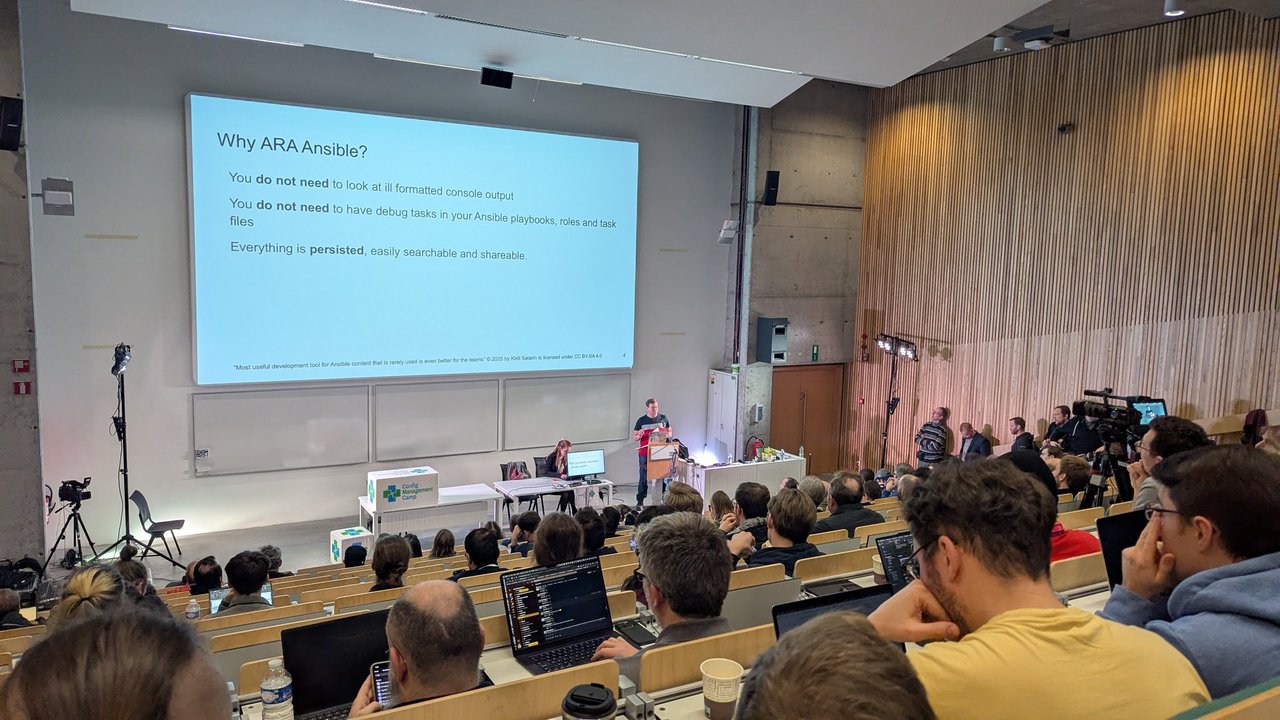
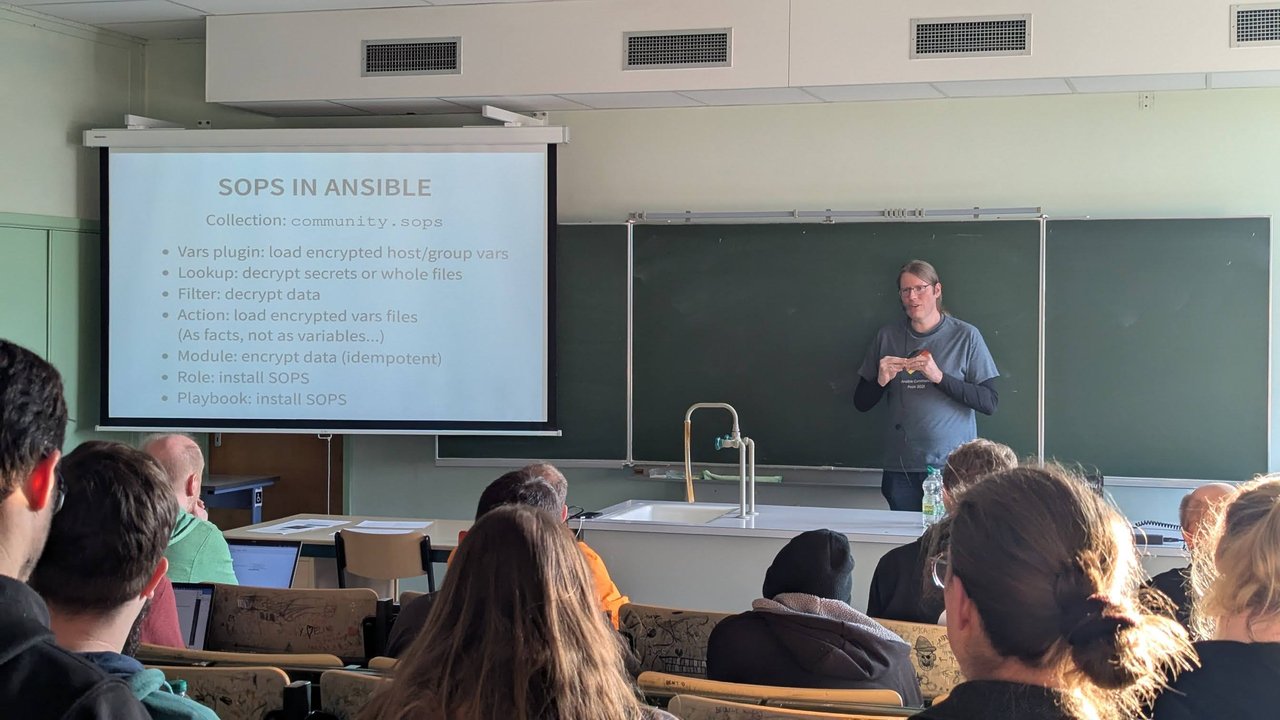
A slide from Kirill Satarin’s “ARA Ansible for the teams” talk at CfgMgmtCamp 2025: no more debug tasks or badly formatted console output, because every run is persisted and searchable.
Versions: written against the ARA 1.8.0 documentation (ara.readthedocs.io, released 2026-07-09) and the plugin’s own option definitions. I tested every command below with ara 1.8.0, ansible-core 2.21 and Python 3.13, plus the recordsansible/ara-api:latest container image.
How ARA records Ansible runs
ARA has three parts:
- The callback plugin (
ara_default). Ansible calls it on every event: playbook start, task start, each host result, the final stats. It sends that data to the ARA API. - The API server, a Django REST application with a built-in web UI. It stores data in SQLite by default, or MySQL and PostgreSQL.
- Clients: the
araCLI, plusara_record,ara_labelandara_playbookaction plugins and anara_apilookup you can call from playbooks.
The plugin talks to the API through one of two clients:
offline(the default): the API runs in-process and writes to a local SQLite file. No server needed.http: the plugin sends data over HTTP to a running ARA server.
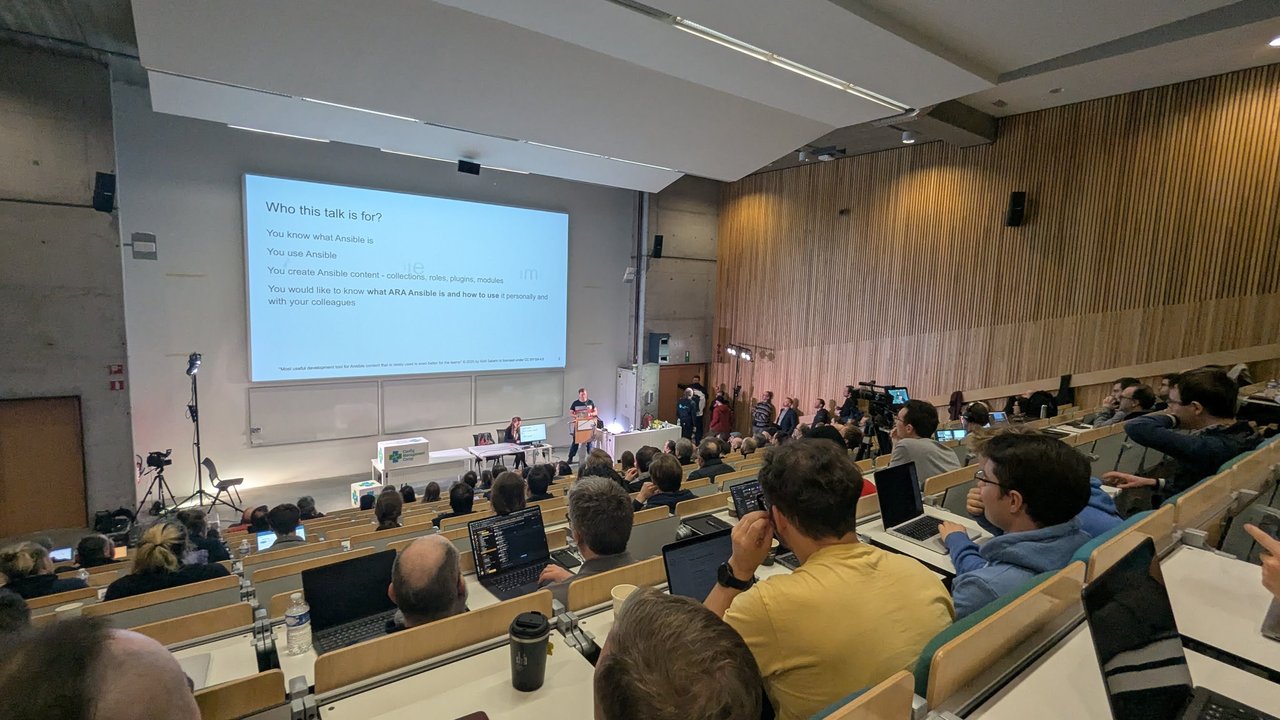
A slide from Kirill Satarin’s “ARA Ansible for the teams” talk at CfgMgmtCamp 2025: the audience was people who write Ansible content and want ARA both for themselves and for their colleagues.
One requirement catches people out: the ara package must be installed for the same Python interpreter as Ansible. If Ansible lives in a venv or in pipx, ARA has to go there too.
Install ARA and enable the callback plugin
python3 -m venv ~/venvs/ansible
source ~/venvs/ansible/bin/activate
python3 -m pip install ansible-core "ara[server]"
The [server] extra pulls in Django and the API server. You need it for offline recording and for ara-manage. On a machine that only sends data to a remote server, plain pip install ara is enough.
ARA ships helper modules that print where its plugins live. The simplest way to enable recording is an environment variable:
export ANSIBLE_CALLBACK_PLUGINS="$(python3 -m ara.setup.callback_plugins)"If you also want the ara_record and ara_label action plugins and the lookup, export all paths at once:
source <(python3 -m ara.setup.env)For a project you share with others, put it in ansible.cfg instead. python3 -m ara.setup.ansible prints a ready-made [defaults] block with the three plugin paths for your environment. Add an [ara] section below it:
[defaults]
callback_plugins = /home/me/venvs/ansible/lib/python3.13/site-packages/ara/plugins/callback
action_plugins   = /home/me/venvs/ansible/lib/python3.13/site-packages/ara/plugins/action
lookup_plugins   = /home/me/venvs/ansible/lib/python3.13/site-packages/ara/plugins/lookup

[ara]
api_client = offline
default_labels = local,laptop
record_controller_name = my-laptop
Every [ara] key has an environment variable twin: api_client is ARA_API_CLIENT, default_labels is ARA_DEFAULT_LABELS, and so on. You don’t need to list it in callbacks_enabled: the plugin path is enough, and your normal console output stays as it is.
Record a playbook to local SQLite
Here is a small playbook that exercises the features worth knowing:
- name: ARA smoke test
  hosts: localhost
  connection: local
  gather_facts: true
  vars:
    ara_playbook_name: ara smoke test
    ara_playbook_labels:
      - env:dev
      - team:platform
  tasks:
    - name: Say hello
      ansible.builtin.command: echo hello
      changed_when: false

    - name: Secret task
      ansible.builtin.command: echo supersecret-token-123
      no_log: true
      changed_when: false

    - name: Record the git ref of this run
      ara_record:
        key: git_ref
        value: "abc1234"
      run_once: true

    - name: Fail on purpose but carry on
      ansible.builtin.command: /bin/false
      ignore_errors: true
What the ARA-specific bits do:
ara_playbook_namegives the run a readable name instead of just a file path.ara_playbook_labelsattaches labels you can filter on later. Both variables can also be passed with-e.ara_recordstores an arbitrary key/value on the playbook.typecan betext(default),url,json,listordict, which changes how the UI renders it.
Run it as usual:
ansible-playbook -i 'localhost,' site.ymlThe offline client creates ~/.ara/server/ with a settings.yaml and an ansible.sqlite database on first use. Set ARA_BASE_DIR to put them somewhere else.
To browse the results in the web UI, start the development server and open http://127.0.0.1:8000:
ara-manage runserverThat server is for your laptop only. For anything shared, use the container below.
Query runs with the ara CLI
The ara CLI reads the same data. It uses the offline client by default, so it works against the local SQLite file with no server running:
ara playbook list
ara playbook list --label env:dev
ara playbook list --name "smoke" --long
ara playbook list --status failed
ara playbook show 1

ara result list --playbook 1
ara result list --status failed
ara host list
ara host show 1 --with-facts
ara record list
A few flags I use all the time:
-f json(oryaml,csv,value) for scripting.-c <column>picks columns:ara playbook list --limit 1 -f value -c idprints the latest playbook ID.--longadds untruncated paths and extra columns, such as the playbook name.ara playbook metricsandara task metricsaggregate counts and durations.ara task metricsis a quick way to find your slowest tasks.
Labels are the main way to slice runs. Besides ara_playbook_labels and default_labels, the plugin adds labels automatically from CLI arguments through argument_labels (default: remote_user, check, tags, skip_tags, subset). A run with --check --tags never shows up with the labels check:True and tags:never, so ara playbook list --label check:True finds every dry run.
Run a central ARA API server in a container
A shared server is where ARA becomes a team tool. The project publishes images on Docker Hub (docker.io/recordsansible/ara-api) and quay.io (quay.io/recordsansible/ara-api):
mkdir -p ~/.ara/server

docker run --name ara-api --detach --tty \
  --volume ~/.ara/server:/opt/ara \
  -p 8000:8000 \
  -e ARA_WRITE_LOGIN_REQUIRED=true \
  -e ARA_ALLOWED_HOSTS="['ara.example.com', 'localhost']" \
docker.io/recordsansible/ara-api:latest/opt/araholdssettings.yamland the SQLite database, so the volume keeps your data across restarts.- The container runs database migrations before it starts gunicorn on port 8000.
ARA_ALLOWED_HOSTSmust include the hostname clients use to reach the server. The default only allows127.0.0.1,localhostand::1.- For a busy server, set
ARA_DATABASE_ENGINEand the relatedARA_DATABASE_*settings to use PostgreSQL or MySQL instead of SQLite.
Create a user for the callback plugin:
docker exec -it ara-api ara-manage createsuperuser --username ci-recorder --email ci@example.comThen point the plugin and the CLI at the server:
export ANSIBLE_CALLBACK_PLUGINS="$(python3 -m ara.setup.callback_plugins)"
export ARA_API_CLIENT=http
export ARA_API_SERVER=https://ara.example.com
export ARA_API_USERNAME=ci-recorder
export ARA_API_PASSWORD='...'

ansible-playbook -i inventory site.yml
ara playbook list
When your server uses PostgreSQL or MySQL, set ARA_CALLBACK_THREADS (maximum 4) so the plugin sends data in parallel. Leave it at the default 0 with SQLite.
Record playbook runs from CI pipelines
CI is the case where ARA pays off fastest: the job log scrolls away, the runner disappears, and the person debugging wasn’t watching. Here is a GitHub Actions step that records to a shared server and labels the run with the repository and run ID:
- name: Run playbook and record it in ARA
  env:
    ARA_API_CLIENT: http
    ARA_API_SERVER: https://ara.example.com
    ARA_API_USERNAME: ${{ secrets.ARA_USERNAME }}
    ARA_API_PASSWORD: ${{ secrets.ARA_PASSWORD }}
    ARA_DEFAULT_LABELS: ci,repo:${{ github.repository }},run:${{ github.run_id }}
    ARA_RECORD_CONTROLLER_NAME: github-actions
  run: |
    python3 -m pip install ansible-core ara
    export ANSIBLE_CALLBACK_PLUGINS="$(python3 -m ara.setup.callback_plugins)"
    ansible-playbook -i inventory site.yml

- name: Print the ARA report link
  if: always()
  env:
    ARA_API_CLIENT: http
    ARA_API_SERVER: https://ara.example.com
  run: |
    id=$(ara playbook list --label "run:${GITHUB_RUN_ID}" --limit 1 -f value -c id)
    echo "ARA report: ${ARA_API_SERVER}/playbooks/${id}.html"
ARA_DEFAULT_LABELS takes a comma-separated list. The second step doesn’t need credentials as long as reads are open (more on that below). The same pattern works in GitLab CI or Jenkins: install ara next to Ansible, export the callback path and the four ARA_API_* variables, and run the playbook.
Secure ARA: authentication and sensitive data
ARA records a lot, and the defaults are open. Out of the box, ARA_READ_LOGIN_REQUIRED and ARA_WRITE_LOGIN_REQUIRED are both false: anyone who can reach the port can read every result and post new ones. The ARA docs recommend enabling authentication so you don’t leak passwords, tokens and other playbook data.
Your options:
- Django users: set
ARA_WRITE_LOGIN_REQUIRED=true(andARA_READ_LOGIN_REQUIRED=trueif results shouldn’t be public inside your network), then create users withara-manage createsuperuser. Access isn’t granular: a user can query everything or nothing. - Reverse proxy: set
EXTERNAL_AUTH: trueinsettings.yaml, keep both login settingsfalse, and let nginx or Apache handle authentication with htpasswd, LDAP or SSO. The docs recommend this approach for performance.
When I ran a playbook without credentials against a server with write login required, the playbook still ran, but the plugin printed Callback dispatch ... failed for plugin 'ara_default' warnings and recorded nothing. Watch for those warnings in CI logs.
On the recording side, these callback settings control what gets stored:
| Setting | Default | What it does |
|---|---|---|
ignored_arguments | extra_vars | CLI arguments not saved. Extra vars often carry secrets, so this is the right default. |
ignored_facts | ansible_env | Host facts not saved. all drops every fact. |
ignored_files | .ansible/tmp | File path patterns not saved. Prefix with regex: for a regular expression. |
record_task_content | true | Whether the task’s content is recorded. |
record_user / record_controller | true | Whether to store the user and controller hostname. |
Ansible’s own no_log: true is respected. In my test, the result of the “Secret task” above was stored as "censored": "the output has been hidden due to the fact that 'no_log: true' was specified for this result". ARA does store the content of every file Ansible loads (playbooks, roles, vars files), read straight from disk. Plaintext secrets in a vars file end up in the database; a file encrypted with Ansible Vault or SOPS with community.sops is stored encrypted. Add patterns to ignored_files for anything else you don’t want copied.
Finally, set a retention policy. ara playbook prune deletes playbooks older than --days (default 31), and it’s a dry run until you add --confirm:
ara playbook prune --days 30 --confirmCommon pitfalls
- Nothing gets recorded: the callback path isn’t set in the shell or
ansible.cfgthat actually runs the playbook, or ARA is installed in a different Python than Ansible. ara result listis missing a failed task: results from tasks withignore_errors: trueare hidden by default. Add--ignore-errorsto see them.- The controller name is unreadable: in my test on a Mac, it was recorded as a reverse-DNS IPv6 name. Set
record_controller_name(orARA_RECORD_CONTROLLER_NAME). - “A worker was found in a dead state” on macOS: I hit this with
ara_recordand the offline client on macOS. Settingno_proxy='*'in the environment fixed it for me. - Slow container start on Apple Silicon: the
latestimage I pulled was amd64-only, so it ran under emulation. - Everything is recorded under
localhost: withansible-pullor-i 'localhost,', setlocalhost_as_hostname = trueto record the real hostname instead.
When to use AWX or Ansible Automation Platform instead
ARA is a recorder, not a controller. It doesn’t schedule jobs, store credentials, sync inventories, run approval workflows or give per-team access control. If you need those, you need AWX or Red Hat Ansible Automation Platform, which also keep the output of every job they run. See my notes on debugging failed AWX and Tower jobs and on upgrading to AAP 2.6.
The ARA README lists AWX and Automation Controller among the tools it can record from, so the two can run side by side. I find that useful when the same playbooks also run from laptops and CI.
My take: if your team runs Ansible from terminals and pipelines and has no controller, a shared ARA server is the cheapest improvement you can make to how you debug. It takes an afternoon to set up, and “send me your output” becomes a link. If you already need RBAC, credentials and scheduling, start with AWX or AAP and add ARA only where runs happen outside it.
ARA also has a chapter in my book Hands-On Ansible Automation, next to Ansible Semaphore and other tooling around Ansible.