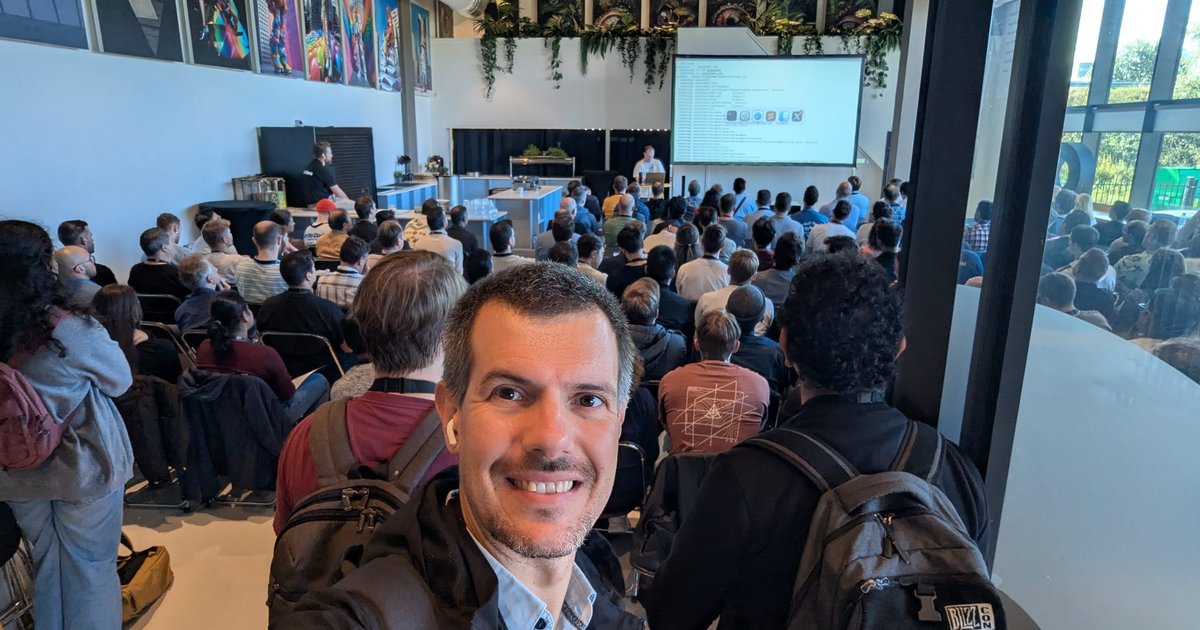
On Friday 19 September 2025 I spent the day at AI4Devs Amsterdam, a one-day developer conference at iO Campus Amsterdam on the Spaklerweg. The printed programme carried three logos: AI4Devs (“Where AI meets code”), iO and foojay.io, the Friends of OpenJDK community. That shows in the line-up. Most sessions were about building AI features from the JVM, not from Python.
This is a throwback built from my photos and short clips I recorded in the rooms. Everything below is what was on the screens and the printed agenda, or what was said on stage.
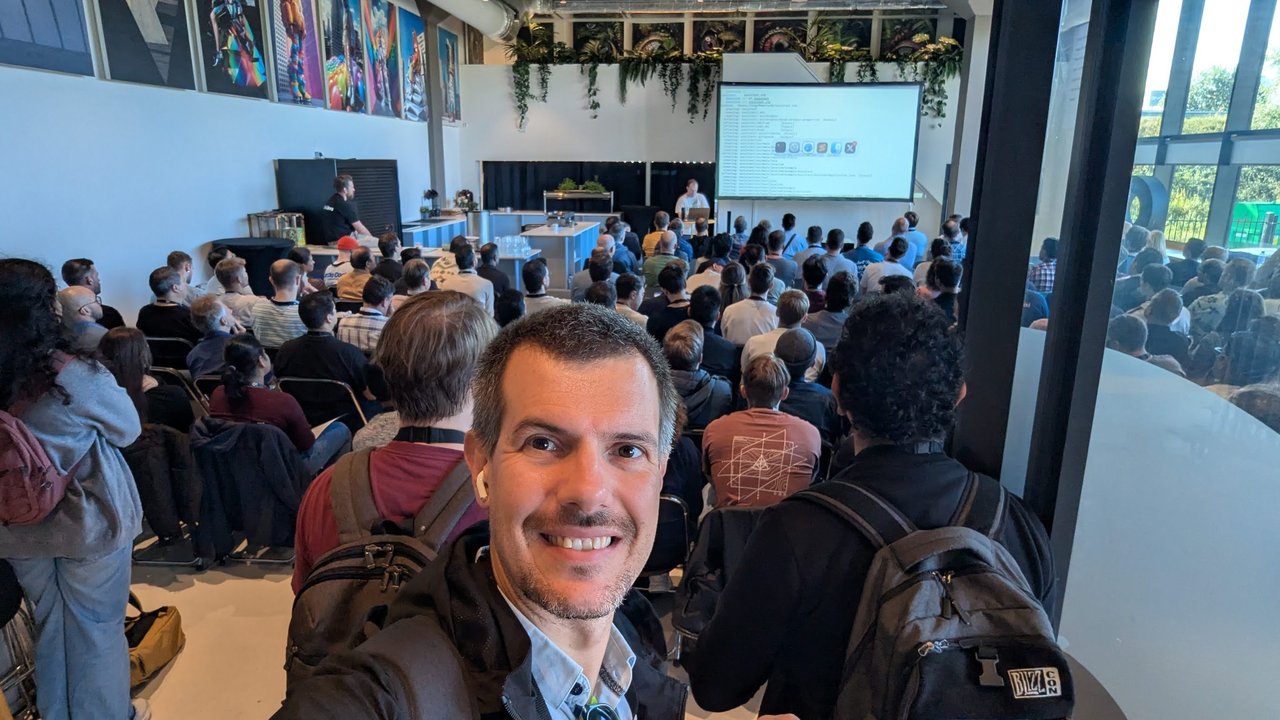
People standing at the back of Room 1 during the opening keynote.
The programme
The day ran from a 10:00 conference introduction to drinks at 17:30. Two keynotes in Room 1 opened the day: Josh Long (Broadcom) with “Bootiful Artificial intelligence” at 10:15, and Pratik Patel (Azul) with “AI-Powered Data Exploration: Interacting with Apache Iceberg via Spark and LLM’s” at 11:00. After that, four breakout rooms ran in parallel in four slots. The afternoon listed talks such as Brian Vermeer (Snyk) on security and privacy in LLM-powered applications, Simon Martinelli on spec-driven development, Jonathan Ellis (Brokk) on context engineering for code, and Christian Tzolov (Broadcom) on scalable AI systems with Spring AI and MCP.
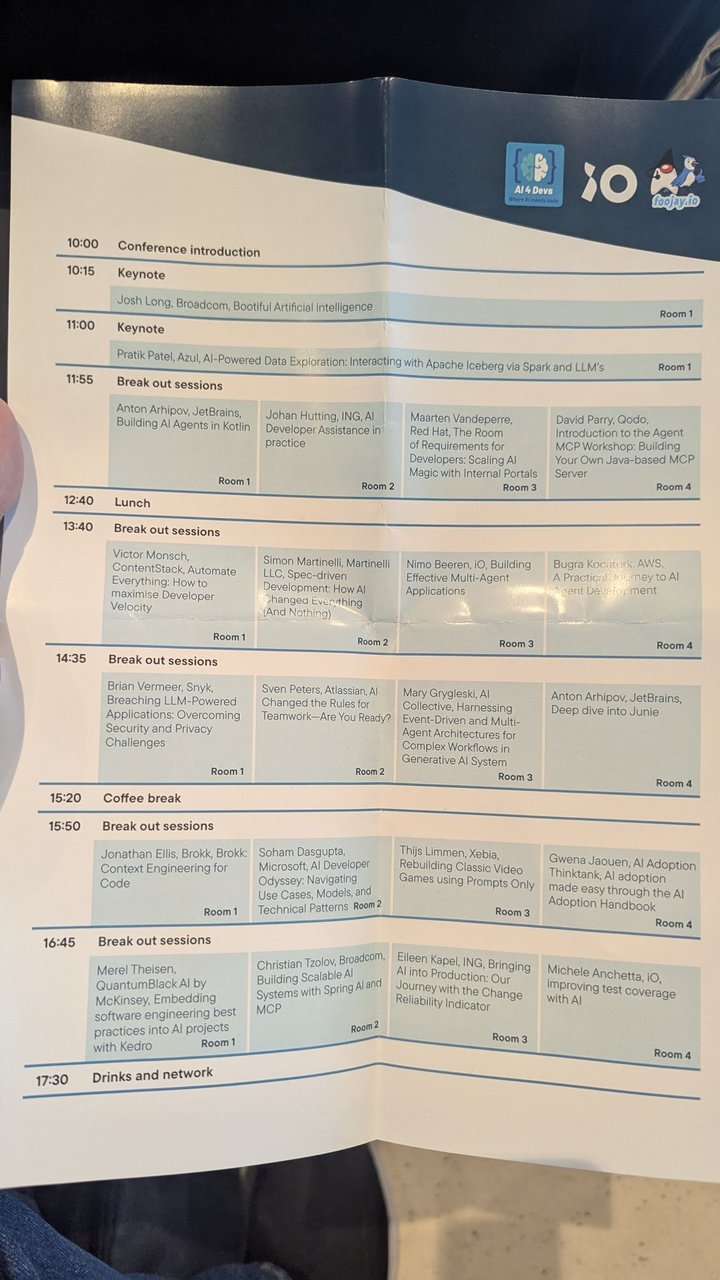
The folded programme: AI4Devs, iO and foojay.io logos at the top, four rooms per slot underneath.
Josh Long: a dog adoption assistant in Spring AI
Josh Long’s keynote was almost all live coding. He built a Spring Boot assistant for a fictional dog adoption agency, Pooch Palace. The system prompt on screen read: “You are an AI powered assistant to help people adopt a dog from the adoption agency named Pooch Palace with locations in Amsterdam, Seoul, Tokyo, Singapore, Paris, Mumbai, New Delhi, Barcelona, San Francisco, and London.” If there was no information about available dogs, it was told to reply politely that none were available.
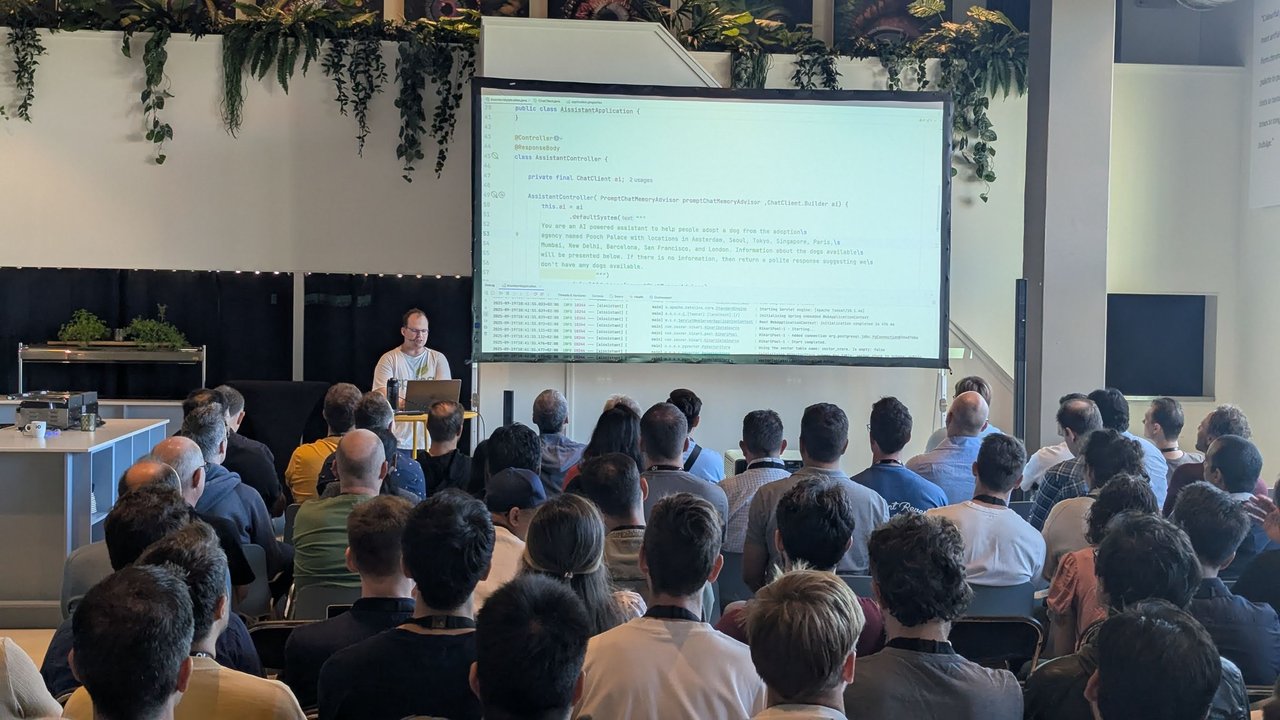
Josh Long’s AssistantController: a ChatClient built with a default system prompt and a chat-memory advisor.
The code built up in layers, all on the Spring AI ChatClient:
- Memory. The controller took a
PromptChatMemoryAdvisor, and the application properties pointed Spring AI’s JDBC chat-memory repository at a local PostgreSQL database. - Retrieval. At first the model knew it worked for Pooch Palace but couldn’t see any dogs. Josh’s point was that the data sits in a database, and you need fuzzy, semantic search over it. That means a vector store. He noted that Spring AI ships a simple in-memory vector store that he wouldn’t use in production, and that most databases now have vector support, so you probably already run something that will do. He used PostgreSQL. He then added a
QuestionAnswerAdvisor, which runs the request through the vector store first and sends only the matching documents to the model. The Spring AI advisor docs describe it as the naive RAG pattern. - Loading the data. At start-up the app read every dog from SQL with Spring Data JDBC, turned each into a Spring AI document, and added it to the vector store. He stressed that in a real system you need a synchronisation step: when you write a record to your business database, write it to the vector store too.
- Structured output. Once the model answered “Do you have neurotic dogs?” with a description of a dog called Prancer, he pointed out that you can’t build an abstraction on top of free text. The last step asked the model to return a typed Java record with an id, a name and a description instead.
My take: the order of that demo is the order I’d use with a team. Get the prompt and memory working, add retrieval, then insist on typed output before anything downstream depends on the answer. The vector store is the easy part; the synchronisation step is the part that breaks in production.
Pratik Patel: Apache Iceberg, Spark and a local LLM
The second keynote moved from chat to data. Pratik Patel’s opening slides placed Java in the AI pipeline in three stages: data acquisition and preprocessing (big data with Kafka, Iceberg and Flink, plus data preparation and cleaning), model building and fine-tuning (“mostly in python”, with Deeplearning4j and others), and inference and integration (“run efficiently”, “run at scale”). Azul’s logo sat over the first and last stages. An earlier Azul slide had pitched Azul Platform Prime with a “20%+ perf gain out of the box for most Java apps”.
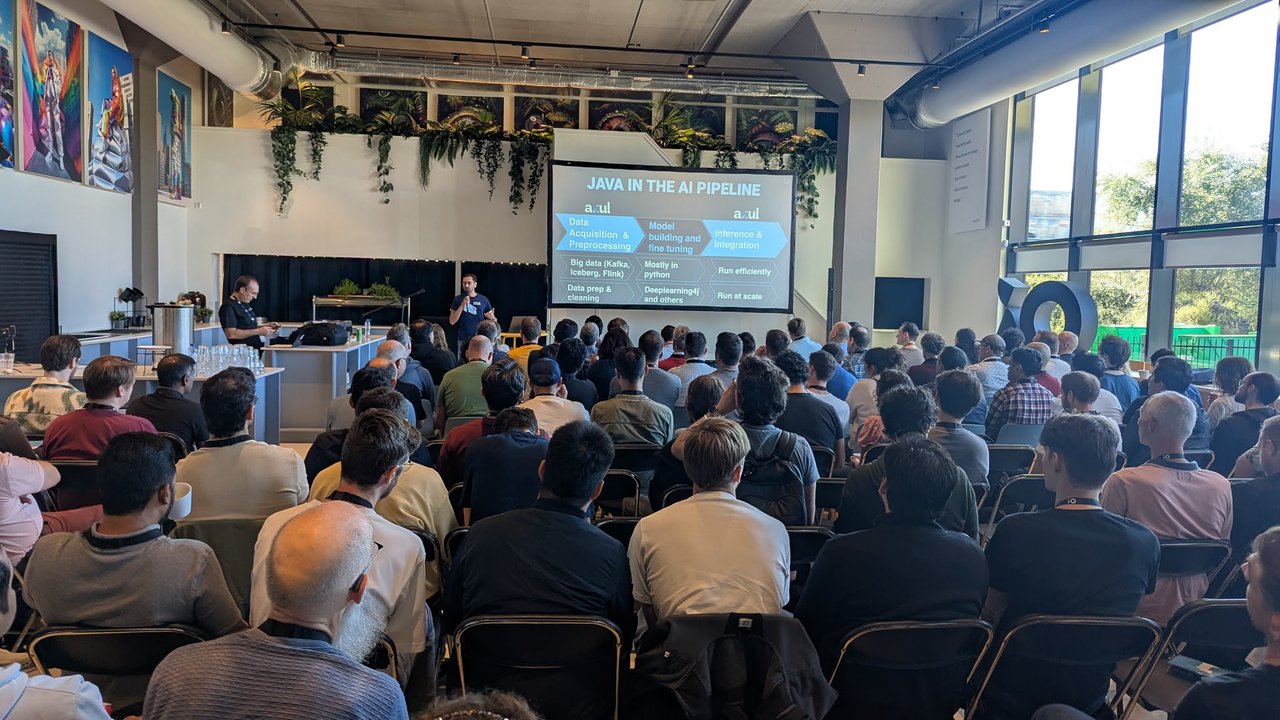
“Java in the AI pipeline”: Java at the data and inference ends, Python in the middle.
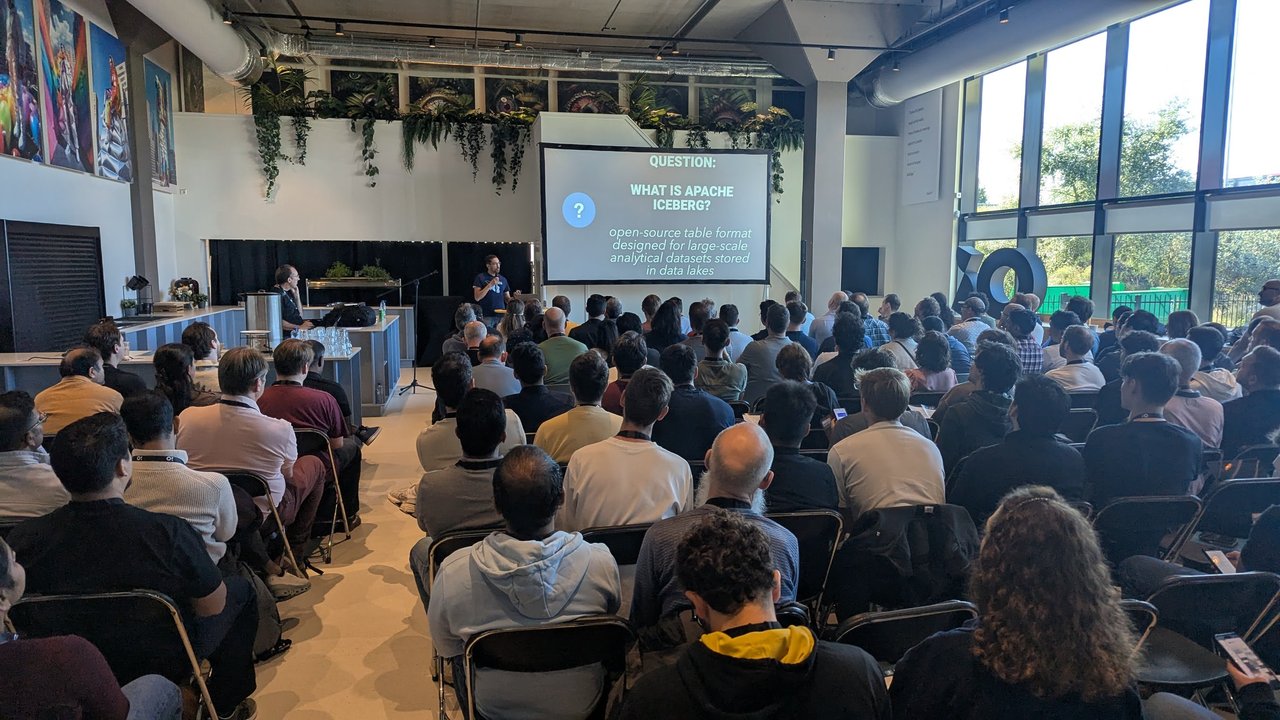
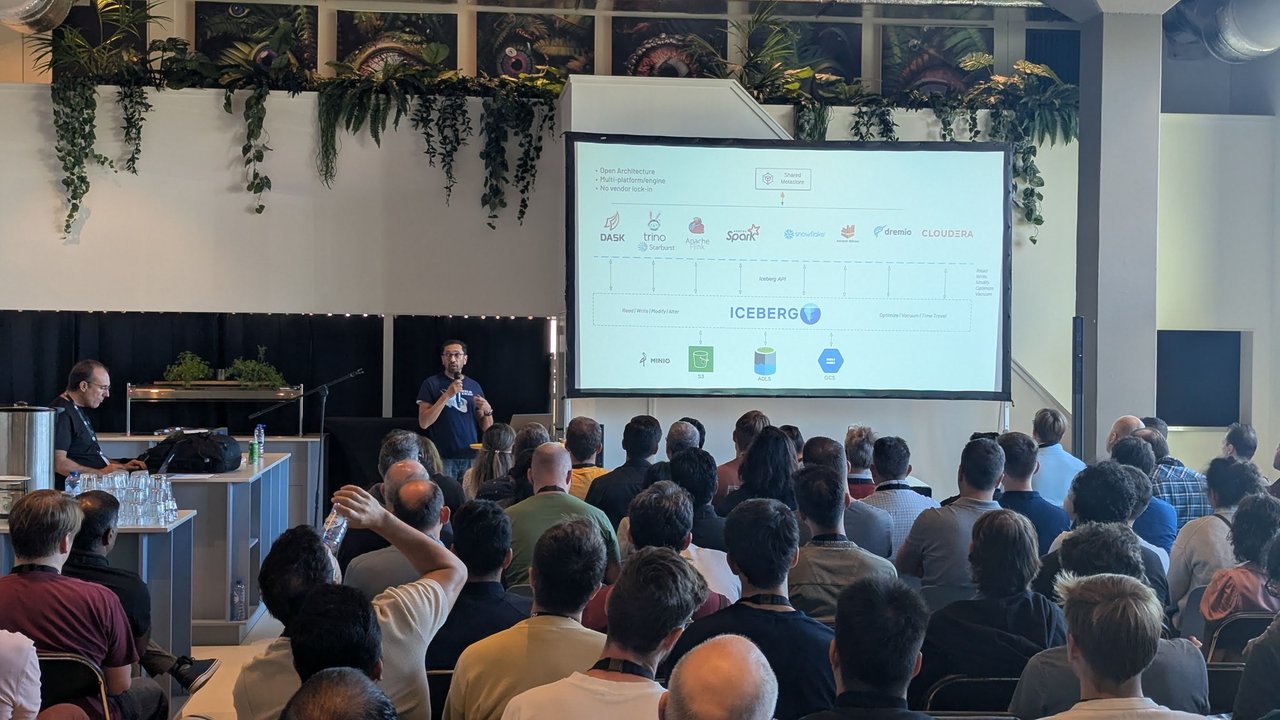
What Iceberg is, and where it sits: one table format between many engines and many object stores.
His definition slide called Apache Iceberg an “open-source table format designed for large-scale analytical datasets stored in data lakes”. The architecture slide made the case visually. Engines on top (Dask, Trino and Starburst, Apache Flink, Apache Spark, Snowflake, Dremio, Cloudera) all talk to Iceberg through the Iceberg API for read, write, modify, optimise, vacuum and time travel, over a shared metastore. Storage sits underneath: MinIO, S3, ADLS and GCS. The headline bullets were “Open Architecture”, “Multi-platform/engine” and “No vendor lock-in”.
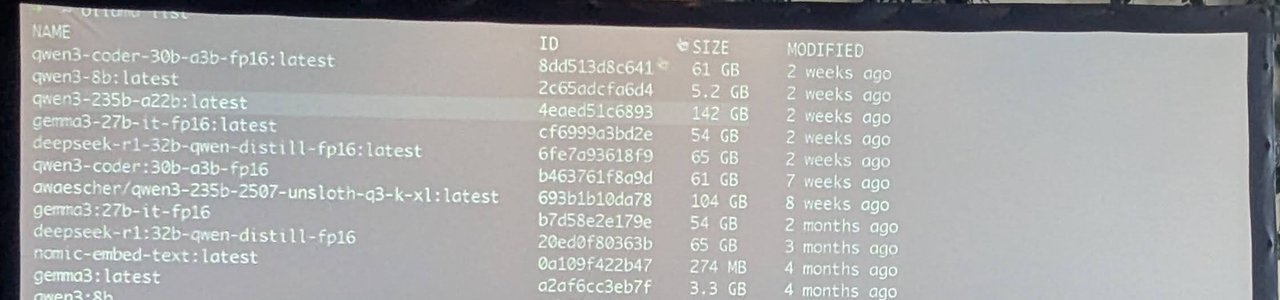
The demo laptop’s local model shelf: from a 274 MB embedding model to a 142 GB Qwen3 235B.
The demo ran on local models. The terminal listed what was installed: several Qwen3 variants (including qwen3-coder 30B at 61 GB and qwen3-235b-a22b at 142 GB), Gemma 3 27B, a DeepSeek-R1 32B Qwen distill and nomic-embed-text. He explained that on Apple silicon Macs you can change how much memory the GPU is allowed to use, which is how he fitted the larger models.
The application turned a question in plain English into a query over a table of house sales. He mentioned that it was also built on Spring AI, so he skipped the plumbing Josh had just covered. The system prompt named the table, and the user prompt carried the table schema. His first question, roughly “where is the cheapest district to buy a house”, produced a query that wasn’t quite right. Rewording it with suggestions from the audience, and naming the price column explicitly, gave a query that grouped by district and ordered by average price, which was much closer to what he wanted. His conclusion was that with these models, especially for engineering tasks, being more specific and giving the model as much low-level context as possible helps a lot.
My take: this is the honest version of text-to-SQL. The schema in the prompt does most of the work, and the user’s wording does the rest. For anything beyond a demo, I’d put a semantic layer or a set of approved views between the model and the raw tables.
Building AI agents in Kotlin with Koog
For the first breakout slot I went to the Room 1 session, listed on the agenda as Anton Arhipov (JetBrains), “Building AI Agents in Kotlin”. The framework was Koog, JetBrains’ open-source agent framework for the JVM. The talk was an introduction, with demos run against local models. On stage, the reasoning for a Kotlin framework was simple: their own products run on the JVM and need agents embedded in them, and Kotlin’s type system suits type-safe DSLs.
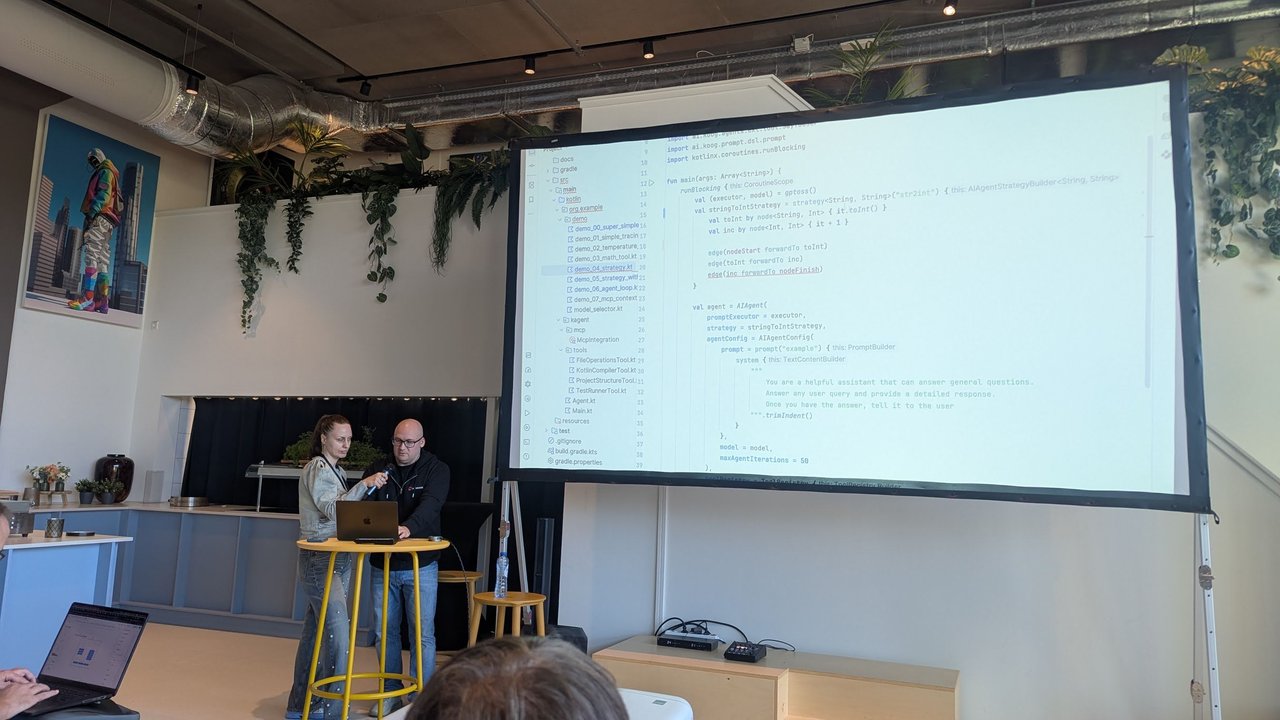
A Koog strategy as code: nodeStart to toInt to inc to nodeFinish, wired with edge(...) calls.
The architecture was the familiar loop: an environment that provides tools, an agent that makes decisions, a workflow, and an LLM. In Koog, tools are plain functions with an annotation and a description. The description, it was stressed, is what lets the model decide to call the tool. The screen showed a strategy written as a graph: a strategy<String, String>("str2int") with two nodes, toInt and inc, and edges from nodeStart through both to nodeFinish. The AIAgent took a prompt executor, that strategy, an agent config with a system prompt, and maxAgentIterations = 50. The project tree listed demos from demo_00_super_simple to demo_07_mcp_context, plus tools such as FileOperationsTool, KotlinCompilerTool and TestRunnerTool.
One demo was a useful lesson. A simple agent running on a local Qwen3 model ran, thought, and finished without printing an answer. The fix wasn’t the model. The default workflow loops until the model sends a final message, and the agent needed Koog’s built-in tool for talking to the user. Later the workflow was extended with extra nodes, such as asking the agent to propose a plan and wait for approval, or to write tests first.
Strands Agents: a hands-on workshop
After lunch I joined the AWS session, listed on the agenda in Room 4 as Bugra Kocaturk (AWS), “A Practical Journey to AI Agent Development”. It was a hands-on workshop built on Strands Agents, an open-source SDK for AI agents.
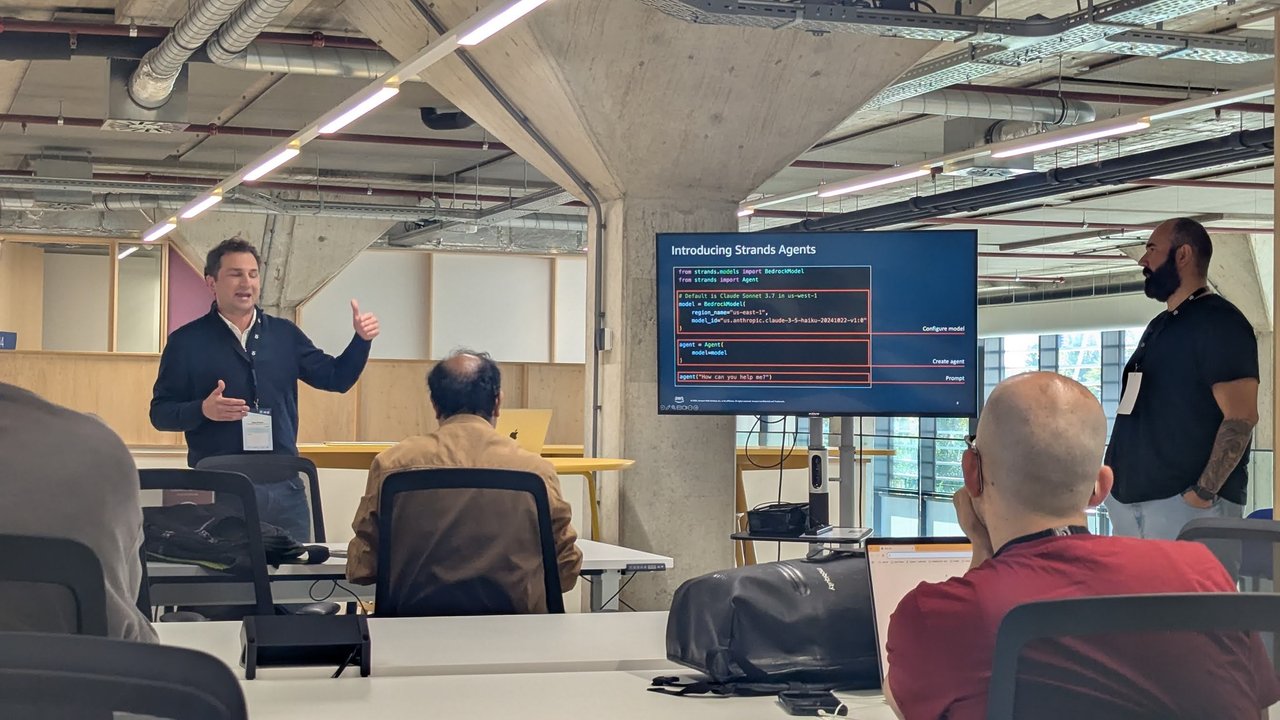
“Introducing Strands Agents”: configure a model, create an agent, prompt it.
The intro slide showed the whole SDK in about ten lines of Python, split into three boxes: configure the model, create the agent, prompt it. A comment said the default was Claude Sonnet 3.7 on Amazon Bedrock. The example overrode it with a BedrockModel in us-east-1 running Claude 3.5 Haiku, passed that to Agent(model=model), and called agent("How can you help me?").
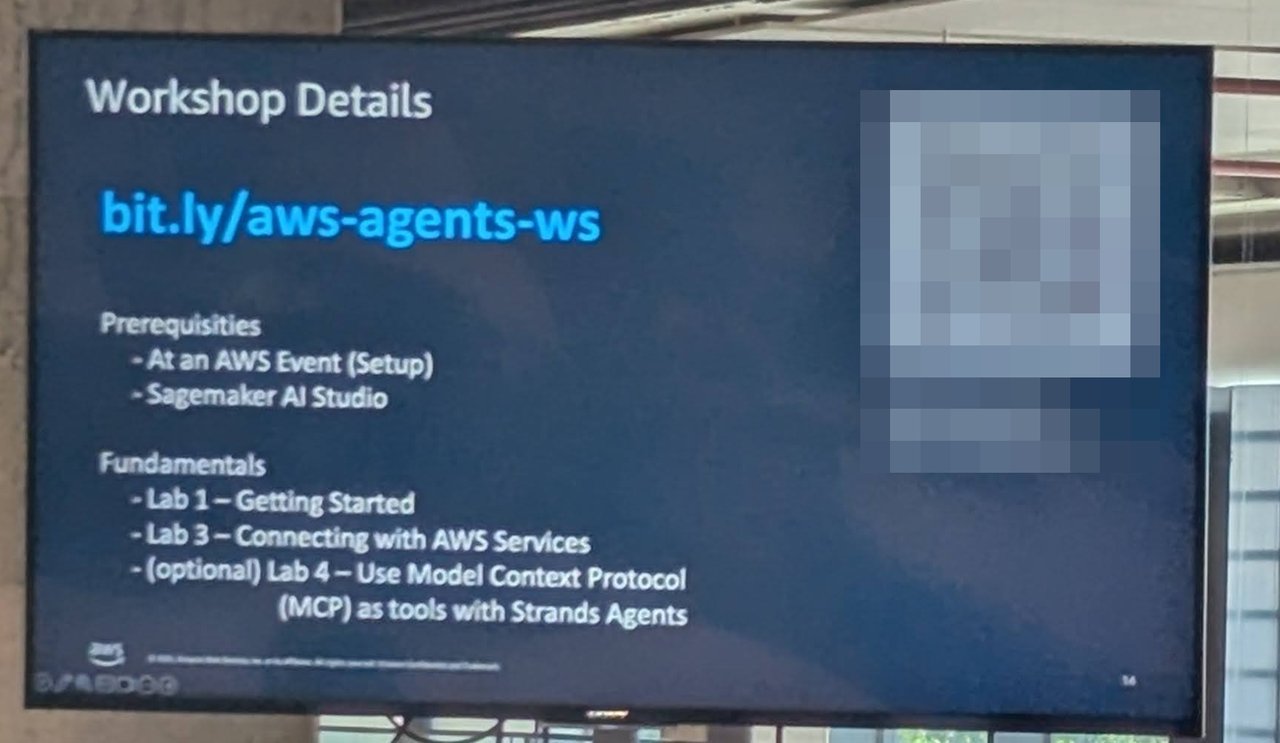
The workshop plan. I’ve pixelated the QR code and the event access code.
The workshop ran in SageMaker AI Studio through an AWS event account. The labs were “Getting Started”, “Connecting with AWS Services” and an optional lab on using the Model Context Protocol (MCP) as tools with Strands Agents.
My take: seen back to back, Koog and Strands answer the same question in two languages. Both treat the model, the tools and the loop as separate pieces you configure. Both treat MCP as the standard way to plug in tools. Which one you pick depends on whether your team lives on the JVM or in Python, not on the agent pattern.
What I took away
Every session I photographed ended up in the same place: the model was the least interesting part. Josh’s demo was about memory, retrieval and typed output. Pratik’s was about the schema and the wording of the question. The Koog demo failed because of a missing tool, not a weak model. For Java and Kotlin teams, the tooling to do all of this without leaving the JVM is now there.