You have probably felt this before: you ask an AI assistant to write a snippet, you paste it into your editor, and something quietly breaks. A test fails for no reason. A JSON file will not parse. A shell command behaves oddly. The cause is not your code — it is an invisible character the model slipped into the output.
That is one face of AI watermarking, and it is no longer a fringe curiosity. Generative models now stamp their output with machine-readable provenance: hidden Unicode in text, C2PA manifests in images, and metadata in documents. With the EU AI Act’s transparency obligations (Article 50) taking effect in August 2026, this is becoming the default, not the exception.
In this guide I will show you what these marks actually are, why you might want them gone, and how to strip them cleanly using the open-source watermarks-remover toolkit (MIT licensed, ~18k stars, Python stdlib with an optional HTTP service).
Why this matters to developers
The most annoying case is the one Claude Code users keep hitting: the agent writes a file, and that file contains zero-width characters, bidirectional controls, or exotic spaces that your terminal never shows you. They survive copy-paste, break linters, corrupt diffs, and cost you an afternoon of debugging. This is exactly what the “Claude has a watermark on everything” complaint is about — not a visible logo, but invisible bytes in files the model produces.
The second case is provenance metadata. When an image or PDF leaves an AI pipeline, it can carry a C2PA manifest or embedded EXIF/XMP that says, machine-readably, “this was generated.” That is useful for disclosure, but it is also data you may not want baked into every asset you ship — especially content you own and have edited into something new.
Three layers of marks
The watermarks-remover project organizes detection and cleaning into three layers, and understanding them changes how you clean:
- Layer A — invisible Unicode. Zero-width spaces (U+200B), zero-width joiners, variation selectors, bidirectional override characters, and homoglyph spaces. These are deterministic and trivially removable. They are also the “watermark” most removal tools target — but they are not the real provenance signal for Claude.
- Layer B — statistical text watermarks. Schemes like SynthID-Text (Google) and green-list/keyed-Gumbel marks (open LLMs) bias the model’s token sampling so a detector can later say “this text was machine generated.” There are no hidden characters to delete; the only practical way to weaken them is to rewrite the text (paraphrase), which is itself imperfect.
- Files — C2PA / metadata. Content Credentials manifests, EXIF, XMP, and document properties embedded in PNG, JPEG, WebP, SVG, PDF, DOCX, HTML, Markdown, and more.
A key accuracy point: Anthropic’s own documentation states its SynthID-based text watermark adds no hidden characters at all. So a tool that scrubs zero-width Unicode makes your text hygiene-clean but does not defeat Claude’s real statistical watermark. Removing that requires the Layer B rewrite path, and even then it is a game of probabilities, not a guaranteed erase. Do not promise more than the tool delivers.
Install and run
The project ships as an agent skill plus a small Python service. The skill is a thin HTTP client; the service does the work. No third-party dependencies are required for the core (Python 3.10+ stdlib).
# Clone and start the local service
git clone https://github.com/guillaumemeyer/watermarks-remover.git
cd watermarks-remover
make serve                 # http://127.0.0.1:8765
To wire it into Claude Code as a skill (no clone needed if you use the plugin marketplace):
/plugin marketplace add guillaumemeyer/watermarks-remover
/plugin install watermarks-remover@watermarks-remover
Or install the skill file directly:
python3 install_skill.py --skill remove-ai-marks --target claude-codeCleaning files from the command line
The unified scripts are the fastest path. Point them at any supported file and they classify the format, detect marks, and strip them:
SCRIPTS=service/scripts

# Inspect what is in a file (text, image, or document)
python3 "$SCRIPTS/inspect_file.py" draft.md
python3 "$SCRIPTS/inspect_file.py" photo.png

# Clean it in place to a new file
python3 "$SCRIPTS/clean_file.py" draft.md -o draft.cleaned.md
python3 "$SCRIPTS/clean_file.py" photo.png -o photo.cleaned.png
python3 "$SCRIPTS/clean_file.py" notes.docx -o notes.cleaned.docx
For text only, the Layer A tools give you counts and stats:
python3 "$SCRIPTS/inspect_text.py" draft.md
python3 "$SCRIPTS/clean_text.py" draft.md -o draft.cleaned.md --stats
Layer B (statistical marks) is a rewrite, not a delete. The default just prints the paraphrase prompt so you can see what it would do; wiring an actual model is optional:
python3 "$SCRIPTS/rewrite_text.py" draft.md --backend print-prompt --strength paraphrase

# Optional local model (loopback only by default)
WATERMARKS_REWRITE_BACKEND=ollama WATERMARKS_REWRITE_MODEL=llama3.2 \
  python3 "$SCRIPTS/rewrite_text.py" draft.md -o draft.rewritten.md
Images have their own inspect/clean pair for C2PA and residual metadata:
python3 "$SCRIPTS/inspect_image.py" shot.png
python3 "$SCRIPTS/clean_image.py" shot.png -o shot.cleaned.png
Note: text tools refuse binary input on purpose, so pass documents and images to inspect_file.py / clean_file.py, which route by format. Unknown formats are never auto-cleaned — the tool tells you instead of corrupting the file.
The Claude Code hook — the deterministic half
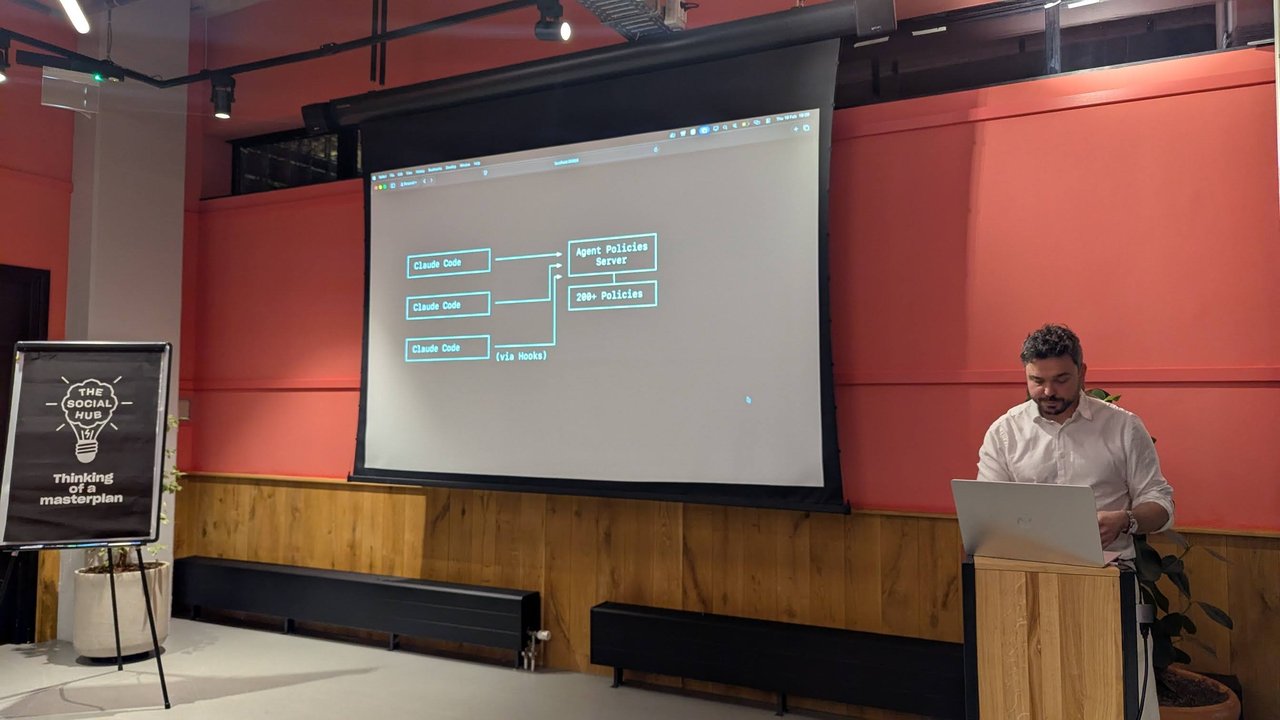
This is the part I found genuinely clever. A skill is just an instruction: the model may or may not follow it, and the model is the thing producing the marks. A hook, on the other hand, runs on every matching tool call regardless of whether the model cooperates.
The bundled plugin registers a PostToolUse hook on Write|Edit|MultiEdit|NotebookEdit. Every time Claude Code writes or edits a file, the hook scans it and can either report the marks (check mode) or strip them in place (clean mode):
{
  "hooks": {
    "PostToolUse": [
      {
        "matcher": "Write|Edit|MultiEdit|NotebookEdit",
        "hooks": [
          {
            "type": "command",
            "command": "python3",
            "args": ["/path/to/watermarks-remover/service/scripts/hook_written_file.py", "--mode", "clean"],
            "timeout": 30
          }
        ]
      }
    ]
  }
}
Set the mode from the plugin’s settings or the WATERMARKS_HOOK_MODE=clean environment variable. In clean mode it writes to a sibling temp file and swaps only when there is a real difference, so already-clean files keep their modification time and do not retrigger file watchers.
The documented limit is honest: no hook can rewrite the assistant’s chat message before you read it. The deterministic guarantee covers files the agent writes plus the pre-commit gate for anything heading into git. Text that lives only in the transcript still depends on the skill workflow, which is model-instruction-based and therefore best-effort.
Ethics and the law
Be precise about scope. This toolkit is framed for privacy and hygiene on content you own — stripping marks from your own drafts, cleaning assets before you publish them, and removing characters that break your tooling. It is not a license to launder someone else’s content or to strip provenance you are legally required to keep.
That last point is live as of August 2026: Article 50 of the EU AI Act requires providers of generative AI systems to mark outputs in a machine-readable way, and the Code of Practice on transparency pushes providers toward standards like C2PA. Removing C2PA metadata from content you are obligated to label can put you on the wrong side of that. The tool is a scalpel, not a blanket “delete all provenance” button — use it with eyes open.
What I took away
AI provenance marks are here to stay, and they are more varied than the “invisible watermark” label suggests. The practical takeaways:
- If your code breaks for no visible reason, check for zero-width Unicode —
inspect_text.py --statswill tell you in seconds. - Removing hidden characters is easy and safe; defeating a real statistical watermark (SynthID-class) is not, and you should not claim otherwise.
- The Claude Code
PostToolUsehook is the only part that runs whether or not the model feels cooperative — that is where to put your trust for files on disk. - C2PA stripping is powerful but legally sensitive under the EU AI Act; keep it to content you own and are free to clean.
If you want to go deeper, the watermarks-remover repository has the full script reference, the HTTP API for integrating into your own apps, and a candid residual-risk section. I will be watching how providers and regulators evolve this space through the rest of 2026.