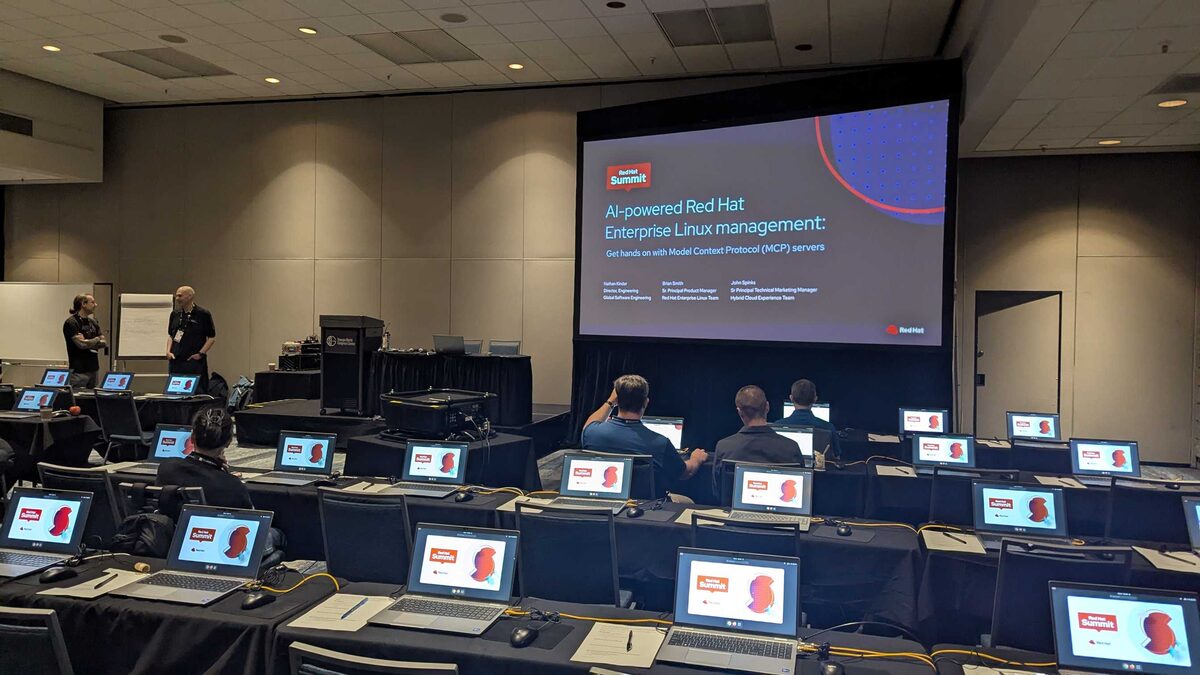
At Red Hat Summit 2026 in Atlanta, I attended one of the most practical sessions of the conference: “AI-powered Red Hat Enterprise Linux management: Get hands on with Model Context Protocol (MCP) servers” — a full hands-on lab where attendees worked directly with MCP servers for RHEL, Lightspeed, and Satellite.
The Speakers
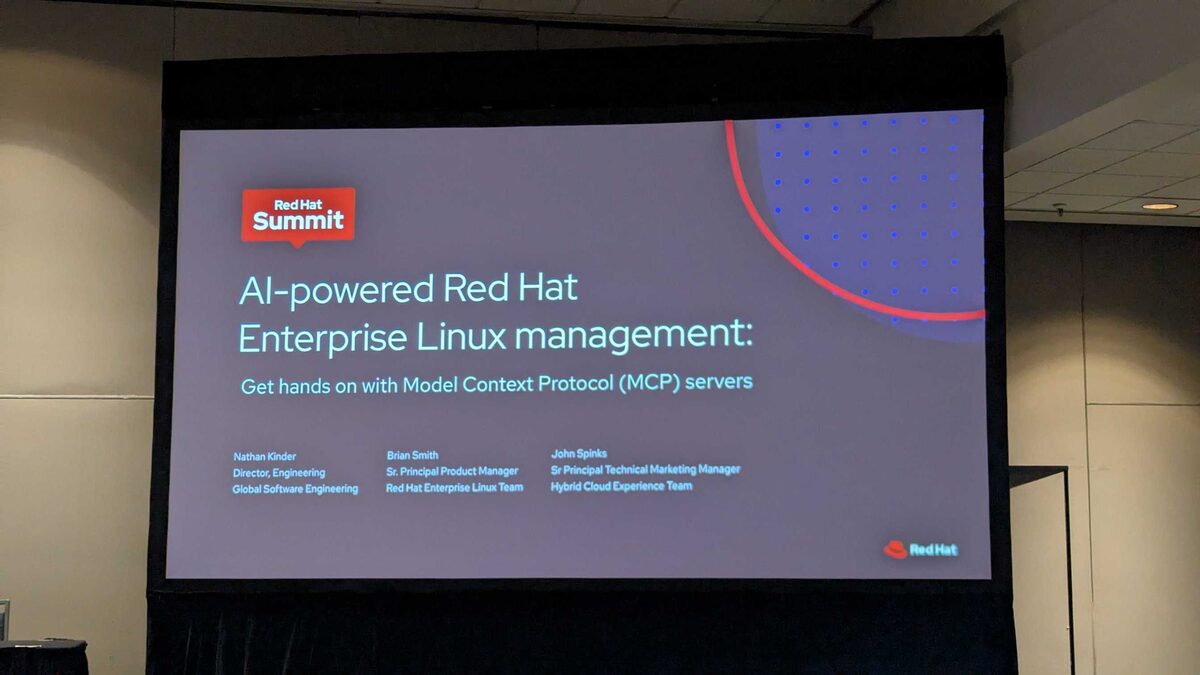
Three Red Hat engineers led the session:
- Nathan Kinder — Director, Engineering, Global Software Engineering
- Brian Smith — Sr. Principal Product Manager, Red Hat Enterprise Linux Team
- John Spinks — Sr. Principal Technical Marketing Manager, Hybrid Cloud Experience Team
The Reality of Managing RHEL at Scale
The session opened with a brutally honest assessment of what RHEL management looks like today:
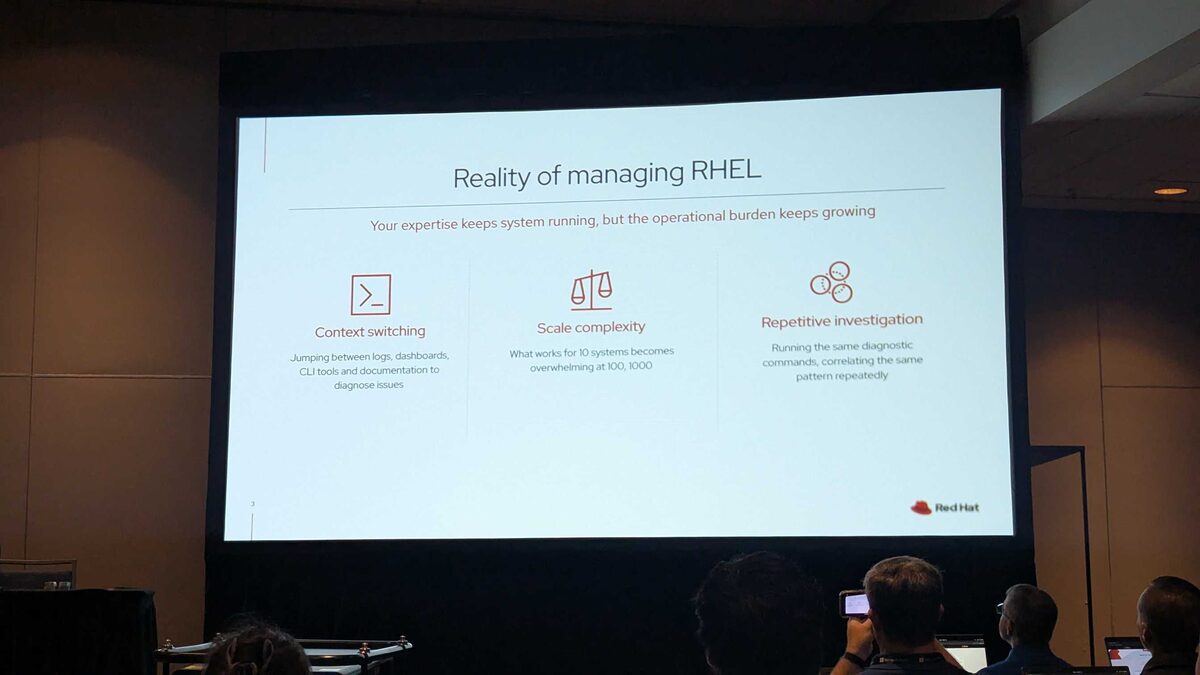
“Your expertise keeps system running, but the operational burden keeps growing.”
Three pain points every RHEL admin recognizes:
- Context switching — Jumping between logs, dashboards, CLI tools, and documentation to diagnose issues
- Scale complexity — What works for 10 systems becomes overwhelming at 100 or 1,000
- Repetitive investigation — Running the same diagnostic commands, correlating the same patterns repeatedly
Where Does the Time Go?
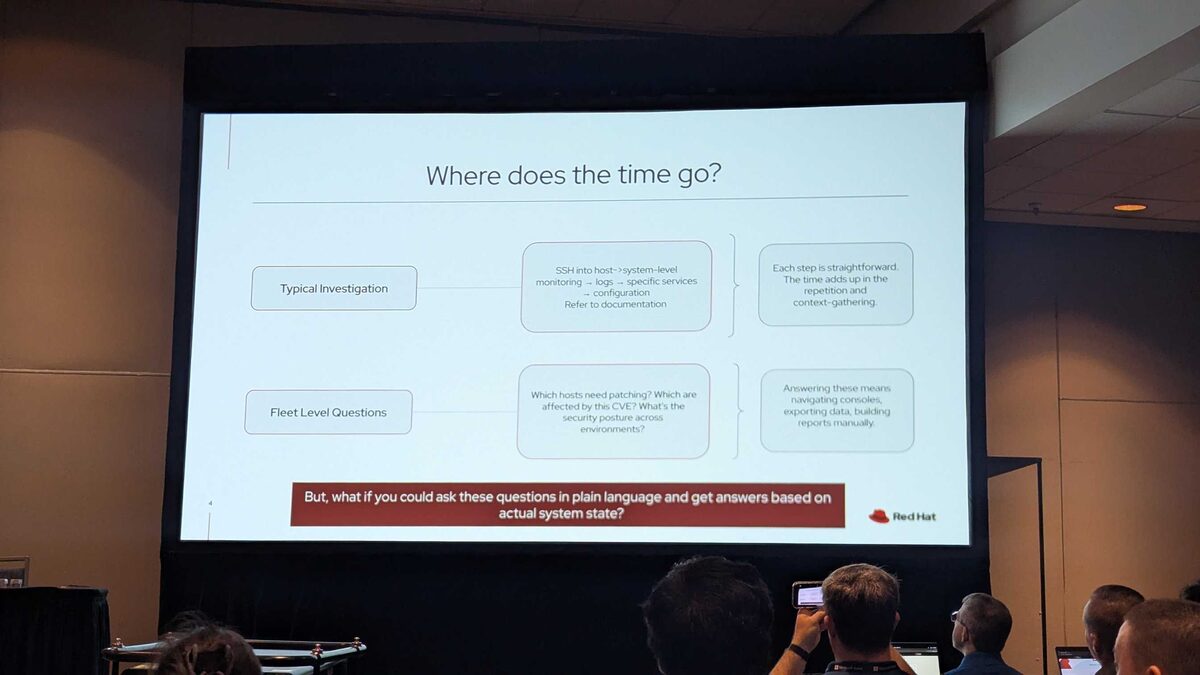
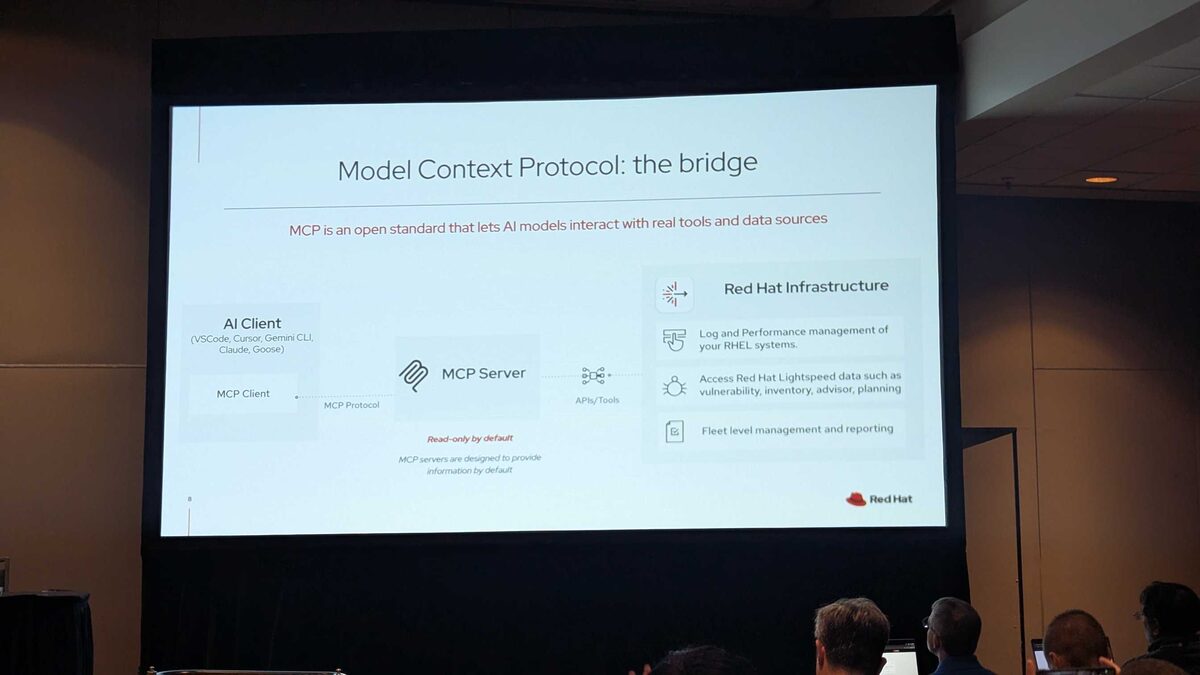
The slide broke down two categories of time sinks:
Typical Investigation: SSH into host, check system-level monitoring, review logs, inspect specific services, check configuration, refer to documentation. Each step is straightforward — the time adds up in the repetition and context-gathering.
Fleet Level Questions: Which hosts need patching? Which are affected by this CVE? What is the security posture across environments? Answering these means navigating consoles, exporting data, building reports manually.
The key question: “But, what if you could ask these questions in plain language and get answers based on actual system state?”
MCP: The Bridge Between AI and Your Infrastructure
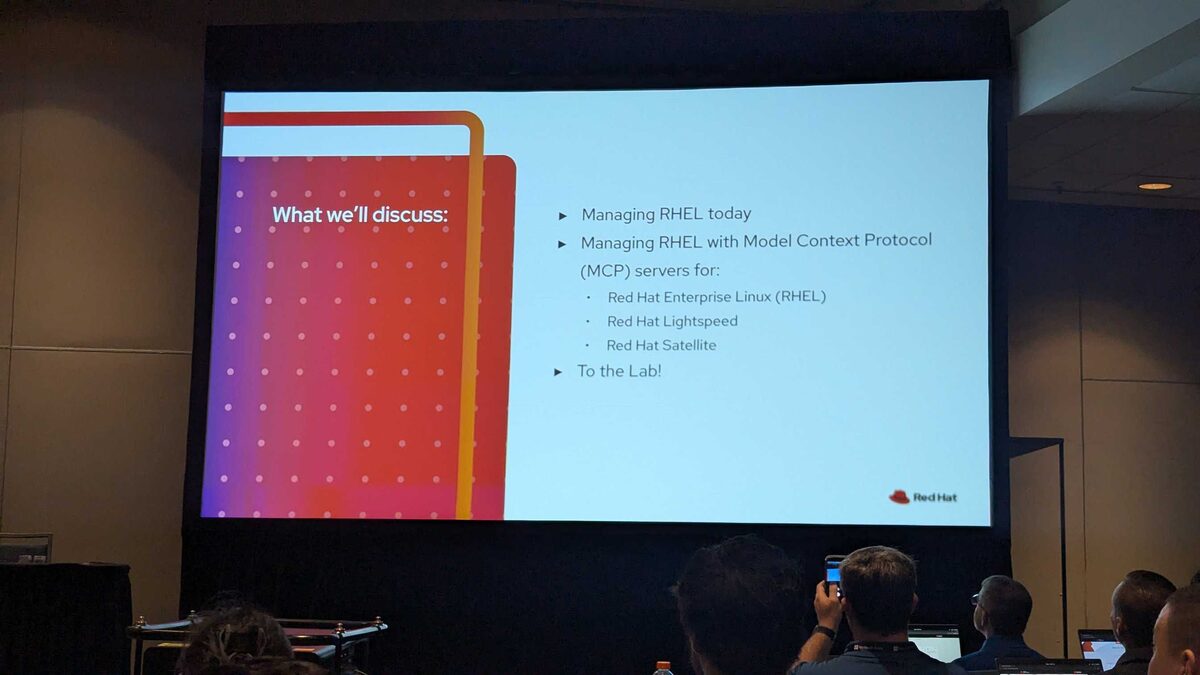
The session covered:
- Managing RHEL today — the current state of fleet administration
- Managing RHEL with Model Context Protocol (MCP) servers for:
- Red Hat Enterprise Linux (RHEL)
- Red Hat Lightspeed
- Red Hat Satellite
- Hands-on lab — getting your hands dirty with real MCP server implementations
The Model Context Protocol is the standardized way for AI models to interact with external tools and data sources. Red Hat is building MCP servers that give AI assistants direct, structured access to RHEL system state, Satellite fleet data, and Lightspeed AI capabilities.
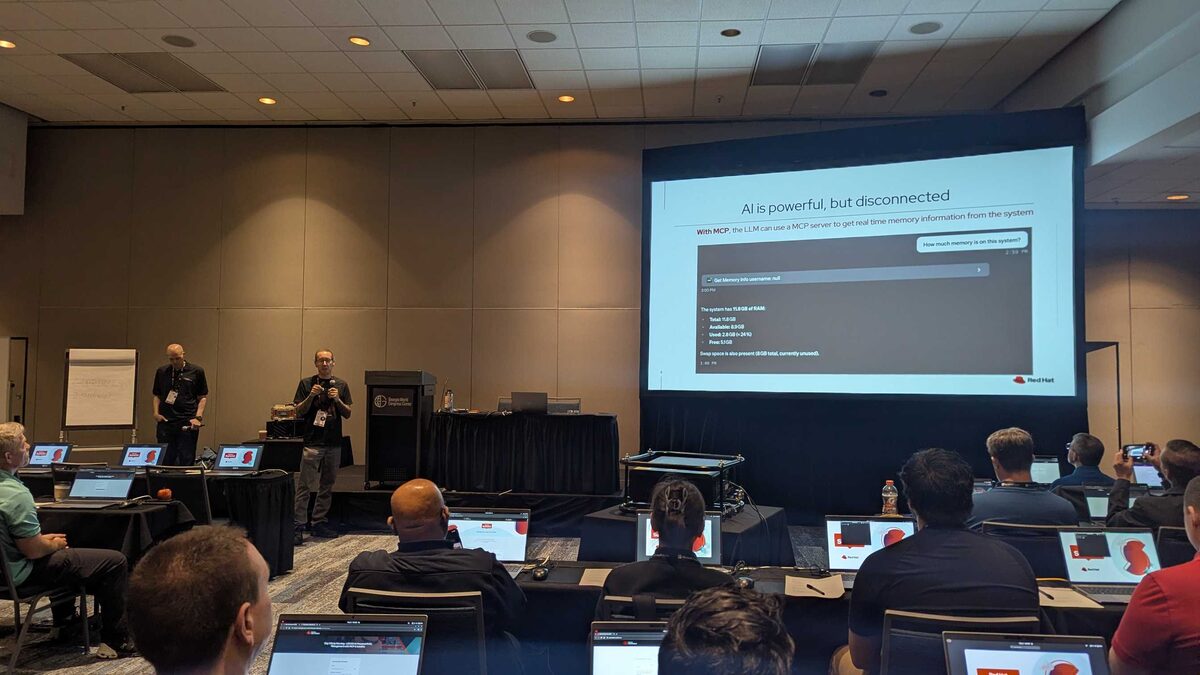
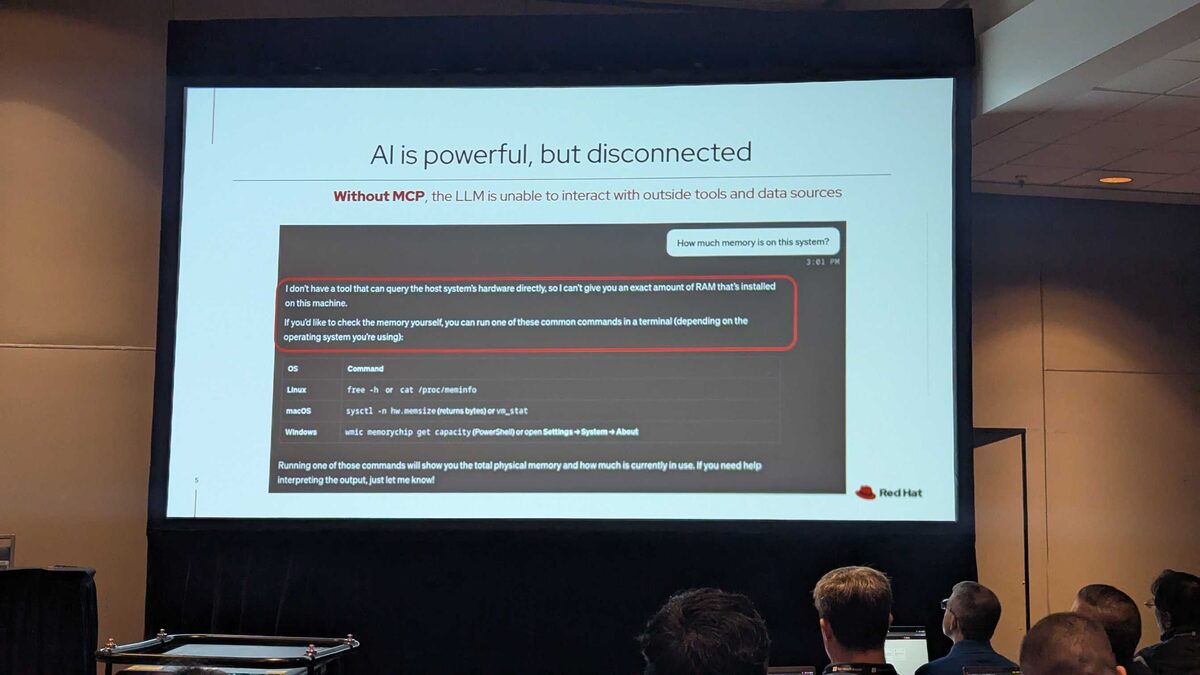
AI Is Powerful, but Disconnected
The most compelling demo of the session — a side-by-side comparison showing exactly why MCP matters:
Without MCP:
Ask “How much memory is on this system?” and the LLM can only suggest you run commands yourself: free -h on Linux, sysctl -n hw.memsize on macOS, wmic memorychip get capacity on Windows. It has no way to actually check.
With MCP:
The same question, but now the LLM calls Get Memory Info through the MCP server and returns actual system data: 11.8 GB RAM total, 8.9 GB available, 2.8 GB used (24%), 5.1 GB free, plus 8 GB swap currently unused. Real data, real time, no manual commands.
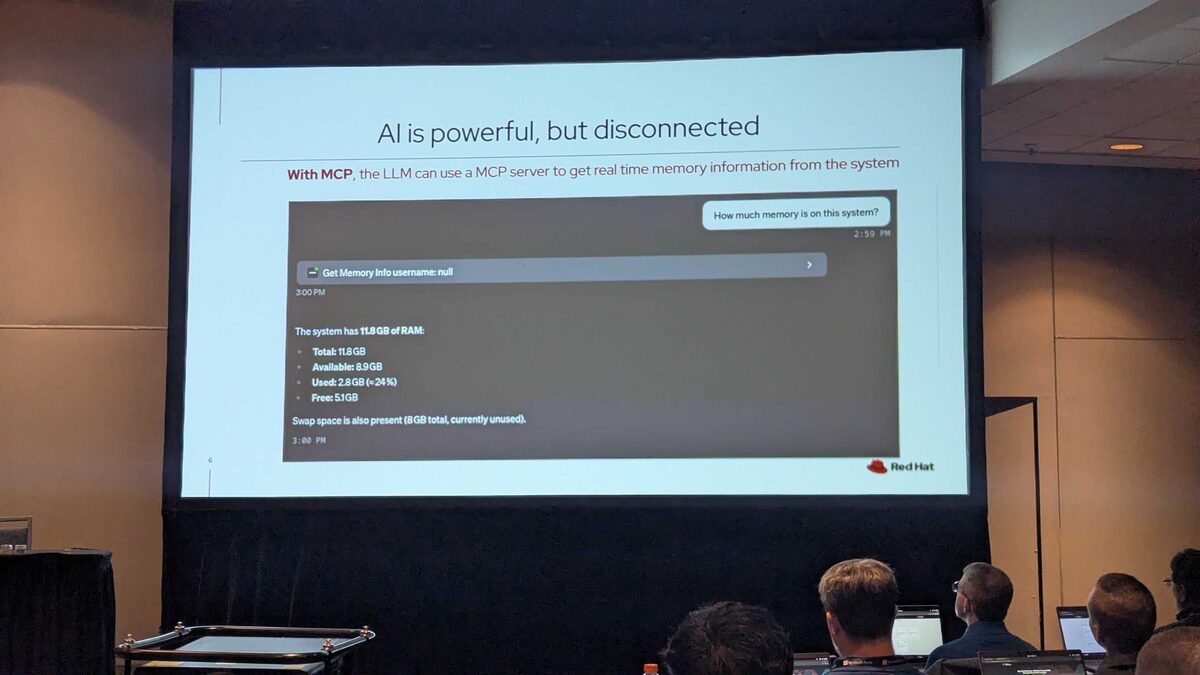
Model Context Protocol: The Bridge
The architecture is clean:
- AI Client (VSCode, Cursor, Gemini CLI, Claude, Goose) → MCP Client → MCP Protocol → MCP Server → APIs/Tools → Red Hat Infrastructure
The MCP servers are read-only by default — designed to provide information, not make changes. They connect to three layers of Red Hat infrastructure:
- Log and Performance management of your RHEL systems
- Access Red Hat Lightspeed data such as vulnerability, inventory, advisor, planning
- Fleet level management and reporting
Three MCP Servers for RHEL Management
Red Hat announced three MCP servers, each at different maturity stages:
Red Hat Lightspeed (Developer Preview):
- Image building
- Inventory
- Configuration assessment
- Vulnerabilities (CVEs)
- Lifecycle planning
Red Hat Satellite (Technology Preview):
- Custom reporting (6.18)
- Patching (6.19)
Red Hat Enterprise Linux (Developer Preview):
- Log analysis
- Performance monitoring
- Troubleshooting
Tools Provided by MCP Server for Red Hat Lightspeed
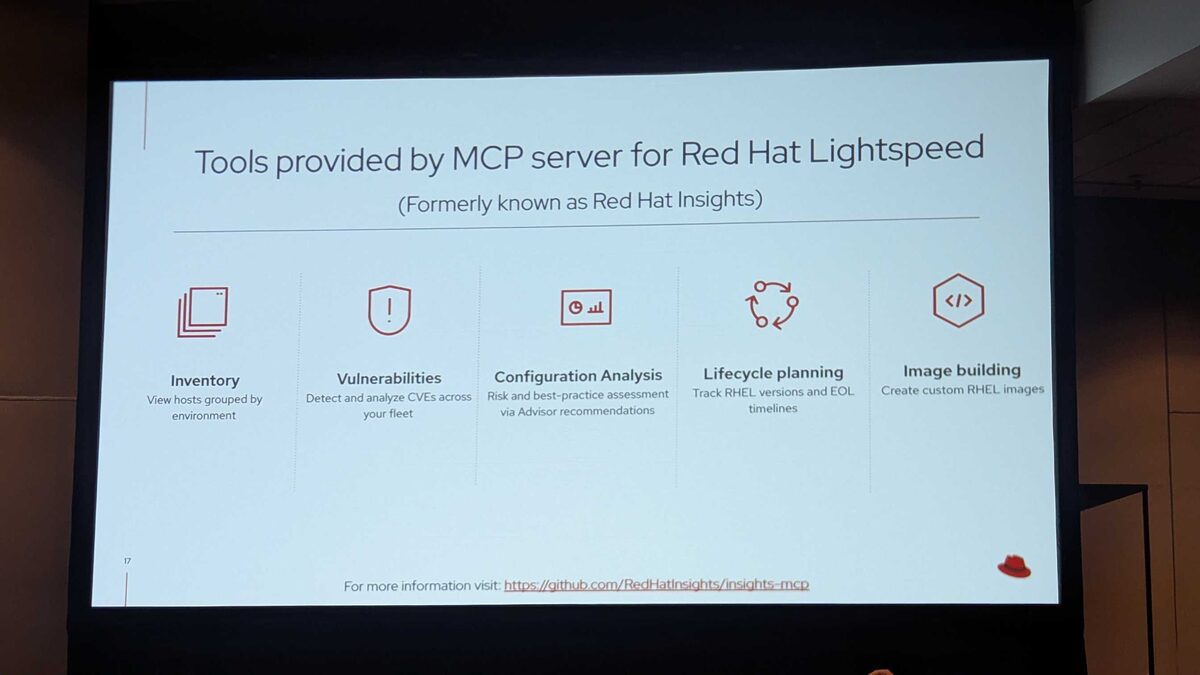
Red Hat Lightspeed is the new name for Red Hat Insights — and its MCP server exposes five powerful fleet management tools:
- Inventory — View hosts grouped by environment
- Vulnerabilities — Detect and analyze CVEs across your fleet
- Configuration Analysis — Risk and best-practice assessment via Advisor recommendations
- Lifecycle Planning — Track RHEL versions and EOL timelines
- Image Building — Create custom RHEL images
For more information, visit the upstream repo at github.com/RedHatInsights/insights-mcp.
Tools Provided by MCP Server for RHEL
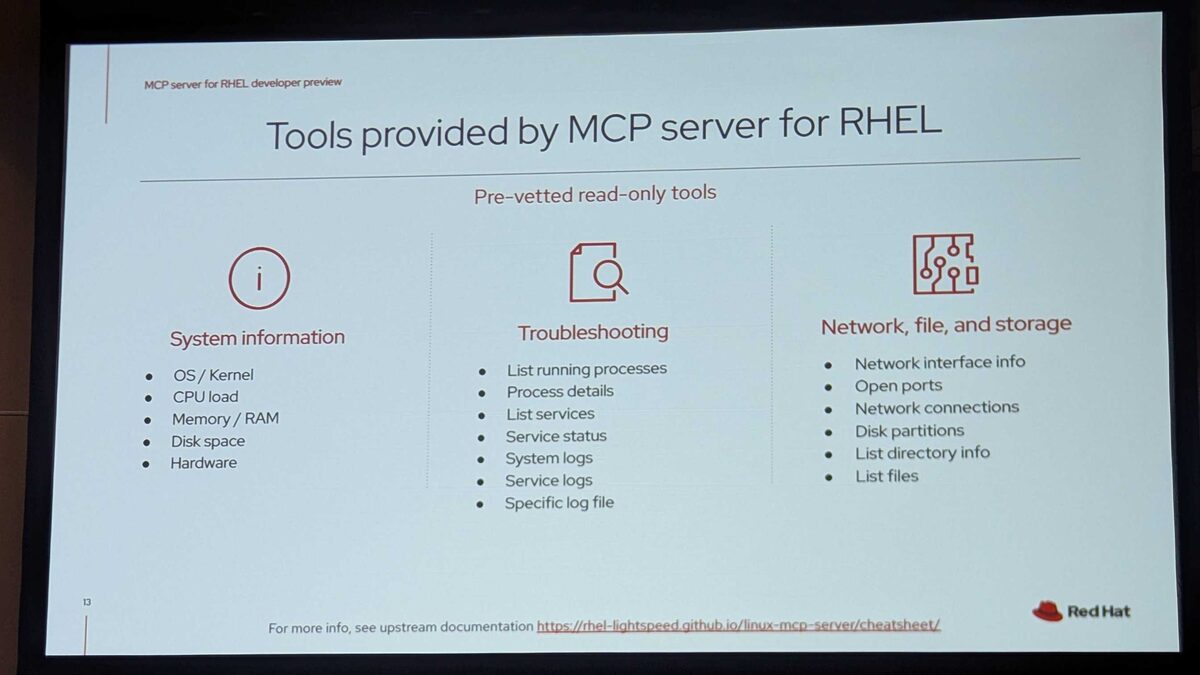
The RHEL MCP server exposes pre-vetted read-only tools across three categories:
System Information: OS/Kernel, CPU load, Memory/RAM, Disk space, Hardware
Troubleshooting: List running processes, Process details, List services, Service status, System logs, Service logs, Specific log file
Network, File, and Storage: Network interface info, Open ports, Network connections, Disk partitions, List directory info, List files
For more info, see the upstream documentation at rhel-lightspeed.github.io/linux-mcp-server/cheatsheet.
Guarded Command Execution: Beyond Read-Only
The read-only tools are just the beginning. Red Hat also introduced guarded command execution — an optional feature that transitions the AI from passive advisor to active participant:
- The next step in AI-assisted RHEL management: moves from fixed, read-only data gathering into active system troubleshooting
- Dynamic problem solving: enables the AI model to dynamically generate and run custom scripts/commands on the target system to investigate complex problems
- Accelerated resolution: leverages the AI’s deep knowledge of Linux to help identify root causes
Multi-Layered Defenses
Defense in depth guardrails designed to mitigate the risks of dynamic script execution:
Gatekeeper Model: A gatekeeper model evaluates proposed scripts for policy adherence, clarity, and safety before they are allowed to execute.
Human in the Loop: For compatible LLM clients, an MCP Apps approval UI prompts the user to confirm changes that will modify the system.
Sandboxing: When possible, uses systemd-run to limit the permissions of the script when executed.
This is exactly the kind of safety-first approach enterprise teams need — you get AI-powered troubleshooting without giving the model unchecked root access.
Hands-On Lab: The Infinicorp Scenario
The session transitioned from slides to a hands-on lab built around “Infinicorp Robotics Solutions” — a fictional company used to demonstrate real-world MCP workflows.
Lab Modules
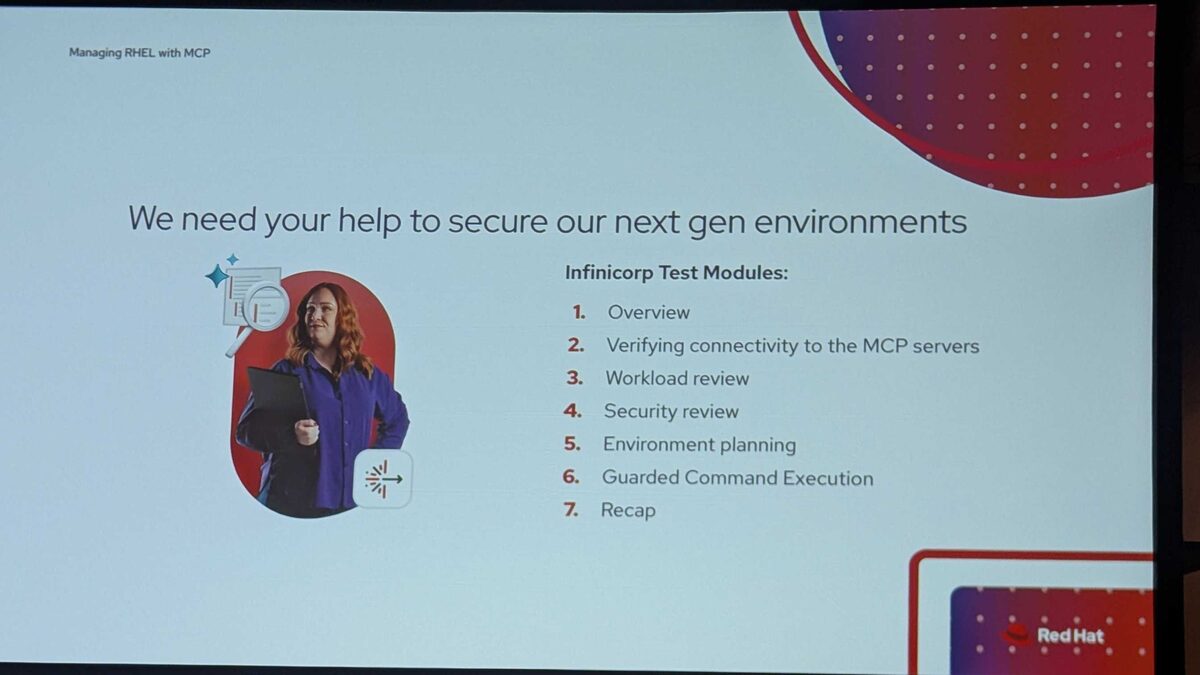
Attendees worked through 7 structured modules:
- Overview — Introduction to the Infinicorp environment
- Verifying connectivity to the MCP servers — Ensuring all three MCP servers are reachable
- Workload review — Analyzing running services and resource usage
- Security review — CVE scanning and configuration assessment
- Environment planning — Lifecycle planning and EOL tracking
- Guarded Command Execution — Running AI-generated scripts with safety guardrails
- Recap — Reviewing findings and lessons learned
Lab Architecture
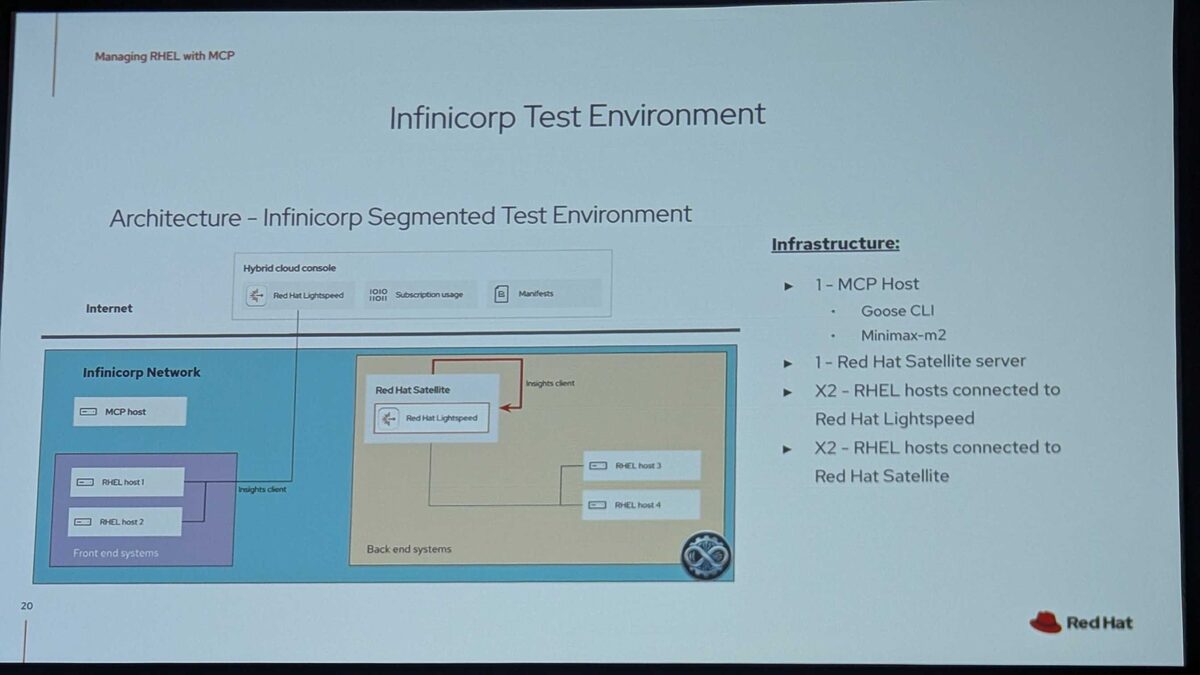
The lab infrastructure consisted of:
- 1 MCP Host running Goose CLI with Minimax-m2 model
- 1 Red Hat Satellite server with Red Hat Lightspeed
- 2 RHEL hosts (front-end systems) connected to Red Hat Lightspeed via Insights client
- 2 RHEL hosts (back-end systems) connected to Red Hat Satellite
All connected through the Hybrid Cloud Console with Lightspeed, subscription usage, and manifests — a realistic enterprise segmented network topology.
Live Lab Experience
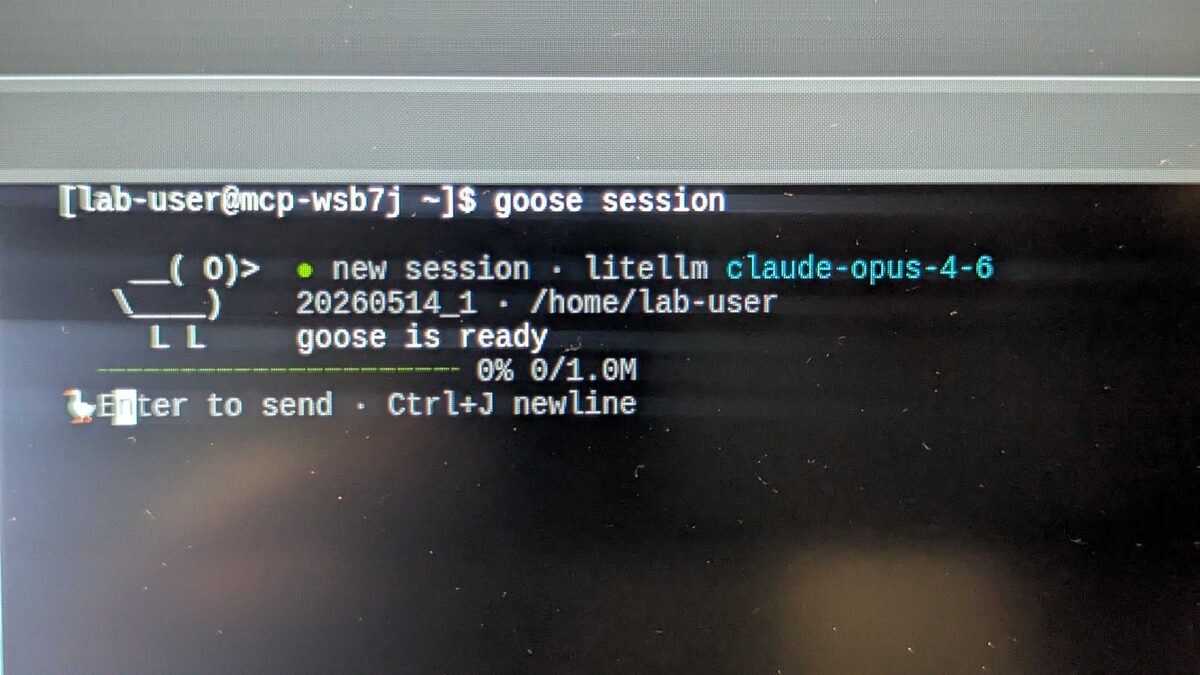
The lab used Goose CLI (Block’s open-source AI agent) with litellm proxying to Claude Opus 4.6 via Google Vertex AI. Rate limiting and budget controls were built in — important details for any production MCP deployment.
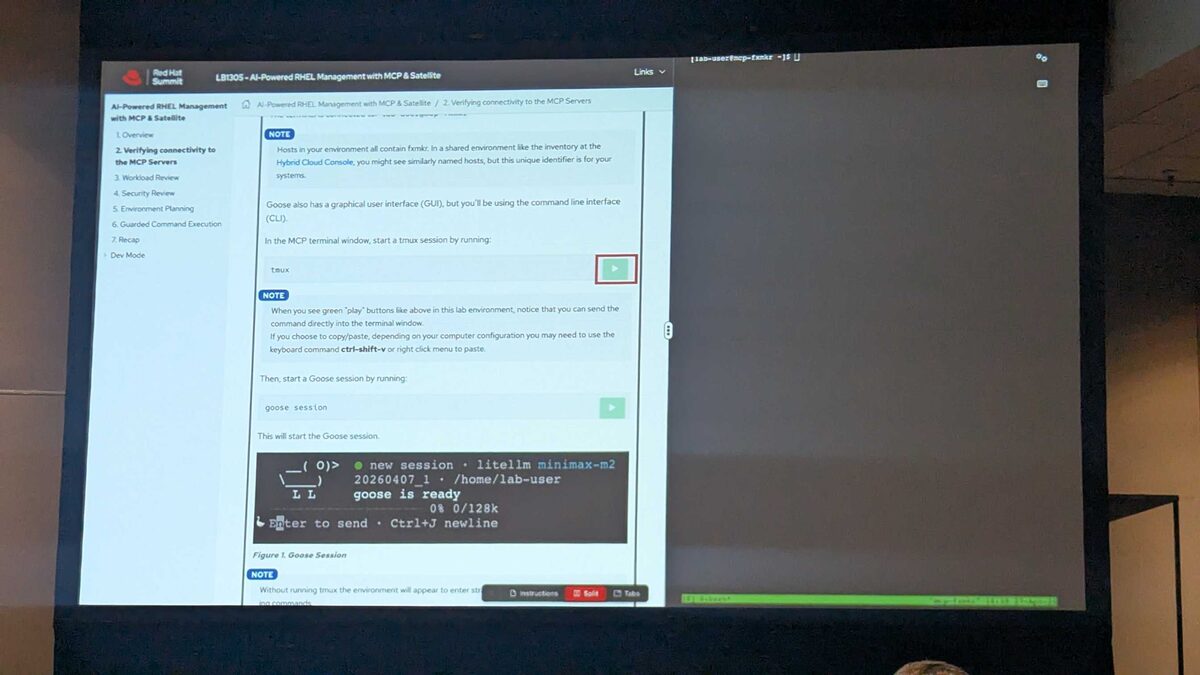
The interactive lab guide walked attendees through each module with executable commands (green play buttons that pipe directly to the terminal).
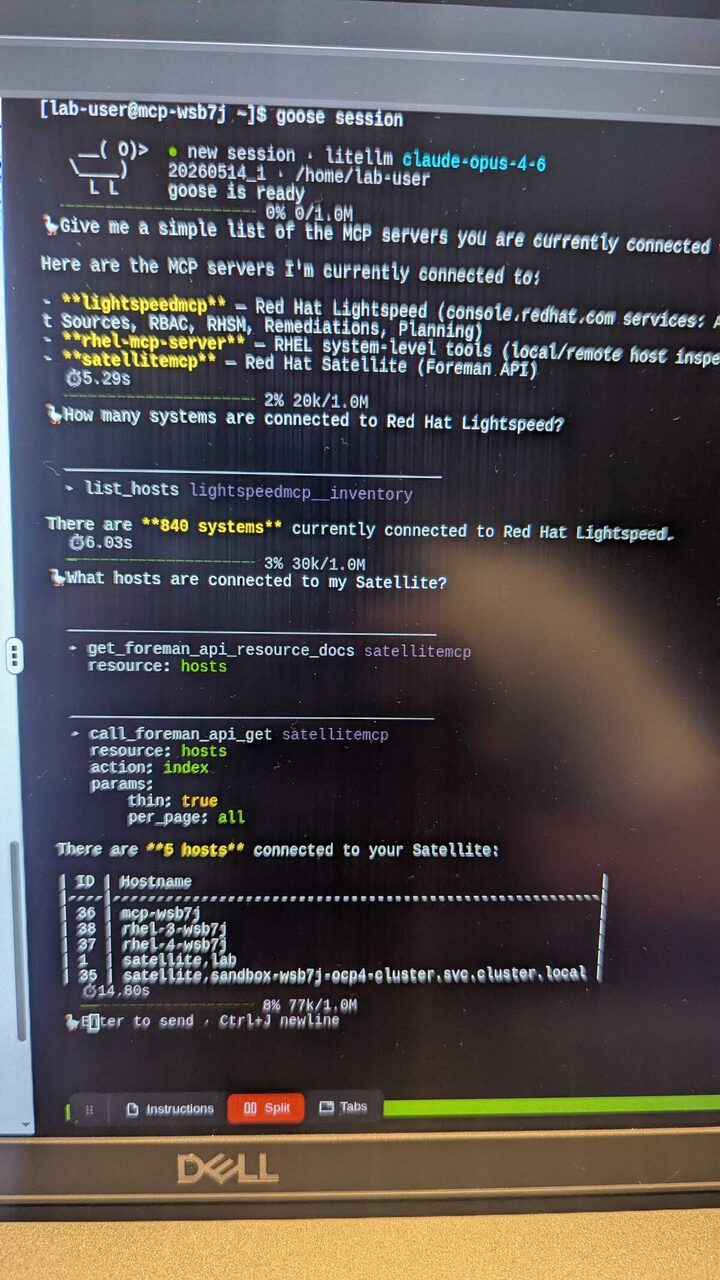
The terminal output shows exactly what the “Monday morning dashboard” looks like in practice:
- “Give me a simple list of the MCP servers you are currently connected to” → lightspeedmcp (console.redhat.com), rhel-mcp-server (local/remote host inspection), satellitemcp (Foreman API)
- “How many systems are connected to Red Hat Lightspeed?” → 840 systems (6 seconds via
list_hostsinventory tool) - “What hosts are connected to my Satellite?” → 5 hosts returned as a clean table with IDs and hostnames (14 seconds via Foreman API)
No tab-switching. No SSH hopping. One natural-language conversation to get a complete fleet overview.
Additional Context from the Session
A few important details shared by the presenters:
- Lightspeed on-premises capabilities are available — not just cloud-hosted
- Remediation playbooks can be associated to either a user or a service account
- Red Hat is working on a Workspace feature to share MCP configurations among multiple users
- The lab’s default model was Minimax-m2, but production deployments can use Claude, Gemini, or other LLM providers through LiteLLM
Workload Review: Full Environment Summary in Seconds
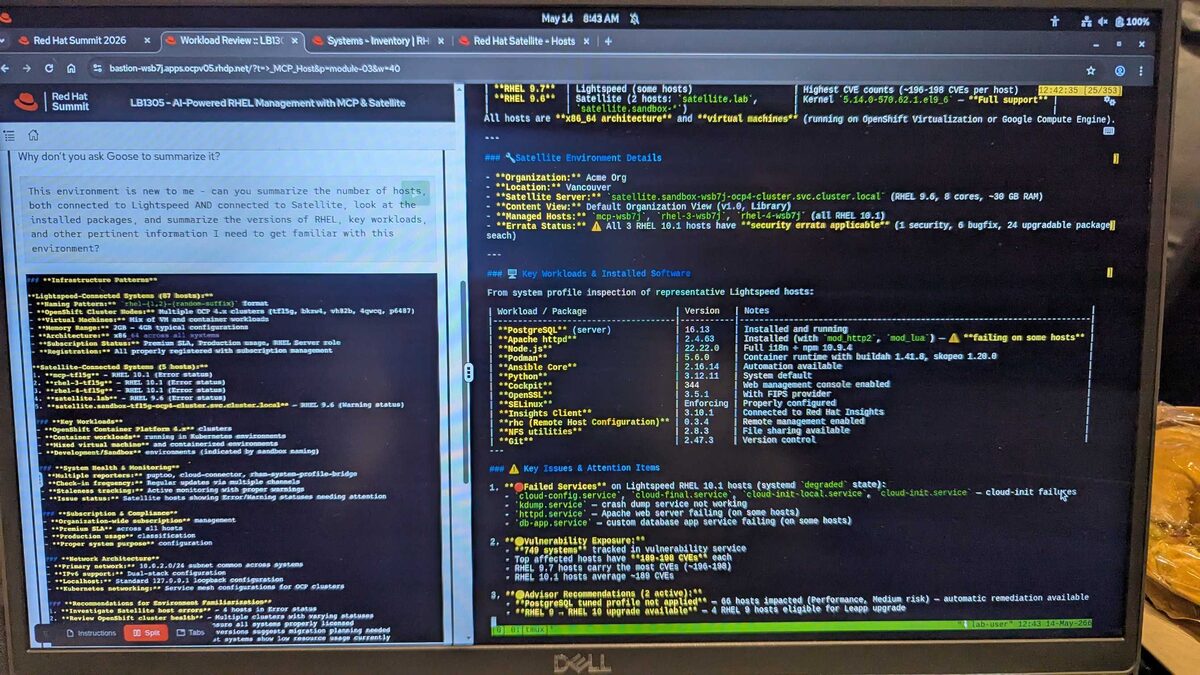
One of the most impressive lab outputs: asking Goose to “summarize the number of hosts, installed packages, RHEL versions, key workloads, and other pertinent information” produced a comprehensive environment report including:
- Satellite Environment: Acme Org in Vancouver, RHEL 9.6 server with 8 cores and 30 GB RAM, 3 managed RHEL 10.1 hosts with security errata applicable
- Infrastructure Patterns: OpenShift 4.x clusters, virtual machines with 2G-4GB typical configurations, Premium SLA production usage
- Key Workloads: PostgreSQL 16.13, Apache httpd 2.4.63, Node.js 22.22.0, Podman 5.6.0, Ansible Core 2.16.14, Python 3.12.11, Cockpit 344
- Vulnerability Exposure: 749 systems tracked, top affected hosts carrying 190-198 CVEs each, RHEL 9.7 hosts with the most CVEs
- Advisor Recommendations: 2 active — PostgreSQL tuple profile (Performance, Medium risk) with automatic remediation, RHEL 10 upgrade available for 4 RHEL 9 hosts
Security Review: SELinux Investigation with Guarded Execution
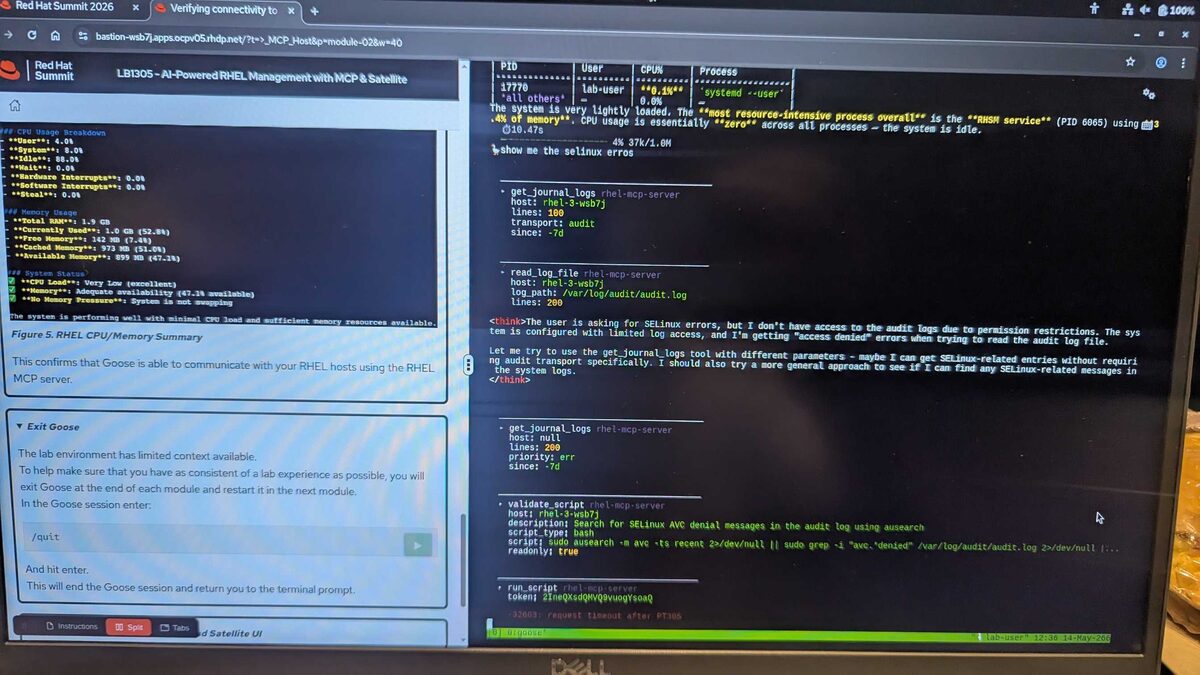
The security module showed the AI’s reasoning process in real time. When asked “show me the SELinux errors”, Goose:
- Queried
get_journal_logsfor audit transport (last 7 days, 100 lines) - Attempted
read_log_fileon/var/log/audit/audit.log— hit permission restrictions - Showed its thinking process (
<think>tags visible): “The user is asking for SELinux errors, but I don’t have access to the audit logs due to permission restrictions…” - Tried
get_journal_logswith error priority as fallback - Used
validate_scriptto propose a bash command:sudo ausearch -m avc -ts recentpiped through grep for AVC denials - Executed via
run_scriptwith the guarded command execution safety layer
This is the defense-in-depth guardrails in action — even the AI agent can’t bypass file permissions, and scripts go through validation before execution.
Environment Planning: Errata, Subscriptions, and Top 5 Priorities
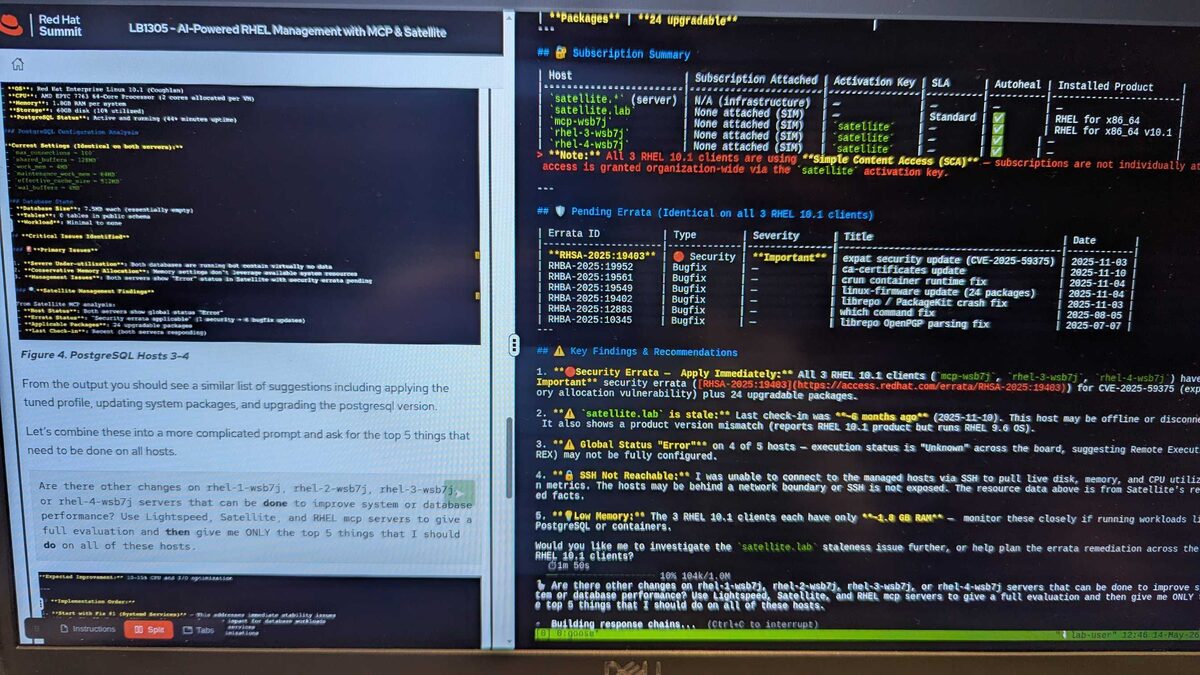
The environment planning module combined data from all three MCP servers to produce a complete fleet health report:
- Subscription Summary: All 3 RHEL 10.1 clients using Simple Content Access (SCA) — subscriptions granted organization-wide via activation key
- Pending Errata: RHSA-2025:19403 (Important security — CVE-2025-59375 expat allocation vulnerability) plus 6 bugfixes and 24 upgradeable packages
- Key Findings: Security errata to apply immediately, stale
satellite.lab(last check-in 6 months ago), global “Error” execution status on 4 of 5 hosts, SSH not reachable on managed hosts, low memory (1.0 GB RAM) on RHEL 10.1 clients running PostgreSQL
The killer prompt: “Are there other changes on all hosts to improve system or database performance? Use Lightspeed, Satellite, and RHEL MCP servers to give a full evaluation and then give me ONLY the top 5 things I should do on all of these hosts.” — combining all three MCP servers in a single natural-language query.
Join the Customer Demo Series
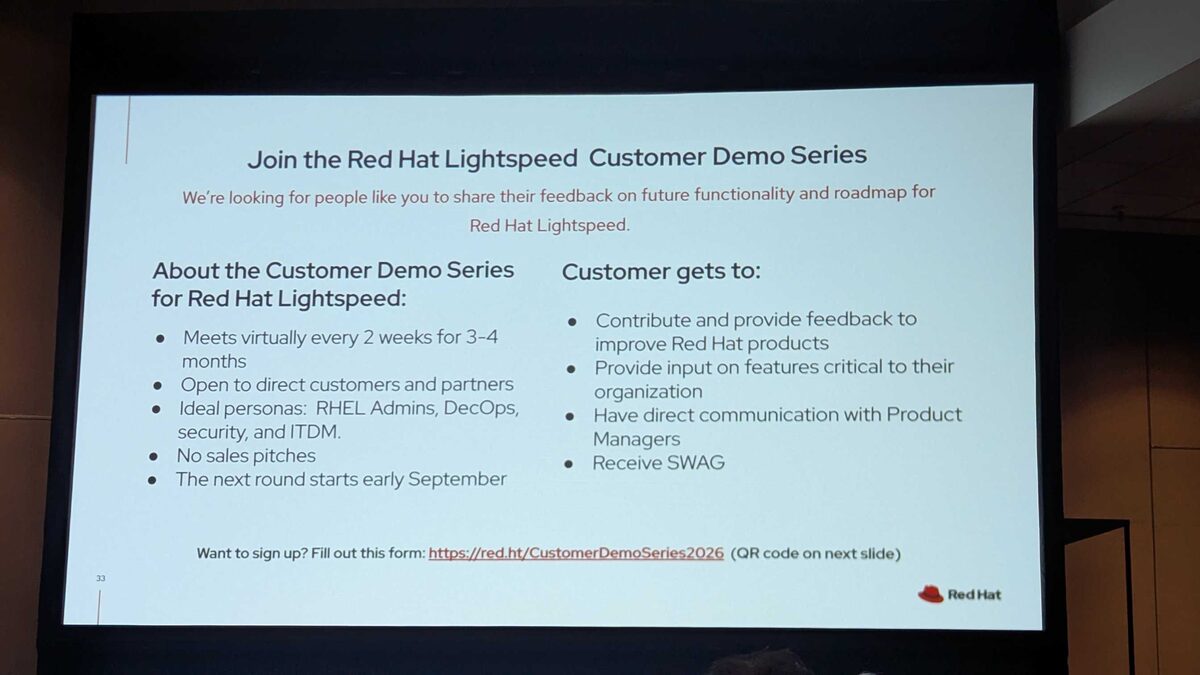
Red Hat is running a Customer Demo Series for Lightspeed — a chance to shape the product roadmap directly:
- Meets virtually every 2 weeks for 3-4 months
- Open to direct customers and partners
- Ideal for RHEL Admins, DevOps, Security, and ITDM personas
- No sales pitches — direct communication with Product Managers
- Next round starts early September 2026
Sign up at red.ht/CustomerDemoSeries2026.
The Hands-On Lab
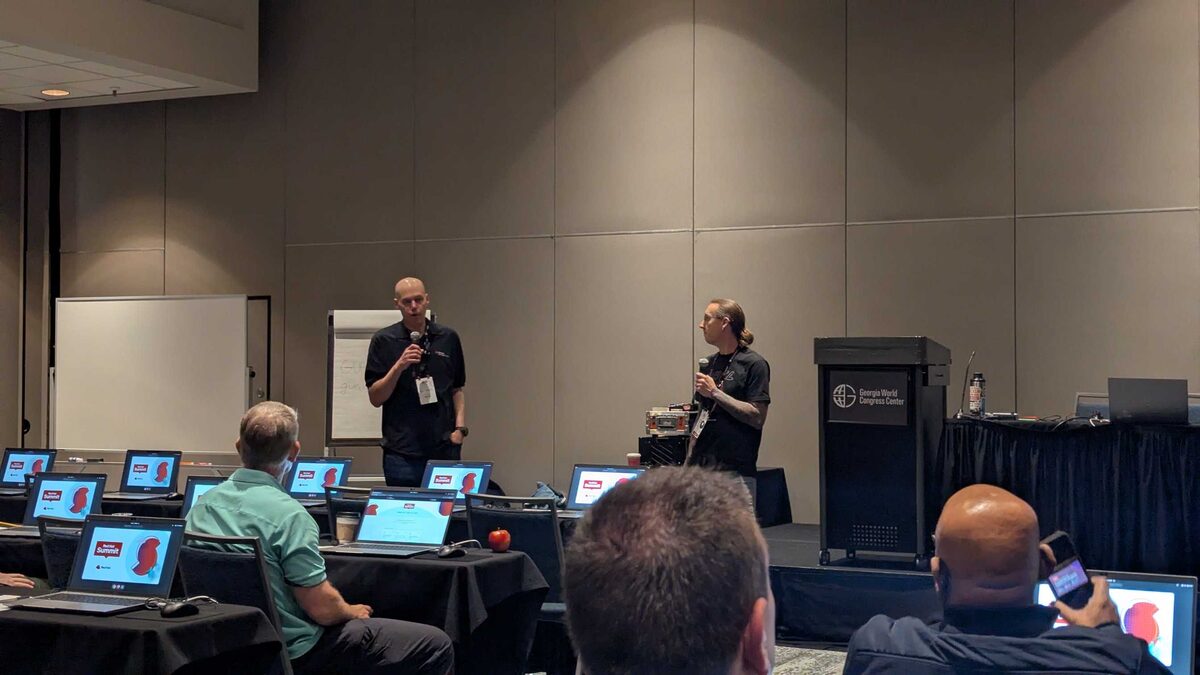
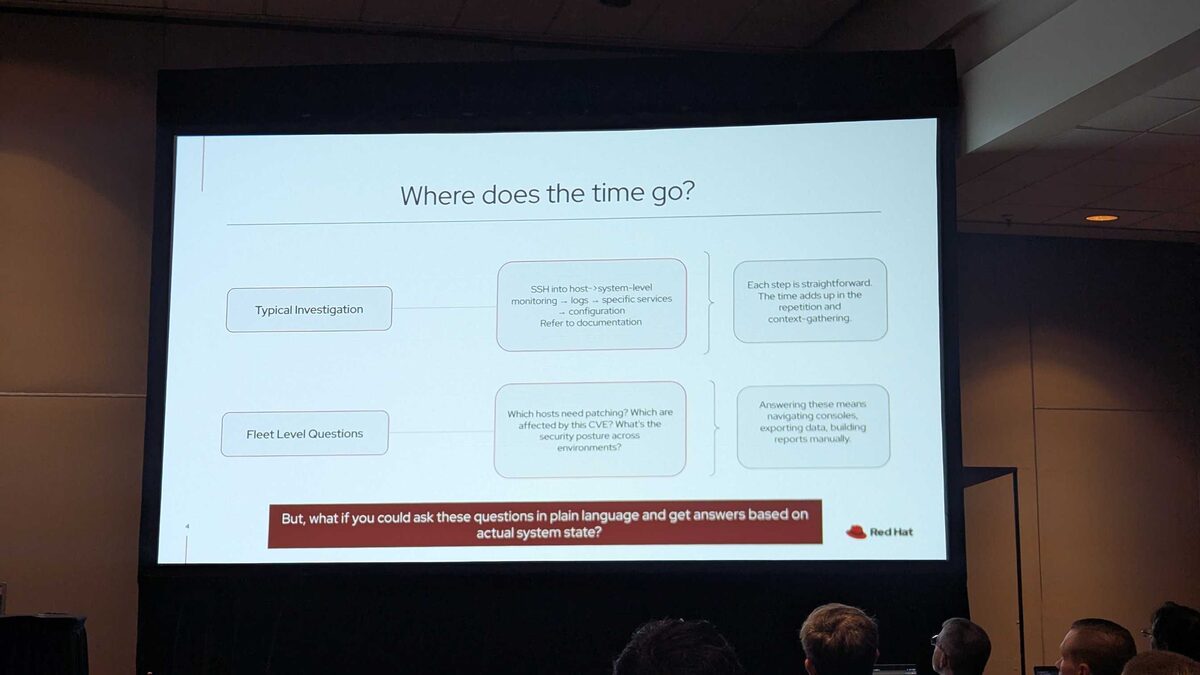
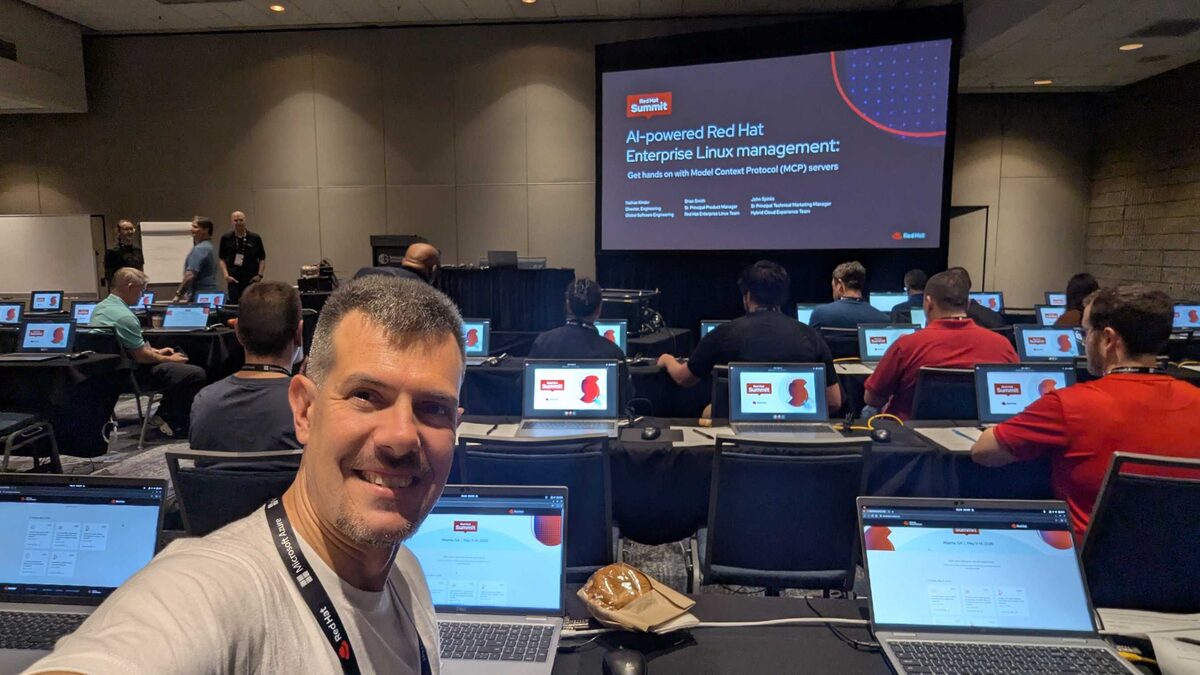
The lab was set up at the Georgia World Congress Center with rows of pre-configured laptops — each running a full RHEL environment with MCP servers connected. Attendees could:
- Query system state in natural language (“Which of my RHEL 9 hosts are missing the latest kernel security patch?”)
- Get CVE impact analysis across their fleet
- Generate compliance reports through conversation
- Troubleshoot service issues with AI-assisted investigation
Key Takeaway
The shift from “AI that knows about Linux” to “AI that can see your actual Linux fleet” is the real breakthrough. MCP is the protocol that makes it possible, and Red Hat is building the servers that make it practical.
For anyone managing RHEL at scale — especially with Satellite — this is worth watching closely. The productivity gains from natural language fleet queries alone would justify the adoption.
Official Resources
RHEL MCP Server:
- Smarter troubleshooting with the new MCP server for RHEL (developer preview)
- RHEL 10 docs: Using the RHEL MCP server
- Upstream documentation
- Demo video: 5 example use cases
Red Hat Lightspeed MCP:
- How to set up Red Hat Lightspeed MCP
- GitHub: RedHatInsights/insights-mcp
- YouTube: Using AI to query Red Hat Lightspeed
- KCS: Integrate Red Hat Lightspeed with MCP
Satellite MCP:
- Connecting AI applications to the MCP server for Satellite
- Enable intelligent insights with Red Hat Satellite MCP server