
At Open Source Summit Europe 2026 in Prague, Erin McKean of Google’s Open Source Programs Office announced that Docsy is moving to the Linux Foundation, and that Docsy is now “made for AI” as well as for people. I wrote up the keynote in Docsy Moves to the Linux Foundation.
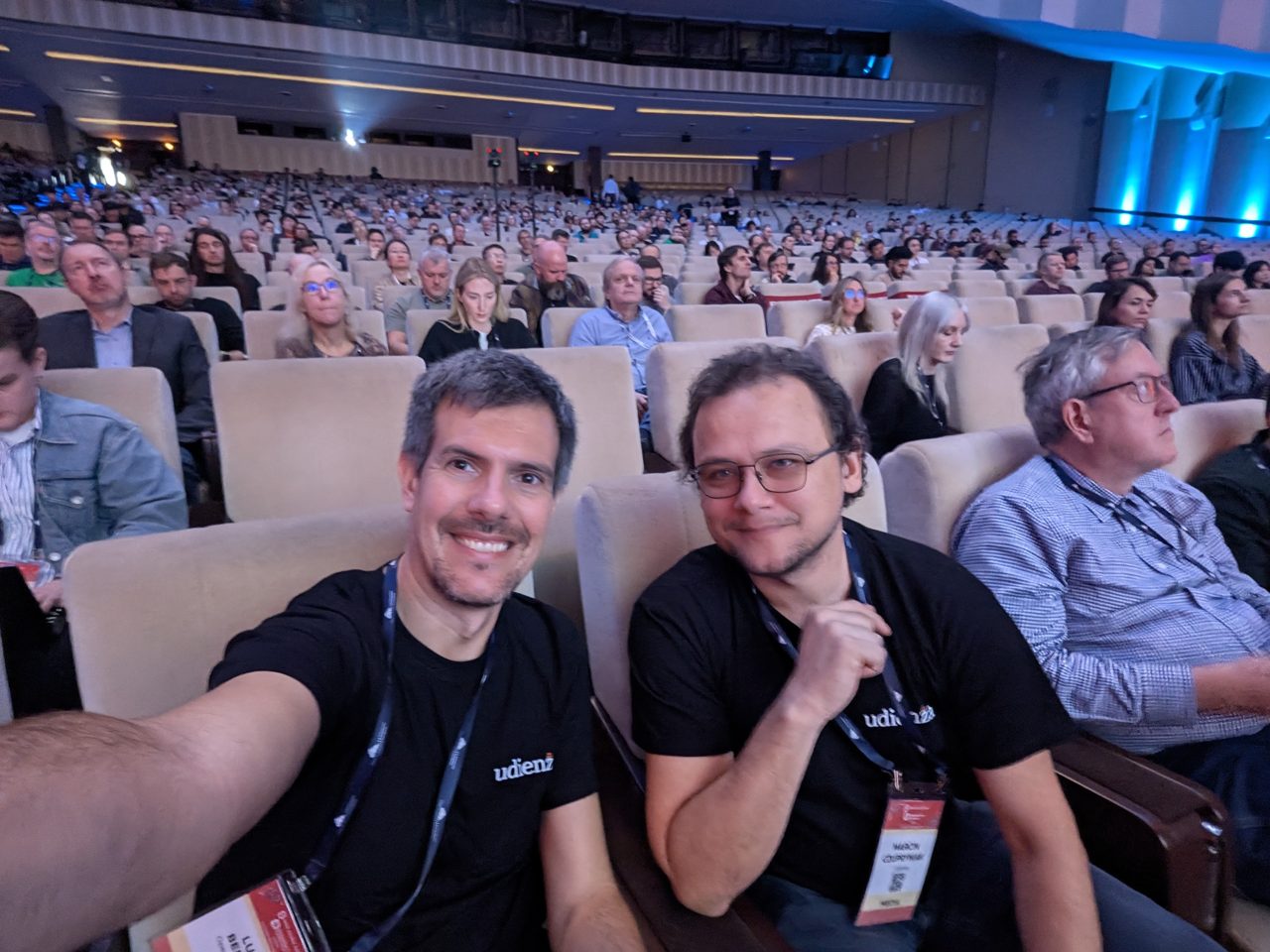 In the Congress Hall during the Docsy keynote.
The three features she showed were in-page directives that point agents to your llms.txt, Markdown versions of pages next to the HTML, and (coming soon) scores that measure how agent-friendly your docs are. This guide shows how to do the first two yourself, in any Hugo site, today.
Why agents need a different entry point
When a coding assistant or an agent reads your docs, it fetches HTML designed for people: navigation, cookie banners, scripts, sidebars and footers. All of that burns context and can confuse the model. Two simple additions fix most of it:
- An
llms.txtfile: a short Markdown index of what matters on your site. - Clean Markdown versions of pages: the same content without the page chrome.
The llms.txt format
The llms.txt proposal was published by Jeremy Howard in September 2024 and has been widely adopted since. The file lives at the root of your site (or a subpath) and is plain Markdown, in this order:
- An H1 with the project or site name. This is the only required part.
- A blockquote with a short summary.
- Optional paragraphs with more detail.
- H2 sections containing lists of links, each optionally followed by a colon and a note.
# Example Project

> Example Project is an open source tool for X. These docs cover installation,
> configuration and the API.

## Docs

- [Installation](https://example.org/docs/install/index.md): Supported platforms and quick start
- [Configuration](https://example.org/docs/config/index.md): All configuration options

## Optional

- [Changelog](https://example.org/changelog/index.md)
The proposal also suggests a convention for the Markdown versions: the same URL as the page, with .md added (page.html.md), or index.md for directory-style URLs.
Docsy itself does this. Its 0.16.0 release notes mention that the site serves an llms.txt, that each post has a Markdown version at index.md, and that the upgrade guide was written to be “agent-ready” and was exercised by an AI agent during review. This blog publishes an llms.txt too.
A working Hugo setup
Hugo can generate both files with custom output formats. This is a minimal setup. Adjust the section names to your site, and check the template names against the Hugo version you use (Docsy 0.16 requires Hugo 0.160.1 or later).
1. Configure the output formats
In hugo.toml:
[mediaTypes."text/markdown"]
  suffixes = ["md"]

[outputFormats.markdown]
  mediaType = "text/markdown"
  baseName = "index"
  isPlainText = true
  rel = "alternate"

[outputFormats.llms]
  mediaType = "text/plain"
  baseName = "llms"
  isPlainText = true

[outputs]
  home = ["html", "rss", "llms"]
  page = ["html", "markdown"]
This makes Hugo write an index.md next to every page’s index.html, and an llms.txt at the site root.
2. Template for the Markdown version of each page
Create layouts/page.markdown.md:
# {{ .Title }}

{{ with .Description }}> {{ . }}{{ end }}

{{ .RawContent }}
.RawContent is the page’s original Markdown, without your theme’s HTML. If you use shortcodes heavily, check the output: shortcodes are not rendered in raw content, so you may want to replace the most important ones with plain Markdown.
3. Template for llms.txt
Create layouts/home.llms.txt:
# {{ site.Title }}

> {{ site.Params.description }}

## Docs
{{ range where site.RegularPages "Section" "docs" }}
- [{{ .Title }}]({{ .Permalink }}index.md){{ with .Description }}: {{ . }}{{ end }}
{{- end }}
4. Point agents to it from every page
Add a link in your base template’s head, so agents that read the HTML find the Markdown alternative:
<link rel="alternate" type="text/markdown" href="{{ .Permalink }}index.md">That is the same idea as Docsy’s in-page directives: tell the agent where the clean version is.
Make the content agent-friendly too
The files are the easy part. The content matters more:
- One topic per page. Agents retrieve pages, not books. Long pages that mix five topics produce mixed answers.
- Version everything. State which release a page applies to. Agents mixing answers from three versions is the most common docs failure I see.
- Show complete, copy-pasteable examples. An agent will copy your snippet as-is.
- Write descriptions. Every page’s front matter
descriptionbecomes the note in yourllms.txt. A good one-line description is the cheapest improvement you can make. - Fix the top questions first. Your issue tracker shows where humans fail. Agents fail in the same places.
Measure it
Erin’s third feature, AFDocs scores, was announced as “coming soon”. Until it ships, you can measure the basics yourself:
- Ask your favourite coding assistant to complete a common task using only your docs URL, and see where it fails.
- Check that
llms.txtand theindex.mdfiles are reachable, small and free of navigation chrome. - Track how many issues are “the docs were wrong or missing” over time.
For the broader problem of assistants working from outdated documentation, see the end of hallucinated documentation and Context7 versus RAG for documentation.