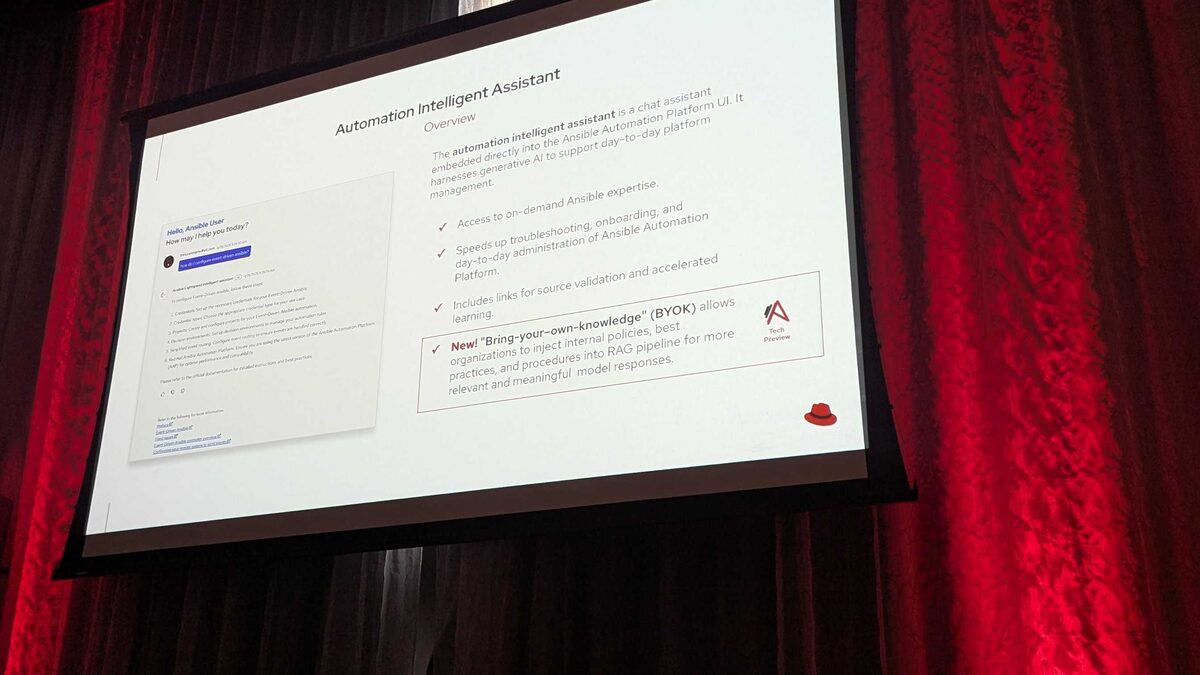
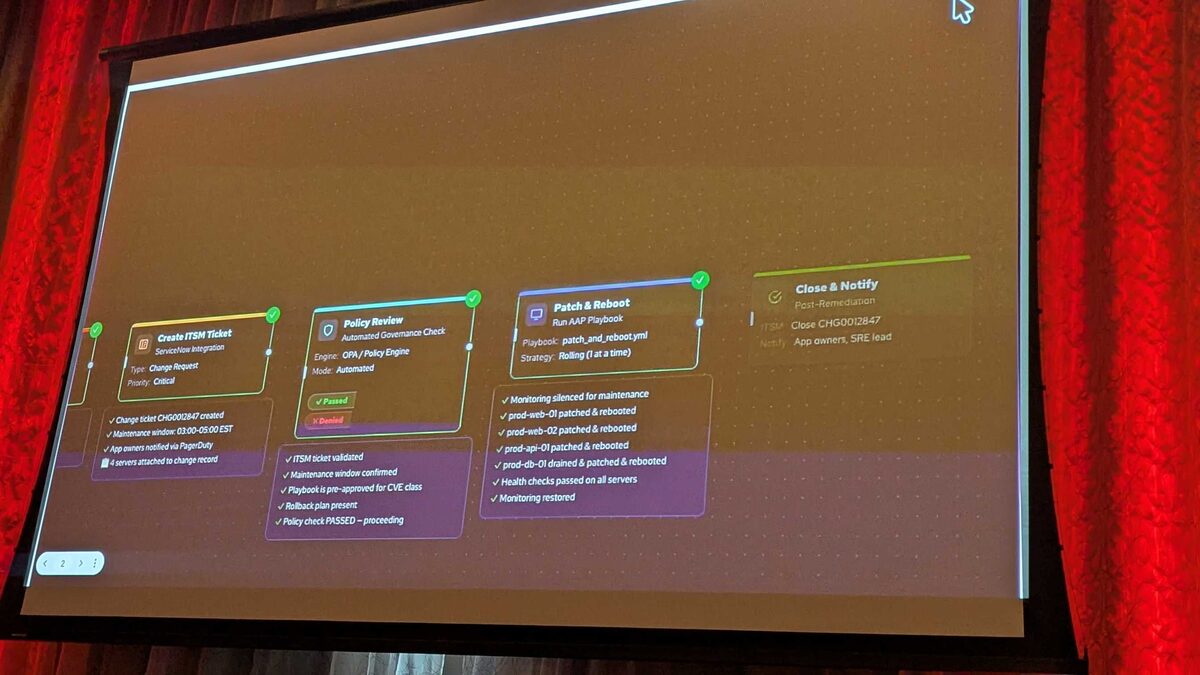
At Red Hat Tech Day Netherlands (June 2026), Fred van Zwieten and Ismail Dhaoui demonstrated AAP 2.7’s new Automation Portal — a self-service interface that transforms how platform teams build Execution Environments, manage templates, and govern automation content.
This is Platform Engineering applied to automation: give developers guardrails, not CLI commands.
The Automation Portal
The Automation Portal is a web-based interface that provides:
- Template gallery with one-click “Start” buttons
- Execution Environment Builder with visual wizard
- Collection search across Private Automation Hub and GitHub
- Governance controls built into the creation workflow
Template Gallery: Self-Service Automation
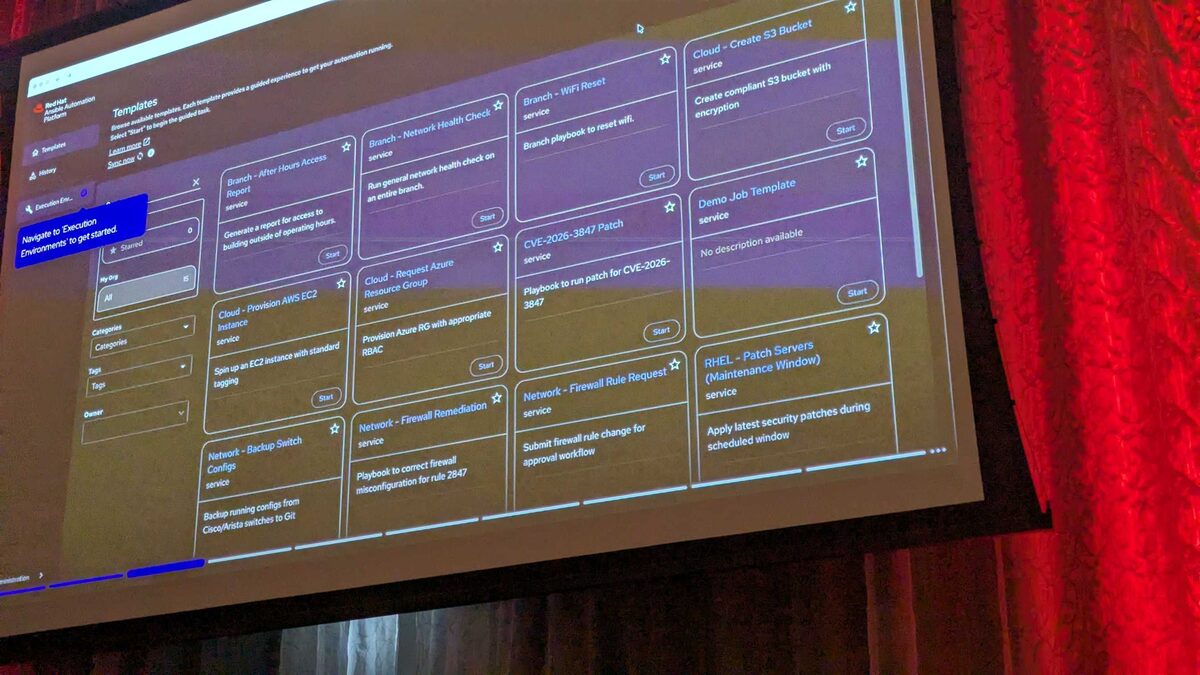
The demo showed a rich catalog of ready-to-use automation templates:
Available templates from the live demo:
| Template | Description |
|---|---|
| Branch - After Hours Access Report | Generate report for access outside operating hours |
| Branch - Network Health Check | Run general network health check on entire branch |
| Branch - WiFi Reset | Branch playbook to reset wifi |
| Cloud - Create S3 Bucket | Create compliant S3 bucket with encryption |
| Cloud - Provision AWS EC2 Instance | Spin up an EC2 instance with standard tagging |
| Cloud - Request Azure Resource Group | Provision Azure RG with appropriate RBAC |
| CVE-2026-3847 Patch | Playbook to run patch for CVE-2026-3847 |
| Network - Backup Switch Configs | Backup running configs from Cisco/Arista switches to Git |
| Network - Firewall Remediation | Correct firewall misconfiguration for rule 2847 |
| Network - Firewall Rule Request | Submit firewall rule change for approval workflow |
| RHEL - Patch Servers (Maintenance Window) | Apply latest security patches during scheduled window |
Each template has a “Start” button — operators do not need to know where the playbook lives or how to configure it.
Execution Environment Builder
The headline feature: a visual wizard for building Execution Environments without touching YAML.
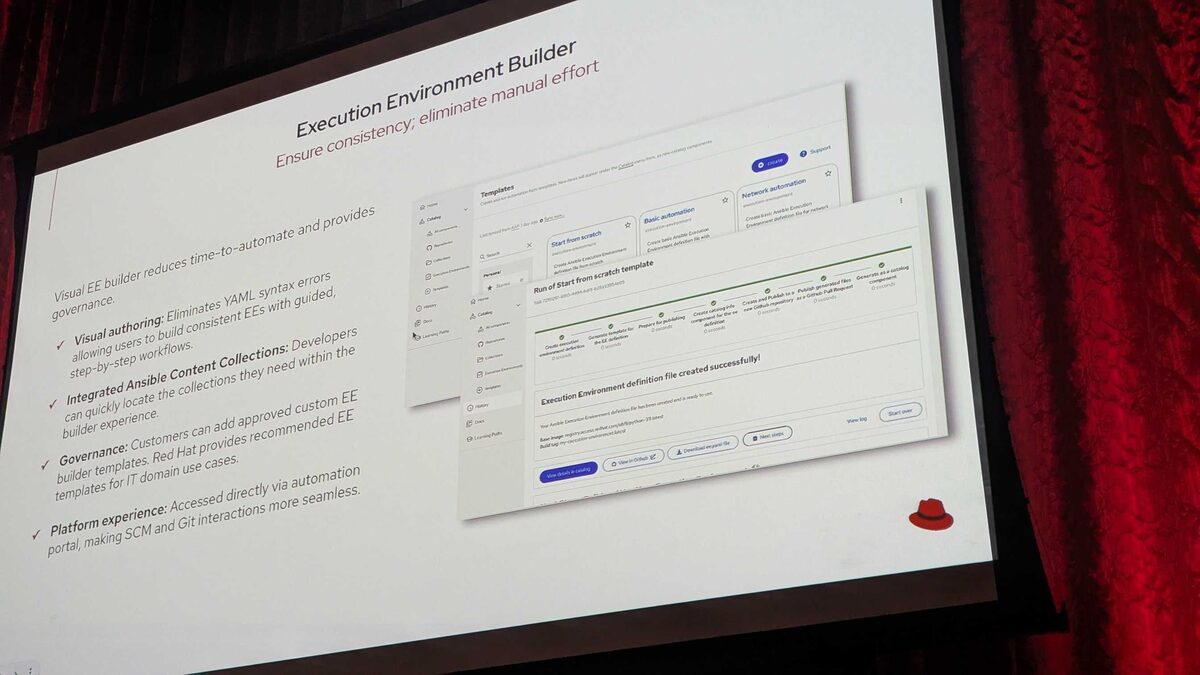
Why Visual EE Building Matters
- Visual authoring: Eliminates YAML syntax errors, allowing users to build consistent EEs with guided, step-by-step workflows
- Integrated Ansible Content Collections: Developers can quickly locate the collections they need within the builder experience
- Governance: Customers can add approved custom EE builder templates. Red Hat provides recommended templates for IT domain use cases
- Platform experience: Accessed directly via automation portal, making SCM and Git interactions seamless
The 4-Step Wizard
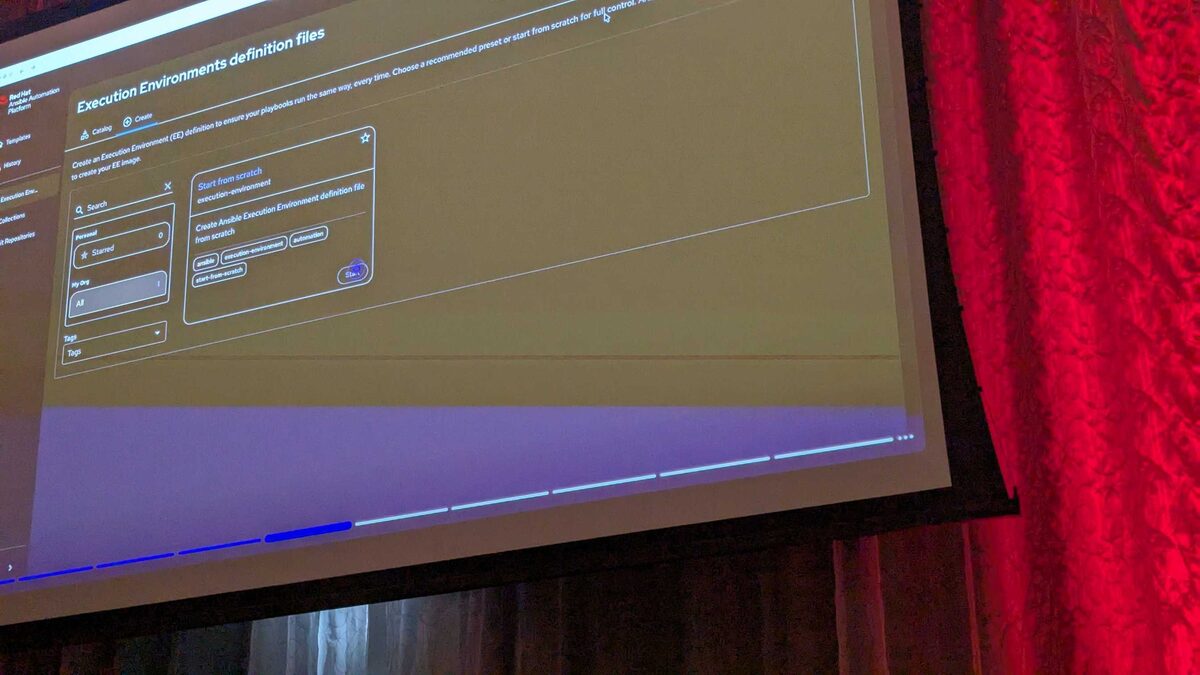
Step 1: Base Image
Choose from Red Hat-provided base images:
- Red Hat Ansible Minimal EE - Ansible Core 2.18 (RHEL 9) ★ Recommended
- Red Hat Ansible Minimal EE - Ansible Core 2.18 (RHEL 9) — channel stable2.18
- Red Hat Ansible Minimal EE - Ansible Core 2.16 (RHEL 9)
- Red Hat Ansible Minimal EE - Ansible Core 2.16 (RHEL 9) — channel stable2.16
- Custom Image — Add custom base image
Step 2: Configuration
Add collections to include in your EE definition:
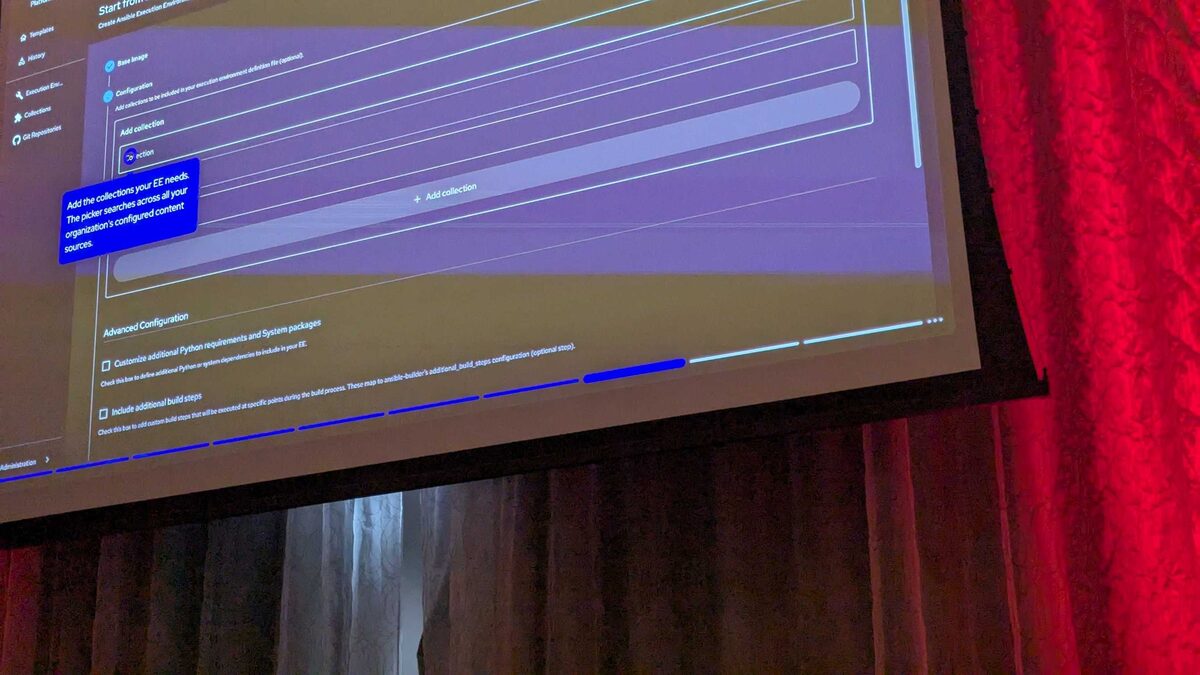
The collection picker searches across:
- Private Automation Hub (rh-certified)
- GitHub
Example: Adding redhat.rhel_system_roles v1.120.5 from Private Automation Hub / rh-certified.
Advanced Configuration options:
- Customize additional Python requirements and System packages
- Include additional build steps (custom commands at any stage of container build)
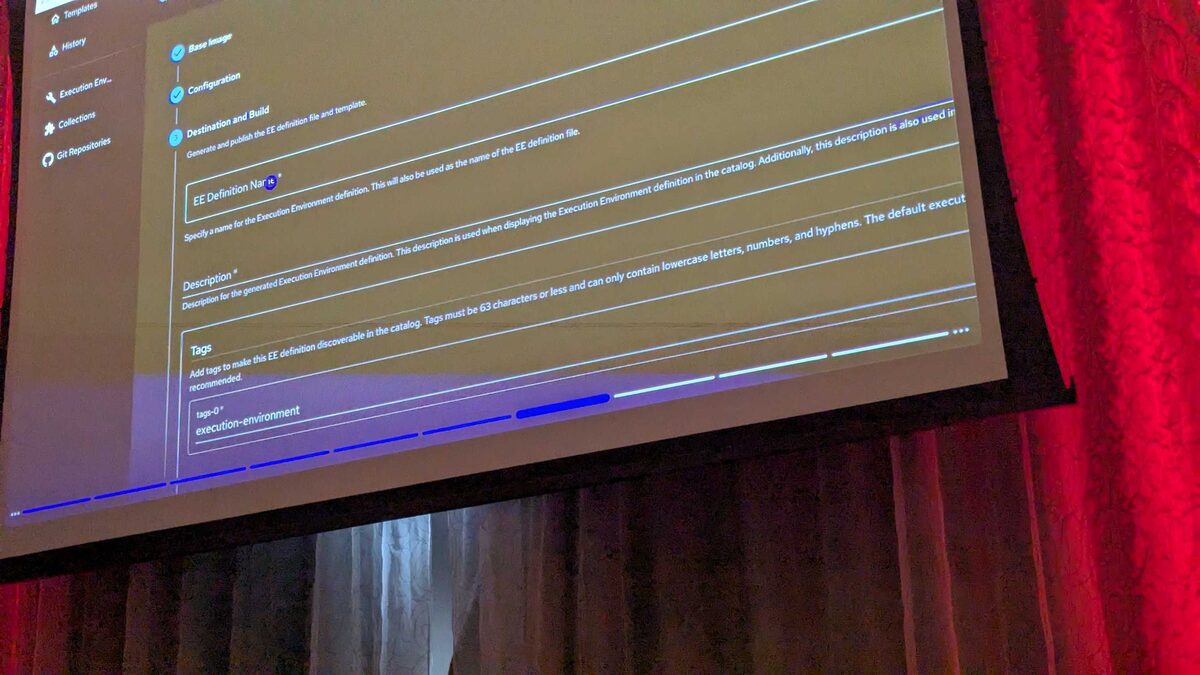
Step 3: Destination and Build
Configure EE definition name, description, and tags. The definition file is generated and published automatically.
Step 4: Review
Final validation before build.
EE Definition Catalog
The portal maintains a catalog of all existing EE definitions:
Pre-built EEs in the demo environment (9 total):
| Name | Description |
|---|---|
| azure-operations-ee | Azure resource management and V… |
| cisco-ios-ee | Cisco IOS and NX-OS network devi… |
| cve-remediation-ee | Emergency security patching and C… |
| linux-baseline-ee | Standard Linux hardening and basel… |
| rhel-management-ee | General RHEL administration — user… |
Each has:
- Owner (admin)
- Tags (
execution-environment) - Actions (star, edit, delete)
Speakers Demonstrating the Portal
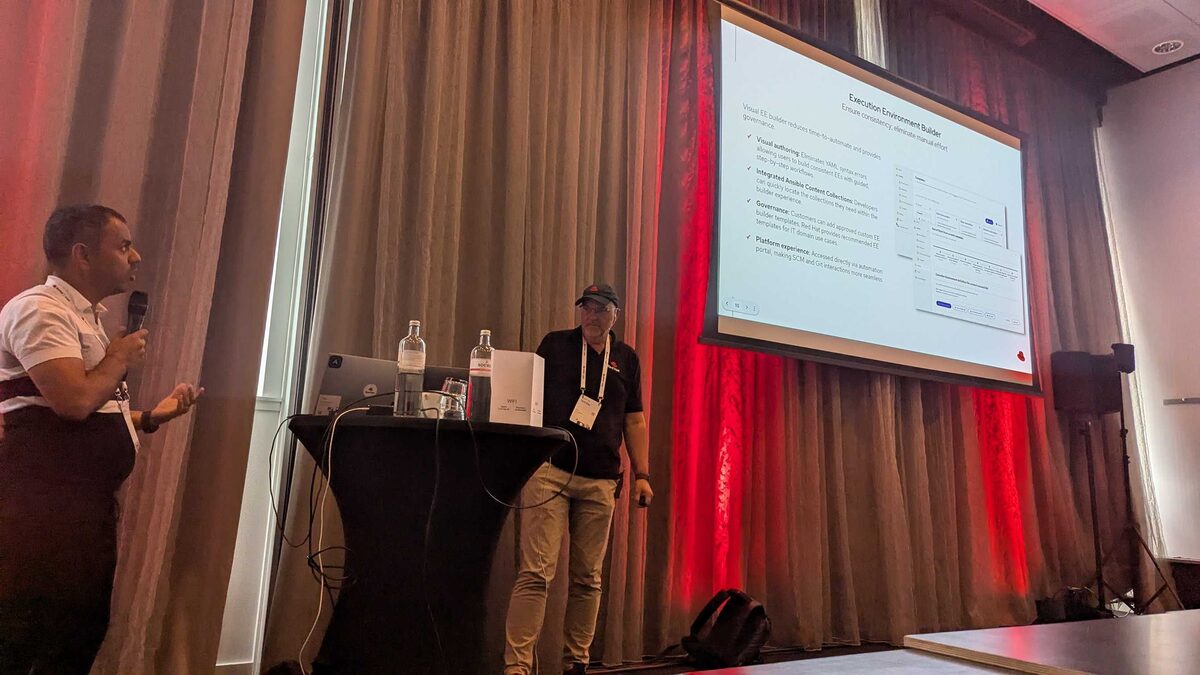
The live demo on interact.redhat.com showed the full flow: select template → choose base image → add collections → configure packages → build and publish.
Key Takeaways
- No more
ansible-builderCLI — Visual wizard with guardrails and governance - Collection discovery built-in — Search PAH + GitHub directly in the builder
- Templates as self-service — Platform teams publish, developers consume
- Governance by default — Approved base images, approved collections, approved templates
- Git integration — View in Galaxy, view in GitHub, download
requirements.yml
This is AAP becoming a true Internal Developer Platform for automation — abstracting away infrastructure complexity while maintaining enterprise governance.
What’s New in Event-Driven Ansible
EDA received massive updates for flexibility and control:
Event Bus Support:
- New Azure event bus just released
- New AWS event bus available
- In-flight rulebook event persistence for increased resiliency
Secrets Management:
- HashiCorp Vault, CyberArk, AWS, Azure, and others
EDA Automation Creation:
- Project synchronization with resync option on restarts
- Additional Jinja filters to replace regular expressions
- Kafka: multiple topics, extended regex, wildcards
- New event-splitter for nested events
- Rulebook concurrency key to group events by resource
- mTLS support
- Pull policy parity for decision environments
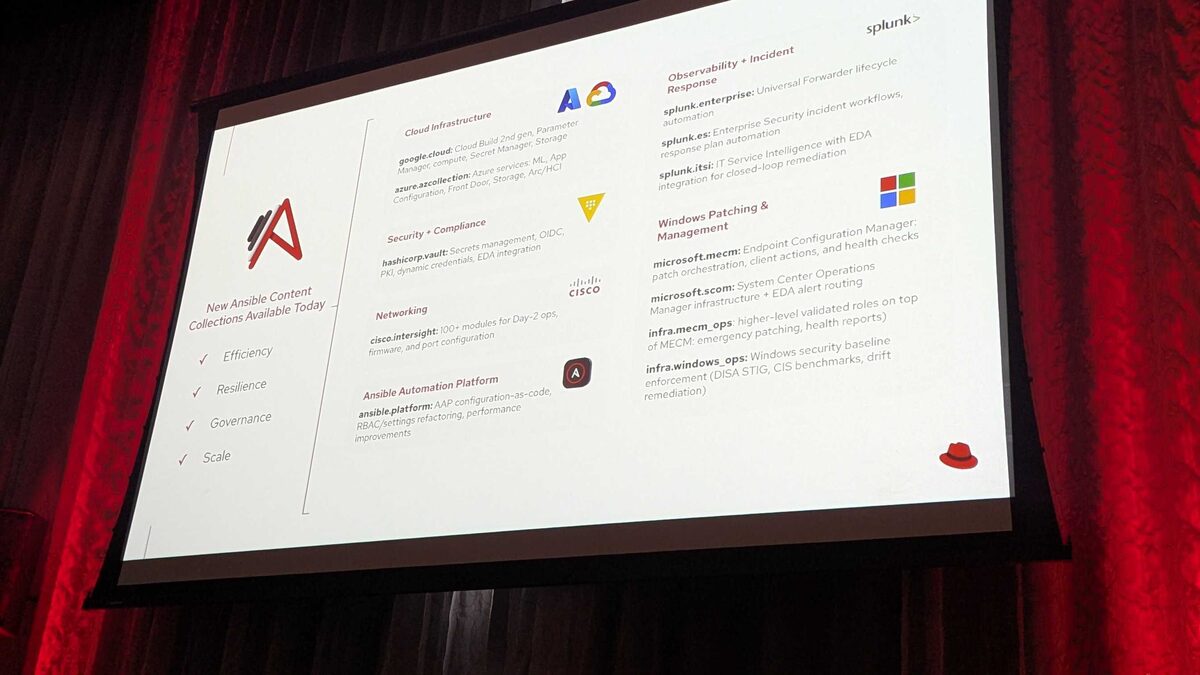
New Ansible Content Collections
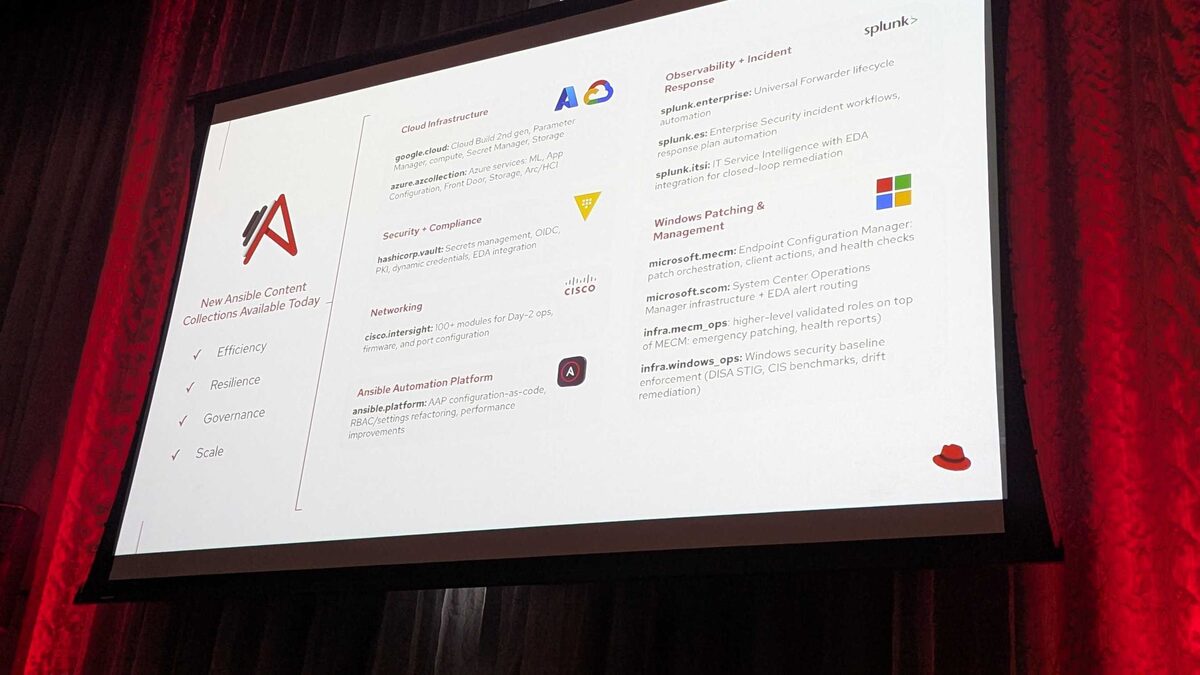
Available today — delivering Efficiency, Resilience, Governance, and Scale:
Cloud Infrastructure:
google.cloud— Cloud Build 2nd gen, Parameter Manager, Compute, Secret Manager, Storageazure.azcollection— Azure services: ML, App Configuration, Front Door, Storage, Arc/HCI
Security + Compliance:
hashicorp.vault— Secrets management, OIDC, PKI, dynamic credentials, EDA integration
Networking:
cisco.intersight— 100+ modules for Day-2 ops, firmware, and port configuration
Ansible Automation Platform:
ansible.platform— AAP configuration-as-code, RBAC/settings refactoring, performance improvements
Observability + Incident Response:
splunk.enterprise— Universal Forwarder lifecycle automationsplunk.es— Enterprise Security incident workflows, response plan automationsplunk.itsi— IT Service Intelligence with EDA integration for closed-loop remediation
Windows Patching + Management:
microsoft.mecm— Endpoint Configuration Manager: patch orchestration, client actions, health checksmicrosoft.scom— System Center Operations Manager infrastructure + EDA alert routinginfra.mecm_ops— Higher-level validated roles (emergency patching, health reports)infra.windows_ops— Windows security baseline enforcement (DISA STIG, CIS benchmarks, drift remediation)
Solution Guides: Work in Progress
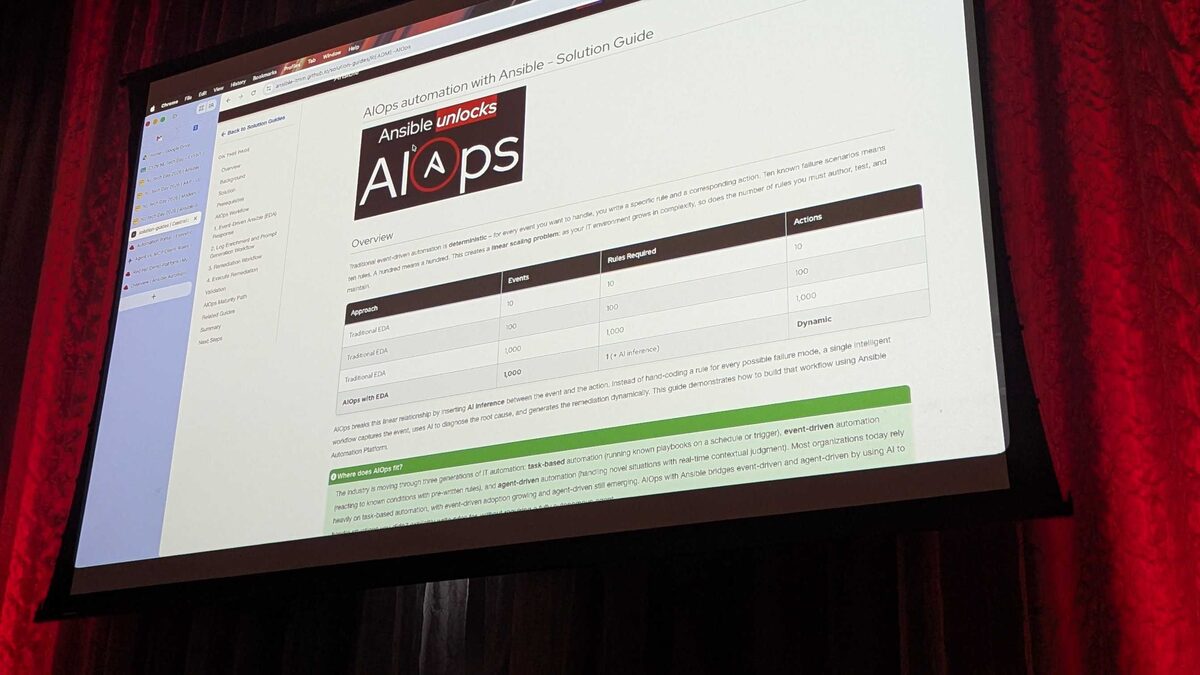
Coming soon to the Solution Guides portal:
- AIOps with AWS SQS and Event-Driven Ansible — Connect Amazon SQS to EDA via CloudWatch/EventBridge
- Event-Driven Remediation with Azure Service Bus — Real-time event consumption + AI-driven remediation across hybrid Azure
- RHEL Patching with Red Hat Lightspeed and Ansible MCP Server — Collapse CVE patching from days to minutes
- Consistent Automation Developer Experience with ADT
- Event-Driven Network Configuration with NetBox and AAP
- Automated WAN Circuit Failover with NetBox and AAP
”One More Thing…” — Automation Orchestrator (Coming Q3 2026)
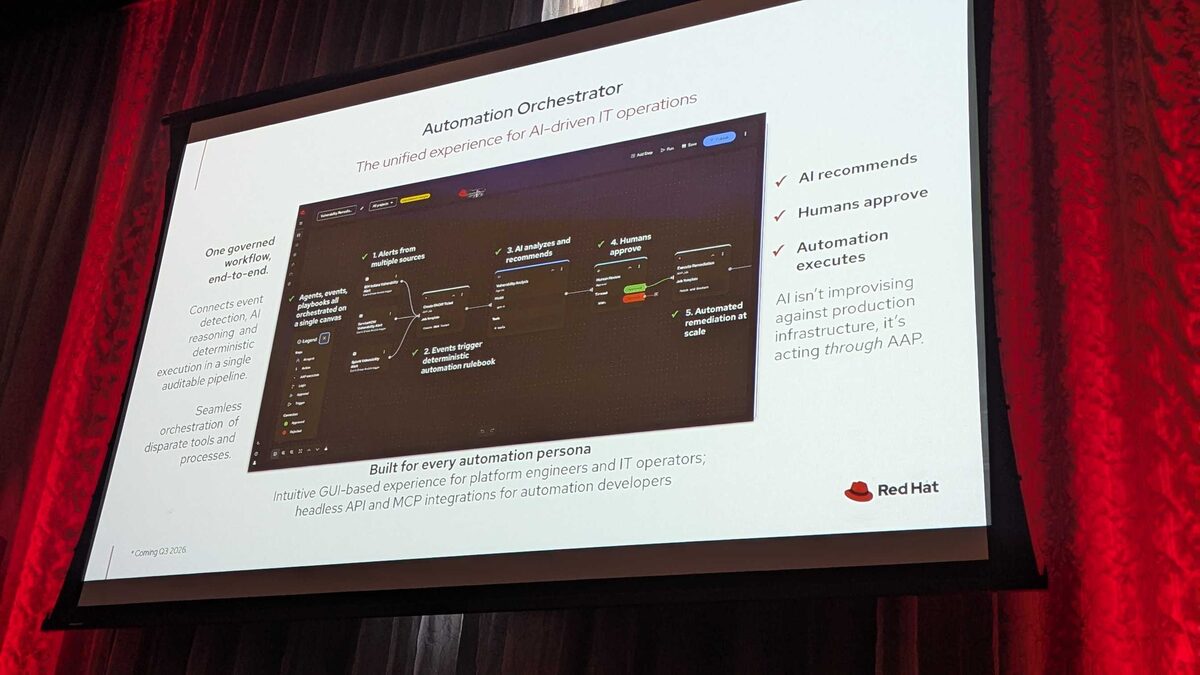
The biggest reveal of the day: Automation Orchestrator — the unified experience for AI-driven IT operations.
The 5-step pipeline:
- Alerts from multiple sources — agents, events, playbooks all orchestrated on a single canvas
- Events trigger deterministic automation rulebook
- AI analyzes and recommends — surfaces remediation options
- Humans approve — governance gate before execution
- Automated remediation at scale — deterministic, auditable execution
The key principle:
“AI isn’t improvising against production infrastructure, it’s acting through AAP.”
This is one governed workflow, end-to-end — connecting event detection, AI reasoning, and deterministic execution in a single auditable pipeline. Seamless orchestration of disparate tools and processes.
Built for every automation persona:
- Intuitive GUI-based experience for platform engineers and IT operators
- Headless API and MCP integrations for automation developers
Orchestrator Live Demo: CVE-2024-6387 Remediation
The demo walked through a Vulnerability Remediation workflow — an 8-step pipeline handling a critical OpenSSH CVE end-to-end.
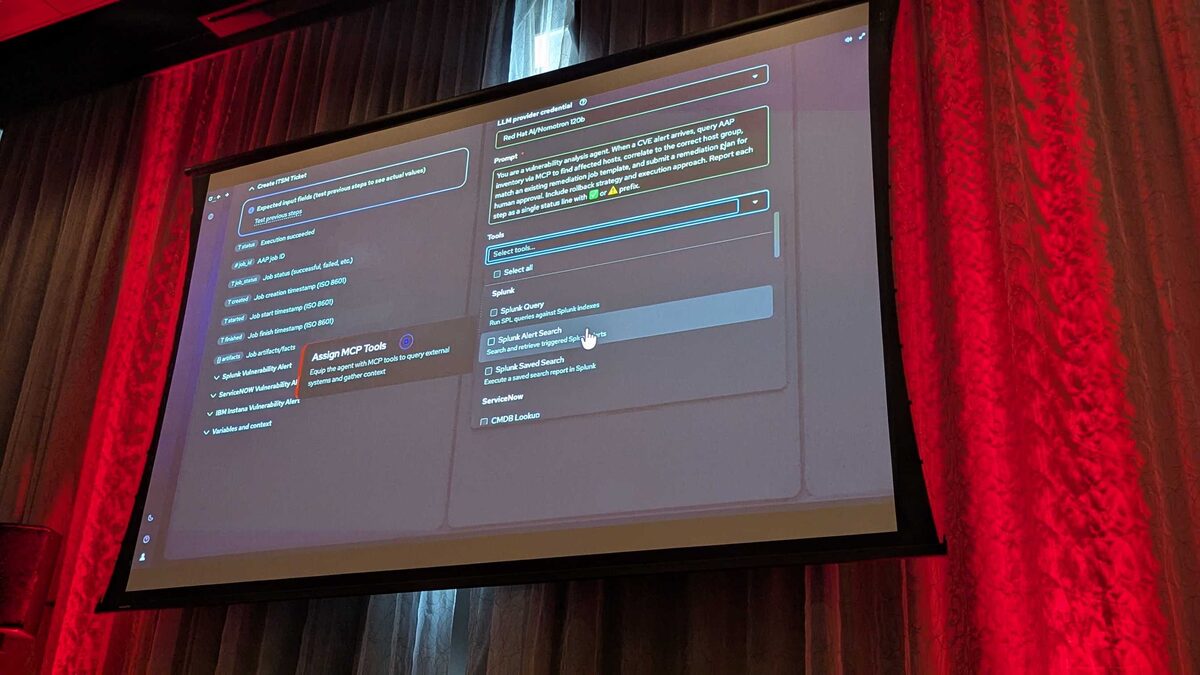
The AI Agent configuration:
- LLM: Red Hat AI/Nomotron 120b
- Prompt: “You are a vulnerability analysis agent. When a CVE alert arrives, query AAP inventory via MCP to find affected hosts, correlate to the correct host group, match an existing remediation job template, and submit a remediation plan for human approval. Include rollback strategy and execution approach.”
- MCP Tools assigned: Splunk Query, Splunk Alert Search, Splunk Saved Search, ServiceNow CMDB Lookup
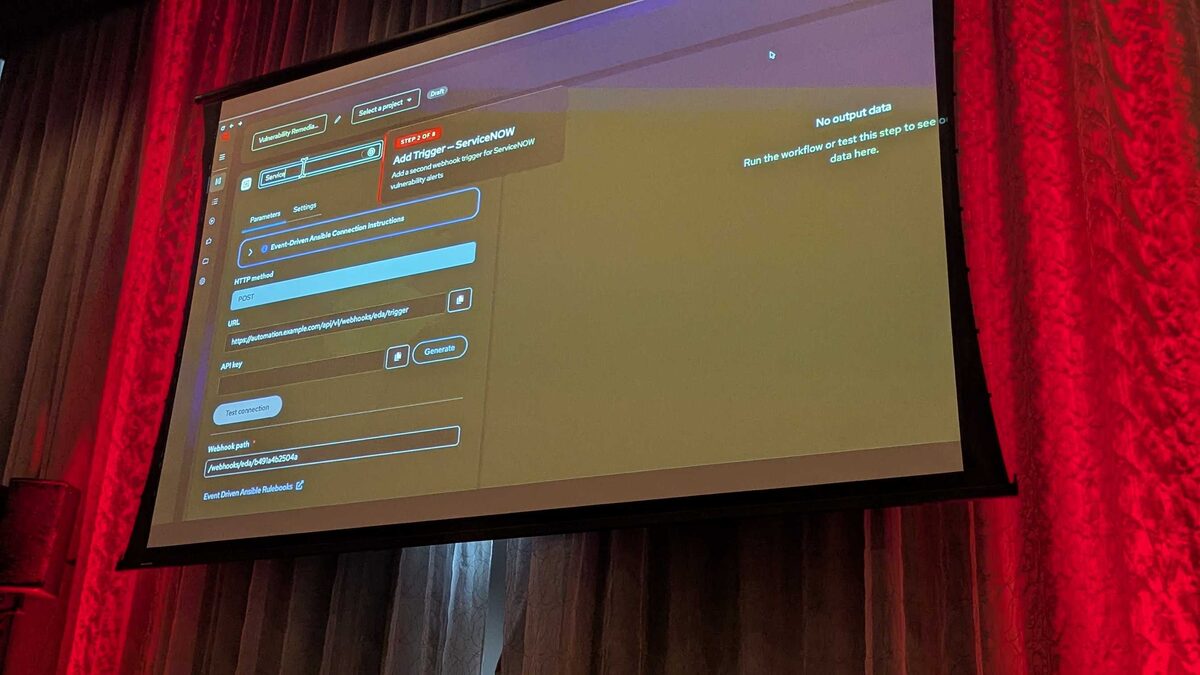
Multi-source triggers (Step 2-3):
- IBM Instana webhook trigger for vulnerability alerts
- ServiceNOW webhook trigger for vulnerability alerts
- Both POST to the EDA webhook endpoint with auto-generated API keys
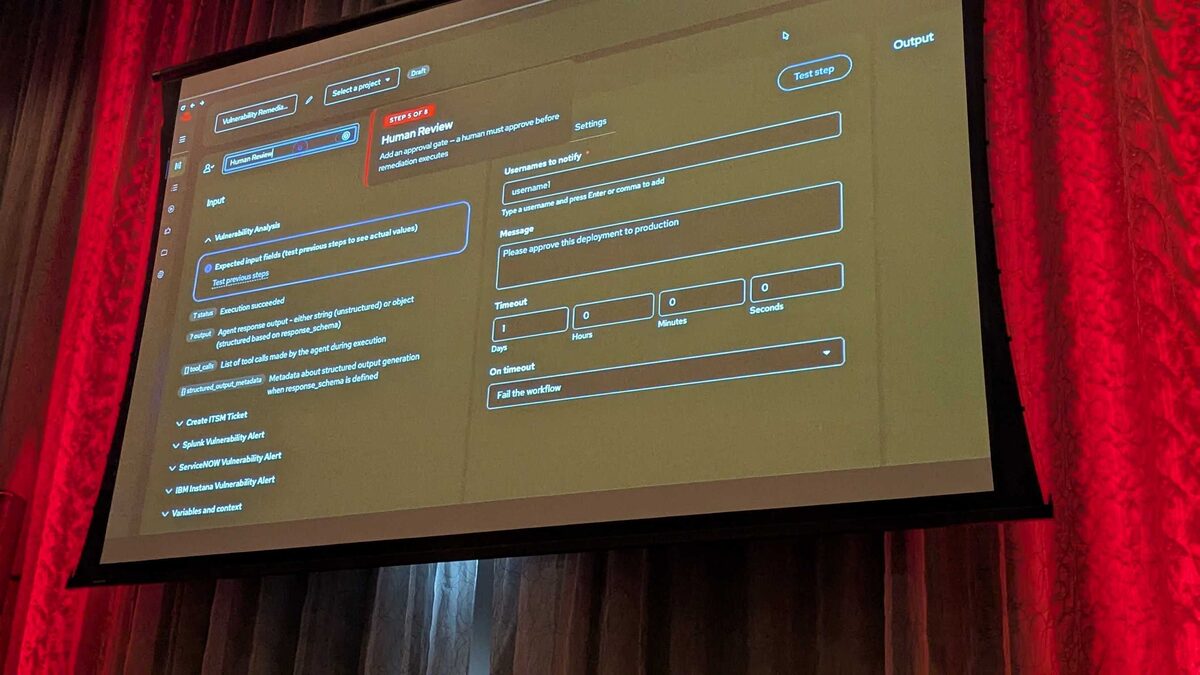
Human Review (Step 5): An approval gate where a human must approve before remediation executes. Settings include usernames to notify, custom message (“Please approve this deployment to production”), configurable timeout (1 day default), and on-timeout action: “Fail the workflow.”
Workflow Complete — results:
- CVE: CVE-2024-6387 (regresshion) — OpenSSH race condition in sshd
- Severity: CRITICAL
- Attack Vector: Network — Remote code execution via sshd
- Affected: OpenSSH 8.5p1-9.7p1 → Fix: Upgraded to OpenSSH 9.8p1
- 12 hosts patched across prod, staging, and dev environments
- Strategy: Rolling update — 3 batches of 4, zero downtime
- Health checks: All passed ✅
- ITSM Ticket: INC0038291 — Resolved and closed
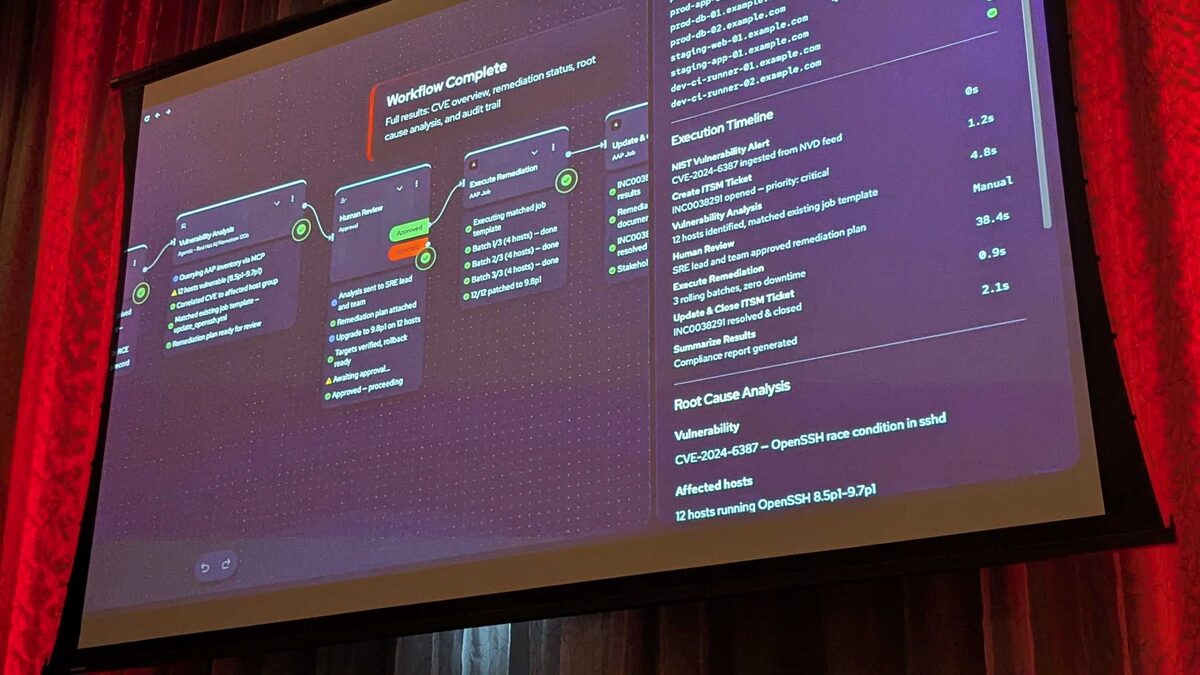
Execution Timeline:
| Step | Time |
|---|---|
| NIST Vulnerability Alert (NVD feed) | 0s |
| Create ITSM Ticket (priority: critical) | 1.2s |
| Vulnerability Analysis (12 hosts, matched template) | 4.8s |
| Human Review (SRE lead approved) | 38.4s (Manual) |
| Execute Remediation (3 rolling batches) | 0.9s |
| Update and Close ITSM Ticket | 2.1s |
Total automated time (excluding human review): under 10 seconds. That is the Automation Orchestrator promise — from CVE alert to patched fleet in seconds, with governance gates baked in.
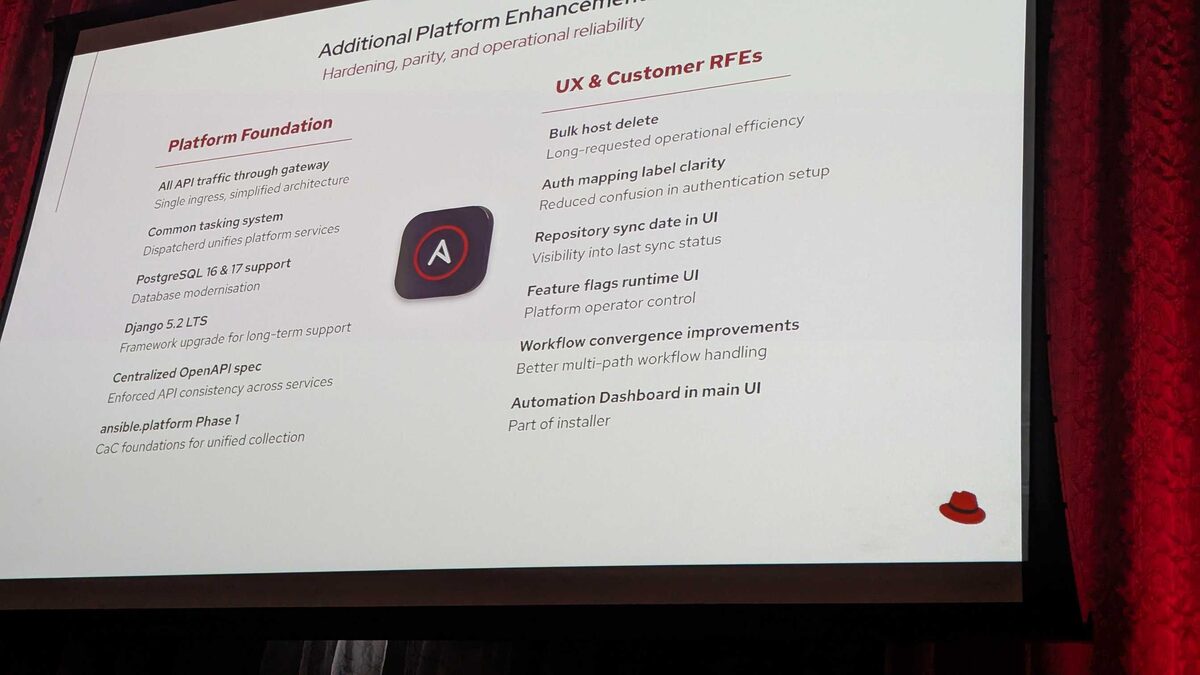
Additional Platform Enhancements
Platform Foundation:
- All API traffic through gateway — single ingress, simplified architecture
- Common tasking system — Dispatcherd unifies platform services
- PostgreSQL 16 and 17 support — database modernization
- Django 5.2 LTS — framework upgrade for long-term support
- Centralized OpenAPI spec — enforced API consistency across services
ansible.platformPhase 1 — CaC foundations for unified collection
UX and Customer RFEs:
- Bulk host delete — long-requested operational efficiency
- Auth mapping label clarity — reduced confusion in authentication setup
- Repository sync date in UI — visibility into last sync status
- Feature flags runtime UI — platform operator control
- Workflow convergence improvements — better multi-path handling
- Automation Dashboard in main UI — part of installer